How to Bypass CAPTCHA With Puppeteer: A Step-By-Step Guide
CAPTCHAs have been a website security staple since 2000, drawing a line between human users and bots. They're a savior for website owners and a nightmare for data gatherers. But the challenge has shifted. Modern systems like reCAPTCHA v3, hCaptcha, and Cloudflare Turnstile no longer rely on distorted text and puzzles alone. They score your behavior in the background, which means avoiding them is now as much about how you act as what you click. This guide covers CAPTCHA detection, prevention, real solver integration, and where Puppeteer fits alongside Playwright in 2026.

Dominykas Niaura
Last updated: Aug 04, 2026
10 min read
TL;DR
- CAPTCHAs have moved from simple text puzzles to behavioral scoring systems like reCAPTCHA v3, hCaptcha, and Cloudflare Turnstile that judge how you act, not just what you solve.
- The most reliable approach is avoidance: mimic human behavior with randomized timing, natural mouse movement, realistic user agents, and rotating proxies so challenges never trigger.
- Puppeteer detects CAPTCHAs easily with a selector check, letting your script adapt when one appears.
- The puppeteer-extra-plugin-stealth extension patches the most common bot signals, though it won't beat advanced anti-bot systems on its own.
- When avoidance and stealth aren't enough, third-party solvers or a managed tool handle the rest.
- Decodo's Site Unblocker and Web Data API bypass CAPTCHAs, rotation, and fingerprinting behind a single request, with no solver maintenance required.
What is a CAPTCHA?
CAPTCHAs (short for "Completely Automated Public Turing test to tell Computers and Humans Apart") are automated tests websites use to tell human visitors apart from bots. They exist to block spam and automated data collection, which makes them a headache for anyone doing legitimate web scraping.
The classic version asks you to identify distorted text, pick out images, or solve a small puzzle. But the landscape in 2026 is broader than that, and a Puppeteer user will run into several different systems:
- reCAPTCHA. Google's widely deployed system. Spans the old distorted-text version, the "I'm not a robot" checkbox (v2), and the invisible v3 that scores users in the background with no interaction at all.
- hCaptcha. A privacy-focused alternative to reCAPTCHA, common on Cloudflare-fronted sites. Usually image-selection challenges, also backed by behavioral analysis.
- Cloudflare Turnstile. A non-interactive challenge that verifies users through browser signals rather than puzzles, so legitimate visitors often pass without clicking anything.
- Audio and image challenges. Accessibility-oriented or fallback variants that ask you to transcribe audio or identify objects in a grid, often served when a session already looks suspicious.
The common thread in the newer systems is that they lean heavily on behavioral scoring. Instead of just checking whether you can solve a puzzle, they watch how you move, click, and navigate, and decide from there. That shift is exactly why avoidance (behaving like a real user) now matters more than solving.
Challenges of dealing with CAPTCHAs
For businesses and individuals relying on web scraping for data collection, CAPTCHAs can halt their operations, requiring manual intervention to bypass them. This not only slows down the data collection process but also increases operational costs and complexity.
As CAPTCHAs have become more sophisticated, traditional avoidance tricks no longer reliably overcome them, and there's a concrete reason why. Today's sophisticated anti-bot systems like Cloudflare, DataDome, and Akamai score you at the TLS and behavioral layer, which sits below where JavaScript stealth operates. A stealth plugin can patch what the browser exposes in JavaScript, but it can't change the TLS fingerprint your client presents during the connection handshake, and it can't fake genuinely human interaction patterns. So by the time the page runs, these systems have often already flagged the session. That's why serious data collection now leans on more advanced solutions, from AI-driven CAPTCHA solvers to human-powered solving services, or managed tools that handle the lower layers for you.
Introduction to Puppeteer
Puppeteer is a Node.js library developed by Google that provides a high-level API to control headless Chrome or Chromium browsers. It lets developers programmatically drive a browser as if a real user were navigating and interacting with websites.
With Puppeteer, you can automate a wide range of browser interactions: rendering pages, capturing screenshots, generating PDFs, and submitting forms. It simulates real user actions like clicking buttons, filling out fields, and moving from page to page. That makes it especially effective for web scraping, automated testing, and performance monitoring, and a solid tool for navigating around CAPTCHAs.
(Working in Python? See Puppeteer in Python with Pyppeteer.)
Puppeteer vs. Playwright in 2026
A quick note on tooling, since the landscape shifted. Playwright (built by Microsoft, released 2020) has become the default for new projects, especially anything cross-browser or multi-language, and it now pulls roughly 5x Puppeteer's weekly npm downloads. Puppeteer remains the pragmatic choice when you're Chrome-only and working in JavaScript, and it still has the more mature stealth-plugin ecosystem, which matters a lot for CAPTCHA avoidance specifically. Neither is a wrong choice here. Puppeteer fits when you want a lightweight, Chrome-focused, JS-native setup; Playwright fits when you need broader browser or language coverage. You can find the full comparison in this guide.
Getting started with Puppeteer
Let’s install Puppeteer and set up a basic project to get our feet wet. We’ll use a script to visit our specified website and perform some actions.
- First, install Node.js by downloading and running the installer according to your operating system.
- Then, create a new folder for your project and navigate into it using your command line or Terminal. To navigate into your folder, use the cd command followed by the path to your folder. For example, cd Desktop/MyPuppeteerProject.
- Initialize a Node.js project by running npm init -y to create a package.json file.
- Install Puppeteer by running the line npm install puppeteer.
- Next, create a JavaScript file using an IDE or a text editor. Copy and paste the Puppeteer script below, and save the file as index.js in your Puppeteer project’s folder.
6. Finally, you can run your script with the node index.js command.
This script launches a headless browser, opens the page, prints its text content to your Terminal, saves a screenshot of the visible area and the full page, then closes the browser.
A quick note on headless: true: in current Puppeteer versions, this launches the new headless mode by default. Older tutorials use headless: "new", which is now deprecated.
Always make sure that your commands are typed and executed in the command line or Terminal while you’re in the directory of your project. This ensures that your installations and configurations are specific to your Puppeteer project.
Detecting CAPTCHAs with Puppeteer
The first step in handling CAPTCHAs with Puppeteer is identifying them on a webpage. Here’s an easy approach to detecting a CAPTCHA that you can incorporate into your script:
The selector is the key part, and it differs by CAPTCHA type. When you inspect the page's HTML, look for the container element of the system the site uses:
- reCAPTCHA renders inside an element with the class .g-recaptcha
- hCaptcha uses .h-captcha
- Cloudflare Turnstile uses .cf-turnstile
So a more robust detector checks for all three at once and tells you which one is present:
A worked example
We'll use https://www.google.com/recaptcha/api2/demo as our example target, since it always shows a reCAPTCHA challenge, which makes it handy for testing. Inspecting its HTML confirms the CAPTCHA sits inside the .g-recaptcha class. Here's the full detection script:
Since this target always poses a reCAPTCHA challenge, the result will read "CAPTCHA detected: reCAPTCHA," and you'll find a full-page screenshot in your project folder showing it.
The Google demo is just a convenient example because it reliably renders a CAPTCHA. The same script works on any site: point page.goto() at your target, and the detector picks up whichever system that site uses, reCAPTCHA, hCaptcha, or Turnstile, without any other changes. That's the advantage of checking for all three selectors at once.
Once detection is wired up, your script recognizes CAPTCHAs across pages and sessions automatically, which matters for large-scale scraping where checking each page by hand isn't realistic. Some sites only show a CAPTCHA under certain conditions (say, after several rapid requests), so automated detection lets your script adapt: log the event, pause, switch tasks, alert a human, or hand off to a solver, depending on how you've built it.

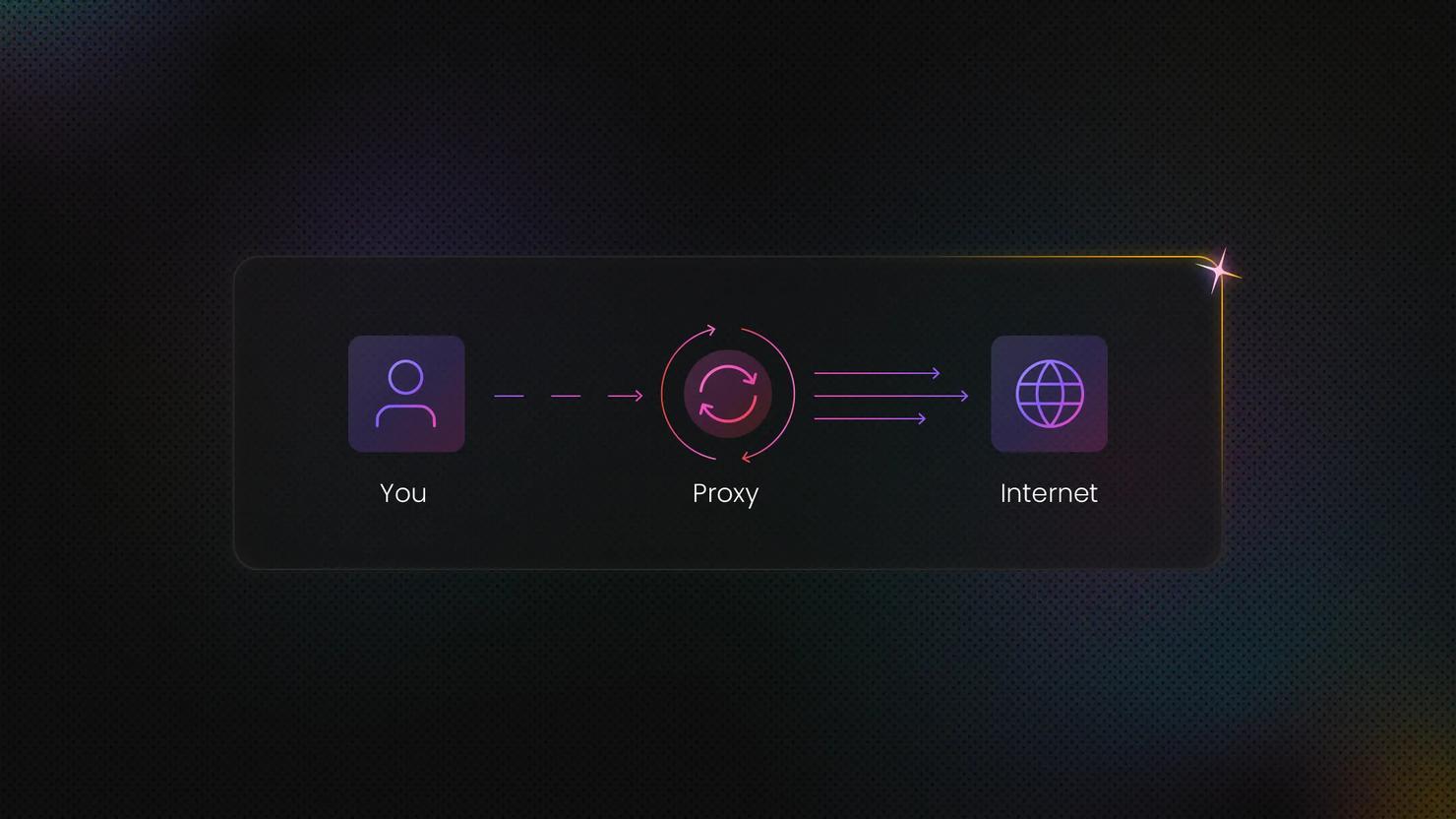
Unblock any target with Site Unblocker
Leave CAPTCHAs, geo-restrictions, and IP blocks behind with our proxy-like solution.
Bypassing CAPTCHAs with Puppeteer
CAPTCHA avoidance strategies
The best way to deal with a CAPTCHA is to never trigger one. Since modern systems score your behavior, mimicking a real user is the most effective strategy. Below are specific tactics with code you can integrate into your existing Puppeteer script. Replace placeholders like selector, text, your_user_agent_string, maxDelay, and minDelay with values relevant to your setup.
- Randomize clicks and mouse movements. Use Puppeteer's mouse functions to simulate human-like cursor movement. Instead of clicking a target directly, move the cursor along a non-linear path before clicking.
- Slow down actions. Rapid interactions are a red flag for automation. Adding delays between actions like clicks, form submissions, and navigation makes your script look more human. Note that Puppeteer's old built-in page.waitForTimeout() has been removed from current versions, so use a promise-based delay instead.
- Randomize interaction timings. Humans don't act at perfectly even intervals, so randomizing your timing helps simulate that unpredictability. Instead of fixed delays, vary the intervals between actions.
- Use realistic user agents. Sites check the user agent to spot bots, so a realistic one helps you blend in. Rotate the user agent frequently to mimic different real browsers and devices.
- Limit the rate of requests. Excessive request rates are a common bot signature and can trigger CAPTCHAs. Pace your requests, and consider rotating proxies so they appear to come from varied locations, reducing the chance of being flagged.
- Simulate natural scrolling. Automated scripts often jump straight to a page section, while humans scroll. Implementing smooth, varied scrolling looks more natural.
- Handle cookies and sessions like a human. Present your script as a returning user rather than a fresh, suspicious bot each time. Maintain cookies and session data across sessions, and consider occasional logins if the site requires authentication.
Implementing these tactics is a balance between efficiency and looking human. Overdoing them can slow your automation to a crawl, so find a middle ground that fits your use case.
The Stealth extension to bypass CAPTCHAs
The manual tactics above give you fine control, but they take effort. For a faster start, the Stealth plugin patches many of the signals that give a bot away automatically. Puppeteer Stealth significantly improves Puppeteer's ability to mimic a real browser, making it harder for sites to tell you apart from a human.
- Install the necessary packages in your Terminal:
2. Include the required modules in your script:
3. Launch a browser and navigate to your target. The setUserAgent method disguises your bot as a regular browser, which helps clear some anti-bot checks:
Apart from the user agent string, remember to replace the https://www.whatsmyua.info/ URL with your target website's URL. You can also change the viewport dimensions and the 10000 (10 seconds) delay time to whatever suits your case.
If your screenshot captures the page's content without triggering a CAPTCHA, your setup worked. That said, be aware that Puppeteer Stealth won't work on every website, especially those with advanced anti-bot mechanisms. Note that the User Agent above uses Chrome 151, the current stable version as of writing. An outdated Chrome version in your UA is itself a red flag, since a real user's browser auto-updates, so keep it current and bump it when new versions ship.
Going beyond the plugin: Fingerprint management
Since stealth alone isn't enough on tough targets, it helps to know what else the fingerprint needs. Modern anti-bot systems build a browser fingerprint from dozens of signals, and a few of them need attention beyond what the plugin covers.
- Disable the automation flag. Headless Chrome exposes a navigator.webdriver signal that screams "bot." Launch with the --disable-blink-features=AutomationControlled argument to suppress it:
- Randomize the viewport. Every session using an identical 1280x720 window is a pattern. Vary the width and height slightly across sessions so your browser dimensions look like different real devices rather than one machine repeating itself.
- Don't disable WebGL and hardware acceleration. Anti-bot scripts read WebGL and GPU rendering details as part of the fingerprint, and a headless browser with graphics disabled produces telltale gaps. Running with hardware acceleration enabled (rather than stripping it out) makes the fingerprint look more like a real desktop.
- Align your language headers with the UA locale. If your user agent claims to be a US English Chrome build but your Accept-Language header says something else, that mismatch is an easy flag. Keep the Accept-Language header consistent with the locale your user agent and IP imply.
Fingerprint management is an arms race, and no single tweak makes you invisible. The goal is consistency: every signal your browser emits should agree with every other one. When they line up, you look like a real user. When one contradicts the rest, you stand out. For a deeper look at how these signals are tested and spoofed, see our guides on bypassing CreepJS and BotBrowser.
Bypassing CAPTCHAs with Site Unblocker
In case the CAPTCHA avoidance strategies and the Stealth extension don’t cut it for your targets or just seem like too much of a headache, we recommend trying our Site Unblocker to bypass CAPTCHAs.
Site Unblocker is an advanced proxy solution that integrates as a proxy yet lets you gather data from websites with even the most sophisticated anti-bot systems. This tool has automatic proxy rotation and pool management, browser fingerprinting, JavaScript rendering, and other features to avoid CAPTCHAs, IP bans, geo-blocking, and other challenges. Here’s how you can set it up:
- Create a Decodo account on our dashboard.
- Click on Site Unblocker on the left panel and choose a subscription plan that suits your needs.
- Then, go to the Proxy setup tab to set up your proxy user credentials.
- You can go to the API Playground tab to send requests, save results, and copy the cURL command.
- Explore our detailed documentation for sample code and further insights on available parameters, including integration examples in cURL, Python, and Node.js.
Solving CAPTCHAs with Puppeteer
We've covered bypassing CAPTCHAs, which is about avoiding the trigger in the first place. But sometimes a challenge appears anyway, and you need to solve it. There are three broad approaches: Optical Character Recognition (OCR) for simple image challenges, machine learning models for more complex ones, and third-party solving services. Each has tradeoffs.
OCR works for simple, distorted-text CAPTCHAs and is accessible to developers, but it struggles with modern image-grid and behavioral challenges. Machine learning can handle tougher CAPTCHAs but needs significant compute and a large training dataset. Third-party services are the most practical option for most people: they use human solvers or trained models behind an API, offering high accuracy at a per-solve cost.
Integrating a third-party solver
Here's how a typical solver integration works end to end. Services like 2Captcha and similar providers all follow the same pattern: you send them the site key and page URL, they return a solved token, and you inject that token into the page.
First, install the dependencies:
The flow has four steps: read the site key from the page, send a task to the solver, poll until the token is ready, then inject it and submit. Here's a complete example for a reCAPTCHA v2 challenge:
The key detail is step 4. reCAPTCHA stores its solved token in a hidden textarea with the ID #g-recaptcha-response. Once you write the solver's token into that field, the page treats the CAPTCHA as solved, and you can submit the form as normal. The exact request and response field names vary between providers, so check your chosen service's documentation.
Handling reCAPTCHA v3
reCAPTCHA v3 is trickier because there's no visible challenge to solve. It runs invisibly and returns a score. The integration approach is different: rather than injecting a token into a visible field, you intercept the recaptcha/api.js request and override grecaptcha.execute so it returns the solver-provided token when the page calls it. This is more involved and site-specific, and it doesn't always work, since v3 also weighs behavioral signals the token can't fake. For a full breakdown of the v3 approach, see our ultimate guide to bypassing CAPTCHAs.
Improving your CAPTCHA success rate
Getting a solver working is one thing. Getting it to work reliably at scale is another. A few techniques push your success rate up and your costs down.
OCR for simple image CAPTCHAs
For basic distorted-text CAPTCHAs, you don't always need a paid service. OCR with a library like Tesseract can read them locally, and a bit of image preprocessing (converting to grayscale, increasing contrast, removing noise) dramatically improves accuracy before the text is read. It won't touch modern image-grid or behavioral challenges, but for legacy text CAPTCHAs it's fast and free. Screenshot the CAPTCHA element, preprocess the image, then run it through Tesseract to extract the text.
Retry with exponential backoff
Solvers time out, tokens occasionally fail, and networks hiccup. Instead of giving up on the first failure, retry with increasing delays: wait 1 second, then 2, then 4, and so on. Exponential backoff avoids hammering the solver (or the target) while still recovering from transient failures. Cap the number of retries so a persistently failing task doesn't loop forever.
Rotate IPs and browser profiles
Success rate isn't only about solving the CAPTCHA; it's about not getting flagged in the first place. Sending every request from one IP or one identical browser profile concentrates suspicion and triggers more challenges. Rotating proxies and varying your browser fingerprint across sessions spreads the load and lowers how often CAPTCHAs appear at all. Fewer challenges means fewer solves to pay for. Learn how to use a proxy in Puppeteer.
Optimize performance
CAPTCHA solving is slow, so trim everything else. Blocking unnecessary resources (images, CSS, fonts) via request interception makes each page load faster and cheaper, which matters when you're running at volume. Our guide on blocking requests in Puppeteer covers the setup. Beyond that, run sessions in parallel where your resources allow, and cache anything reusable (like session cookies from a solved challenge) so you're not re-solving the same wall repeatedly.
Get the Latest AI News, Features, and Deals First
Get updates that matter – product releases, special offers, great reads, and early access to new features delivered right to your inbox.
Best practices with Puppeteer
When using Puppeteer for web scraping, it's essential to approach the task with respect for the websites you interact with. Adhering to best practices not only ensures the sustainability of your scraping activities but also respects the legal and ethical boundaries set by website owners. Here are some things to keep in mind when using Puppeteer:
- Adherence to rules. Always read and respect the terms of service of any website you scrape. Many websites explicitly prohibit automated data extraction, and ignoring these terms can lead to legal consequences and being permanently banned from the site.
- Rate limiting. Avoid overwhelming your target website’s server so you don’t get rate-limited. This means making requests at a reasonable interval, mimicking human browsing patterns rather than rapid, constant scraping.
- Selective data extraction. Be selective about the data you scrape. Extract only what you need, reducing the load on the website’s server and the amount of data you need to process.
- Use APIs when they are available. If the website offers an API for accessing data, use it. APIs provide a more efficient and often legally sanctioned way to access the data you need.
- User-agent string. Set a legitimate user-agent string in your Puppeteer script. This transparency can help in situations where a website might block unknown or suspicious user-agents.
- Integrate proxies. Incorporating proxies into your Puppeteer projects can significantly enhance data-gathering efficiency. Residential proxies allow for IP rotation and request distribution, reducing the risk of being blocked while maintaining a respectful load on target servers.
Use cases and applications
There are plenty of practical use cases where businesses and developers might find legitimate benefits in using Puppeteer for CAPTCHA challenges. Here are some of them:
- Competitive analysis. Businesses can leverage web scraping for such market intelligence as pricing, product offerings, and consumer reviews from publicly accessible websites. Pages with the most valuable information often incorporate CAPTCHAs or other methods to prevent automatic data collection. Puppeteer allows automation of this process and helps bypass these restrictions to gather real-time data, enabling them to make informed decisions based on current market trends. With this approach, businesses can stay agile and responsive to market shifts in dynamic industries where prices and product offerings change frequently.
- Academic and market research. Researchers in academic and market research fields often require access to extensive datasets from various online sources. Web scraping with Puppeteer allows access to these websites, some of which might be protected by CAPTCHAs. This capability is crucial for gathering a broad spectrum of data, ranging from social media trends and public opinion to economic indicators and demographic statistics.
- Testing web applications and user experience. Developers can use Puppeteer to automate testing of their own web applications, including those that implement CAPTCHAs. This helps ensure the CAPTCHA implementation doesn’t obstruct user experience and functions as intended.
Final thoughts
Our exploration into Puppeteer’s capabilities reveals a versatile toolkit for CAPTCHA detection, avoidance, and solution. Basic CAPTCHA avoidance strategies can be helpful for some websites but might not suffice for others. Meanwhile, advanced techniques like employing OCR, machine learning, and third-party services can effectively solve complex CAPTCHAs at a cost.
Unlike third-party CAPTCHA-solving services, Site Unblocker can provide a more streamlined and cost-effective approach to bypassing CAPTCHAs for enhanced web scraping and automation efficiency. May your online adventures be CAPTCHA-free!
About the author

Dominykas Niaura
Technical Copywriter
Dominykas brings a unique blend of philosophical insight and technical expertise to his writing. Starting his career as a film critic and music industry copywriter, he's now an expert in making complex proxy and web scraping concepts accessible to everyone.
Connect with Dominykas via LinkedIn
All information on Decodo Blog is provided on an as is basis and for informational purposes only. We make no representation and disclaim all liability with respect to your use of any information contained on Decodo Blog or any third-party websites that may belinked therein.