Residential Proxies Quick Start Guide
A residential proxy quick start guide walks you through buying a plan, authenticating, and sending your first request using an ISP-assigned residential IP. Get started with residential proxies across 195+ locations, plus HTTP(S) and SOCKS5 support.
14-day money-back option
115M+
ethically-sourced IPs
99.99%
uptime
<0.5s
response time
99.92%
success rate
Free
advanced geo-targeting
What do you need before you start?
You'll only need 4 things to get started. Before you begin, make sure you have these essentials ready.

- A Decodo account – it's free
- An active residential proxy plan or a 3-day free trial with 100MB
- Your public IPv4 address, if you plan to authenticate by whitelisting
- The tool you're integrating with – see proxy integrations

What is a residential proxy?
A residential proxy is an intermediary server that sends your requests through an IP assigned by an Internet Service Provider to a real household device. Since the IP comes from a genuine home internet connection, websites see your traffic as coming from a regular user rather than automated software.

How does a residential proxy work?
Your request travels to the proxy endpoint, which forwards it to the target website using a residential IP from the pool. The website sees that residential IP and returns its response through the same path. You control whether the IP changes on every request or stays fixed for a set period.
How do you set up residential proxies?
Each step includes clear instructions on how to choose a subscription, authenticate, set a traffic limit, generate proxy endpoints, and track your usage.
How do you choose a subscription?
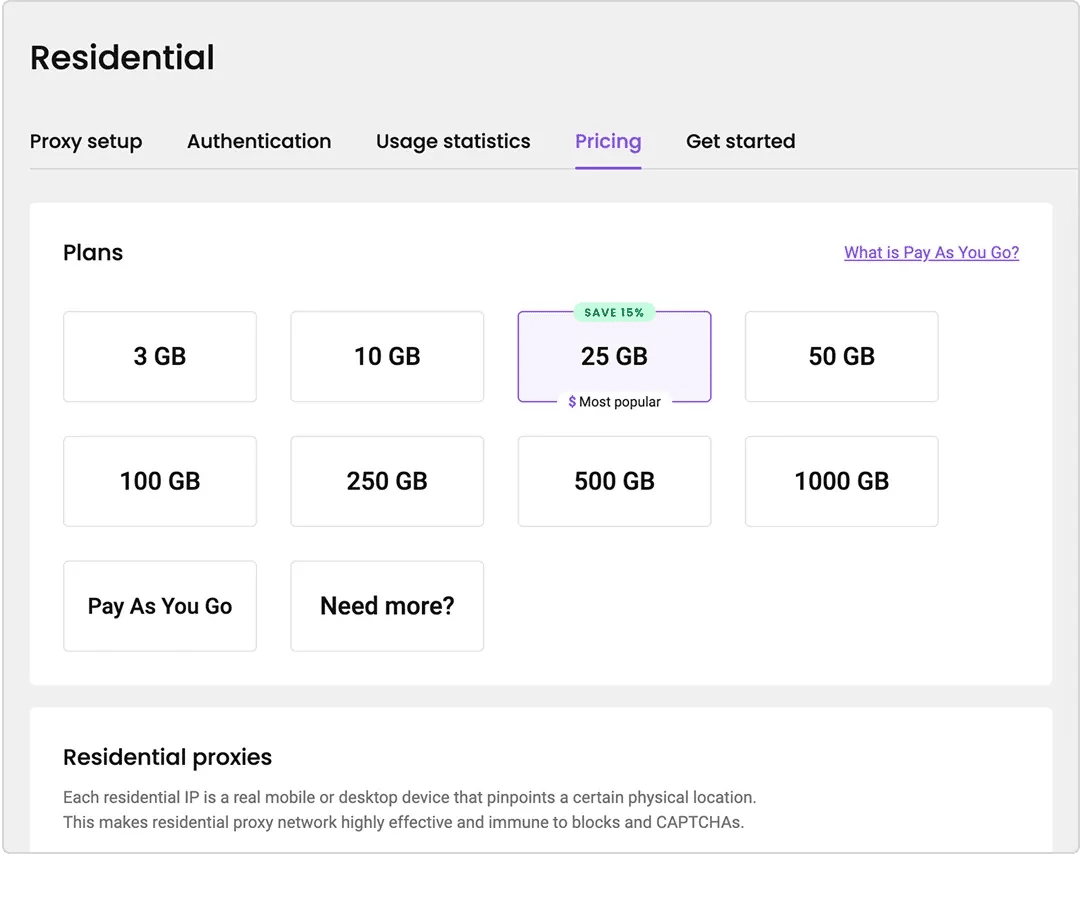
After creating your account, pick a plan in the dashboard. Subscriptions are billed monthly by traffic volume. For one-off projects, choose Pay As You Go and pay only for what you use. If you're testing, select the 3-day free trial with 100MB before committing.
How do you authenticate with a username and password?
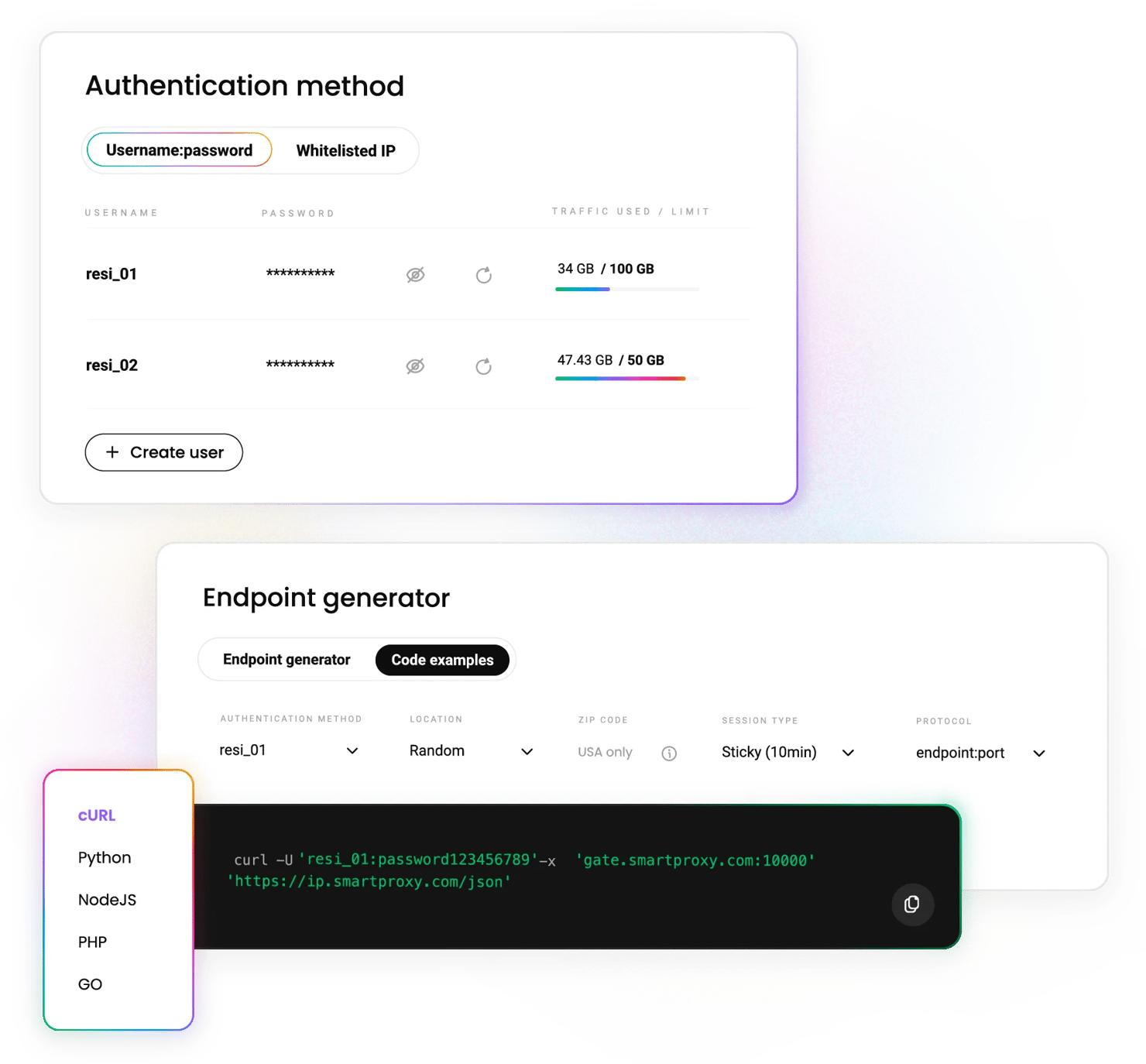
Open the Authentication tab. Your first proxy user is created automatically. To create another, click + Add user, enter a custom username, and the password will be generated automatically. To remove a user, click the 3 dots beside the username, then Edit user, Remove user, and Confirm.
How do you authenticate by whitelisting your IP?
In the Authentication tab, select Whitelisted IPs, then + Add IP. Enter an IPv4 address manually and click Save, or press + Add to add your current one.
Only IPv4 is supported. The IP must be your own – you can't whitelist while connected through another proxy or a VPN.
To name an entry, click the 3 dots, then Edit IP, then click the edit icon next to Name. To remove one, click the trash icon and Confirm.
How do you set a traffic limit for a user?
Click the 3 dots beside the user, Edit user, then Add traffic limit. Enter a GB cap that the user can't exceed and click Save. Useful when multiple people or scripts share a single subscription.
How do you select location, session, and protocol parameters?
Go to the Proxy setup tab and select a user.
- Location. Choose "Random" to draw from the full pool, or specify a continent, country, city, or state. Setting the location to the USA also unlocks ZIP code targeting.
- Session type. Sticky sessions hold the same IP until expiry (1, 10, 30, 60 minutes, or a custom session); rotating sessions change IP on every request. See sticky and rotating sessions for more details.
- Protocol. HTTP, HTTPS, SOCKS5, and endpoint:port configuration are all supported.
How do you generate your proxy endpoints?
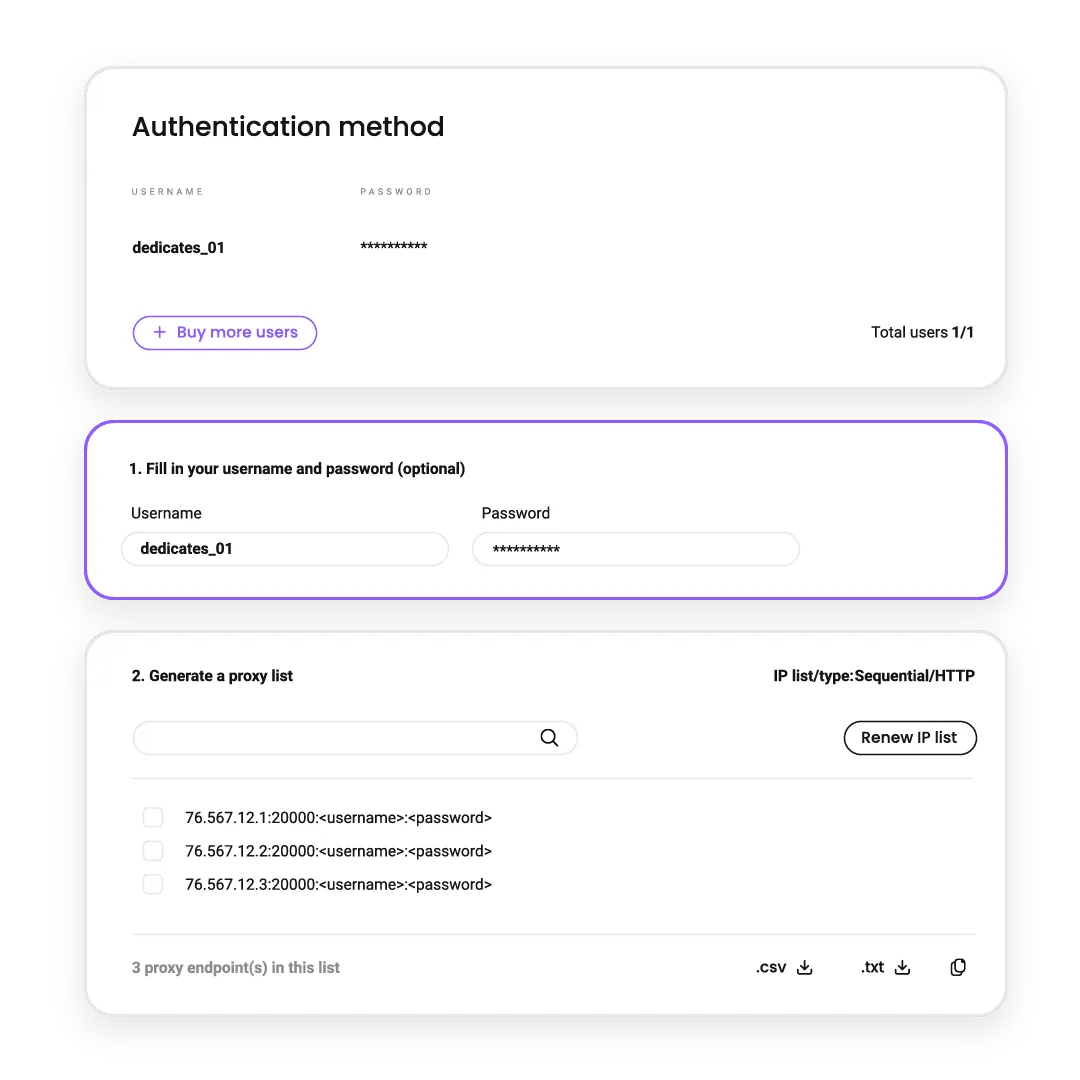
Set the number of endpoints to generate – the default is 10. Copy a single endpoint or the entire list to your clipboard, or download it as a CSV or TXT file. See how endpoint port filtering works if you need a specific pool.
How do you track your usage statistics?
Open the Usage statistics tab to see traffic per user across a week, a month, or a custom range, plus cumulative uploads, downloads, and request counts. Check this early – it's the quickest way to confirm your requests are actually routing through the proxy.
Should you use rotating or sticky sessions?
Attribute
Rotating sessions
Sticky sessions
IP changes
On every request
When the session expires
Duration options
n/a
1, 10, 30, 60 min, or a custom session
IP diversity
Highest
Limited to session length
Best for
Large-scale collection, price monitoring, SERP tracking
Logged-in flows, multi-step forms, checkout testing
Set where
Proxy setup, then Session type
Proxy setup, then Session type
Follow every step in a video walkthrough
The full setup, start to finish, in 1 short video – account, authentication, parameters, and first request.
How do you fix common setup errors?
Symptom
Likely cause
Fix
407 authentication required
Wrong username or password, or the IP isn't whitelisted
Regenerate credentials in the Authentication tab, or re-add your current IP
Response shows your own IP
Proxy settings not applied by the tool
Confirm the endpoint and port are set at the tool level, not just the OS level
Whitelisting won't save
Connected through a VPN, another proxy, or an IPv6 address
Disconnect and re-add; only IPv4 is supported
Requests stop mid-job
Traffic limit reached for that user
Check the Usage statistics tab and raise or remove the cap
Same IP across every request
Sticky session selected
Switch session type to rotating in Proxy setup
Slow or timing-out requests
Very narrow geo-target
Widen from city to country, or set the location to Random
What free tools come with a Decodo plan?
Tool
Description
Switch proxies and locations from the browser toolbar. Free with any plan
The same controls for Firefox – set a location and start browsing through it immediately. Free with any plan
Test endpoints in bulk and confirm they respond before you wire them into a script
How do you connect proxies to your tools?
Your endpoint works anywhere an HTTP or SOCKS5 proxy can be configured. These guides cover the most common setups.













What do people say about Decodo’s residential proxies?
We're thrilled to have the support of our 135K+ users and the industry's best.

Attentive service
The professional expertise of the Decodo solution has significantly boosted our business growth while enhancing overall efficiency and effectiveness.
N
Novabeyond
Easy to get things done
Decodo provides great service with a simple setup and friendly support team.
R
RoiDynamic
A key to our work
Decodo enables us to develop and test applications in varied environments while supporting precise data collection for research and audience profiling.
C
Cybereg






Frequently asked questions
How do I set up residential proxies for the first time?
Create an account, select a plan or a free trial, choose an authentication method, set your location and session type in the Proxy setup tab, then generate endpoints. The full walkthrough is above and takes about 5 minutes.
How long can a sticky session last?
Presets are 1, 10, 30, and 60 minutes, and you can set any custom session. Rotating sessions change the IP on every request instead.
Which protocols do Decodo residential proxies support?
HTTP, HTTPS, and SOCKS5, plus endpoint:port configuration. Select your protocol in the Proxy setup tab before generating endpoints.
How do I check how much traffic I've used?
Open the Usage statistics tab in the dashboard. It shows traffic per user across a week, a month, or a custom range, with cumulative uploads, downloads, and request counts. You can also cap usage per user with a traffic limit.
Where can you learn more about residential proxies?
Most recent

ASOS Hacked: App Push Notification Claims Snowflake Breach
ASOS customers found an unwelcome alert on their phones on Tuesday, October 6, 2026. A push notification titled "ASOS HACKED," sent through the official app, claimed attackers had "fully compromised" the retailer's Snowflake instance and threatened a leak unless ASOS made contact via Telegram. ASOS hasn't confirmed the incident, and the claims remain unverified.

Benediktas Kazlauskas
Last updated: Oct 06, 2026
4 min read
Most popular

Google Sheets Web Scraping: An Ultimate Guide for 2026
Google Sheets is a powerful data management tool, but few people know it can also pull data directly from the web without a single line of code. Using built-in import functions, you can scrape website content, parse tables, and pull live feeds straight into your spreadsheet. In this guide, you'll learn how to use IMPORTXML for XPath-based data extraction, IMPORTHTML for grabbing tables and lists, IMPORTFEED for RSS and Atom content, IMPORTDATA for CSV files, and IMPORTRANGE to link scraped data across spreadsheets. We'll also cover Google Apps Script for automation, common errors and how to fix them, and when to reach for a dedicated scraping tool instead.
Zilvinas Tamulis
Last updated: Mar 30, 2026
6 min read

How Residential Proxies Work: A Technical Guide to Types, Networks & IP Sourcing
A residential proxy network routes your traffic through real ISP-assigned home IPs. But how routing actually happens, which proxy types you end up using, and how IPs are sourced have a much bigger impact on success rates. This guide breaks down how residential proxy networks work, including ASN-level routing, the different types of IPs, and the protocols they support.
Robertas Lisickis
Last updated: Jun 11, 2026
11 min read
How to Set Up, Configure, and Use SOCKS5 Proxy
SOCKS5 proxies operate as an application-layer protocol, making them highly versatile across different setups. Depending on your goals, you can configure them at the application level to isolate traffic from a specific tool, or apply them system-wide to route traffic across your entire device. This guide shows how to set up and use a SOCKS5 proxy across Windows, macOS, Linux, mobile devices, and selected applications, helping you choose the best configuration for your workflow.
Dominykas Niaura
Last updated: Aug 18, 2026
10 min read
Difference Between SOCKS5 Proxy vs. HTTP Proxy
Choosing the right proxy type is essential for optimizing performance, security, and efficiency in web data collection. SOCKS and HTTP proxies serve different technical needs, from handling large-scale web scraping projects to managing automation and secure connections. In this article, we’ll compare SOCKS (SOCKS5 in particular) and HTTP proxies, explore their advantages, and help you determine which option best supports your data-driven tasks. By the end, you’ll have the clarity to make an informed decision and scale your operations with confidence.
Vilius Sakutis
Last updated: Mar 06, 2025
7 min read
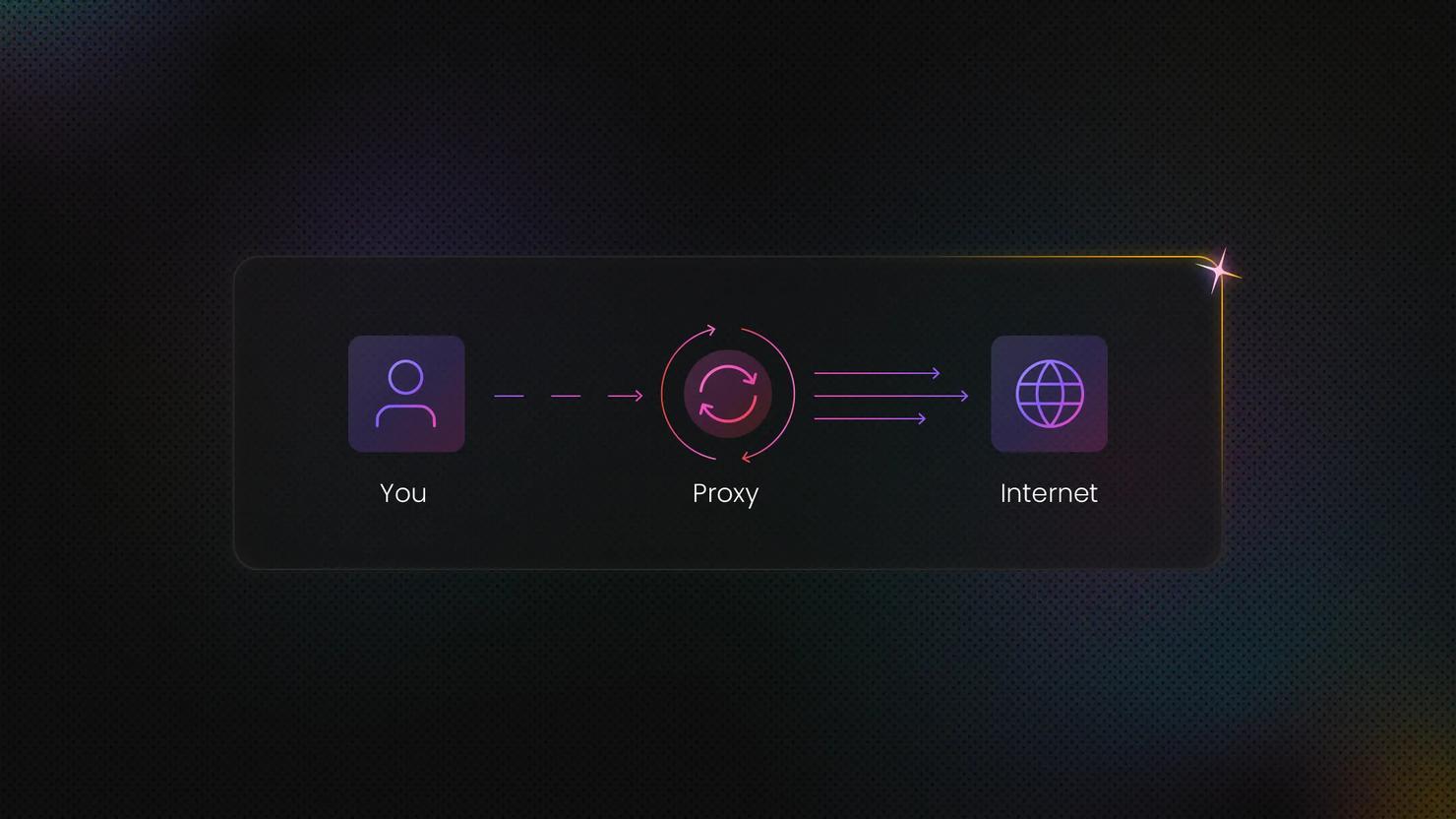
What Are Rotating Proxies? Types, Benefits & Use Cases
A rotating proxy is a proxy server that automatically assigns a new IP address at regular intervals or after each connection. In this guide, we'll delve into how rotating proxies work, the different types available, and the most common use cases where they offer a clear advantage.
Dominykas Niaura
Last updated: Apr 30, 2025
7 min read
How to Fix the “Your IP Address Has Been Banned” Error
Web scraping is one of the most effective ways to collect publicly available data at scale, but without the right infrastructure, it often leads to a familiar roadblock: the “Your IP Address Has Been Banned” error. This message means a website has blocked your IP address after detecting automated or unusually frequent requests. Fortunately, IP bans are both fixable and preventable. In this guide, we explain what causes IP bans during web scraping, how to recover when one happens, and the best practices for keeping your scraping operations running smoothly without interruption.
Justinas Tamasevicius
Last updated: Mar 23, 2026
6 min read
Ready to Run Your First Request?
Create an account, generate an endpoint, and send a request through a residential IP immediately.
14-day money-back option