Back to blog

Fake IP Address: What Is It and Why Shouldn't You Use It?

When we scale businesses, do research, or just scroll leisurely, it's always a good idea to be clued up on online security. Whatever your reasons for running your eyes over a web browser are, anonymity and privacy are two pretty important players here. The thing is that any browser, website, system, or network can see our IP address. Some of them might even log your IP address and track it. In this blog post, we’ll go over the dangers of using free software, fake IPs, and the illegal aspects of using IP information.

Benediktas Kazlauskas

Nov 05, 2025

6 min read

What does your IP address tell about you?

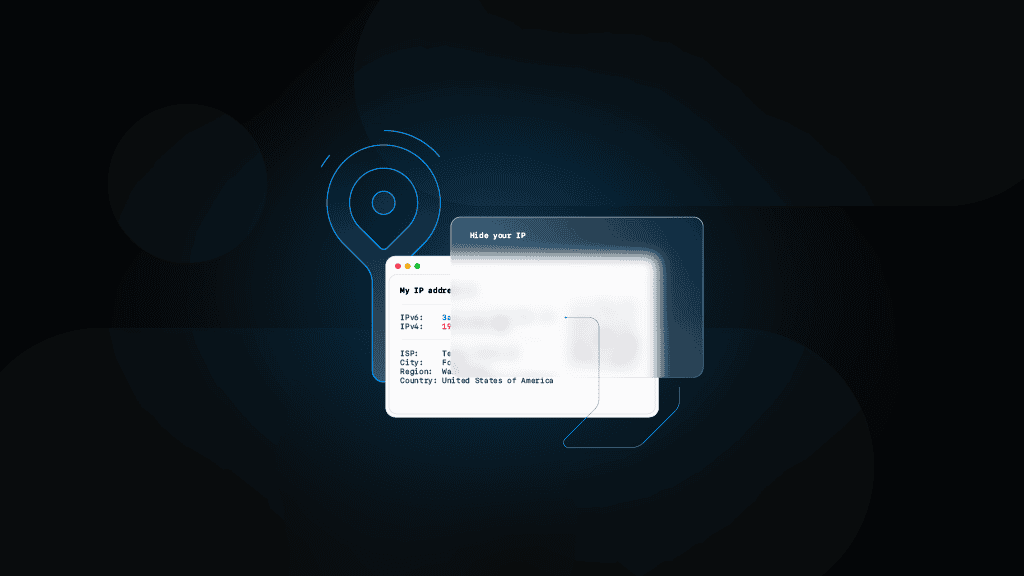
Your IP address acts like a digital ID, disclosing details about your location and online activity. It can reveal:

  • Your country, city, and area code.
  • Your Internet Service Provider (ISP).

This transparency is both a necessity and a vulnerability, as it enables connections and exposes some personal data layers.

Who can trace your IP address?

While you might think that only you and your ISP can trace your IP address, the truth is that your unique numerical code is exposed to a range of other parties:

  • Employers track IPs to monitor staff activity or restrict unauthorized access.
  • Law enforcement uses IPs to trace cybercrimes and investigate illegal activity.
  • Advertisers collect IP-based data for targeted ads and location-specific marketing.
  • Cybercriminals exploit IPs to launch attacks, steal information, or impersonate users.

In other words, your IP address is like your digital footprint, which can easily be used for tracking, profiling, or targeting if not well-protected.

Why you should avoid free proxies and fake IP generators

While saving money is appealing, you shouldn't ignore the serious risks associated with free proxies and fake IP solutions.

Free proxies and VPNs

Free proxies or VPNs may seem convenient, but they often come at the cost of your data and privacy. Many of these services log your activity and sell your data to third parties. Potential threats include:

  • Exposed financial details, like credit card or bank login information
  • Location data is being tracked and sold.
  • Activity logs shared with unknown third parties
  • Malware injection through compromised proxy servers

Free services are often built as a honeypot scam to collect users’ personal data, lacking robust security measures, which makes them an even easier target for hackers.

Fake IP generators in 2025: how they work and why they’re misunderstood

Contrary to popular belief, there’s no such thing as a real “fake IP” that can hide your identity online. What most people call “fake IP generators” are actually network simulation tools used by developers, and not privacy solutions.

Here’s how they work:

  • Algorithmic simulation. These tools create IPs that mimic valid IPv4 or IPv6 structures for safe testing.
  • AI validation. Many tools used in 2025 are integrated with AI to ensure that generated IP addresses avoid conflicts with real network ranges.
  • Safe environment testing. Developers use them to simulate traffic, test APIs, or configure networks without making a real internet connection.

Now, let’s take a quick look at the differences:

Type

Description

Purpose

Real network connection

Mock IP

Automatically generated IPs that replicate the structure of real IPs for software testing.

Used for testing applications or security setups.

No

Dummy IP

Non-functional IPs that exist within reserved ranges are used as placeholders.

Safe simulations and internal configurations.

No

Residential IP

Real IPs assigned by ISPs to genuine devices and users.

Secure browsing, web scraping, ad verification, and geo-specific access.

Yes

Bottom line – fake or generated IPs are for developers, not privacy seekers. If your goal is anonymity, residential or rotating proxies are the correct tools.

Which proxy server can change your IP?

Now that we’ve clarified that free proxies and fake IP generators are not the best choices if you value your privacy and want the highest level of anonymity, it’s time to explore the best options for changing your IP address.

Rotating proxies

Rotating proxy networks are the best option when you need a different IP address. A robust rotating residential proxy network is the only IP faker that can work on a massive scale and still successfully hide your IP address while increasing your privacy.

Dedicated proxies

Another reliable option for changing your IP address is a dedicated proxy. A dedicated proxy is an IP address exclusively assigned to a single user, ensuring no other individual shares it. This exclusivity offers increased speed, reliability, and anonymity, making it ideal for activities that require consistent performance, such as managing multiple accounts and accessing geo-restricted content, or for tools like web scraper. Since the IP address is static and solely yours, it reduces the likelihood of being flagged or blocked for suspicious activity.

Residential proxies

Residential proxies use IPs that Internet Service Providers (ISPs) assign to real devices in specific locations. These proxy servers are highly effective for changing your IP address because they mimic legitimate user behavior, making it extremely difficult for websites or services to detect them as proxies. Residential proxies are handy when bypassing geo-restrictions, verifying localized content, or gathering data from websites with advanced anti-bot mechanisms.

Datacenter proxies

Datacenter proxies are another common way to change your IP address. These proxies originate from data centers rather than residential ISPs. While they’re faster and more cost-effective than residential proxies, they’re also easier to detect by sophisticated anti-proxy measures, meaning there’s a higher chance of getting blocked. Datacenter proxies work well for non-sensitive tasks like accessing geo-restricted websites or automating tasks where high anonymity and authenticity aren’t a priority.

Common IP-related risks

Cybercriminals use various techniques to exploit systems and manipulate users. These include IP spoofing, phishing, and IP grabbing, which compromise privacy, disrupt services, and steal sensitive data.

IP spoofing

IP spoofing is a sketchy tactic when cybercriminals disguise their location using someone else’s IP address. This technique is commonly employed in DoS and DDoS attacks:

  • DoS (Denial of Service) attacks occur when a server is deliberately flooded with excessive traffic, consuming its resources and bandwidth until it becomes unresponsive or completely unusable. This type of attack is typically carried out by a single source and is designed to disrupt the normal functioning of a website or service.
  • DDoS (Distributed Denial of Service) attacks work on the same principle as DoS attacks but are far more powerful and harder to mitigate because they’re launched simultaneously from multiple devices. These devices, often part of a botnet controlled by the attacker, generate overwhelming traffic from numerous locations, making it significantly more difficult to identify and block the malicious traffic without affecting legitimate users.

Phishing

Phishing scams trick users into revealing sensitive information, such as login credentials or financial details. These scams often involve fake emails or messages designed to mimic trusted sources. Red flags include poor grammar, unfamiliar links, and requests for personal data.

IP grabbing

IP grabbing involves extracting an IP address using third-party tools. While not inherently illegal, it can become malicious if the information is used for extortion or other criminal activities. Ethical uses include:

  • Security specialists monitoring for unauthorized access.
  • Companies ensuring internal IPs remain secure.

Proxies vs VPNs – which is better?

While both proxies and VPNs offer a higher level of anonymity, their applications are quite different.

Proxies are ideal for businesses and high-volume tasks like web scraping or managing multiple accounts. They provide:

  • Unrestricted access to various gated content.
  • Enhanced anonymity.
  • High scalability for task automation and data collection.

On the other side, we have VPNs. They’re better suited for individual users who want encrypted browsing. However, they lack the scalability and versatility of proxies. Many VPNs also share IPs among multiple users, increasing the risk of detection.

Bottom line

Choosing free or fake IP solutions might save you money upfront, but the risks outweigh the benefits. High-quality proxies from trusted providers offer reliability and security for a long list of online activities.

With Decodo, you gain access to 125M+ proxy IPs from 195+ locations around the globe, and once you’ve got your new IP ready, you can browse the web anonymously, collect data from websites with advanced anti-bot mechanisms, and feel safe and sound.

Try residential proxies for free

Unlock 115M+ IPs from 195+ locations – start 3-day free trial today.

About the author

Benediktas Kazlauskas

Content Team Lead

Benediktas is a content professional with over 8 years of experience in B2C, B2B, and SaaS industries. He has worked with startups, marketing agencies, and fast-growing companies, helping brands turn complex topics into clear, useful content.


Connect with Benediktas via LinkedIn.

All information on Decodo Blog is provided on an as is basis and for informational purposes only. We make no representation and disclaim all liability with respect to your use of any information contained on Decodo Blog or any third-party websites that may belinked therein.

Frequently asked questions

How can I change my IP address?

Changing your IP address depends on your needs and whether you have a dynamic or static connection.

For quick, temporary changes on home networks, restart your router to request a new IP from your ISP. Most residential connections use dynamic IPs that rotate periodically, so a simple power cycle often does the trick. On mobile devices, toggle Airplane Mode or switch between Wi-Fi and cellular data for a fresh IP.

You can also use command-line tools for faster results. On Windows, run ipconfig /release followed by ipconfig /renew in Command Prompt. On Mac or Linux, use sudo dhclient -r to release and sudo dhclient to renew your IP lease.

However, these basic methods have serious limitations. Your ISP controls the IP pool, so you'll likely get another address from the same range. You can't choose specific locations, and the change might not even happen if your ISP's lease time hasn't expired.

For real control, use proxies. Configure residential or datacenter proxies in your browser using extensions like FoxyProxy or SwitchyOmega. This lets you route traffic through IP addresses from virtually any location worldwide, switch between them instantly, and maintain privacy since the proxy handles the connection.

Proxies are ideal when you need IPs from specific cities or countries, want to test how your site appears in different regions, or need reliable access without the uncertainty of router resets.

What’s the difference between spoofing and phishing?

Spoofing and phishing both involve deception, but they work differently and have distinct goals.

Spoofing is the technical act of falsifying information to disguise identity or origin. Common types include:

  • IP spoofing. Sending data with a forged source IP address to hide your location or impersonate another device
  • Email spoofing. Forging email headers so messages appear from a different sender
  • DNS spoofing. Corrupting domain data to redirect traffic to malicious sites
  • Caller ID spoofing. Displaying false phone numbers during calls

Spoofing is about concealment or impersonation. It's a technique used for both malicious purposes (hiding identity during attacks) and legitimate ones (privacy protection, security testing). Spoofing doesn't directly target victims – it masks the source.

Phishing is a social engineering attack that manipulates victims into revealing sensitive information or taking harmful actions:

  • Fake emails mimicking banks or services asking you to verify account details
  • Counterfeit login pages that steal credentials when you enter them
  • Urgent messages threatening account suspension unless you click a link
  • Targeted spear phishing with personalized, convincing messages

The key difference – spoofing is the method of disguising identity, while phishing is a complete attack strategy aimed at stealing data or money. Phishing campaigns often use spoofing as a tool, for example, spoofing a bank's email address to make a phishing message look legitimate. But you can spoof without phishing (using a proxy for privacy), and technically you could phish without spoofing (though it's far less effective).

What's the difference between IPv4 and IPv6?

IPv4 and IPv6 are both protocols for identifying devices on networks, but they differ significantly in capacity and structure.

IPv4 has been the Internet's backbone since the 1980s. It uses 32-bit addresses in a format like 192.168.1.1, 4 numbers (0-255) separated by dots. This provides about 4.3B unique addresses, which seemed sufficient decades ago but is now exhausted due to the explosion of connected devices.

IPv6 was created to solve this shortage. It uses 128-bit addresses in hexadecimal format, like 2001:0db8:85a3:0000:0000:8a2e:0370:7334. This provides roughly 340 undecillion addresses – enough for every device imaginable for the foreseeable future.

Beyond more addresses, IPv6 offers technical improvements:

  • Simplified routing – more efficient header format improves performance
  • Built-in security – designed with IPsec in mind from the start
  • No NAT needed – enough addresses for every device to have its own
  • Better multicast support – improved efficiency for sending data to multiple destinations
  • Autoconfiguration – devices can configure themselves automatically on IPv6 networks

Despite these advantages, adoption is gradual. Most networks still run IPv4, and many use both simultaneously (dual-stack). The transition takes time because replacing global infrastructure is complex, and IPv4 still works fine for most tasks.

What are the risks of using AI-generated IP addresses?

AI-generated IP addresses, simulated addresses created by algorithms for testing or demonstration, carry significant risks when used beyond their intended purpose.

These generated IPs aren't real addresses assigned by ISPs or network administrators. They're typically created for educational demonstrations, network simulations, or testing environments. Using them in production or for actual internet communication creates several problems:

  • IP conflicts. If you try to use a generated IP that happens to match a real address on a network, you'll cause conflicts that disrupt connectivity for yourself and potentially other users.
  • Network incompatibility. Generated IPs often don't follow proper subnet rules or fall outside valid ranges for your network, causing routing failures and connection errors.
  • Security system triggers. Websites and services with fraud detection systems flag unusual IP patterns. Attempting to use fabricated IPs can trigger automated blocks, CAPTCHAs, or security alerts.
  • Policy violations. Most platforms' terms of service prohibit using false identity information, including fake IP addresses. This can result in account bans or legal issues.
  • No actual anonymity. AI-generated IPs don't provide real anonymity because they're not connected to actual network infrastructure. You're still sending traffic from your real IP address.

If you need different IP addresses for testing, development, privacy, or accessing geo-restricted content, use legitimate proxy services instead. Residential proxies provide real IPs from genuine residential ISPs, while datacenter proxies offer high-performance server-based IPs. Both give you actual, functional addresses that won't trigger conflicts or security systems.

What is Localhost or 127.0.0.1?

Localhost is a hostname that refers to the device you're currently using. When you access localhost or the IP address 127.0.0.1, you're directing traffic back to your own machine instead of reaching an external server.

The 127.0.0.1 address belongs to a reserved block (127.0.0.0 to 127.255.255.255) designated exclusively for loopback purposes. Data sent to these addresses never leaves your computer, it loops back through your network interface without touching the physical network.

Developers use localhost constantly for testing web applications, running local servers, and debugging code before deployment. If you're building a website, you might run it on localhost:3000 or localhost:8080 to preview how it works before making it public. Database developers use it to connect to local database instances. API developers test endpoints locally before exposing them to the internet.

This loopback mechanism is essential for development workflows because it provides a safe, isolated environment. You can test how applications behave, simulate network communications between services on the same machine, and troubleshoot issues without needing an internet connection or affecting live systems.

However, localhost is strictly for internal use on your device. Other devices on your network can't access your localhost, and it has no role in external browsing or connecting to remote servers.

Is 192.168.255.255 a public IP?

No, 192.168.255.255 is not a public IP address. It's a broadcast address within a private network range.

Private IP addresses are reserved for local networks (your home, office, or internal company networks) and aren't routable on the public internet. The three main private IP ranges are:

  • 10.0.0.0 to 10.255.255.255 (often used by large organizations)
  • 172.16.0.0 to 172.31.255.255 (common in medium-sized networks)
  • 192.168.0.0 to 192.168.255.255 (typical for home routers)

The address 192.168.255.255 specifically is a broadcast address for certain network configurations, used to send messages to all devices on that local network simultaneously.

When devices on a private network need internet access, they use Network Address Translation (NAT). Your router translates private IP addresses to a single public IP address, which is why multiple devices in your home can share one public IP when browsing websites.

Public IP addresses, in contrast, are globally unique identifiers visible on the internet. They're assigned by Internet Service Providers or hosting companies and are what websites see when you visit them. If you check "what is my IP" online, you'll see your public IP – the address your router uses to communicate with the outside world, not the private IP assigned to your individual device.

Are fake IP generators legal to use?

The legality of IP generators depends entirely on how you use them. The tools themselves are legal for legitimate purposes, but misuse can violate laws and terms of service. We recommend consulting a legal professional regarding your use case.

Can websites detect if I'm using a proxy?

Yes, websites can detect proxy usage through various methods, but detectability depends heavily on the proxy type and quality.

Common detection techniques include:

  • IP databases. Sites maintain lists of known datacenter and proxy IP ranges
  • IP reputation scoring. Flagging IPs with suspicious patterns or high request volumes
  • HTTP header analysis. Checking for proxy-related headers like X-Forwarded-For, Via, or X-Real-IP
  • WebRTC leaks. Browser-based detection that can expose your real IP address
  • TLS fingerprinting. Analyzing SSL/TLS handshake patterns that differ between proxies and regular users
  • Behavioral analysis. Detecting non-human patterns like perfect timing, no mouse movements, or instant page loads

Datacenter proxies are easiest to detect because they come from server IP ranges that are well-documented and don't match residential user patterns.

Residential proxies are much harder to detect because they use real IP addresses from genuine ISPs. Websites see them as regular home users, making blocking difficult without affecting legitimate customers.

Mobile proxies are even more challenging to detect since they route through actual cellular networks (3G/4G/5G) and appear as mobile device traffic.

While no proxy is completely undetectable to every system, premium residential and mobile proxies provide the highest anonymity levels and are rarely flagged by most websites.

Do proxies slow down internet speed?

Not necessarily, speed depends on the proxy type, provider quality, and server location.

Datacenter proxies typically offer the fastest performance because they run on high-speed servers in professional data centers. Response times can be under 0.3 seconds, making them ideal for high-volume scraping where speed matters most.

ISP proxies also deliver excellent performance with response times under 0.2 seconds in many cases. They combine datacenter speed with residential IP authenticity.

Residential proxies may have slightly higher latency (under 0.6 seconds for quality providers) because traffic routes through real residential devices and ISP networks. However, reputable providers maintain fast, stable connections that won't noticeably impact your tasks.

Mobile proxies generally have response times under 0.5 seconds for quality providers, though cellular network conditions can affect performance.

What Is a Residential Proxy? 2025 Guide, Types & Uses

Residential proxies hide your online activity by routing traffic through real home IPs, making you look like a regular user. They’re more anonymous than datacenter proxies and great for web scraping, ad verification, and dodging geo-blocks. This guide helps you select the right solution while maintaining undetectable online operations.

Kipras Kalzanauskas

Nov 19, 2025

7 min read

Random IP Address: Examples, Use Cases, Risks, and Alternatives

From web scraping to getting around geo-blocks, IPs play a huge role in how the internet works behind the scenes. But there’s a flip side – using a free or random IP from a sketchy provider can cause way more trouble than you’d expect. It can break compliance rules, mess with your data, or even lead to bigger operational and reputational problems. Dive into this article to learn more about the risks of random IP addresses.

Kotryna Ragaišytė

Aug 19, 2025

8 min read

Hide-IP-address-Hero.png

How to Hide Your IP Address: Top 5 Ways

Because the internet never forgets and every click leaves a digital footprint, hiding your IP address is sometimes essential. Staying anonymous enhances data security and grants access to geo-restricted content, though it comes with a few trade-offs. This guide covers 5 effective ways to hide your IP and protect your online privacy.

Vilius Sakutis

Mar 07, 2025

7 min read

© 2018-2025 decodo.com (formerly smartproxy.com). All Rights Reserved