How to Fix the “Your IP Address Has Been Banned” Error
Web scraping is one of the most effective ways to collect publicly available data at scale, but without the right infrastructure, it often leads to a familiar roadblock: the “Your IP Address Has Been Banned” error. This message means a website has blocked your IP address after detecting automated or unusually frequent requests. Fortunately, IP bans are both fixable and preventable. In this guide, we explain what causes IP bans during web scraping, how to recover when one happens, and the best practices for keeping your scraping operations running smoothly without interruption.

Justinas Tamasevicius
Last updated: Mar 23, 2026
6 min read
What is an IP ban error?
An IP ban occurs when a website detects unusual behaviour from a specific IP address and blocks it from accessing the site’s services. The error typically appears after repeated violations of a site’s terms of use and is most commonly triggered by bot-like activity such as automated scraping, high-frequency data collection, or third-party browser integrations that generate suspicious traffic patterns.
When a website bans your IP, it prevents all further requests from that address. The site’s server simply drops or rejects any incoming connection from the flagged IP. This is a standard traffic-control measure used to protect server resources and to prevent scrapers from extracting sensitive or proprietary content.
Temporary bans vs. permanent bans
Not every IP ban is the same. A temporary ban is usually triggered by a sudden burst of requests or a minor policy violation. The website blocks the IP for a set period, anywhere from a few minutes to 24 to 72 hours, after which access is automatically restored. In most cases, the exact cooldown period is not disclosed, so you have no countdown to check.
A permanent ban is reserved for IPs that have been flagged repeatedly or that have engaged in especially aggressive scraping. Permanent bans persist indefinitely and will not lift on their own. If you suspect a permanent ban, the only option is to switch to a different IP address, either by using a proxy service or by requesting a new IP from your internet service provider.
As a rule of thumb, if a block lifts within a day, it was probably temporary. If it lasts for more than 72 hours with no change, treat it as permanent and switch IPs.
What causes an IP ban error in web scraping?
There are several reasons your IP address may get banned while collecting publicly available data. Below are the most common triggers.
#1 Sending too many requests too quickly
When you send a high volume of requests in a short window, websites interpret this as unusual activity and enforce rate-limiting, restricting how many requests your IP can make within a given timeframe. This pattern is almost always flagged as bot-like behaviour because it far exceeds the browsing speed of a real user. Servers that detect this will throttle or outright block the offending IP to prevent excessive data harvesting and to keep their infrastructure stable.
#2 Violating the site’s terms of service
Many websites enforce strict anti-scraping policies designed to protect their content, user data, and server resources. These rules are typically spelled out in the site’s terms of service, which explicitly prohibit automated data collection. When a site detects scraping activity that violates these terms, it responds with an IP ban, temporary or permanent, depending on severity. In most cases, there’s no public countdown or notification, so the only way to know the ban has lifted is to try again later.
#3 Ignoring robots.txt and crawling aggressively
Every well-maintained website publishes a robots.txt file that specifies which sections are off-limits to web crawlers. Disregarding this file and crawling restricted areas, or crawling permitted areas at an aggressive rate, is one of the fastest ways to get banned. Crawlers that ignore these rules risk overloading servers, accessing private data, and triggering automated defenses that result in an immediate IP block.
#4 Triggering browser fingerprinting detection
Modern websites use advanced behaviour analysis and browser fingerprinting to distinguish real visitors from automated scripts. These systems track mouse movements, scroll behaviour, time spent on pages, and dozens of browser attributes. When they detect non-human patterns, such as perfectly uniform request intervals, zero mouse movement, or navigating pages faster than any person could, the IP is flagged, and access is blocked.
#5 Repeatedly failing CAPTCHA challenges
If your scraping tool repeatedly fails to solve CAPTCHAs, the server receives a clear signal that the traffic is automated. CAPTCHAs are designed specifically to separate humans from bots, and a pattern of failed attempts will trigger anti-bot defenses and flag your IP as suspicious, often ending in an immediate ban.
How do you know if your IP address has been banned?
Not every IP ban comes with an explicit "Your IP Address Has Been Banned" message. Many websites enforce bans silently, and the symptoms can be subtle. Here are the most common signals that your IP has been blocked:
- HTTP 403 Forbidden pops up when the server is explicitly refusing your request. This is the most direct indicator of a ban.
- HTTP 503 Service Unavailable happens when the server is rejecting your connection, often as a result of IP-based throttling or blocking.
- Connection timeouts happen when your requests are being silently dropped rather than actively refused, and pages simply never load.
- Blank pages or unexpected redirects, instead of returning an error, some sites redirect scrapers to the homepage or serve an empty response.
- Persistent CAPTCHAs on every single page load pop up when the anti-bot mechanism wants to slow you down from data collection or other automated activities.
- Degraded content is an error type when sites serve incomplete or stripped-down pages to suspected bots while displaying full content to regular visitors.
If you notice any of these symptoms and they don’t disappear even after clearing your browser cache and cookies, test the same URL from a different IP address or network. If the page loads normally on the new IP, your original address has almost certainly been banned.
Which websites commonly enforce IP bans?
Many websites implement IP bans as a security measure to protect their data and infrastructure. Here is a quick overview of the sectors where bans are most aggressively enforced:
- eCommerce platforms like Amazon and eBay block automated data collection to prevent price scraping and to protect business-sensitive information.
- Social media networks guard against data misuse and violations of their terms of service, and protect user information from bulk extraction.
- News sites protect copyrighted articles from being scraped and republished without authorization.
- Job listing websites block automated collection to prevent unauthorised scraping of job postings and to maintain fair access for genuine users.
- Travel websites restrict scraping to protect partner agreements and to ensure users see accurate, real-time pricing.
- Financial sites block scrapers that collect market data for trading algorithms or competitive intelligence.
- Academic databases ban IPs that attempt to extract large volumes of research papers or intellectual property.
How does Amazon handle IP bans?
On Amazon, a blocked IP rarely results in a straightforward "Your IP has been banned" message. Instead, you are more likely to encounter indirect signals:
- HTTP 503 Service Unavailable means the server is refusing the request because of IP-based throttling or blocking.
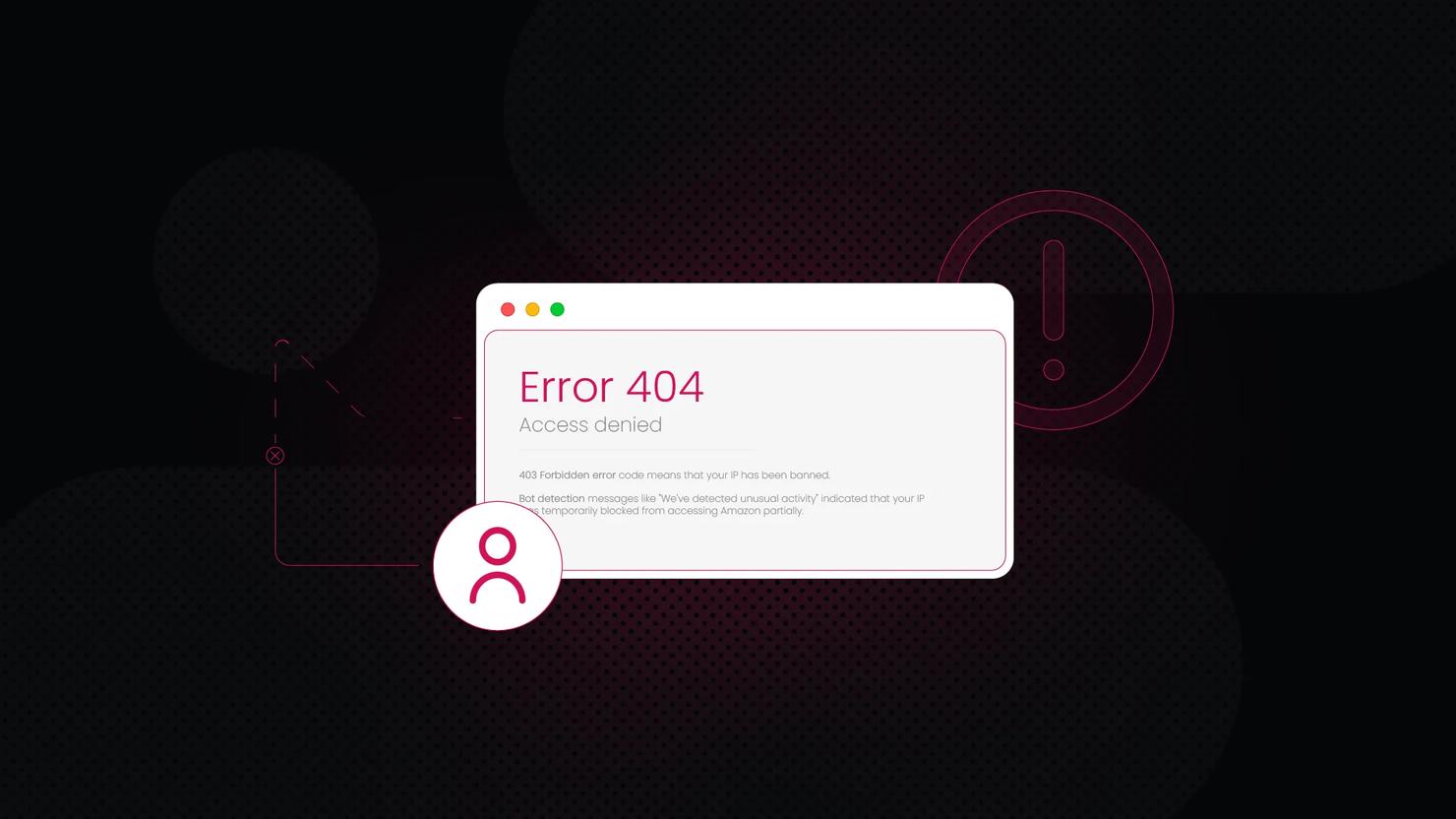
- A 403 Forbidden response is a direct confirmation that your IP has been banned from accessing the resource.
- Bot detection messages, like “We’ve detected unusual activity,” indicate that your IP has been temporarily flagged.
- Blank pages or redirects can mean Amazon is silently sending your scraper to the homepage or returning an empty response instead of an error.
- CAPTCHAs on every page are a strong sign that Amazon has identified your traffic as automated.
- Connection timeouts can happen when Amazon drops requests entirely because it suspects bot-like behaviour.
You might also face error messages like "Sorry, Something Went Wrong on Our End" or just plain “Error” when collecting data from Amazon. This might also be a warning sign that the eCommerce giant has detected automated activities coming from your side.
How to recover from an active IP ban
If your IP has already been banned, the most important thing is to restore access as quickly as possible. Here are the most effective steps to take when you are actively blocked.
Step #1: Switch to a different IP address
The fastest way to get around an existing ban is to route your traffic through a new IP. Rotating residential proxies are ideal here because they assign you a fresh IP from a pool of real residential addresses with each request, making it extremely difficult for the target site to link your new traffic to the banned address. If you need session persistence, for example, when scraping paginated results, ISP proxies offer the credibility of a residential IP with the stability of a static connection.
Step #2: Clear your browser cache and cookies
Even after switching IPs, leftover cookies or cached session tokens can give you away. Clear your browser’s cache, cookies, and local storage before making any new requests. If you’re using a headless browser, make sure you launch a fresh browser context for each session rather than reusing one that may carry over identifying data.
Step #3: Wait out a temporary ban
If you suspect the ban is temporary and you don’t have proxy infrastructure in place, the simplest option is to wait. Most temporary bans lift within a few minutes to 72 hours. Attempting to access the site repeatedly while banned can escalate a temporary block into a permanent one, so patience is important here.
Step #4: Change your user-agent and request headers
Websites sometimes fingerprint requests based on header combinations. Rotate your user-agent string, accept-language, and other headers to present a different profile. Avoid using default headers from common scraping libraries, as these are well-known to anti-bot systems and will be flagged immediately.
How to prevent IP bans in web scraping
Recovering from a ban is straightforward, but preventing one in the first place is far more efficient. The strategies below should be part of your standard scraping hygiene.
Solution #1: Rotate IPs with residential proxies
IP rotation is the single most important measure for avoiding bans. By distributing your requests across a large pool of residential proxies, each request appears to come from a different genuine user. This prevents any single IP from accumulating enough requests to trigger rate-limiting. Here is a quick setup guide:
- Choose a provider that fits your needs, evaluate the IP pool size, average speed, geographic coverage, and price.
- Obtain your proxy credentials and review the quality of the IP pool.
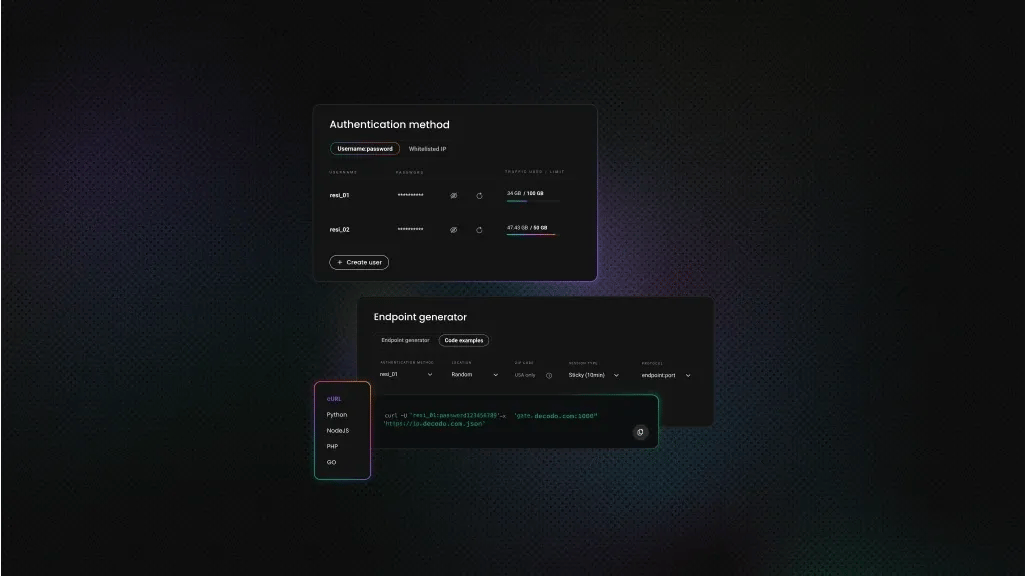
- Configure your parameters, including your authentication method, target location, session type, and protocol.
- Copy the proxy endpoint and paste it into your scraping tool or anti-detect browser (such as Multilogin, GoLogin, or AdsPower).
- Send a test request to your target site through the proxy to verify that the setup is working correctly.
Solution #2: Throttle request rate and add random delays
Managing your request speed is critical for staying under the radar. Reduce the number of requests per second so your traffic resembles human browsing rather than an automated script. Introduce random delays between each request. Instead of a fixed interval, vary the gap to mimic natural, unpredictable browsing behaviour.
- Limit your request rate. Slow down your scraping speed by capping the number of requests sent within a given time window. This prevents the server from detecting abnormally fast, bot-like traffic.
- Use random intervals. Instead of fixed delays (e.g., exactly 2 seconds between every request), randomize the gap, for example, between 1.5 and 4 seconds. This irregularity mimics natural human behaviour and helps you sustain longer scraping sessions without hitting rate limits.
Solution #3: Use advanced scraping tools with built-in evasion
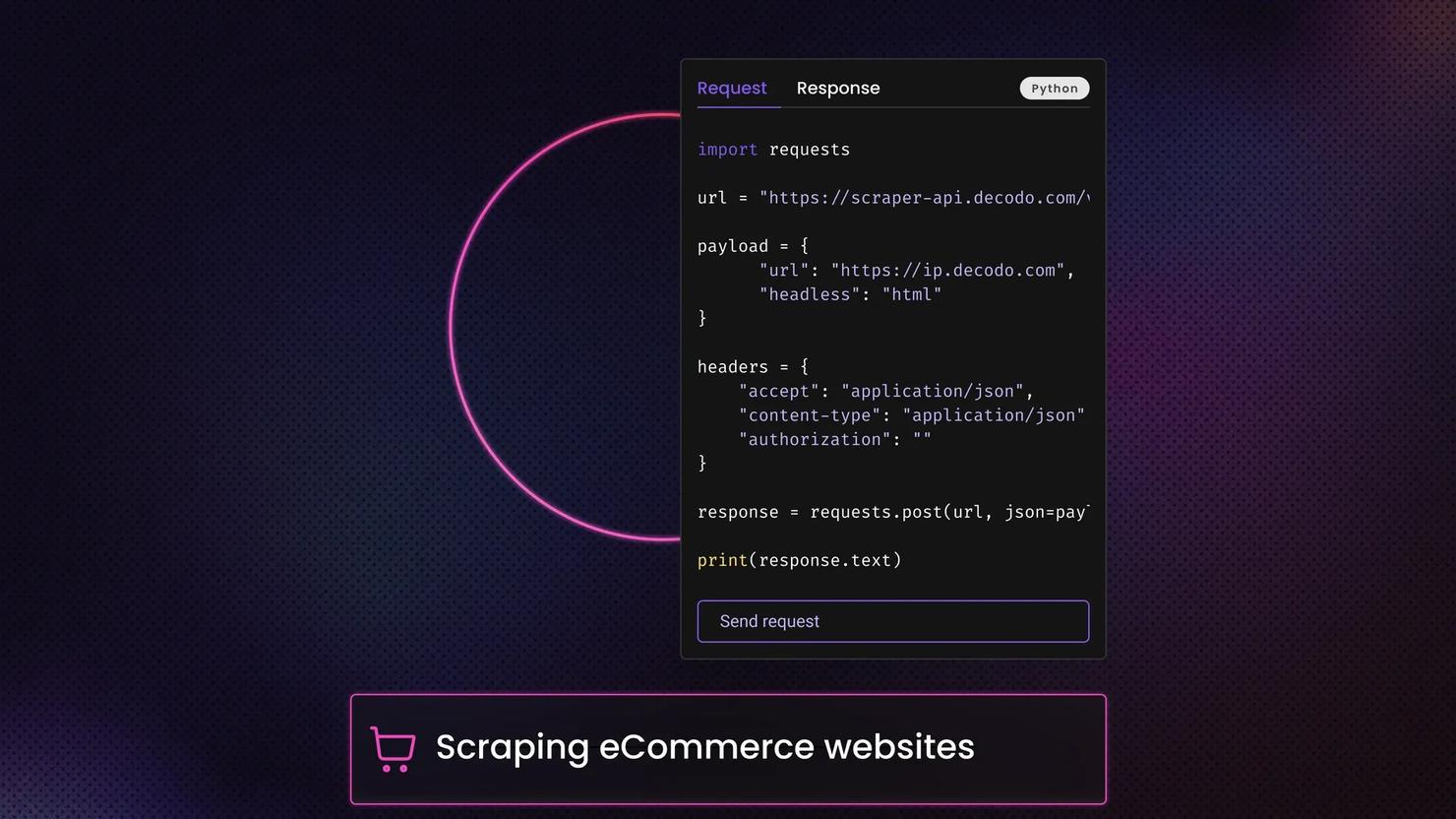
Using purpose-built scraping tools can dramatically improve your ability to bypass anti-bot mechanisms. An Amazon scraper or a general-purpose Web Data API typically comes with built-in features such as automatic IP rotation and CAPTCHAs solving. These tools handle dynamic, JavaScript-heavy websites and include rate-limiting, request throttling, and random delay functionality out of the box.
These tools can retrieve results from Amazon or other eCommerce platforms in your preferred format, including HTML, JSON, AI-ready Markdown, XHR, or PNG. You can also easily tweak your parameters and then plug the scraped data into LLMs or AI tools, like OpenClaw, n8n, and Langchain, for further analysis.
Additionally, it’s best to keep these golden rules in mind when scraping various websites:
- Rotate user-agent strings with every request or every few requests. Use an up-to-date list of real browser user-agents.
- Respect robots.txt, always check and honor this file on the website you are scraping. Ignoring it is a fast track to a ban.
- Distribute scraping tasks across multiple servers or geographic regions to avoid concentrating all traffic on a single IP or location.
Mimic human interaction, use CAPTCHA auto-solvers, vary your request headers, and add realistic mouse movements and scroll events if you are using a headless browser.

Gather data from any website
Activate your free plan of the Web Data API
How to avoid the “Your IP Address Has Been Banned” error
The "Your IP Address Has Been Banned" error is one of the most common obstacles in web scraping, but it is entirely manageable with the right approach. Whether the ban was caused by excessive requests, failed CAPTCHAs, or aggressive crawling, the fix usually comes down to three things: switch to a clean IP, slow down your requests, and use tools that are designed to mimic human behavior.
And for your ongoing scraping projects, invest in reliable residential proxies with automatic rotation, integrate random delays into your request logic, and use purpose-built scraping APIs that handle anti-bot evasion for you. With these measures in place, your scraping pipeline should run without interruption.
About the author

Justinas Tamasevicius
Director of Engineering
Justinas Tamaševičius is Director of Engineering with over two decades of expertise in software development. What started as a self-taught passion during his school years has evolved into a distinguished career spanning backend engineering, system architecture, and infrastructure development.
Connect with Justinas via LinkedIn.
All information on Decodo Blog is provided on an as is basis and for informational purposes only. We make no representation and disclaim all liability with respect to your use of any information contained on Decodo Blog or any third-party websites that may belinked therein.