Instagram IP Ban? Don’t Worry, Read This
You might face the IP ban hammer or get your actions restricted when crossing the gray area of Instagram. Although you can reach the customer support team, they are not always willing to lift the ban. Luckily, there’s a solution. Use residential proxies to change your IP address, and you’re free to continue scrolling the feed without any interruptions.

Kipras Kalzanauskas
Last updated: Aug 07, 2023
11 min read
TL;DR
- Instagram bans your IP address when it detects automation, rapid follow/unfollow actions, or multiple accounts running from the same connection.
- Signs include login errors, inability to create new accounts, and "action blocked" messages across all devices on the same network.
- Residential proxies offer the most reliable fix because they route traffic through real household IPs that Instagram treats as normal users.
- Keeping activity patterns gradual, varied, and human-like prevents future bans.
What's an IP address?
An IP address is an identification code assigned to your device by your ISP (Internet Service Provider). Think of it as a virtual license plate – every online device has a unique one.
Each IP address carries information about the user, including the approximate location of the connection. This is what allows websites to restrict content for users in certain regions.
To find out your own IP address, visit our What's my IP address? page. This page is also helpful when you're plugging in a proxy to your connection, as it helps to see whether your proxy setup is correct and actually changes your IP.
How does Instagram know my IP?
When you connect to a website or online service, your device completes a handshake with a server, the process that grants you access. During this exchange, your device shares its IP address. Your IP may not reveal your exact home address or full name, but it does indicate your approximate location.
Instagram also tracks location through Meta’s broader ecosystem. Every photo taken on a smartphone or camera carries a unique location tag, which transfers to Instagram when the content is shared. Instagram’s algorithm also monitors engagement patterns (like what time of the day you're using Instagram the most) to establish your approximate location.
Instagram bans and blocks
Instagram enforces strict rules around how its platform is used. If your business relies on social media, it’s worth reviewing Instagram’s Terms of Use and Community Guidelines in detail.
To maintain a positive community, Instagram monitors user activity for signs of spam. There are three main types of restrictions to be aware of:
Shadowban
A shadowban is an unofficial restriction that limits an account’s visibility without notifying the user directly. Posts from a shadowbanned account may stop appearing in hashtag results, Explore pages, or recommended content feeds, which can dramatically reduce reach and engagement.
Shadowbans are typically triggered when Instagram detects behavior that resembles spam or manipulation. This might include overusing the same hashtags, posting repetitive comments, using automation tools, or receiving frequent reports from other users.
For businesses and creators, the main warning sign of a shadowban is a sudden drop in impressions or engagement despite consistent posting. Because Instagram does not formally confirm shadowbans, identifying the issue usually requires analyzing reach metrics and checking whether posts appear in hashtag searches from accounts that do not follow you.
Shadowbans are usually temporary. Reducing activity, avoiding repetitive hashtags, and stopping the use of automation tools can help restore normal visibility within a few days to a couple of weeks.
Action block
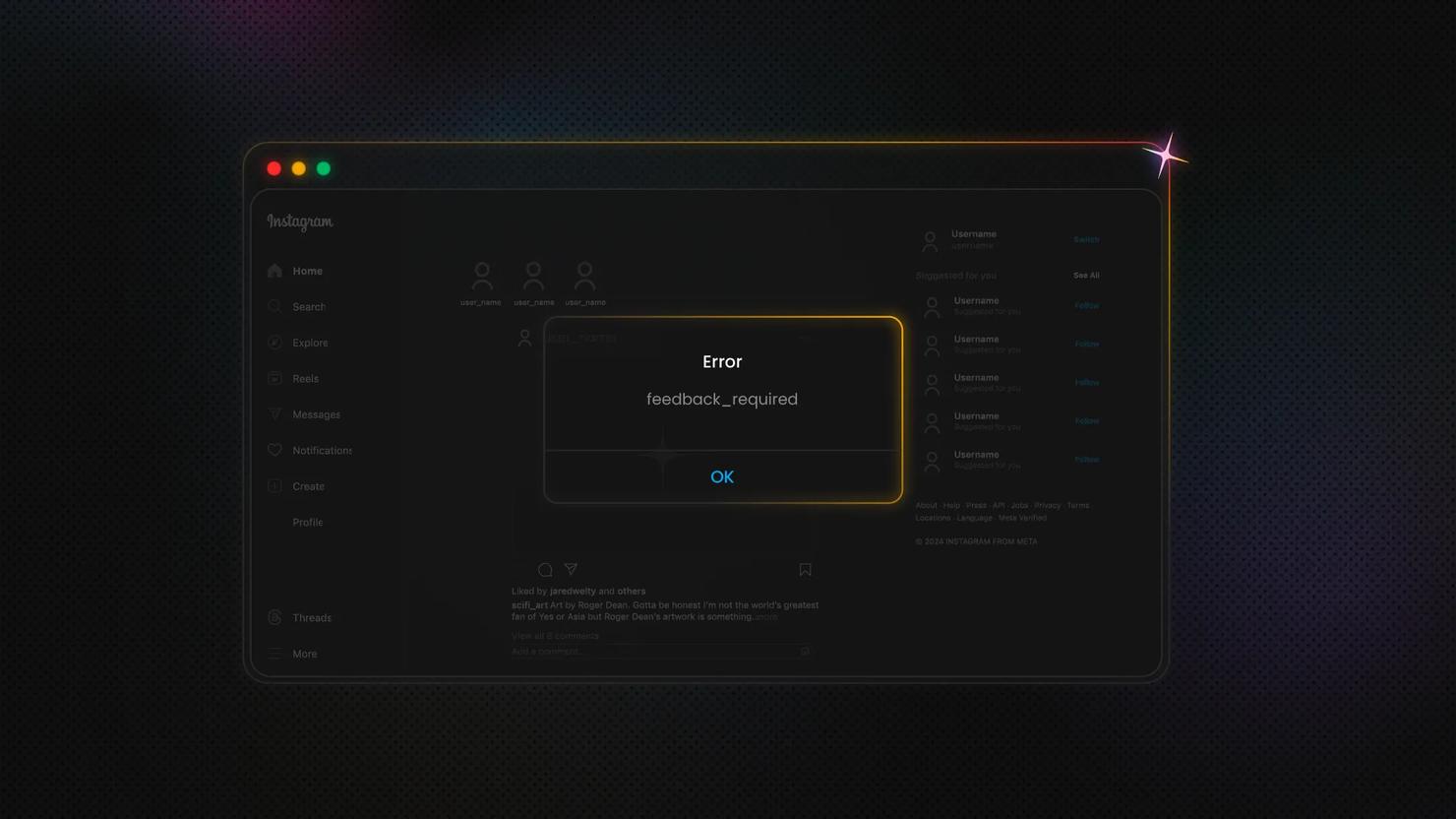
An action block is a direct restriction placed on your account that prevents certain activities for a limited time. When this happens, Instagram displays a notification explaining that you have been temporarily blocked from performing specific actions such as liking posts, following accounts, commenting, or sending direct messages.
Action blocks are most often triggered when the platform detects rapid or excessive activity that resembles bot behavior. For example, following or unfollowing large numbers of accounts in a short period, posting the same comment repeatedly, or sending many direct messages within minutes can trigger a block.
These restrictions typically last from 24 hours to several days, although repeated violations can extend the duration to weeks. During this time, attempting to continue the blocked activity may reset the timer or lead to stricter penalties.
To avoid action blocks, it’s important to keep activity patterns natural. Gradual engagement, varied comments, and avoiding aggressive growth tactics help signal that the account is operated by a real person rather than automation.
Instagram IP ban
An Instagram IP ban is a more severe restriction that prevents access to the platform from a specific internet connection. When this happens, users cannot log into Instagram through the app or website from any device using the banned IP address.
IP bans are typically triggered when Instagram’s systems detect strong signs of automation or suspicious activity originating from a particular network. This might include posting hundreds of comments in a short time, rapidly following and unfollowing accounts, running multiple automated accounts from the same connection, or using certain types of bots and scraping tools.
Because the restriction is tied to the IP address rather than just the account, multiple users on the same network may be affected. Businesses managing several Instagram accounts from a single office or server environment are more likely to encounter this issue if their activity patterns appear automated.
In many cases, access can be restored by waiting for the restriction to expire or connecting through a different network. However, repeated violations can lead to longer bans or permanent account suspension.
What are the signs of being Instagram IP banned?
An Instagram IP ban occurs when Instagram blocks access to the platform from a specific internet connection rather than targeting your account directly. This means multiple accounts using the same network may be affected, even if they haven’t violated any rules individually.
Here’s how to identify whether the issue is an IP ban:
Step #1: Test if it’s your IP or your account
First, make sure it’s the IP address, not your account, that’s restricted.
- Clear your browser cookies and cache. This logs you out of Instagram and removes any session data tied to your account.
- Try accessing Instagram as an unregistered guest. If you can browse public content without logging in, the issue may be with your account rather than your IP.
- Use a completely different browser or device. Ideally, use a browser you’ve never used to access Instagram before.
- Switch to a different internet connection. This could be mobile data, a VPN (temporarily), or another Wi-Fi network.
If Instagram works on a new connection or device but not your usual network, it’s a strong sign that your IP address has been banned.
Step #2: Watch for official notifications
Sometimes Instagram provides a warning when it flags an IP address:
“The IP address you are using has been flagged as an open proxy. If you believe this to be incorrect, please visit Instagram Help Center”
This message indicates that the network you are using triggered Instagram’s security systems. In most cases, the platform suspects automated activity, proxy use, or unusually high-volume actions coming from that IP.
Step #3: Common signs of an IP ban
Even without a message, these are typical symptoms:
- Unable to log into Instagram from your usual network on any device.
- Pages fail to load or return “Connection error” or “Couldn’t connect to Instagram” messages.
- New account sign-ups from the same network fail or are immediately restricted.
- Previously accessible public content is no longer visible.

Start your 3-day free trial of residential proxies
Experience the power of 115M+ IPs from 195+ global locations.
How to avoid an Instagram IP ban
IP bans don’t always happen because of intentional abuse. Sometimes they’re triggered by unusual activity patterns, multiple accounts sharing the same network, or automated tools that exceed Instagram’s activity limits. The best way to avoid them is to follow Instagram’s platform rules and keep your account activity as natural as possible.
Even if you’ve never had an issue before, the following practices can help reduce the risk of an IP ban.
Follow Instagram’s usage limits
Instagram monitors activity patterns to detect automation and spam. Performing too many actions in a short time, such as liking hundreds of posts, following large numbers of accounts, or sending repeated messages, can trigger security flags.
To stay within safe limits:
- Avoid rapid bursts of activity (e.g., mass following or commenting)
- Space out actions over time instead of performing them all at once
- Avoid posting identical comments or messages repeatedly
- Gradually increase activity when growing a new account
Accounts that behave like real users, rather than bots, are far less likely to trigger IP-based restrictions.
Avoid suspicious automation tools
Many third‑party growth tools promise fast follower growth through automated engagement. However, Instagram’s systems are specifically designed to detect automated behavior such as bot-driven likes, follows, or comments.
Using unreliable automation tools can lead to:
- Action blocks
- Shadowbans
- IP restrictions
- Account suspension
If you use third‑party tools for scheduling or analytics, make sure they rely on official APIs or approved integrations.
Use separate connections for multiple accounts
Businesses and agencies often manage multiple Instagram accounts from the same location. When dozens of accounts operate from a single IP address, Instagram may flag the activity as suspicious.
To reduce risk:
- Avoid running many automated accounts from one network
- Assign different devices or connections when managing multiple profiles
- Keep login patterns consistent (frequent IP switching can also look suspicious)
Consistency in how and where you access accounts helps Instagram recognize normal usage patterns.
Use trusted proxies
In some cases, especially for agencies, marketers, or researchers managing multiple accounts, using proxies can help distribute traffic across different IP addresses.
A proxy routes your connection through another server before accessing Instagram. This can help separate activity between accounts or prevent a single IP address from handling too many requests. Depending on your use case with Instagram, there are different proxy types you can equip:
- Residential proxies. These IP addresses originate from real household internet connections. Because residential proxies resemble normal user traffic, they tend to have a stronger reputation and are less likely to trigger automated detection systems.
- Mobile proxies route traffic through cellular networks (3G, 4G, or 5G). Since mobile networks frequently rotate IP addresses, they can sometimes appear more natural to platforms like Instagram.
- Datacenter proxies. These proxies come from cloud servers rather than residential devices. They are typically faster and cheaper, but because many users may share them, they are more likely to be flagged by platforms with strict anti‑automation systems.
It’s important to note that proxies alone do not guarantee protection from bans. Instagram’s systems also analyze behavior patterns, login activity, and engagement patterns. Even when using proxies, accounts should behave like normal users.
Avoid scraping or aggressive data collection
Collecting large amounts of Instagram data, such as scraping profiles, posts, or follower lists, can easily trigger IP bans if requests are sent too quickly.
If you need to access public Instagram data for research or monitoring, use tools designed to manage request limits, rotate IP addresses responsibly, and respect platform restrictions.
Sending too many requests from one IP address is one of the fastest ways to trigger an automated block.
Maintain consistent login behavior
Frequent logins from different locations can make Instagram think an account has been compromised.
To avoid this:
- Try to access your account from the same devices and networks regularly
- Avoid switching countries or IP locations repeatedly in a short period
- Enable two‑factor authentication to improve account security
Stable login behavior helps Instagram recognize legitimate users and reduces the risk of security-based restrictions.
Instagram’s detection systems evolve constantly. Instead of trying to bypass them, the safest strategy is to maintain natural activity patterns, moderate engagement levels, and consistent login behavior.
Accounts that grow gradually and follow Instagram’s platform guidelines are far less likely to encounter IP bans or other restrictions.
Is it worth investing in a VPN?
VPNs and proxies are both commonly used tools for managing online privacy and distributing network traffic, but they serve different purposes when it comes to accessing platforms like Instagram.
In general, residential proxies tend to be more effective for avoiding IP‑related restrictions on Instagram. Residential IP addresses originate from real household internet connections and are tied to physical locations. Because they resemble normal user traffic, they are less likely to be immediately flagged as suspicious compared with many shared VPN networks.
VPN services, by contrast, typically route traffic through centralized servers operated by the provider. Since many users may connect through the same VPN server, these IP addresses are sometimes recognized by platforms as proxy infrastructure and may be more likely to encounter restrictions.
For users who simply want to protect their privacy while browsing or accessing Instagram from different locations, a VPN can still be a practical and legitimate solution. However, businesses, agencies, or users managing multiple accounts often rely on residential or mobile proxy networks to distribute activity across separate IP addresses.
It is also important to recognize that Instagram’s security systems continue to improve. The platform does not rely solely on IP addresses to detect suspicious activity. Behavioral patterns—such as rapid engagement, repeated actions, or automated interactions—are also closely monitored. Regardless of the technology used, responsible usage remains essential.
Demonstrating authentic account activity
Instagram’s algorithms attempt to distinguish genuine user behavior from automated or spam‑like activity. When launching a new account, particularly a business or creator profile, it's best to establish a natural activity pattern before engaging heavily with other accounts. Here are a few examples:
- Publish several original posts before interacting extensively with other users.
- Gradually increase your activity rather than performing many actions immediately after creating an account.
- Spread new content over several days or weeks rather than uploading a large number of posts at once.
- A steady and consistent growth pattern helps the platform recognize the account as legitimate.
Likes, comments, follows, and unfollows
Instagram actively monitors engagement behavior to prevent spam. Although the platform doesn't publicly define strict daily limits for actions such as likes or comments, excessive activity in a short period can trigger automated restrictions.
To reduce the risk of blocks:
- Avoid liking or commenting on large numbers of posts in rapid succession
- Vary the content of comments instead of repeating the same message
- Limit aggressive follow‑and‑unfollow patterns designed purely for growth
- Maintain engagement that reflects normal user interaction
Thoughtful and moderate engagement is less likely to be interpreted as automated behavior.
Automation tools and bots
Automation tools and bots are sometimes used to manage routine tasks such as scheduling posts or responding to messages. However, Instagram has become increasingly effective at identifying bots that perform repetitive engagement actions.
If automation tools are used, they should be configured carefully to avoid unnatural behavior patterns. This includes:
- Limiting the number of automated actions per hour or day
- Introducing delays between actions to prevent rapid bursts of activity
- Avoiding repetitive engagement patterns across many accounts
Whenever possible, businesses should prioritize tools that integrate through official APIs or approved social media management platforms. These solutions typically operate within Instagram’s usage guidelines and present a lower risk of triggering platform restrictions.
Get the Latest AI News, Features, and Deals First
Get updates that matter – product releases, special offers, great reads, and early access to new features delivered right to your inbox.
What can you do about an Instagram IP ban?
An Instagram IP ban usually occurs when the platform detects activity that resembles automation, spam, or unusual login behavior from a specific network. While these restrictions are often temporary, they can prevent access to Instagram from certain devices or connections until the issue is resolved.
If you believe your IP address has been restricted, the following steps can help restore access.
Contact Instagram support
If Instagram’s automated systems mistakenly flagged your activity, you may be able to request a review.
Sometimes users receive an “Action Blocked” notification when attempting to like, follow, or comment. In certain cases, this message includes a “Tell us” option that allows you to notify Instagram that the restriction may have been applied in error. Submitting this request prompts the platform to review the account activity.
If you didn't receive a direct notification, you can still contact Instagram through the app:
- Open Settings and privacy
- Select Help
- Choose Report a problem
- Provide a brief explanation of the issue and hit Send
When submitting a report, clearly describe the problem and avoid repeating the activity that triggered the restriction while the review is in progress.
Switch to a different network
Because an IP ban applies to a specific internet connection, switching networks can sometimes restore access. For example, you may be able to log in successfully using:
- A mobile data connection
- A different Wi‑Fi network
- Another internet provider
If Instagram functions normally from another connection but not from your primary network, this strongly suggests that the original IP address has been restricted.
Restart your router or request a new IP
In some cases, restarting your modem or router may assign a new IP address if your internet provider uses dynamic IP allocation. Once a new IP address is assigned, the previous restriction may no longer apply.
However, this approach doesn't address the underlying behavior that triggered the block. If the same activity patterns continue, Instagram may apply another restriction.
What else can residential proxies do for Instagram users?
Aside from strengthening your online anonymity, residential proxies have more to offer, and you sure don’t want to miss out on all the good stuff. Proxy services are also a true gem for:
- Accessing geo-restricted content. As you can swap between 195+ IP locations, you can access content available only in certain regions without hassle.
- Social media monitoring is another popular use case where residential proxies come in handy. You can reach out to different audiences, run social media campaigns, gain location-specific insights, and manage multiple Instagram accounts without risking getting banned.
And the list could go on and on! You can equip yourself with residential proxies for Instagram and enjoy 115M+ IPs from 195+ locations.
Are free proxies worth it?
Free proxy services may appear attractive, especially for users looking for a quick solution to IP‑related restrictions. However, relying on publicly available proxy lists can introduce several risks and limitations.
Many free proxies are shared by large numbers of users. Because these IPs are widely distributed and frequently abused, platforms such as Instagram often recognize and flag them quickly. As a result, connections made through free proxies may experience slow speeds, unstable access, or immediate blocks.
There are also important security considerations. The origin and management of free proxy servers are often unclear, which means users cannot always verify how traffic is handled. In some cases, poorly managed proxies may expose users to risks such as data interception, malicious traffic monitoring, or other cybersecurity threats.
For individuals or businesses that need stable connections, reputable proxy providers generally offer stronger reliability, better network management, and clearer security practices. Paid proxy services also tend to maintain larger IP pools and monitor their networks to reduce abuse.
If you're still not sure whether you should commit to a paid service, Decodo offers a 3-day free trial to test performance and compatibility before grabbing a subscription.
How to fix an Instagram IP ban
If you encounter an Instagram IP ban, there's usually no need to worry. In many cases, these restrictions are temporary and can be resolved by reviewing your recent activity, following Instagram’s guidelines, and adjusting how you access the platform.
The steps outlined above, like checking your network connection, contacting Instagram support when necessary, and using reliable tools for managing accounts, can help restore access and reduce the likelihood of future restrictions. With the right precautions in place, you should be able to return to managing and sharing content on Instagram without further disruption.
If you would like to learn more about managing multiple accounts or accessing public Instagram data responsibly, you can explore additional resources on topics such as proxy usage and Instagram data collection. These guides provide further insights into maintaining stable access while staying within platform guidelines.

Start 3-day free trial
Avoid CAPTCHAs, geo-restrictions, and IP bans with high-quality residential proxies.
About the author

Kipras Kalzanauskas
Senior Account Manager
Kipras is a strategic account expert with a strong background in sales, IT support, and data-driven solutions. Born and raised in Vilnius, he studied history at Vilnius University before spending time in the Lithuanian Military. For the past 3.5 years, he has been a key player at Decodo, working with Fortune 500 companies in eCommerce and Market Intelligence.
Connect with Kipras on LinkedIn.
All information on Decodo Blog is provided on an as is basis and for informational purposes only. We make no representation and disclaim all liability with respect to your use of any information contained on Decodo Blog or any third-party websites that may belinked therein.