Scrape Any Page Into LLM-Ready Markdown, Even JS-Heavy, Bot-Protected Sites
Web Data API's /scrape endpoint scrapes any public URL and returns clean Markdown your model can read without a cleanup step, or HTML when you need the full page. It's LLM web scraping without the infrastructure – JavaScript rendering, proxy rotation, and anti-bot handling run on our side, so your agent gets the page, not a CAPTCHA screen.
Try an example
Plugs directly with:



100+
ready-made templates
99.99%
success rate
200
requests per second
125M+
IPs worldwide
Up to 10K
free requests
LLM web scraping without the plumbing
Every piece of infrastructure a scraper usually needs, whether it's rendering, rotation, or retries, is already handled. You write the logic for what you're building, not the logic for getting the page.

Scrape straight to Markdown
Set Markdown to true and get the page structure back as Markdown. No HTML cleanup step before content reaches your embedding model.

Render JS-heavy pages like a real browser
Pull data from single-page apps and dynamically loaded content without standing up your own headless browser.

Scrape without getting blocked
Proxy rotation and fingerprinting run on our side, so a protected target doesn't become a separate engineering project.

Target a specific market or region
Pass a country parameter to see a page the way a local user would – useful for price checks, localized SEO, or geo-gated content.

React to a page the moment it changes
Pair /scrape with your own polling or our webhook support to build alerts instead of running a script on a timer.

Get pages in your agent's preferred output
Fire a request and get the result back in HTML, Markdown, XHR, plus JSON, CSV, PNG where supported.
Add web scraping to your AI agent
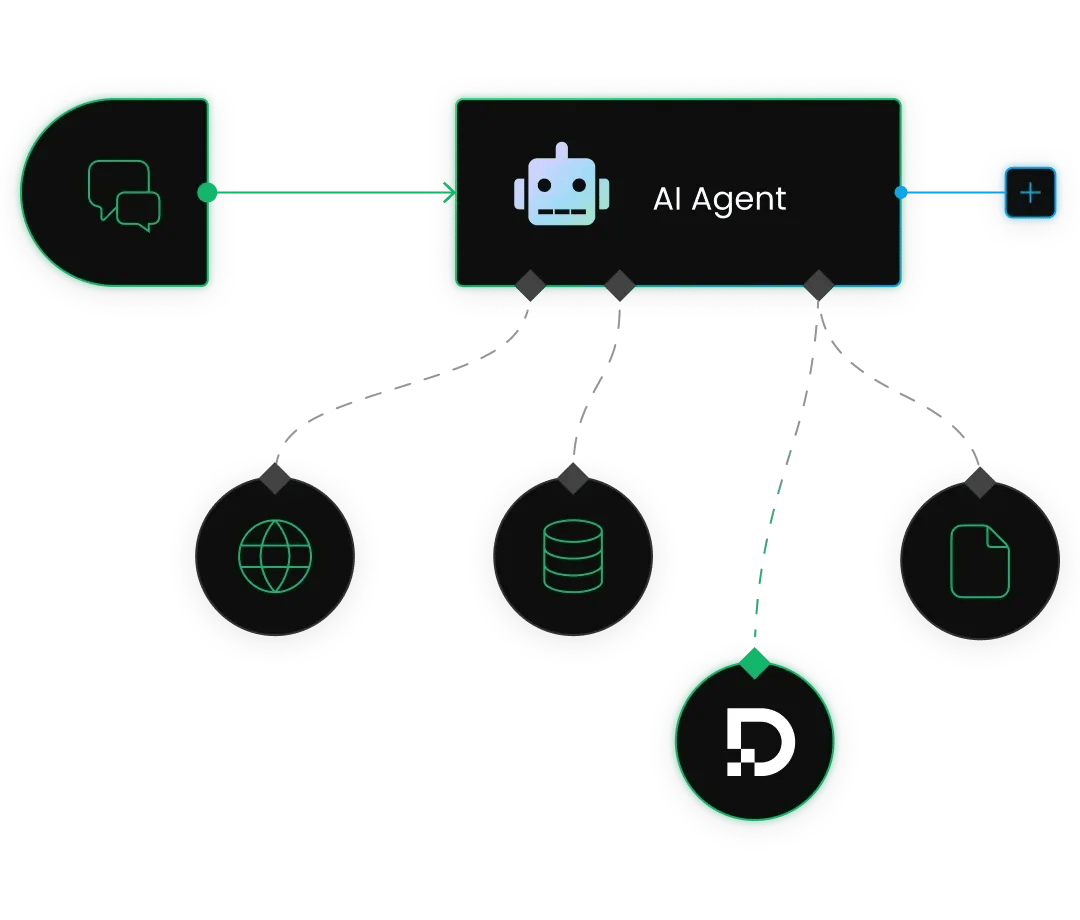
Connect the Decodo MCP Server to Claude, Cursor, or Windsurf with a few lines of JSON config. Your agent gets a scrape_as_markdown tool that returns any page as Markdown, with no custom tool code to write. Decodo’s MCP Server is listed in GitHub's official MCP Registry.
We’ve got all the essential integrations covered. Automating with n8n? Add the Decodo n8n node and pass it a URL. Building with LangChain or OpenClaw? The LangChain integration and OpenClaw skill call /scrape for you, so it's just a simple config change, not a full script rewrite.
Trusted by:


Pricing that scales with your web data needs
Start with a free plan and up to 10K recurring requests, then choose a subscription that best matches your use case and volume.
Need more?
Chat with us and we’ll find the best solution for you
With each plan, you access:

JavaScript rendering
99.99% success rate
HTML, Markdown, XHR, plus JSON, CSV, PNG where supported
One-click AI integrations
LLM-ready Markdown format
100+ pre-built templates
Single API key for all endpoints
/scrape, /search, /map, /crawl
24/7 tech support
14-day money-back
SSL Secure Payment
Your information is protected by 256-bit SSL

Frequently asked questions
What is LLM web scraping?
LLM web scraping means collecting web content in a format that large language models can use directly, such as clean Markdown or structured JSON, rather than HTML. Decodo's Web Data API is built for this, feeding AI agents and RAG pipelines through four endpoints (/scrape, /map, /crawl, and /search) under a single API key.
How do I scrape a URL to Markdown with an API?
With the Web Data API, you send the URL to the /scrape endpoint and request Markdown as the output format, with JavaScript rendering and anti-bot bypassing handled automatically.
To get started, activate the free plan (up to 10K requests per month) in the Web Data API section of the Decodo dashboard, then use the sample Python and TypeScript scripts in the API documentation.
Why scrape to Markdown instead of HTML?
HTML is full of tags, scripts, and styling that add noise and consume tokens without adding meaning for an LLM. Markdown keeps the content and its structure (headings, lists, links) while dropping the markup, which makes it cheaper to process and easier to chunk for RAG. The Web Data API returns clean LLM-ready Markdown, structured JSON, or HTML, so you can pick the format that fits your pipeline.
What's the difference between scraping one URL and crawling a site?
Scraping with /scrape extracts a single page you specify. Crawling with /crawl autonomously follows a site's pages and pulls up to 10K of them per task into Markdown or JSON, while /map can first discover up to around 147K URLs from a domain's sitemaps and links.
Can AI agents scrape the web with /scrape?
Yes. AI agents can call /scrape to extract pages on demand, with a 99.99%+ success rate on protected targets, backed by Decodo's 125M+ IP pool. For broader tasks, agents can pair it with /search for live web results and /crawl for full-site extraction, and we also provide MCP setup guides in our documentation.
What can I actually build with the /scrape endpoint?
Anything that needs a clean read of a webpage without you maintaining the scraping logic yourself – price and inventory monitors, RAG ingestion pipelines, lead-gen tools, research agents, or a data layer behind your own product. You send a URL, you get clean data back.
Stop Maintaining Your Scraper Infrastructure
Focus on building your project while /scrape takes care of the pages. And when your AI infrastructure needs more than a single page, /map, /crawl, and /search are ready under the same API key. Up to 10K free recurring requests included, no credit card required.