Web Scraping From Your Terminal
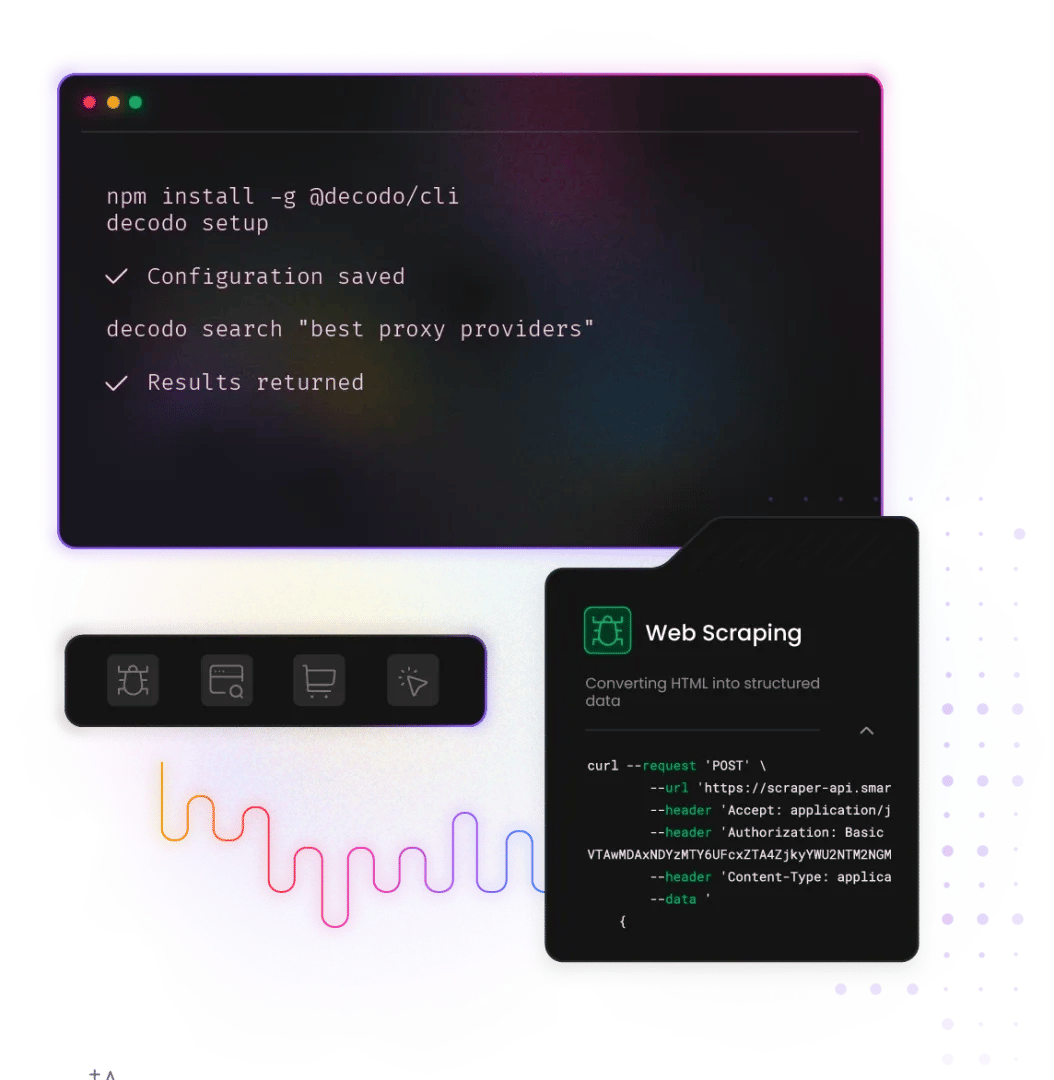
Decodo CLI (@decodo/cli) is an open-source command-line interface for Decodo Web Scraping API. Scrape any URL, search Google and Bing, or extract structured data from Amazon, Reddit, TikTok, YouTube, and Walmart directly from your terminal. Zero to first result in under 60 seconds.
14-day money-back option
What can Decodo CLI do?
No HTTP clients, no boilerplate, no custom parsers. One command returns structured output ready for shell scripts, CI/CD pipelines, AI agents, or manual review.

Zero-install via npx
No global install required – run instantly with npx @decodo/cli and start scraping in seconds.

Full IDE autocomplete
Use decodo scrape <url> to return clean Markdown by default. Pass --format json or --format ndjson for direct pipeline use.

SERP search
Run decodo search "<query>" to pull live Google or Bing results straight to the terminal – no browser, no API wrapper, no parsing.

Target-specific commands
Dedicated commands for Amazon, Reddit, TikTok, YouTube, and Walmart. Get structured output with no custom parsers required.

Pipeline-ready
NDJSON streaming (--format ndjson), granular exit codes (2-7), and TTY-aware output for CI/CD pipelines and automation scripts.

Open-source
No licensing cost, no evaluation gate. Fork it, contribute to it, or embed it into your workflows. Available at github.com/Decodo/cli.
How do you install Decodo CLI?
Install globally or run instantly via npx. Authenticate once with your API token, then scrape.
How do you run your first Decodo CLI commands?
The examples below assume a global installation. For zero-install usage, replace decodo with npx --yes @decodo/cli:
Trusted by:


What can you use Decodo CLI for?
Decodo CLI slots into common use cases across developer tooling, data pipelines, and CI workflows without requiring a dedicated integration.

Quick content extraction
Scrape any URL and get clean Markdown output for LLM input, summarization, or manual review – one command, no setup.

SERP scraping for SEO
Pull Google or Bing results directly into a pipeline or spreadsheet with decodo search "<query>". No browser, no API wrapper.

Competitor price monitoring
Use decodo amazon <url> and decodo walmart <url> to retrieve structured product data with no custom parsing required.

AI data pipelines
Stream real-time web content via NDJSON into LLM grounding, RAG pipelines, or training workflows with --format ndjson.

CI/CD integration
Granular exit codes (2-7) enable conditional logic in automated scraping workflows. Works in any shell or pipeline.

Prototyping
Test scraping behavior and validate targets in seconds before committing to a full SDK or API integration.
What does Web Scraping API cost?
Choose a plan based on your scraping volume. All plans include the same powerful features – you only pay for what you use. Start with the free plan to test before committing.
Plan prices
+VAT / Billed monthly
Rate limit
All prices shown are per 1K req.
Plan price
$0
+VAT / Billed monthly
Request type
Price per 1k req.
2K req.
$0.50
1K req.
$0.75
1K req.
$1.00
667 req.
$1.50
Rate limit
10 req/s
Plan price
$19
+VAT / Billed monthly
Request type
Price per 1k req.
38K req.
$0.50
25K req.
$0.75
19K req.
$1.00
12K req.
$1.50
Rate limit
10 req/s
Plan price
$49
+VAT / Billed monthly
Request type
Price per 1k req.
163K req.
$0.30
75K req.
$0.65
54K req.
$0.90
39K req.
$1.25
Rate limit
25 req/s
Plan price
$99
+VAT / Billed monthly
Request type
Price per 1k req.
707K req.
$0.14
165K req.
$0.60
116K req.
$0.85
82K req.
$1.20
Rate limit
50 req/s
Need more?
Request type
Price per 1k req.
Custom
Custom
Custom
Custom
Rate limit
Custom
For low-security sites and simple access
For accessing guarded or sensitive pages
With each plan, you access:
99.99% success rate
Results in HTML, JSON, CSV, XHR or PNG
MCP server
JavaScript rendering
AI integrations
100+ pre-built templates
Supports search, pagination, and filtering
LLM-ready markdown format
24/7 tech support
14-day money-back
SSL Secure Payment
Your information is protected by 256-bit SSL

What people are saying about us
We're thrilled to have the support of our 135K+ clients and the industry's best.

Attentive service
The professional expertise of the Decodo solution has significantly boosted our business growth while enhancing overall efficiency and effectiveness.
N
Novabeyond
Easy to get things done
Decodo provides great service with a simple setup and friendly support team.
R
RoiDynamic
A key to our work
Decodo enables us to develop and test applications in varied environments while supporting precise data collection for research and audience profiling.
C
Cybereg





Frequently asked questions
What is Decodo CLI?
Decodo CLI (@decodo/cli) is an open-source command-line interface for the Decodo Web Scraping API. It lets developers scrape URLs, run SERP searches, and pull structured data from Amazon, Reddit, TikTok, YouTube, and Walmart directly from the terminal – without writing any HTTP client code or custom parsers. Built with Node.js and TypeScript. MIT-licensed.
Do I need to manage proxies or handle CAPTCHAs?
No. Decodo handles proxy rotation, CAPTCHA bypassing, JavaScript rendering, and retries behind the scenes – all backed by a 125M+ IP pool. You run a command and get structured results back.
What targets are supported?
How do I start using it?
Run npx @decodo/cli for zero-install usage – no global install, no version conflicts. Alternatively, install globally with npm install -g @decodo/cli.
Is the CLI open-source?
Yes. Decodo CLI is MIT-licensed and available at github.com/Decodo/cli. Free to evaluate, fork, and contribute.
Is there a free plan?
Yes. You can start with a free plan from the Decodo dashboard – enough requests to test integrations and validate your scraping workflows before committing to a plan.
Start Scraping From Terminal in Under 60 Seconds
No HTTP clients, no boilerplate, no waiting. One command, clean output, production-ready infrastructure.
14-day money-back option