How to Scrape Google Search Data
Google search results are one of the essential ways to track rankings, ads, SERP features, and shifts in search intent at scale. The hard part is collecting that data reliably, because modern SERPs vary by query, location, device, and result type. In this guide, you'll learn 3 practical ways to scrape Google search results: lightweight extraction, a custom-built scraper, and a managed SERP API.

Dominykas Niaura
Last updated: Mar 30, 2026
5 min read
TL;DR
- Google SERP scraping helps you collect rankings, ads, featured snippets, AI Overviews, local results, and other search features at scale.
- SERPs are dynamic, so results can change based on the query, location, device type, language, and time.
- A custom scraper gives you flexibility, but you still need to handle parsing, rate limits, IP rotation, and CAPTCHA friction.
- A managed SERP API reduces setup and maintenance when you need structured Google search data quickly.
What is Google SERP?
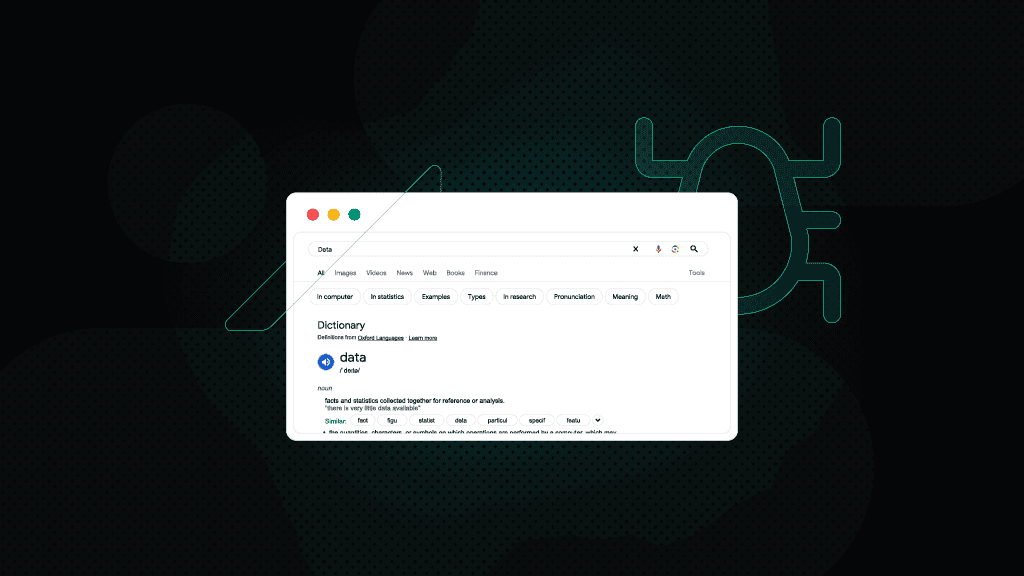
A Google Search Engine Results Page (SERP) is the page Google returns after you submit a search query into Google's search bar. Originally just a list of links, modern SERPs can include ads, featured snippets, AI Overviews, local packs, shopping results, videos, images, and other query-dependent features.
SERPs are also dynamic. The results you see can change based on the search term, search intent, location, device type, language, and whether Google decides to show specialized result blocks for that query.
Elements of a Google SERP that can be scraped
A Google SERP is made up of multiple result blocks, and not every query returns the same mix. Depending on the keyword, you can extract standard listings, paid placements, and specialized SERP features that appear only for certain search intents.
Common scrapeable SERP elements that can be extracted using tools like Decodo's Web Scraping API include:
- Paid and organic search results
- Ads
- AI Overviews
- Videos
- Images
- Google Shopping results
- Related questions (People Also Ask)
- Related searches
- Site links
- Knowledge panels
- Featured snippets
- Local pack (including restaurant listings and other local businesses)
- Top stories (news)
- Recipes
- Jobs
- Travel results (hotels, flights)
Why scrape Google search results
Google captures roughly 82% of the global search market, far surpassing competitors like Bing at around 11%, so it's likely that both your customers and competitors appear in Google's vast ecosystem.
For businesses, Google's search results offer far more than just a list of webpages. By examining the queries people enter, the ads they respond to, and the links they click, companies can gain a detailed understanding of consumer needs and preferences. In practice, SERP scraping helps you:
- Identify trending topics and emerging customer demands before they become widespread, enabling early product development or strategic pivots.
- Monitor competitor activity to stay one step ahead in the market, including new product launches, special promotions, and shifts in messaging.
- Discover gaps in existing offerings, highlighting opportunities to create new products, services, or content that answer unmet consumer needs.
- Assess user sentiment and brand perception by analyzing how and where a company's name or products appear, as well as what related questions people ask.
- Refine SEO and advertising strategies by understanding which search terms attract the most attention, and how well certain keywords convert into traffic or sales.
In short, scraping Google's SERPs can yield invaluable insights into consumer behavior, market direction, and competitive landscapes – powerful information that helps businesses make data-driven decisions, innovate effectively, and maintain a competitive edge.
Ways to scrape Google search results
Google doesn't offer an official way to collect search data at scale, so without a dedicated API, collecting this information becomes a challenge.
While you can try manual collection, it's both time-consuming and prone to inaccuracies. Instead, most businesses opt for one of three methods: semi-automation, full automation managed in-house, or leveraging professional tools that streamline the process – such as those offered by Decodo.
1. Semi-automated data gathering
Building a custom scraper from scratch requires coding expertise and technical effort, but depending on your needs, a semi-automated approach may be enough.
For instance, you can create a basic scraper in Google Sheets without writing any code and simply using a few specialized formulas. This approach works well for extracting basic information (e.g., meta titles, meta descriptions, authors) from a small set of pages competing for the same keyword on Google.
By employing a custom version of the IMPORTXML function with an XPath query, you can pull specific elements directly from a page's HTML. While this method can be effective for simple, small-scale tasks, it does involve some manual setup and cannot efficiently handle large volumes of data.
2. Automated data gathering by building your own scraper
If you want full control over request logic, parsing, retries, and storage, you can build your own scraper.
In theory, the workflow is straightforward: send a request, retrieve the HTML, extract the fields you care about, and save the output.
In practice, that simple approach doesn't hold up well against Google. It's too easy to block and hard to keep stable over time. Google is good at detecting automated access, and SERP layouts can change without notice.
To avoid this, proxies are essential. They rotate your IP address, helping the scraper appear as a genuine visitor. Decodo provides high-quality residential, mobile, static residential (ISP), and datacenter IPs designed for scraping tasks, delivering fast response times, high success rates, and impeccable uptime.
That's the real tradeoff with a DIY approach. You get low-level control, but you also take on the operational overhead of keeping the scraper working over time.
3. Automated data gathering using Decodo's Web Scraping API
If you don't want to build and maintain your own scraping pipeline, consider using Decodo's Web Scraping API. It's a powerful tool that features 125M+ proxies, integrated browser fingerprinting, flexible output options, real-time or on-demand results, task scheduling, ready-made scraping templates, and more. It can streamline data extraction without requiring extensive technical know-how.
Many SEO professionals rely on these tools to conduct keyword research, track rankings, analyze backlinks, or extract structured data from Google Images, Google Trends, Google Play or Hotels. With our Google Search API, you can efficiently gather the data needed to reach top positions in Google's SERPs.
How to scrape Google using Decodo's Web Scraping API
Let's explore how easy it is to scrape Google's search engine results pages using our Web Scraping API. We'll search for the phrase "best proxies" and examine the top positions on the first page.
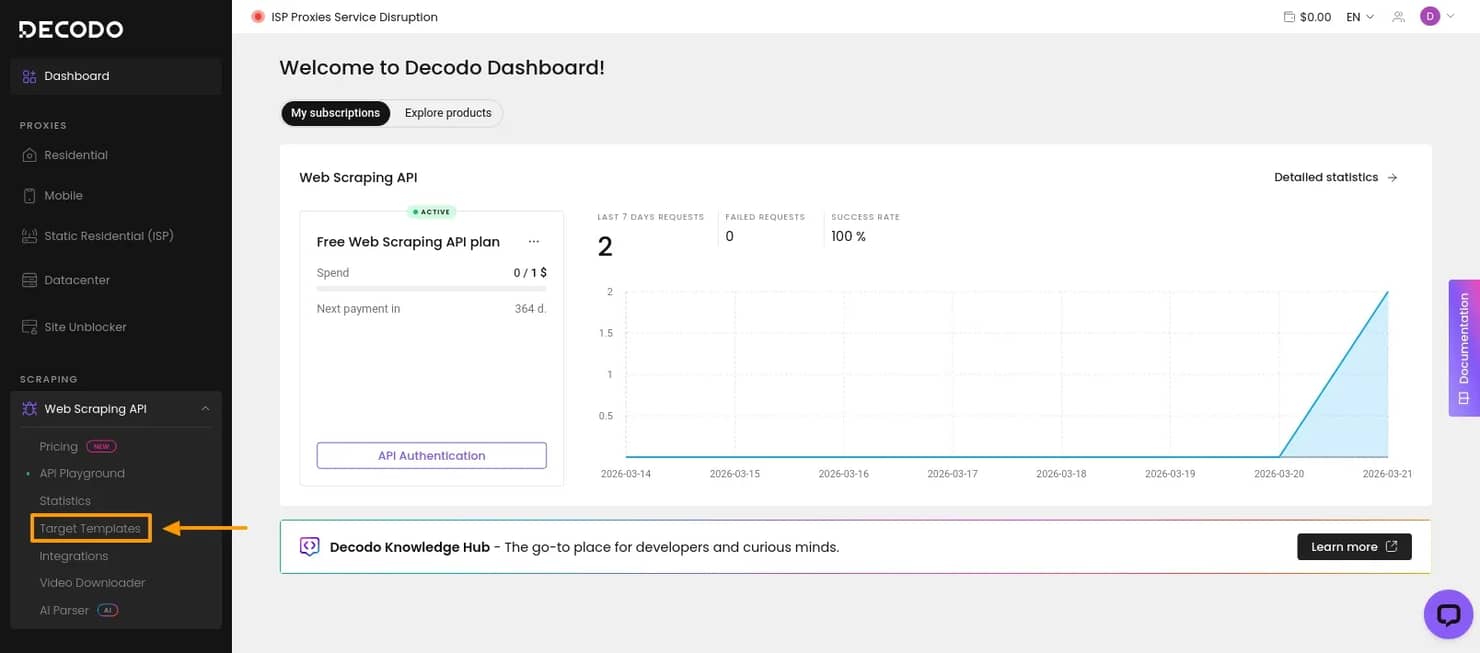
1. Get Web Scraping API
First, create an account and log in to your Decodo dashboard.
In the left-side panel, open Web Scraping API and navigate to Pricing. Choose a subscription that suits your needs or a free plan to test the solution.
Then, select Target Templates.
2. Choose the Google SERP template
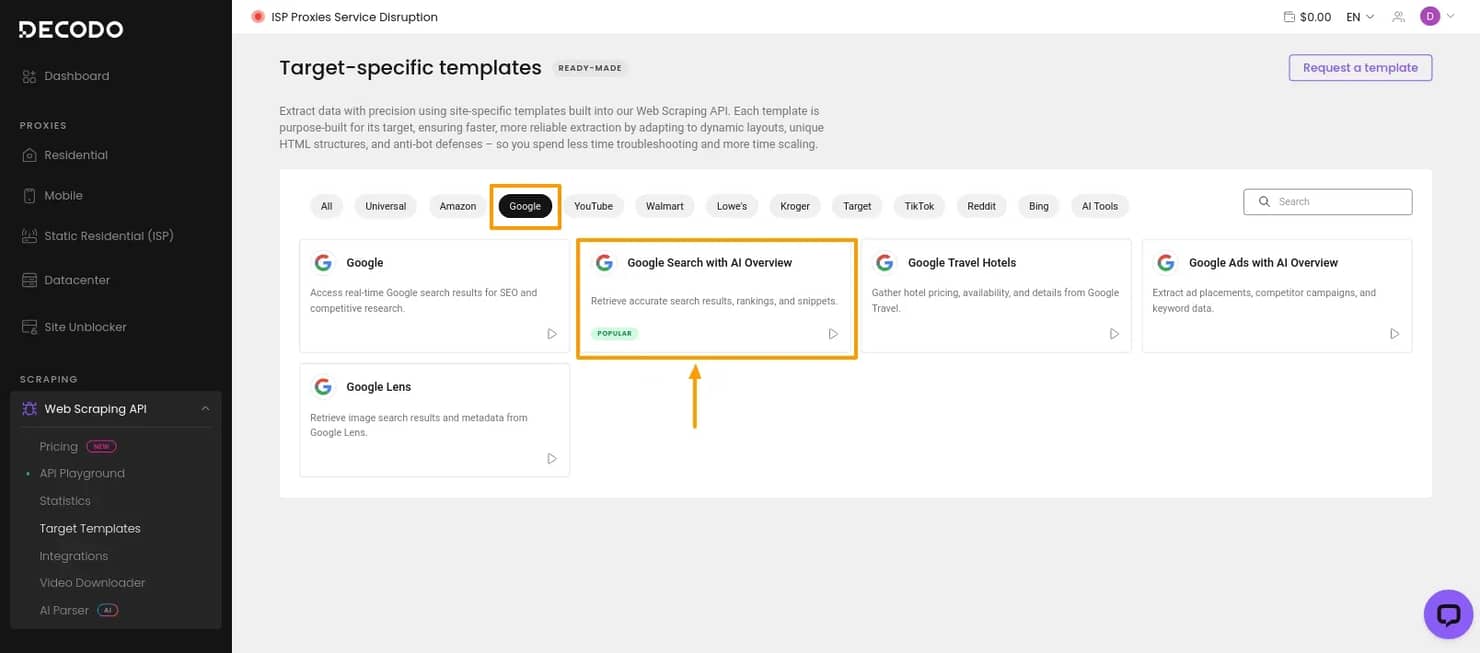
Since the goal is to scrape Google search results, select Google, then choose Google Search with AI Overviews. This opens the API Playground, where you can configure the scraper without building the request from scratch.
3. Configure the request
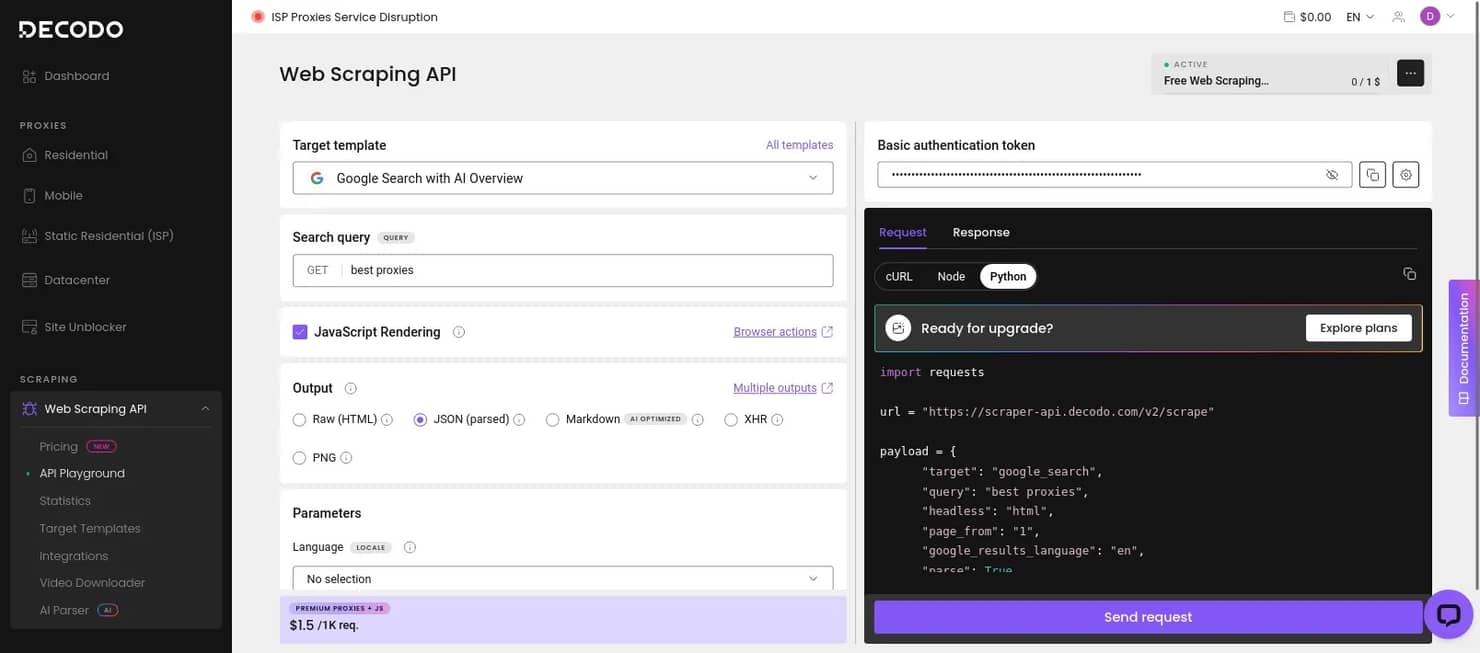
In the API Playground, you can define the search query and adjust the main scraper settings. That includes the output format, whether to enable JavaScript rendering, and other parameters that affect how the request is processed and how the results are returned.
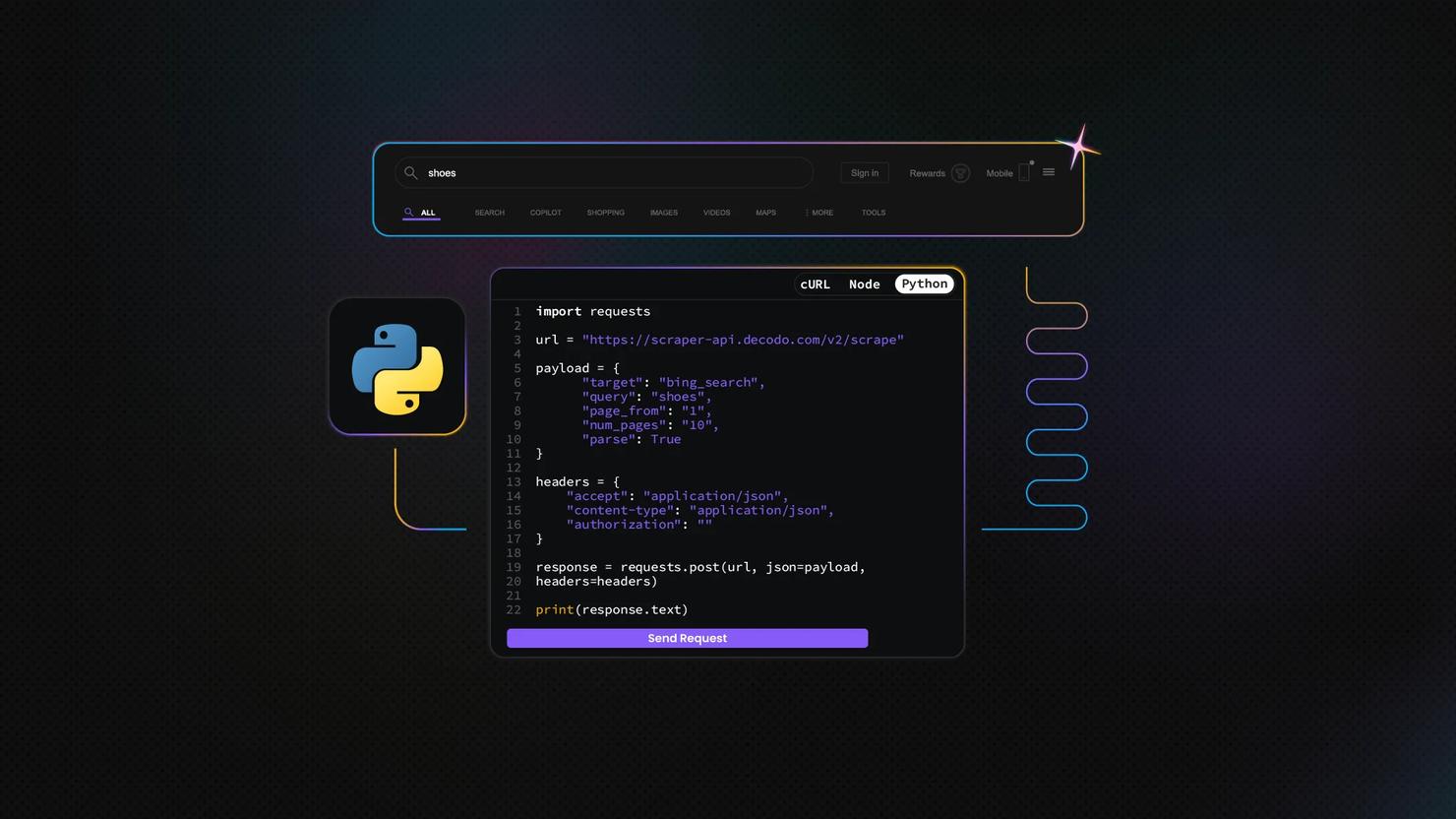
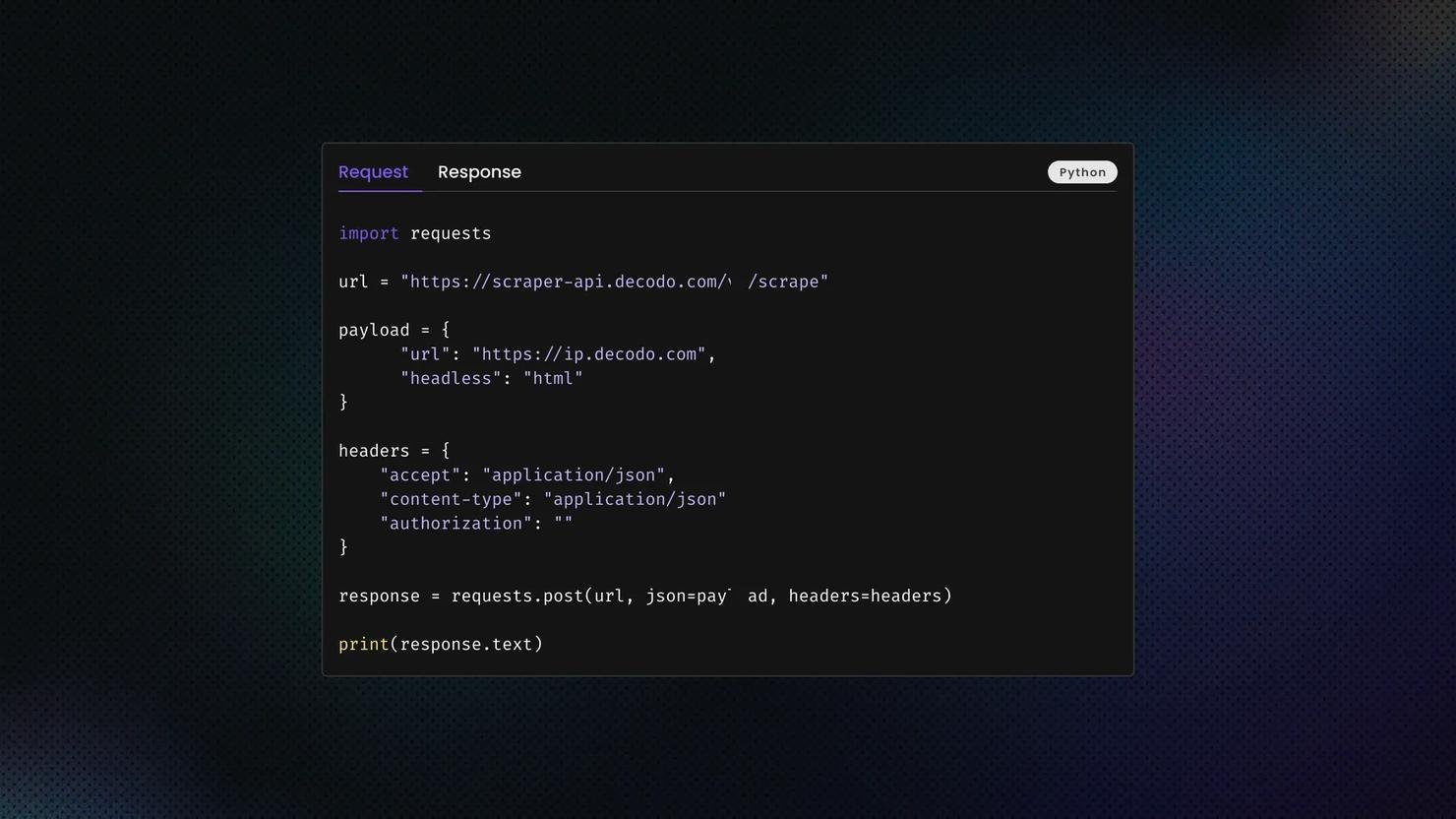
If you want to test the request directly in the dashboard, click Send request. If you prefer to run it in your own environment, you can also copy the generated Python script and execute it locally.
4. Review the results
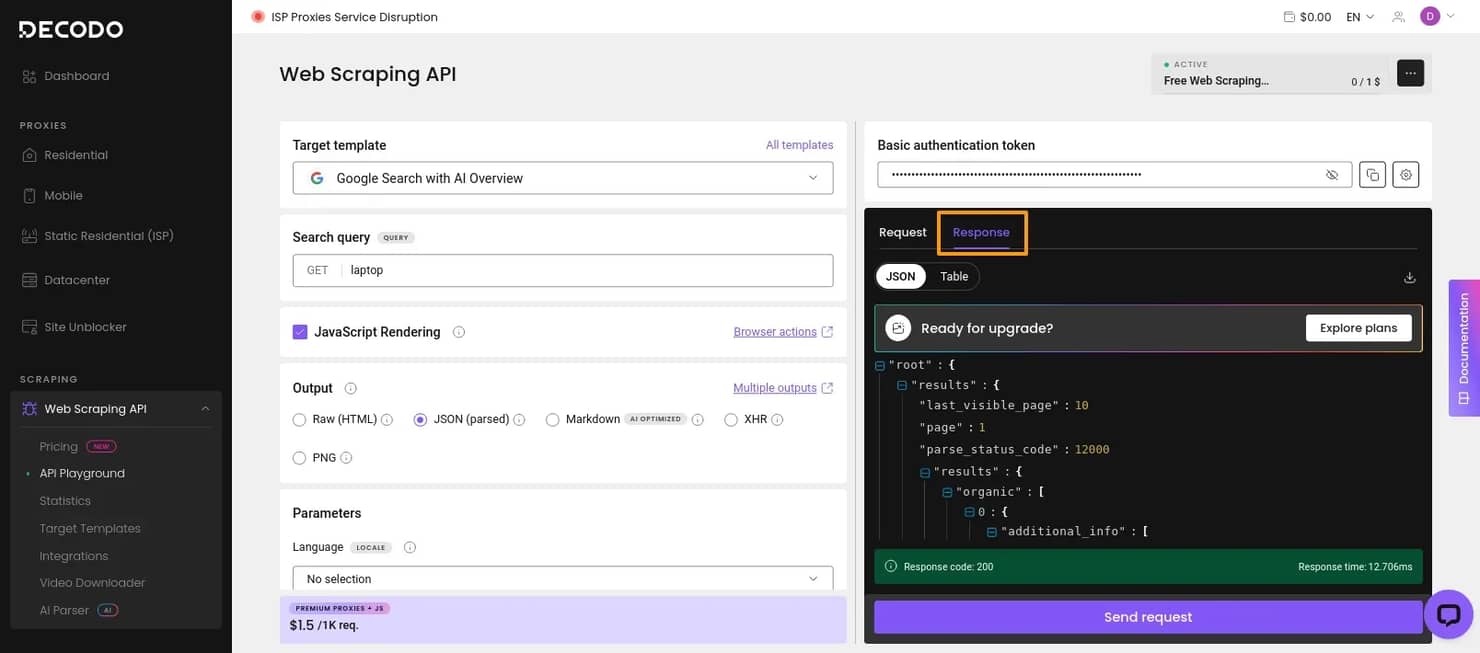
If you run the request inside the API Playground, the scraped output appears in the Response tab. The returned data is shown in the format you selected during setup, which makes it easier to inspect the results before exporting or integrating them into your workflow.

Try Web Scraping API for free
Activate your free plan with 1K requests and scrape structured public data at scale.
Scraping methods summarized
Now that you have a better idea about how to gather Google search data, let's quickly recap your possibilities.

Pros

Cons
Semi-automated
- Free
- Easy to set up
- No risk of getting your IP blacklisted
- Manual-heavy; needs a lot of input
- Limited automation and data scope
DIY scraper
- Free to build
- Highly customizable
- Can be as detailed as you like
- Time- and labor-intensive
- Requires coding knowledge
- Must keep up with Google’s anti-scraping measures
- Requires proxy integration
Third-party tools
- No technical knowledge required
- Easy to use
- Powerful, fast, and nearly limitless data gathering
- Paid solution
- Limited by the tool’s capabilities
Closing thoughts
The best solution for scraping data from Google depends on your business needs, expertise, and budget.
If you only need small, occasional checks, a lightweight method may be enough. If you want full control over request logic and output, you can build your own scraper, but that also means dealing with blocking, selector changes, parser maintenance, and the rest of the operational overhead that comes with it.
For most production use cases, a managed SERP API is the more practical option. It gives you structured Google search data without forcing you to maintain the full scraping pipeline yourself. That makes it a better fit when you need repeatable results across queries, locations, devices, and changing SERP layouts.
Try our Google Search Scraping API today with a 14-day money-back option or a free plan for first-time users!
About the author

Dominykas Niaura
Technical Copywriter
Dominykas brings a unique blend of philosophical insight and technical expertise to his writing. Starting his career as a film critic and music industry copywriter, he's now an expert in making complex proxy and web scraping concepts accessible to everyone.
Connect with Dominykas via LinkedIn
All information on Decodo Blog is provided on an as is basis and for informational purposes only. We make no representation and disclaim all liability with respect to your use of any information contained on Decodo Blog or any third-party websites that may belinked therein.