Get Started With Web Data API
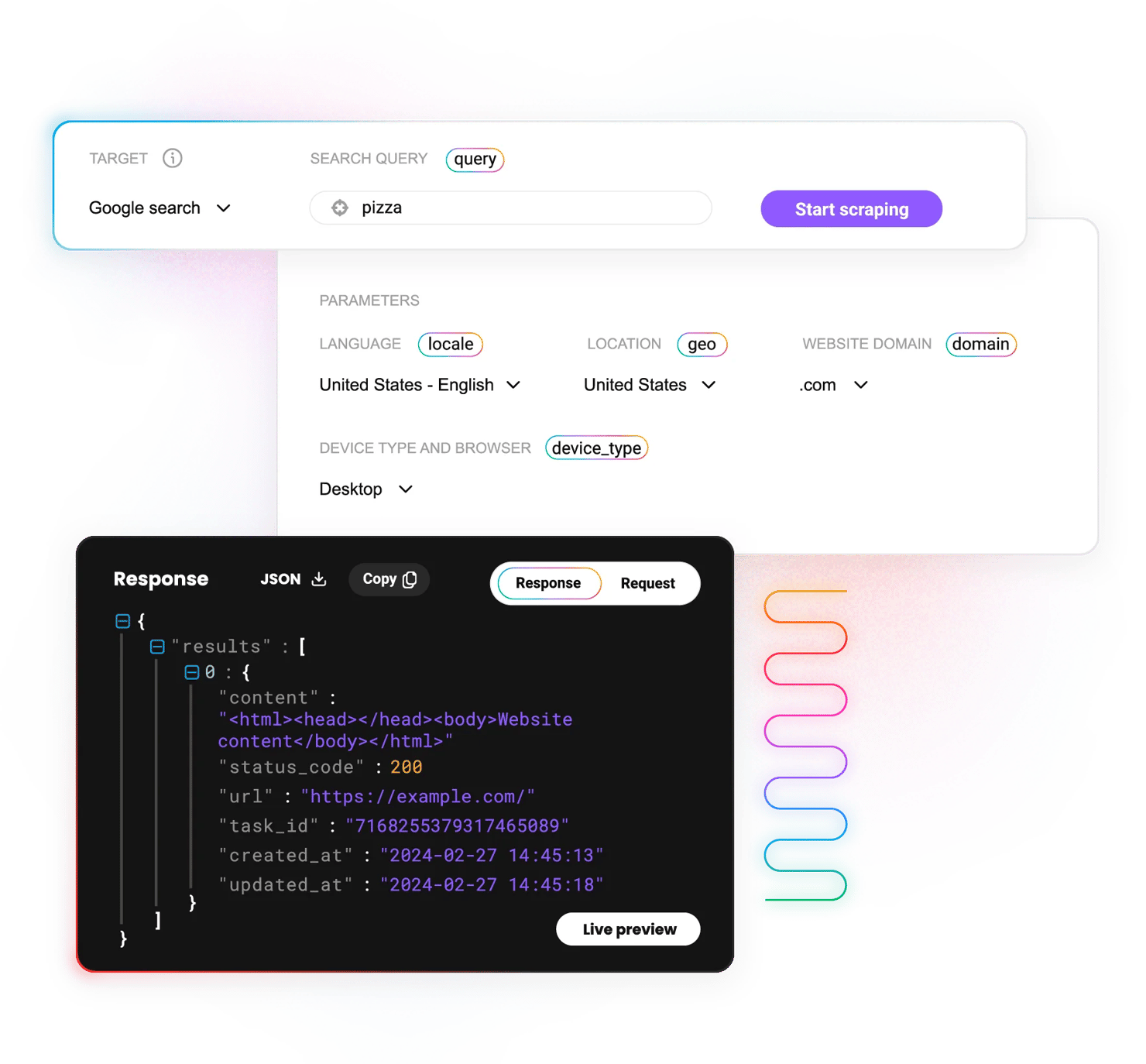
Scrape, crawl, map, and search the web with one API that returns HTML, JSON, CSV, or Markdown and handles proxies, JavaScript rendering, and anti-bot protection for you. Get started with our quick start guide.
14-day money-back option
200
requests per second
100+
ready-made templates
99.99%
success rate
195+
locations worldwide
Free
starter plan

What is Web Data API?
Our Web Data API is an all-in-one data collection solution for eCommerce marketplaces, search engine results pages, social media platforms, and any other public websites. It combines a pool of 125M+ IPs, a scraper with JavaScript rendering and anti-bot handling, and 100+ ready-made templates that return structured data.
Most popular Web Data API use cases
Choose your target and gather data with confidence using our state-of-the-art scraper.

Public data collection
Effortlessly gather real-time public data for analysis or easy integration into your projects.

Travel fare aggregation
Collect relevant pricing data to get the best deals for hotels, flights, and car rentals.

Fraud protection
Detect malicious websites and prevent fraud from global locations by scanning scraped HTML data.
How to set up Web Data API
Get started with your Web Data API configuration by following our guide.
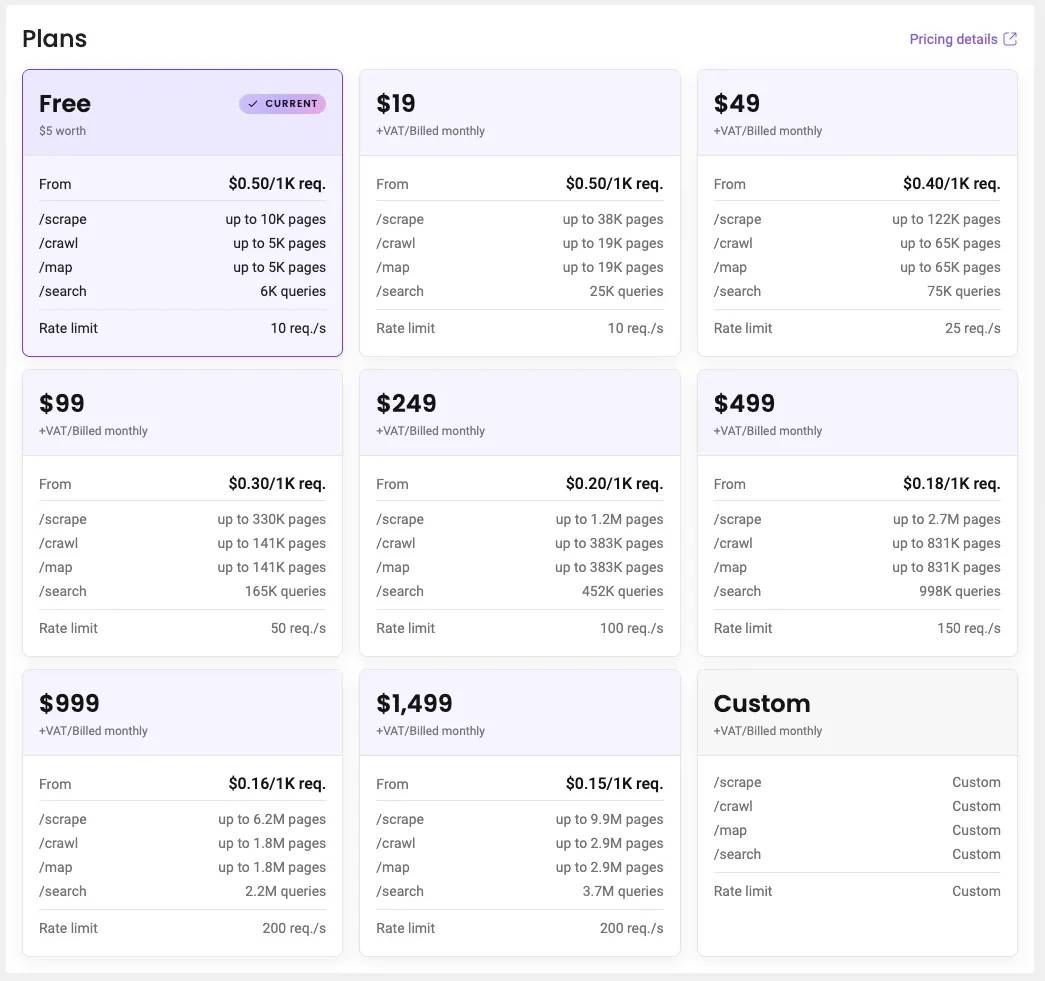
Choose a subscription
- Create an account on the Decodo dashboard.
- On the left-side panel, select the Web Data API menu and choose Pricing.
- Select a plan that suits your needs. The Free plan costs $0 and requires no credit card.

Authenticate via token
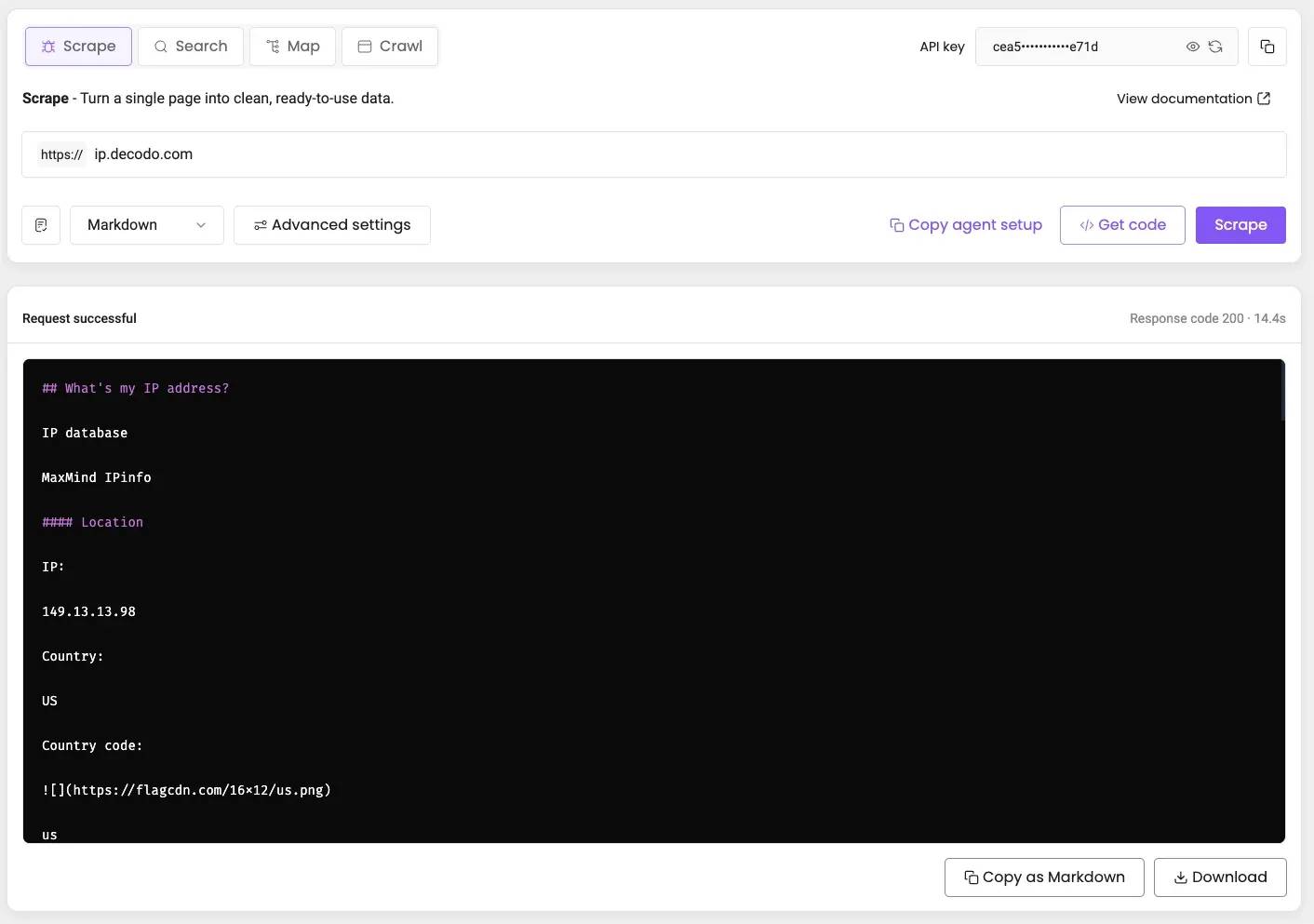
To integrate the Web Data API into your environment, copy your credentials from the dashboard. In the Scraper tab, click your authorization token to copy it. Use the buttons to reveal your credentials or generate a new token.
Create a request command
- Select the /scrape endpoint.
- Select a ready-made scraper template from the bottom-left menu, then enter the URL.
- Choose the parameters you need from Advanced settings.
- Click Get code, then select cURL, Python, or Node.js in the API tab and copy the code. You can also integrate it with CLI, MCP, and SDK.
- Alternatively, click Scrape to run it directly. Once the task is complete, the response appears on the screen.
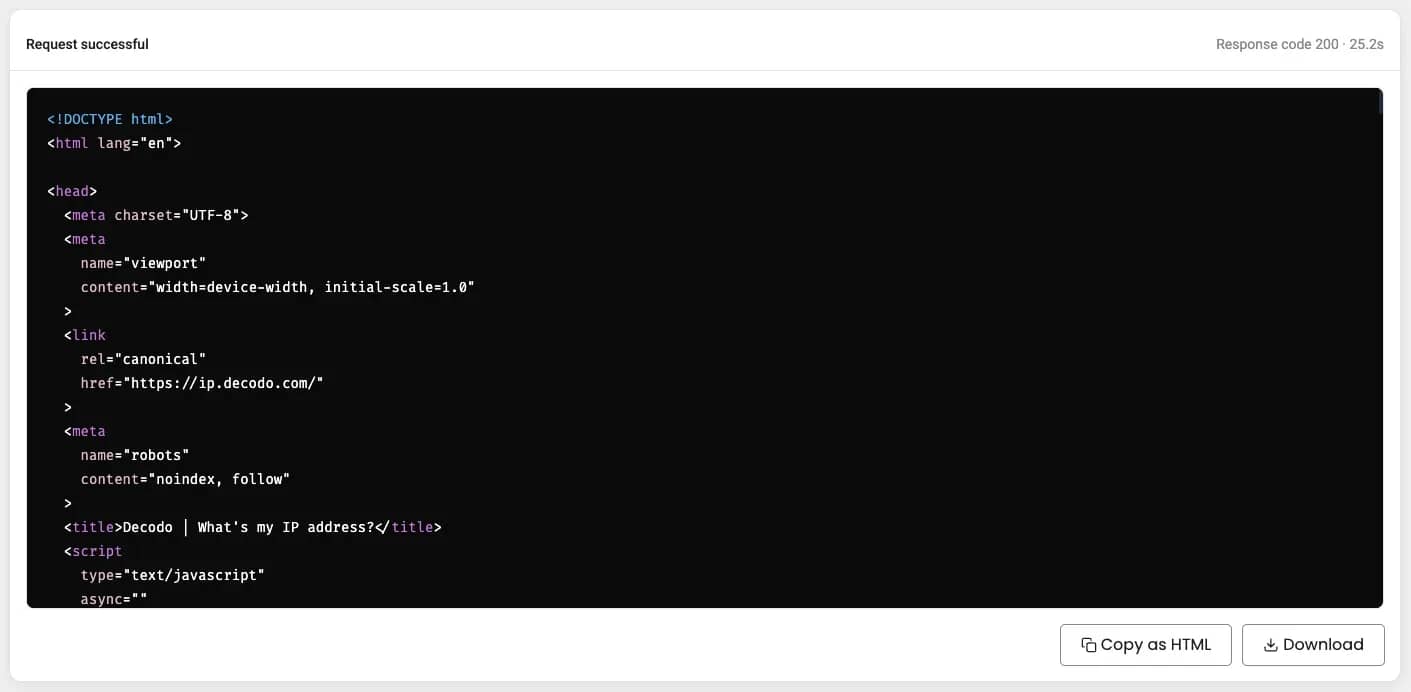
Copy or download the result
After sending a request in the dashboard, you can copy or download the response in HTML, JSON, or XHR format by clicking the buttons in the bottom-right corner.
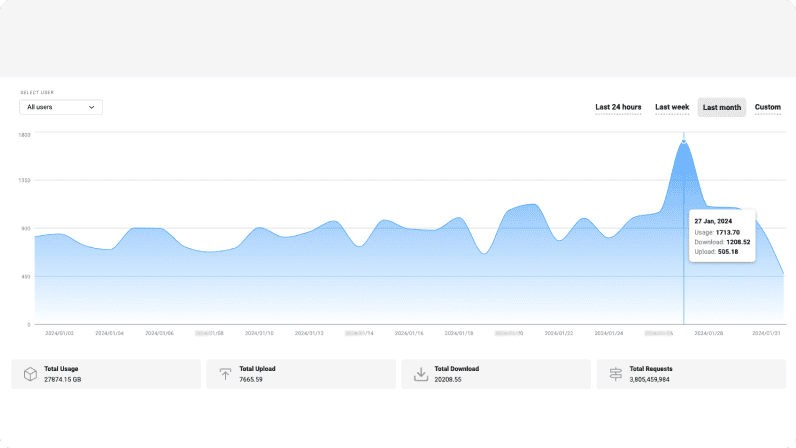
Track scraping usage
To track your Web Data API usage, navigate to the Usage statistics tab. There, you'll find traffic usage details over a selected timeframe.
Easy to integrate scraper
Our Web Data API works with all popular programming languages, ensuring a smooth connection to other tools in your business suite.
Free tools, same great user-friendliness

Chrome Browser Extension
Easy-to-use, damn powerful. A proxy wonderland in your browser, accessible in 2 clicks. Free of charge.

Firefox Browser Add-on
Easy to set up, even easier to use. The virtual world at your fingertips in 2 clicks. Free of charge.

Proxy Checker
Verify your IPs with free Proxy Checker. Quickly & efficiently check your IPs to avoid potential errors.
Decodo blog
Most recent

Zapier MCP Server: Connect Agents to Apps and the Web
Zapier MCP is Zapier's hosted MCP server: one connection that lets an AI agent take actions across 9,000+ apps. It solves reach, not data. Your agent still needs a separate way to get fresh information from the web. This guide covers how Zapier MCP works, how to connect it, and how to pair it with Decodo for live web data.

Lukas Mikelionis
Last updated: Oct 21, 2026
9 min read
Most popular

How to Send a cURL GET Request
Tired of gathering data inefficiently? Well, have you tried cURL? It’s a powerful and versatile command-line tool for transferring data with URLs. Its simplicity and wide range of capabilities make it a go-to solution for developers, data analysts, and businesses alike. Simply put, the cURL GET request method is the cornerstone of web scraping and data gathering. It enables you to access publicly available data without the need for complex coding or expensive software. In this blog post, we’ll explain how to send cURL GET requests, so you’re ready to harness its fullest potential.
Dominykas Niaura
Last updated: Jan 02, 2024
7 min read
How to Bypass CAPTCHA With Puppeteer: A Step-By-Step Guide
CAPTCHAs have been a website security staple since 2000, drawing a line between human users and bots. They're a savior for website owners and a nightmare for data gatherers. But the challenge has shifted. Modern systems like reCAPTCHA v3, hCaptcha, and Cloudflare Turnstile no longer rely on distorted text and puzzles alone. They score your behavior in the background, which means avoiding them is now as much about how you act as what you click. This guide covers CAPTCHA detection, prevention, real solver integration, and where Puppeteer fits alongside Playwright in 2026.
Dominykas Niaura
Last updated: Aug 04, 2026
10 min read

Staying Ahead of the Curve: Using Proxies and Scraping Solutions to Monitor Pricing, Trends, and Competitors
Businesses rely on real-time data about pricing, market trends, and their rivals' activities to make well-informed decisions and maintain a competitive edge. In fact, 98%¹ of executives agree it’s somewhat or very important to increase data analysis in their companies over the upcoming 1 to 3 years. Manual data collection methods are time-consuming, less efficient, and sometimes even provide outdated data, resulting in missed opportunities and potential loss of market share.
Fortunately, thanks to technological advancements, innovative and easy-to-use solutions like proxies and web scraping tools offer businesses a powerful way to monitor and analyze vital information efficiently.
With this in-depth article, we invite you to explore the proxy and scraping landscape, discover the pros and cons of such solutions, and learn how to identify some of the best real-time data collection options in the market matching the most popular use cases. Grab a cup of coffee and continue reading.
If you can't access the whole article, make sure you have disabled your ad blocker.
Ella Moore
Last updated: Sep 07, 2023
11 min read

Google Sheets Web Scraping: An Ultimate Guide for 2026
Google Sheets is a powerful data management tool, but few people know it can also pull data directly from the web without a single line of code. Using built-in import functions, you can scrape website content, parse tables, and pull live feeds straight into your spreadsheet. In this guide, you'll learn how to use IMPORTXML for XPath-based data extraction, IMPORTHTML for grabbing tables and lists, IMPORTFEED for RSS and Atom content, IMPORTDATA for CSV files, and IMPORTRANGE to link scraped data across spreadsheets. We'll also cover Google Apps Script for automation, common errors and how to fix them, and when to reach for a dedicated scraping tool instead.
Zilvinas Tamulis
Last updated: Mar 30, 2026
6 min read
Equip Yourself With Web Data API
Ready-to-use powerful scraping API – only at Decodo.
14-day money-back option