How To Set Up a Proxy in SwitchyOmega (ZeroOmega)

SwitchyOmega (ZeroOmega) is a free browser extension that lets you manage and switch proxy profiles in Chrome and Firefox. Set up Decodo's residential IPs in less than 5 minutes with this step-by-step guide. No system-level configuration required.

14-day money-back option
115M+

ethically-sourced IPs

<0.5s

response time

99.99%

uptime

99.92%

success rate

Free

advanced geo-targeting

Trusted by:

Incogni-logo
Convergence-logo
Infoprice-logo
RTMP-logo
GobbleCube-logo
Roidynamic-logo
Insites-logo
Osint-logo
ExoClick-logo
Adsecure-logo
NovaBeyond-logo
hehemobi-logo

How do I connect SwitchyOmega with proxies?

Watch our short walkthrough to configure SwitchyOmega (ZeroOmega) with Decodo proxies. The video covers profile creation, server entry, authentication, and verification.

What is Proxy SwitchyOmega?

SwitchyOmega (ZeroOmega) is an open-source browser extension for Chrome and Firefox that lets you create multiple proxy profiles, define URL-based switching rules, and route traffic through different proxies without modifying system settings. It supports HTTP(S) and SOCKS5 protocols, and allows fast manual or rule-based switching between configurations.

Since January 2025, the original SwitchyOmega project is no longer maintained and has been removed from the Chrome Web Store. The community-maintained successor, ZeroOmega (also called Proxy SwitchyOmega 3), is built for Manifest V3 and retains all core features.

How does SwitchyOmega work?

Instead of changing your browser's network settings every time you need a different proxy, SwitchyOmega lets you create named profiles, each with its own server address, port, protocol, and authentication credentials. You can then switch between profiles with a single click from the browser toolbar, or set Auto Switch rules to route specific domains through specific proxies automatically. SwitchyOmega itself doesn’t provide proxy servers – you supply your own (such as Decodo residential proxies).

Concentric colored semicircular arcs nesting into a pointed teardrop shape on a white background

Why use residential proxies with SwitchyOmega?

Residential proxies route your traffic through IPs that come from real devices, making your requests appear as authentic user traffic. When paired with SwitchyOmega's profile switching, you can test localized content from specific countries or cities, manage multiple accounts with different IPs, and verify ad placements across regions without leaving your browser.

Decodo offers 115M+ ethically-sourced residential IPs across 195+ locations, with HTTP(S) and SOCKS5 support, rotating and sticky sessions, and a 99.93% success rate to keep your workflows running smoothly.

How do I set up Decodo proxies with SwitchyOmega?

Follow these steps to configure Decodo residential, datacenter, mobile, or ISP proxies in SwitchyOmega (ZeroOmega). The process takes less than 5 minutes.

Residential proxy table listing gate.decodo.com 10001 username password in DECODO UI Pay As You Go 0.62/1 GB

Step 1: Get your proxy credentials from Decodo

Log in to your Decodo dashboard, navigate to Residential in the left panel, and select a plan. Open the Proxy setup tab, then copy the usernamepasswordserver address, and port number.

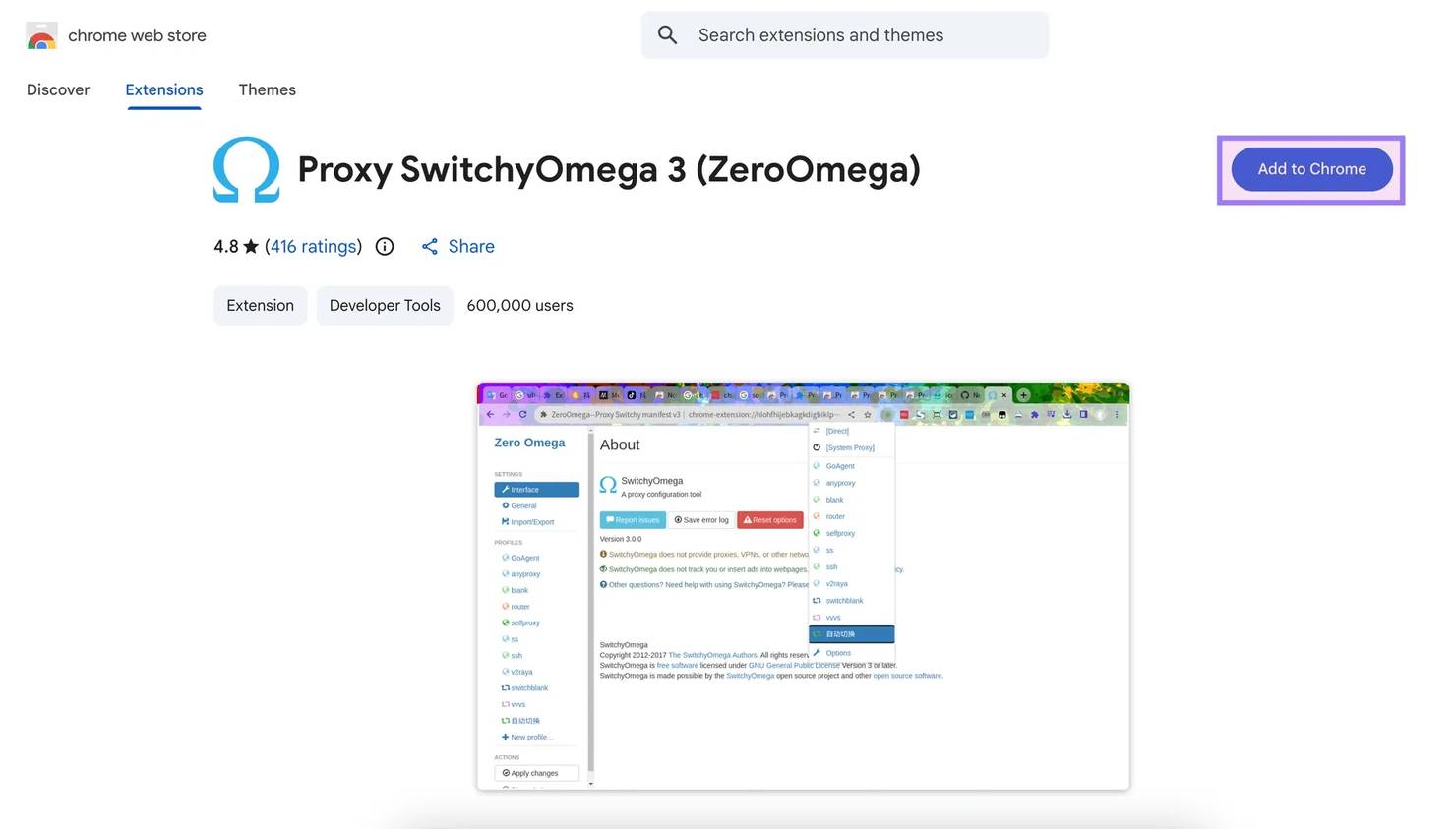
Proxy SwitchyOmega 3 (ZeroOmega) extension showing Add to Chrome button and listing details on Chrome Web Store page

Step 2: Install SwitchyOmega (ZeroOmega)

Download and install the extension from 1 of these sources:


If you use Decodo's browser extension instead, see our Chrome proxy extension or Firefox add-on pages.

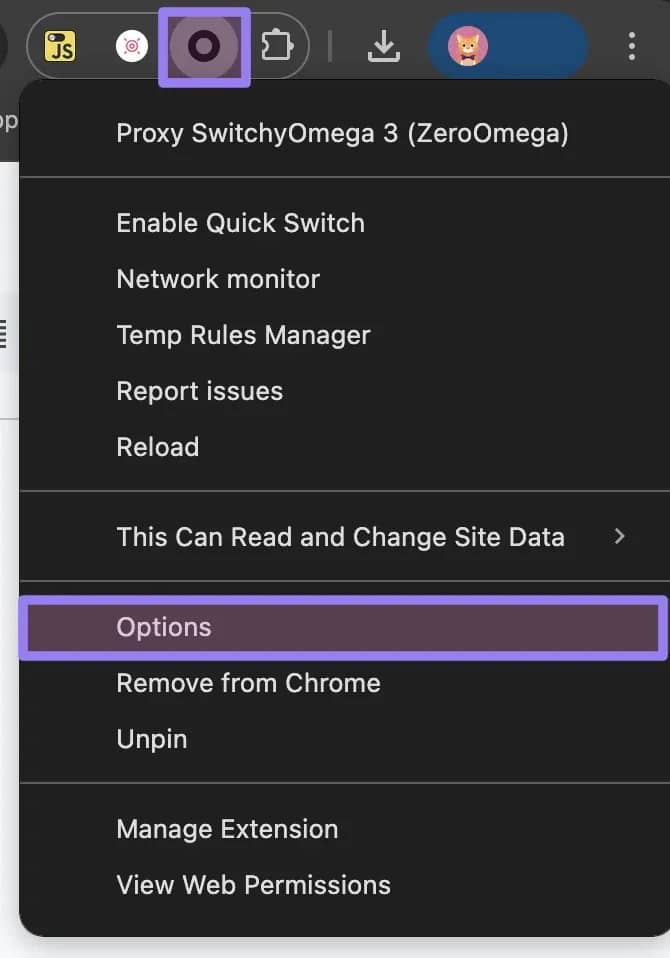
Proxy SwitchyOmega 3 (ZeroOmega) menu with 'Options' highlighted in Chrome toolbar

Step 3: Create a proxy profile

  1. Click on the SwitchyOmega 3 (ZeroOmega) toolbar icon and select Options.
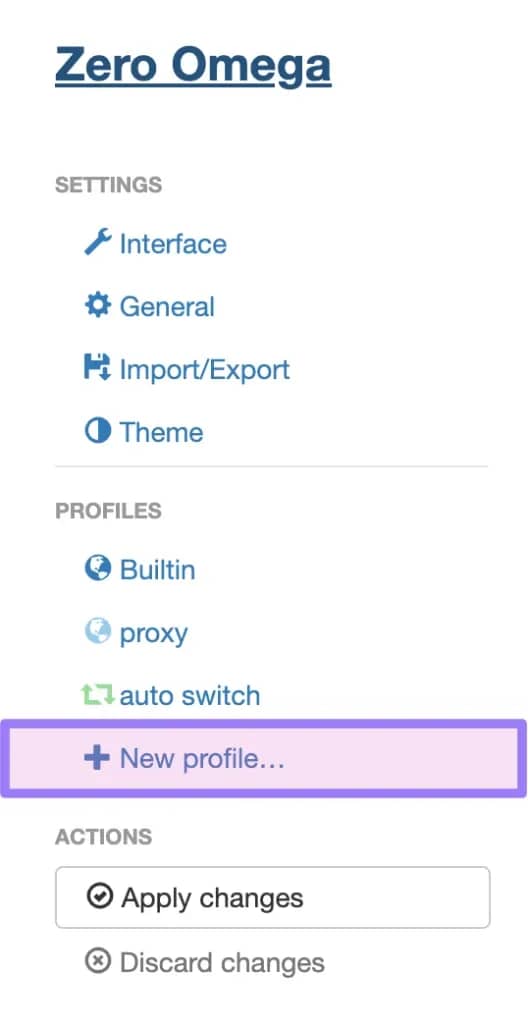
  2. In the left sidebar under PROFILES, click + New profile…
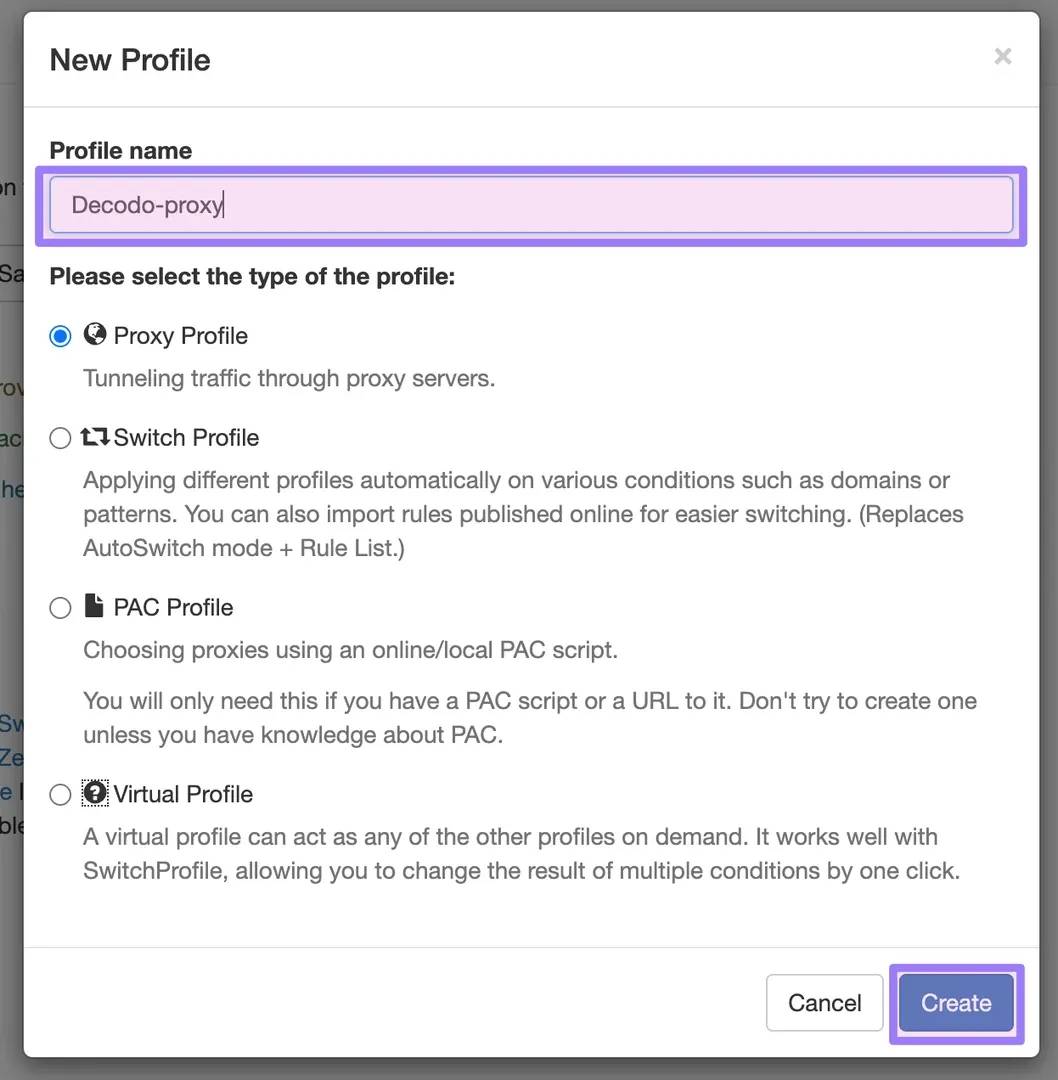
  3. Name the profile (e.g., "Decodo-proxy"), select Proxy Profile, and click Create.
Zero Omega settings menu showing Interface, General, Import/Export, Theme, profiles including + New profile… and Apply changes

Step 4: Enter your proxy server details

  1. In the new profile's Proxy servers table, select HTTP from the Protocol dropdown.
  2. Enter the Server address and Port from your Decodo dashboard.
  3. Click the lock icon to open the authentication dialog. Enter your username and password, then click Save changes.
  4. Click Apply changes under ACTIONS in the left sidebar.
Profile name field 'Decodo-proxy' entered, Proxy Profile selected in New Profile dialog

Step 5: Activate and verify your proxy

  1. Click the SwitchyOmega toolbar icon and select your Decodo-proxy profile.
  2. Visit the Decodo IP checker to confirm your connection is routed through a residential IP.

How does SwitchyOmega compare to other proxy management options?

Feature

SwitchyOmega (ZeroOmega)

Manual browser settings

Decodo extension

One-click profile switching

Yes

No

Yes

Auto Switch rules (URL-based)

Yes

No

Limited

HTTP(S) + SOCKS5 support

Yes

Varies by browser

Yes

PAC script support

Yes

No

No

Works with any proxy provider

Yes

Yes

Decodo only

Built-in proxy rotation

No

No

Yes

Chrome + Firefox support

Yes (ZeroOmega)

Yes

Yes

Open source

Yes

N/A

Yes

SwitchyOmega is ideal if you need multi-provider profile switching or URL-based proxy rules. Decodo's Chrome extension is best for users who want built-in rotation and a simpler setup within Decodo’s infrastructure. Manual browser settings work for one-off configurations but become impractical at scale.

Why use Decodo proxies with SwitchyOmega?

Stay undetected

Maintain a clean browsing footprint with 115M+ ethically-sourced residential IPs that mirror authentic user traffic.

99.99% uptime

Rely on a stable proxy network to keep your browsing sessions running smoothly with minimal interruptions.

Advanced targeting

Use residential IPs from 195+ locations. Target by country, state, city, ZIP, or ASN at no extra charge.

24/7 tech support

Get help from experienced support agents via LiveChat, email, or community Discord at any time.

Frequently asked questions

Does SwitchyOmega work with SOCKS5 proxies?

Yes. SwitchyOmega (ZeroOmega) supports HTTP, HTTPS, SOCKS4, and SOCKS5 protocols. When creating a proxy profile, select the desired protocol from the dropdown in the Proxy servers table.

Is SwitchyOmega still available for Chrome in 2026?

The original SwitchyOmega extension was removed from the Chrome Web Store due to Manifest V3 changes. The community-maintained successor, ZeroOmega (also called Proxy SwitchyOmega 3), is fully compatible with Chrome and Firefox.

Can I use SwitchyOmega with datacenter or ISP proxies?

Yes. SwitchyOmega works with any proxy provider and any proxy type. You can configure residential proxiesdatacenter proxiesISP proxies, or mobile proxies by entering the appropriate server address, port, and credentials from your Decodo dashboard.

How do I switch between multiple proxy profiles in SwitchyOmega?

Click the SwitchyOmega toolbar icon to open the profile menu, then select the profile you want to activate. You can also set up Auto Switch rules to route specific domains or URL patterns through designated profiles automatically.

What should I do if my proxy connection is not working in SwitchyOmega?

First, verify your proxy credentials (username, password, server, port) match what is shown on the Decodo dashboard. Check that the correct protocol is selected (HTTP or SOCKS5). Ensure the profile is active (not set to "Direct" or "System Proxy"). If issues persist, contact our award-winning 24/7 tech support.

How do I use rotating proxies with SwitchyOmega?

Simply get rotating residential proxies from a provider that fits your needs, and configure the rotating gateway endpoint in SwitchyOmega. From here on out, each request will automatically use a fresh IP. For sticky sessions, configure the sticky endpoint and set your desired session duration on the Decodo dashboard.

Learn more about proxies and integrations

Most recent

Akamai Bypass: How to Get Past Akamai Bot Detection in 2026

Akamai is one of the most widely deployed bot management systems on the web, and one of the hardest to scrape around. It sits between visitors and a site's servers, analyzing every request across multiple layers to decide what's a real user and what's automated. This guide breaks down how that detection works, the practical techniques for getting past it, and where the technical and legal limits sit.

Most popular

Circle inside a house, that is inside a squircle

How Residential Proxies Work: A Technical Guide to Types, Networks & IP Sourcing

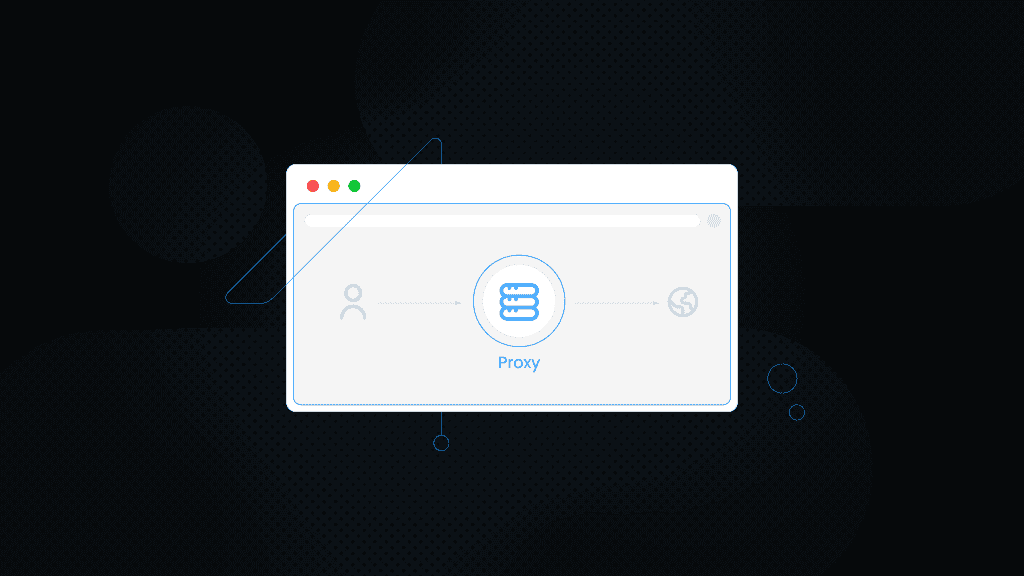
Browser window showing central Proxy icon routing between user avatar and globe on dark dotted background

What Is a Proxy Connection on a Browser? Everything You Need to Know

Center VS badge comparing SOCKS PROXY (left) with HTTPS PROXY (right) on dark neon tech background

Difference Between SOCKS5 Proxy vs. HTTP Proxy

Dialog box with wrench icon reading 'Proxy test in progress' over a blurred dark neon UI background

How to Test Proxies: A Complete Guide

Proxy Server Address modal with HTTP, HTTPS, FTP, or SOCKS and Find button in dark browser frame

How to Find Proxy Server Address On Any Device

Ready to Use SwitchyOmega with Decodo Proxies?

Configure your proxy in SwitchyOmega in less than 5 minutes.

14-day money-back option

© 2018-2026 decodo.com (formerly smartproxy.com). All Rights Reserved