Best Exa Alternatives For AI Agents
Exa is a neural search API for AI agents. It matches queries to pages by meaning, using embeddings, and returns their contents. It belongs to the retrieval layer, next to search APIs and web data APIs that also crawl and extract. Teams compare Exa alternatives when an agent needs every page of a documentation site or pages behind bot protection.

Justinas Tamasevicius
Last updated: Oct 20, 2026
11 min read

TL;DR
- Shortlist. Decodo's Web Data API, Firecrawl, Tavily, Bright Data, Linkup, Perplexity, and Brave Search API.
- Know the difference. Search APIs return ranked links with snippets or page text. Web data APIs also map, crawl, and scrape full pages.
- Test access early. An index-based API can only serve what it stored earlier, so for protected and JavaScript-heavy pages it may silently return empty or partial content.
- Default choice. For live answers alone, a search API or a model's built-in web search is enough. For whole sites or protected pages, Decodo's Web Data API is the pick, and it also searches. Our Exa-compatible client lets you switch with one import change and a Decodo key.
What Exa does and where it stops
Exa's strengths and limits show whether you need an alternative.
What Exa is built for
Exa works best for natural-language agent prompts and research-style discovery, where keyword search misses useful pages. Keyword search still works better for exact terms, such as product names, error codes, and SKUs.
Exa's API includes Search, Deep Search, Deep-Reasoning Search, Contents, Monitors, and an Agent API. Exa's pricing page lists $7 per 1K searches with the default auto type and $12 to $15 per 1K deep searches. Contents cost $1 per 1K pages for each content type, and monitors cost $15 per 1K requests.
Where teams need more than Exa
- No map or crawl endpoint. Exa's Contents endpoint can crawl up to 100 subpages of a page, but Exa has no single call that lists every URL on a site. For retrieval-augmented generation (RAG), full-site ingestion still needs a crawler you build and run. Our guide to crawling vs. scraping explains the difference.
- Cached page contents. Exa finds new pages quickly, but by default, its Contents endpoint can return a cached copy. For prices and other fast-changing pages, that copy can be hours old unless you set maxAgeHours to 0.
- Access matters more than search quality. Better semantic matching can't help when bot protection blocks the page.
- Cost structure. Exa charges separately for searches, for each type of content it returns per page, and for summaries. Retries in an agent loop multiply these charges.
How to evaluate an Exa alternative
Built-in web search in Claude, OpenAI, and Gemini is often enough for a chat answer. A separate API helps when the agent needs to crawl a site, reach protected pages, or work across model vendors.
- Endpoints your agent calls. Search ranks results for a query, map lists a site's URLs, crawl returns a site's pages, and scrape returns one page. A support bot needs search alone to answer from live results, and a RAG pipeline needs map plus crawl to ingest a documentation site. Rebuilding map and crawl with search plus a custom crawler is often the hardest part of migrating.
- Index-based vs. live fetch. Index-based APIs answer from pages they stored earlier, so results are only as complete and current as their index. Live-fetch APIs load the page when you call them, unless a cache returns an older copy. To test this, compare a fetched price page with the live one.
- Hard-target access. Ask what happens on sites with bot protection or geo-restrictions. Vendors can add endpoints quickly, but not a large proxy network, so weigh access above endpoint count.
- Output format and token cost. Raw HTML wastes tokens on tags and scripts. Markdown or structured JSON avoids most of that cost.
- Latency. Interactive agents depend on p95 latency, not on the average, and on generous concurrency limits.
- Agent integrations. A Model Context Protocol (MCP) server works with LangChain, LlamaIndex, the OpenAI Agents SDK, and most coding agents, so you integrate once for many frameworks. See also our roundup of AI data collection tools and our list of MCP servers for AI workflows.
- Compare pricing models, not list prices. Credits, per-result charges, and monthly minimums make list prices hard to compare, so compare the cost per usable page.
Rate each API on what your agent does at runtime, not on features. Exclude any that lack an endpoint your agent calls, then compare access and cost on your hardest URLs.
The best Exa alternatives in 2026
*Prices are from each vendor's pricing page as of October 2026.
1. Decodo Web Data API
- What it is. Decodo's Web Data API offers search, scrape, map, and crawl with one API key and routes requests through residential and datacenter proxies. /search returns live Google results, /map lists a site's URLs in one call, and /crawl collects the pages as markdown, with optional JavaScript rendering. The same key works with the Decodo MCP server, and the Playground's Copy agent setup prompt adds Decodo's CLI and agent skill to coding agents.
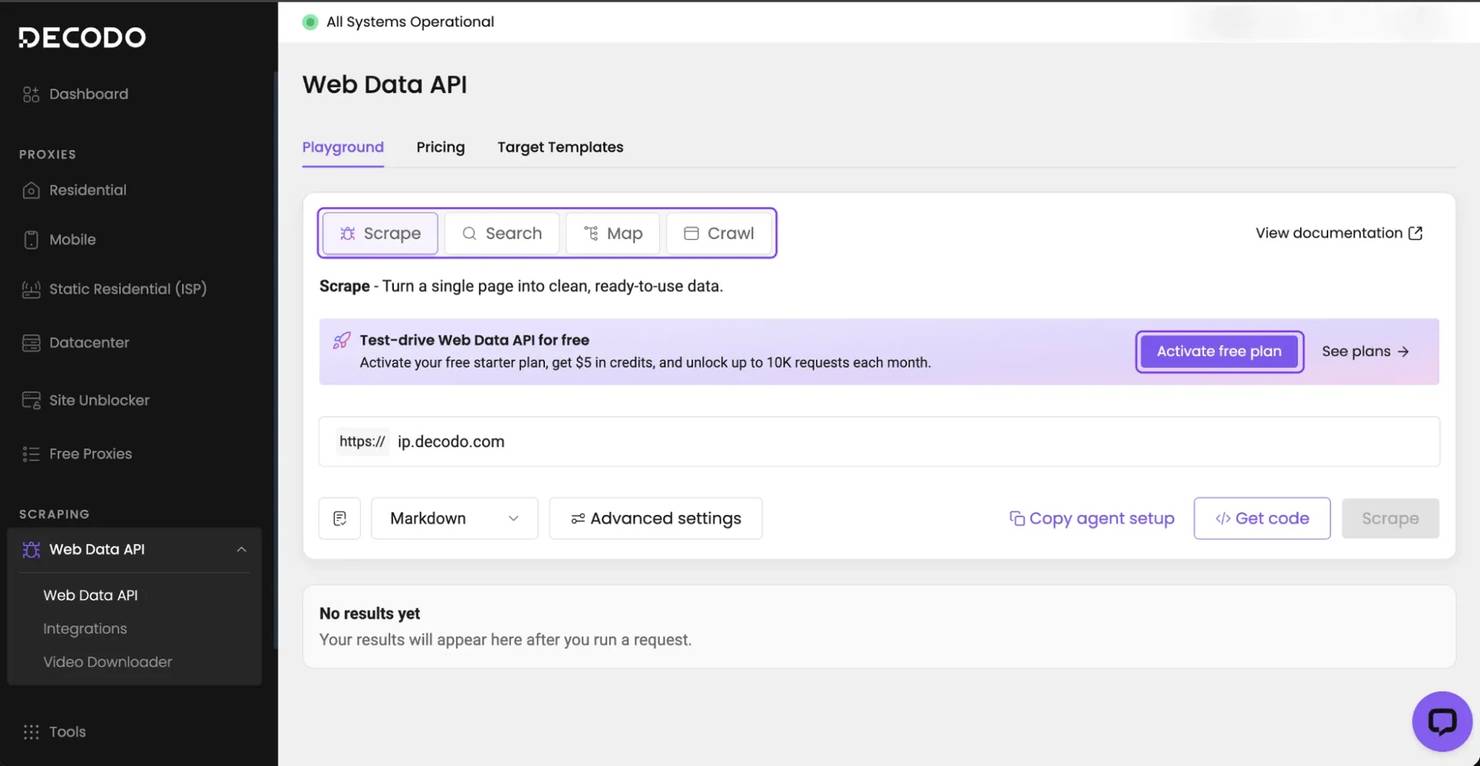
- How it compares to Exa. Decodo handles discovery, crawling, and scraping with one key, and requests can target a specific country. Exa is a search API with content retrieval added. With Decodo's proxies, more protected pages load, as the benchmark shows:
Benchmark (same pages, 2 runs)
Decodo Web Data API
Exa
Page content returned (50 pages, 100 fetches)
93%
72%
Page content returned, bot-protected pages (20 pages, 40 fetches)
85%
55%
Correct local price on Steam, 3 countries (30 checks)
30 of 30
No country option
Both APIs fetched the same pages at the same time, with Exa on its default settings, and only real page content counted.
- When to choose it over Exa. Choose it when the agent ingests whole sites, when many targets are behind bot protection, or when it can replace your custom crawler. A callback_url notifies you when a crawl finishes. The pricing page lists current rates, and the security and compliance page covers certifications and how residential IPs are sourced.

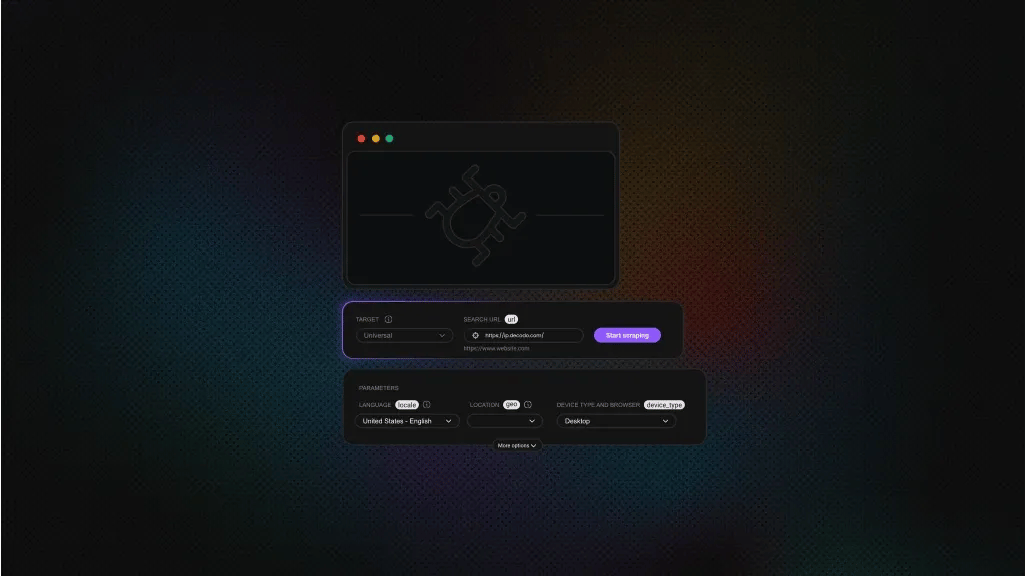
Four verbs, one API
Web Data API searches, scrapes, crawls, and maps sites, then hands your agent clean Markdown.
2. Firecrawl
- What it is. Firecrawl is a web data API with scrape, map, crawl, search, and schema-based extraction endpoints. It has an open-source core and framework integrations.
- How it compares to Exa. Firecrawl is built to ingest sites you already know, and Exa is built to find sources you don't know yet.
- When to choose it over Exa. Choose it for documentation ingestion, building knowledge bases, and workflows where the URL list is already known. Firecrawl's pricing includes 1K free credits a month, and the Hobby plan costs $19 a month.
- What to check. By default, Firecrawl can return a cached copy that's up to 2 days old. For prices and stock levels, set maxAge to 0.
3. Tavily
- What it is. Tavily is a search API built for agents. It returns short, ranked, LLM-ready results with low latency, and has extract, crawl, and map endpoints.
- How it compares to Exa. Tavily optimizes for fast, clean answers to each query, while Exa optimizes for finding relevant pages across a large index.
- When to choose it over Exa. Choose it for interactive agents where response time matters most and cost per query needs to be predictable. Tavily's pricing is $0.008 per credit pay-as-you-go, with a $30 monthly plan and a free plan of 1K credits a month.
- What to check. In a test on 20 bot-protected pages, Tavily Extract returned page content for 6.
4. Bright Data
- What it is. Bright Data is a large proxy and data platform. Its AI-focused products include a search results (SERP) API, an Unlocker API, a Crawl API that maps and crawls sites, datasets, and an MCP server.
- How it compares to Exa. Bright Data has a broader scope and built-in unblocking. More products can mean more setup for small agent projects.
- When to choose it over Exa. Choose it for enterprise data programs where datasets and compliance tools matter more than a simple API. Bright Data's pricing lists its SERP API at $1.50 per 1K requests pay-as-you-go, with 5K free a month.
5. Linkup
- What it is. Linkup is a search API with standard and deep search modes, structured output, and a fetch endpoint.
- How it compares to Exa. Like Exa, it supports company research and search across premium publisher sources, and it costs less than Exa's default search. Linkup's pricing lists standard search at $5 per 1K and deep search at $50 to $55 per 1K.
- When to choose it over Exa. Choose it for company research, where you need enriched data rather than page content.
6. Perplexity Search API and Agent API
- What it is. Perplexity's Agent API, which replaced Sonar Chat Completions, returns an answer with citations. The Search API returns ranked results with page text.
- How it compares to Exa. Exa gives the agent sources to analyze, and Perplexity's Agent API gives it a conclusion. That saves a reasoning step, but you control less of what the agent reads.
- When to choose it over Exa. Choose it for assistant features where a cited answer is the final output. Perplexity's pricing lists the Search API at $5 per 1K requests.
- What to check. Perplexity has no map or crawl endpoint.
7. Brave Search API
- What it is. Brave Search API uses its own index, with an LLM Context endpoint for page chunks.
- How it compares to Exa. Brave ranks results mainly by keywords, Exa ranks them by meaning, and Brave costs less per request than Exa's default search.
- When to choose it over Exa. Choose it for high-volume, cost-sensitive lookups where standard ranked results are enough. Brave's pricing is $5 per 1K requests, with $5 in free credits a month.
Exa alternatives compared
Shortlist by the endpoints your agent calls, then by hard-target access.
Tool
Endpoints
Retrieval model
Hard-target access
Pricing model
Best for
Exa
Search, Contents, Monitors, Agent
Neural index
55% in our benchmark
Per search and content type
Semantic discovery
Decodo Web Data API
Search, map, crawl, scrape
Live fetch
Residential and datacenter proxies, 85% in our benchmark
Per 1K requests, one API key
Full sites and protected targets
Firecrawl
Scrape, map, crawl, search, extract
Live fetch, cached by default
Built-in, proxy modes
Credits, by plan
Ingesting known sites
Tavily
Search, Extract, Crawl, Map
Index plus live Extract
Partly, through Extract
Credits, by plan
Low-latency agent search
Bright Data
SERP, Unlocker, Crawl, datasets
Live fetch
Built in
Per 1K requests, by product
Enterprise data collection
Linkup
Search, deep search, fetch
Index plus enrichment
Partly, through fetch
Per 1K searches
Company research
Perplexity
Search API, Agent API
Index plus answers
Not built in
Per 1K requests, or tokens
Cited answers
Brave Search API
Search, LLM Context
Independent index
Not built in
Per 1K requests
Low-cost lookups
Migrating off Exa without rewriting your agent
- Map each Exa call to an endpoint. Replace Exa Search with a search endpoint and Exa Contents with scrape. Exa has no map or full-site crawl, so a replacement with both lets you delete the crawler you built around it. Keep retrieval behind one internal interface, so a vendor change affects only one adapter.
- Keep your Exa code. The full code at the end includes decodo_exa.py, a client that matches the search, contents, and agent tool methods of Exa's Python SDK. The calls below keep working after you change one import and add a key from the free plan:
The client's search() returns live Google results, and get_contents() fetches each page live. Agent loops using the exa.anthropic or exa.openai tool helpers keep working too. You can switch in stages, starting with the crawler.
- Compare the cost, not the price. Calculate what last month's traffic would cost under each pricing model, counting searches, pages, content types, and retries. Ask each vendor whether a failed fetch is billed.
- Run a retrieval evaluation before you switch. Run 50 production queries through both APIs with the same model and prompt, and measure answer accuracy and pages loaded. Measure coverage separately from relevance, because fewer complete pages often work better than more partial ones. Let search return snippets, and fetch only pages the agent picks, since 10 full pages can overload the model's context.
Our guide to building a production RAG pipeline with LlamaIndex covers the pipeline after retrieval. Our guide to setting up an MCP server shows how to connect the API to an agent.
Which Exa alternative fits your project
Find your use case below.
RAG over a documentation or knowledge site. You need map plus crawl, not better search. Choose Decodo's Web Data API or Firecrawl, depending on how protected the targets are. On 4 large documentation sites, one Decodo /map call found 1.7 to 5 times as many sitemap pages as 10 Exa searches.
On Docker's documentation, /map found all 2,150 sitemap pages, while Exa found 422. On 4 small sites, both found nearly every page, so the gap grows with site size.
Live search inside an IDE or agent. Latency and cost per query matter most. Decodo's MCP server adds live search with the same key, so there's no second integration. Tavily is another option.
Research over regulator, court, or archive sites. Map the document set with Decodo's Web Data API, then crawl only the pages you need.
Price and competitive intelligence. Schedule Decodo's map plus crawl over catalog pages, since each blocked page is a gap in your dataset. For a custom crawler, use Decodo's residential proxies. Our guide to n8n and Decodo MCP orchestration shows a scheduled version.
Decodo's Web Data API also has targets for ChatGPT, Perplexity, Gemini, and Google AI Mode, so you can track what they say about your brand.
Full code for the migration example
Both files need Python 3.10 or later and a Web Data API key, which the free plan includes. The Web Data API documentation lists every parameter. Install the dependency and set your key:
Save the Exa-compatible client as decodo_exa.py:
Save the example as demo.py and run python demo.py. It searches, fetches a test page and a protected retail page, maps a site, and crawls 5 pages:
One run printed this:
Final thoughts
Exa is a strong semantic discovery layer, but discovery is rarely what fails. What fails is ingesting a whole site or reading protected pages. The choice depends on which endpoints your agent calls and how well protected your targets are. Decodo's Web Data API handles both with one API key. Run our Exa-compatible client against your hardest URLs on the free plan.

Agents hate getting blocked
Web Data API handles proxies and anti-bot bypass, so your agent just gets the page.
About the author

Justinas Tamasevicius
Director of Engineering
Justinas Tamaševičius is Director of Engineering with over two decades of expertise in software development. What started as a self-taught passion during his school years has evolved into a distinguished career spanning backend engineering, system architecture, and infrastructure development.
Connect with Justinas via LinkedIn.
All information on Decodo Blog is provided on an as is basis and for informational purposes only. We make no representation and disclaim all liability with respect to your use of any information contained on Decodo Blog or any third-party websites that may belinked therein.