Mobile Proxies Quick Start Guide
A mobile proxy routes your requests through an IP that a mobile carrier has assigned to a real phone or tablet, so target websites see ordinary mobile traffic. This guide covers setup across 10M+ IPs, 160+ locations, and 700+ carriers.
14-day money-back option
10M+
ethically-sourced IPs
160+
locations
#1
response time
99.75%
success rate
700+
mobile carriers

What is a mobile proxy?
A mobile proxy is an intermediary server that routes your traffic through an IP assigned by a mobile carrier to a phone or tablet on its network. Because the IP belongs to a genuine carrier range, target websites treat the connection as ordinary mobile traffic, which keeps success rates high on mobile-first targets.

How do mobile proxies work?
Your request is routed to Decodo's gateway, which forwards it via a mobile IP from the carrier pool you selected. The target website sees the carrier IP and its ASN, not yours. You choose whether that IP rotates on every request or stays fixed for a sticky session with a custom duration.
How do I set up mobile proxies?
Set up your mobile proxies in just a few steps. Each step takes you through the process directly in the Decodo dashboard.
How do I choose a subscription?
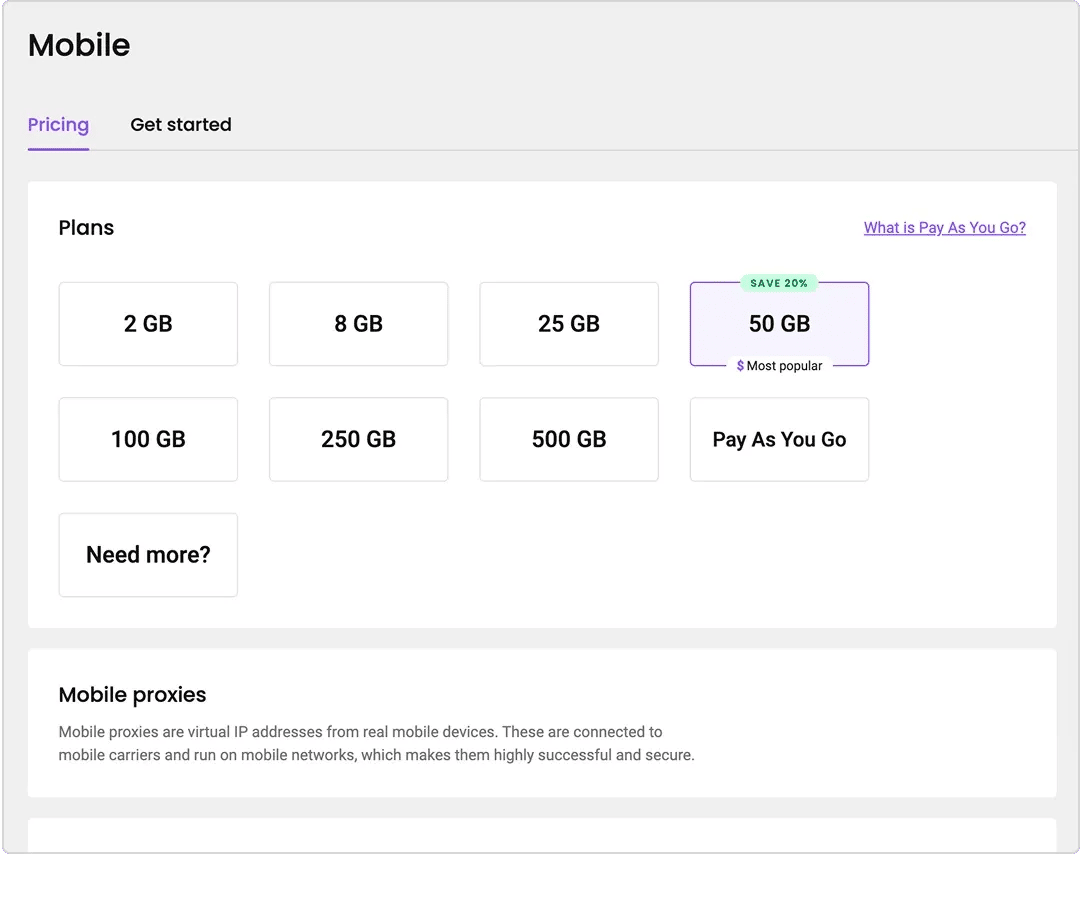
After creating your account, purchase a plan on the dashboard. Choose from the monthly subscription tiers, or select Pay As You Go if you have a one-off project and want to pay only for the traffic you use.
How do I authenticate with a username and password?
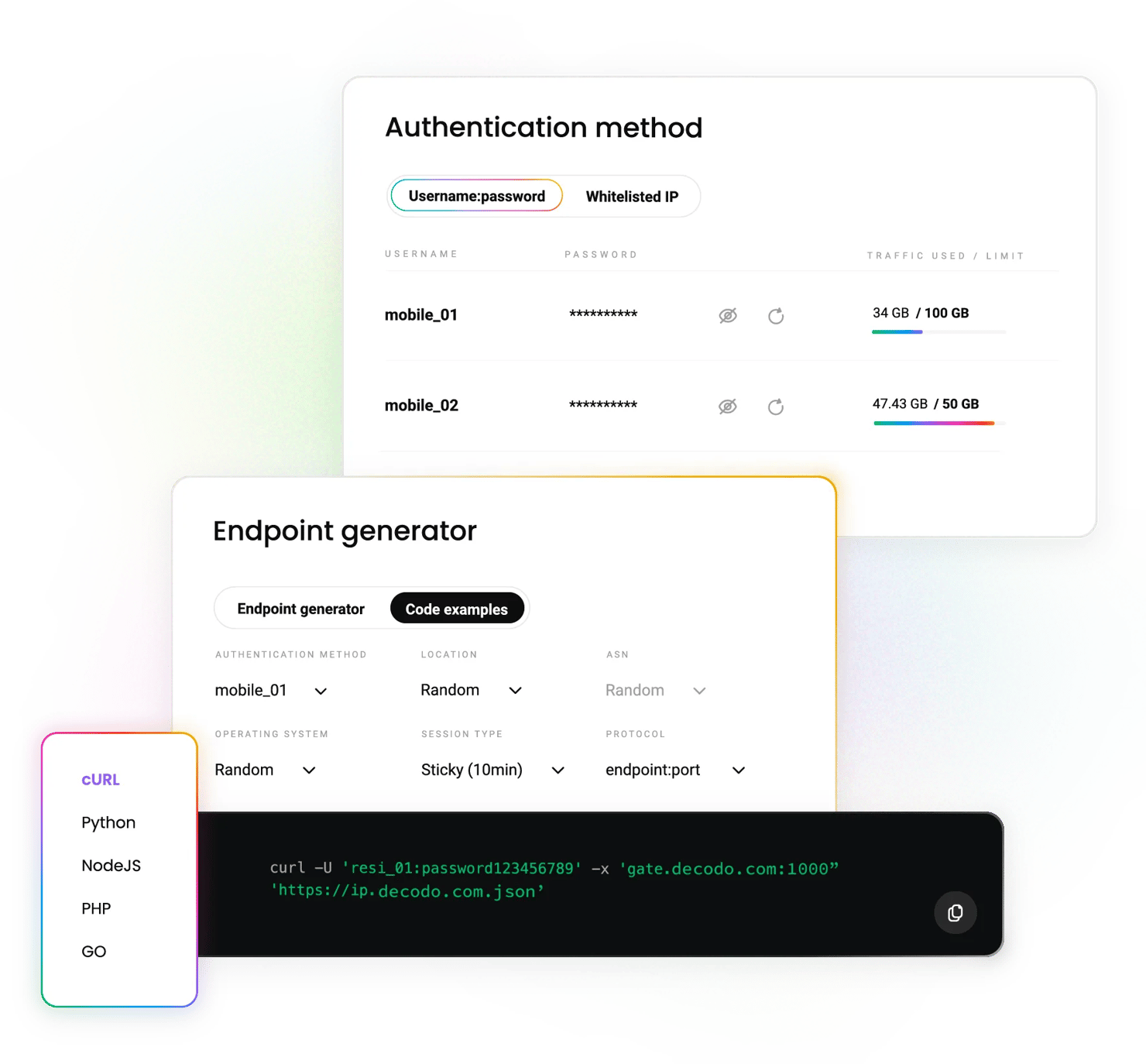
Open the Authentication tab. Your first proxy user is created automatically. To remove it, click the 3 dots next to the username and select Edit user, then Remove user, and Confirm.
To create a new user, click + Add user. You can set a custom username; the password is generated automatically.
How do I authenticate by whitelisting my IP?
In the Authentication tab, click Whitelisted IPs, then Add IP, enter an IP manually, and click Save. To add the IP you're currently on, press + Add.
Only IPv4 addresses are supported. Make sure the IP is yours and that you aren't connected through a proxy or VPN – this is the most common cause of a failed whitelist.
To label an IP, click the 3 dots, Edit IP, then the edit icon next to Name. To remove one, click the trash icon and Confirm.
How do I set a traffic limit?
Click the 3 dots next to a user, then Edit user, and Add traffic limit. Enter the GB cap that the user can’t exceed, then Save. Useful for capping spend per team member or per project.
How do I select location, ASN, and session parameters?
Go to the Proxy setup tab and select a user, then configure:
- Location – choose "Random" to draw from the full pool, or pick a specific country or a city
- ASN – target a specific mobile carrier, or leave on "Random"
- Session type – sticky sessions hold the same IP for 1, 10, 30, or 60 minutes, or a custom session. Rotating sessions change the IP on every request
- Protocol – HTTP, HTTPS, SOCKS5, or endpoint:port
- Endpoints – set how many to generate (default 10), then copy individually or download as CSV or TXT
How do I track my usage and statistics?
Open the Usage statistics tab to see traffic per user across a week, month, or custom period, plus cumulative uploads, downloads, and request counts.
How do I connect mobile proxies to my tools?
Apply the endpoint and credentials to any application that accepts a proxy. Decodo mobile proxies work with third-party tools, including antidetect browsers, scrapers, and automation frameworks.
How do mobile proxies compare to other proxy types?
Mobile proxies carry the highest trust on mobile-first targets, but they aren't always the right tool. Here's how they line up against the alternatives.
IP source
Carrier-assigned, phones and tablets
ISP-assigned, home devices
ISP-assigned, datacenter-hosted
Datacenter-hosted
Pool size
10M+
115M+
-
500K+
Locations
160+
195+
Global locations
Global
Carrier/ASN targeting
700+ carriers, ASN-level
ASN-level
Premium ASNs
Limited
Session control
Rotating or sticky
Rotating or sticky
Static
Static
Trust in mobile-first targets
Highest
High
Medium
Lower
Speed
Carrier-dependent
High
Highest
Highest
Starting price
$2.25/GB
$2/GB
$0.27/IP
$0.02/IP
Best for
Mobile app testing, advanced targets, multi-accounting
Broad scraping, geo-targeting
Logged-in sessions, speed
High-volume, low-risk targets
What can I use mobile proxies for?
Mobile proxies suit any workflow where the target expects traffic from a phone.

How do I test my app across devices and networks?
Validate mobile app and website behavior across devices, operating systems, carriers, and locations before release.


What free tools come with a Decodo plan?
Tool
Description
Switch proxies from your browser in 2 clicks – free with any plan
Same 2-click control in Firefox – free with any plan
Test your IPs before running a job to catch errors early
What does it cost to get started?
Mobile proxy plans start at $2.25/GB, billed monthly by traffic. Pay As You Go is available at a higher per-GB rate if you'd rather not commit – it’s useful for one-off projects. Every mobile proxy plan includes the full 10M+ IP pool, all 160+ locations, city and ASN targeting, and both session types at no extra charge.
With each plan you access

10M+ real mobile IPs from 700+ carriers
HTTP(S) & SOCKS5 support
160+ global locations
3G/4G/5G carrier-grade proxies
99.75% success rate
City-level targeting
Reliable access to mobile-only content
<0.5s avg. response time
24/7 tech support
14-day money-back
SSL Secure Payment
Your information is protected by 256-bit SSL

What do people say about Decodo mobile proxies?
We're thrilled to have the support of our 135K+ users and the industry's best.

Attentive service
The professional expertise of the Decodo solution has significantly boosted our business growth while enhancing overall efficiency and effectiveness.
N
Novabeyond
Easy to get things done
Decodo provides great service with a simple setup and friendly support team.
R
RoiDynamic
A key to our work
Decodo enables us to develop and test applications in varied environments while supporting precise data collection for research and audience profiling.
C
Cybereg






Awarded web data collection solutions provider
Users choose Decodo for exceptional performance, advanced targeting options, and reliable access to public data. Our global pool of proxies handles CAPTCHAs, geo-restrictions, and IP blocks across 195+ locations.
Frequently asked questions
How do I choose between rotating and sticky sessions?
Use rotating sessions when you're collecting data at volume, and each request is independent – the IP will change every time.
Use sticky sessions when a task spans multiple requests that need to look like one continuous visitor, such as a logged-in flow or a multi-step form. Sticky sessions can be set to 1, 10, 30, 60 minutes, or a custom value.
Learn more in our sessions guide.
Can I target a specific mobile carrier or ASN?
Yes, at no extra cost. Select an ASN in the Proxy setup tab to route through a specific carrier, or leave it on "Random" to draw from all 700+ carriers. You can combine ASN targeting with country and city selection.
What protocols do Decodo mobile proxies support?
HTTP, HTTPS, and SOCKS5, plus endpoint:port configuration. Choose your protocol in the Proxy setup tab before generating endpoints. See SOCKS5 proxies for protocol-specific setup.
Why is my whitelisted IP not working?
There are 3 common causes. First, only IPv4 addresses are supported – an IPv6 address won’t authenticate. Second, if you're connected through a VPN or another proxy, you'll have whitelisted that service's IP rather than your own. Third, most residential connections have dynamic IPs that change periodically, so an IP whitelisted last week may no longer be yours. Switching to username:password authentication avoids all 3.
How are mobile proxies different from residential proxies?
Mobile IPs come from carrier networks, whereas residential IPs come from home broadband connections. Mobile carries higher trust on mobile-first targets because many users share each carrier's IP, but the pool is smaller (10M+ vs 115M+), and speed depends on carrier conditions. Residential is the broader-coverage default; mobile is the specialist choice. Full breakdown in our mobile vs residential comparison.
What happens if I hit my traffic limit?
Requests from that proxy user stop until you raise the limit or the billing period resets. Traffic limits are per user, so other users on the plan are unaffected. Adjust the cap under Edit user, then Add traffic limit at any time.
Learn more about mobile proxies
Most recent
JavaScript Web Scraping Tutorial (2026)
Ever wished you could make the web work for you? JavaScript web scraping allows you to gather valuable information from websites in an automated way, unlocking insights that would be difficult to collect manually. In this guide, you'll learn the key tools, techniques, and best practices to scrape data efficiently, whether you're a beginner or a developer looking to streamline data collection.

Zilvinas Tamulis
Last updated: Oct 12, 2026
13 min read
Most popular

What Is a Mobile Proxy? How It Works, Uses, and When to Use One
A mobile proxy is an intermediary that routes your traffic through a cellular network. This alone sets them apart from other proxy types in terms of anti-detection, geo-targeting granularity, and content exclusivity. This guide will cover how mobile proxies work under the hood, how they stack up against residential, ISP, and datacenter alternatives, and how you can configure one for yourself.
Robertas Lisickis
Last updated: May 07, 2026
10 min read

Mobile Proxy vs. Residential Proxy: How to Choose
You can’t get any more "real" than mobile and residential proxies. Both are sourced from genuine user devices, with mobile drawing from phones on carrier networks and residential from homes with broadband. In this blog post, we’ll tackle the difference between the two, explaining how each proxy type affects trust, speed, and cost, and how to decide which one belongs in your projects.
Robertas Lisickis
Last updated: Aug 06, 2026
8 min read
What Are Rotating Proxies? Types, Benefits & Use Cases
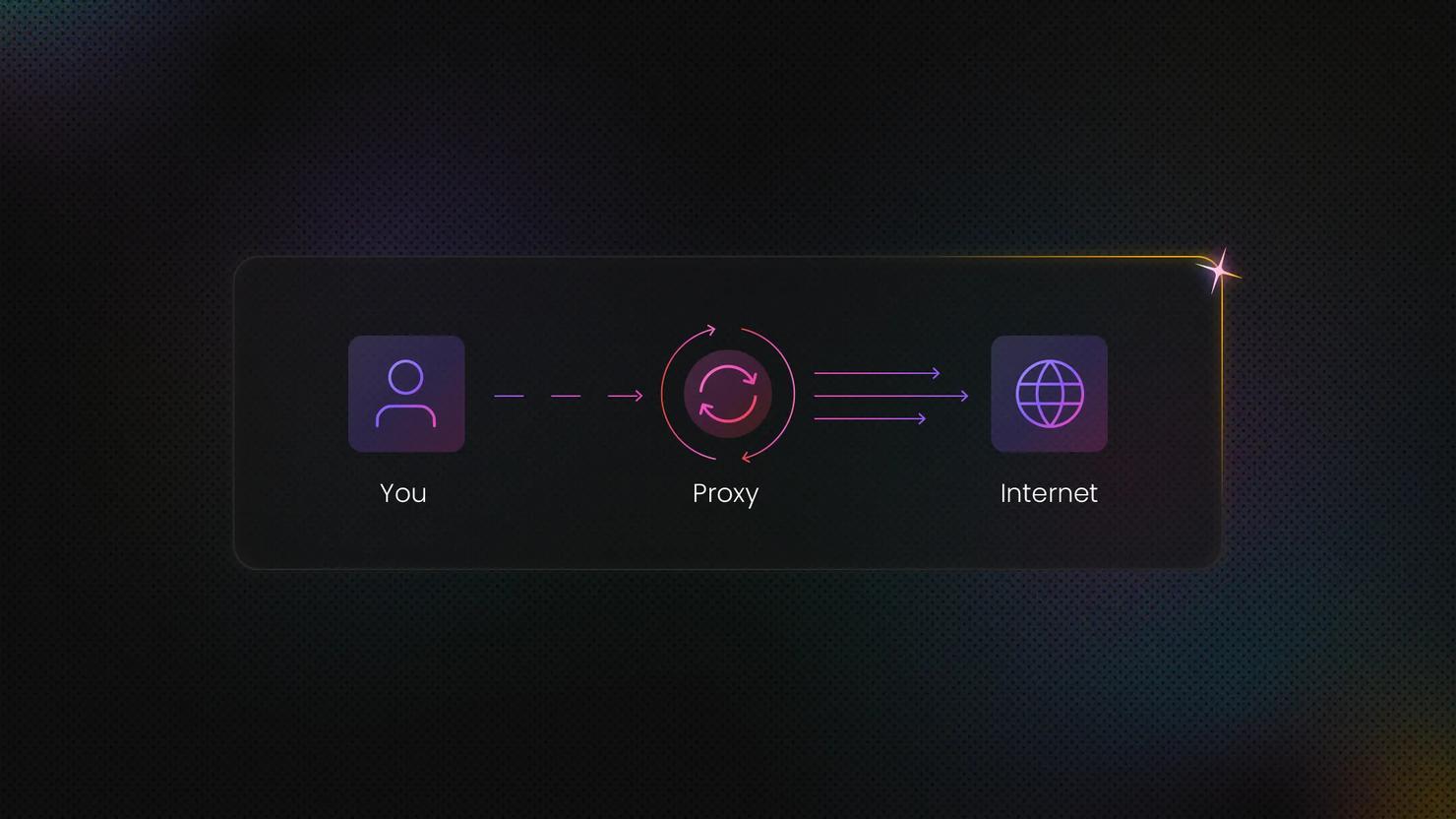
A rotating proxy is a proxy server that automatically assigns a new IP address at regular intervals or after each connection. In this guide, we'll delve into how rotating proxies work, the different types available, and the most common use cases where they offer a clear advantage.
Dominykas Niaura
Last updated: Apr 30, 2025
7 min read
How to Set Up, Configure, and Use SOCKS5 Proxy
SOCKS5 proxies operate as an application-layer protocol, making them highly versatile across different setups. Depending on your goals, you can configure them at the application level to isolate traffic from a specific tool, or apply them system-wide to route traffic across your entire device. This guide shows how to set up and use a SOCKS5 proxy across Windows, macOS, Linux, mobile devices, and selected applications, helping you choose the best configuration for your workflow.
Dominykas Niaura
Last updated: Aug 18, 2026
10 min read
Try Mobile Proxies Now
Industry-leading mobile proxies from 700+ carriers across 160+ locations – only at Decodo.
14-day money-back option