What Is a Mobile Proxy? How It Works, Uses, and When to Use One
A mobile proxy is an intermediary that routes your traffic through a cellular network. This alone sets them apart from other proxy types in terms of anti-detection, geo-targeting granularity, and content exclusivity. This guide will cover how mobile proxies work under the hood, how they stack up against residential, ISP, and datacenter alternatives, and how you can configure one for yourself.

Robertas Lisickis
Last updated: May 07, 2026
10 min read

TL;DR
- A mobile proxy routes traffic through a real cellular carrier, giving you a mobile IP address (3G, 4G/LTE, or 5G) instead of a datacenter or residential IP.
- Carrier-grade NAT (CGNAT) forces many real users to share one mobile IP, making it hard to ban proxies, as blocking those IPs means collateral damage for the target site.
- Choose between rotating sessions (fresh IP per request) and sticky sessions (same IP for 5–60 minutes) based on whether your task needs to survive mid-flow IP changes.
- Mobile proxies beat datacenter and residential proxies on stealth, but they're slower, more expensive, and have smaller pools.
- They’re best used for scraping heavily protected targets, multi-account workflows, mobile ad verification, app QA, and carrier-gated content checks.
- Before buying, verify the provider's IPs sit on real mobile carrier ASNs, check sticky session controls, and research how IPs are sourced.
How mobile proxies work
A mobile proxy's value comes from where the IP lives on the internet, not from the device sitting at the end of the connection. The cell network is doing the heavy lifting in terms of trust, while the SIM dongle, the smartphone, and the modem are all just part of the delivery mechanism.
The traffic flow
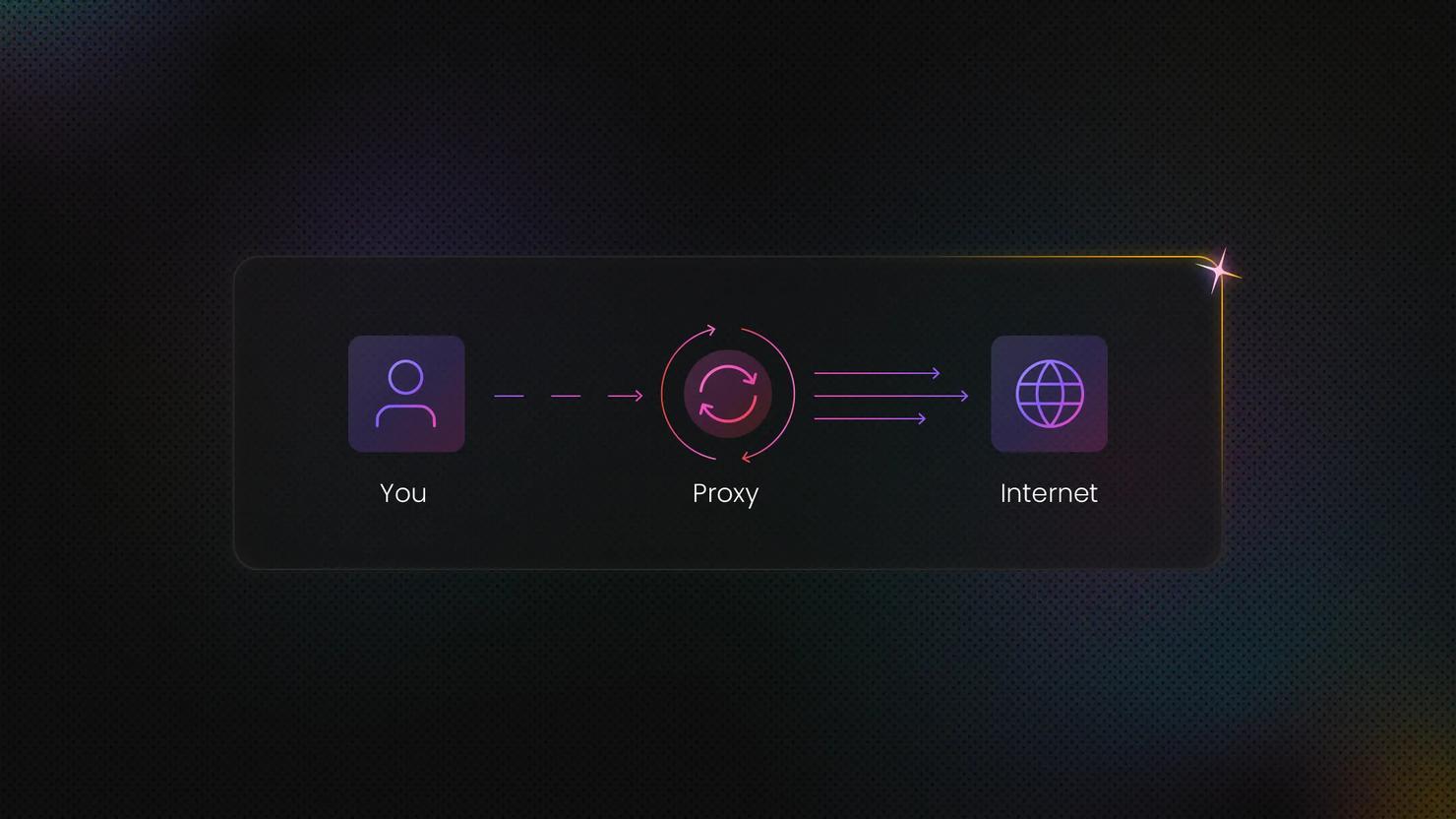
When your client makes a request, it first goes to the proxy provider's gateway. From there, the request is forwarded through a SIM-equipped device connected to a mobile carrier's network. The carrier assigns (or reuses from its NAT pool) a mobile IP address, and the target site sees that IP and the carrier's ASN as the origin of the request.
The proxy hardware itself can take on many forms, including a smartphone, a USB SIM dongle, or purpose-built modem hardware in a server rack. The form factor doesn't change the network behavior. What matters is that traffic exits through a real mobile carrier connection. As far as the target is concerned, you're a mobile user on that carrier.
Carrier-grade NAT (CGNAT) and why it changes the blocking calculus
Mobile carriers are short on IPv4 addresses. To stretch their pool, they use carrier-grade network address translation (CGNAT), which lets hundreds of real subscribers share a single public IP address simultaneously.
While CGNAT is standard across the industry, this sharing creates an asymmetric problem for any site trying to block bots. Blocking one IP effectively means blocking hundreds of legitimate paying customers. As such, many platforms are far more cautious with mobile IP bans than with other proxy types, making mobile proxies harder to blocklist.
Rotating vs. sticky sessions
Most proxy providers offer two session types:
- Rotating sessions. These assign a fresh IP for every new request. They suit bulk scraping, one-off lookups, and any workload where IP continuity isn't essential.
- Sticky sessions. These hold the same IP for a set duration, anywhere from 5 minutes to 24 hours, depending on the provider. Use them whenever your task spans multiple steps that share a single session.
Rotating sessions are usually the default endpoint, with sticky sessions accessed through a separate port or a session parameter. Check your provider's docs to confirm.
3G, 4G/LTE, and 5G – what the generation actually affects
3G and 4G/LTE both sit behind CGNAT in most carrier deployments, so the shared-IP logic that protects mobile proxies from getting blocked applies equally to both. 4G/LTE is the dominant standard across mobile proxy networks today.
5G, on the other hand, adds nuance. Some 5G standalone deployments use different NAT configs, and the higher bandwidth shifts your latency expectations upward. With that said, true 5G proxy pools are still relatively limited in 2026.
In short, the generation tells you what speed to expect, but the trust mechanics depend on the ASN being a mobile carrier, not on whether the radio is 3G, 4G, or 5G.
What the 'residential mobile proxy' label actually means
You might see providers offering "residential mobile proxies." That’s just modern-day marketing doing its thing to make it sound like the proxies are premium-grade. From a technical standpoint, your proxies will either be mobile or residential – never both.
Since many proxy providers offer free trials, you can easily check whether their IPs come from real mobile devices. Mobile IPs should come from mobile carrier ASNs like Vodafone and AT&T, while residential IPs would be provided by ISPs like Comcast and Google Fiber.
Advantages and disadvantages of mobile proxies
Mobile proxies are a strong tool, but they're not always the right one. Consider whether mobile proxies really fit your use cases and priorities:
Advantages
- Lowest block rate of any proxy type. Carrier IPs are the hardest for anti-bot systems to ban.
- Authentic mobile ASN. A mobile proxy’s fingerprint is that of a real carrier, making it look more genuine to the target.
- Geo-targeting. Mobile proxy geo-targeting is fairly granular, allowing for country, city, or carrier-specific requests.
Disadvantages
- Cost. Mobile proxies are the most expensive proxy type per GB because of the infrastructure needed.
- Speed. Cellular connections are comparatively slow, making latency-sensitive tasks not an option.
- Smaller pool size. Most providers offer small mobile proxy pools, meaning high-volume jobs might burn through IPs fast.
- Less control over IP identity. Because IPs are NAT-shared and rotate at the carrier level, dedicated static mobile IPs are either unavailable or expensive.
When mobile proxies are the wrong tool
- High-volume scraping of unprotected targets. If a site has next-to-no bot defense, datacenter proxies do the same job at a fraction of the cost.
- Latency-critical applications. Sub-100ms response times are easier to hit on datacenter infrastructure.
- Stable, persistent IP identity. If you need one consistent IP per account or workflow, ISP proxies offer a better price-to-stability ratio than mobile.
Mobile proxies vs. other proxy types
Knowing the pros and cons matters, but understanding your use case and what a proxy actually fixes for it gets you further.
Mobile vs. datacenter
Datacenter proxies are server-hosted IPs with no carrier or ISP association. They're the fastest, cheapest, and most detectable option on the market. If compared, mobile proxies win on trust and stealth, while datacenter proxies win on speed, cost, and raw scale.
Pick datacenter for bulk scraping of unprotected targets, internal monitoring, or any workload where speed and cost are a must. And if you hit a roadblock, that’s when you whip out those mobile proxies.
Mobile vs. residential
Residential proxies use IPs assigned to home broadband connections. They share real device trust, but carry an ISP ASN rather than a mobile carrier one. Residential proxies are generally cheaper and have much larger pools than mobile proxies, but lack a “carrier” ASN.
Go with residential proxies for most web scraping applications, and move up to mobile when anti-bot measures are giving you a hard time, or if your task involves mobile-specific content.
Mobile vs. ISP proxies
ISP (static residential) proxies are IPs registered under an ISP's ASN, but hosted on datacenter infrastructure. They combine a residential trust with datacenter speed and a static assignment.
Use these proxies for long-running account management or workflows that demand a single IP. With ISP proxies, you’ll get better cost-to-performance than you would with mobile ones, but many providers offer the latter with sticky sessions up to 60 minutes if your targets are being extra stubborn.
Quick proxy type overview
Proxy type
IP source
Detection resistance
Speed
Cost
Best for
Mobile
Mobile carrier ASN (CGNAT)
Highest
Lower
Highest
Heavily protected targets, mobile-specific content
Residential
Home ISP ASN
High
Medium
Medium
General-purpose scraping with bot defenses
ISP
ISP-assigned IPs hosted in data centers
High
High
Medium
Sustained account management, stable identity workflows
Datacenter
Datacenter ASN
Lowest
Highest
Lowest
High-volume scraping of unprotected targets, monitoring, and internal testing
Common uses and applications
Proxy use cases overlap, but mobile wins on trust profile and mobile-only targets. Here are some use cases where they earn their premium:
Social media management and multi-account operation
Social platforms are reluctant to block mobile IPs because of CGNAT. That gives high-volume account management room to hide in the crowd of authentic carrier traffic, letting mobile proxies hold up far better than datacenter or residential alternatives in this use case.
Web scraping of heavily protected targets
Thanks to CGNAT, sites that invest most heavily in advanced anti-bot measures are forced to make exceptions for mobile users. That makes mobile proxies particularly useful for web scraping applications like eCommerce price tracking, SERP monitoring, and travel fare aggregation.
Ad verification
Mobile proxies with carrier-level geo-targeting show you the real mobile ad experience instead of a desktop approximation of it. They also let you check ads and content deals that only appear to subscribers of a specific network.
App testing and mobile QA
App store pricing, content availability, push notification behavior, and network-dependent features can all vary by carrier. Mobile proxies let QA teams simulate genuine user conditions without flying SIM cards around the office.
Market research and geo-sensitive pricing checks
Some eCommerce platforms and travel sites adjust pricing based on the user's mobile carrier or country. Mobile proxies with carrier targeting let analysts compare prices as they appear to users on different networks in different regions.

Get carrier-level targeting with Decodo
Gain access to 10M+ mobile proxies across 700+ carrier networks with 3G, 4G/LTE, and 5G IPs and rotating or sticky sessions to fit any data collection workflow.
Detection, legality, and ethical use
Lawmakers, companies, and users are still working out where the legal and ethical lines fall, so it's worth thinking through those questions before you start collecting data, not midway through a project.
Why are mobile proxies harder to detect than other proxy types
CGNAT architecture means a blocked mobile IP affects many real subscribers. For this reason, sites are structurally disincentivized from aggressive mobile IP blocking. What’s more, mobile carrier ASNs don't appear in commercial datacenter IP blocklists. Services like MaxMind and IPInfo classify carrier ASNs separately from hosting ASNs.
But detection tools are evolving. Behavioral patterns, device fingerprinting, and TLS handshakes give target sites enough signal to flag bot traffic even when the IP itself looks clean. So, something like a desktop user agent paired with a mobile ASN cancels out the mobile proxy's trust advantage.
Legal considerations
The legality of a proxy depends on what you do with the proxy and whose terms you're operating under. Accessing public data via proxies is generally allowed, but scraping personal information, bypassing paywalls, or violating terms of service is where the legality ends.
In light of this, always review the target site's robots.txt, check the terms of service, and talk to legal counsel before any automated data collection.
Ethical sourcing – provider networks vs. SIM farms
Mobile proxy networks are built in two fundamentally different ways. The first includes providers who set up and manage their own hardware. The second are aggregators who source IPs from consumer devices via SDK agreements with app developers.
Provider-managed networks offer cleaner sourcing transparency and predictable performance because the provider can answer specific questions about how the network is built. SDK-based networks rely on end-users opting in to share bandwidth, and the quality of those consent mechanisms varies considerably.
However, there’s a subtype of provider-managed networks called SIM farms. These are banks of SIM cards that range from legit operations to low-effort setups often used for fake account creation. The difference comes down to how openly the provider talks about their sourcing.
Why does any of this matter? In January 2026, Google dismantled IPIDEA, one of the largest residential proxy networks, after it was found enrolling consumer devices as exit nodes without consent. The reputational and compliance fallout from a shady network like that landed on the buyers using it.
So, look for providers who publish their sourcing practices and have a documented acceptable use policy. A Trust Center showcasing certifications and sourcing practices is an even stronger signal of real compliance infrastructure.
Risks, security, and privacy considerations
Most proxy guides talk about detection risk from the target’s perspective. The other half of the picture is the risks you take as the buyer when your traffic flows through someone else's infrastructure.
Credential and traffic security
- Traffic passing through a proxy provider's infrastructure is visible to that provider. Use HTTPS endpoints (or SOCKS5 with TLS tunneling on top) so the payload content is encrypted in transit. SOCKS5 on its own doesn't encrypt traffic.
- Don't send proxy credentials over unencrypted connections. Store username and password values in environment variables, secret managers, or encrypted configs.
- Avoid free mobile proxies. Operators may log, inspect, or sell traffic, and there are documented cases of free proxy services monetizing user data.
Account and project hygiene
- Keep proxy credentials separate per project, and rotate them regularly. Reusing credentials across many scraping projects means a single compromise hits everything.
- Maintain audit logs that record which proxy endpoint handled which task. It’s useful for debugging and demonstrating good faith if a platform challenges your access later.
Fingerprint alignment
- User agent strings, TLS fingerprints, and request headers should be consistent with a mobile browser or app on the carrier you're scraping through.
- Misaligned fingerprints, like browser headers and suspicious TLS handshakes, are common detection triggers that proxy users overlook.
In short, hiding your IP is crucial to staying undetected online, but keep in mind that there’s more to it than just hiding where you’re coming from.
Setup and configuration
When setting up your data collection workflows, think about the protocols, languages, and devices you’ll be using to make the most out of your projects.
Protocol options – HTTP(S) vs. SOCKS5
- HTTP/HTTPS proxies. These are the most widely supported and the easiest to drop into scraping tools, browsers, and automation frameworks. The format is a proxy URL like http://user:pass@host:port.
- SOCKS5 proxies. They operate at a lower network layer and handle non-HTTP protocols (UDP, FTP) alongside HTTP. Go with SOCKS5 when your tooling demands it. But keep in mind that SOCKS5 doesn't encrypt traffic on its own, so pair it with TLS or a VPN layer when handling sensitive payloads.
- Most mobile proxy providers offer both protocols from the same backconnect endpoint, so you usually don't have to choose one over the other. Simply check the docs to see what's supported before you start configuring.
Integration into scraping tools and code
- Python (requests, httpx). Enter the provider's authenticated endpoint URL into the proxies parameter.
- Browser automation (Playwright, Puppeteer, Selenium). Set the proxy server in launch arguments or in the browser context configuration.
- curl and command-line tools. Use the -x or --proxy flag with the proxy URL.
- Session type. Rotating sessions are often the default endpoint, while sticky sessions typically need a different port or a session-ID parameter. Check the provider's docs for the specifics.
Device-level proxy configuration on Android
Android proxy settings apply per Wi-Fi network, not to cellular traffic. To set up a proxy:
- Open Settings.
- Tap Network & Internet.
- Go to Wi-Fi, and find the network you're connected to.
- Choose Edit or Advanced.
- Set Proxy to Manual, and enter the host and port from your provider.
Navigation might differ depending on your version of Android, so you can alternatively search for your proxy settings in the App Drawer.
One important catch: cellular data bypasses the device's Wi-Fi proxy settings entirely. If you need to test carrier-specific behavior over actual cellular, you'll need the provider's app, a VPN profile, or an MDM configuration.
Device-level proxy configuration on iOS
On iOS:
- Go to Settings.
- Tap Wi-Fi.
- Tap the info icon next to your network and choose Configure Proxy
- Set it to Manual, and enter the server and port.
The same caveat applies here as it does to the Android setup – this works only with Wi-Fi. Some apps also ignore system proxy settings entirely and require per-app configuration.
Provider selection and evaluation
The mobile proxy market isn't uniform, and the gap between the best and worst providers is wider than the marketing suggests. Here's a buyer's checklist that highlights what to focus on when comparing providers.
What to evaluate before committing
- Pool composition. Are the IPs genuinely from mobile carrier ASNs? Test them with an IP lookup tool that classifies the ASN type. If the answer is fuzzy, that's a flag.
- Carrier and geo coverage. Does the provider cover the specific countries and carriers your project needs? Country-level targeting is great, but carrier- and city-level targeting are the bigger advantages here.
- Rotating and sticky session controls. Can you configure the sticky session duration? What's the maximum length? Is per-port or per-token session control available?
- Concurrency and throughput. How many simultaneous sessions does your plan allow? What are the speed benchmarks?
- Protocol support. HTTP(S) and SOCKS5 should both be available from a serious provider.
- Ethical sourcing policy. Is there a published explanation of how IPs are acquired? Is there an acceptable use policy?
- Trial or proof-of-concept availability. Any serious provider should let you test before committing.
Red flags to avoid
- Vague or lacking sourcing information. Check for documentation on how the provider acquires their mobile IPs.
- Datacenter ASNs sold as mobile proxies. Verify with an ASN lookup tool before purchasing.
- No acceptable use policy. That gap exposes you to liability if the network is being used for abuse.
- No sticky session support. This is a dealbreaker for any account management or multi-step workflow.
- Pricing with no clear bandwidth or concurrency model. Cost becomes unpredictable the moment you scale.
Key metrics to test before scaling
- Success rate. The higher the percentage of requests that return a 200 OK response from your target, the better.
- Median and at least 95% latency. Read independent reviews of how fast and how consistently fast the proxies are. Or use a speed test.
- CAPTCHA hit rate. Research how often automations run into challenge responses that slow or block them.
- Geo-targeting capabilities. Test whether the assigned IP actually matches the location and carrier you requested.
- Session stability. Try enabling sticky sessions and seeing how often they drop before the configured duration runs out, if at all.
You can start by looking up best mobile proxy provider lists and independent mobile proxy reviews before hitting specific provider websites. And if Decodo is on your radar, you can try them out with a free trial. Our mobile proxies offer carrier-level targeting, both rotating and sticky session modes, and 3G/4G/5G IPs across 700+ mobile carriers. We also offer other proxy types, including residential, ISP, and datacenter.
Final thoughts
Mobile proxies are a premium tool, and they earn their premium for specific jobs. If you’re tackling heavily protected scraping targets, mobile-specific content, multi-account social workflows, and carrier-targeted testing, mobile proxies can get you a long way. For everything else, residential or ISP proxies are usually the more cost-effective choice.
Before buying, check the specs, read the reviews, see how the IPs are sourced, and give the provider’s proxies a spin by claiming your trial. A small trial against your actual targets will tell you more than any feature comparison.

Get mobile proxies
Collect data with 10M+ mobile proxies from 700+ carrier networks. 3G, 4G/LTE, and 5G IPs and rotating or sticky sessions available to fit your data project needs.
About the author

Robertas Lisickis
Content Specialist
Robertas brings 10+ years of IT content experience to the table. Here, he focuses on creating tutorials and educational pieces that make technical concepts easier to grasp.
Connect with Robertas via LinkedIn.
All information on Decodo Blog is provided on an as is basis and for informational purposes only. We make no representation and disclaim all liability with respect to your use of any information contained on Decodo Blog or any third-party websites that may belinked therein.