How Residential Proxies Work: A Technical Guide to Types, Networks & IP Sourcing
A residential proxy network routes your traffic through real ISP-assigned home IPs. But how routing actually happens, which proxy types you end up using, and how IPs are sourced have a much bigger impact on success rates. This guide breaks down how residential proxy networks work, including ASN-level routing, the different types of IPs, and the protocols they support.

Robertas Lisickis
Last updated: Jun 11, 2026
11 min read

TL;DR
- Residential proxies route your data through intermediary household devices, masking your actual IP.
- There are 5 types of residential proxies: mobile residential, static residential, rotating residential, dedicated residential, and shared residential.
- Residential proxy is the go-to option for scraping difficult targets like eCommerce platforms, but can also be used for SEO monitoring, ad verification, building AI datasets, and accessing geo-restricted content.
- Despite wild discussions, residential proxies are legal, but it all boils down to how you use them and if your provider sources IPs through transparent means rather than botnet-tainted pools.
- Residential proxies offer the best anonymity and lowest ban rates, but cost more and run slower than datacenter proxies, which remain a solid alternative for high-speed, cost-sensitive uses where detection risk is lower.
- The right residential proxy provider balances pool size, geo-targeting depth, speed, protocol support, ethical sourcing, and pricing flexibility, with 24/7 support as a baseline expectation.
How residential proxies work
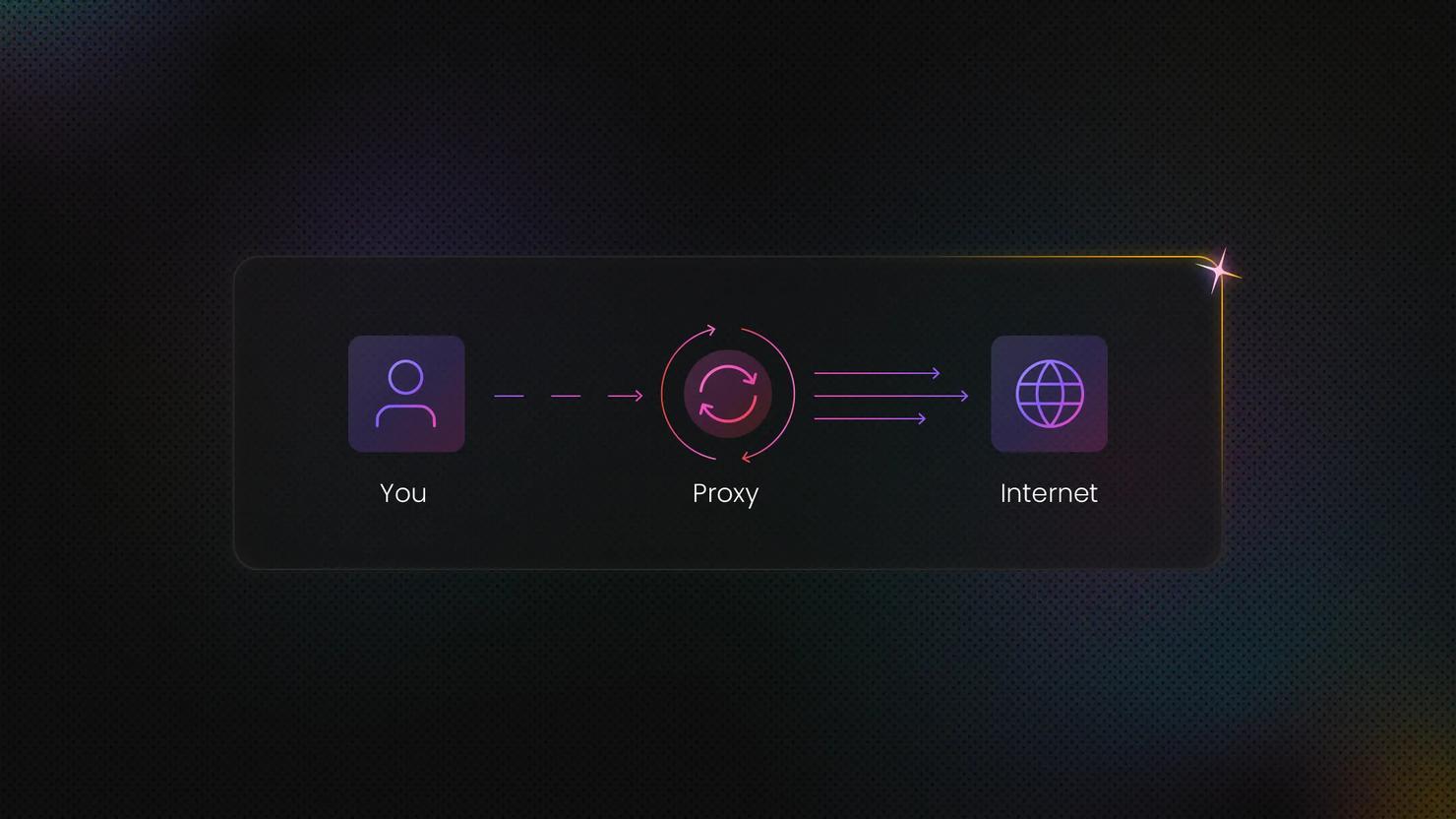
Instead of routing your data straight to a target website, residential proxies add a two-tier relay that runs on real consumer internet connections. That's what makes your data collection look like ordinary user traffic:
- Request dispatch to the gateway (backconnect). When your client app sends an HTTP(S) request, it first reaches the provider's backconnect gateway. The gateway authenticates your credentials and decides how to route the session based on your parameters, such as geo-targeting or session type.
- Peer node routing. The gateway then routes your request through a residential node, an actual desktop or mobile device connected to a residential internet service provider (ISP). These devices carry standard consumer IPs rather than datacenter blocks, so your request inherits the reputation of a home user.
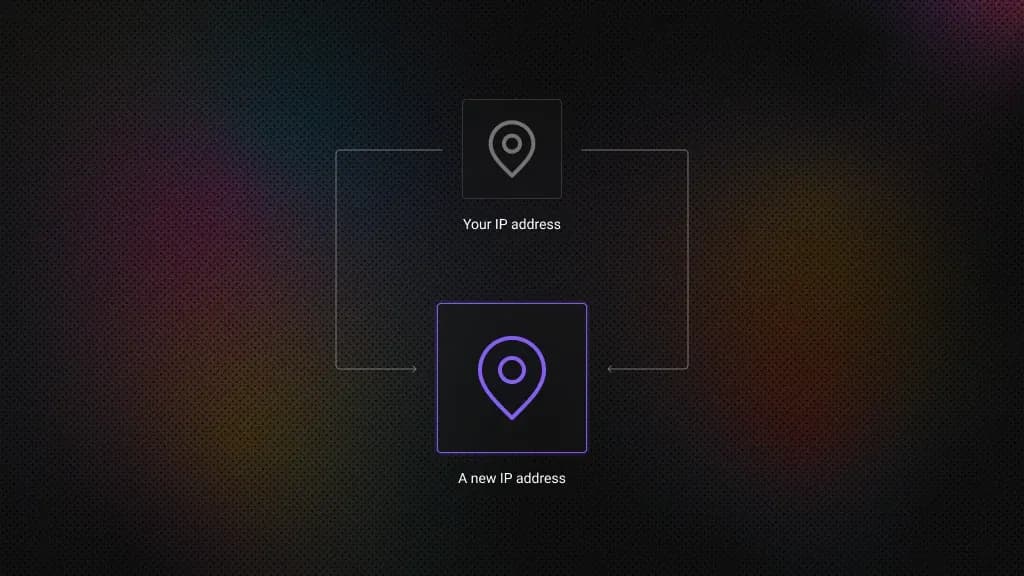
- Network-level anonymization. By the time your request reaches the destination, the provider has stripped your original IP and any revealing headers. The target server sees only a request coming from a legitimate residential Autonomous System Number (ASN), the identifier that ties an IP range to a specific network operator.
Keep in mind that an IP isn’t enough to keep yourself incognito. While residential proxies perfectly mask your network-level identity (IP and location), complex browser fingerprinting mitigation must still be handled on the client side or via specialized scraping browsers.
In any case, the system perfectly mimics organic human traffic, allowing you to bypass even the most sophisticated blocking systems while maintaining complete anonymity. Whether you need static IPs for account management or rotating IPs for large-scale data collection, the relay process works the same way – the difference is in how the network assigns and holds exit nodes, which we'll cover below. Decodo's residential proxy network supports both session models across 115M+ IPs.
How are residential proxy networks built?
Building a production-grade residential proxy network goes well beyond forwarding traffic. To hit high success rates, the infrastructure has to blend in with global consumer internet architecture at every level. Here's an overview of how residentail proxy networks are built.
ASN topology and the foundation of trust
The internet is a network of networks, each assigned a unique Autonomous System Number (ASN) by regional internet registries like ARIN or RIPE. Target websites evaluate incoming requests based heavily on the reputation of the originating ASN.
Traffic type
ASN example
Typical outcome
Datacenter
AWS, DigitalOcean, Hetzner
Blocked
Residential
Comcast, AT&T, British Telecom
Allowed
When building a residential proxy network, the goal is topology alignment. Providers map out ASNs worldwide and route exit traffic through consumer ISP-registered ASNs rather than cloud hosting providers. That's what gives residential proxy traffic the baseline trust score of an ordinary home user.
Peering and gateway infrastructure
Residential proxy networks don't connect clients directly to residential devices. They use a centralized backconnect gateway architecture instead.
- Ingress/client layer. The client connects via HTTP(S) or SOCKS5 to the provider's low-latency edge servers.
- Gateway layer. This server handles authentication, parses geo-targeting parameters, and manages session states.
- Peering to the edge. The gateway tunnels traffic to the residential device (the exit node) through reverse tunneling, often using SSH or custom multiplexing protocols. This is necessary because residential nodes sit behind consumer NATs and firewalls that block direct incoming connections.
Exit-node selection algorithms
When a request hits the backconnect gateway, a scheduling algorithm picks the best exit node in milliseconds, using telemetry data gathered continuously from the peer pool.
- Geographic/ISP filtering. Matches the client's request parameters, for example, US-NY-Comcast.
- Health and latency scoring. Prioritizes nodes with high uptime, low jitter, and available bandwidth.
- Reputation and cooldown matrices. Prevents individual nodes from being overused or burned on specific target domains, which keeps rate-limiting in check.
- Connection stability. Flags nodes running on fluctuating cellular connections versus stable Wi-Fi.
IP sourcing. SDK vs. Tier-1 partnerships
How a provider sources its residential IPs determines the quality and character of the entire network. There are 2 fundamentally different models.
SDK-sourced IPs (peer-to-peer)
This model embeds a proxy SDK into consumer-facing software, such as free utilities, mobile games, or VPN apps. Users explicitly opt in to share a fraction of their idle bandwidth and processing power in exchange for a premium experience or direct compensation.
This produces a large, diverse global pool of true residential endpoints. The trade-off is node churn. When a user closes the app or drops their Wi-Fi connection, the node disappears instantly, and the gateway has to migrate active sticky sessions to a new node without breaking them.
Tier-1 partnership-sourced IPs (static/ISP proxies)
This model is built on formal agreements with Tier-1 telecoms and consumer ISPs. The provider leases IP blocks directly from the ISP. These IPs are hosted in specialized network environments but assigned strictly to residential ASN ranges.
The result is datacenter-grade stability with near-zero churn. Because these nodes don't go offline, they're well-suited to long-term static sessions. The trade-off is scale and cost: the pool is smaller, tightly regulated, and significantly more expensive to run than an SDK-based network.
Types of residential proxies
Unlike their datacenter counterparts, residential proxies mimic genuine user behavior, making them invaluable for tasks requiring high anonymity, like web scraping, AdTech, or accessing geo-restricted content.
However, not all residential proxies are created equal – their functionality often depends on specific use cases and technical configurations. If you're looking to scale your operations, you can buy proxy servers tailored to your needs. Let’s explore different residential proxies types you can find when shopping around:
Mobile residential proxies
Mobile residential proxies utilize IPs assigned by cellular networks, excellent for tasks that require emulating mobile device behavior.
This type of residential proxy is useful for app testing, location-specific data collection, and accessing mobile-only content. For example, businesses in the travel and hospitality industry might use mobile proxies to gather flight or hotel data from mobile-exclusive platforms.
Mobile proxies are also valuable for AdTech tasks, helping to ensure that ads are displayed correctly on various mobile devices and operating systems.
Static residential (ISP) proxies
Static residential proxies, a.k.a. ISP proxies, assign a fixed residential IP address, making them perfect for long-term tasks that require consistency.
This proxy type is ideal for managing multiple accounts, monitoring price changes on eCommerce platforms like Amazon, or maintaining a stable connection when accessing websites with advanced anti-bot mechanisms.
Rotating residential proxies
Rotating residential proxies automatically switch IPs with each request or at predefined intervals, which is perfect for large-scale web scraping projects. This rotation helps avoid detection by websites with anti-bot measures, such as CAPTCHAs.
Rotating proxies are commonly used for web scraping and accessing geo-restricted targets. However, this residential proxy type only defines a rotation feature. Depending on the provider, you should have control over your residential proxy session type and choose whether to keep the same IP for a predefined period or rotate it with every request.
Dedicated residential proxies
Dedicated residential proxies provide exclusive access to a single residential IP address, offering complete control and consistency for sensitive tasks.
These proxies are ideal for scenarios where a consistent IP is crucial, such as managing high-value accounts, conducting ad verification, or collecting data from websites with sophisticated anti-proxy mechanisms.
These proxies are perfect for sensitive operations requiring consistent identities, including:
- Managing premium social media or eCommerce accounts
- Conducting ad fraud verification
- Scraping websites with advanced bot detection
- Running long-term automation tasks
The exclusive nature of dedicated proxies ensures your activities won't be affected by other users' behavior that might trigger IP blocks.
Shared residential proxies
Shared residential proxies offer access to a communal pool of IPs, providing a budget-friendly solution for low-risk tasks. While multiple users share the same IPs, these proxies remain effective for basic data collection and monitoring where high anonymity isn’t critical.
Ideal for SEO tracking, light browsing, or small-scale scraping, they balance affordability with reliable residential IP benefits. However, shared IPs may face higher blocking risks if other users trigger anti-bot measures.
Proxy type
IP infrastructure & behavior
Key advantages
Best use cases
Mobile Residential Proxies
IPs assigned strictly by cellular networks
Emulates genuine mobile device and operating system behavior
App testing, collecting mobile-exclusive data, mobile AdTech and ad display verification
Static Residential (ISP) Proxies
Assigns a fixed, static residential IP address
Delivers long-term consistency and stable connections
Managing multiple accounts, tracking eCommerce price changes, navigating multi-step workflows
Rotating Residential Proxies
Automatically switches IPs per request or at set intervals
Maximizes anonymity, bypasses IP-based rate limits and CAPTCHAs
Large-scale web scraping projects, accessing geo-restricted target data, high-volume data extraction
Dedicated Residential Proxies
Exclusive access to a single, unshared residential IP
Total control over IP reputation, eliminates the "bad neighbor" effect
Managing premium social media or e-Commerce accounts, ad fraud verification, bypassing sophisticated anti-proxy detection, and long-term automation tasks
Shared Residential Proxies
Access to a communal pool of IPs shared among multiple users
Highly budget-friendly and cost-effective
SEO tracking and monitoring, light browsing, small-scale, low-risk web scraping where high anonymity isn't critical

Residential proxies for all your data collection needs
Access 115M+ ethically-sourced IPs across 195+ locations for everything from tracking eCommerce platform info to building your own AI agent datasets.
Residential vs. datacenter proxies
The choice between residential and datacenter proxies comes down to speed versus reputation, governed entirely by their underlying infrastructure.
Datacenter proxies originate from cloud servers and centralized data hubs. They leverage high-bandwidth BGP routing and utilize bulk ASN ranges registered to hosting providers. Because these ASN blocks are easily mapped, security systems often flag them instantly.
Residential proxies route traffic through genuine consumer Internet Service Providers (ISPs). Their ASNs match standard home connections, providing high trust scores out of the box.
This structural distinction alters the fingerprint surfaces exposed to target anti-bot systems. Datacenter profiles present network-layer signatures that match server infrastructure rather than end-users, triggering automatic blocks. Residential profiles, on the other hand, broadcast authentic consumer network configurations, blending seamlessly with organic web traffic.
Ultimately, while datacenter proxies offer unparalleled velocity and lower costs for simple targets, residential proxies are indispensable for navigating advanced perimeter security.
Feature
Residential proxies
Datacenter proxies
IP origin
Real ISP-assigned home IPs
Cloud server IPs
Speed
Moderate (ISP-dependent)
Very fast (optimized servers)
Detection risk
Very low (appears as a real user)
High (easily flagged)
Cost
Higher (premium IPs)
Lower (economical)
Best for
Scraping protected sites, ad verification
Bulk operations, high-speed tasks
Protocol support: HTTP(S), SOCKS5, and when each matters
The choice between HTTP(S) and SOCKS5 comes down to which layer of the network stack your application needs to work at.
HTTP(S) Proxies: The Application Layer (Layer 7)
HTTP(S) proxies are built to interpret web traffic. They read incoming HTTP requests, can rewrite or strip headers like User-Agent, and forward the modified request to the target site.
Use HTTP(S) for standard web scraping, API interactions, and browser automation. Because they understand web protocols natively, they handle cookies, web data caching, and high-volume URL harvesting well.
SOCKS5 Proxies: The Session Layer (Layer 5)
SOCKS5 is protocol-agnostic. It routes traffic without reading, interpreting, or modifying the payload, acting as a low-level pipe between client and destination.
Go with SOCKS5 when your application needs UDP support, handles non-web traffic like SMTP or video streaming, or has to get past firewalls running deep packet inspection (DPI). It's also the right call when data transparency matters and you can't risk the proxy interfering with custom client-side encryption signatures.
Session Control: Sticky vs. Rotating Proxies
Session control determines how long your proxy gateway holds a connection to a specific residential exit node before switching to a new one. Getting this right reduces anti-bot triggers and keeps your automation running without interruption.
Sticky sessions
Sticky sessions hold a continuous connection to a single residential IP for a set duration, typically 10 to 30 minutes. The backconnect gateway maps your client session token to 1 residential device and maintains that route for as long as the peer stays online or until the session timer runs out.
Use sticky sessions for tasks that need identity continuity: managing eCommerce storefronts, running social media accounts, or executing multi-step checkout flows. Switching IPs mid-session is a strong fraud signal that triggers security checks or account bans.
Rotating sessions
Rotating sessions swap your exit-node IP with every HTTP(S) request. Each page fetch or API call is routed through a different residential peer, distributing your traffic across thousands of unique IPs.
Rotating sessions are best used for high-volume, stateless web scraping. When pulling large datasets from directories or indexing search engine results, rotating per request keeps you well below rate limits and reduces the risk of IP blocks at scale.
When to use residential proxies?
Residential proxies are essential for tasks requiring authentic user behavior and high anonymity. Here are a few of the use cases where residential proxies come in handy:
- Web scraping and data collection. Bypass anti-bot systems to gather data from protected sites like eCommerce platforms or travel aggregators.
- Ad verification. Check geo-targeted ads as they appear to real users in different locations.
- Price monitoring. Track competitor pricing without triggering rate limits or blocks.
- Geo-restricted content access. View localized content (e.g., streaming, news) as if browsing from another country.
- Multiple accounts management. Safely operate several social media or eCommerce accounts without linking them.
- SEO monitoring. Audit search rankings from different locations without skewed results.
- App testing and QA. Simulate real-user conditions across devices and regions.
Legal and ethical considerations
Residential proxies expand your automation, geo-targeting, and web scraping capabilities significantly. That said, security and compliance teams often have questions about how these networks operate and where the IPs come from.
In short, residential proxies are legal. What determines the risk profile is how you use them and how your provider sources them.
Compliant use cases include automated application testing, localized price aggregation, multi-account brand management, geo-targeted SEO monitoring, and public web data collection.
On the other hand, DDoS attacks, credential stuffing, bypassing paywalls, ad fraud, and harvesting non-public personally identifiable information (PII) are without a doubt illegal.
But treating proxies as infrastructure alone isn't enough for enterprise teams. They need to sit within a clear governance and risk-management process, which starts with understanding how IP pools are built.
The mechanics of ethical sourcing: SDK monetization
A compliant residential proxy pool is built on a straightforward value exchange. Providers source IPs through SDK (Software Development Kit) monetization embedded in consumer-facing apps.
The way it works is that software developers integrate a proxy SDK into their applications, such as utility apps, mobile games, or Connected TV software. Instead of charging subscription fees or running ads, the app offers a free premium experience. In return, users agree to share a small fraction of their device's idle bandwidth and IP address to route business web requests.
Ethical networks enforce strict resource boundaries. Peer devices only route traffic when idle, connected to unmetered Wi-Fi, and either plugged in or carrying sufficient battery. The user experience is never affected.
The anatomy of an informed consent flow
Ethical IP sourcing depends on explicit, unambiguous consent from device owners. This includes:
- Active opt-in. Users see a clear, standalone prompt that explains who the proxy provider is and how their connection will be used. Pre-checked boxes or clauses buried in terms of service don't qualify.
- Granular transparency. The disclosure states explicitly that the device will act as a network gateway for legit business operations like market research or public data aggregation.
- Frictionless opt-out. Users can withdraw consent at any time through a simple toggle in the app's settings, removing their IP from the pool instantly.
The risk of unvetted supply chains: botnet-tainted pools
Cut-rate proxy vendors often source IPs through botnet-tainted pools, sometimes without their enterprise clients realizing it.
Unlike SDK networks, bad actors build these pools by injecting malicious scripts into compromised apps or exploiting firmware vulnerabilities in IoT devices. Device owners have no idea their connections are being used. There's no consent, no governance, and no accountability.
For enterprise teams, routing data through a botnet-tainted pool carries real downstream risk.
- Cybercrime association. Your data pipelines may share infrastructure with active cyberattacks, phishing campaigns, or malware distribution.
- Collateral IP bans. Botnet IPs trigger security firewalls fast. Their network signatures are anomalous, which drives scraping success rates down sharply.
- Reputational exposure. If a data operation is traced back to a compromised IP pool, the fallout can include public exposure, loss of investor confidence, and regulatory penalties.
How to vet a proxy vendor
Before going with a particular proxy provider, your compliance and engineering teams should work through this framework.
- Ask how they source their IPs. Can the vendor map out their IP sourcing chain? Ask for their published sourcing policies and app-store validation metrics.
- Verify client-side vetting (KYC). Ethical vendors protect both ends of the pipeline. Confirm the provider runs Know Your Customer (KYC) workflows that require corporate identity verification to block malicious actors.
- Look for independent security certifications. Prioritize vendors with independent security audits, such as ISO/IEC 27001, and with Technology Errors & Omissions (E&O) and cyber insurance coverage.
- Check for industry initiative compliance. Verify whether the vendor is a certified member of frameworks like the Ethical Web Data Collection Initiative (EWDCI), which signals a formal, audited commitment to responsible data aggregation.
- Confirm traffic and audit logging. Make sure the vendor keeps secure, immutable logs of data routing. These defend against false abuse claims and enforce policies that block the collection of restricted private data.
Pros and cons of residential proxies
Before choosing residential proxies, it's important to weigh their strengths against potential limitations. While they offer the most authentic browsing experience available, they come with specific considerations that affect their suitability for different projects. Here's a balanced look at what to expect:
Advantages of residential proxies
- High anonymity. Appears as real residential traffic, evading detection.
- Bypass blocks. Access geo-restricted or bot-protected sites effortlessly.
- Geo-targeting. Choose IPs from specific countries, cities, US states, or ZIP codes for localized data.
- Reliability. Lower ban rates than datacenter proxies for long-term tasks.
Disadvantages of residential proxies
- Higher cost. More expensive than datacenter proxies (premium IP sourcing).
- Slower speeds. Dependent on residential ISP networks (not optimized servers).
- IP availability fluctuations. High-demand locations may have limited IPs during peak times.
Provider choice ultimately comes down to how the network is built – pool size and ASN diversity, sourcing transparency, protocol support, and session control. We covered the vetting criteria that matter in the ethical sourcing section above. For a market comparison, see our best residential proxies breakdown.
Best practices for troubleshooting
If you're seeing connection issues or error codes like HTTP 407 or 502/504:
- Check your authentication. Double-check your proxy credentials string (username:password format). If you use IP authentication instead of passwords, make sure your server's current public IP is whitelisted in your Decodo dashboard.
- Inspect your firewall and ports. If connections time out, your local network may be blocking proxy traffic. Open your outbound ports or try switching from HTTP(S) to SOCKS5.
If your IPs are getting flagged, banned, or hitting HTTP 429 (Too Many Requests) or 403 Forbidden errors:
- Lower your concurrency. Reduce your request rate and avoid running too many parallel connections through a single sticky IP session.
- Use smart retries (backoff and jitter). Don't retry instantly. Configure your tool to use randomized, increasing delays to break up the predictable patterns that trigger anti-bot systems.
- Align your headers. Make sure your script's request headers, like User-Agent and browser headers, match your residential connection profile so requests read as genuine user traffic.
Final thoughts
Success rates with residential proxies come down to network internals – how the gateway selects exit nodes, how diverse the underlying ASNs are, and whether IPs enter the pool through consented SDK monetization or opaque supply chains. Understanding those mechanics, rather than just comparing pool-size claims, is what lets you match session type, protocol, and rotation strategy to the target you're working with. If you want to see how these architecture decisions translate into practice, try Decodo's residential proxies with a 3-day free trial.

Get residential proxies today
Collect data without hassle – 115M+ ethically-sourced IPs in 195+ locations with 99.99% uptime, <0.5s response time, and 99.92% success rate.
About the author

Robertas Lisickis
Content Specialist
Robertas brings 10+ years of IT content experience to the table. Here, he focuses on creating tutorials and educational pieces that make technical concepts easier to grasp.
Connect with Robertas via LinkedIn.
All information on Decodo Blog is provided on an as is basis and for informational purposes only. We make no representation and disclaim all liability with respect to your use of any information contained on Decodo Blog or any third-party websites that may belinked therein.