TCP vs. UDP: Key Differences You Need to Know
The difference between TCP and UDP lies in how each protocol handles connections, delivery, ordering, and network overhead. TCP prioritizes reliable, ordered transmission, while UDP favors simplicity and lower latency; the UDP vs. TCP choice is usually a latency-versus-guarantee decision.

Vilius Sakutis
Last updated: Sep 16, 2026
7 min read
What is TCP?
Transmission Control Protocol (TCP) is a connection-oriented transport layer protocol designed to provide reliable, ordered delivery of data between applications. Before exchanging data, TCP establishes a connection between the communicating endpoints and uses mechanisms such as sequence numbers, acknowledgments, checksums, and retransmissions to handle lost or corrupted data. The current TCP specification is defined in RFC 9293.
TCP also manages data flow and congestion to help regulate how much information is sent across a network. It carries application data as an ordered byte stream and uses port numbers to identify application services, making it well suited to applications where complete and correctly ordered delivery matters, such as HTTP/1.1 and HTTP/2 web traffic, file transfers, and email.
What is UDP?
User Datagram Protocol (UDP) is a connectionless transport-layer protocol that sends independent datagrams with minimal protocol overhead. Unlike TCP, UDP doesn’t establish a connection before transmitting data and doesn’t inherently provide reliable delivery, retransmission, or packet ordering. Its original specification is defined in RFC 768.
UDP uses port numbers to direct datagrams to the appropriate applications while leaving many delivery responsibilities to the application or a higher-level protocol. This lightweight design avoids connection establishment overhead and makes UDP useful when low latency and timely delivery are more important than recovering every lost packet, including real-time communication, online gaming, and some modern transport protocols.
Similarities between TCP and UDP
TCP and UDP are both transport layer protocols that help applications exchange data across IP networks. Although they handle delivery differently, they share several fundamental characteristics:
- Transport layer: Both operate at the transport layer of the Internet protocol stack.
- IP networks: Both use IP as the underlying network layer protocol.
- Port numbers: Both use source and destination port numbers to identify application services.
- Application data: Both carry application data in transport layer units sent across the network.
How do TCP and UDP work?
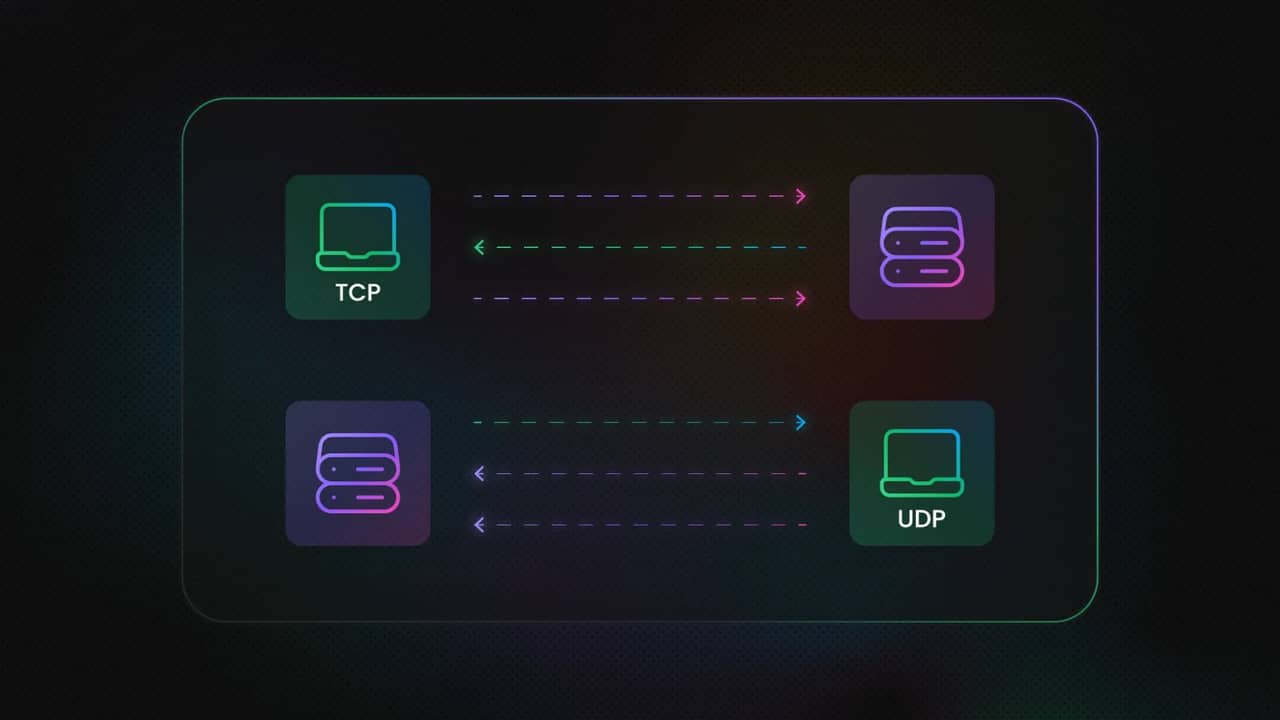
TCP and UDP handle data transmission differently because they prioritize different goals. TCP establishes and maintains a connection to provide reliable, ordered delivery, while UDP sends datagrams without establishing a connection or guaranteeing delivery.
How TCP works
TCP begins by establishing a connection between the sender and receiver through a three-way handshake. This synchronizes the endpoints before application data is exchanged:
- SYN: The client sends a SYN segment to request a connection and synchronize sequence numbers.
- SYN-ACK: The server responds with a SYN-ACK to acknowledge the request and provide its own sequence number.
- ACK: The client sends an ACK to confirm the server's response, completing the handshake.
Once the connection is established, TCP transfers data as an ordered byte stream. Sequence numbers help track transmitted data, while acknowledgments confirm receipt. If data is lost, TCP can retransmit it, helping ensure that the receiving application gets the complete stream in the correct order. TCP also uses flow and congestion control to regulate transmission based on receiver capacity and network conditions.
How UDP works
UDP skips connection establishment and sends datagrams directly to the destination. It doesn’t provide a handshake, acknowledgments, retransmissions, or built-in ordering, which reduces overhead and can minimize transmission delays.
This lightweight approach is useful when an application values timely delivery over recovering every missing packet. Some protocols and proxy configurations can carry both TCP and UDP traffic; for example, a SOCKS5 proxy can support both types of traffic depending on its implementation and configuration.
Difference between TCP and UDP
The difference between TCP and UDP comes down to how each protocol handles connections, delivery, ordering, and network overhead. TCP prioritizes reliable, ordered transmission, while UDP favors simplicity and lower latency.
Criteria
TCP
UDP
Connection setup
Three-way handshake
Connectionless
Reliability
Reliable delivery
Best-effort delivery
Ordering
Ordered byte stream
No built-in ordering
Speed
Higher overhead
Lower overhead
Header size
20 - 60 bytes
8 bytes
Error handling
Detection and retransmission
Checksum detection
Flow and congestion control
Built in
Not built in
Typical uses
Web, email, file transfer
Gaming, DNS, real-time media
Connection management
TCP establishes a connection before application data is transmitted. The three-way handshake synchronizes the endpoints and establishes the initial sequence numbers used during communication. The connection then remains active while the endpoints exchange data and manage its state.
UDP has no connection-establishment phase. An application can send a datagram without first negotiating a connection with the destination, reducing the setup time and protocol overhead.
Reliability
TCP is designed to deliver data reliably. It uses sequence numbers and acknowledgments to track received data and retransmits segments when necessary. This helps ensure that data reaches the application completely and in the expected order.
UDP provides no equivalent delivery guarantee. If a datagram is lost, duplicated, or arrives out of sequence, UDP itself doesn’t retransmit or rearrange it. Applications that require those capabilities must implement them separately or use another protocol above UDP.
Data transmission and ordering
TCP presents application data as a continuous, ordered byte stream. The receiving side can therefore reconstruct the stream in the correct sequence even when network conditions cause individual segments to arrive out of order.
UDP treats each transmission as a separate datagram. It preserves message boundaries but doesn’t guarantee the order in which datagrams reach the destination. For applications using UDP vs. TCP, this distinction matters when deciding whether every piece of data must arrive and in sequence.
Speed and overhead
On TCP vs. UDP speed, UDP is faster because it skips connection handshakes, acknowledgments, and retransmissions; TCP's additional overhead provides stronger delivery guarantees.
UDP's lower overhead can reduce latency, particularly for applications where receiving current data matters more than recovering every lost packet. TCP trades some of that speed for reliability, ordering, flow control, and congestion control.
Flow and congestion control
TCP includes flow control to prevent a sender from overwhelming the receiving application and congestion control to adapt transmission to changing network conditions. These mechanisms help TCP maintain stable communication while sharing network capacity.
UDP doesn’t provide built-in flow or congestion control. This gives applications greater control over how they transmit data, but it also means that applications or higher-level protocols may need to implement their own mechanisms when network conditions require them.
TCP vs. UDP header structure and packet size
TCP and UDP use different header structures because they provide different transport features. TCP has a larger, variable-length header that carries information needed for connection management, reliability, ordering, and flow control. UDP uses a compact, fixed-length header because it provides fewer transport layer mechanisms.
Criteria
TCP
UDP
Header size
20 - 60 bytes
Fixed 8 bytes
Field count
10 fields + options
4 fields
Key fields
Sequence number, ACK number, flags, window
Source port, destination port, length, checksum
Overhead implication
Higher per-packet overhead
Lower per-packet overhead
TCP header structure
A TCP header is at least 20 bytes and can extend to 60 bytes when options are included. Its fields support the mechanisms TCP uses to manage communication, including the sequence number for tracking data, acknowledgment number for confirming received data, flags for controlling connection state, and window information for flow control.
The additional fields and optional extensions make the TCP header larger than UDP's, but they support TCP's reliability and connection-management features. The exact header size depends on whether TCP options are present.
UDP header structure
A UDP header is fixed at 8 bytes and contains four fields: source port, destination port, length, and checksum. Its compact structure keeps the transport-layer overhead low while still providing enough information to deliver each datagram to the appropriate application and perform basic integrity checking.
The smaller header is particularly useful when applications send many small packets. Less header data means a greater proportion of each packet can carry application data, although the overall efficiency also depends on the size of the application payload and the underlying network.
What the size difference means in practice
The difference between a 20-byte minimum TCP header and an 8-byte UDP header becomes more significant when an application sends large volumes of small packets. With more packets, the header overhead is repeated more frequently, so UDP can use less bandwidth for transport layer headers.
However, smaller headers do not automatically make every UDP application faster. TCP's additional overhead supports features such as reliable delivery, ordering, flow control, and congestion control. The appropriate protocol therefore depends on whether an application prioritizes those guarantees or minimal transport overhead and latency.
Advantages and disadvantages of TCP and UDP
The advantages of TCP over UDP are most apparent when an application requires reliable, ordered, and complete data delivery, while UDP is often preferable when lower overhead and faster transmission are the priority.
TCP advantages
- Reliable delivery: Detects lost data and retransmits it when necessary.
- Ordered data: Delivers the byte stream to the application in the correct sequence.
- Error detection: Uses checksums to detect corrupted segments.
- Flow control: Adjusts transmission to avoid overwhelming the receiving endpoint.
- Congestion control: Responds to network congestion to help maintain stable communication.
- Widely supported: Used by many established protocols and applications, including HTTP/1.1, HTTP/2, SMTP, SSH, and file transfer services.
TCP disadvantages
- Connection setup: Requires a handshake before application data can be exchanged.
- Higher overhead: Reliability, acknowledgments, retransmissions, and connection management add processing and network overhead.
- Head-of-line blocking: Lost data can delay delivery of subsequent data within the same TCP byte stream.
- Higher latency: Retransmissions and congestion control mechanisms can introduce additional delays.
UDP advantages
- Low overhead: Uses a compact header and doesn’t require connection establishment.
- Lower latency: Sends datagrams without waiting for acknowledgments or retransmissions.
- Message-oriented: Preserves individual datagram boundaries for applications that need them.
- Flexible delivery: Applications can implement their own reliability or recovery mechanisms when required.
- Suitable for real-time traffic: Works well for applications where timely delivery is more important than receiving every packet.
UDP disadvantages
- No delivery guarantee: Packets may be lost without automatic retransmission.
- No built-in ordering: Datagrams can arrive out of sequence.
- No inherent congestion control: Applications or higher-level protocols must handle congestion appropriately.
- Duplicate packets: UDP doesn’t inherently prevent duplicate delivery.
- More application responsibility: Reliability, ordering, and recovery must be implemented separately when an application needs them.
What are the applications of TCP and UDP?
TCP and UDP serve different application needs based on whether reliable delivery or low-latency transmission is more important. TCP is common where data must arrive completely and in order, while UDP is useful when speed and timely delivery matter more.
Application
TCP or UDP
Why it's used
Web
TCP
Reliable delivery for HTTP/1.1 and HTTP/2 traffic
File transfer
TCP
Complete and ordered data transfer
TCP
Complete and ordered data transfer
TCP
Reliable delivery between mail servers and clients
Remote access
TCP
Consistent and reliable data exchange
Real-time communication
UDP
Low latency for voice and video
Streaming
UDP / TCP
UDP for latency-sensitive streams; TCP for buffered delivery
Gaming
UDP / TCP
UDP for fast gameplay updates; TCP for reliable game data
DNS/DHCP
UDP / TCP
UDP for lightweight queries; TCP for specific larger or reliable exchanges
AI agents and data collection
TCP / UDP
TCP for API calls and scraping over HTTP; UDP for real-time agent voice/video
Web
Web applications traditionally rely on TCP because HTTP/1.1 and HTTP/2 require reliable, ordered delivery. TCP ensures that web resources arrive without missing or reordered bytes.
Modern HTTP/3 changes this model by using QUIC over UDP, combining UDP's lightweight transport with reliability mechanisms implemented by QUIC.
File transfer
File transfers generally use TCP because missing or corrupted data can make a file unusable. TCP's acknowledgments, sequencing, and retransmission mechanisms help ensure that the complete file arrives correctly.
Email protocols such as SMTP, IMAP, and POP3 traditionally use TCP because messages and their associated data need reliable delivery. Losing or reordering part of an email exchange can interfere with successful transmission or retrieval.
Remote access
Remote access technologies use TCP when consistent and reliable communication is required. Protocols such as SSH depend on reliable transport so commands, responses, and other session data arrive in the correct order.
Real-time communication
Voice and video applications often use UDP when minimizing delay is more important than recovering every lost packet. A late audio or video packet can be less useful than continuing with newer data, making UDP suitable for latency-sensitive communication.
Streaming
Streaming can use either protocol depending on the delivery model. Buffered video on demand can prioritize reliable TCP-based delivery, while latency-sensitive live media may use UDP-based transport.
Gaming
Online games commonly use UDP for time-sensitive gameplay data, such as player positions and real-time state updates, where waiting for retransmission can introduce noticeable delays. TCP may still handle data that must arrive reliably, such as account information or certain game state transactions. UDP proxies can support use cases where UDP traffic needs to pass through proxy infrastructure.
DNS/DHCP
DNS commonly uses UDP for standard queries because the protocol's lightweight request and response model benefits from low overhead. TCP can be used when a DNS response is too large for the relevant UDP exchange or when a reliable connection is required. DHCP also commonly uses UDP because clients can communicate before receiving a normal IP configuration.
AI agents and data collection
AI agents and data-collection systems commonly use TCP for API requests and web scraping because HTTP runs over TCP in HTTP/1.1 and HTTP/2. For real-time agent interactions involving voice or video, UDP-based transport can reduce latency and support more immediate media delivery.
Related protocols and modern trends
QUIC protocol
The QUIC protocol shows why the traditional TCP vs. UDP choice is becoming less absolute. QUIC is a secure, connection-oriented transport protocol built on UDP that combines low-latency connection establishment, multiplexed streams, reliable delivery, and congestion control. It's the transport foundation for HTTP/3, allowing modern web traffic to use UDP while still providing many of the reliability features traditionally associated with TCP.
As a result, the modern web is increasingly using reliable transport protocols over UDP rather than relying exclusively on TCP. This makes QUIC important when evaluating TCP and UDP: UDP provides the underlying datagram transport, while QUIC adds the connection management, security, reliability, and congestion-control mechanisms modern applications need. Its baseline definition is established in RFC 9000.
TCP, UDP, and ICMP
TCP, UDP, and ICMP serve different purposes within IP networking. TCP and UDP are transport layer protocols used to exchange application data, with TCP providing connection-oriented, reliable delivery and UDP providing connectionless, best-effort datagram delivery. ICMP, by contrast, is a network layer control and diagnostic protocol used by IP hosts and routers to report errors and operational information, rather than to transport application data like TCP or UDP. Tools and network utilities commonly use ICMP for functions such as reachability and path diagnostics.
TCP, UDP, and proxies
Most proxy traffic is TCP-based because common web protocols such as HTTP and HTTPS traditionally rely on TCP, but UDP proxy support varies between providers and proxy types. UDP support becomes important for applications that need to tunnel datagrams or handle latency-sensitive traffic such as VoIP, gaming, and other real-time workloads. It's also increasingly relevant in the QUIC era because HTTP/3 carries web traffic over UDP.
For applications that require UDP traffic, it's important to verify which protocols a proxy service supports rather than assuming TCP and UDP work identically. Decodo provides dedicated UDP proxies, while its documentation also explains the differences between SOCKS5 and HTTP proxies and lists its supported protocols.

Try before you commit
Get full access to the network for 3 days, no restrictions, no fine print, just enough time to see if it actually holds up for you.
Bottom line
When choosing between TCP and UDP, start with the application's priority: use TCP when reliability, completeness, and ordered delivery are critical; choose UDP when low latency and timely transmission matter more. In practice, most modern applications use both, selecting the protocol that best fits each workload.
For proxy-based workflows, Decodo supports TCP, UDP, and QUIC, giving developers flexibility across different web and data use cases. Try Decodo's residential proxies with a 3-day free trial and enhance your online anonymity with just a few clicks.
About the author

Vilius Sakutis
Performance Marketing Team Lead
Vilius leads performance marketing initiatives with expertize rooted in affiliates and SaaS marketing strategies. Armed with a Master's in International Marketing and Management, he combines academic insight with hands-on experience to drive measurable results in digital marketing campaigns.
Connect with Vilius via LinkedIn
All information on Decodo Blog is provided on an as is basis and for informational purposes only. We make no representation and disclaim all liability with respect to your use of any information contained on Decodo Blog or any third-party websites that may belinked therein.