Best Datacenter Proxies in 2026: 9 Providers Compared
Decodo is the top overall pick for 2026, combining flexible shared and dedicated options, accessible pricing, and strong independent performance. In Proxyway's 2026 US benchmark, Decodo's rotating datacenter pool recorded a 99.94% success rate and 0.35-second average response time across 70,000 requests.

Vilius Sakutis
Last updated: Sep 10, 2026
9 min read

Top picks by use case
- Best overall: Decodo. A strong balance of performance, pricing, and shared, rotating, static, and dedicated options.
- Best for enterprise: Oxylabs. A large dedicated network, multiple purchasing models, and enterprise account support.
- Best free entry: Webshare. A permanent free plan with 10 datacenter proxies and 1 GB of monthly bandwidth.
- Best budget option: Rayobyte. Rotating datacenter traffic starts at $0.30/GB, with lower rates at higher volumes.
- Best for configurable scraping: Bright Data. A large network with extensive session, rotation, and proxy-management controls.
- Best for US-focused projects: SOAX. Shared and dedicated US datacenter proxies with flexible purchasing options.
- Best for subnet diversity: Infatica. It produced the most /24 subnets in Proxyway's 2026 datacenter test.
- Best for rotation: DataImpulse. Per-request rotation, sticky sessions, broad targeting, and traffic that doesn't expire.
- Best for static IP control: IPRoyal. Shared and dedicated static IPs with precise location selection.
Understanding datacenter proxies
A datacenter proxy is a type of proxy server that routes your traffic through an IP address hosted on server infrastructure rather than exposing your original IP.
They're typically fast and inexpensive, which makes them useful for high-volume public data collection, testing, monitoring, and other workloads where throughput matters.
The main difference is where the IP is registered. Datacenter addresses are associated with hosting or cloud networks, while residential addresses belong to consumer internet service providers. That makes datacenter IP ranges easier for websites to identify and block in bulk, especially on heavily protected targets.
How we evaluated
The best data center proxies aren't simply the providers advertising the biggest pools. We evaluated the nine services across five areas that affect how useful a network is in practice.
1. Pool size and subnet diversity. A large pool gives you more addresses to work with, but distribution matters too. Thousands of IPs concentrated inside a small number of /24 subnets can be easier to restrict in bulk than addresses spread across many network ranges.
2. Performance. Instead of treating providers' own uptime claims as directly comparable, we used Proxyway's independent infrastructure testing where available. Its US benchmark sent 70,000 connection requests over seven days through shared and rotating datacenter pools. These are infrastructure results, so treat them as directional.
3. Rotation and session control. Some workloads benefit from a new IP on every request. Others need one address to persist across several steps. We therefore looked at automatic rotation, sticky sessions, static lists, and how much control each provider gives you over them.
4. Pricing and trial options. Headline "from" prices only tell part of the story. We also looked at minimum spend, whether billing is per IP or per GB, free and paid trials, refund options, and how pricing changes as usage scales.
5. Trust and continuity. Finally, we considered the service around the network: support, documentation, account controls, provider longevity, and how easy it is to troubleshoot or test the product before making a larger commitment.
This gives us a broader basis for comparing the best datacenter proxy services than simply ranking them by a single performance result.
Best datacenter proxy providers in 2026
The benchmark column below refers to the same Proxyway US test described above. A dash doesn't mean a provider performed poorly; it simply means it wasn't one of the five providers in that particular comparison.
Provider
Price from
Pool/subnet information
Benchmark: success/response
Shared/dedicated
Trial
Decodo
$0.60/GB on 10 GB plan; per-IP pricing from $0.02 at volume
500K+ proxy IPs; 217 /24 subnets observed
99.94%/0.35 s
Yes/Yes
3-day trial; 14-day money-back option
Oxylabs
$0.59/GB or $1.20/shared IP
2M+ enterprise pool; 89 /24 subnets observed
99.98%/0.22 s
Yes/Yes
5 free IPs
Webshare
10 IPs free; 100 for $2.99/mo
400K+ datacenter pool; 389 /24 subnets observed
99.93%/0.67 s
Yes/Yes
10-IP free plan
Rayobyte
$0.30/GB rotating; static from $1/IP
300K+ static; 510 /24 subnets observed
99.88%/0.47 s
Yes/Yes
Free trial available
Bright Data
$0.60/GB PAYG or $1.40/shared IP
1.3M+ proxies
–
Yes/Yes
Free trial available
SOAX
Tailored pricing
300K+ US IPs; 319 /24 subnets observed
–
Yes/Yes
$1.99 / 3 days / 400MB
Infatica
$0.60/GB shared; dedicated from $1–$1.50/IP
500K+ IPs; 9,554 /24 subnets observed
–
Yes/Yes
$3 for 7 days trial
DataImpulse
$0.50/GB; $5 for 10 GB entry
20M IPs; 6,957 /24 subnets observed
97.86% / 0.88 s
Rotating pool
$5 starter; 7-day refund
IPRoyal
$1.57/IP for 30 days; $1.39 on 90-day term
60+ locations
–
Yes/Yes
No standard free trial
1. Decodo – Best overall
Decodo takes our top spot because it gives users several practical ways to buy and use the same datacenter network. Its 500K+ pool includes 100K+ shared addresses and 400K+ dedicated IPs, with shared plans available by traffic or IP count. Shared access can be static or rotating, while dedicated proxies remain static.
The smallest traffic plan is 10 GB at $0.60/GB, or $6 per month. Larger per-IP plans can bring the advertised unit cost down to $0.02/IP, and HTTP(S) and SOCKS5 are supported across the product. That mix makes Decodo useful without forcing every project into the same pricing or session model.
Pros: Flexible shared and dedicated formats, multiple billing models, relatively low entry spend, HTTP(S) and SOCKS5 support, and 24/7 technical support.
Con: The standard 3-day trial doesn't cover dedicated datacenter proxies.

Get the IP setup your workload actually needs
Decodo offers shared, rotating, static, and dedicated datacenter proxies, giving you more control over how you balance IP volume, session consistency, and cost.
2. Oxylabs – Best for enterprise
Oxylabs is geared toward teams that need substantial capacity and several ways to configure it. Its current datacenter lineup includes a 1.9M+ dedicated pool across 188 countries, 36K+ shared static IPs across 38 countries, and a 56K+ rotating shared pool across 44 countries.
The smallest rotating plan includes 20 GB at $0.59/GB, while 10 static shared IPs cost $12 and three dedicated IPs cost $6.75. Enterprise plans expand the pool to 2M+ IPs and add more granular geo-targeting alongside account management.
Pros: Large dedicated network, shared and rotating options, broad location coverage, HTTP(S)/SOCKS5 support, and enterprise account support.
Con: Higher minimum spend than several self-service alternatives.
3. Webshare – Best free entry
Webshare is the easiest provider here to test without spending anything. Its free plan provides 10 datacenter proxies and up to 1 GB of bandwidth every month.
Paid pricing stays accessible too: 100 shared IPs cost $2.99 per month, with per-IP rates falling as the pool grows. Webshare has a pool of up to 400K IPs across 50+ countries and supports HTTP and SOCKS5. Customers can also choose shared, private, or dedicated access depending on how much control they want over each IP.
Pros: Useful free tier, low paid entry price, flexible proxy formats, and strong real-target results.
Con: The free tier is capped at 10 shared proxies and 1 GB per month, so meaningful production workloads will quickly require a paid plan.
4. Rayobyte – Best budget option
Rayobyte is particularly compelling when traffic cost matters. Its rotating datacenter plans begin at $0.30/GB for up to 50 GB and fall to $0.23/GB at 351-1000 GB. Static datacenter IPs start at $1/IP.
Its static network includes 300K+ addresses across 29+ locations and nine ASNs, with more than 20,000 unique C-class subnets. Rayobyte also offers semi-dedicated and fully dedicated static options alongside its rotating product.
Pros: Competitive rotating rates, several datacenter formats, a substantial static network, unlimited bandwidth on static datacenter IPs, and HTTP(S)/SOCKS support.
Con: Rotating datacenter sticky sessions last up to two hours by default; longer-lived sessions require contacting Rayobyte.
5. Bright Data – Best for configurable scraping
Bright Data is a good fit for teams that want granular control over their proxy layer. Its current pricing pages advertise a 1.3M+ datacenter pool with shared, dedicated, and traffic-based access, alongside Proxy Manager and extended session controls.
PAYG access costs $0.60/GB. Ten shared IPs cost $14, while 10 dedicated IPs cost $22, with lower unit prices at higher volumes. SOCKS5 is available through Proxy Manager.
Pros: Large network, shared and dedicated access, several billing models, extensive management controls, and a free trial.
Con: Bright Data's "unlimited" per-IP datacenter plans are still subject to a 100 GB monthly fair-use allowance per IP, after which additional charges may apply.
6. SOAX – Best for US-focused projects
SOAX positions its datacenter product specifically around US infrastructure, with both shared and dedicated IPs.
SOAX doesn't currently publish a standard starting price for its datacenter proxies, instead describing its pricing as tailored to customer requirements. New users can test the service for three days with 400 MB for $1.99.
Pros: Shared and dedicated options, flexible per-IP or per-GB purchasing, straightforward integration, and a low-cost test period.
Con: The current US datacenter product is limited to the United States.
7. Infatica – Best for subnet diversity
Infatica's current shared datacenter product gives customers access to a 500K+ rotating pool, with country, city, and ZIP targeting and configurable rotation. Shared traffic starts at $0.60/GB PAYG and falls to $0.30/GB on the 2 TB plan.
It also sells dedicated datacenter IPs separately, with published prices ranging from $1 to $1.50 per IP depending on the location and quantity.
Pros: Shared and dedicated options, 500K+ shared IPs, granular targeting, configurable rotation, and pricing that falls substantially at higher traffic volumes.
Con: Unlike several providers here, its seven-day trial costs $3 rather than being free.
8. DataImpulse – Best for rotation
DataImpulse is designed around a large rotating pool and pay-as-you-go billing. It advertises 20M datacenter IPs across 195+ locations, with HTTP(S) and SOCKS5 support, rotating and sticky sessions, country targeting, and API access.
Pricing starts at $0.50/GB, with a $5 entry option that includes 10 GB. There is no recurring subscription requirement, and purchased traffic doesn't expire.
Pros: Large advertised pool, automatic rotation, sticky sessions, non-expiring traffic, low minimum spend, and free country-level targeting.
Con: More granular city, state, ZIP, and ASN targeting can carry additional costs, so the $0.50/GB headline rate may not represent the final price for highly specific geo-targeting.
9. IPRoyal – Best for static IP control
IPRoyal remains primarily focused on static datacenter access. Its dedicated product covers 60+ locations, supports HTTP(S) and SOCKS5, and allows state- or city-level targeting where available.
Dedicated pricing starts at $1.57/IP for 30 days, falling to $1.48 for 60 days and $1.39 on a 90-day term.
Pros: Shared and dedicated static options, broad location coverage, one-IP entry, and precise targeting.
Con: Shared datacenter proxies don't support IP whitelisting; that authentication option is reserved for dedicated datacenter IPs.
Shared vs. dedicated datacenter proxies
Whether you should share an IP largely comes down to cost, reputation, and whether your workflow needs exclusive control over the address.
Shared datacenter proxies
Shared datacenter proxies allow multiple customers to use addresses from the same network or pool. Sharing the underlying infrastructure usually makes them cheaper and lets providers offer access to many more IPs.
They're a good starting point for public scraping, monitoring, market research, or other high-volume workloads where IP quantity matters more than exclusive ownership. The trade-off is reputation. You don't control what every other customer does with a shared address, so somebody else's activity can affect how a target treats that IP.
Dedicated datacenter proxies
Dedicated datacenter proxies are reserved for one customer. This gives you much more control over how each address is used and removes the risk of another customer affecting its reputation during your subscription.
They're better suited to stable sessions, allowlisted services, QA environments, or workflows that need to return from the same known IP repeatedly.
Dedicated doesn't mean undetectable, though. The address is still registered to datacenter infrastructure.
Cheap datacenter proxies: the shared-pool route
If cost is the main priority, cheap datacenter proxies usually come from shared or rotating pools rather than dedicated lists.
The cheapest model depends on the workload. A scraper requesting many small pages may benefit from per-GB rotation, while a bandwidth-heavy process that needs only a handful of fixed addresses may work out cheaper on a per-IP plan. That's why comparing the actual monthly cost matters more than picking whichever provider advertises the lowest unit price.
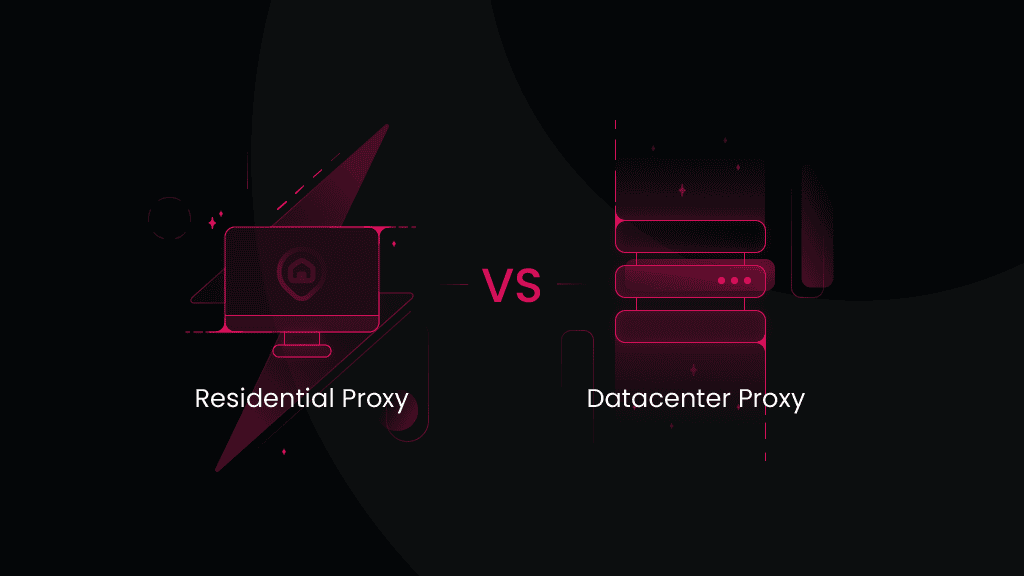
Datacenter vs. residential proxies
The practical difference between datacenter and residential proxies is the trade-off between speed, cost, and how trustworthy the source IP looks to the target.
Datacenter proxies run on server infrastructure, making them fast and relatively cheap. Residential proxies use IPs associated with ordinary consumer ISPs, which makes them less obvious as proxy traffic but usually more expensive.
Imagine you're collecting 100,000 public product pages every day from sites that don't aggressively restrict hosting-provider IPs. Paying a residential premium doesn't solve much there. A fast-rotating datacenter pool is likely the more efficient choice.
Now take the same scraper and point it at a site that repeatedly returns blocks or CAPTCHAs as soon as it detects hosting IP ranges. That's where one of the best residential proxies becomes more useful, even if each gigabyte costs more.
ISP proxies sit between the two. They're server-hosted like datacenter proxies but use addresses registered to internet service providers, giving you static sessions with stronger IP trust.
Common use cases for datacenter proxies
High-volume public web scraping
Datacenter proxies work particularly well when the main constraint is throughput rather than sophisticated anti-bot protection. They're fast enough to run many requests in parallel, while the lower cost makes large crawls easier to justify. Rotating datacenter proxies can spread those requests across a pool instead of repeatedly sending traffic from one IP.
SEO and SERP monitoring
SEO tools can use datacenter proxies to run repeated searches, monitor rankings, and collect location-specific public results without routing every request through the same source address. Search engines can be heavily protected, though, so target-level testing remains important before scaling.
Performance testing and QA
Static or dedicated datacenter IPs work well when a testing environment needs to recognize or allowlist a predictable source address. Shared pools are more useful when you want to test requests across different connections or network locations.
Email protection and security research
Security teams can route research traffic through proxies when examining public threat intelligence, phishing pages, brand impersonation, or suspicious web infrastructure without exposing a corporate source IP. Protocol and port restrictions vary by provider, so HTTP(S) or SOCKS5 support shouldn't be taken to mean unrestricted mail-server access.
Market data aggregation
Prices, inventory, product information, reviews, and other public market data often need frequent refreshes. Datacenter proxies provide enough throughput to gather those pages across several IPs. Rotation works well when requests are independent, while static or sticky sessions suit multi-step workflows that need to retain the same source IP.
How to choose and test a datacenter proxy provider
1. Start with your actual targets
Benchmarks can narrow the field, but your own targets matter more. Use a trial, refund window, or small starting plan to send a representative sample of requests, then track successful responses alongside blocks, CAPTCHAs, retries, and latency.
2. Test performance at realistic concurrency
A handful of requests won't tell you how a network behaves in production. Increase concurrency toward the level you'll actually use and watch both typical response times and intermittent failures.
3. Look beyond the advertised pool size
A provider advertising 500K or 20M IPs doesn't tell you how many useful addresses you'll encounter for your locations and targets. Look at the pool available where you need it and, when possible, subnet and ASN diversity as well.
4. Check IP quality and location
Run a representative sample through a proxy checker to verify connectivity, protocol, ASN, and location. It can also be useful to check established IP reputation or blacklist databases for obvious abuse history. If geographic accuracy matters, compare more than one location database rather than assuming every service categorizes an IP identically.
5. Calculate what you'll actually pay
Before you buy datacenter proxies, calculate the cost for the IP quantity or bandwidth you expect to use instead of comparing headline rates. Factor in minimum commitments, traffic allowances, geo-targeting fees, renewal terms, replacement policies, and refunds. If a trial is available, use it to evaluate support as well as the proxies themselves.
Glossary: Key datacenter proxy terms
- Datacenter proxy. A proxy that routes traffic through an IP hosted on data-center or server infrastructure rather than a consumer internet connection.
- Shared proxy. An IP that can be used by multiple customers. Sharing reduces the cost but gives each customer less control over the IP's reputation.
- Dedicated proxy. An IP reserved for one customer for the duration of the subscription, giving that customer exclusive control over its use.
- Subnet. A smaller network segment within a larger IP network. Proxy pools spread across more subnets can be less vulnerable to a single network-range block.
- IP rotation. The process of changing the proxy IP used for requests automatically, either on each request or after a defined period.
- Rotating datacenter proxies. Datacenter IPs accessed through a pool that changes the outgoing address automatically. They combine the low cost and speed of server infrastructure with more IP variety than a fixed proxy list.
- Sticky session. A session that keeps the same proxy IP across several requests for a defined period instead of immediately rotating to another address.
- IP blacklisting. The practice of blocking or flagging an IP address or range because of previous activity or reputation.
- ASN. An Autonomous System Number identifies a network participating in internet routing. ASN diversity can matter because sites may classify or restrict traffic based on the organization or network announcing an IP range.
Bottom line
The right provider depends on whether you care most about price, static IP control, enterprise capacity, or rotation. For the strongest overall balance, we recommend Decodo.
Its datacenter offering gives you three practical buying routes – traffic-based shared access, shared IP plans, and dedicated IPs – while supporting both static and rotating shared sessions. That flexibility makes it easier to start with the setup that fits your current workload rather than paying for a larger or more specialized product than you need.

Fast, cheap, unbothered
Datacenter proxies won't win any stealth awards, but for high-volume jobs that don't need to blend in, they'll outrun almost anything else on the market.
About the author

Vilius Sakutis
Performance Marketing Team Lead
Vilius leads performance marketing initiatives with expertize rooted in affiliates and SaaS marketing strategies. Armed with a Master's in International Marketing and Management, he combines academic insight with hands-on experience to drive measurable results in digital marketing campaigns.
Connect with Vilius via LinkedIn
All information on Decodo Blog is provided on an as is basis and for informational purposes only. We make no representation and disclaim all liability with respect to your use of any information contained on Decodo Blog or any third-party websites that may belinked therein.