Wait for Page to Load in Beautiful Soup: Why It Fails and How to Fix It
Waiting for a page to load when using Beautiful Soup is a common challenge in web scraping, especially when your scraper returns empty results because the page renders content via JavaScript. This happens because Beautiful Soup is a parser, not a browser, so it can’t execute JavaScript or wait for dynamic content to load. To handle this, you can use browser automation tools like Selenium or Playwright, a lightweight option like requests-html, or a Web Scraping API for production-grade workflows.

Lukas Mikelionis
Last updated: Apr 30, 2026
9 min read
TL;DR
- Modern JS-rendered web pages load content via XHR/fetch calls or lazy-load elements that Beautiful Soup cannot scrape.
- There are 3 DIY solution paths for scraping JS-rendered pages with Beautiful Soup: Selenium/Playwright, requests-html, and a dedicated API.
- Factors like parser choice, document size, selector complexity, and network overhead affect Beautiful Soup's loading speed.
- Use Selenium or Playwright as browser automation tools to render JS content before scraping.
- Use requests-html as a lightweight alternative for scraping JS-rendered pages that require a single render to load.
- Optimize Beautiful Soup’s performance with lxml, cache, SoupStrainer, and soup.select(), asyncio, and aiohttp.
- Scale all JS rendering scraping difficulties with a single HTTP call using Decodo’s Web Scraping API.
Why Beautiful Soup can't wait for a page to load
Beautiful Soup is an HTML parser. Pass it HTML, and it parses the loaded HTML for extraction. It doesn't load pages.
So, when you make a request with requests.get(), it returns the server's initial HTML response to Beautiful Soup before any JavaScript runs. Modern sites load content dynamically with JavaScript via XML HTTP Request (XHR) or fetch calls, render with React, Vue, or Angular, or lazy-load content on scroll, which cannot execute in a scraping pipeline that depends only on Beautiful Soup and Requests.
Here's what that looks like in practice:
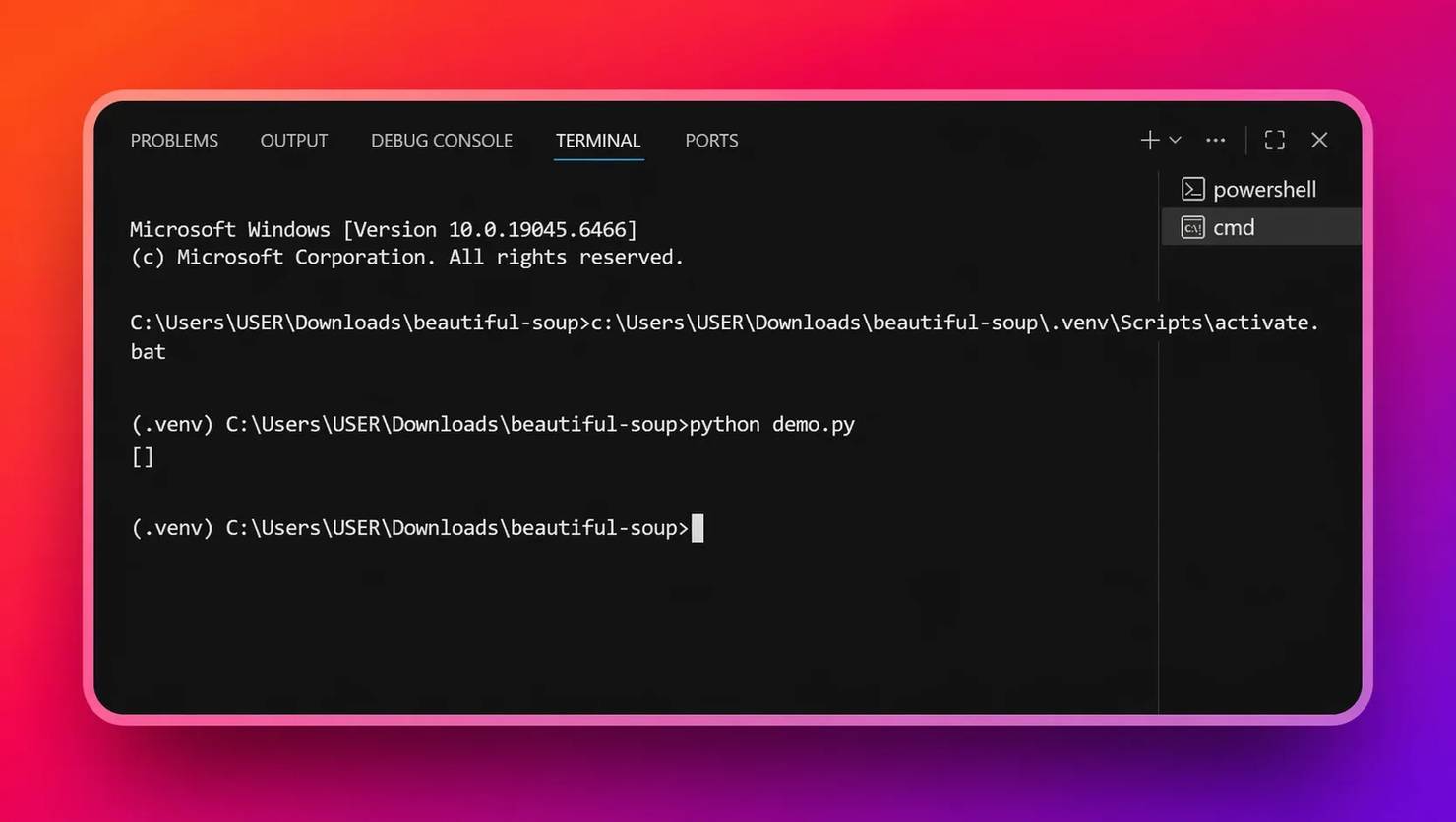
The content comes back empty, as shown below:
Open DevTools (Ctrl+U) on the same page to check the content via page source, and you see it sitting right there in the Document Object Model (DOM) – the entire page HTML structure. This shows that the content is injected after JavaScript runs:
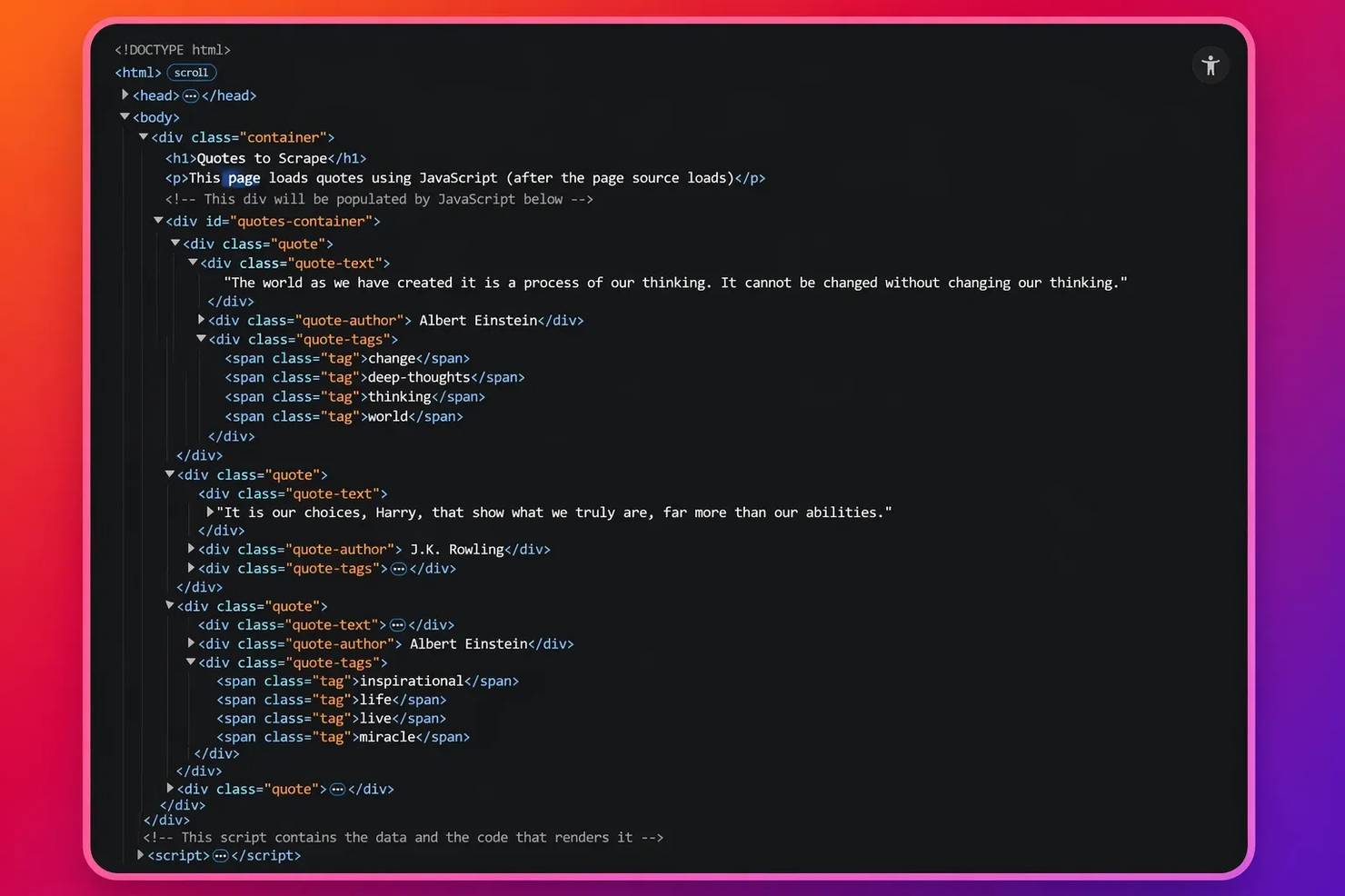
Adding time.sleep() won't fix this. The issue isn't timing. JavaScript simply never executes. The solution is to use browser engine tools or Web Scraping APIs for scraping JavaScript-rendered content. However, keep in mind that even with these solutions, you have to optimize Beautiful Soup's loading speed to fast-track your scraper.
What affects Beautiful Soup loading speed
- Parser choice. Beautiful Soup supports 3 data parsers: lxml, html.parser, and html5lib. lxml is the fastest by a significant margin. It's backed by C libraries (libxml2 and libxslt), which makes it 2-5 times faster than html.parser. html5lib is the slowest of all the parsers, but it handles severely malformed HTML. For scraping tasks, lxml is highly recommended as the right default due to its speed. For more on how parsers work under the hood, read how to choose the best parser.
- Document size. Parsing a 500 KB HTML file is fundamentally slower than a 50 KB one. Use Beautiful Soup’s SoupStrainer to parse only the portion of the DOM that you actually need:
- Selector complexity. Use targeted CSS selectors, such as select(), to skip other portions of the DOM tree and focus on the required aspect during extraction, rather than the find_all() selector, which travels over the entire DOM tree before selecting an element:
- Network overhead. The network overhead problem arises because each request requires a new TCP (Transmission Control Protocol) or TLS (Transport Layer Security) handshake, introducing additional latency. However, requests.Session() function establishes fast connections that maintain multiple page connections for extended periods:
- Profiling. Not sure what makes your scraping script slow? Profile your script with cProfile, a built-in Python profiler, to pinpoint performance bottlenecks by giving you the speed of a script and its components:
The output of cProfile is a detailed summary of the script's runtimes:
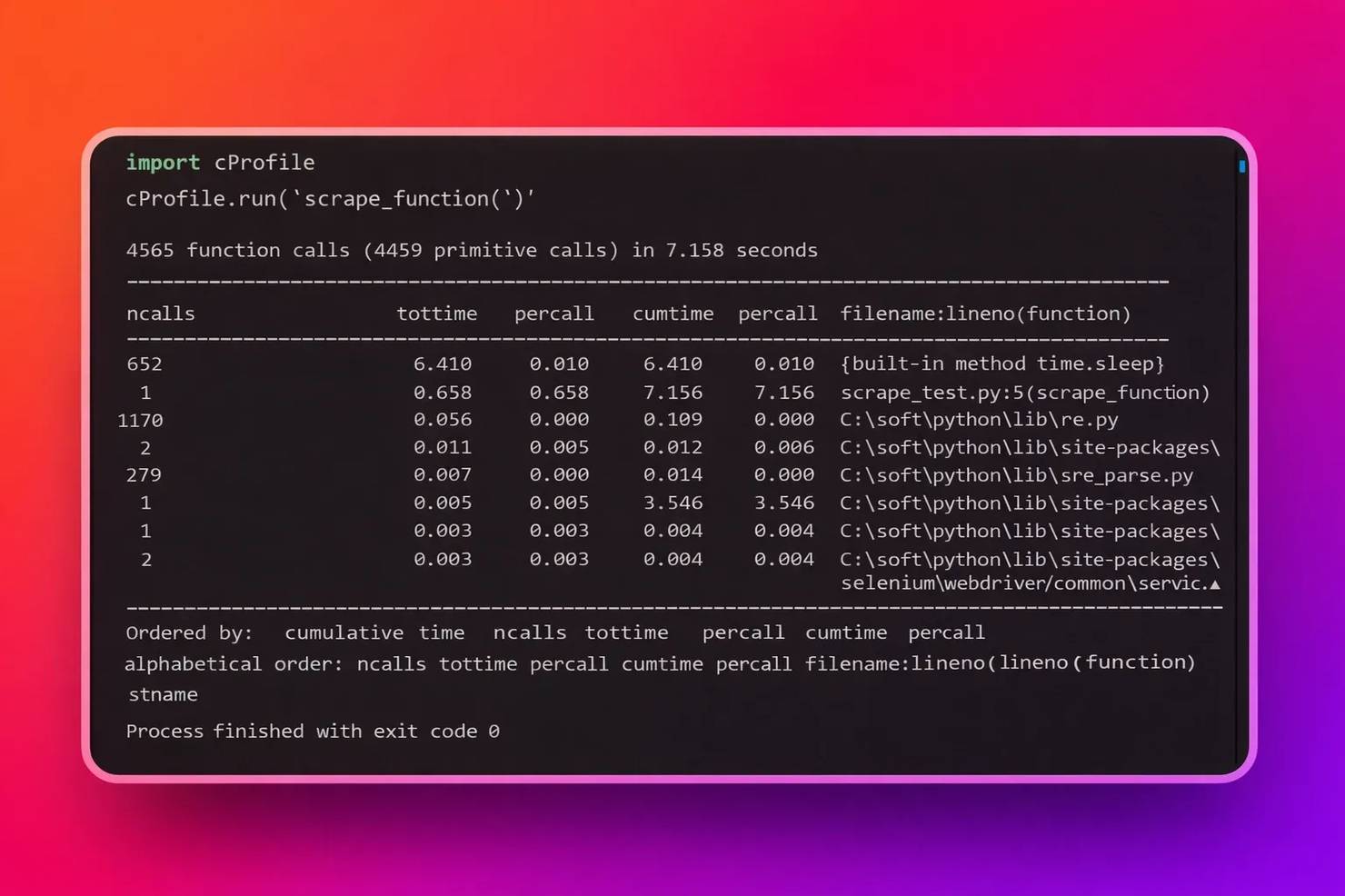
For this example, since the table heading shows 4569 calls in 7.158 seconds, dividing both sides by 7.158 seconds means that in 1 second, the scraper function makes 638 calls. If you choose to optimize further, you can then test the result with cProfile to confirm your endeavors. Also, under the percall column heading in the picture above, you can tell which code section consumes the highest time, be it the parser or the extraction logic.
How to make Beautiful Soup wait for a page to load with Selenium
We’ll start with Selenium, which executes JavaScript in a real browser and returns the rendered HTML for parsing. We'll use quotes.toscrape.com/js/ – a JavaScript-rendered page built for exactly this kind of testing.
1. In your activated virtual environment, install dependencies such as lxml for faster parsing, Beautiful Soup, and Selenium, which uses chromedriver – a browser driver for browser automation via webdriver-manager:
2. Use webdriver-manager to automatically match chromedriver versions so you don't have to manage driver downloads manually. Also, to launch the scraper without a UI, add headless to the Selenium options. A headless browser runs without a UI, which keeps memory resource usage lower during scraping:
3. Use WebDriverWait with expected_conditions to wait for a specific element to appear. Explicit waits are more reliable and faster than time.sleep() because they return as soon as the condition is met, not after a fixed delay:
4. Grab the driver.page_source once the HTML element is present, then pass it to Beautiful Soup for parsing:
5. Copy the complete script:
Note: The correct method to use in your script requires WebDriverWait as an explicit wait method. WebDriverWait works by checking the DOM until it finds the condition that needs to be satisfied. Your scraper achieves improved performance because it can handle different page loading times.
Run with:
Here's the output:
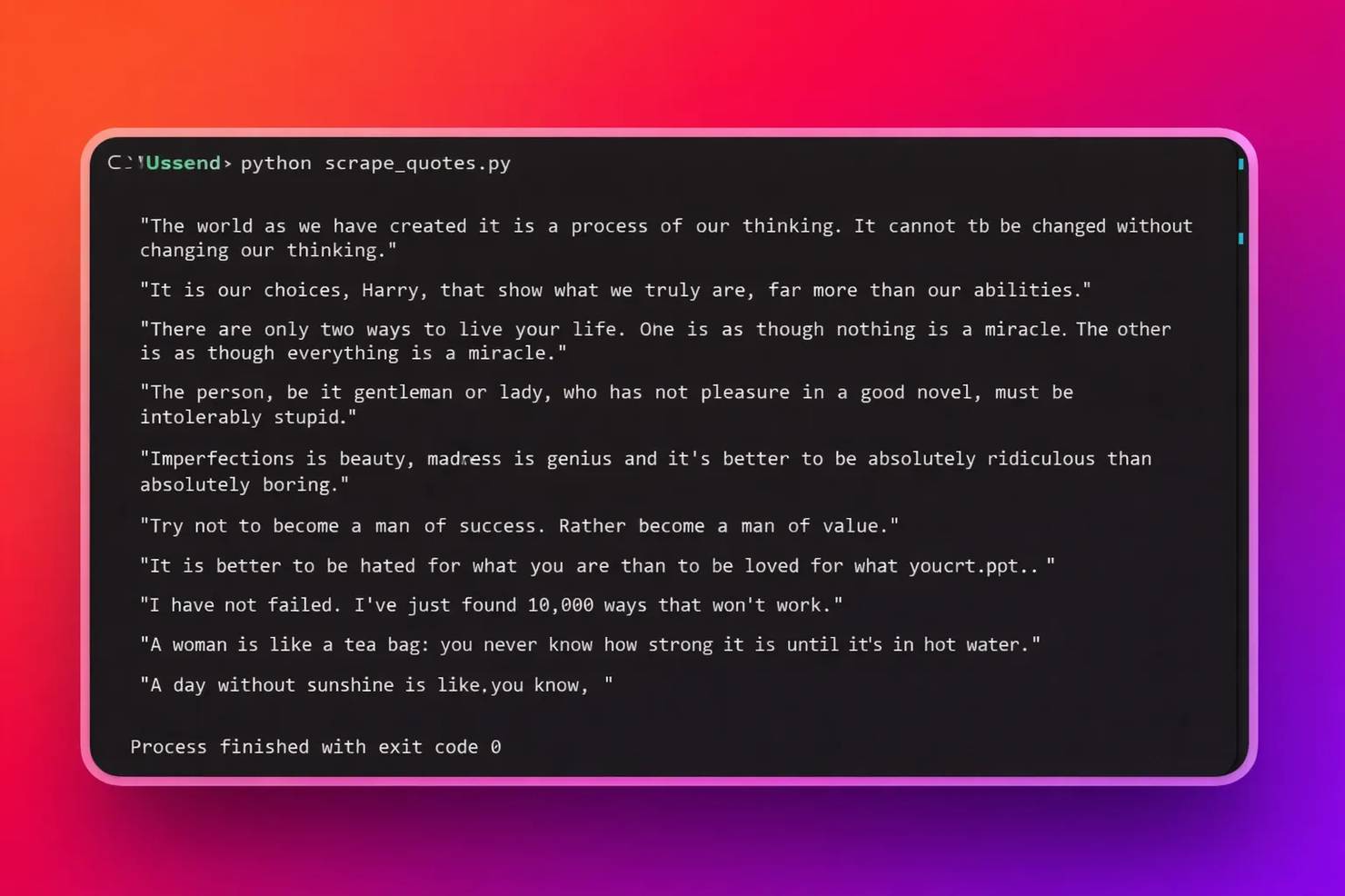
Although Selenium works well for JavaScript-based websites, it has downsides. It’s heavyweight, requires excessive system resources, and is slower in performance than direct HTTP scraping methods. This implies that every active browser session incurs high processing power, system memory usage, and initialization time. For a more robust Selenium walkthrough, read the web scraping with Selenium Python tutorial.
How to make Beautiful Soup wait for a page to load with Playwright
Playwright provides faster execution and built-in auto-waiting compared to Selenium’s explicit wait model. So, if you choose to avoid the heavyweight browser automation with Selenium, use Playwright for a lighter, faster, and more modern alternative for scraping JavaScript-rendered pages. Let’s use the same target page as the Selenium section – https://quotes.toscrape.com/js/
1. Install dependencies such as Playwright, lxml for faster parsing, and Beautiful Soup in an activated virtual environment. Then, install Playwright’s built-in browser engines, such as Chromium:
2. Launch the Chromium browser with sync_playwright and set headless = True. Also, block images, CSS, and fonts to reduce bandwidth usage and speed up page load times:
3. Wait for the target element to load via JavaScript. Use page.wait_for_selector() to wait for the target element to appear:
4. Extract the HTML with page.content() and pass it to Beautiful Soup:
5. Copy the complete script:
Run your code with:
Here’s the output:
![Rounded black console box showing [INFO] Extracted quotes: and multiple quotes on an orange-to-purple gradient background](https://decodo.com/cdn-cgi/image/width=1480,quality=70,format=auto/https://images.decodo.com/beautiful_soup_wait_for_page_to_load_5_png_91b04aa8ab/beautiful_soup_wait_for_page_to_load_5_png_91b04aa8ab.webp)
Lightweight alternative: requests-html for JavaScript rendering
If you desire a middle-ground option that saves you the hassle of setting up and managing browser automation tools like Selenium and Playwright, especially when you want to scrape one-off data from a single JavaScript-rendered page like https://quotes.toscrape.com/js/, then requests-html is your best bet.
1. Install dependencies such as requests-html for JS rendering, lxml and lxml_html_clean for parsing HTML, pyppeteer for headless browser backend, and Beautiful Soup in an activated virtual environment:
2. Create an HTMLSession and call session.get() with the URL:
3. Execute JavaScript with a defined timeout and parse the HTML with Beautiful Soup:
4. Extract the specified quotes:
5. Copy the complete script:
Run your code with:
Here’s the output:
![Black terminal panel displaying '[INFO] Extracted quotes:' and multiple quote lines on an orange-to-purple gradient background](https://decodo.com/cdn-cgi/image/width=1480,quality=70,format=auto/https://images.decodo.com/beautiful_soup_wait_for_page_to_load_6_png_10160c22e7/beautiful_soup_wait_for_page_to_load_6_png_10160c22e7.webp)
Note: Since requests-html is viable for a single render pass and can’t maintain rendering across multiple pages, it's unreliable for production environments.
How to optimize Beautiful Soup performance once the page is loaded
Once you have the correct HTML, these optimizations reduce parsing time for dynamic content passed to Beautiful Soup.
- Use lxml as the parser. lxml is 2-5x faster than html.parser for typical pages and handles most real-world HTML well. Pass it as the second argument to Beautiful Soup:
- Scope parsing with SoupStrainer. Parse only what you need. SoupStrainer reduces document size before Beautiful Soup traverses the DOM tree:
- Use select() over chained find() calls. soup.select() with tight CSS selectors skips large portions of the DOM tree. Also, IDs and class selectors are resolved faster than traversal-heavy find_all() chains. For a comparison of selector approaches, see XPath vs CSS selectors.
- Reuse connections with the request.Session(). For multi-page scrapes, Session() avoids a new TCP/TLS handshake on every request. See mastering Python Requests for session and proxy patterns.
- Fetch concurrently with asyncio and aiohttp. Fetch pages in parallel, then parse each one with Beautiful Soup synchronously:
- Cache responses during development. Use requests-cache to avoid redundant network calls when re-scraping the same URL(s). This makes any URL already in the cache return instantly. Read Python requests retry for resilience patterns that pair well with caching:
Skip the complexity with Decodo's Web Scraping API
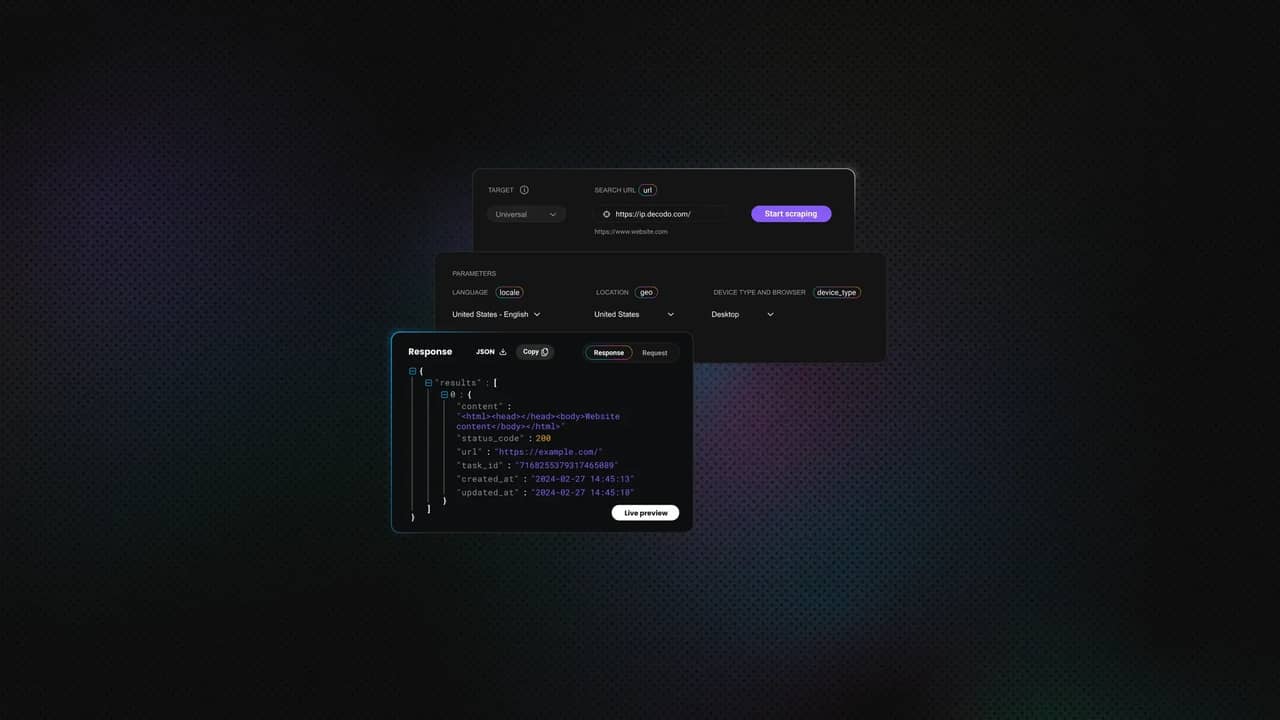
Thanks to the Decodo Web Scraping API, you don’t need to worry about handling browser automation for JavaScript rendering, proxy rotation, and anti-bot detection for production-grade scraping projects because it handles all web scraping bottlenecks and returns your required data with a single API call. This is helpful for at-scale web scraping projects. All you need to install beforehand is Beautiful Soup.
1. Sign up and log in to your Decodo account.
2. In the dashboard, select Web Scraping API and Pricing.
3. Choose a plan or start a free trial.
4. In the API Playground tab, select a target from the list or set it to Web.
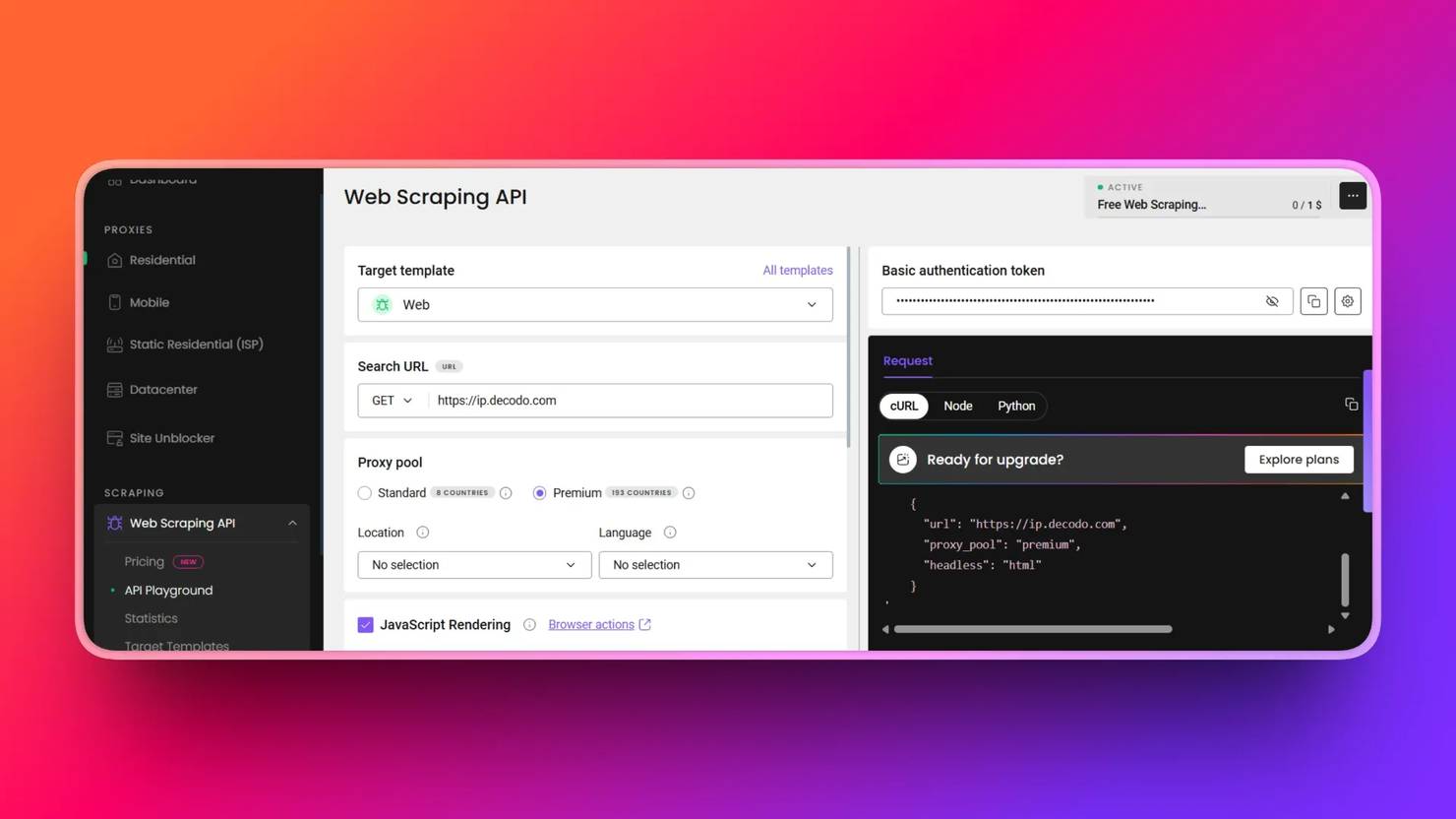
5. Copy and paste the necessary scraping parameters into your scraping script. These are the Web Scraping API endpoint, payload, headers, and authentication tokens. The starter code updates in real time as you fill in the fields specified in the API Playground:
6. Scrape your target page with a single request.post() call that returns the rendered HTML, which is parsed with Beautiful Soup:
7. Copy the full script:
8. Run your code with:
Here’s an example of the output:
Note: Always keep your scraping credentials, such as your Basic authentication token, in a .env file during production for safety.
Decodo’s Web Scraping API Key Features
- Built-in JavaScript rendering. No need to specify timeouts or page.wait_for_selector() in browser drivers to scrape JavaScript-loaded pages.
- CAPTCHA handling. Scrape pages behind Cloudflare’s CAPTCHA wall with ease using the API.
- Automatic proxy rotation. Efficiently manages its own rotating residential proxy pool. No need to maintain or manage proxies for anti-scraping bots.
- Geo-targeting. It supports 195+ countries, so anyone, anywhere in the world, has access to residential proxies embedded in the Web Scraping API call for safe scraping.
- Smarter pricing. Instead of locking you into a single setup, it lets you pick exactly what you need for each request, whether it's regular or premium proxies or JavaScript rendering. Hence, you have full control over cost.
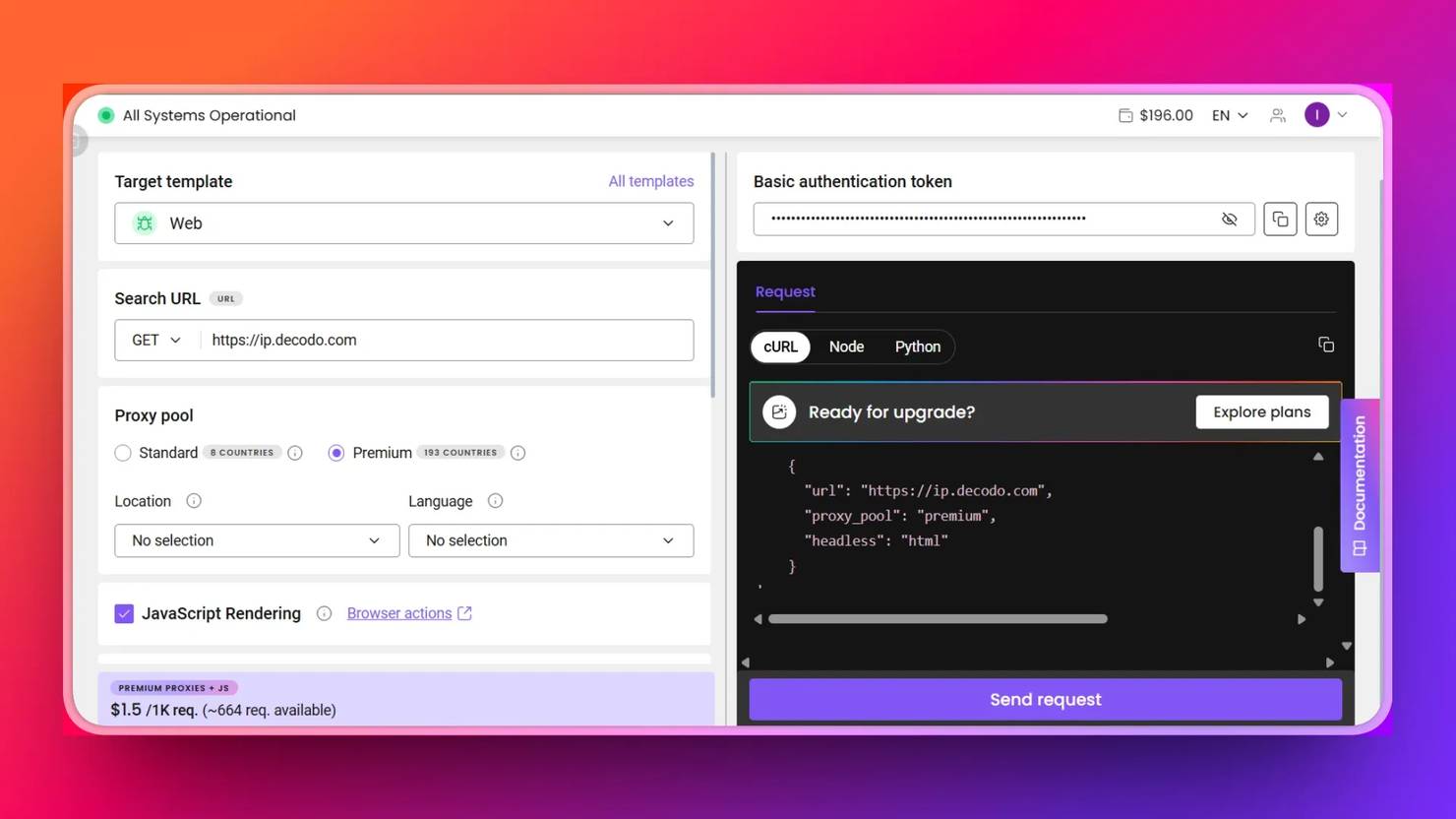
While the do-it-yourself (DIY) approach burdens you with browser installation, waiting and blocking, and driver management, the Web Scraping API eliminates these burdens and scrapes your target successfully with a single call. This is especially valuable when scraping at scale.
Here’s an overview of all solutions to Beautiful Soup issue of not waiting for page to load:
Solution
Use case
Limitation
Selenium
Automating interaction with JavaScript-heavy websites
More resource-intensive and slower compared to modern tools
Playwright
Fast and reliable automation for dynamic, JavaScript-rendered pages
Requires setup and can be detected without proper anti-bot measures
requests-html
Simple rendering for small-scale or one-off JavaScript scraping
Relies on time-based waits, which are less reliable than built-in smart waiting
Decodo Web Scraping API
Production-ready solution for extracting JavaScript-rendered content at scale
Paid service, though it offers a free trial and flexible pricing

Skip the boilerplate
Decodo's Web Scraping API handles CAPTCHAs, rotates proxies, and evades anti-bot systems so your requests succeed.
Final thoughts
Modern JavaScript-rendered pages load content through XHR, fetch requests, client-side rendering, and lazy loading, which Beautiful Soup can’t handle because it doesn’t execute JavaScript. Understanding this helps you avoid spending time searching for non-existent wait solutions within Beautiful Soup itself.
To handle JavaScript-rendered pages effectively, use Selenium for heavily interactive sites, Playwright for modern asynchronous scraping, requests-html for quick prototypes, or Decodo Web Scraping API for production-grade workflows.
Decodo Web Scraping API also returns data in multiple formats, including JSON, CSV, PNG, XHR, and Markdown, making it easy to integrate directly into data pipelines and AI-driven workflows.
About the author

Lukas Mikelionis
Senior Account Manager
Lukas is a seasoned enterprise sales professional with extensive experience in the SaaS industry. Throughout his career, he has built strong relationships with Fortune 500 technology companies, developing a deep understanding of complex enterprise needs and strategic account management.
Connect with Lukas via LinkedIn.
All information on Decodo Blog is provided on an as is basis and for informational purposes only. We make no representation and disclaim all liability with respect to your use of any information contained on Decodo Blog or any third-party websites that may belinked therein.