Playwright vs. Selenium in 2026: Which Browser Automation Tool Should You Choose?
As websites become more dynamic and better at detecting automated traffic, choosing the right automation tool has become more challenging. At the same time, performance, reliability, and anti-detection capabilities matter more than ever. Two tools dominate the space: Selenium, a mature and widely adopted standard, and Playwright, a newer framework built for modern web apps. This guide compares them through practical use cases like web scraping and dynamic content extraction to help you decide which fits your needs best.

Dominykas Niaura
Last updated: Mar 27, 2026
10 min read
What is Selenium?
Selenium is one of the most widely used tools for browser automation. It allows developers to control a real web browser through code, which makes it useful for testing web applications and collecting data from websites.
History and evolution
Selenium was created in 2004 by Jason Huggins at ThoughtWorks. His goal was simple: automate repetitive browser testing.
Early versions used a tool called Selenium RC (Remote Control), which injected JavaScript into the browser to control it. This approach worked but had limitations, especially around browser security and stability.
In 2008, Selenium introduced WebDriver, which replaced RC and became the foundation of modern Selenium. Instead of injecting JavaScript, WebDriver communicates directly with the browser through a driver program.
The protocol later became part of the W3C WebDriver standard, which means browsers implement a common automation interface.
Today, Selenium 4 continues to evolve with support for WebDriver BiDi, a newer bidirectional protocol that enables real-time communication between automation scripts and the browser.
Architecture
Selenium follows a client–server architecture.
At a high level, the communication flow looks like this:
Test script → WebDriver client → browser driver → browser
Here is how each part works:
- Test script. The automation code written in languages like Python, Java, or JavaScript.
- WebDriver client. A language-specific library that sends commands using the WebDriver protocol.
- Browser driver. A small executable that translates WebDriver commands into instructions for the browser. Examples include ChromeDriver and GeckoDriver.
- Browser. The actual browser instance being automated.
When your script tells Selenium to click a button or load a page, the command travels through this chain until it reaches the browser.
Managing browser drivers can sometimes be tricky because their versions must match the browser version installed on the machine.
Because Selenium works with real browsers, it's commonly used not only for testing but also for automation tasks like web scraping with Python.
For running tests at scale, Selenium also provides Selenium Grid, which allows tests to run across multiple machines and browsers in parallel.
Core components
The Selenium ecosystem includes several tools:
- Selenium WebDriver. The main API used to automate browsers and interact with web pages. It lets you open pages, click elements, fill forms, run JavaScript, and extract data from the DOM.
- Selenium IDE. A browser extension that records actions performed in the browser and converts them into test scripts. It's useful for quick test creation, debugging, or learning Selenium basics without writing code from scratch.
- Selenium Grid. A system for running tests across multiple machines, browsers, and operating systems at the same time. It distributes tests to different nodes, which makes it possible to run large test suites in parallel and significantly reduce execution time.
Together, these components form a flexible automation toolkit. Developers can start with simple scripts using WebDriver and later expand their setup with tools like Grid when they need to scale testing across multiple environments.
What is Playwright?
Playwright is a modern browser automation framework designed for reliability, speed, and ease of use. Like Selenium, it allows developers to control browsers through code, but it was built with newer web technologies and testing needs in mind.
History and evolution
Playwright was released in 2020 by engineers at Microsoft, including several developers who previously worked on Puppeteer, Google’s browser automation library.
While Puppeteer originally focused on controlling Chromium through the Chrome DevTools Protocol (CDP), Playwright expanded the concept to support multiple browsers such as Chromium, Firefox, and WebKit using a unified API.
The project quickly gained popularity thanks to its modern design and built-in features that simplify common automation tasks. Instead of relying on a large ecosystem of third-party tools, Playwright integrates many capabilities directly into the framework.
Development is also very active, with frequent releases that add new browser features, debugging tools, and performance improvements.
Architecture
Playwright takes a different architectural approach than Selenium.
Instead of communicating through a separate browser driver, Playwright connects directly to the browser using a WebSocket-based protocol. This removes an extra layer between the automation script and the browser, which helps reduce complexity and latency.
Another key concept in Playwright is the browser context. A context is a lightweight, isolated session inside a browser. Each context behaves like a separate browser profile with its own cookies, storage, and permissions.
This design allows a single browser instance to run multiple independent sessions in parallel, which is useful for testing and automation tasks that require isolation.
Playwright also bundles browser binaries with the framework. This ensures that the automation environment always uses compatible browser versions, reducing the version mismatch issues that are common in older automation setups.
Because of its architecture and modern API, Playwright is used for both automated testing and large-scale automation tasks such as web scraping.
Core components
Playwright includes several built-in tools that support testing, debugging, and automation workflows.
- Playwright Test. A built-in test runner designed for modern browser testing. It supports parallel execution, automatic retries, fixtures, and detailed reporting.
- Codegen. A recording tool that observes your actions in the browser and automatically generates Playwright scripts. This makes it easy to prototype tests or learn the framework.
- Trace Viewer. A debugging tool that captures detailed execution traces. It includes screenshots, DOM snapshots, network logs, and timing information to help diagnose failures.
- Inspector. An interactive debugging interface that lets developers pause tests, inspect elements, and step through automation scripts in real time.
Together, these tools form a tightly integrated ecosystem. Instead of assembling separate tools for testing, recording, and debugging, developers can handle most automation tasks directly within Playwright.
Playwright vs. Selenium: Key features and capabilities
Both Selenium and Playwright can automate browsers effectively, but they differ in how certain features are implemented. The differences become especially noticeable in everyday tasks such as waiting for elements, debugging tests, or running parallel sessions. Below is a breakdown of the main capabilities and how the two frameworks approach them.
Browser support
Both tools support the major modern browsers, but their approaches differ:
- Selenium. Supports Chrome, Firefox, Safari, Edge, Opera, and older browsers. It can even work with legacy environments such as Internet Explorer through compatibility setups.
- Playwright. Supports Chromium, Firefox, and WebKit. The framework downloads and manages its own browser binaries to ensure compatibility.
Selenium supports a broader range of browser versions and environments. Playwright focuses on consistency by bundling tested browser versions with the framework.
Language support
Both frameworks support several programming languages used in automation and testing.
- Selenium. Supports Java, Python, C#, Ruby, JavaScript, and PHP.
- Playwright. Supports JavaScript/TypeScript, Python, Java, and .NET.
Selenium has wider language coverage overall. Playwright supports fewer languages, but its APIs are designed to behave consistently across them.
Waiting mechanisms
Handling page loading and dynamic content is one of the most common challenges in browser automation.
- Selenium. Requires explicit wait strategies such as WebDriverWait, implicit waits, or fluent waits to ensure elements are ready before interaction.
- Playwright. Includes automatic waiting in most actions. Before performing an interaction, the framework checks that the element is visible, stable, and ready to receive input.
Playwright reduces the need for manual waiting logic, which often leads to cleaner code and fewer timing-related failures.
Parallel execution
Running tests or automation tasks in parallel is important for performance and scalability.
- Selenium. Parallel execution typically requires setting up Selenium Grid or using third-party orchestration tools.
- Playwright. Parallel execution is built into the framework and uses browser contexts to run multiple isolated sessions within a single browser instance.
Playwright simplifies parallel testing by making it part of the default workflow, while Selenium usually requires additional infrastructure.
Network interception
Intercepting network traffic is useful for testing APIs, blocking resources, or modifying requests during automation.
- Selenium. Native support is limited. Developers often rely on proxy tools or Chrome DevTools Protocol integrations to intercept requests.
- Playwright. Provides a built-in API for intercepting, mocking, modifying, or blocking network requests.
Playwright offers first-class network interception features without requiring external tools.
Debugging tools
Debugging automation scripts can save significant time when tests fail or behave unpredictably.
- Selenium. Debugging often relies on logs, screenshots on failure, and external tools.
- Playwright. Includes built-in debugging tools such as Trace Viewer, Inspector, video recordings, and DOM snapshots for step-by-step analysis.
The key difference is that Playwright provides a richer built-in debugging environment, while Selenium typically relies on external tooling and logging.
Direct comparison: Performance, setup, and architecture
While both frameworks automate browsers effectively, their internal design leads to differences in performance, setup complexity, and scalability. These factors often matter most when choosing a tool for production workflows such as automated testing or data extraction.
Performance comparison
One of the biggest architectural differences between Selenium and Playwright affects execution speed:
- Selenium. Uses an HTTP-based WebDriver protocol. Each browser command travels through multiple layers and is sent as a separate HTTP request.
- Playwright. Communicates with the browser through a persistent WebSocket connection, which allows faster bidirectional communication.
In action-heavy scripts that perform many interactions, Playwright often runs two to three times faster than Selenium. However, the difference can become smaller when automation runs on remote infrastructure, such as cloud testing platforms, where network latency dominates execution time.
Setup and installation
The initial setup process is another area where the two frameworks differ.
- Selenium. Requires installing the client library and managing browser drivers such as ChromeDriver or GeckoDriver. Newer versions use Selenium Manager to simplify this process, but driver management can still add complexity.
- Playwright. Installs everything through a single command that downloads the framework and compatible browser binaries.
Example installation:
Playwright follows a "batteries included" approach, which often reduces setup friction, especially for new users.
Architecture deep dive
The two tools follow different architectural models.
Selenium architecture: Script → WebDriver client → browser driver → browser
This layered design relies on browser drivers to translate WebDriver commands into instructions that the browser understands.
Playwright architecture: Script → browser via WebSocket
Playwright removes the intermediate driver layer and communicates directly with the browser process.
Fewer layers typically mean fewer components that can fail or introduce delays during automation.
If you want to better understand how browsers are automated under the hood, it also helps to understand headless environments. See our guide on headless browsers to learn how they work and why they are commonly used in automation.
Resource usage
The frameworks also differ in how they manage browser sessions.
- Selenium. Each automated session usually launches a full browser instance. This provides strong isolation but increases memory usage.
- Playwright. Uses browser contexts, which are lightweight sessions inside a single browser process.
Since contexts share the same browser process, Playwright can often run more concurrent sessions on the same machine while using fewer system resources.
Setting up and running your first automation script
To make the comparison practical, let’s use the same scraping task in both tools: open the GitHub page for the Playwright repository and extract a couple of details from it. This makes it easier to compare setup, syntax, and proxy handling side by side.
Selenium setup
To get started with Selenium, you need:
- Python 3.8+
- Chrome or Firefox installed
- Proxies
Install Selenium with this command in your terminal:
Selenium also needs a browser driver. In current versions, Selenium Manager can often handle this automatically, which reduces manual setup. You can still download and manage drivers yourself if needed, for example by installing ChromeDriver manually and pointing Selenium to its path.
Proxy setup for scraping
For real-world scraping, using proxies is essential.
Residential proxies route your traffic through real user devices, making requests appear more natural and helping avoid blocks, rate limits, and anti-bot systems. They are especially important when working with sites that actively monitor traffic patterns.
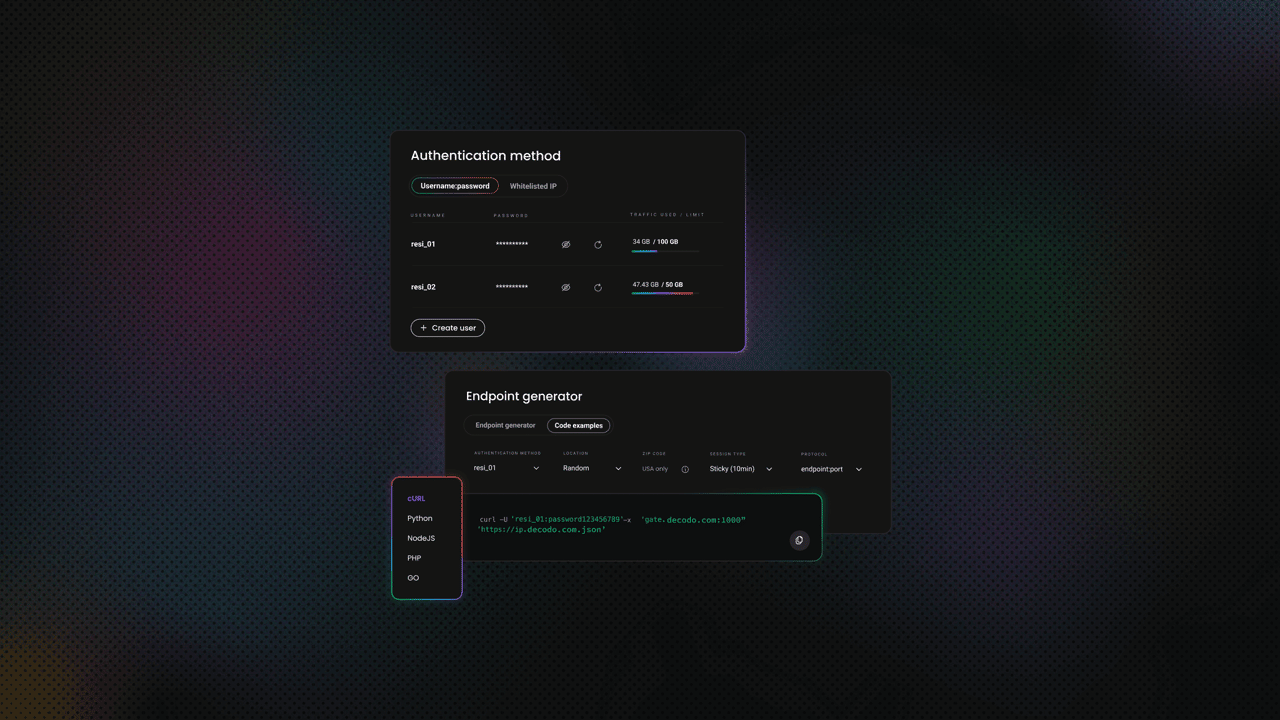
Decodo offers high-performance residential proxies with a 99.92% success rate, response times under 0.6 seconds, and geo-targeting across 195+ locations. Here's how to get started:
- Create your account. Sign up at the Decodo dashboard.
- Select a proxy plan. Choose a subscription that suits your needs or start with a 3-day free trial.
- Configure proxy settings. Set up your proxies with rotating sessions for maximum effectiveness.
- Select locations. Target specific regions based on your data requirements or keep it set to Random.
- Copy your credentials. You'll need your proxy username, password, and server endpoint to integrate into your scraping script.

Get residential proxies for web scraping
Unlock superior scraping performance with a free 3-day trial of Decodo's residential proxy network.
Selenium example script
Here’s a simple scraping script that opens a GitHub repository page through a proxy and extracts the repository name and "About" description:
This script reflects how Selenium automation typically works in practice:
- Browser configuration comes first. You define options before launching the browser. The proxy is passed as a command-line argument, but with authenticated residential proxies, there’s an extra step. With Decodo, you’ll either need to whitelist your IP in the dashboard or enter your credentials manually when the browser prompts you.
- Each step is explicit. You manually control the flow: open the page, wait for it to load, then locate elements. The implicitly_wait(60) call tells Selenium to retry element lookups for up to 60 seconds, but more precise control often requires explicit waits, which adds extra code.
- Element selection is straightforward but forgiving. The find_element() function returns the first match it finds. This makes simple scripts easy to write, but it can hide issues when multiple elements match the same selector. The script may still run, but not always return the intended data.
- Everything runs through the WebDriver layer. Each action, such as navigation or element lookup, is sent through the WebDriver protocol to the browser driver. This layered communication model is reliable, but it adds overhead and can make debugging slightly less transparent.
Selenium script response
Running the script returns:
Selenium returns clean, trimmed text by default, which makes the output immediately usable without additional processing.
Playwright setup
To use Playwright with Python, you need:
Install everything by running the following two commands in your terminal:
Playwright installs browser binaries automatically, so there’s no need to manage drivers separately.
Playwright example script
Here’s the same scraping task using Playwright and the same proxy:
Here’s how this Playwright script works and how it differs from the Selenium version:
- Proxy setup is built into browser launch. Unlike Selenium, Playwright lets you pass the proxy server, username, and password directly when starting the browser, so authenticated proxies are handled more cleanly.
- The script flow is similar, but a bit more streamlined. You launch the browser, open a page, and extract data from locators, all within one context-managed block that closes the browser automatically at the end.
- Element handling is stricter. Playwright expects locators to resolve clearly, and if a selector matches multiple elements, it can raise an error instead of silently picking one. This makes weak selectors easier to catch early.
- Waiting is more automatic. While Selenium often relies on waits you configure yourself, Playwright usually waits for elements as part of its built-in behavior, which reduces boilerplate.
Playwright script response
Running the same task with Playwright returns:
Both scripts successfully extract the same data, but the output formatting differs slightly. Playwright returns the raw text content, including leading whitespace, while Selenium’s .text property trims it automatically. This is a small but practical difference to be aware of when cleaning or processing scraped data.
Running in headless mode
Headless mode means running a browser without a visible user interface. The browser still loads pages, executes JavaScript, and renders content just like a normal browser, but nothing is displayed on screen.
This is commonly used in automation and scraping because it:
- uses fewer system resources
- runs faster without UI rendering overhead
- works well on servers or cloud environments where no display is available
Selenium
When using Selenium, headless mode must be enabled through browser options:
Headless mode can be less practical in Selenium with authenticated proxies. If the browser expects manual proxy login, the script may stall because no authentication window is available. In this case, IP whitelisting is the more reliable option for headless runs.
Playwright
With Playwright, headless mode runs by default. To debug visually, you can switch to headful mode:
In practice, Playwright requires less setup for headless execution, while Selenium gives you more explicit control over how the browser is launched.
Cross-platform execution and real device considerations
Both Selenium and Playwright are designed to run across different environments, but they take slightly different approaches when it comes to browser consistency, mobile behavior, and real device testing.
Operating system support
Both tools support the main operating systems: Windows, macOS, and Linux. They can also run inside Docker containers, which helps create consistent environments across machines.
For automation workflows, both integrate well with CI/CD tools such as GitHub Actions, GitLab CI, and Jenkins. This makes it easy to run scraping or testing scripts on a schedule or as part of a deployment pipeline.
Browser version management
This is one of the more practical differences between the two tools:
- Selenium. Requires browser drivers (such as ChromeDriver) that match the version of the installed browser. Even with Selenium Manager handling this automatically, mismatches can still happen across environments.
- Playwright. Downloads and uses its own bundled browser versions, which are tested to work with the framework.
Playwright’s approach reduces "works on my machine" issues, since the browser version is consistent across development, testing, and production environments.
Mobile emulation
Modern websites often behave differently on mobile devices, so emulation can be important:
- Playwright. Includes built-in device emulation. You can simulate mobile devices by adjusting viewport size, user agent, and touch support with a single configuration.
- Selenium. Has limited native support. Basic emulation is possible through browser options, but more advanced mobile testing typically requires integration with Appium.
Some websites return different layouts or even different data when accessed from a mobile device. Being able to switch between desktop and mobile contexts can help bypass certain limitations or extract alternative views of the same content.
Real device testing
Emulation is useful, but it doesn’t always match real-world behavior. Some websites:
- detect browser fingerprints
- apply stricter checks to automated traffic
- serve device-specific content
In these cases, testing on real devices or real browser environments becomes important.
This is where cloud device labs come in. They provide access to real browsers and devices running in remote environments, which helps validate how your scripts behave under real conditions.
Device configuration approach
Here’s how each tool approaches configuring devices and browser environments for testing and scraping:
- Playwright. Provides predefined device descriptors that bundle settings like viewport, user agent, and input type into a single configuration.
- Selenium. Requires more manual setup. You typically configure user agents, window sizes, and other parameters separately.
Overall, both tools can run across platforms and environments, but Playwright leans toward consistency and convenience, while Selenium offers flexibility at the cost of more configuration.
Strengths and weaknesses
Both Selenium and Playwright are capable tools, but they take different approaches. The right choice depends on your priorities, team experience, and the complexity of your use case.
Playwright strengths
Playwright is designed as a modern automation framework with many features built in from the start:
- Auto-waiting reduces flaky scripts. Actions wait for elements to be ready, which removes a lot of manual timing logic.
- Faster execution. Its WebSocket-based architecture reduces latency between commands.
- Built-in parallel execution. Browser contexts allow multiple sessions to run efficiently within one browser instance.
- Strong debugging tools. Tools like Trace Viewer and Inspector make it easier to understand failures.
- Network interception. You can block, modify, or mock requests without extra tools.
- Bundled browsers. No need to manage driver versions manually.
Playwright weaknesses
Despite its advantages, Playwright has some trade-offs:
- Smaller ecosystem. Compared to Selenium, there are fewer tutorials, plugins, and community resources.
- Limited browser range. Supports Chromium, Firefox, and WebKit, but not legacy browsers.
- Fewer third-party integrations. Especially in enterprise environments.
- Learning curve for Selenium users. Teams familiar with Selenium may need time to adjust.
- Larger install size. Bundled browsers increase the footprint.
Selenium strengths
Selenium has been around much longer and remains widely adopted:
- Large, mature community. Extensive documentation, examples, and support.
- Broad language support. Includes Java, Python, C#, Ruby, JavaScript, and PHP.
- Wide browser compatibility. Works with modern and legacy browsers.
- Rich ecosystem. Many plugins, integrations, and established workflows.
- Enterprise-ready. Proven patterns for large-scale testing environments.
- Mobile support via Appium. Enables full mobile automation beyond browser emulation.
Selenium weaknesses
Selenium’s flexibility comes with added complexity:
- Slower execution. The HTTP-based WebDriver protocol introduces overhead.
- Manual waiting logic. Requires explicit waits, which adds boilerplate code.
- Driver management. Still a source of friction, even with Selenium Manager.
- Higher resource usage. Each session typically runs a full browser instance.
- Limited debugging tools. Often relies on logs and screenshots.
- Network interception limitations. Requires workarounds or external tools.
Anti-detection considerations
Both tools can be detected by modern anti-bot systems if used as-is:
- Playwright. Can be enhanced with tools like playwright-stealth to reduce automation fingerprints.
- Selenium. Commonly paired with tools like undetected-chromedriver.
However, tool choice alone is not enough. For serious scraping tasks, avoiding detection depends heavily on infrastructure. Proxies, request patterns, and behavior simulation matter more than the automation framework itself. To enhance your scripts, look into anti-detection strategies.
Integrating proxies for reliable web scraping
So far, we've focused on the tools themselves. In practice, though, the success of a scraping project often depends less on the framework and more on how you handle IP rotation and detection. Proxies are a core part of that.
Why proxies matter
Most modern websites use basic anti-scraping protections. Without proxies, even simple scripts can get blocked quickly.
- IP-based rate limiting. Too many requests from one IP can trigger blocks or CAPTCHAs
- Geo-restrictions. Some content is only available from specific countries or regions
- Detection patterns. Datacenter IPs are easier to flag as automated traffic
- Request distribution. Rotating IPs spreads requests across multiple identities
Residential proxies help solve these issues by routing traffic through real user devices, which makes requests appear more natural and reduces the chance of detection. This becomes especially important in cases like eCommerce scraping, where platforms actively monitor traffic patterns, as discussed in our guide on using proxies for scraping Amazon.
Proxy integration with Playwright
Playwright includes built-in proxy support, which makes integration straightforward.
- Launch-level configuration. You can pass proxy settings directly when starting the browser
- Authentication support. Username and password can be included in the same configuration
- Per-context proxies. Different browser contexts can use different proxies, which is useful for multi-location scraping
This makes Playwright a good fit for workflows that rely heavily on proxy rotation or geo-targeting.
Proxy integration with Selenium
Selenium supports proxies as well, but the setup is less unified.
- Chrome options. Proxies are passed as browser arguments
- Firefox profiles. Proxy settings can be configured at the profile level
- Authentication handling. Often requires IP whitelisting or manual login prompts
- Extensions or tools. More complex setups may require browser extensions or intermediary proxies
In practice, this means proxy integration in Selenium can take more effort, especially when dealing with authenticated proxies or dynamic rotation.
Advanced proxy strategies
Once basic proxy usage is in place, more advanced patterns become important.
- Rotating proxies. Assign a new IP per request or per session for high-volume scraping
- Sticky sessions. Keep the same IP for a period of time when a site expects consistent identity
- Geo-targeting. Select IPs from specific countries, cities, or regions to access localized content
These strategies are often necessary when scraping at scale or working with more protected targets. For example, when facing stricter defenses like Google CAPTCHAs, combining proxy rotation with other techniques becomes essential.
When to choose Playwright vs. Selenium
Both tools are capable, but they fit different situations. Here’s a practical way to decide based on your use case and constraints.
Choose Playwright when
Playwright is a strong choice for modern projects and performance-focused workflows:
- Building new scraping or automation projects from scratch
- Working with JavaScript-heavy sites (React, Vue, Angular)
- Performance and speed are important
- You need lightweight parallel execution
- Network interception is required (mocking APIs, blocking resources)
- Your team uses JavaScript/TypeScript or Python
- You want a simpler setup with bundled browsers
- Debugging efficiency matters (Trace Viewer, Inspector)
Choose Selenium when
Selenium remains a solid option, especially in established environments:
- Maintaining existing Selenium-based infrastructure
- Requiring broader language support (Ruby, PHP, Java ecosystems)
- Testing legacy browsers or specific browser versions
- Your team already has Selenium experience
- Integration with Appium for mobile testing is needed
- Enterprise tooling and reporting integrations are important
- You prefer a mature, well-documented ecosystem
Choose a managed scraping solution when
Sometimes, the challenge is not automation itself, but everything around it:
- Anti-bot bypass is the main difficulty
- You don’t want to manage proxies, browsers, and infrastructure
- You need to scale across many targets and requests
- Reliability and uptime are business-critical
In these cases, using a managed solution like Decodo Web Scraping API can simplify the process by handling browser automation, proxy rotation, and anti-bot bypass for you.

Try Web Scraping API for free
Activate your free plan with 1K requests and scrape structured public data at scale.
If you’re exploring other scraping approaches, consider comparing such traditional tools like Scrapy and Beautiful Soup.
Learning resources and community support
Both Selenium and Playwright have strong learning resources, but they differ in maturity, structure, and the type of support you can expect.
Playwright resources
Playwright’s ecosystem is newer, but well-organized and actively maintained:
- Official documentation. Clear, structured, and regularly updated
- GitHub repository. Active issue tracking and discussions with contributors
- Community channels. Discord and other spaces for real-time help
Selenium resources
Selenium’s long history means you’ll often find answers to almost any problem, even if the information is spread across multiple sources:
- Official documentation. Very detailed, though sometimes harder to navigate
- Selenium Users Google Group. A long-standing community forum
- Stack Overflow. A large archive of questions and answers covering many edge cases
- Conference content. SeleniumConf talks and recordings from industry experts
- Books. Titles like Selenium WebDriver in Practice by Satya Avasarala and Hands-On Selenium WebDriver with Java by Boni Garcia
Community comparison
The main difference comes down to maturity versus modernity:
- Selenium. Larger, more established community with a wide range of legacy and enterprise-focused content
- Playwright. Smaller but fast-growing community with more up-to-date examples and patterns
Choosing learning paths
The right starting point depends on your background and goals:
- New to browser automation. Playwright is often easier to pick up due to its cleaner API and built-in features
- Enterprise or Java-focused work. Selenium has more established patterns and resources
- Python-based scraping. Both tools offer solid documentation and examples
If you’re just starting out, it also helps to understand the broader context of scraping itself, including common techniques and challenges like data extraction, parsing, and anti-bot systems.
Final thoughts
Playwright and Selenium both solve the same core problem, but they approach it from different angles. Playwright focuses on modern web automation with a streamlined setup, built-in features, and better handling of dynamic content. Selenium, on the other hand, offers flexibility, broad compatibility, and a mature ecosystem that fits well into existing workflows and enterprise environments.
In practice, the choice comes down to your priorities. If you’re starting fresh and want speed, simplicity, and strong defaults, Playwright is often the better fit. If you’re working within an established stack, need wider language or browser support, or rely on existing tooling, Selenium remains a solid and reliable option. Regardless of the tool, long-term scraping success depends less on the framework and more on how well you handle real-world challenges like proxies, scaling, and detection.
About the author

Dominykas Niaura
Technical Copywriter
Dominykas brings a unique blend of philosophical insight and technical expertise to his writing. Starting his career as a film critic and music industry copywriter, he's now an expert in making complex proxy and web scraping concepts accessible to everyone.
Connect with Dominykas via LinkedIn
All information on Decodo Blog is provided on an as is basis and for informational purposes only. We make no representation and disclaim all liability with respect to your use of any information contained on Decodo Blog or any third-party websites that may belinked therein.