What Is a Characteristic of the REST API? A Complete Guide
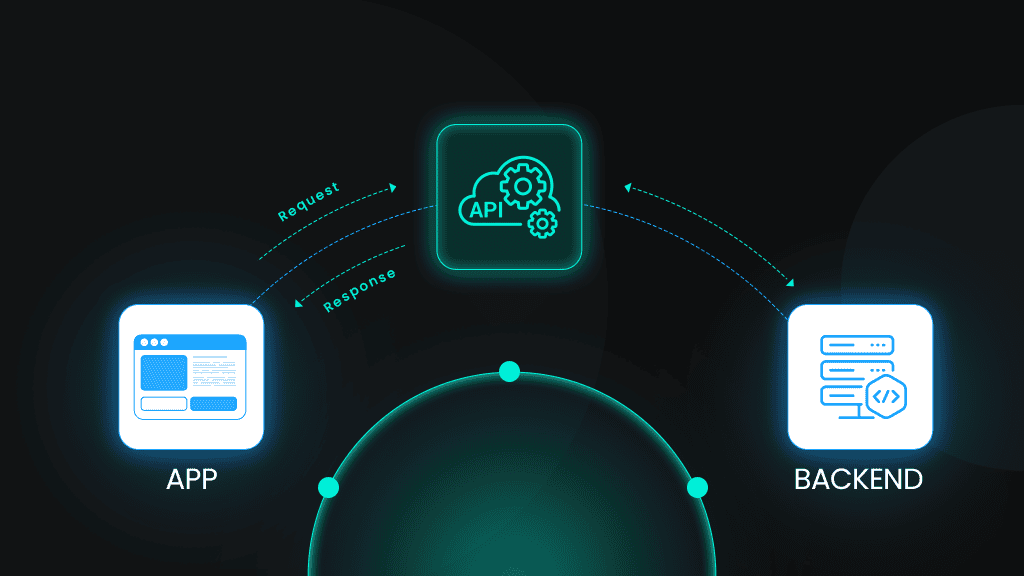
You've likely encountered “REST API” in documentation, job descriptions, or technical discussions, but what is a characteristic of the REST API? While APIs power everything from mobile apps to enterprise integrations, most developers implement them, ignoring their architectural constraints. In this guide, we'll break down the six characteristics of REST APIs from Roy Fielding's 2000 dissertation and explain why they matter for building scalable, maintainable systems.

Vilius Sakutis
Last updated: Apr 13, 2026
10 min read

Quick reference: the six REST constraints
REST APIs are defined by the following architectural features:
REST API feature
What it means
Client-server
UI and business logic live separately and evolve independently
Stateless
Every request carries all context; the server holds no session state
Cacheable
Responses explicitly declare whether they can be cached
Uniform interface
Standardized methods, resource URIs, and self-descriptive messages
Layered system
Intermediaries (proxies, gateways) can sit between client and server invisibly
Code-on-demand
The server can optionally send executable code to extend client behavior
Now, let's take an in-depth look at each REST API principle
1. Client-server architecture: Separating concerns for flexibility
REST enforces a strict separation between the client (UI) and server (data and logic). This decoupling is what makes REST systems flexible and maintainable over time. The client focuses purely on presentation and user interaction, while the server handles persistence, validation, and business rules.
Here's what this means in summary:
- Client. Handles presentation, user input, and rendering. Think web browsers, mobile apps, or automated scripts consuming an API.
- Server. Manages data persistence, validation, authentication, and business rules.
- Communication boundary. The only touchpoint between the two is the API contract, including agreed-upon endpoints, HTTP methods, and data formats.
This separation means your frontend team can ship a completely redesigned React app without touching the backend, and your backend team can refactor the database schema without breaking clients, as long as the API contract holds.
Teams working on large codebases adopt separate repositories for frontend and backend.
Decoupled concerns also mean decoupled scaling. Your API server tier can autoscale horizontally to meet demand, while your frontend CDN handles static assets – completely independent of each other.
Here's an example demonstrating a clean boundary where the client handles input and communication, then the server handles logic and data:
In this case, the client knows nothing about how the server stores the order, validates inventory, or charges the payment processor. The server knows nothing about how the client renders the confirmation screen. That's the separation working as intended.
When building data pipelines that consume REST APIs, scrapers and ETL jobs act as clients. They interact with the API contract, not the underlying infrastructure. Web scraping APIs like Decodo abstract this further and give you a client-layer interface to structured web data without needing to manage the scraping infrastructure yourself.

Never hit a rate limit
Decodo's Web Scraping API rotates IPs, handles retries, and bypasses blocks automatically with every request.
2. Statelessness: Self-contained requests for scalability
This REST API property simplifies server architecture and enables horizontal scaling. It requires that every HTTP request from client to server be entirely self-contained. The server must be able to process the request without any memory of previous requests from that client.
Here's what this means:
- Any server in a cluster can handle any request. No session affinity needed.
- You can add servers behind a load balancer without coordination overhead.
- If a server crashes mid-deployment, the next request naturally routes to another node, so failures don't disrupt user sessions.
- Every request must include all data needed for processing: authentication credentials, query parameters, body payload, and relevant context.
- Request A and B are treated as completely unrelated events, even if they arrive milliseconds apart from the same IP address.
In practical terms, this means the server never stores session data between requests. If the client authenticated in request #1, it must re-authenticate in request #2. There's no "logged in" state on the server.
Here are the authentication methods in a stateless model:
- Bearer tokens (JWT). Client stores the token and sends it in every request via Authorization: Bearer <token>. The server verifies the token cryptographically. No database lookup required.
- API keys. Simple string passed in a header (X-API-Key) or query parameter.
- HMAC-signed requests. Client signs each request with a secret key; server verifies the signature. Notably used by major platforms like Amazon Web Services (AWS) and Stripe.
Here's an example of an authenticated HTTP request to an API endpoint:
Even if the client previously requested page 1, the server treats this as a completely new request.
Statelessness is suitable for high-frequency environments like scraping data on Google, where thousands of independent requests must be processed reliably without getting blocked.
Some of the trade-offs to be aware of include:
- Slightly larger payloads since authentication/context is repeated. Auth tokens add ~200-500 bytes per request.
- Pagination cursors, form data, and UI state are the client's responsibility.
- There's complexity with token expiry as JWTs need refresh flows while API keys need rotation policies.
3. Uniform interface: Standardized interactions with resources
The uniform interface is the defining feature of REST APIs. It's the set of rules that enables any developer to pick up an unfamiliar API and immediately have a mental model for how to interact with it. Without uniformity, every API becomes its own protocol.
REST relies on the following standard HTTP methods:
Method
Action
Idempotent?
Example
GET
Retrieve resource
Yes
GET /products/42
POST
Create resource
No
POST /products
PUT
Replace resource
Yes
PUT /products/42
PATCH
Partial update
No
PATCH /products/42
DELETE
Remove resource
Yes
DELETE /products/42
Note: PATCH wasn't in the original HTTP spec but is widely used. Idempotency depends on implementation.
This REST API constraint has four sub-constraints that together define the interface contract.
Sub-constraint 1: Resource identification and representation
This sub-constraint dictates that every resource in a REST API must be uniquely identifiable via a URI. The representation sent over the wire (JSON, XML) is distinct from the resource itself. Getting URIs right is important since bad URI design can create friction for every developer who uses your API.
Good URI design must follow these consistent principles:
- Use nouns (resources), not verbs (actions): /products not /getProducts
- Use plural nouns for collections: /orders not /order
- Use lowercase and hyphens: /product-categories not /ProductCategories
- Nest related resources logically: /customers/123/orders
- Avoid deeply nested URIs that reduce readability, like /api/v1/regions/us-west/warehouses/12/inventory/items/sku-456
Resource vs. representation
This distinction trips up many developers.
- The resource is the conceptual entity: a customer, an order, a product
- The representation is the serialized data format sent over HTTP, which could be JSON, XML, or something else entirely
- The same customer resource can be represented as JSON for a web client, XML for a legacy SOAP integration, and Protocol Buffers for an internal gRPC microservice; all from the same endpoint
JSON as the de facto standard
JSON has become dominant for the following reasons:
- It's human-readable, lightweight, and language-agnostic
- JavaScript parses it natively, and every major language has mature JSON libraries
- XML still exists in legacy enterprise systems, but modern public APIs ship JSON by default
Content negotiation example
Clients can request their preferred representation format using the Accept header as shown in the example below:
Note: This example shows a simple HTTP GET request and response cycle where a client asks for data in JSON format and the server returns it.
If a client sends Accept: application/xml, a well-designed API returns XML: same resource, different representation, same URI.
Sub-constraint 2: Manipulation through representations
Clients don't directly modify server-side resources. Instead, they send updated representations of those resources and let the server apply the changes. This keeps the interface clean and consistent.
When a client wants to update a product, it sends a representation of what it wants the product to look like, and the server decides how to translate that into the underlying data store, as shown below:
This example shows how an HTTP PATCH request works, specifically for partially updating a resource.
Sub-constraint 3: Self-descriptive messages
Every request and response in a RESTful system must contain enough information to describe how to process it. The receiver should never need out-of-band knowledge to handle the message.
In practice, this means:
- HTTP headers carry metadata that describes the message: Content-Type, Authorization, Accept, Cache-Control
- Status codes communicate the outcome semantically (200 OK, 404 Not Found, 429 Too Many Requests)
- The body format is declared, not assumed
A server receiving this request has everything it needs: the body format, authentication credentials, response format preference, and deduplication key. No session lookup required.
Sub-constraint 4: HATEOAS – hypermedia-driven navigation
HATEOAS (Hypermedia As The Engine Of Application State) is a foundational requirement of the Uniform Interface REST constraint. It dictates that API responses include links to related resources and available actions, so the client can navigate the API dynamically without hardcoding URLs.
Think of it like HTML. A browser doesn't need to know every URL on a website up front. It follows links. HATEOAS applies the same principle to API clients.
Here's how it works:
- Response contains not just data, but also a _links (or links) object
- Each link declares a relationship: self, next, edit, delete, related
- Client follows links rather than constructing URLs manually
Why uniformity matters for developer experience
When APIs follow these conventions, the learning curve reduces:
- Developers can understand a new API quickly because the patterns are shared across the industry
- Tools like Postman, cURL, and SDK generators work across different APIs without customization
- Reduces cognitive load when integrating multiple third-party services simultaneously.
Example:
This example shows a HATEOAS-style API response.
The client doesn't need to know that cancellation lives at /orders/{id}/cancel. It reads the cancel link from the response.
The benefits of hypermedia-driven navigation include:
- Discoverability: The API is partially self-documenting through its own responses.
- Evolvability: Server can change URL structure; clients follow links and adapt automatically.
- Reduced coupling: Client doesn't need to embed API internals in its code.
Here is a reality check:
Most APIs labeled as REST don't implement HATEOAS, including many widely-used ones like GitHub's, Stripe's, and Twilio's. Instead, they rely on documentation rather than hypermedia controls for navigation.
It adds significant implementation complexity to both server and client. In practice, HATEOAS is most valuable for:
- Large public APIs where backward compatibility is a hard requirement
- APIs are consumed by many independent clients over long time scales
For internal APIs or tightly-coupled systems with controlled clients, the added complexity rarely justifies the benefit.
4. Cacheability: Improving performance and reducing server load
Caching is one of the biggest performance levers available to API designers, and REST makes it a first-class constraint. This REST API principle follows that responses must explicitly declare whether they can be cached.
Intermediaries such as browsers, CDNs, and proxies can store and reuse responses without ambiguity, so your API infrastructure handles a fraction of the raw request volume.
Why caching matters
- Reduces latency for repeated requests
- Decreases server load during traffic spikes
- Saves bandwidth for clients on limited connections
- Improves perceived performance for end users, which enhances user experience
How REST defines cacheability
REST doesn't mandate caching. It provides the mechanism for APIs to opt in or out explicitly. Servers can declare cacheability via HTTP headers. Without explicit cache headers, clients should assume the response isn't cacheable to avoid the dangerous default of silently caching stale data.
Here are key caching headers alongside their purpose:
Caching header
Purpose
Example
Cache-Control
Primary caching directive
public, max-age=3600
ETag
Unique version identifier for a resource
"d8e8fca2dc0f896fd7cb4cb0031ba249"
Last-Modified
Timestamp of last resource change
Wed, 15 Mar 2025 10:00:00 GMT
Expires
Legacy expiration timestamp
Thu, 16 Mar 2025 10:00:00 GMT
Vary
Which request headers affect the cache key
Vary: Accept-Encoding, Accept
Here's an example of caching a product listing API response.
This response can be cached publicly for 1 hour, and served stale for an additional 60 seconds while it revalidates in the background.
Conditional requests
Conditional requests let clients check whether a cached response is still fresh without downloading the full body if it hasn't changed, which can save significant bandwidth for large payloads while ensuring freshness.
Here is how:
- Client sends If-None-Match: <etag> or If-Modified-Since: <timestamp>
- Server responds with 304 Not Modified if unchanged
Here is a classic example of HTTP caching using ETags:
The client gets confirmation that its cached copy is still valid at a fraction of the bandwidth cost.
Here are caching strategies by data type:
Strategy
TTL range
Appropriate for
Short-lived
5–60 seconds
For frequently changing data like stock prices, inventory counts, and live scores
Medium-lived
1–24 hours
For semi-stable data like product catalogs, user profiles, and documentation
Long-lived
Days to weeks
For static resources like images, documentation, historical records, and archived content
No caching
no-store
For user-specific data, payment data, and session-sensitive responses
5. Layered system: Intermediaries for scalability and security
The layered system constraint allows REST architectures to insert intermediary layers such as proxies, gateways, load balancers, and CDNs between client and server without the client needing to know or care. From the client's perspective, it's always talking directly to the API.
This constraint is what makes modern cloud infrastructure possible. Your API might sit behind a WAF, a CDN edge node, an API gateway, and three load-balanced application servers, and the client simply sends a request to api.example.com.
In brief:
- Multiple components can exist between the client and server
- Each layer only interacts with its immediate neighbors
- The client sees a single endpoint; the internal architecture is fully opaque
Here are the common intermediary layers and what they do:
- Load balancers. Distribute requests across multiple servers to allow horizontal scaling.
- API gateways. Handle authentication, rate limiting, request routing, and API versioning.
- Caching proxies. Store responses closer to clients (CDNs) to minimize latency and origin load.
- Security layers. WAFs, DDoS protection, SSL termination proxy, and OSWAP rule enforcement. To filter malicious traffic and forward unencrypted traffic internally.
Benefits of a layered system
- Scalability. You can scale individual layers independently. For instance, you can add CDN capacity without touching application servers.
- Security. You can hide internal infrastructure and enforce policies at the edge before requests reach your application.
- Flexibility. You can replace or upgrade individual layers (swap CDN providers, upgrade gateway) without client impact.
- Performance. CDNs reduce latency by serving cached content from edge locations
Transparency principle
The client sends identical requests regardless of what sits in between. Response format, status codes, and behavior remain consistent end-to-end. Meanwhile, internal scaling, security hardening, or infrastructure changes are invisible
Example:
The client sees only the final 200 OK. The entire infrastructure is transparent.
When building web scraping architectures that need to interact with APIs at scale, residential proxy networks can function as a layered system component for routing requests through distributed IP pools. Decodo's rotating residential proxy infrastructure is purpose-built for this use case, giving automated applications the ability to access APIs and web data reliably at high volume.
6. Code-on-demand: the optional REST API constraint
REST allows servers to extend client functionality by sending executable code (JavaScript, Java applets), the client downloads and runs it—code runs on the client side to extend or modify behavior.
Roy Fielding included it in his dissertation because early web architecture depended on it, but it's rarely relevant to modern JSON API design.
Historical context
When Fielding wrote his dissertation in 2000, this constraint described real patterns: Java applets downloaded from servers, DHTML widgets, and downloadable browser plugins. The web itself is a code-on-demand system – browsers download JavaScript from servers and execute it.
Modern browsers handle JavaScript natively as a matter of course, so the constraint is baked into web architecture by default rather than being a design decision APIs make explicitly.
Modern relevance
- The constraint is common in web applications that serve JavaScript bundles (SPA frameworks like React, Vue, etc.)
- It is rarely applicable to JSON APIs consumed by mobile apps, IoT devices, or backend services
- Some edge cases include: dynamically generated scripts, serverless function configurations, and some webhook payload formats
Why it's optional (and often skipped):
- Security. Executing server-provided code is a significant attack surface. CSP headers, sandboxing, and code signing add complexity.
- Client environment constraints. Mobile apps, embedded devices, and IoT clients often can't execute arbitrary code.
- Unnecessary complexity. For most CRUD APIs, no use case justifies the security risk.
A heads up: If you're building a JSON REST API for consumption by mobile or backend clients, you can safely ignore this constraint. If you're building a web application that serves a JavaScript frontend, you're already implementing it.
REST API design best practices and conventions
Understanding what a characteristic of a REST API is the first step. You need to know how to apply them consistently to produce APIs that developers actually want to use. Here are the best practices and conventions that matter most in practice.
HTTP method best practices
Method semantics matter. Using the wrong verb can create confusion and break client-side behavior like browser caching and idempotent retry logic. Each method carries an implicit contract that developers and infrastructure rely on.
- Use methods according to their semantics. GET for reads, POST for creates, PUT for full replacements, DELETE for removals.
- GET and DELETE shouldn't have request bodies. Many proxies and servers strip them silently.
- Use POST for actions that don't fit CRUD. For instance, canceling an order, triggering a report, or resending a notification: POST /orders/123/cancel.
- PUT should replace the entire resource. Send PATCH when you only want to update specific fields.
Status code reference
Code
Meaning
When to use
200 OK
Request succeeded
Successful GET, PUT, PATCH
201 Created
Resource created
Successful POST that creates a resource
204 No Content
Success, nobody
Successful DELETE
400 Bad Request
Client error
Malformed request, validation errors
401 Unauthorized
Auth required
Missing or invalid authentication
403 Forbidden
Auth present, permission denied
Authenticated but not authorized
404 Not Found
Resource doesn't exist
Resource missing or ID invalid
409 Conflict
State conflict
Duplicate resource, concurrent modification
422 Unprocessable Entity
Semantic validation failure
Request is syntactically valid but fails business rules
429 Too Many Requests
Rate limit exceeded
Include Retry-After header
500 Internal Server Error
Server-side failure
Never leak stack traces to clients
URI naming conventions
URI design directly affects API usability. Good URIs are predictable, consistent, and intuitive. Developers should be able to guess them before reading the docs.
Clear conventions matter because URI inconsistency forces developers to constantly reference documentation.
- Use lowercase letters and hyphens: /product-categories
- Avoid trailing slashes. Be consistent either way
- Use plural nouns for collections: /users, /orders
- Don't include file extensions: /users/123 not /users/123.json
- Version via path or header: /v1/users or Accept: application/vnd.api.v1+json
Here is an example of the core principles of RESTful URI design in practice:
Error response structure
Error responses deserve as much design attention as success responses. A well-structured error tells the client exactly what went wrong, where, and how to fix it without leaking internals. Client developers can write generic error-handling logic once and apply it across all endpoints.
- Include error type, message, and documentation link
- Provide field-level errors for validation failures
- Use a consistent structure across all endpoints
Here is a JSON error response from an API indicating that the request sent didn't pass validation.
Follow these key principles:
- Include a machine-readable error code (not just the HTTP status)
- Include a human-readable message for logging and debugging
- Provide field-level errors for validation failures
- Always include a request_id to make support debugging tractable
- Link to documentation for complex error types
Documentation essentials
An API without documentation is a black box. No matter how well-designed the interface is, developers need a reference. Good API documentation can accelerate integration and reduce support burden.
- Use OpenAPI/Swagger for interactive documentation
- Include request/response examples
- Document authentication requirements
- List rate limits and quotas
REST vs. alternatives: When to use what
REST works well for CRUD-heavy APIs, public-facing services with diverse clients, and systems where HTTP caching provides meaningful performance benefits. But for complex data requirements or high-performance microservice communication, other styles have real advantages worth considering before committing to an architecture.
Here is a brief comparison of REST vs alternatives:
Approach
Best for
Trade-offs
REST
CRUD operations, public APIs, browser-based apps
Can be chatty for complex nested queries
GraphQL
Complex data requirements, mobile apps needing flexible queries
Higher learning curve, caching complexity
gRPC
Microservices, real-time streaming, performance-critical internal APIs
Not browser-native, requires Protobuf schema
SOAP
Enterprise systems, strict contracts, legacy integration
Verbose, heavyweight, complex tooling
WebSockets
Real-time bidirectional communication
Stateful – breaks the REST statelessness constraint
Final thoughts
These six REST API features aren't arbitrary rules. They're architectural decisions that collectively produce scalable, maintainable, evolvable systems. Fielding derived them from studying what made the web itself scale, which is why they still hold up 25 years later.
In practice, few APIs implement all six perfectly. HATEOAS is widely skipped. Code-on-demand is rarely relevant. But understanding the full constraint set helps you make intentional trade-offs rather than accidental ones.
If you're consuming APIs at scale, whether for data collection, analytics pipelines, or integrations, the REST properties that matter most are statelessness (which makes your client logic simpler), cacheability (which reduces request volume and latency), and the layered.
Build with the constraints in mind, and your API will be easier to consume, easier to scale, and easier to evolve.

Scale without getting blocked
Combine residential proxies with your REST client to collect data from any target, anywhere.
About the author

Vilius Sakutis
Performance Marketing Team Lead
Vilius leads performance marketing initiatives with expertize rooted in affiliates and SaaS marketing strategies. Armed with a Master's in International Marketing and Management, he combines academic insight with hands-on experience to drive measurable results in digital marketing campaigns.
Connect with Vilius via LinkedIn
All information on Decodo Blog is provided on an as is basis and for informational purposes only. We make no representation and disclaim all liability with respect to your use of any information contained on Decodo Blog or any third-party websites that may belinked therein.