How to Build an LLM Visibility Tracker in Python
An LLM visibility tracker sends the same prompts to AI answer engines on a schedule and logs whether each answer mentions your brand, cites your site, and names competitors. Buyers ask ChatGPT and Google AI Mode for recommendations, and answers vary from run to run, so one check says little. Build it in Python on Decodo's AI templates, code included.

Zilvinas Tamulis
Last updated: Nov 20, 2026
27 min read

TL;DR
- Measure LLM visibility as mention rate, citation rate, and share of voice across many prompts, never from a single reply.
- Run every prompt several times per engine, because AI answers change from run to run.
- Collect ChatGPT and Google AI Mode answers as parsed JSON through the Decodo Web Data API, and store every run in SQLite.
- Read category prompts first, since brand and comparison prompts name your brand and inflate its mention rate.
What is an LLM visibility tracker?
An LLM visibility tracker is a measurement layer for AI answers, turning what answer engines say about a brand into numbers you can compare over time. The "LLM" is the large language model behind each engine.
It replaces the manual routine of typing prompts into each assistant and screenshotting the replies, a system that scales about as well as sticky notes on a monitor.
Two neighboring tools do different jobs. An SEO rank tracker records where a page sits in a list of links, and AI answers have no such list, only generated text. LLM monitoring and observability tools watch your own AI app, including its response time, token usage, and errors, while a visibility tracker checks what public assistants say about your brand.
How to measure LLM visibility
You measure LLM visibility as rates across many prompts and repeated runs: how often answers mention your brand, how often they cite your domain, and what share of tracked-brand mentions is yours.
Brand mention rate
Brand mention rate is the share of answers that name your brand or an alias, calculated per prompt and per engine. Tracking brand mentions in AI answers means matching more than the official name, so the alias list should cover product names, former brand names, and common misspellings. An invented brand called Brightloom might also appear as "Brightloop" (its old name), "Loom Pro" (a product), or "Brigthloom" (a typo that never got fixed).
LLM citation tracking
LLM citation tracking records which URLs an answer cites as sources and whether any of them belong to your domain. A mention is the brand name in the text, while a citation is a link to a page, and an answer can mention you while citing a competitor's review of you.
Matching is where this goes sideways. Compare domains, not full URLs, and strip tracking parameters first. ChatGPT appends utm_source=chatgpt.com to cited links, so an exact URL match against your own page would fail.
AI share of voice
AI share of voice is your brand's mentions divided by all mentions of the brands you track, over the same prompts and runs. Count each answer once per brand, so a chatty paragraph doesn't outvote a short one.
The figure is only as complete as the competitor list. A rival missing from it quietly inflates your share, which feels great until it doesn't, so the tracker should let users add competitors and aliases without touching code.
Position and sentiment
First-mention position can be recorded, but report it as a distribution, not a rank. SparkToro's January 2026 study of ChatGPT, Claude, and Google's AI found a less than 1-in-100 chance of getting the same brand list twice, and about 1 in 1,000 for the same list in the same order. The sampling section below covers what that means for the tracker.
Sentiment is optional. Classifying it takes another model call per answer and adds its own error rate, so the tracker in this guide leaves it as an extension point.
The table below sums up the LLM visibility metrics the tracker reports:
Metric
What it counts
How to calculate
Watch out for
Mention rate
Answers that name the brand or an alias
Runs mentioning the brand divided by all runs, per prompt and engine
Aliases, misspellings, brand names inside other words
Citation rate
Answers that cite a URL on the brand's domain
Runs citing the domain divided by all runs
ChatGPT returns citations only when the answer cites sources, and tracking parameters need stripping
AI share of voice
The brand's share of mentions among tracked brands
Brand mentions divided by mentions of all tracked brands
Only as complete as the competitor list
First-mention position
Where the brand first appears in the answer
Distribution of positions across runs
Unstable run to run, so never report it as a rank
Sentiment (optional)
How the answer describes the brand
Classifier or rules per answer
Extra model cost and its own error rate
These numbers also show whether any AI optimization (AIO) work changes anything.
Why one run per prompt isn't enough
AI answers are generated, not looked up, so the same prompt can return a different answer every time you send it. SparkToro's study tested this by having volunteers send identical prompts repeatedly and comparing the results. In its headphones example, brands appeared in 55 to 77% of 994 responses, so a brand can appear in one run and be missing from the next.
Search Engine Land's LLM optimization guide describes the fix as a polling-based model inspired by election forecasting. It recommends sampling 250 to 500 high-intent queries, run daily or weekly. No pollster phones one voter and declares a winner, and a tracker shouldn't either.
So the tracker sends each prompt several times per engine. Runs per prompt is configurable and defaults to 3 to 5; each run is stored separately, and the metrics above are calculated across all of them.
More runs mean more calls, and the math adds up fast. Take 50 prompts across two engines at five runs each, which is 500 calls per cycle. A weekly schedule comes to about 2,170 calls a month, while a daily one reaches about 15,000. Start with three runs and a weekly cadence, then raise the run count only for the prompts that matter most or swing the most between runs.
What the tracker collects from ChatGPT and Google AI Mode
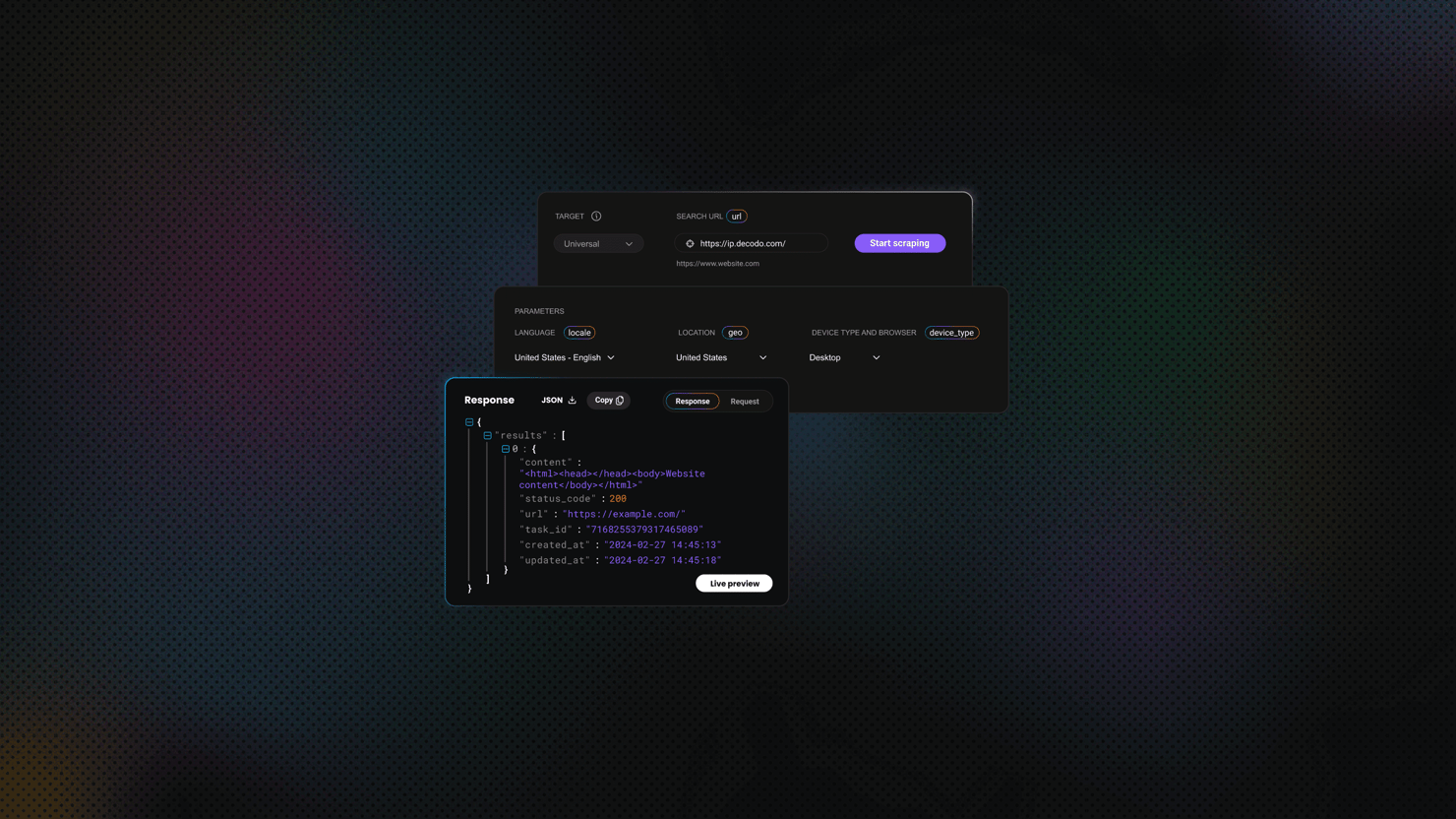
The tracker gets its data from Decodo's Web Data API, which offers ready-made templates for AI answer engines. Send a prompt to the matching template, and it returns the engine's answer as parsed JSON, with the answer text and its sources, so you don't have to drive browser tabs or copy and paste replies. The two engines differ in ways that shape the code:
- ChatGPT. The ChatGPT scraping template returns citations only with web search turned on (search: true). Without it, the answer reflects what the model already knows, which is worth tracking separately.
- Google AI Mode. It takes a query parameter instead of a prompt and is only available in countries where Google offers AI Mode, so check your target markets first.
Both templates accept a geo parameter, so you can compare the same prompt across markets. The same pattern extends to Gemini through the gemini template, but this guide sticks to two engines.
The table below shows what each template returns:
ChatGPT
Google AI Mode
Template
chatgpt
google_ai_mode
Input
prompt (under 4,000 characters)
query
Integration
Asynchronous only, batch supported
Real-time or asynchronous, batch supported
Answer text
response_text, markdown_text
response_text
Sources
citations (URL, title, text) and links, when the answer cites sources
citations (source URLs and text) and links
Engine-specific options
search: true turns on web search
geo limited to supported countries
Other fields
llm_model, markdown_json
None listed
Source: Decodo documentation for ChatGPT and Google AI Mode, checked November 20, 2026.

Query AI engines at scale
Send prompts to ChatGPT and Google AI Mode through the Web Data API and get parsed JSON back.
Build the tracker step-by-step
By the end of these eight steps, you'll have a single Python file that asks three AI engines your questions, checks whether they name you, and keeps the receipts in SQLite.
1. Set up the project
You need Python 3.11 or newer (the config uses the standard library's tomllib), plus Requests and python-dotenv:
Virtual environments and .env files work the same way as in our rank tracker guide, with one difference. This tracker needs a Web Data API key from the dashboard, because legacy Web Scraping API tokens don't work with it. Save the key in .env and keep that file out of version control:
Then confirm the key works with a one-off script, check_key.py:
Run python check_key.py. A 200 status with a task ID and "status":"pending" means the key works and the task is queued. An error status such as 401 means the key was rejected. The script submits one real task, so it costs one request.
2. Define brands and prompts
Everything the tracker watches lives in config.toml: your brand, its competitors, the engines, the markets, and the prompts, each tagged by type (brand, category, or comparison) and market. Quillvane is an invented brand on reserved .example domains, so swap in your own. Save this as config.toml:
ChatGPT gets search = true, so its answers come with web citations. To track it without search as a separate series, add a second engine entry with a different name and search = false.
Now create llm_tracker.py and start it with the imports for the whole project:
Then add the config loader. It fills in default settings, stops on an undefined market, and puts your brand first in the brand list:
Check that it loads:
The command should print "Quillvane".
3. Submit tasks
Every code block from here on goes at the bottom of llm_tracker.py, below the previous step's code. Each task is one prompt, one engine, and one run, submitted asynchronously with parse on, so the answer comes back as structured fields. Start with the constants and a guard that stops when the key is missing or still the placeholder:
The HTTP layer gives each worker thread its own session and retries rate limits and server errors up to three times:
submit() creates a task, with Google AI Mode's query quirk handled in one line. wait_for_results() polls until the task is done and raises an error if it faults or times out. The asynchronous requests docs cover the lifecycle.
The Google AI Mode template also supports batch requests, but individual tasks keep each failure easy to trace.
4. Normalize responses
Each engine nests its answer differently, so the normalizer maps all three into one record, and nothing after this step touches an engine-specific field. First, a helper that strips tracking parameters from cited URLs, so one page isn't counted as several:
Then the record and a helper that finds the answer fields. The Web Data API pages show them directly under content, while the older ChatGPT page nests them deeper, so the helper accepts both:
ChatGPT and Google AI Mode keep their text and sources in plain fields, with one catch each that showed up in real runs. With search on, ChatGPT can append sponsored blocks to response_text, followed by ad data that ran past 80,000 characters in some of my runs. That would feed competitors' ad copy into your mention counts, so from_chatgpt() cuts the text where the first ad begins. Google AI Mode returns most of its sources as google.com/goto redirects that hide the real site. The links list names the publisher behind each one, so from_google_ai_mode() keeps that name instead of the redirect.
build_record() picks the extractor and rejects an answer with no text instead of storing an empty row:
5. Match brands and domains
The matcher finds every tracked brand and alias in the answer and records the first mention as a rank among the tracked brands, where 1 means named first. Word boundaries stop "Quillvaneian" from counting, and cited URLs are matched by hostname, which accepts subdomains and rejects lookalikes such as notQuillvane.example.
analyze() returns one tuple per brand: its name, whether it's your own, whether it was mentioned, its position, and whether the answer cited its domain. Try it on a made-up answer:
Result:
Ledgerwren was named first, Quillvane came second and got cited, and Tarnmere never appeared.
6. Store every run
SQLite holds two tables. runs has one row per answer, with the untouched API response in raw_response, and brand_hits has one row per tracked brand per answer:
These functions open the database and save each answer in a single transaction, so a crash never leaves a half-written row:
Saved answers pay off when you edit an alias. rematch() recomputes every brand hit with no new API calls, and cmd_rematch() is its command:
For more on the database side, see storing data in SQLite. SQLite is enough for a single team, so move to a server database such as PostgreSQL once several people or jobs write at once.
7. Schedule runs
The runner builds one job per prompt, engine, and run, works through them on five threads, and saves each answer as it arrives. A failed task is logged and skipped, so one bad task doesn't sink the cycle:
Next, the run command and the entry point. Commands share --config and --db:
Check the task count before spending anything:
Then run:
It will collect the first cycle. It exits with code 1 if any task failed, so a monitored scheduler can flag partial cycles.
A cron job is the simplest scheduler. This entry runs the tracker every Monday at 06:00 server time:
Most CI runners start each job with a clean disk, so a CI schedule needs tracker.db stored somewhere persistent or a server database. Our guide on scheduling scraping tasks covers more options.
8. Report
The report prints mention rate, citation rate, and share of voice per engine and per prompt, the change since the previous cycle, and the most cited domains. This step adds code above the entry point, so first delete main() and the two lines under it from the bottom of the file. The final version returns at the end of this step.
Find the latest two cycles and calculate the metrics for any grouping. Share of voice stays empty when no tracked brand was mentioned at all:
Most cited domains, counting each domain once per answer:
The formatting and the report itself, with changes in percentage points (pp) and a dash where there's nothing to compare:
The CSV export:
Last, the report command and the final main(), which replaces the one you deleted:
Run the report after your first cycle, and again after the next one to see the changes:
That's the whole tracker. One config file, one script.
Quick start
Here's a quick reference on how to get the script running:
- Create the .env file with your Decodo API key (step 1).
- Create the config.toml file with the desired configuration (step 2).
- Create the llm_tracker.py file with the following code (steps 3-8):
4. Run it with:
5. Generate the report with:
How to read the results
Start with the prompt type, not the totals. Brand and comparison prompts name your brand, so the engines repeat it and the mention rate sits near 100% no matter what you do. Category prompts name nobody, which makes them the honest test of visibility. Read those rows first.
Then compare the three metrics. Say a category prompt on ChatGPT shows these numbers (invented, for illustration):
- Mention rate. 33%, so Quillvane appears in one answer out of three.
- Citation rate. 8%, so it's named far more often than its own site is cited.
- Share of voice. 20%, so when any tracked brand is named, one in five mentions is yours.
A wide gap between mentions and citations means the engines know the name but source their claims elsewhere. The most cited domains list shows where. Review sites, forums, and comparison pages that keep showing up there are your outreach and content targets.
Treat changes with some restraint. With a few runs per prompt, a swing of several percentage points between two cycles can be plain variance. Act on a shift only when it holds across several cycles or appears across prompts and engines at once.
Position adds a closer read. Being named first is probably better than being named fourth, but that's an assumption, not something the tracker measures.
Build your own tracker or buy an LLM visibility tool?
Build when you need control over prompts, engines, markets, and the raw answers. Buy when nobody on the team can maintain code, or when a client wants a dashboard by Friday.
Building gives you:
- Your own prompt set and run counts. Nothing is sampled on your behalf.
- Every raw answer stored, so you can re-parse it when your matching rules change.
- Any market the templates support, and the freedom to add engines.
- Costs that scale with API calls instead of a flat plan.
Buying gives you dashboards, alerts, and reports without engineering time, usually priced per prompt, project, or seat. The trade is that prompt sets, run counts, and markets typically follow the vendor's plan, and you see the numbers the vendor chose to show.
To compare the two honestly, reuse the formula from the build section. Monthly tasks equal prompts times engines times runs per prompt times cycles per month, and the sampling section's example works out to 3,250 tasks a month at weekly cadence. Price that figure on the Web Data API pricing page, then add the hours someone will spend keeping the code alive.
If the total still beats a vendor quote, build. If the maintenance line made you wince, that's an answer too.
Collecting AI answers at scale
The hard part of an LLM visibility tracker isn't the matching or the SQL. It's collecting answers reliably from interfaces built for people, on a steady cadence and in several markets.
The Web Data API handles that part of this build. Each engine is a template that takes a prompt and a market, and returns parsed JSON, with rendering and anti-bot handling built in. The tracker only deals with fields such as response_text and citations, and adding a market means adding one line to config.toml. The sources an answer cites appear next to its text, which is what the citation rate is built on. For ChatGPT, the search option turns on web search, and citations are returned when the answer cites sources. Tasks run asynchronously, so the tracker keeps several in flight at once instead of waiting on one answer at a time. That leaves your code focused on analysis rather than on collection.
Bottom line
Tracking LLM visibility comes down to sampling. Run the same prompts repeatedly on each engine, store every answer, and measure mention rate, citation rate, and share of voice across the runs instead of trusting any single reply. The script in this guide does that with one file and one config. Next, swap in your own brand, competitors, and 20 to 50 prompts, run a cycle with three runs each, and read the category rows first.

Compare answers by market
Run the same prompt on the Decodo Web Data API across countries with the geo parameter to see how AI answers change from market to market.
About the author

Zilvinas Tamulis
Technical Copywriter
A technical writer with over 4 years of experience, Žilvinas blends his studies in Multimedia & Computer Design with practical expertise in creating user manuals, guides, and technical documentation. His work includes developing web projects used by hundreds daily, drawing from hands-on experience with JavaScript, PHP, and Python.
Connect with Žilvinas via LinkedIn
All information on Decodo Blog is provided on an as is basis and for informational purposes only. We make no representation and disclaim all liability with respect to your use of any information contained on Decodo Blog or any third-party websites that may belinked therein.