How to Scrape Google AI Mode: Methods, Tools, and Best Practices
Google AI Mode was launched as a Search Labs experiment in March 2025. It's powered by Gemini 2.5, which synthesizes answers from multiple sources and allows you to ask follow-up questions. Google AI Mode isn't the same as Google search results; it's an entirely full-page conversational interface using different URL parameters, rendering pipelines, and scraping logic. This guide provides a walkthrough of two different approaches: a working Playwright script you can execute right away, and the Decodo Web Scraping API for production.

Dominykas Niaura
Last updated: Apr 03, 2026
10 min read
TL;DR
Google AI Mode is a conversational search interface that generates synthesized answers with cited sources instead of traditional ranked results. This guide explains how to scrape AI Mode data using Playwright for manual browser automation or Decodo Web Scraping API for production-scale extraction, while addressing challenges such as JavaScript rendering, streaming responses, DOM changes, and Google’s anti-bot protections.
Why scrape Google AI Mode?
AI mode data is an entirely different proposition from standard SERP data. Here are some of the key factors why it's worth collecting and what you can specifically do with it.
SEO and content strategy
- Citation tracking. Monitor which domains Google’s AI references for your target keywords, how frequently, and in which order. Appearing in an AI mode citation is equivalent to appearing in a top-10 organic result set and is less analyzed by competitors right now.
- Content gap identification. Compare what the AI Mode says about a topic against your existing content. It helps you to find missing angles, data points, or structured formats containing FAQs and comparison tables. AI Mode tends to tell you by citing someone else instead.
- Featured content shifts. Track how AI mode answers evolve over time for the same query. Longitudinal tracking is all about finding which content formats and sources are gaining or losing authority.
Competitive intelligence
- Brand mentions monitoring. Capture when and how competitors appear in AI responses for your target keywords and in what context. Being cited as a cautionary example is entirely different from being cited as the recommended solution.
- Product positioning. This is applicable for e-commerce and SaaS, understanding which attributes AI Mode highlights when recommending products in your category. AI Mode structures product comparisons with attributes, pricing, and ratings.
- Market narrative tracking. AI Mode frames how Google understands your industry. Watching that framing shift over quarters is early-warning intelligence for positioning and messaging.
Research and data enrichment
- Building datasets for RAG. AI Mode gives you synthesized summaries alongside their cited sources – ideal labeled data for retrieval-augmented generation applications.
- Academic and market research. Use AI Mode as a pre-processed synthesis layer instead of manually analyzing hundreds of search results. The citations point you directly to primary sources for verification.
- Training data curation. AI Mode responses with citations serve as structured, labeled data for fine-tuning domain-specific question-answering models.
Challenges and anti-scraping measures in Google AI Mode
Before we provide details about the code, it's important to understand what you're up against. AI Mode is harder to scrape than a standard SERP – both in terms of design and system architecture.
Let's review some of the technical challenges, anti-bot measures, and scaling difficulties.
Technical challenges
- JavaScript-heavy rendering. AI Mode content is generated dynamically as a raw HTTP request to the search URL returns empty containers. The AI response does not exist in the initial HTML and is fetched and rendered by JavaScript after page load. You need a full browser engine.
- Streaming and delayed content. AI responses stream in progressively as they are not delivered all at once. It requires careful wait strategies rather than simple page-load detection. Google streams HTML fragments via /async/folwr using chunked transfer encoding with Brotli compression.
- Nested DOM structures. The AI Mode container (div [data-subtree=”aimc”]) holds complex nested elements (citations, follow-up suggestions, product cards) that require sophisticated parsing. Google updates this structure regularly.
- Frequent layout changes. Google regularly updates its AI Mode interface, which can break selectors and parsing logic overnight. Google runs 816+ active experiments on AI Mode simultaneously. Selectors that work today can break without warning.
Anti-bot measures
- Bot detection. Google flags automated traffic patterns after a limited number of requests, triggering CAPTCHAs or blocking access entirely. See our guide on anti-scraping techniques to learn how to avoid them.
- Browser fingerprinting. Google detects headless browsers through WebDriver flags, missing browser plugins, and other fingerprinting signals. For CAPTCHA strategies, see our blog post on Google CAPTCHAs.
- Rate limiting. Aggressive request patterns result in temporary or permanent IP blocks. Proxy rotation and pacing are non-negotiable.
- Geographic restrictions. AI Mode availability varies by region, and some proxy IPs may route to regions where AI Mode is not active. AI Mode is now in more than 200 countries. Always verify that your proxy geography matches your target.
Scaling difficulties
- Running headful browser instances consumes significant memory and CPU, making bulk queries (hundreds or thousands of keywords) impractical without serious infrastructure.
- Maintaining proxy rotation, user agent pools, and fingerprinting evasion adds substantial development and operational overhead that compounds at scale.
- Monitoring and adapting to Google’s changes requires ongoing engineering effort. The 816+ simultaneous A/B experiments mean your selectors can change at any time.
Playwright is an excellent option for prototyping and low-volume monitoring. Decodo Web Scraping API eliminates the infrastructure problems so you can focus on the data if you are handling above a few hundred queries per day.
Custom scraping with Playwright
Let's walk through building a working Playwright scraper for Google AI Mode, from environment setup to extracting and saving the response. We'll go over the main functions step by step, and you'll find the full script further below.
For more information on the JavaScript rendering context, see our guide on how to scrape websites with dynamic content.
Prerequisites
Before writing or running the script, let's properly set up the environment.
- Python. Make sure you've got Python 3.8+ installed on your system.
- Playwright. Install Playwright and the Chromium browser library with the following commands in your terminal:
- Development environment. Use a code editor or IDE like Visual Studio Code, or any text editor paired with a terminal. Make sure your terminal uses the same Python environment where Playwright is installed.
Proxy setup for scraping
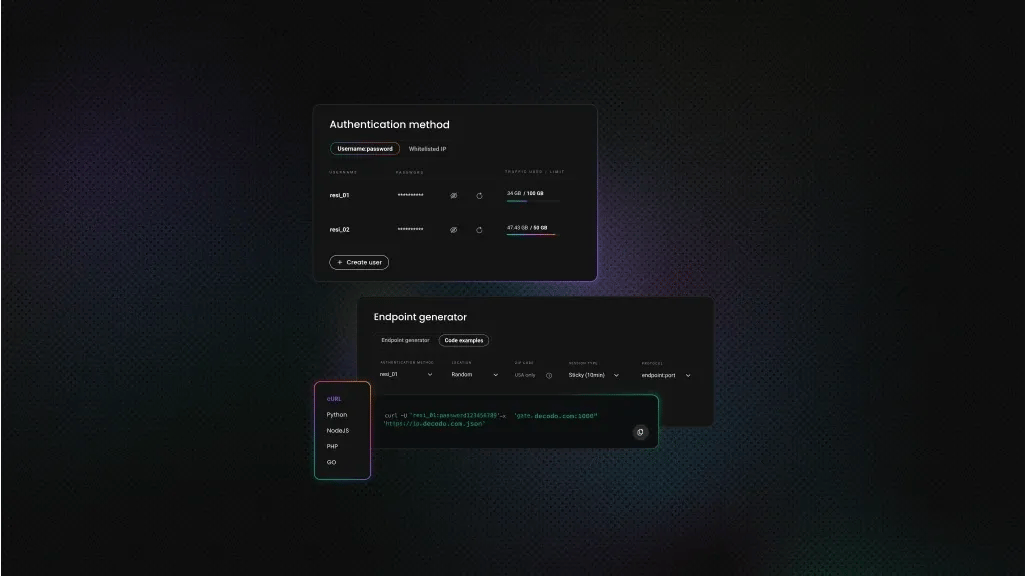
For real-world scraping, using proxies is essential. Residential proxies route your traffic through real user devices, making requests appear more natural and helping avoid blocks, rate limits, and anti-bot systems. They are especially important when working with sites that actively monitor traffic patterns.
Decodo offers high-performance residential proxies with a 99.92% success rate, response times under 0.6 seconds, and geo-targeting across 195+ locations. Here's how to get started:
- Create your account. Sign up at the Decodo dashboard.
- Select a proxy plan. Choose a subscription that suits your needs or start with a 3-day free trial.
- Configure proxy settings. Set up your proxies with rotating sessions for maximum effectiveness.
- Select locations. Target specific regions based on your data requirements or keep it set to Random.
- Copy your credentials. You'll need your proxy username, password, and server endpoint to integrate into your scraping script.

Get residential proxies for scraping AI Mode
Unlock superior scraping performance with a free 3-day trial of Decodo's residential proxy network.
Imports and configuration
These imports provide the core functionality for browser automation, timing, and data handling:
- sync_playwright. Controls the browser
- random & time. Simulate human-like interaction
- json & datetime. Handle structured output and timestamps
Below the imports are the configuration variables:
Update these before running the script:
- Proxy credentials. Replace with your own from the dashboard
- Search query. The term you want to send to Google AI Mode
- Headless mode. Set to False if you want to see the browser for debugging
Simulating human behavior
The first helper function introduces small, random interactions to make the session look less automated:
Its full implementation handles:
- Random mouse movement
- Small scroll actions
- Short, randomized delays
These interactions run throughout the session to reduce bot-like patterns.
The next helper function handles Google’s cookie consent popup. Its definition is:
It loops through several possible button selectors and clicks the first visible one. If no popup appears, execution continues without interruption.
Launching the browser and setting up the session
This line defines the function of the main scraping logic:
The full implementation:
- Launches a Chromium browser
- Applies proxy routing
- Configures the browsing context
- Executes the scraping flow
The browser is launched with:
- headless=HEADLESS. Runs in the background unless disabled
- slow_mo=50. Adds slight delays between actions
- --disable-blink-features=AutomationControlled. Reduces automation signals
The proxy configuration routes all traffic through the residential endpoint:
The browser context is configured to look realistic:
- Standard viewpoint size
- Chrome user agent
- US locale for consistent results
An additional script removes the navigator.webdriver flag, which helps reduce bot detection.
Typing the query and entering AI Mode
The script starts by opening Google with fixed language and region parameters to keep results consistent:
Instead of relying on a single selector, it tries multiple options to locate the search box. This makes the script more resilient to UI changes.
Typing is done character by character with random delays to mimic real user input:
After submitting the search, the script looks for the AI Mode tab in the upper navigation bar and clicks it. If the tab isn’t available, the script exits cleanly without crashing.
Extracting the AI response
The script waits for the AI response container to appear:
Once detected, it waits a bit longer to allow the full response to finish generating before extracting the text. This extra delay is important because AI responses stream progressively.
Cleaning and saving the output
The first utility function prepares the raw response. Its function definition is:
The full function:
- Replaces tab characters with a readable divider
- Removes empty lines
This next function saves the result to a JSON file containing the original query, a timestamp, the cleaned response:
The full Playwright script
Save the full implementation below to a .py file and run it with: python filename.py
This triggers the scraping flow by sending the query, extracting the AI response, printing the result, and saving it to a JSON file:
Practical tips:
- Test selectors in browser DevTools first. Google changes its DOM frequently
- Use HEADLESS = False during development to see what’s happening
- Add retry logic if responses take longer to load
- Always close browser instances to avoid memory leaks
Playwright code example output
Below is an example of the response printed in the terminal:
Scraping Google AI Mode with Web Scraping API
Playwright gives you full control and a deeper understanding of how the scraping process works. Decodo’s Web Scraping API, on the other hand, is a more straightforward option for those who want to scale without dealing with proxy management, CAPTCHA solving, fingerprinting, or ongoing DOM maintenance. With minimal code required, it can be a simpler way to get reliable results.
Why use an API instead of DIY scraping
Factor
DIY Playwright
Decodo Web Scraping API
Proxy management
Requires external proxy setup
Handled automatically
CAPTCHA handling
Required custom implementation
Built-in handling
Browser fingerprinting
Requires manual tuning and maintenance
Managed by the platform
Output format
Raw HTML response
Structured JSON, ready to use
Scalability (1000+ queries)
Requires infrastructure scaling and monitoring
Predictable per-request scaling
Geo-targeting support
Depends on proxy provider and configuration
Controlled via a single parameter
Time to first result
Setup can take hours
Typically ready within minutes
Getting started with Decodo’s Web Scraping API
Decodo Web Scraping API works as a primary tool for structured Google AI Mode data extraction. It routes your requests through the same 125M+ proxy IPs as Decodo’s proxy service.
- Create your account. Sign up in the Decodo dashboard.
- Select a plan. Go to the Web Scraping API pricing section and choose a subscription, or start with a free plan.
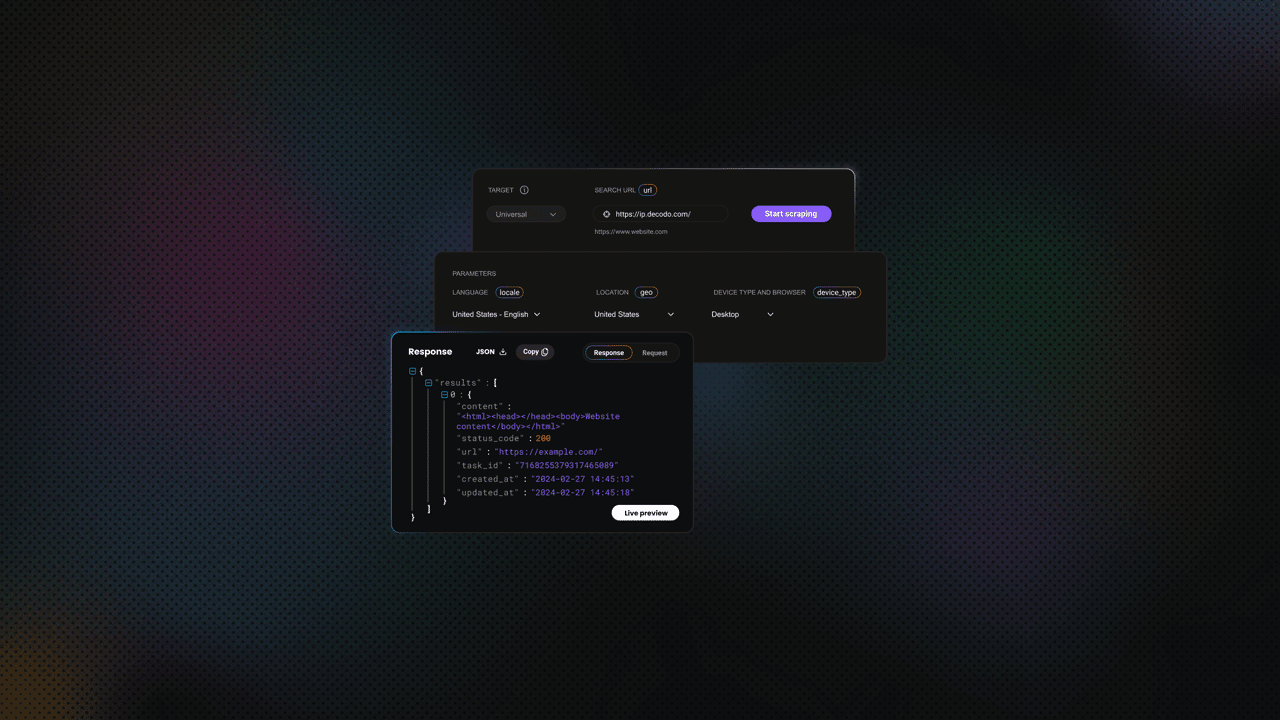
- Set the target. In the Target template dropdown, select Google AI Mode.
- Configure parameters. Enter your search query, choose the output format, location, and adjust any additional settings.
- Copy or send a request. Copy the generated request code in cURL, Node.js, or Python to use in your environment, or click Send request to run it directly in the dashboard.
Configuration and request handling
Start by defining the request payload. This includes the target, query, parsing behavior, and optional geo-location settings.
Enabling parsing ("parse": True) returns a structured JSON response instead of raw HTML, which makes the data easier to work with. You can also specify location parameters if you need region-specific results.
Sending requests and retrieving results
The API is accessed via a POST request with a JSON payload. Below is a complete working example:
Web Scraping API example output
Below is an example of the response returned by the Web Scraping API when querying Google AI Mode. Notice how the data is already structured and grouped into fields like citations and links, making it easier to work with compared to the raw output from the custom Playwright scraper:

Advantages of scraping Google AI Mode vs. traditional SERP scraping
Not all Google data is equal. Here's what makes AI Mode data structurally different and even more valuable than standard SERP results.
What makes AI Mode data different
- Pre-synthesized intelligence. Standard SERP gives you ten ranked URLs. AI Mode gives you an aggregated synthesis of what those sources say. That is a different signal entirely – not a noisier version of the same one.
- Citation graph. Every AI response comes with explicit source citations. The citation list is a structured, machine-readable map of what Google currently considers authoritative for each query.
- Intent signals. The follow-up questions AI Mode suggests reveal what users are likely to ask next. That is content planning intelligence that PAA boxes only partially surface.
- Product and entity structuring. For commercial queries, AI Mode often includes structured product comparisons, pricing, and ratings. It is far richer than organic snippets.
Comparison with other Google scraping targets
Data source
Unique value proposition
Missing aspects
AI Mode
Synthesized answers, citation links, and entity-level context
Raw per-URL ranking data
Organic SERP
Ranked links, snippets, and domain-level visibility
Synthesis, intent understanding, source relationships
AI Overviews
Concise summaries embedded in search results
Depth, multi-turn context, follow-up signals
People Also Ask
Related questions reflecting user intent
Structured answers, source attribution, synthesis
Google Trends
Query popularity over time
Actual answers, content context, source-level data
Combined scraping strategies
AI Mode data is most powerful when it's paired with other Google data sources:
- AI Mode + traditional SERP. See which URLs rank organically and which get cited in AI responses. They are not always the same set.
- AI Mode + Google Trends. Trends shows what is being searched, while AI Mode shows how Gemini frames the answer. Together, they reveal both demand and narrative. Learn more in our guide to scraping Google Trends.
- AI Mode + Google News. Track how breaking news is reflected in AI Mode responses in near real time. Explore how to scrape Google News with Python.
- AI Mode + Google Scholar. For research-heavy queries, this pairing helps identify which academic sources Gemini relies on. See our guide on scraping Google Scholar with Python.
Best practices for reliable Google AI Mode scraping
To keep your scraping workflows stable and maintainable over time, it’s important to follow a few practical guidelines. These help reduce breakage, improve consistency, and make your setup easier to scale as your needs grow.
Respecting boundaries
- Implement random delays between requests – not a fixed interval, but a range (for example, 3 to 8 seconds) that replicates organic browsing behavior.
- Honoring robots.txt guidelines
- Understanding terms of service implications
- Identifying your scraper with a clear user agent when possible
- Review the legal context before scraping at scale. See our accessible overview of key considerations on whether web scraping is legal.
Proxy strategy
- Residential over datacenter. Residential IPs have genuine ISP assignments and realistic traffic patterns. Google’s detection systems treat datacenter ranges with far more suspicion.
- Geographic selection. AI Mode is now available in 200+ countries, but response quality and content can vary significantly by region. Match your proxy location to your target audience’s geography.
- Per-request rotation. Rotate your IP on every request. Sticky sessions – using the same IP across multiple requests, which increases the risk of a single IP being fingerprinted or blocked.
- Decodo residential proxies. The 115M+ IPs across 195+ locations use the same infrastructure that powers the Decodo SERP API, available directly for custom proxy configurations.
Data quality and validation
- Verify the container is non-empty.
- Handle edge-case scenarios explicitly where AI Mode returns no response, partial responses, or falls back to standard results.
- Validate extracted citation URLs.
- Timestamp and geo-tag all scraped data for accurate longitudinal analysis.
Scaling and monitoring
- Log success rates, response times, and error types. A sudden drop in success rate is your first signal that Google has changed something.
- Setting up alerts for sudden drops in success rate. If your AI Mode container selector returns zero results across multiple consecutive queries, the DOM has changed, and your parser needs updating.
- Use the Decodo dashboard for monitoring scraping job status and quota usage.
- Troubleshoot IP bans. See our guide to IP bans for troubleshooting guidance.
Final thoughts
Google AI Mode marks a shift from ranked links to synthesized, citation-backed answers, introducing a new layer of data for SEO, analytics, and research workflows.
If you want full control and a deeper understanding of how the data is generated, the Playwright with proxies approach is a solid starting point. If you need something that works reliably at scale with minimal setup, Web Scraping API offers a simpler path by handling the underlying infrastructure for you.
About the author

Dominykas Niaura
Technical Copywriter
Dominykas brings a unique blend of philosophical insight and technical expertise to his writing. Starting his career as a film critic and music industry copywriter, he's now an expert in making complex proxy and web scraping concepts accessible to everyone.
Connect with Dominykas via LinkedIn
All information on Decodo Blog is provided on an as is basis and for informational purposes only. We make no representation and disclaim all liability with respect to your use of any information contained on Decodo Blog or any third-party websites that may belinked therein.