How to Rotate Proxies in Python
Proxy rotation sends each request through a different IP, so a site can't link the traffic to one address. Knowing how to rotate proxies in Python helps you avoid issues such as rate limits and IP bans. This guide covers a few ways to do it, from managing your own list to an endpoint that rotates the IP for you.

Kipras Kalzanauskas
Last updated: Aug 21, 2026
7 min read

TL;DR
- There are 2 ways to rotate proxies: client-side, where you manage the IP list yourself, and provider-side, where one endpoint rotates it for you.
- In Requests, you pick a proxy at random or in order and reuse connections with a session, then add retries, timeouts, and dead-proxy eviction to make it production-ready.
- aiohttp can check many proxies concurrently, which is useful for validating a large pool quickly, while Scrapy handles rotation in middleware.
- A single rotating residential endpoint changes the IP server-side on every request, so you drop the list and most of the code.
What is proxy rotation in Python, and when do you need it?
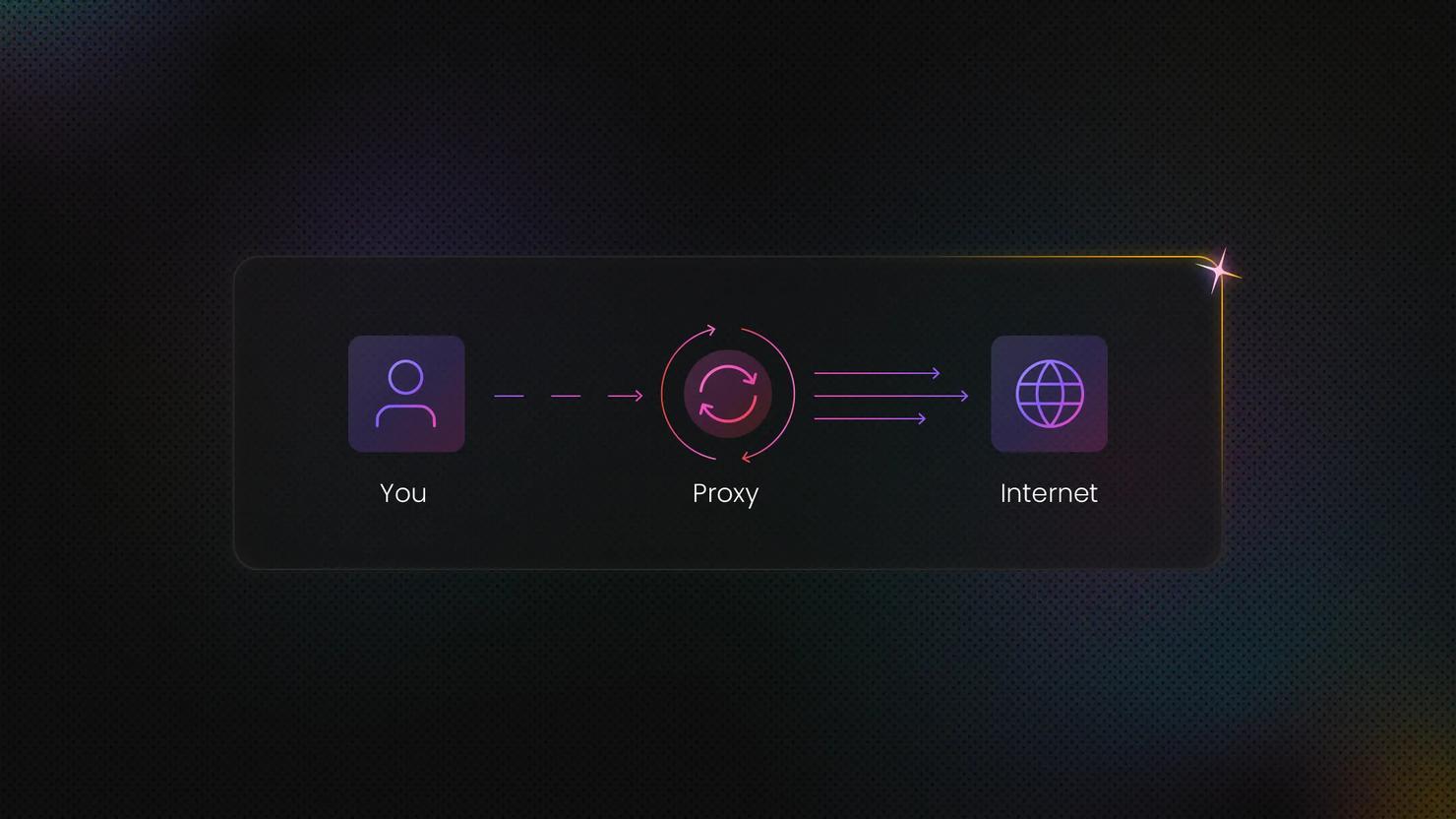
Proxy rotation means your requests go out through a different IP each time instead of one fixed address. To the site you're scraping, the requests look like they're coming from many different people, so no single IP builds up enough activity to get flagged and blocked.
There are 2 ways to do this: client-side and provider-side.
With client-side rotation, you keep your own list of proxies and pick one per request in your code. This means you stay in control, but you also have to maintain the list, drop the dead ones, and write the rotation logic yourself.
With provider-side rotation, you hand that job to your proxy provider. This way, you send every request to a single address, and their network swaps the IP for you. That address is called a backconnect endpoint, one host and port that sits in front of a large pool of IPs. The upside here is that there's no list to manage and almost no rotation code to write.
Rotation is worth it when you're making a lot of requests to the same site, scraping at volume, or collecting data from different regions. It's the wrong choice when you need to stay recognizable to the site.
Anything that runs across several requests, like a login process, a cart flow, or a multi-step form, needs the same IP throughout, so a single sticky address works better there than rotation.
Keep in mind that proxy type matters as much as rotation. Datacenter IPs are fast and cheap but easy to flag. In contrast, residential IPs come from real household devices, so they carry more trust and cost more. Mobile IPs are the most trusted, but the most expensive too. All you have to do is match the type to how strict the target is.
Before you start: prerequisites and a test target
First, let's get set up. You'll need Python 3.10 or newer, since 3.8 and 3.9 have both reached end of life and no longer get security patches.
Set up a virtual environment to keep your dependencies isolated, then install Requests.
We're going to test against 2 targets. The first is https://api.ipify.org/, a lightweight endpoint that simply returns the IP your request came from. All you have to do is send a request through a proxy, and you should see the proxy's IP come back instead of your own. This confirms that rotation is actually happening.
The second is a real page like books.toscrape.com, which is made for practice scraping. Testing on pages like these proves your rotation holds up during an actual scrape.
You'll also need proxies to rotate. While a manual list is fine for a start, a provider endpoint (covered below) is what you'll reach for in production. Either way, run the script from your terminal and watch the IP value in the output. When it changes on each request, rotation is working.
Heads up: free proxy lists are short-lived, shared, and unreliable. They're fine for following along here, but don't use them for real work.
Method 1: Rotate a proxy list with Requests
This is the most basic method. You keep a list of proxies and pick one for each request.
Before adding a list, let's confirm the proxy format works. Create a file called rotate.py and paste this in:
Go to the file and then run this from your terminal:
You should see your own IP come back:
That confirms your setup is working. Now, when you add real proxies, each one follows this format:
Replace USERNAME, PASSWORD, host, and port with the credentials from your proxy provider dashboard. Your list will look like this:
With that in place, random selection picks a proxy independently for each request, with no fixed order. It can occasionally choose the same proxy twice in a row.
Update rotate.py with:
Run it again, and you should see the proxy's IP instead of your own. With each subsequent run, you should see requests spread across the proxies in your list, although random.choice can select the same proxy more than once. Its weakness is uneven use, so some IPs can get more requests than others.
Sequential selection with itertools.cycle fixes that by going through the list in order, so every proxy gets used evenly. The downside is predictability, as a fixed pattern is easier for a site to detect than random selection.
Method 2: Build a resilient rotator with retries and ban detection
The loop above works, but it's fragile. In production, a proxy will die mid-run, a site will start returning 429s, and a dead IP will freeze your crawl on a stalled connection. But a resilient rotator handles all 3.
A production-ready rotator does a few things at once. It retries a failed request on a fresh proxy and caps how many times it tries, sets timeouts so a dead proxy fails fast instead of hanging, treats ban and server-error codes as a signal to switch IPs, and drops failing proxies so they aren't picked again. Exponential backoff between attempts keeps you from hammering a site that's already struggling.
When you run this, you'll get back the status code and page length for the first proxy that succeeds. Any proxy that times out or returns a ban or server-error code gets dropped into the dead set, so it won't be picked again, and the time.sleep(2 ** attempt) line applies exponential backoff on every retry path, not just connection failures.
The timeout=(5, 15) tuple sets a 5-second connect timeout and a 15-second read timeout, so a hanging proxy is dropped in seconds instead of blocking the run.
There's a library-native alternative worth knowing. urllib3's Retry class, mounted through an HTTPAdapter, gives you retries, backoff, and status-based triggers with almost no custom code.
One thing to know before you reach for this: Retry gives the same request against the same proxy another go. It won't rotate to a fresh IP on its own, so it's ideal for transient errors on a stable endpoint and not a substitute for the eviction loop above when your problem is bad proxies.
Method 3: Async proxy rotation with aiohttp
Requests works through one proxy at a time, which is slow when you need to test a large pool. aiohttp sends many requests at once, which is perfect for quickly checking a big list of proxies before you start scraping.
Install it first:
Here, you build a small async function that tests one proxy with a short timeout, run them all together with asyncio, and keep only the proxies that answer.
The output tells you how many proxies actually responded, so you start scraping with a clean list instead of one full of dead IPs.
If you'd rather stay closer to the Requests API, httpx is a modern async client that mirrors it. Install it with pip install httpx, then pass a single proxy with the proxy argument, since the older proxies argument was removed in httpx 0.28.0.
Method 4: Proxy rotation in Scrapy
If you're already crawling at scale in Scrapy, rotation belongs in middleware, not in per-request code. The scrapy-rotating-proxies package handles it. Install it, list your proxies, and enable its 2 downloader middlewares.
RotatingProxyMiddleware assigns a proxy to each request. BanDetectionMiddleware decides whether a response looks like a block and rotates away from the failing IP, tracking which proxies are alive and rechecking dead ones over time.
ROTATING_PROXY_PAGE_RETRY_TIMES sets how many different proxies are tried before the package treats a result as a page failure rather than a proxy failure. This is separate from Scrapy's own RETRY_TIMES and RETRY_HTTP_CODES, which control the built-in retry middleware. The 2 functions work together, so set them as a pair rather than expecting one to cover the other. As an alternative to an inline list, ROTATING_PROXY_LIST_PATH loads proxies from a file.
Method 5: Provider-side rotation with one endpoint
Everything we've covered so far puts you in charge of the proxy pool. But there's a simpler way. Instead of managing a list, you point every request at a single endpoint, and the provider's network rotates the IP for you on each request.
Run it, and you'll see a different IP in each response, with no rotation code of your own. This is also where the sticky vs. rotating choice gets settled in code.
A rotating endpoint changes IP every request, while a sticky session holds one IP for a set period, which is what you want for logins and multi-step flows. You switch between them by adding a session parameter to the username string that the dashboard generates for you.
The session string comes straight from your dashboard, so just copy it in. Either way, you're done with the pool-management overhead. This means you don’t have to deal with any eviction code, lists to update, and if you need IPs from a specific country or city, you simply set a geo parameter and the endpoint handles the rest.

No more maintaining proxy lists
Decodo's rotating proxies change the exit IP on every request from a single endpoint, backed by a 115M+ pool of residential IPs across 195+ locations, with sticky residential sessions holding one IP for up to 24 hours.
Rotating proxies for dynamic pages with Selenium
Requests fetches whatever the server sends back. So, if a page needs JavaScript to load its content, Requests gets an empty shell, and no amount of proxy rotation fixes that. That's when you need a real browser.
Selenium opens an actual Chrome or Firefox instance that runs JavaScript the same way it would for a normal user. Proxies work there too, but the setup is different from what we've covered here.
You configure them through the browser's launch options, and if you're already scraping with Selenium, passing credentials requires a bit more work since the browser handles auth differently from a plain HTTP client.
Best practices for reliable proxy rotation
Rotation alone won't keep you unblocked. These habits decide whether it actually holds up.
- Don't rely on IP rotation alone. Sites evaluate more than just your IP, so keep the rest of your request behavior consistent with the client you're using.
- Jitter your request timing. Fixed intervals are easy to detect because real users don't send requests like clockwork.
- Health-check your pool before a long scrape. Dead proxies slow everything down and potentially skew your results.
- Match your proxy type to the target. Residential IPs blend in better on protected sites, and if you're scraping geo-restricted content, make sure you're rotating through the right country.
- Free proxies fail fast and often. They're shared across thousands of users hitting the same targets, so by the time you find a list, half the IPs are already banned.
Common proxy rotation errors and how to fix them
Most rotation failures fall into a handful of patterns. Use this as a quick reference.
Error or symptom
Likely cause
Fix
407 Proxy Authentication Required
Missing or wrong credentials
Embed user and password in the proxy URL, and URL-encode any special characters
429 Too Many Requests
Rotating too slowly or pool too small
Rotate more aggressively, add backoff, grow the pool
Connection reset or read timeout
Dead or overloaded proxy
Set connect and read timeouts, retry on a fresh IP, evict the offender
SSLError or certificate error
Proxy intercepting TLS, or a scheme mismatch
Verify the proxy scheme, http versus https, and check certificates
All proxies failing at once
Expired free list or exhausted quota
Switch to a managed rotating endpoint
When to stop rolling your own rotation
At some point, rolling your own rotation stops making practical or financial sense. Once you're maintaining a pool, retry logic, header rotation, timeouts, and CAPTCHA handling, you've basically rebuilt a scraping API yourself. When that upkeep eats more of your week than the actual data work, it's time to hand it off.
A managed Web Scraping API takes care of rotation, JavaScript rendering, and anti-bot bypassing behind one endpoint, so all you do is submit a URL and get results back in the format you need. It's the right answer once scale makes the maintenance the actual job.
Final thoughts
Think of these methods as steps you climb as your needs grow. Start with a rotated list in Requests, make it sturdy with retries and eviction, scale it with aiohttp or Scrapy, then drop the list entirely with a provider-side endpoint that rotates for you. Once the upkeep outweighs the payoff, move to a managed endpoint.

Stop burning engineering hours on proxy management
Decodo's Web Scraping API handles rotation, JavaScript rendering, and anti-bot bypass behind a single endpoint, so you can drop the pool-maintenance code entirely.
About the author

Kipras Kalzanauskas
Senior Account Manager
Kipras is a strategic account expert with a strong background in sales, IT support, and data-driven solutions. Born and raised in Vilnius, he studied history at Vilnius University before spending time in the Lithuanian Military. For the past 3.5 years, he has been a key player at Decodo, working with Fortune 500 companies in eCommerce and Market Intelligence.
Connect with Kipras on LinkedIn.
All information on Decodo Blog is provided on an as is basis and for informational purposes only. We make no representation and disclaim all liability with respect to your use of any information contained on Decodo Blog or any third-party websites that may belinked therein.