How to Set up a Residential Proxy in the Ghost browser
A step by step guide on how to set up a proxy in the Ghost browser.
Use residential proxies to hide your IP and access geo-restricted content today!
14-day money-back option

125M+
IPs
195+
locations
24/7
tech support
99.99%
uptime
Easy
setup
Ghost proxy settings:
1. Open Ghost browser and click on Ghost Proxy Control > Add/Edit Proxies
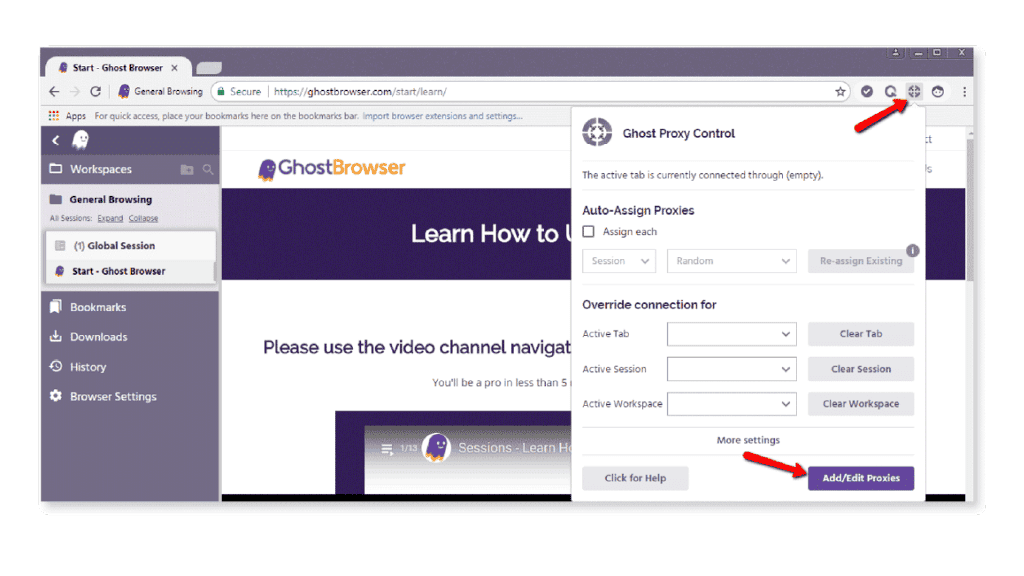
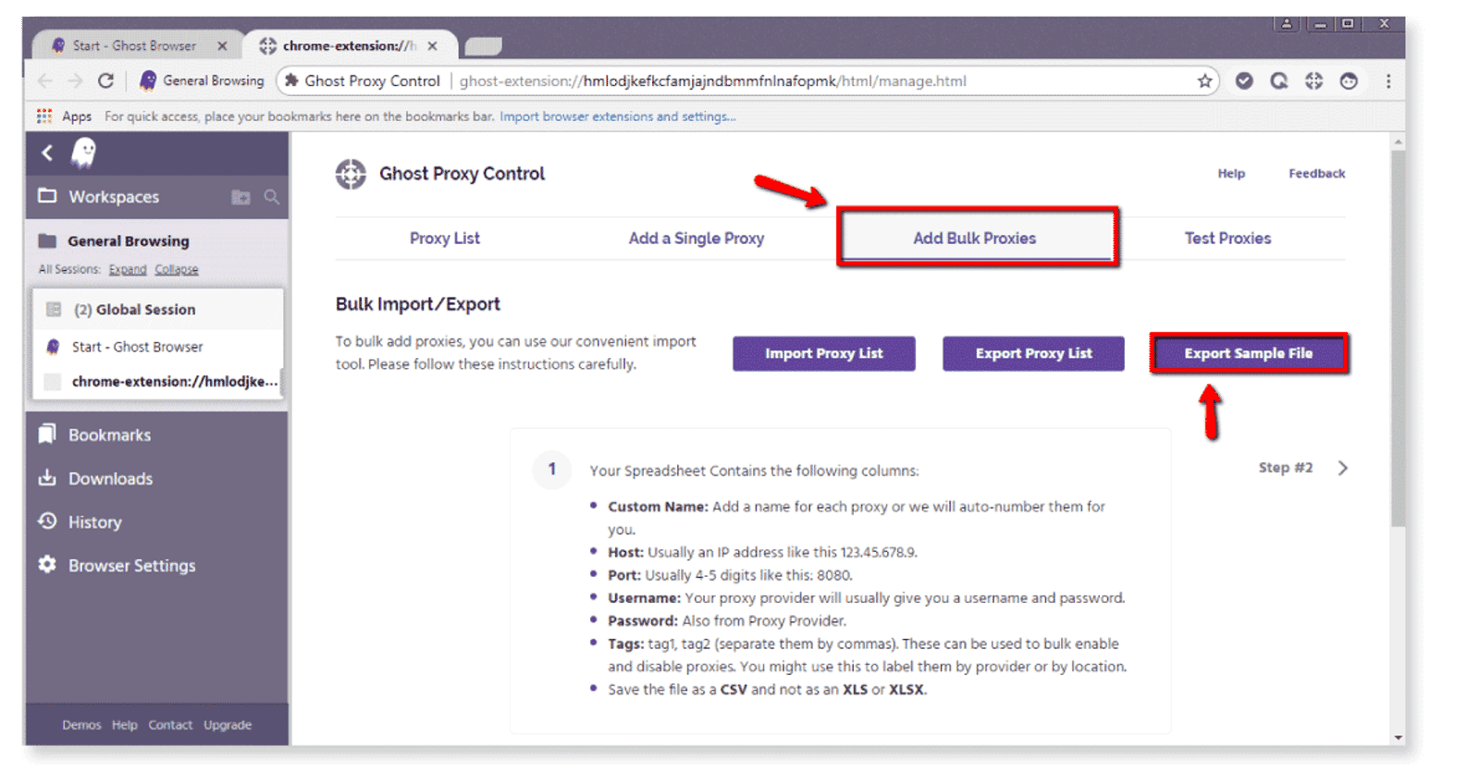
2. New tab will open. Select Add Bulk Proxies
3. You will need to generate a CSV file - select Export Sample File to download a template
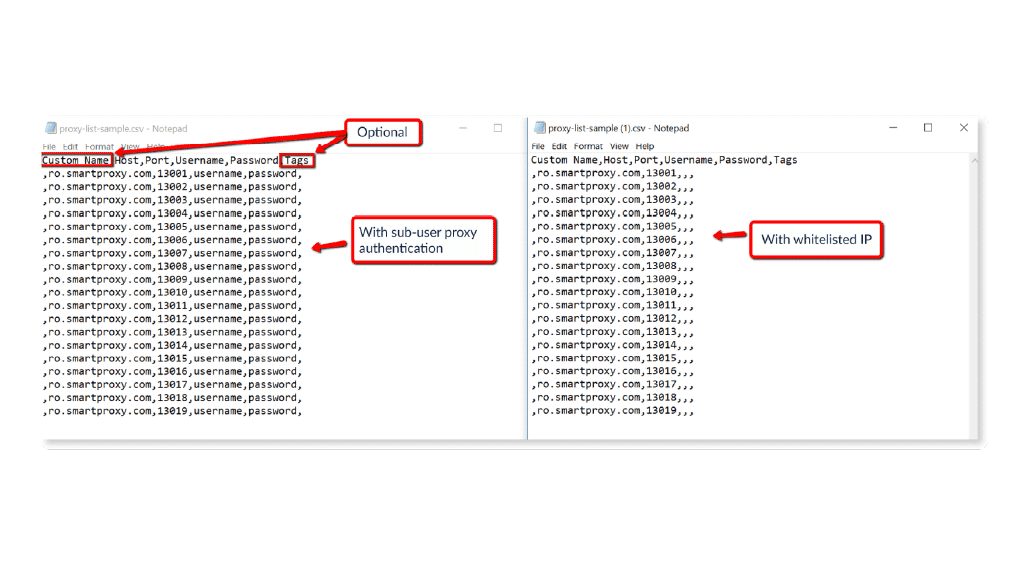
4. Fill in proxy list as per example below:
a) With proxy sub-user authentication username, password
b) With whitelisted IP (How to whitelist IP)
5. Custom name and Tag fields are optional. Otherwise, separate everything with commas as per example in order for Ghost Browser to be able to read the list.
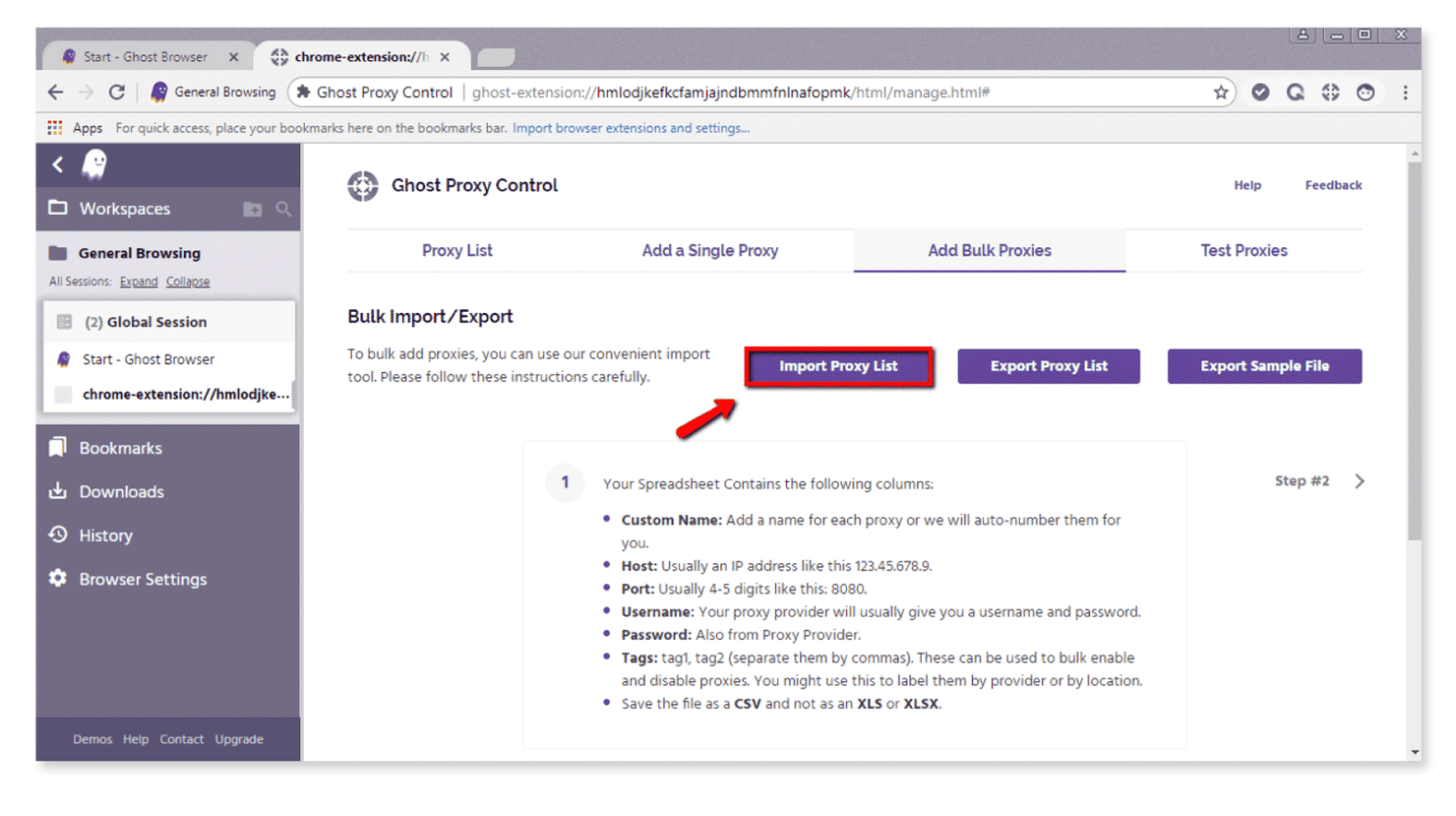
6. Once your CSV file is ready, import it into Ghost Browser.
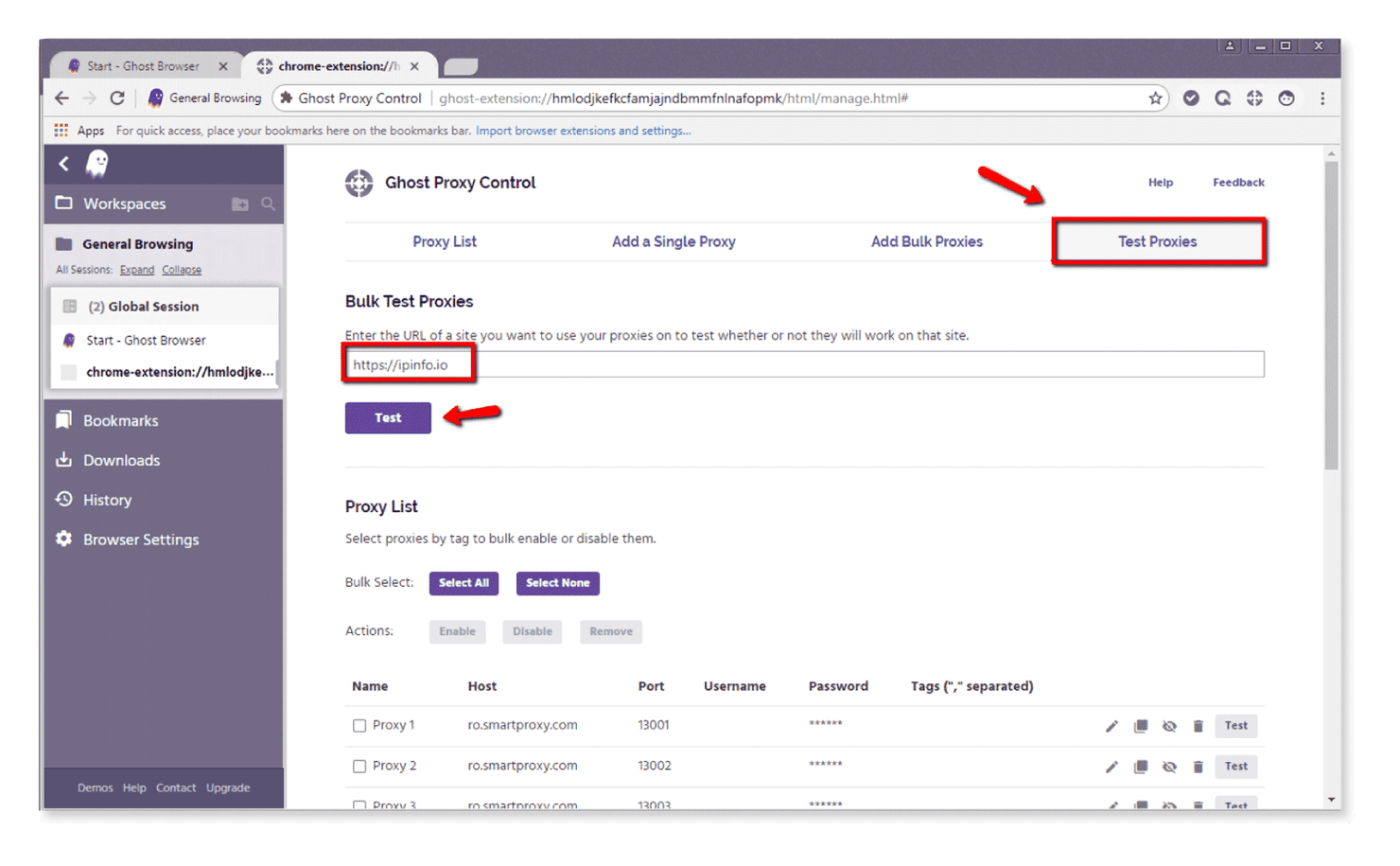
7. You can test your proxies in Test Proxies section. Add target URL and click Test.
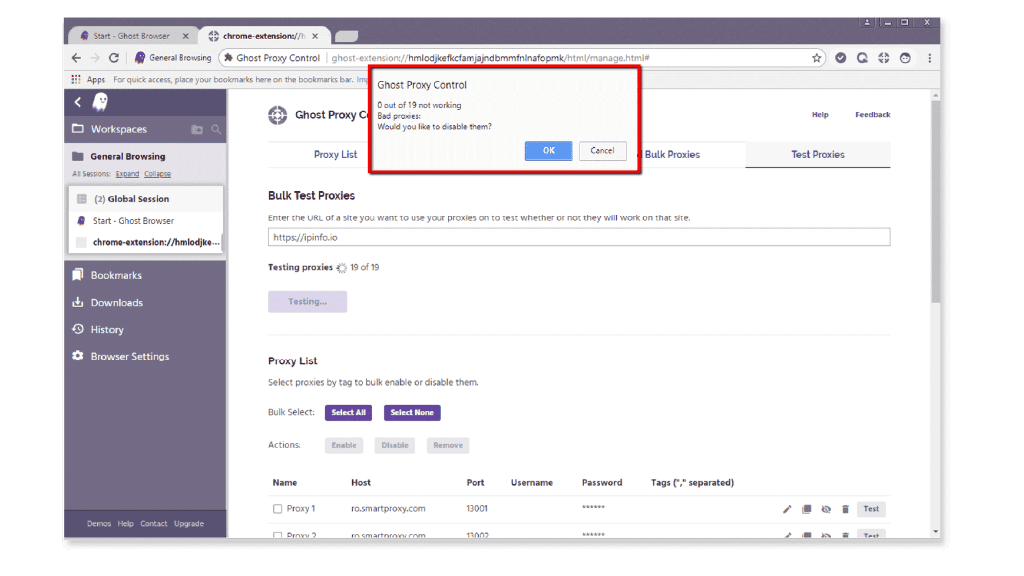
8. Results will come up in a pop-up. All proxies are setup successfully and ready to use:
Choose Decodo:

Never get flagged
Avoid getting detected by using our vast pool of residential exit nodes.

Unlimited connections
Use an unlimited number of connections, threads and countries at once.

City and Country level targeting
Use residential IPs from as many countries or cities as you like. Change locations as often as needed.
