Java Web Scraping Libraries: How to Choose and Use the Best Tools for Your Project
Java is a battle-tested choice for web scraping at scale due to its robust type safety, structured concurrency, safe multithreading, and a mature ecosystem. However, its advantage is also a major pain point: having too many libraries. From jsoup and HtmlUnit to Selenium and Playwright, these libraries exist to simplify web scraping, and yet picking "the right one" is a challenge. This guide will teach you how to choose the right tool based on your project requirements and how to handle modern scraping challenges.

Vilius Sakutis
Last updated: Apr 30, 2026
17 min read
TL;DR
- Java is a popular choice for web scraping due to its cross-platform portability, built-in multithreading, type safety, and mature ecosystem.
- Choose a library based on the type and size of your target content, the amount of control you need and maintenance you can do, and anti-bot resistance level.
- jsoup, HtmlUnit, Gecco, and HttpClient + jsoup are suitable for single-threaded scripts.
- Apache Nutch, Selenium, WebMagic, Gecco, and Playwright for Java are good choices for dynamic content.
- Use rotating residential proxies to scale scraping and avoid common issues.
- Use Web Scraping API to manage parsing, browser rendering, anti-bot bypass, and proxy rotation.
Why use Java for web scraping?
Among web scraping languages, Java is an excellent choice for large-scale web scraping because it provides users with a full scraping package: HttpClient to fetch, jsoup to parse, and Selenium and Playwright for dynamic pages. It’s also highly useful for enterprise systems, non-stop crawlers, and existing Java infrastructure. These are key features that make web scraping with Java so strong:
- Built-in multithreading for concurrent scraping (java.util.concurrent). Virtual Threads allow high-volume tasks to run in parallel without exhausting system resources.
- Type safety allows consistency and data integrity by preventing runtime errors typical for large-scale data extraction.
- The high-performance Java Virtual Machine (JVM) has the "Write Once, Run Anywhere" (WORA) capability, meaning it can be run on any server environment, therefore providing cross-platform portability.
- Mature ecosystem with a robust set of libraries, HTTP clients, and HTML parsers.
- Compiled applications can manage large volumes of data faster than interpreted languages.
- Long-term maintainability makes it ideal for long-running projects, particularly for enterprises.
Like any language, this one comes with some tradeoffs as well. Compared to Python or Node.js, Java needs more code for the same task, but its reliability at scale justifies its usage. Also, it’s not suitable for small and fast projects due to lower speeds.
Java
Python
Use for
Enterprise, large-scale, 24/7 crawlers
Prototyping, small scripts, data science
Development speed
Slower (mandatory, standardized code)
Fast (simple syntax)
Performance
High (multi-threaded)
Medium (interpreted)
Stability
High (type-safe)
Medium (dynamic typing)
How to choose the right Java web scraping library?
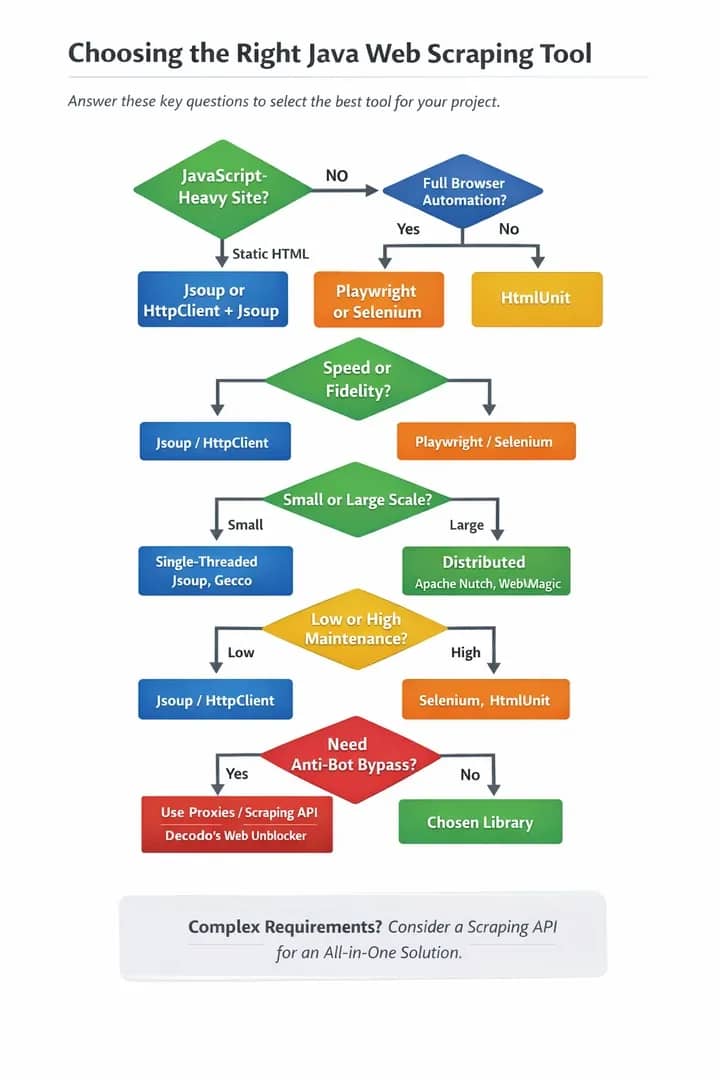
Choosing a library seems like a daunting task, but this guide aims to help you find the best-suited one for your specific project. Before exploring each individual library, let’s go through the questions that will help you select the right tool.
Question 1: Is the content static or dynamic?
Use jsoup for static HTML, but Selenium and Playwright are better suited for the JavaScript (JS)-heavy target sites.
Question 2: Does your project prioritize speed or fidelity?
Lightweight parsers (e.g. Beautiful Soup) are much faster and resource-efficient than headless browsers (e.g. Selenium), because the latter option needs time to load and render page content. However, headless browsers are crucial and more accurate for JS-heavy apps and complex pages.
Question 3: What are your project’s scale requirements?
Choose between a single-threaded script and a distributed crawler. A single-threaded script is a simple, low-resource tool for crawling small websites consecutively and quickly on a single machine. A distributed crawler is complex and used for concurrent scraping of massive datasets, providing speed, fault tolerance, and real-time data.
However, different libraries suit different scales: lightweight libraries like jsoup and Crawler4j are ideal for simple HTML parsing and crawling (single-threaded scripting), while robust frameworks such as Apache Nutch are able to manage massive data and horizontal scaling.
- Java libraries for single-threaded scripts include: jsoup, HtmlUnit, Gecco, and HttpClient + jsoup.
- Java frameworks for distributed crawlers include: Apache Nutch, Selenium, WebMagic, Gecco, and Playwright for Java.
- A hybrid commonly used inside distributed systems: HttpClient + jsoup
Question 4: How much maintenance are you able/willing to commit to?
Make sure to evaluate a library's GitHub activity, release frequency, and community size and activity before committing to it, as this will ensure long-term maintenance, security, and stability. You want to avoid abandoned tools. Here’s a general ranking of popular libraries by the frequency of maintenance needed:
- Highest maintenance need: Selenium, HTMLUnit
- High: Gecco
- Medium-high: WebMagic
- Medium: Jauntium, Apache Nutch
- Medium-low: Playwright (Java)
- Low: HttpClient + jsoup
- Very low: jsoup
Question 5: What anti-bot resistance level do you need?
No matter which Java library you end up choosing, you’ll need proxies and/or a web scraping API for JavaScript rendering and to avoid related challenges. Proxies will allow you to counteract the target site’s anti-bot protections, IP bans, rate limits, geo-restrictions, browser fingerprinting, and CAPTCHAs.
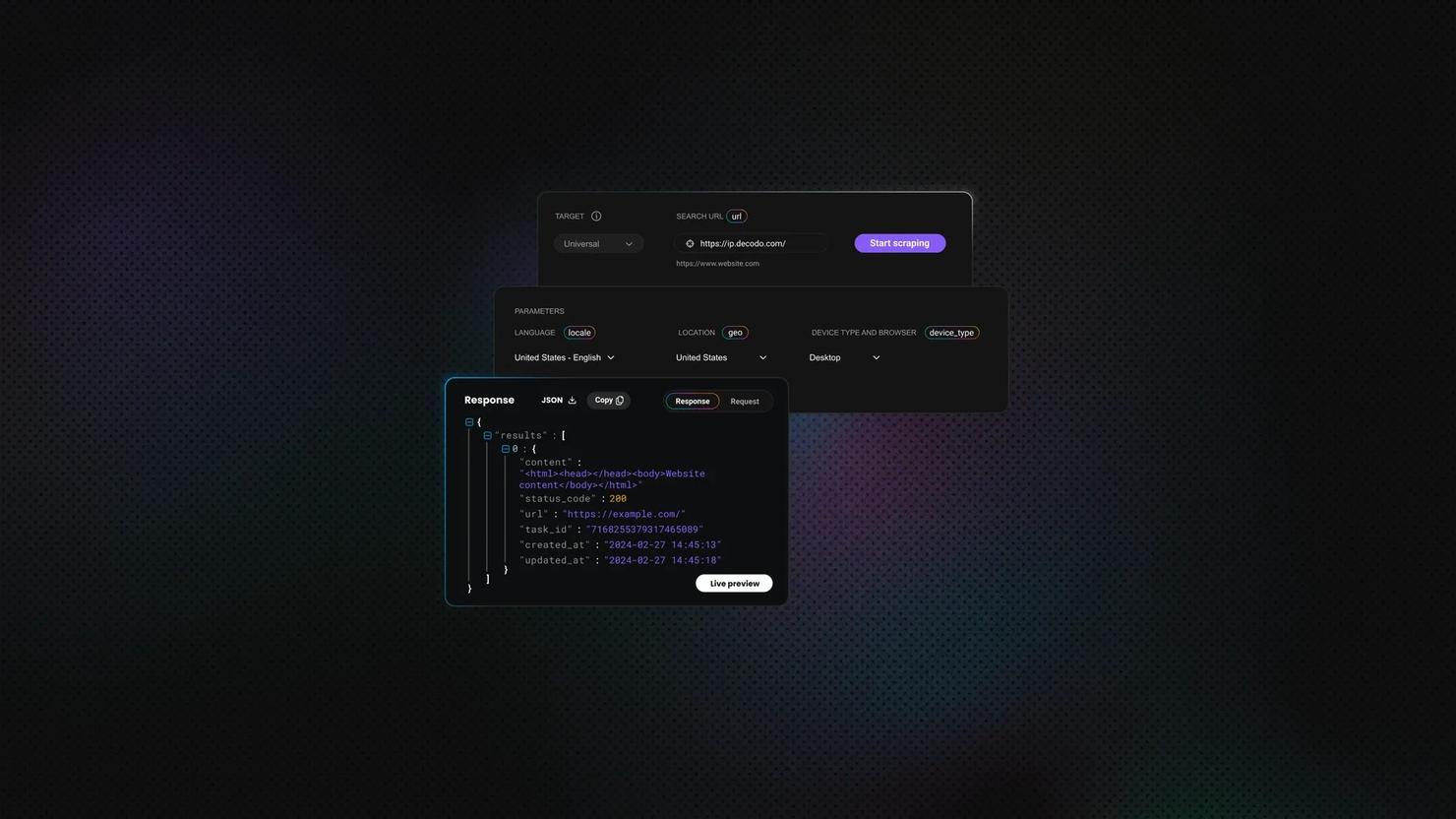
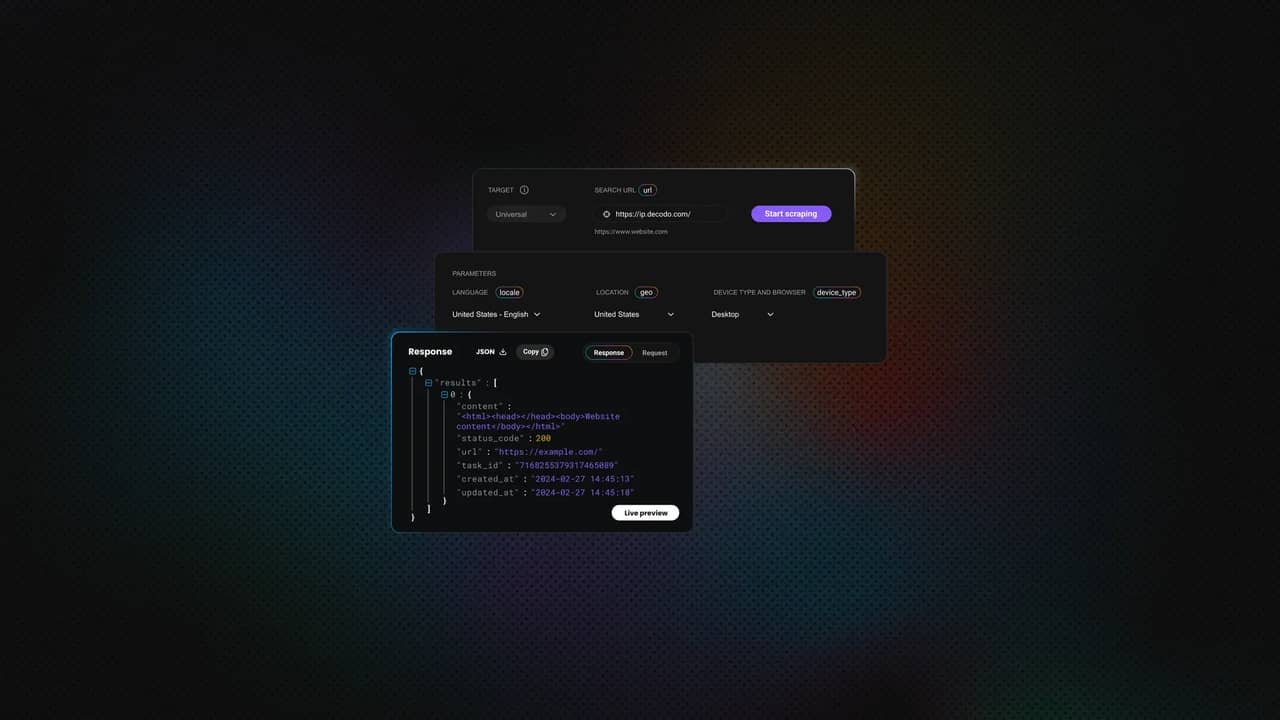
Use web scraping APIs for sites with strong anti-bot technology and for browser rendering. Otherwise, you may end up spending more time on infrastructure than on actual scraping. If you need a fast, all-in-one, "skip-the-complexity" solution that manages parsing, browser rendering, anti-bot bypass, and proxy rotation, use Decodo's Web Scraping API. Alternatively, you can utilize Decodo’s Site Unblocker for protected sites.
A decision diagram:
Best Java web scraping libraries compared
This summary table provides a comparison of all libraries covered in the article for quick reference.
Library
JavaScript support
Learning curve
Performance
Maintenance
Proxy config
Best for
jsoup
No
Easy
Fast
Active
Manual
Static HTML parsing
HtmlUnit
Limited
Moderate
Moderate
Active
Manual
Moderate JS, testing
Selenium
Yes
Moderate
Slow
Active
Manual
Full browser automation
Playwright for Java
Yes
Moderate
Fast
Active
Manual
Modern SPAs
HttpClient + jsoup
No
Moderate
Fast
Active
Manual
High-volume static
WebMagic
No
Moderate
Fast
Infrequent
Manual
Structured crawling
Gecco
No
Moderate
Fast
Infrequent
X
Annotation-based crawling
Apache Nutch
No
Difficult
Varies
Active
Manual
Enterprise-scale crawling
Jaunt/Jauntium
Limited
Moderate
Moderate
Legacy
Manual
Legacy projects
jsoup: lightweight HTML parsing
jsoup is the go-to library for parsing static HTML. Via an intuitive and user-friendly API, it simplifies extracting data from URLs, files, or strings; fetches HTML and parses it using DOM traversal, CSS, and XPath selectors. jsoup implements the WHATWG HTML5 specification and parses a variety of HTML to the same DOM as modern browsers.
Strengths: Simple API, CSS selectors, DOM manipulation, and small footprint. It’s self-contained with no external dependencies.
Limitations: As a pure HTML parser, jsoup doesn’t execute JavaScript; it’s ineffective for SPAs or pages with dynamically loaded content.
When to use: Parsing, extracting, or manipulating data from HTML or XML documents, static HTML pages with no complex browser interactions, RSS/XML feeds.
Code example: Fetching a page and extracting product titles using CSS selectors with Decodo proxy integration.
Download the jsoup dependency.
Save the below file as ScrapeBooksWithProxy.java and replace YOUR_PROXY_USERNAME and YOUR_PROXY_PASSWORD with your credentials.
From the same directory, compile and run.
HtmlUnit: headless browser with JavaScript support
HtmlUnit is a powerful "GUI-less" library that acts as a middle-ground option between static parsers like jsoup and heavy browser automation tools like Selenium. It is a headless browser that simulates a browser in Java, executes JavaScript without needing an external browser binary, and handles cookies and sessions. It allows browser interaction: clicking, form submissions, and navigating through pages.
Strengths: Integrates natively with Java projects, handles most JavaScript, supports form submission and page navigation, no external browser dependencies, and can emulate different browsers (Chrome, Firefox, Edge).
Limitations: HtmlUnit’s custom JavaScript engine (Rhino/Nashorn) struggles with modern frameworks (React, Vue, Angular). It’s prone to errors when encountering modern CSS or non-standard HTML and can trigger anti-bot detection.
When to use: Scraping sites with moderate JavaScript, automated testing, form submission, and cookie handling.
Code example: Navigating to a page, waiting for JavaScript to execute, and extracting rendered content with Decodo proxy integration.
To run this example, first download HtmlUnit and its dependencies:
This will create a folder containing all required .jar files inside a lib directory.
Next, save the following code as HtmlUnitScraperWithProxy.java:
Before running it, replace YOUR_PROXY_USERNAME and YOUR_PROXY_PASSWORD with your actual credentials.
Once the file is ready, compile it by pointing Java to all HtmlUnit dependencies.
Then, run the compiled program.
The script will load a JavaScript-rendered page through the proxy, wait for it to fully render, and print the extracted quotes along with their authors.
Selenium: full browser automation
Selenium is the most powerful option that drives real browsers (Chrome, Firefox, Safari, Edge) programmatically via the WebDriver protocol, therefore interacting with the target site and mimicking human behavior, which makes it ideal for difficult scraping tasks. Selenium scrapes websites that heavily use JavaScript for dynamic content and content that is not present in the initial HTML source. Also, Selenium with Python can automate browsers to execute JavaScript and interact with pages like an actual user.
Strengths: Handles any JavaScript, works with all major browsers, supports user interaction simulation, and has a massive community (i.e., extensive documentation, community support, and integration with CI/CD tools).
Limitations: Complex setup and high maintenance (browser binaries and drivers must be installed and maintained), high script fragility due to dependence on DOM structures (handles UI changes poorly), resource-intensive (memory/CPU), and relatively slow.
When to use: When browser fidelity is key, for complex SPAs, target sites with login or multi-step navigation, and screenshot capture. Otherwise, tools like Playwright for Java tend to be more reliable and efficient.
Code example: Launching headless Chrome, navigating to a product page, and extracting dynamically loaded prices with Decodo proxy integration.
If you’re using Maven, add Selenium to your pom.xml file.
Save the following code as SeleniumScraperWithProxy.java.
Compile and run:
Selenium can set the proxy host and port through ChromeOptions, but Chrome does not reliably accept username and password through a simple --proxy-auth argument. That means this basic example works best for IP-whitelisted proxies.
For username and password authentication, use one of these options:
- Whitelist your machine’s IP in the proxy dashboard
- Use a browser extension to handle proxy authentication
- Use a local proxy forwarder that injects credentials
Avoid this, because it is not a valid/reliable Chrome option:
Playwright for Java: the modern alternative
Playwright for Java is a newer, faster alternative to Selenium. Playwright web scraping provides a headless browser automation tool for scraping modern, dynamic websites. It’s an open-source library developed and maintained by Microsoft that automates interactions across multiple browsers (Chromium, Firefox, and WebKit) with a single API. It enables end-to-end testing for modern web applications. Playwright is primarily written in TypeScript, so the Java version is basically a wrapper (but fully mature and supporting nearly all of Playwright's features).
Playwright doesn’t perform actions until elements are actionable (visible, stable, enabled), drastically reducing flaky tests common in other tools like Selenium. Instead of XPath or CSS selectors, which can be fragile in this context, it uses locators based on user-facing attributes. It supports BrowserContexts (isolated, lightweight browser profiles that allow parallel test execution without interference), a Test Generator (records browser actions and generates code), and a Trace Viewer (allows step-by-step post-execution debugging).
Strengths: It comes with cross-browser support, built-in parallelism, and built-in auto-wait for elements. It’s typically faster than Selenium and features a modern API design, better modern web apps handling, network interception and request mocking support, and browser isolation for each test to act like an incognito window.
Limitations: Playwright still requires browser binaries, doesn’t support legacy browsers, and lacks a built-in test runner, while writing and maintaining scripts requires coding knowledge. It’s resource-intensive, and the newer ecosystem means fewer community resources and plugins.
When to use: Modern, high-performance web automation, multi-browser testing, infinite scroll pages, projects focused on performance, and network-level control.
Code example: Launching Playwright and scraping an infinite scroll page with Decodo proxy integration.
For this example, add Playwright to your pom.xml file.
Then, install the Playwright browser binaries.
Save the following code as PlaywrightUnsplashScraper.java.
Run the scraper from the project directory.
This script opens Chromium through the proxy, loads an Unsplash search results page, accepts the cookie banner if it appears, scrolls the page to trigger lazy loading, and extracts image alt text with image URLs from the rendered DOM.
Apache HttpClient + jsoup: the lightweight combo
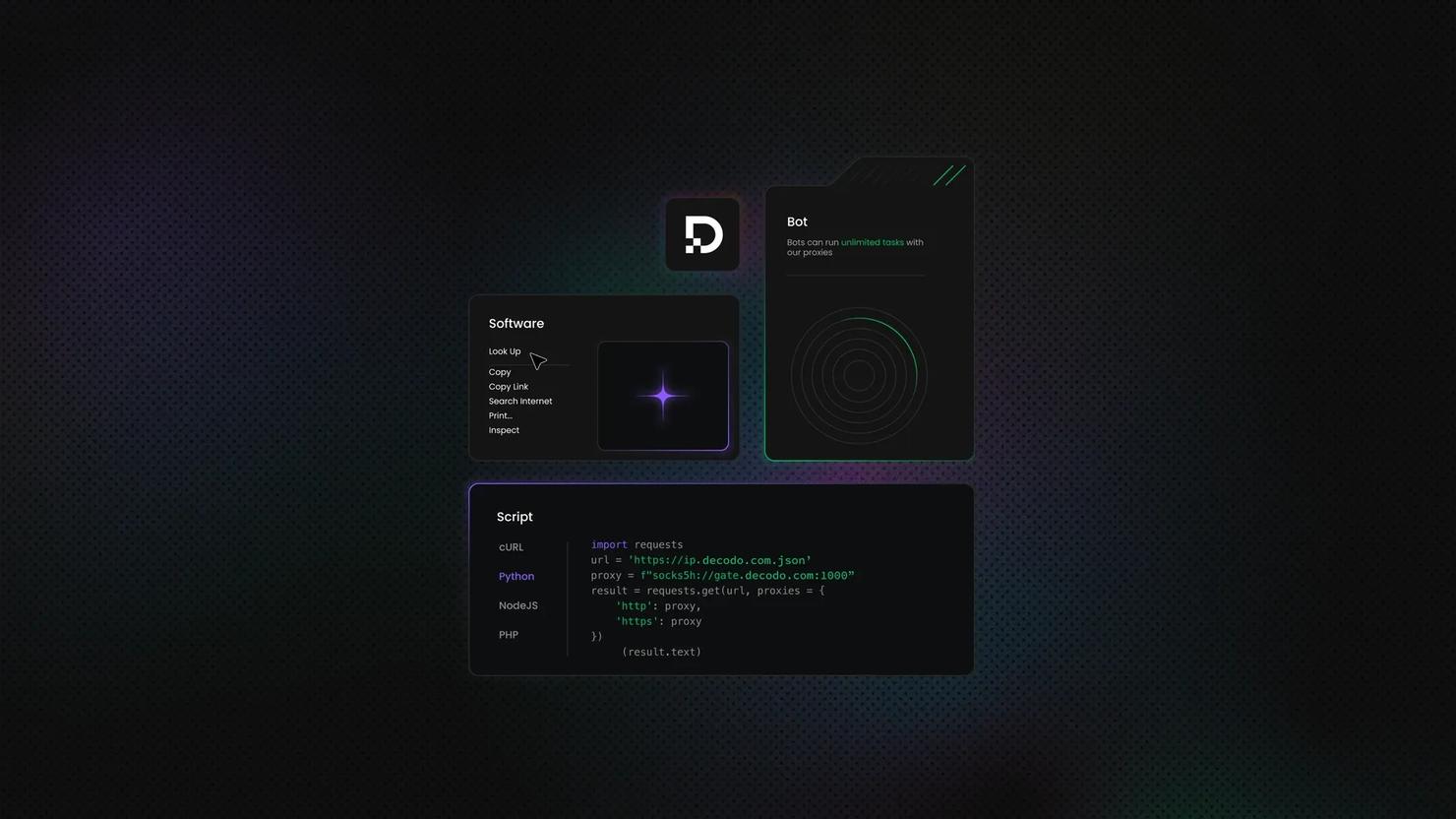
Combining Apache HttpClient (for complex HTTP handling) with jsoup (for parsing, cleaning, extraction) is a hybrid approach that allows for control without the full browser overhead. HttpClient manages cookies, advanced requests, proxy settings, and headers, including User-Agent rotation. Therefore, it handles connections, retries, timeouts, proxies, and authentication. Also, joining Apache HttpClient with jsoup and residential proxies allows for robust Java web scraping by separating request handling from parsing while avoiding IP bans.
Strengths: Advanced networking and separation of concerns. The HTTP requests control allows high-volume static scraping, easy proxy integration, and low resource consumption.
Limitations: It comes with the same constraints as jsoup alone. Combining Apache HttpClient with jsoup is a great solution for scraping static websites, but not modern, dynamic sites. Limitations include the inability to render JavaScript or mimic user behavior, and vulnerability to anti-bot mechanisms.
When to use: For lightweight scraping of plain HTML, as well as for large-scale static scraping, API response parsing, and websites requiring complex login, cookie management, massive parallelism, connection pooling, or custom HTTP headers.
For efficient web scraping, anonymity, and bypassing geo-restrictions, it’s best to use high-quality residential proxies. Decodo boasts a pool of 115M+ ethically-sourced residential IPs across 195+ locations worldwide, and the best response time in the market.
To set up Decodo residential proxies with rotating IPs:
- Register or log in to the Decodo dashboard.
- Navigate to find residential proxies, choose a subscription, or start a 3-day free trial.
- Go to Proxy setup.
- Select a location or choose Random.
- Set the rotating session type and choose a protocol (HTTP(S) or SOCKS5).
- Choose the authentication type.
- Download the generated endpoint and credentials or copy them into your scraper, browser, or software.

Get proxies for scraping with Java
Claim your 3-day free trial of residential proxies and explore full features with unrestricted access.
Code example: Configuring HttpClient with a Decodo residential proxy and proxy authentication, fetching HTML, and parsing with jsoup.
Add the required dependencies to your pom.xml.
Save the following code as HttpClientJsoupWithProxy.java.
Run the scraper from the project directory.
This script sends the request through the authenticated proxy with Apache HttpClient, reads the returned HTML, passes it to jsoup, and prints Hacker News story titles with their links.
WebMagic and Gecco: framework options
While raw libraries (such as jsoup and Selenium) are great for relatively small tasks requiring little to no dependencies and a high level of flexibility, Java frameworks are best suited for large-scale, complex projects that need concurrency, robust structure, and an automated data pipeline. WebMagic and Gecco are popular open-source Java frameworks that provide higher-level abstractions for building crawlers. Both simplify the web crawling and scraping process, combine HttpClient and jsoup, and provide structured ways to extract data.
However, WebMagic is a Scrapy-inspired, comprehensive, flexible, scalable, and modular framework that manages the entire crawler lifecycle, including downloading, URL management, and content extraction and storing. It has built-in support for cookies and redirects, also supporting XPath and CSS selectors, multi-threading, and horizontal scaling.
Gecco is a lightweight, annotation-based framework that focuses on readability and simplicity, suitable for crawling multiple domains quickly. It provides efficient multithreading and integrates with Spring and Redis for distributed crawling. It handles requests asynchronously and extracts JavaScript variables via a built-in mechanism. Gecco supports custom request headers for authentication and multi-domain crawling and uses jsoup to provide full DOM-level control for parsing HTML.
Strengths: These two frameworks provide higher-level abstractions and a user-friendly experience by doing away with manual handling of sessions, cookies, and data storage, as well as reducing boilerplate scheduling.
Limitations: They don’t have native JS support and are generally too much for simple tasks. Also, make sure to evaluate GitHub activity to check for infrequent updates.
When to use: Use WebMagic for complex, high-performance scraping projects that require long-term maintenance. Use Gecco to quickly build a specialized scraper, and if you prefer an annotation-driven model.
Code example: WebMagic + PageProcessor pattern.
Add the dependency to your pom.xml.
Save the following code as HackerNewsProcessor.java.
Run the scraper.
This example defines a simple crawler that fetches Hacker News, extracts article titles and links using XPath, and processes them in parallel threads.
If you prefer CSS selectors instead of XPath, you can replace the extraction logic with:
Apache Nutch: enterprise-scale crawling
Apache Nutch is an open-source, highly scalable web crawler built on Apache Hadoop, often used for web scraping. While primarily a command-line tool, it’s highly customizable through plugins. It’s a go-to choice for large-scale data acquisition and building search engines or complex web archives, as it can run on one machine or across a distributed cluster of machines. However, Nutch is not an importable library but a full framework that can index large portions of the web, therefore suitable for enterprise use cases, not typical scraping projects.
Strengths: Nutch can handle billions of pages and integrates with Elasticsearch and Solr for indexing, sending feed data directly to these platforms. It has built-in support for "politeness" policies (respects robots.txt rules and implements crawl delays to avoid overwhelming target servers).
Limitations: It’s not suitable for most scraping tasks or quick scraping scripts and has limited native JavaScript support. It requires significant setup time, complex configuration, and Hadoop infrastructure knowledge.
When to use: Massive and recurring web crawlers, enterprise-scale data mining across millions or billions of pages, building a custom search engine, and web archiving.
Code example: A config + crawl command flow that produces parsed HTML/text, including titles and links.
First, download and extract Apache Nutch from the official Apache Nutch website.
Create a seed file at urls/seed.txt:
Then allow Nutch to crawl Hacker News by adding this rule to conf/regex-urlfilter.txt:
In conf/nutch-site.xml, set a user agent name:
Run the crawl from the Nutch directory.
Once the crawl finishes, dump the segment data into a readable output folder:
This gives you the fetched and parsed crawl data, which you can inspect from the output/ directory.
For custom Java-level extraction, extend Nutch with a ParseFilter plugin. A minimal plugin method would look like this.
In practice, Nutch is best suited for larger crawling workflows where you need crawling depth, URL filtering, storage, and extensibility. For small page-level scraping tasks, jsoup, Apache HttpClient, Selenium, or Playwright will usually be faster to set up.
Legacy and niche options: Jaunt, Jauntium, and others
There are some less common options that you may encounter in the wild, but you should know when these could be helpful and when it’s best to avoid them.
Jaunt
Jaunt is a lightweight, headless Java library that enables lightweight HTML/XML parsing, web scraping, web automation, and JSON querying. The "GUI-less" browser allows programs to interact with websites. The underlying JS code allows fast execution. However, it can’t handle dynamic pages, is not available via modern Maven repositories, and requires manual JAR file management, while the free version typically expires in 30 days, requiring a new download.
Jauntium
While Jaunt is used for static HTML and JSON, Jauntium combines Jaunt's syntax and Selenium's browser automation for full JS support. Unlike Jaunt, it can automate modern browsers like Chrome, Firefox, and Edge to execute JavaScript. However, while bridging the two popular libraries, it is heavily dependent on both. Due to the full browser overhead, Juntium is slower than Jaunt.
EasyHTML
EasyHTML is an open-source HTML parser that prioritizes ease of use and a short learning curve. It simplifies the process of building and navigating a DOM from HTML and XHTML documents, allowing developers to avoid complex documentation while accessing elements and parsing content without. However, the documentation is incomplete, and EasyHTML is potentially overkill for small projects.
crawler4j
crawler4j is an open-source, multi-threaded web crawler library designed for fast crawling of static HTML and extracting data, useful for data mining and search indexing. It comes with a simple interface to manage crawling logic, includes politeness policies, and easily fetches text, HTML, images, and links. However, it doesn’t execute JavaScript. Also, the library has been unmaintained since 2018 and relies on a legacy dependency, which can cause issues with modern Java versions and dependency managers. This makes it unsuitable for new projects.
Common challenges in Java web scraping and how to solve them
There are some obstacles you’re likely to face regardless of the library choice. That said, using rotating proxies is the best option for avoiding challenges when web scraping.
Challenge: JavaScript-rendered content
Standard libraries like jsoup can’t execute scripts to load dynamic data, so you may find empty responses and missing data, which indicates that your static scraper doesn’t work.
- Solution: use headless browsers (Selenium, Playwright) to render JavaScript and mimic real browser interactions, employ a simulated browser (HtmlUnit), or simply offload to Decodo Web Scraping API, which handles rendering for you.
Challenge: IP blocking and rate limits
Websites track the number of requests from a single IP and will ban your IP (throttle or block it) if you push above a threshold. Datacenter IPs are fast and cost-effective, but also easily identified and get blocked quickly. This is why rotating residential proxies is essential for scraping at scale.
- Solution: Use rotating residential proxies to mimic real user behavior and switch IPs automatically. Decodo residential proxies with automatic IP rotation integrate with any Java HTTP client.
Challenge: anti-bot measures
You’ll easily recognize anti-bot measures in Java web scraping when you encounter issues like HTTP 429/403 errors, CAPTCHA walls, missing headers, invalid user-agent, sudden timeouts, empty responses after initial success, and honeypot traps that detect automated traffic.
- Solution: mimic human behavior by adding random delays between requests and by using stealth browser solutions. Importantly, use proxy rotation and distribute requests across multiple IPs. For heavily protected sites, we recommend Decodo Site Unblocker as it’s purpose-built for bypassing Cloudflare, DataDome, Akamai, and similar protections.
Challenge: CAPTCHAs
ReCaptcha, Cloudflare turnstile, or hCaptcha can appear where they shouldn't to make you prove you are human.
- Solution: High-quality residential proxies prevent IP flagging, therefore reducing the frequency of CAPTCHAs. Implement automated CAPTCHA-solving services if absolutely necessary.
Challenge: dynamic content
Basic Java libraries like jsoup or HttpClient don't execute JavaScript, and many sites will use this as a bot trap.
- Solution: Use a proper library, such as Playwright for Java or Selenium, to render the full page, handle cookies, and execute JavaScript tests like a real browser.
Challenge: Selector fragility
CSS selectors or XPath expressions can break due to minor and unpredictable changes in a website's HTML structure. When parsing abruptly fails, load the target page in the browser, click Inspect, and see if the CSS selectors or XPath expressions still match.
- Solution: build resilient selectors, prioritizing unique IDs (#uniqueID) and data attributes over classes [data-testid="submit-button"], avoid absolute paths which are fragile, monitor for breakage, and version-control selectors.
For many projects, managing proxies, browsers, and anti-bot bypass separately simply isn't worth the effort, as you spend more time doing that than actually scraping. In that case, we recommend Decodo’s Web Scraping API as the "all-of-the-above-in-one-API call."
When to use a scraping API instead of a library
Often, building one’s own scraper isn't the right approach, as it’s equal to reinventing the wheel. Java is a powerful tool, but its complexity makes it unsuitable for the initial scraping layer. A library-based approach will encounter issues with aggressive anti-bot measures, complex JS rendering, and frequent HTML changes, especially without residential IP rotation.
Managed scraping API saves time and resources. It allows you to use the data instead of constantly fixing selectors. Moreover, maintaining infrastructure often ends up being pricier than investing in a scraping API that handles these tasks for you. Finally, to bypass sophisticated modern defenses, you need to build and manage complex proxy rotation systems, CAPTCHA solvers, and stealth browser configurations, but an API handles all these as well.
For Java developers who want to focus on data extraction rather than infrastructure, Decodo Web Scraping API is the recommended solution for complex targets. It handles residential proxy rotation, headless browser rendering, and anti-bot bypass. You send an HTTP request and get clean HTML or JSON back.
Here’s a simple Java request to Decodo Web Scraping API using Java’s built-in HttpClient. Instead of configuring a browser, proxy authentication, retries, and rendering logic manually, the request is sent directly to the API.
The headless option tells the API to return browser-rendered HTML, while geo lets you choose the request location. This keeps the Java code lightweight because browser execution, proxy routing, and request handling happen on the API side.
For comparison, a manual Playwright setup requires more moving parts: a browser automation library, proxy configuration, authentication, waiting logic, retry handling, and extraction code.
The API version is shorter because it removes most of the infrastructure work from your Java project. The manual version gives you more direct browser control, but you also have to manage browser setup, proxy credentials, retries, page waits, and failure handling yourself.
In practice, use the API for more demanding targets where rendering, proxy management, and anti-bot handling matter. Use Java libraries directly when you’re scraping simpler pages or need full control over the browser workflow.
Scraping library (in-house)
Scraping API (service)
Effort
High (you build and maintain everything)
Low (send a request, get data)
Cost
Low initial cost (mostly time)
Usage-based (pay per request)
Proxy management
You must buy and rotate your own
Built-in and automatic
Anti-bot tech
You must solve CAPTCHAs/blocks
Handles blocks and CAPTCHAs for you
Reliability
Fragile; breaks when site UI changes
More robust; abstracts technical changes
Final thoughts
Java is a powerful tool for large-scale web scraping, due to its high-performance JVM, type safety, concurrency, multithreading, a mature ecosystem, and long-term maintainability. It provides its users with all the features they need for every size and type of project: HttpClient and jsoup for simple projects to fetch and parse, Selenium and Playwright for dynamic pages, and Apache Nutch for enterprise-scale data mining (among other libraries/frameworks).
Choosing the right tool for your project largely depends on the type of content you’re scraping and the amount of control and maintenance you want. For static websites and those with weak anti-bot systems, libraries are a good choice. For everything else, Decodo Web Scraping API will save you time, effort, and money by managing parsing, browser rendering, anti-bot bypass, and proxy rotation.
About the author

Vilius Sakutis
Performance Marketing Team Lead
Vilius leads performance marketing initiatives with expertize rooted in affiliates and SaaS marketing strategies. Armed with a Master's in International Marketing and Management, he combines academic insight with hands-on experience to drive measurable results in digital marketing campaigns.
Connect with Vilius via LinkedIn
All information on Decodo Blog is provided on an as is basis and for informational purposes only. We make no representation and disclaim all liability with respect to your use of any information contained on Decodo Blog or any third-party websites that may belinked therein.