REA (Reverse Engineer Anything): What It Is and How to Use It
Reverse Engineer Anything (REA) is an open-source toolkit that lets AI agents investigate how software works, even without access to its original source code. The project has gained significant attention on GitHub in October 2026. In this guide, we'll explore how REA works, what you can analyze with it, and how to get started. We'll also look at an alternative approach when your goal is collecting public web data rather than reverse engineering software.

Dominykas Niaura
Last updated: Oct 20, 2026
10 min read
TL;DR
- REA is an open-source Model Context Protocol (MCP) server that lets AI agents investigate applications, binaries, and websites.
- It runs analysis locally and returns findings supported by evidence, along with their limitations.
- You can set it up with npx rea-agents setup and a compatible Node.js version.
- Download it only through the official GitHub repository, website, or npm package.
- REA can help developers recreate software features, but it doesn't recover the original source code. That information can be collected through web scraping.
What is REA (Reverse Engineer Anything)?
REA is an AI-powered reverse engineering toolkit developed by GitHub user morluto. Released under the MIT license, it helps developers investigate existing software, trace functionality, and understand how applications behave.
Reverse engineering means examining an existing system to understand its design, functionality, or implementation.
Traditionally, this involves manually examining code, binaries, network activity, and other technical evidence. REA connects these investigation tools to AI agents through the Model Context Protocol (MCP), a standard that allows AI applications to interact with external tools and services.
The project was created in April 2026 and had attracted approximately 330,000 GitHub stars by October 19, 2026.
REA's main appeal is simple: instead of navigating several specialized tools yourself, you can ask an AI coding agent to investigate a particular feature and explain what it finds.
How AI reverse engineering works with REA
REA is a reverse engineering MCP server that gives AI agents access to software analysis tools. Rather than relying entirely on the agent's guesses, it lets the agent inspect actual software artifacts and return evidence-backed findings.
The workflow involves three steps:
- Ask a question. Tell your AI agent which application or feature you want to understand.
- Investigate. The agent calls REA's tools to inspect the relevant files, code, or runtime behaviour.
- Interpret the findings. REA returns technical evidence that the agent can explain or use to help implement similar functionality.
REA supports several analysis engines, including Hopper, Ghidra, and IDA for native binaries. It also includes capabilities for examining JavaScript, Electron applications, .NET assemblies, and websites.
For native analysis, a disassembler translates machine instructions into assembly language, while a decompiler produces a higher-level representation called pseudocode.
REA can return pseudocode, assembly instructions, module relationships, and other findings. However, it doesn't recover the original source code, and its conclusions may contain gaps where evidence is unavailable.
For more background on the underlying technology, see our guide on setting up an MCP server.
What can REA analyze?
REA supports various software formats and investigation methods. Here's a selection of its capabilities:
Target
What REA returns
Requirements
Native binaries
Pseudocode, assembly, functions, references
Hopper, Ghidra, or IDA
JavaScript and Electron apps
Modules, imports, routes, IPC relationships
Node.js and npm
Websites
Page structure, scripts, network observations, screenshots
Chrome-family browser
Saved network captures
Requests, responses, available payloads
HAR or supported capture file
.NET assemblies
Metadata, CIL instructions, dependencies
Built-in static analysis
Android APKs
Manifest declarations, classes, decompiled methods
JADX and JDK
Electron is a framework for building desktop applications with web technologies. A HAR file is a recorded log of HTTP requests and responses, commonly exported from browser developer tools.
REA also supports additional targets, including WebAssembly, firmware, and packet captures. Consult the official README for the complete list and platform-specific requirements.
How to set up REA
Before installing anything, make sure you're using the official Reverse Engineer Anything GitHub repository.
REA requires npm and a supported Node.js version: 22.19 or later within the 22.x series, 24.11 or later within 24.x, or version 26 and newer.
Step 1. Check your Node.js version
Open your terminal and run:
If your version isn't supported, update Node.js before proceeding.
Step 2. Install REA
Run the official setup command:
The setup wizard lets you select compatible AI agents, including Claude Code, Codex, Cursor, Gemini CLI, and Grok Build.
Review and approve the proposed configuration changes. REA registers its MCP server, installs the matching agent instructions, and backs up existing configuration files.
Restart your AI agent once the setup finishes.
Step 3. Give your agent its first task
The official README suggests a prompt like this:
Replace Notes with an application you're authorized to examine and specify the functionality you're interested in.
Depending on the target, your agent might return module relationships, relevant functions, supporting evidence, and unresolved questions. For JavaScript or Electron applications, this can include imports and communication between application components.
Step 4. Explore the command-line interface (optional)
You can also install REA globally:
Then explore its commands:
Native binary analysis requires a supported engine such as Hopper, Ghidra, or IDA. Other workflows, including static JavaScript analysis, don't require one.
For additional configuration options, see REA's installation documentation.
What can you use REA for?
REA covers much more than inspecting native executables. Here are some practical applications.
Understand and recreate application features
Suppose you've encountered a useful feature in another application and want to implement similar functionality in your own project.
REA can help investigate the underlying behaviour and provide evidence your coding agent can use during implementation. Its official Notion showcase demonstrates an investigation into how the application's clipboard functionality works.
Inspect JavaScript and Electron applications
REA can examine JavaScript modules, imports, routes, and inter-process communication (IPC) relationships.
This is particularly useful for understanding how different parts of an Electron application communicate, including its renderer and main processes.
Investigate software dependencies and behaviour
Developers can use REA to examine software they're authorized to test, investigate dependencies, or understand how particular components interact.
Its findings can support software reviews and technical investigations, although they aren't a substitute for comprehensive security testing.
Preserve legacy software and games
Reverse engineering can help developers understand software whose original source code is unavailable.
REA's official showcases include reconstructing a sound calculation from the game DX-Ball and recovering calculations from TH04, an older PC-98 game.
Understand how websites load data
REA can also inspect website structure, JavaScript bundles, and network activity.
For example, you might investigate how a website handles pagination, loads additional content, or communicates with an API.
These findings can help you understand the website's behaviour before choosing an extraction approach. See our guide to AI web scraping with Python for more on working with website data.
How does REA compare to Ghidra MCP?
Reverse engineering software such as Ghidra and IDA Pro already supports sophisticated binary analysis. MCP servers extend these tools by letting AI agents interact with them.
The difference is that REA supports multiple analysis engines and additional types of targets.
Feature
REA
GhidraMCP
IDA Pro MCP
Analysis engines
Hopper, Ghidra, IDA
Ghidra
IDA Pro
Additional targets
Websites, JavaScript, .NET, Android, and more
Primarily Ghidra-supported analysis
Primarily IDA-supported analysis
Setup
Agent configuration and target-specific providers
Ghidra extension and MCP bridge
IDA Pro and MCP server setup
Engine cost
Depends on selected engine
Ghidra is free
Requires IDA Pro
Best for
Investigating different software types
Existing Ghidra workflows
Existing IDA Pro workflows
Comparison references: REA, GhidraMCP, and the community-maintained IDA Pro MCP.
If you already work exclusively in Ghidra or IDA Pro, a dedicated MCP integration may be sufficient. REA becomes particularly useful when your investigations span different formats, applications, and analysis tools.
When a Web Data API beats a custom scraper
Knowing how a website works and collecting its data are two different challenges.
If you're researching how to reverse engineer an API used by a website, REA can help inspect JavaScript and network behaviour to identify relevant requests, endpoint candidates, and available evidence.
You could use those findings to develop a custom scraper. However, you'd also need to maintain that scraper as the website changes, manage proxies, handle blocking and CAPTCHAs, and scale the extraction process when necessary.
If your actual goal is collecting public web data, Decodo's Web Data API offers a more straightforward alternative.
Custom scraper
Decodo Web Data API
Setup
Build extraction and request logic
Integrate an API
Maintenance
Update the scraper as websites change
Managed retrieval infrastructure
Blocking
Implement your own handling
Built-in unblocking
Scaling
Manage requests, proxies, and infrastructure
API-managed infrastructure
Output
Depends on implementation
HTML, Markdown, and target-specific formats
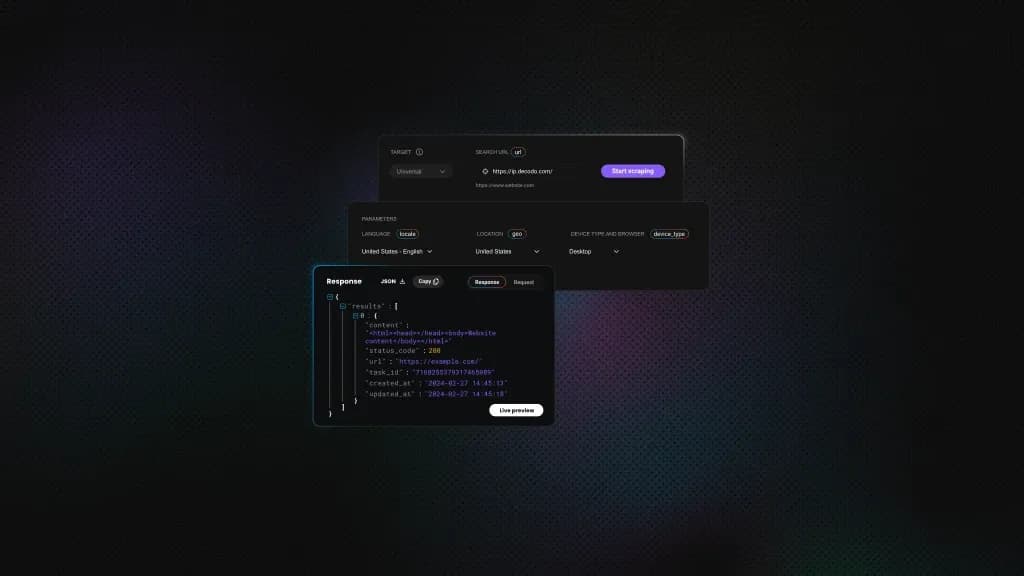
Web Data API provides four endpoints: /scrape for retrieving individual pages, /map for discovering website URLs, /crawl for collecting multiple pages, and /search for retrieving web search results.
Example: Retrieve a webpage with Python
Here's a simple request using Python's Requests library:
Replace the target URL with the public webpage you want to retrieve and set the YOUR_API_KEY environment variable to your Web Data API key.
The request enables JavaScript rendering and requests Markdown output, eliminating the need to set up and control a browser directly for this extraction.
For developers working with AI agents, Decodo's MCP Server provides another way to access web data through an agent-compatible interface. It can complement REA when a project involves both software investigation and external data collection.

Try Web Data API for free
Activate your free plan with up to 10K requests and scrape structured public data at scale.
Is REA safe to use?
REA is open source, but installing it still requires the same care as any developer tool that can inspect files and interact with local applications.
Start by using only its official GitHub repository, website, or verified npm package. Similar repository names don't guarantee that a download is authentic.
REA's setup wizard modifies your AI agent's configuration, so review the proposed changes before approving them.
The analysis itself runs locally, but the findings are shared with your AI agent. Depending on your agent's model provider, this can mean transmitting sensitive information to an external service.
Only analyze software you're authorized to examine, and avoid submitting proprietary or confidential material without permission. REA provides additional guidance in its official disclaimer.
To sum up
REA makes reverse engineering more accessible by connecting AI agents to established analysis tools. It helps developers move from questions about software behaviour to technical findings supported by evidence.
If your project instead involves collecting public website data, explore Decodo's Web Data API free starter plan, offering up to 10K requests over 7 days.
About the author

Dominykas Niaura
Technical Copywriter
Dominykas brings a unique blend of philosophical insight and technical expertise to his writing. Starting his career as a film critic and music industry copywriter, he's now an expert in making complex proxy and web scraping concepts accessible to everyone.
Connect with Dominykas via LinkedIn
All information on Decodo Blog is provided on an as is basis and for informational purposes only. We make no representation and disclaim all liability with respect to your use of any information contained on Decodo Blog or any third-party websites that may belinked therein.