Scraping Multimedia Data for AI Training: Images, Video, Audio
Images, video, and audio are harder to collect and clean than text, and much less useful without context. Multimedia scraping helps you collect media, preserve the metadata that gives it meaning, and turn scattered files into training-ready datasets. The hard part is treating each media type differently from the start.

Vytautas Savickas
Last updated: Mar 13, 2026
8 min read
TL;DR
- Images, video, and audio create different collection and preprocessing problems.
- Raw media isn't enough – captions, filenames, timestamps, and page context often make it usable.
- A reliable pipeline separates collection, normalization, metadata extraction, quality filtering, and storage.
Understanding multimedia data types and how they're used in AI
The way you scrape a product photo from a website isn't the way you extract value from a 30-second video clip. Neither looks much like collecting audio for speech or sound classification.
In practice, you need to treat multimedia as 3 separate data types: images, video, and audio.
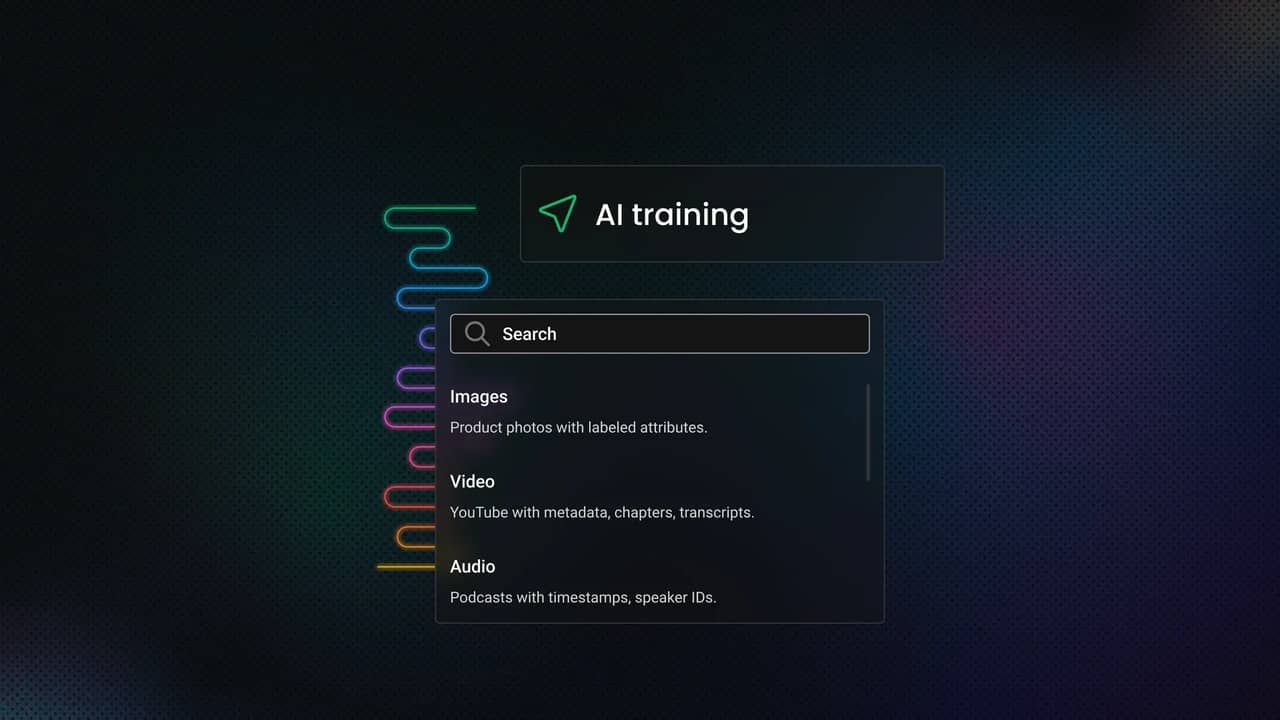
Data type
Structured example
Unstructured example
Images
Product photos with labeled attributes
Random social media images
Video
YouTube with metadata, chapters, transcripts
Raw surveillance footage
Audio
Podcasts with timestamps, speaker IDs
Background audio from videos
Image data
For AI training, image datasets usually support classification, object detection, segmentation, OCR, and broader vision tasks.
In scraping terms, the file is only part of the value. You also need the surrounding context: the image URL, filename, alt text, nearby headings, captions, and sometimes embedded metadata such as EXIF. Without that, you can end up with a folder full of pixels and very little information.
Common web image formats include JPEG, PNG, and WebP. In practice, format matters less than consistency. Resolution, compression artifacts, crop quality, and lighting still affect how useful an image is for training.
For image-board sources, a Pinterest scraper API returns pin URLs with the board and profile context that gives each image meaning.
Video data
A video is a time-based sequence of still frames, often with scene changes, motion blur, variable quality, and sometimes a separate audio stream that's useful on its own.
That's why video is used for action recognition, object tracking, and event detection.
For AI training, you usually have 2 choices: collect the full video file or extract frames and treat them as image samples. Full downloads preserve temporal context, which matters for sequence-aware models. Frame extraction is lighter and easier to label, but you lose timing information unless you preserve frame order and timestamps.
Audio data
From a training perspective, audio supports speech recognition, speaker identification, keyword spotting, intent detection, sound classification, and music-related tasks.
Audio data is rarely uniform. You may collect standalone files, podcast-style streams, clipped audio from longer recordings, or tracks extracted from video containers. The same dataset can mix speech, background noise, silence, and compression artifacts in ways that make labeling harder than expected.
Common audio formats include MP3, WAV, FLAC, and OGG. For training quality, the real issues are sample rate, bit depth, clipping, channel layout, and background noise. If you scrape first and normalize later, preprocessing has to be reliable.
Structured vs. unstructured multimedia
Structured multimedia comes with useful context attached: product images linked to item titles, videos with timestamps and descriptions, or audio files with speaker labels and transcripts.
Unstructured multimedia is rougher. You may still get usable files, but the labels are weak, inconsistent, or missing, which means more filtering and more annotation before the data is useful.
Key applications: From market research to training the next GPT
Multimedia scraping serves two broad purposes. The first is AI training: collecting image, video, and audio data for vision, speech, multimodal, and generation workflows. The second is analysis: monitoring markets, products, campaigns, and public media where text alone doesn't capture the full signal.
That matters because images show layout and visual hierarchy, audio captures tone and speaker traits, and video adds motion and timing. If your use case depends on those signals, scraping only text leaves out the data that actually matters.
Methods and tools for extracting multimedia content
How you extract multimedia depends on what the page exposes, how the media is loaded, and how much context you need to preserve. At a practical level, the workflow still starts with the same web scraping fundamentals: fetching pages reliably, parsing what is available, and deciding when browser rendering is necessary.
If a source offers an official API and exposes the media you need, start there. APIs are usually the cleanest path to structured results: stable identifiers, predictable fields, and metadata you can validate without scraping raw markup. The tradeoff is coverage. APIs often limit what you can fetch, how much you can fetch, or which assets they expose at all.
HTML parsing for direct media extraction
When the media is present in the HTML, plain parsing is still the fastest option.
For images, that often means collecting values from img tags and checking attributes such as src and srcset. BeautifulSoup 4 remains a common starting point for static page extraction because it's built for pulling data from HTML and XML.
This works well when the page exposes media URLs directly in the markup. It's also the easiest way to capture surrounding context, such as nearby headings, captions, and linked product information.
The catch is that many pages no longer expose the final asset in a neat tag. Lazy loading, placeholder URLs, responsive image sets, and CSS-based rendering all complicate extraction.
Handling modern pages with browser automation
When the page depends on JavaScript to render media, static parsing is no longer enough.
Instead of scraping the initial HTML response, browser automation lets you load the page as a browser would, let scripts run, and inspect the rendered DOM or resulting network requests. Playwright is a strong fit because it gives you a single API for launching real browser engines and interacting with pages in Python.
This matters because many image galleries, embedded players, and asset viewers only reveal usable URLs after the page finishes rendering. In those cases, automation is less about clicking through the UI and more about accessing the version of the page the user actually sees.
You should still use it selectively. Browser automation is heavier, slower, and more brittle than simple HTTP parsing. Use it when rendering is required, not by default.
If rendering and retry logic become the real bottleneck, a web scraping API can reduce the amount of low-level retrieval code you need to maintain.
Image extraction techniques
Image scraping sounds easy until you hit a modern front end.
The baseline case is simple: parse img tags and collect src. In production, you also need to inspect srcset, lazy-load attributes such as data-src, and sometimes inline styles that use CSS background images.
That means your image extractor should do more than find every image. It should choose which version to keep, preserve page context, and avoid duplicate or placeholder assets. Otherwise, you end up downloading thumbnails and UI chrome instead of useful training data.
Video extraction approaches
Video is where the simple scraper mindset usually breaks.
Some pages expose a video as a direct file URL. Others deliver video through streaming manifests such as HLS or DASH, where the "video" is really a playlist of segments, not a single file. That changes both collection and storage because extracting a usable asset may involve resolving multiple streams or choosing among formats.
For source capture, yt-dlp is one of the most practical tools in this space because it handles cases where plain HTML extraction is no longer enough. For repeated YouTube collection at scale, teams often move to dedicated tooling such as Decodo's Video Downloader rather than maintaining every edge case themselves.
Once you have the video, you often don't train on the file as-is. You extract frames, which is where FFmpeg becomes useful.
In practice, you have 3 workable options. You can store full videos, extract frames at a fixed interval, or collect thumbnails as a lighter proxy. Full videos preserve temporal context. Frames are easier to label and cheaper to process. Thumbnails are useful when you care more about broad visual sampling than motion.
Audio extraction methods
Audio is often its own dataset, but just as often it's embedded in something else. Sometimes you scrape standalone files. Sometimes you parse feed entries that point to media URLs. Sometimes the audio you need is inside a video file, which makes extraction a post-processing step.
That's why audio pipelines usually depend on early format conversion and normalization. If your goal is speech or sound classification, collecting the asset isn't enough unless you also preserve timestamps, source information, and useful text around the recording.
Overcoming common obstacles in multimedia scraping
Multimedia scraping gets harder fast. Files are larger, transfers are slower, formats are less consistent, and modern pages create more rendering and access friction than plain text pages do.
A scraper that works in a short test can still fail once runs get longer, files get heavier, and quality checks become stricter.
Here are the most common failure points and what they do to the pipeline:
Challenge
Impact on AI training
Practical response
IP blocks
Incomplete datasets
IP rotation and session control
CAPTCHAs
Interrupted collection
Fallback paths and lower-friction retrieval
Low-quality assets
Worse training data
Early quality filtering
Missing metadata
Higher annotation cost
Parallel context extraction
Anti-scraping defenses
Sites commonly throttle repeated requests, block suspicious traffic patterns, or flag behavior that looks automated.
The fix isn't brute force. Slow down request bursts, rotate IPs, reuse sessions carefully, and avoid making every request look identical. That matters more with multimedia because each failed request costs more bandwidth and time than a failed text fetch.
When repeated collection runs start failing because of IP-based friction, residential proxies can make the retrieval layer more resilient.
CAPTCHAs and access gates
When throttling isn't enough, some sites escalate to CAPTCHAs or challenge flows. That can break a basic media collector fast.
The practical takeaway is simple: build fallback paths. If a source becomes challenge-heavy, switch to an official API where one exists, reduce scraping intensity, or move to a more browser-like workflow.
Data scale and transfer costs
A dataset that looks manageable as HTML can become heavy the moment you start storing raw media.
Images add up quickly. Video and audio grow even faster, especially when you keep original files. Even when requests succeed, the pipeline can still stall on download throughput, disk I/O, or storage limits.
Once file volume rises, you need resumable downloads, queue-based processing, and storage rules that separate raw source assets from cleaned, training-ready outputs.
Format and codec variation
Even when the collection succeeds, the files may not be usable as-is.
Image, video, and audio pipelines often receive mixed formats, inconsistent codecs, and damaged files. Some assets download cleanly but fail to decode. Others work, but still create downstream problems because they don't match the format your tools expect.
Normalization has to be part of the pipeline, not a cleanup task you postpone. Resize images, standardize formats, convert codecs where needed, and reject files that pass download checks but fail basic decode validation.
Quality drift in collected media
A successful download isn't the same as useful data.
Over time, many multimedia pipelines start collecting the wrong version of the asset: thumbnails instead of full-size images, preview clips instead of full videos, or heavily compressed audio that's technically valid but poor enough to degrade downstream results.
This is one of the most common silent failures in multimedia scraping. The scraper keeps running, but the value of what it stores gets worse.
The fix is to validate quality early. Check dimensions, file size, duration, sample rate, and basic decode integrity before an asset enters the dataset. That catches bad inputs before they turn into labeling cost or training noise.
Missing or weak metadata
For images, you may lose descriptive text, captions, filenames, or EXIF metadata. For video, you may have a playable file but no reliable title, timestamp, or segment context. For audio, you may have the waveform but no speaker information, transcript, or clear indication of what the clip contains.
That turns a scraping problem into an annotation problem, which is why context extraction should run alongside asset collection.
Legal and ethical considerations for multimedia scraping
You don't need a perfect answer for every edge case before you start. Still, you do need a defensible process: identify the source, record license or rights status where available, preserve provenance, limit unnecessary personal data, and document why each source belongs in the dataset.
Copyright and licensing come first
For images, video, and audio, the safest starting assumption is simple: most of what you find online is protected by copyright. Public availability isn't the same as free reuse.
If you collect media for training, internal analysis, or redistribution, track the rights status of what you collect. When a source provides a license, preserve it. When it doesn't, don't assume training use is automatically permitted.
Terms, access signals, and collection boundaries still matter
Even when a file is publicly reachable, the source may still define how automated systems are expected to access it. In practice, access signals such as robots.txt, rate limits, and platform boundaries should be treated as constraints, not as something to ignore just because the file is public.
Privacy gets harder with multimedia
Multimedia raises the privacy risk because the identifying details are often built into the file itself.
A face in an image, a voice in an audio clip, a license plate in a video frame, or a street address visible in the background can all turn a simple media file into personal data.
Under GDPR, biometric data used to identify a person uniquely is treated as a special category of personal data, subject to stricter conditions. The European Commission also explicitly lists biometric data used for identification among the protected categories.
If your dataset includes faces, voices, or other identifiable signals, assume privacy review is required. In practice, that means data minimization, retention limits, redaction where appropriate, and a clear purpose for collecting the media.
Ethical sourcing is bigger than "can I scrape it?"
Even when a source is accessible, that doesn't automatically make it a good source for a training dataset.
You can still collect biased samples, overrepresent certain groups, ingest harmful material, or build a dataset with weak provenance. That creates ethical risk and usually makes the dataset worse.
For multimedia pipelines, that means filtering unsafe or irrelevant content, documenting source categories, preserving provenance metadata, and reviewing whether the dataset overrepresents certain people, environments, accents, or visual contexts.
The role of specialized tools and services
You can build a multimedia scraping pipeline from scratch, and for small runs, that often makes sense. A few scripts, retry logic, and basic storage can take you surprisingly far.
But multimedia changes the cost curve. Files are larger, failures are more expensive, and rendering is heavier. Once you need consistent collection across many sources, maintenance starts consuming the time you thought you were saving.
The practical rule is simple: use custom code when extraction logic is the hard part. Use specialized services when retrieval becomes the bottleneck.
When it makes sense to build it yourself
If your sources are narrow, stable, and technically simple, a custom stack is still a good option.
That usually applies when you control the target scope, the HTML is predictable, and the data volume is modest enough that a few retries and cleanup steps are manageable. In that setup, building in-house gives you full control over extraction rules, metadata design, and post-processing.
That control matters when you need source-specific behavior. You may want to preserve custom annotations, extract unusual fields, or apply domain-specific filtering right after download.
The tradeoff becomes obvious once the project grows. At that point, you're maintaining IP management, handling CAPTCHAs, debugging browser automation, and monitoring a pipeline that can fail in multiple places before the file reaches storage.
When specialized services start saving you time
The case for specialized tools gets stronger when the problem stops being local.
If you need large-scale collection, repeated runs, higher success rates, or coverage across harder targets, specialized services usually save time by removing the parts of scraping that are fragile, infrastructure-heavy, and difficult to scale well. They don't replace your logic. They take pressure off the retrieval layer so your own code can focus on extraction, filtering, and dataset prep.
That matters more with multimedia because every failed asset wastes more bandwidth, more compute, and more time than a failed text scrape.
If rendering, retries, and anti-bot friction become the main source of failure, a managed layer, such as a web scraping API, can reduce how much retrieval plumbing you need to maintain yourself.
What specialized tools actually solve
A specialized scraping layer reduces the amount of custom work you need around IP rotation, browser emulation, session handling, and large-scale request orchestration. Instead of spending your time keeping the collection alive, you spend more of it deciding what to collect and how to clean it.
That matters because multimedia pipelines are rarely linear. You may need 1 layer to fetch a rendered page, another to resolve asset URLs, another to download files, and another to normalize those files into a format your AI workflow can use. A tool that stabilizes the early stages removes a lot of avoidable failure.
For image-heavy workflows, that can mean more reliable access to asset URLs and page context. For video, it can mean fewer failures during source capture at scale. For audio, it often means getting upstream access right so you can focus on extraction, transcription, or classification instead of unstable fetches.
A practical build vs. buy split
The real choice is rarely all custom or all managed. Most teams end up with a hybrid model because that is what works in practice.
Use a managed layer for difficult retrieval, access stability, and raw collection at scale. Keep the parts that define data quality in your own codebase. That usually includes validation, deduplication, metadata enrichment, normalization, and annotation workflows.
That split works because infrastructure problems and dataset problems aren't the same thing. One is about getting the asset. The other is about making it useful.
Designing a multimedia scraping pipeline for AI training
A useful multimedia dataset doesn't come from one script. It comes from a pipeline with clear stages, clear failure boundaries, and a clear definition of what good data looks like.
Skip that structure, and you usually get the same result: a large pile of files, weak metadata, duplicate assets, and no reliable way to reproduce the dataset you trained on.
Stage 1: Start with source selection, not tooling
Before you write a scraper, decide what you're actually trying to collect.
That means identifying sources that contain the media you need, estimating usable volume, and checking whether the content comes with useful metadata. For AI training, source quality matters more than source count. A smaller source with reliable labels and clear context is often more valuable than a massive source full of noisy files.
This is also where you decide whether a source is better suited for image collection, frame extraction, audio extraction, or some combination of the three. Treat every source the same, and your downstream cleanup workload grows fast.
Stage 2: Build collection as a separate stage
Your collection layer should do 1 job well: fetch the source page, resolve the media asset, and store the raw result with enough context to trace it back later.
Keep source URLs, page-level metadata, timestamps, and download status alongside the raw files. Avoid heavy transformations here. Once retrieval and preprocessing happen in the same step, failures become harder to debug and harder to retry safely.
For multimedia, resumability matters. A failed 200 MB video download isn't the same as a failed text request. Your collection stage should retry incomplete assets, skip files you already fetched, and continue without restarting the whole run.
In practice, many teams use a hybrid setup here: managed tooling for retrieval when access stability is the hard part, and custom code for filtering, normalization, and dataset prep.
Stage 3: Normalization and extracting metadata
Raw media is rarely ready for training. Images arrive in mixed sizes and formats, video files use inconsistent codecs, and audio varies in sample rate, channel layout, and cleanliness. The next stage should normalize assets into formats your training and annotation stack can handle reliably.
This is where you resize, convert, standardize, and reject obviously broken files. Keep the originals, though. Normalized outputs are useful for training, but raw assets still matter for auditing and reprocessing.
At the same time, preserve more than the binary asset. Keep nearby text, source-page titles, captions, filenames, timestamps, dimensions, duration, and any structured fields you can extract. That metadata is what lets you filter, search, auto-label, and audit the dataset later.
Stage 4: Quality filtering and data annotation
Before you spend time labeling anything, filter out assets that are too small, corrupted, incomplete, low-signal, or obviously irrelevant. That can mean rejecting tiny thumbnails, unreadable audio, duplicate frames, broken video segments, or files that decode correctly but still have no practical training value.
This is also where removing duplication begins. For image-heavy datasets, it may involve perceptual hashing or near-duplicate checks. For video, it may mean detecting repeated clips or highly redundant extracted frames. For audio, it may mean dropping near-identical segments or recordings dominated by silence and noise.
If the pipeline is working, annotation shouldn't start from zero. You should already have metadata, source context, and weak signals you can use for pre-labeling or prioritization. The practical pattern is to use automation for first-pass labeling, then use humans to correct, refine, and validate the hard cases.
Stage 5: Dataset storage and versioning
Don't treat all collected media as one undifferentiated dataset. Decisions around how to save your scraped data affect far more than storage cost: they shape reproducibility, reprocessing, and how easily you can separate raw assets from cleaned outputs.
Keep raw assets separate from cleaned, normalized, training-ready outputs. That makes it easier to reprocess files, audit errors, and avoid mixing bad inputs with curated data.
Version the dataset, not just the code. The same scraper doesn't guarantee the same dataset because sources change, media disappear, formats shift, and labels evolve. If you cannot tie a model run back to a specific dataset snapshot, debugging model behavior becomes guesswork.

Try Decodo’s Web Data API
Take advantage of our free plan to easily scrape videos, images, and audio.
Final thoughts
Scraping multimedia data for AI training isn't just web scraping with bigger files. Images, video, and audio each create their own collection, cleanup, and labeling problems, which is why the best results come from staged pipelines instead of one-off scripts.
The hard part is turning scraped media into a dataset you can trust. That means choosing better sources, preserving context, filtering aggressively, and treating quality control as part of collection.
About the author

Vytautas Savickas
Former CEO
Vytautas Savickas led Decodo as CEO for the better part of a decade, bringing 15+ years of management experience to the role. His background in scaling startups, B2B SaaS, and product management pushed Decodo's growth in ways that left a real mark.
Outside the 9-to-5, Vytautas follows MMA matches and attends motorsport events.
Connect with Vytautas via LinkedIn.
All information on Decodo Blog is provided on an as is basis and for informational purposes only. We make no representation and disclaim all liability with respect to your use of any information contained on Decodo Blog or any third-party websites that may belinked therein.