Using Cursor AI To Build a Web Scraper: From Setup to Production With Decodo
Cursor AI is a code-aware IDE that generates, debugs, and refines scraper code through natural language, advancing AI-assisted scraping from concept to production. Building scrapers by hand means dealing with selector breakage, anti-bot walls, and proxy rotation logic that compounds every time a target site changes. This article covers setup, Cursor rules, scraper types, Decodo MCP integration, and project maintenance.

Lukas Mikelionis
Last updated: May 25, 2026
7 min read

TL;DR
- Cursor AI generates full scraper code from plain-English prompts, cutting development time from hours to minutes
- Decodo's MCP server gives Cursor's AI agent direct access to 125M+ proxies, CAPTCHA bypassing, and structured parsing, with the infrastructure handled on Decodo's side
- Cursor rules (markdown config files) enforce consistent scraper architecture, selector strategies, and error handling across every project
- Pick your scraper type based on the target. Scrapy handles static scale, Playwright/Camoufox covers JS-heavy sites, and Decodo MCP works for zero-code data pulls.
What is Cursor AI, and why use it for web scraping?
Cursor AI is a fork of VS Code with built-in AI agents that understand your entire codebase and respond to natural language instructions. Several features make it particularly useful for scraping:
- Agent mode handles multi-step tasks like analyzing a page, writing extraction logic, and debugging failures in a single conversation.
- Inline code generation lets you highlight a section and prompt the agent to rewrite or extend it on the spot, which is ideal for tweaking selectors or adding error handling.
- Context-aware autocomplete builds on that by reading your existing codebase, keeping generated scrapers consistent with your project patterns.
Cursor also includes MCP support, which lets the AI agent call external tools (like Decodo's scraping infrastructure) directly from within the editor.
Where a standard IDE leaves you writing selectors, handling retries, and managing proxies manually, Cursor collapses that entire workflow into prompts. You describe the data you want, and the agent produces working extraction code.
Installation and environment setup
Getting started requires Cursor, a Python environment, and a Decodo account.
Cursor and Python
Start by downloading Cursor, signing in or signing up, and selecting your preferred AI model. Then set up Python 3.10+ with a virtual environment by running the following commands.
You'll also need MCP dependencies – Node.js (v16+), npm, and uv for MCP server management.
Connecting Decodo
Sign up at Decodo and grab your Web Scraping API credentials from the dashboard. Store them in a .env file at the project root, structured like the example below.
Project structure
A clean directory layout keeps Cursor rules, scraper code, and configuration separated. The recommended structure groups each concern into its own folder.
If you hit Python environment issues during setup, check how to fix externally-managed-environment errors.
With the environment in place, connecting Cursor to Decodo's scraping infrastructure unlocks the most powerful part of this workflow.

Cursor writes code, Decodo gets data
Let Cursor handle the scraping logic. Decodo's Web Scraping API handles the proxies, CAPTCHAs, and anti-bot detection your AI-generated code can't solve alone.
Integrating Cursor AI with Decodo MCP
MCP (Model Context Protocol) is a standard that lets AI agents call external tools through structured JSON-RPC interfaces. Decodo's MCP server exposes ready-made scraping tools – scrape_as_markdown, google_search_parsed, amazon_search_parsed, reddit_post, and reddit_subreddit. Each tool draws on Decodo's 125M+ IP pool with built-in anti-blocking and geo-targeting.
Installation
The fastest path is cloning the repository locally and installing dependencies yourself.
After cloning, register the server in your .cursor/mcp.json so Cursor can discover it. Go to Tools & MCP in your cursor settings and add a custom mcp:
Verifying the connection
Open Settings → MCP in Cursor. A green dot next to "decodo" confirms the connection.
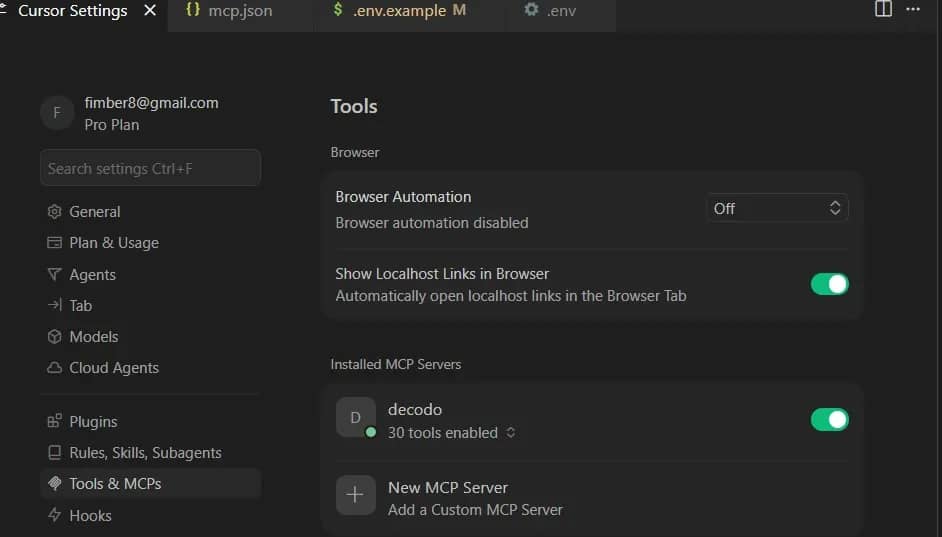
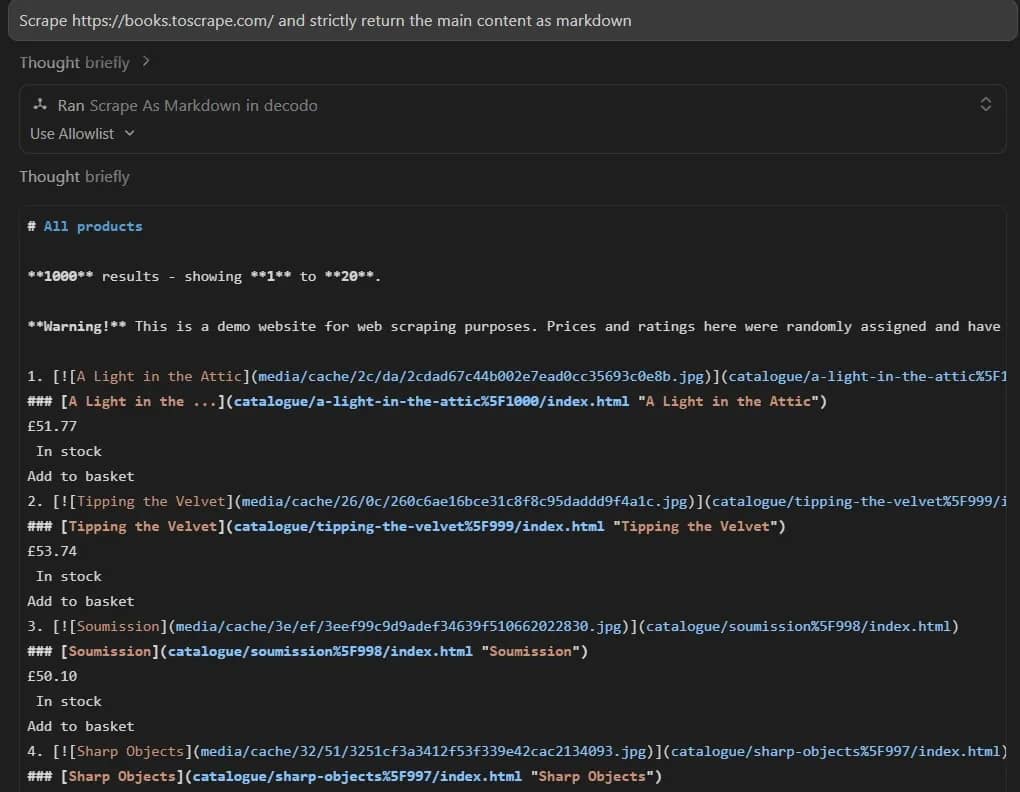
You can test it in Agent mode with a prompt like "Scrape https://books.toscrape.com/ and strictly return the main content as markdown."
Why Decodo MCP over DIY
Building scraping infrastructure yourself means owning every layer of the stack:
- Proxy rotation alone requires sourcing IPs, managing pools, handling bans and cooldowns, and distributing requests across geos. Decodo's Web Scraping API draws on 125M+ ethically-sourced IPs and rotates them automatically per request, with geo-targeting built in.
- CAPTCHA bypassing is another layer that eats development time. DIY approaches mean integrating third-party CAPTCHA services, handling callback logic, and managing failures. Through MCP, the agent sends a scrape request, and Decodo uses smart CAPTCHA overcoming techniques server-side before returning the data.
- JavaScript rendering adds a headless browser dependency to your stack – Playwright or Puppeteer instances that need memory, concurrency limits, and crash handling. Decodo renders JS-heavy pages on its infrastructure, so the MCP tool returns fully rendered content without your project needing a browser dependency at all.
- Retry logic and structured parsing round out the picture. Failed requests get retried with fresh IPs and adjusted fingerprints automatically, and tools like scrape_as_markdown and google_search_parsed return pre-structured data rather than raw HTML that you'd need to parse yourself.
The net effect is that the AI agent calls one tool and gets clean, structured data back. Your team spends its time on extraction logic and data quality rather than infrastructure maintenance. For deeper MCP fundamentals, check Decodo's setup guide or explore the top 10 MCPs for AI workflows.
The MCP connection gives Cursor access to scraping infrastructure, but Cursor rules are what shape how the agent uses it.
Creating and configuring Cursor rules for web scraping
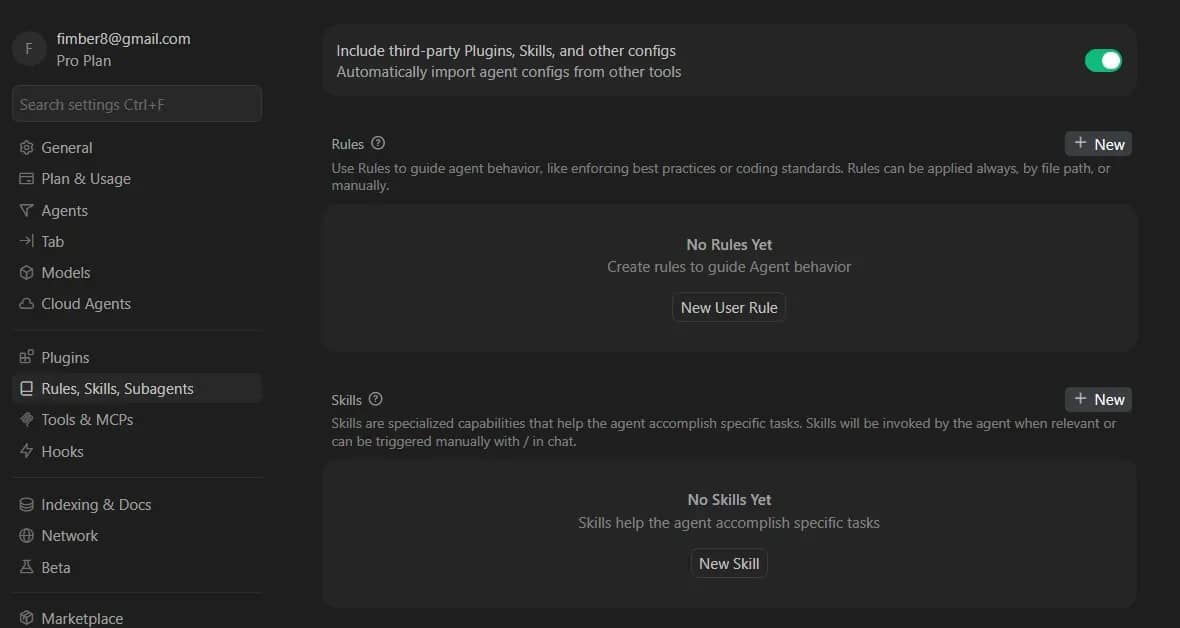
Cursor rules are markdown-based config files stored in cursor-rules/ that teach the AI agent how to approach specific tasks. A scraping project benefits from 5 essential rules, each controlling a different stage of the workflow.
- prerequisites.mdc checks that the environment, paths, and dependencies are ready before anything runs.
- website-analysis.mdc fetches the target HTML, detects anti-bot systems, schema.org markup, and frontend frameworks.
- scraper-models.mdc defines data structures and field mappings per scraper type (product listings, articles, search results).
- scraping-best-practices.mdc enforces code organization, error handling, anti-detection, and naming conventions.
- step-by-step-process.mdc references all four files above in execution order, acting as the orchestrator.
Example: website-analysis.mdc
The following rule instructs the agent to evaluate a target site's structure, detect JavaScript rendering requirements, and identify pagination patterns before generating any scraper code.
Write rules with clear directives, reference specific file paths, and include examples of expected output. The more precise the rule, the more consistent the agent's code generation becomes. For targets with dynamic content, add rules that prioritize structural selectors over class-name matching.
Rules and MCP define the agent's behavior and infrastructure access. The remaining decision is which scraper type fits each target.
Choosing the right scraper type
Each scraper type suits a different class of target. The table below gives you the quick version, with detailed breakdowns following:
Type
Best for
Example
JS-heavy sites requiring rendering, with Camoufox adding stealth for fingerprint bypass
SPAs, headless browser targets
Decodo MCP
Zero-code data pulls via AI agent tool calls
Quick extractions, prototyping
Scrapy is the right choice when you're collecting structured data at scale from static or server-rendered pages. Built-in concurrency lets you run dozens of requests in parallel, pipelines handle data cleaning and storage as items flow through, and middleware extensibility means you can slot in Decodo proxies or custom retry logic without rewriting core scraper code. Think of eCommerce product listing pages, product detail pages, and any target where the HTML arrives fully rendered in the initial response.
Playwright and Camoufox cover JavaScript-heavy targets where content loads dynamically after the initial page render. Playwright drives a headless browser to execute JavaScript, wait for network requests to settle, and interact with elements like infinite scroll or "load more" buttons. Camoufox builds on that by adding stealth capabilities – patched browser fingerprints, randomized canvas and WebGL signatures, and human-like mouse movements – making it the go-to for targets protected by advanced fingerprinting systems. Use Playwright when JS rendering is the only barrier, and Camoufox when the target also runs behavioral or fingerprint-based detection.
Decodo MCP is the fastest path from question to data. The AI agent calls Decodo's scraping tools directly – scrape_as_markdown for general pages, google_search_parsed for search results, and amazon_search_parsed for product data – and gets structured output back without writing traditional scraper code. This approach works best for prototyping, one-off data pulls, and situations where you need answers from a page rather than a production pipeline around it.
Customizing scraper types
Extend these defaults by adding new scraper models to scraper-models.mdc. Each model defines the fields to extract, the expected data types, and fallback behavior when fields are missing. A news article model might map headline, author, publish date, and body text, while a job listing model maps title, company, location, salary range, and requirements.
Once defined, the Cursor agent uses these models as blueprints whenever you prompt it to scrape a matching target – keeping output consistent across runs and across team members.
Project organization and ongoing maintenance
As your project matures beyond the initial setup, the directory structure should grow to reflect production needs.
Keep Cursor rules and selector configs in version control so changes are trackable. When a target site restructures its layout (new class names, different DOM hierarchy, updated pagination), update scraper-models.mdc to reflect the new field mappings and commit the change alongside the updated scraper code. This keeps your rules and scrapers in sync and gives your team a clear diff of what changed and why.
When scrape results drop to 0, use the Cursor's Agent mode to diagnose the breakage by pasting the failing output. The agent will identify broken selectors and regenerate them based on the updated page structure.
Pair this with validation checks in tests/ that flag empty or malformed fields after each run, because automated monitoring catches breakage before it reaches your pipeline.
Best practices and common pitfalls
Writing effective prompts
- Specificity in prompts makes or breaks the output. "Scrape product data" is too vague to produce a reliable scraper. Compare that to "Extract product name, price in USD, availability status, and SKU from each listing page, output as JSON with null for missing fields." This gives the agent enough context to produce a complete scraper on the first pass.
- Define your output format upfront. Tell the agent whether you want JSON, CSV, or a structured Python object, and specify the exact field names. A prompt like "return results as a CSV with columns: title, price_usd, in_stock, sku" eliminates guesswork and produces output you can pipe directly into your data pipeline.
- Tell the agent how to handle edge cases. Fields will be missing, prices will appear in different formats, and some pages will have inconsistent structures. Include instructions like "if price contains a currency symbol other than USD, convert to USD; if a field is missing, set it to null rather than skipping the row; if pagination returns a 404, stop crawling and return collected results." The more explicit your error handling instructions, the fewer broken runs you'll debug later.
Handling dynamic DOMs
Dynamic DOMs are a common pain point, and the best defense is targeting stable attributes. ARIA roles (role="heading", role="listitem"), data-testid attributes, and structural position (first <h2> inside a <section>) hold up far better than obfuscated class names that change with every deployment. When writing prompts, tell the agent to prefer these selectors over class-based ones.
If extraction starts returning nulls, feed the new page source to the agent alongside your expected field mappings. It'll pinpoint what changed and generate updated queries. For sites that rotate class names frequently, consider using Decodo MCP's scrape_as_markdown tool instead, which returns pre-parsed content and sidesteps the selector problem entirely.
Common mistakes to avoid
- Vague prompts that produce incomplete scrapers. If you don't specify fields, output format, and error handling upfront, the agent will make assumptions. Those assumptions rarely match your actual requirements, leading to scrapers that work on the first page but fail across the full dataset.
- Skipping data validation. Always check extracted output against expected schemas. A scraper that runs clean but returns empty fields causes more downstream damage than one that fails loudly, and the quality impacts compound over time. Build validation into your tests/ directory and run it after every scrape.
- Treating the first output as final. The agent's initial scraper is a draft. Test it against multiple pages, edge cases, and pagination boundaries before committing it to production. Feed failures back to the agent with specific descriptions of what went wrong, and iterate until the output is consistent.
Final thoughts
Cursor AI turns scraper development into a conversation. Describe what you need, and the agent writes the code. Define rules, and every future scraper follows the same patterns. Connect Decodo MCP, and the agent gains direct access to enterprise-grade scraping infrastructure without your team building or maintaining any of it.
The fastest way in is the Decodo MCP setup. Get a working scraper running, prove the value, then layer in Cursor rules and custom scraper types as your projects grow. The days of babysitting selectors and hand-rolling proxy logic are over.

Prompt once, scrape everywhere
Pair Cursor's code generation with Decodo's Web Scraping API and go from prompt to production scraper without debugging proxy configs or fingerprint issues.
About the author

Lukas Mikelionis
Senior Account Manager
Lukas is a seasoned enterprise sales professional with extensive experience in the SaaS industry. Throughout his career, he has built strong relationships with Fortune 500 technology companies, developing a deep understanding of complex enterprise needs and strategic account management.
Connect with Lukas via LinkedIn.
All information on Decodo Blog is provided on an as is basis and for informational purposes only. We make no representation and disclaim all liability with respect to your use of any information contained on Decodo Blog or any third-party websites that may belinked therein.