Poisoned SERPs: How To Tell Them From Real Ranking Drops
Poisoned SERPs are complete, normal-looking Google results pages served to automated requests. Most of the keyword's usual sites on them are swapped for others. Nozzle first recorded them on September 20, 2026. Rank trackers store them as real rankings, so a site can "drop" with nothing changed. Learn to tell them from real drops and keep your SERP data accurate.

Benediktas Kazlauskas
Last updated: Oct 20, 2026
12 min read
TL;DR
- Nozzle found Google serving poisoned SERPs, pages that return HTTP 200 but lack most usual sites.
- Most poisoned readings last one fetch, and 77.9% recover within three days.
- Real ranking drops persist across fetches and show up in Search Console.
- Compare each reading against weeks of history, re-fetch it, and check Search Console before reporting.
What are poisoned SERPs?
A poisoned SERP is a complete Google results page served to an automated request. Most of the keyword's usual sites are replaced by others. The layout looks normal. There's no error page and no CAPTCHA, and the response returns an HTTP 200 status code. Nozzle's study turns that into a working definition with three parts.
- A SERP is poisoned when fewer than half of the websites that normally rank for a keyword appear in the search results.
- The usual sites must return on a later fetch, which separates poisoning from a real shift.
- A usual site sits in the top 10 on at least 60% of baseline SERPs.
Nozzle's baseline ran from August 20 to September 9, 2026. Only keywords with five or more baseline readings were judged. That keeps thin keyword histories from producing false flags.
Why is it called poisoning?
A blocked request fails. The scraper sees an error and retries until it gets a clean page. A poisoned page succeeds on the first try. The scraper stores it and reports it as a ranking. That makes poisoning far harder to catch than a block. Read why rank trackers get blocked for the blocked side of the problem. Poisoning also belongs to a wider family of bot-facing countermeasures. Websites already use LLM honeypotting and content mazes to feed crawlers junk pages. Nozzle's data suggests Google now applies the same idea to its results pages. Most anti-bot systems still block or challenge suspected bots first.
How does Google respond to suspected automated requests?
Google has several ways to answer a request it suspects is automated. Each one leaves a different trace in your data. The table shows why poisoned SERPs are the hardest to notice.
Response type
HTTP status
What the page shows
What a scraper does with it
How you notice
Hard block
403 or 429
Error page
Retries
Error logs
CAPTCHA or challenge page
Varies by setup
Challenge in place of results
Retries or fails to parse
Parser errors
Partial SERP
200
Thin organic block, missing pages
Often stores it
Positions 11+ vanish
Poisoned SERP
200
Full page, wrong sites
Stores it as a ranking
Only by comparing with history
What happened to Google SERPs in September 2026?
Nozzle published its study on October 10, 2026, with data through October 9. It covers 27.5M SERPs collected since September 13 across 49 countries. Of those, 17.8M had enough history to judge. Of the judged SERPs, 8% were poisoned, against 0.17% in the baseline. The change came in two stages, first blocking and then poisoning.
- September 13: Requests to Google started failing in large numbers.
- September 20: The first poisoned SERPs appeared among requests that got through.
- September 27 to 29: Poisoning peaked at about a quarter of all SERPs.
- October 1 onward: The rate settled at roughly 5% to 11% a day.
The rate also depends on how a request reaches Google. From September 30 to October 9, one Nozzle collection route returned 1% to 7% poisoned SERPs. Another route returned 9% to 30% on the same days. Two trackers watching the same keyword can therefore report very different pictures.
How did the SEO industry react?
Several rank tracking tools posted data notices to customers. Search Engine Roundtable collected reports of tracker data that didn't match live results. Tools also disagreed about a late-September drop that later recovered. DemandSphere reported a similar pattern, putting spurious results at about 11% of its daily SERPs. Google's September 2026 spam update ran in the same window.
The Google Search Status Dashboard lists it from September 24 to October 8. Real volatility and poisoned readings overlapped for about two weeks. Google has not commented on the poisoned SERPs. Nozzle reads the change as a response to AI scraping and grounding. Grounding is the bulk collection of results to feed AI answers.
Which Google changes affected SERP data collection before this?
Poisoning is the fourth Google change in under a couple of years that affected SERP collection. Earlier changes were Google's JavaScript requirement and the removal of the num=100 parameter. Then came google.com/goto redirect links. Each one made data harder or costlier to collect. Poisoning is the first that makes the collected data wrong.
Change
Date
What it changed for scrapers
Was the collected data still correct?
JavaScript required for results
January 2025
Non-rendering scrapers broke
Yes, once rendered
num=100 parameter removed
September 2025
10 results per request
Yes, but costlier
google.com/goto redirect links
Testing from July 2026
Extra requests to resolve links
Yes, but costlier
Poisoned SERPs
September 2026
Full pages with the wrong sites
No
What does a poisoned SERP look like?
A poisoned SERP keeps Google's template, so the page itself gives nothing away. The signs show up in what the page contains. No single sign proves poisoning, but several together make a strong case. Each section below covers one layer of the page.
What changes in the organic results?
Most of page 1 changes in a single reading. Forums, social platforms, and loosely related pages take the open slots. Some swaps read one query word literally, such as "local" in a B2B query. Nozzle's numbers show how far the organic block moves.
- Poisoned SERPs kept 20.7% of the previous SERP's organic sites, against 88.5% normally.
- Tracked sites fell out of the top 10 on 58.6% of poisoned readings, against 2.7%.
- Three or more social sites shared the top 10 on 7.2% of poisoned SERPs, against 2.7%.
- On US keywords, foreign country-code domains appeared on 14.2% of poisoned SERPs, against 6.1%.
Which SERP features change?
Poisoned pages carry fewer AI Overviews and fewer "People also search for" blocks. Image packs nearly double. Desktop pagination gets shallower, too. Take keywords that usually run to page 8 or beyond. On 50.9% of their poisoned readings, pagination stopped by page 4. Ads and shopping results barely change. For a refresher on each element, see this guide to reading SERP features.
SERP element
Normal SERP
Poisoned SERP
Organic sites kept from previous SERP
88.5%
20.7%
Tracked site missing from top 10
2.7%
58.6%
Three or more social sites in top 10
2.7%
7.2%
Foreign country-code site (US keywords)
6.1%
14.2%
AI Overview shown
54.2%
34.9%
"People also search for" kept
87.9%
30.7%
Image pack shown
23.0%
44.2%
Ads kept
70.6%
83.7%
Where does poisoning hit harder?
Some query types, industries, and markets see more poisoning than others. Nozzle broke its rates down by search type, industry, country, and device. If your keyword set leans toward the high-rate groups below, expect more false drops.
- "Near me" searches ran at 11.4%, against 7.8% for everything else.
- Long-tail phrases under 100 monthly searches ran at 9.4%.
- Branded searches ran lowest at 5.3%.
- In the US, legal keywords reached 15.9% and home services 12.7%.
- Country rates ranged from 18.8% in Austria to 3.0% in the UK.
- Device made little difference, from 7.1% on Android to 8.3% on iPhone.
How do you spot the pattern in your own data?
You can test any suspicious drop with the readings your tracker already stores. The steps below take a few minutes per keyword. They need your tracker's history export and the next reading for the same keyword.
- Pick the keyword that dropped. Note the date, the device, and the location the tracker used.
- Export three to four weeks of readings for that keyword. Keep the top-10 organic domains from each one.
- Build the usual domain list. Keep every domain that sits in the top 10 on at least 60% of readings.
- Count the usual domains in the suspect reading. Fewer than half present is a red flag.
- Check what replaced them. Forums, social platforms, and foreign country-code domains point toward poisoning.
- Check the page shape. A missing AI Overview, extra image packs, and pagination ending by page 4 add weight.
- Look at the competitors. If most of them dropped with you, the whole page changed.
- Wait for the next reading. If the usual sites return within three days, log the dip as poisoning.
What does a poisoned result look like in numbers? In the full script's sample, a reading kept 2 of 10 usual domains. That's an overlap of 0.2, while a normal reading usually keeps 8 or 9. Nozzle's study shows four before-and-after pairs where 7 to 9 page-1 sites vanished. Parsed Google search results return each organic domain with its position. That lets steps 2 to 4 run as code.
How do you tell a poisoned SERP from a real ranking drop?
Run these six checks before you report any drop. Each one removes a share of false alarms. Work through them in order, since the later checks take longer and need more data.
Does the reading match weeks of history?
Yesterday's reading may itself be poisoned, so a day-over-day comparison can mislead you. Compare the new reading with the keyword's usual page-1 domains from several weeks of readings. If fewer than half are present, treat the reading as suspect. This check only works if you store ranking history for every keyword. Keep the full domain list for each reading, along with your own position.
Did your site move, or did the whole page?
In a real drop, your site moves and most competitors stay put. In a poisoned SERP, most of page 1 is replaced at once. Compare these three things across the two readings.
- How many of your usual competitors still rank on page 1?
- How many new domains appeared that never ranked before?
- How many of your other tracked keywords dropped on the same day?
Does the drop survive a re-fetch?
Poisoning rarely lasts, so time is the cheapest test. A drop that reverses within two to three days is most likely poisoning. A drop that persists deserves investigation. Re-fetch from another location in the same market, or through another collection route. Switching devices helps less, since poisoning rates barely differ by device. Nozzle's duration data sets the expectations.
- 80% of poisoned spells last a single fetch.
- 15% last two fetches, and 5% last three or more.
- The next reading has the usual sites back 55.9% of the time.
- Usual sites return within three days 77.9% of the time, with a median of two days.
Does the page shape look thin?
Poisoned pages tend to look thinner than the keyword's usual SERP. None of these signs prove poisoning alone, but each one adds weight. Compare the suspect reading with the table in the previous section.
- No AI Overview where the keyword usually shows one.
- An image pack where none usually appears.
- More forum and social results than usual.
- Pagination that stops by page 4 on a deep keyword.
What does Search Console say?
Google Search Console reports what real users saw, so it's the strongest tiebreaker. Open the Performance report, filter by the query, and set the date range around the drop. If impressions and clicks continue, the site did not vanish. Search Console data can lag by a few days, so confirmation may come late. The two sources measure position differently, so expect some mismatch on normal days. Learn why rank tracker data differs from Search Console.
Could a real cause explain the drop?
A drop that survives every check above may be real. Before you report it, rule out the usual causes. Each one leaves its own trace in your logs, crawl data, or the SERP itself.
- Google updates in the same window, such as the September 2026 spam update.
- Technical changes on your site, including redirects, canonicals, and robots rules.
- Lost backlinks to the ranking page.
- A new SERP feature taking the space your result held.
Poisoned SERP or real ranking drop?
The table sums up the signals from the checks above. Most real drops match the right column on every row. The flowchart shows the order to run them in.
Signal
Poisoned SERP
Real ranking drop
How long it lasts
One fetch, back within 2 to 3 days
Persists across fetches
Page-1 domains changed
Most of them at once
A few positions shift
Your site vs competitors
Many sites drop together
Your site drops alone
Search Console clicks and impressions
Unchanged
Fall for the same query
Re-fetch from another location
Often looks normal
Shows the same drop
SERP features
Fewer AI Overviews, more image packs
Usually unchanged
How should you report ranking changes while poisoning continues?
Agencies and in-house teams need reporting rules that survive noisy data. The habits below keep stakeholders from reacting to one bad reading. Most SERP monitoring setups support alerts that wait for a second reading. The Search Console Performance report holds 16 months of data. Exports from this period keep a record after that window closes.
- Annotate dashboards and client reports from September 20, 2026 onward.
- Mark single-day drops as unconfirmed until a second reading or Search Console agrees.
- Report volatile keywords on positions held across three days.
- Set alert rules that need two consecutive readings before they fire.
- Export Search Console data for this period to give later comparisons a clean reference.
How do you collect accurate SERP data?
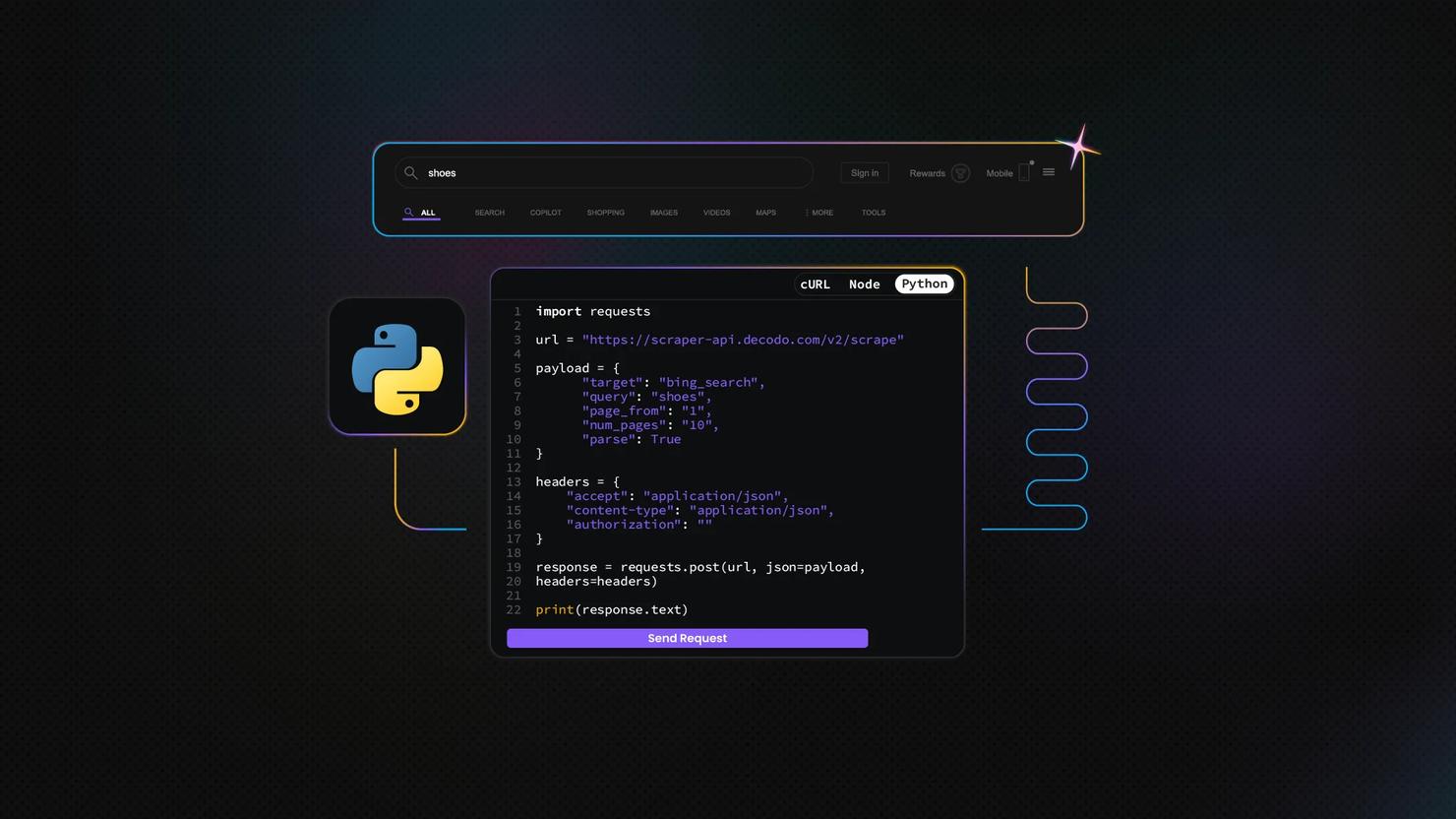
Teams that run their own collection can catch poisoning before it reaches a report. Decodo's Web Data API returns the full parsed SERP, so the checks run on fields instead of raw HTML. The guide below builds a validation step into collection with Python. It reuses the parts you'd need to build your own rank tracker. The examples track "project management software" on US desktop.
Step #1: Get your API key
Create an account on the Decodo dashboard and open the Web Data API section. The free plan includes up to 10K requests a month, with no credit card required. Copy your API key and store it as an environment variable, so it stays out of your code. Then install the one library the script needs.
The script needs Python 3.9 or newer.
Step #2: Fetch a parsed Google SERP
Start the script with the imports and settings that later steps use. Each setting is explained in the step that uses it.
The google_search target returns structured JSON when parse is set to true. The function arguments use the same names as the API parameters, so each line of the request body reads "parameter: your value". The defaults cover US desktop. See the Google Search template for the full parameter list. These parameters matter most for poisoning checks:
- geo sets the country, so you can compare markets.
- device_type switches between desktop and mobile results.
- page_count sets how many result pages to fetch, from 1 to 10.
- parse returns structured JSON, so you skip HTML parsing.
One page covers most daily checks, and each extra page adds to usage.
Step #3: Turn the response into a reading
A position number alone can't reveal poisoning. A reading keeps the top-10 organic domains in order, plus two page-shape signals. The first is whether an AI Overview appeared. The second is how many result pages Google offers (last_visible_page). In the parsed response, organic results sit under results[].content.results.results.organic, and each one has a url.
Step #4: Store readings and build a rolling baseline
Each reading goes into a local file, one JSON object per line. That's enough for a few keywords. Swap in a database once you track more.
The baseline is the keyword's set of usual domains: those in the top 10 on at least 60% of readings from the last 28 days. It skips readings that were quarantined. Otherwise, poisoned data would drift into the baseline. Like Nozzle's study, it needs at least five readings before it judges a keyword. Until then, readings are stored with the status baseline and aren't scored.
Step #5: Score each new reading
Score a reading by the share of baseline domains it contains. A normal reading usually keeps 8 or 9 of 10. A poisoned one often keeps 2 or fewer. The script flags readings below 0.5. Tune that threshold per keyword set: volatile news keywords may need a lower one, and stable commercial keywords can take a higher one.
Step #6: Re-fetch flagged readings
A poisoned page returns HTTP 200, so it looks like a normal successful response. Nothing in the request flags it, so your code has to catch it and fetch again. The function waits a minute and fetches the SERP again. To re-fetch from a different setup, pass any fetch_serp parameter in retry_params, such as {"geo": "Texas,United States"} for another location in the same market. It returns one of four statuses:
- store: the first reading passed the check.
- store_retry: the first reading failed, the re-fetch passed, and the re-fetch becomes the reading of record.
- quarantine: both readings failed. Keep it on file, but out of reports.
- baseline: the keyword doesn't have five readings yet, so nothing was scored.
Step #7: Promote real ranking shifts
Most poisoned readings recover within three days. A new set of domains that holds through three quarantined days in a row is more likely a real ranking shift. When that happens, the function promotes those readings and retires the old ones. The keyword then rebuilds its baseline from the new set. Until it has five readings again, new readings are stored as baseline.
Step #8: Run it daily and track the flag rate
The main function ties the steps together. For each keyword, it builds the baseline, validates a fresh reading, stores it, and checks for a real shift. It also prints the flag rate: the share of today's scored readings that ended in quarantine. Track it as a data quality metric. A spike tells you collection conditions changed before clients notice. Nozzle's numbers show how far that rate can swing between countries and collection routes.
Run the script once a day, for example with cron:
You can also use the n8n integration to trigger the script and store the results automatically. Then all that's left is a quick review of the output.
Step #9: Test the logic without an API key
The live tracker needs five daily readings before it scores anything. The demo lets you see the scoring right away. It builds a baseline from five sample readings, based on real US desktop SERPs for the keyword. Then it scores two readings against it. The normal one keeps 8 of the 10 usual domains. The poisoned one keeps 2, with forums, social platforms, and a foreign country-code domain in their place. The demo runs offline and writes nothing to storage.
Run it without a key, and the output looks like this:
Why use Decodo's Web Data API for SERP validation?
Validation needs the full SERP, beyond a single position number. The Web Data API gives SEO teams that data in parsed form. The Web Data API endpoints post covers the /search endpoint, which suits quick re-checks. Here's what the API covers for this workflow.
- Parsed Google results cover organic positions, AI Overviews, People Also Ask, local pack, and related searches.
- Location, device, and language parameters let you re-fetch a suspicious reading from another setup.
- Multi-page requests expose pagination depth, one of the signs of poisoning.
- Built-in anti-bot handling takes care of blocks and CAPTCHA pages.
- The /search endpoint returns Google organic results as JSON with the title, URL, snippet, and position for every query. No ads, no widgets, no HTML to clean up.
Anti-bot handling covers the blocked-request layer. Your overlap check covers what Google returns. Start on the free plan and test the check on your own keywords. Then scale up with SERP monitoring with Decodo.

Check the SERP before you report the drop
Collect Google results with Decodo's Web Data API.
Bottom line
A single SERP reading can no longer be taken at face value. Before reporting a drop, check the reading against weeks of history. Re-fetch it from another route and confirm it in Search Console. A poisoned SERP fails at least one of those checks. Build the check into collection so bad readings never reach a report.
About the author

Benediktas Kazlauskas
Content & PR Team Lead
Benediktas is a content professional with over 8 years of experience in B2C, B2B, and SaaS industries. He has worked with startups, marketing agencies, and fast-growing companies, helping brands turn complex topics into clear, useful content.
Connect with Benediktas via LinkedIn.
All information on Decodo Blog is provided on an as is basis and for informational purposes only. We make no representation and disclaim all liability with respect to your use of any information contained on Decodo Blog or any third-party websites that may belinked therein.