How to Scrape Google Flights: Extract Prices, Airlines, and Schedules with Python
Google Flights is a rich source of crucial flight information, such as prices, airlines, times, stops, durations, and emissions, but scraping this information has never been easy. The flight search engine hides valuable data behind JavaScript-heavy pages and anti-bot protections. This guide explains how to scrape Google Flights using Python by building a browser-based scraper powered by Playwright.

Kipras Kalzanauskas
Last updated: Mar 30, 2026
18 min read

TL;DR
- Google Flights is a valuable source for flight information, but is difficult to scrape due to its JavaScript-heavy pages and anti-bot protections
- Use Playwright to render JavaScript-heavy pages
- Use Pydantic to structure and validate data
- Use rotating residential proxies to avoid blocks
- Organize your project into multiple files for maintainability
- Export scraped results to JSON for analysis
Prerequisites and environment setup
Before you scrape Google Flights, you need to prepare a Python environment and install the required libraries. This step makes your web scraper run in a controlled environment and prevents dependency conflicts with other Python web scraping projects.
Because Google aggressively monitors automated traffic, scraping flight information without the proper infrastructure will likely result in blocked requests. To avoid this, we'll configure residential proxies that rotate IP addresses and simulate real users accessing the platform.
Preparing a Python environment
You must have the required Python version before you can start the web scraping process.
This is because most modern scraping libraries rely on recent Python versions for performance improvements and compatibility with asynchronous frameworks. Using outdated Python versions can cause dependency errors or missing features.
You'll need the latest version of Python installed on your computer.
For this project, we'll use Python 3.9+, which supports asynchronous programming and modern packaging tools.
But first:
Check your Python version:
On Windows: open the Command Prompt and type:
On macOS and Linux: open the Terminal and type:
If you don't have the latest version of Python on your system, install it by visiting the downloads page from the official website before continuing.
Create a virtual environment:
Next, create a virtual environment and activate it to isolate dependencies for individual projects.
This prevents library conflicts between projects and ensures reproducibility when sharing code with other developers. It's also considered a best practice in Python development.
Use:
Then activate the virtual environment by running these commands:
On Mac/Linux:
On Windows:
Install required dependencies:
To scrape Google Flights effectively, you need tools that can render dynamic web pages and structure extracted data.
We'll use several Python libraries, including:
- Playwright – browser automation for dynamic pages
- Pydantic – define and validate structured data models
- Python-dotenv – securely manage environment variables like proxy credentials
These libraries work together to create a reliable scraping pipeline. Playwright loads JavaScript-rendered pages, Pydantic validates the scraped data, and dotenv ensures sensitive information remains outside the source code.
Install the three libraries by running the following command:
Next, install the Chromium browser binaries required by Playwright:
This command will download and install a headless Chromium browser that Playwright needs for running automated tests on Google Flights.
Setting up proxies
Google's anti-bot systems monitor traffic patterns, IP addresses, and request frequency. If multiple requests originate from the same IP address in a short period, Google may block the connection or display CAPTCHA challenges.
You'll need to use proxies to navigate around all this.
The two common types of proxies you can use for this project are rotating datacenter proxies and rotating residential proxies.
While datacenter proxies are high-speed and cost-effective, they send requests through server/cloud IP addresses owned by hosting providers (not real consumer ISPs). Google systems can also identify these proxies as automated infrastructure and block them or display CAPTCHA challenges when you use them for large-scale scraping.
Rotating residential proxies can solve this. These proxies support geo-targeting. You can route requests through IPs in specific countries, which is critical for capturing region-specific flight pricing (more on this in a later section). This reduces IP bans, CAPTCHAs or request blocks.
Setting up Decodo residential proxies
Residential proxies allow you to simulate requests from real users around the world. This is particularly useful when scraping flight prices as they vary depending on the user's geographic location.
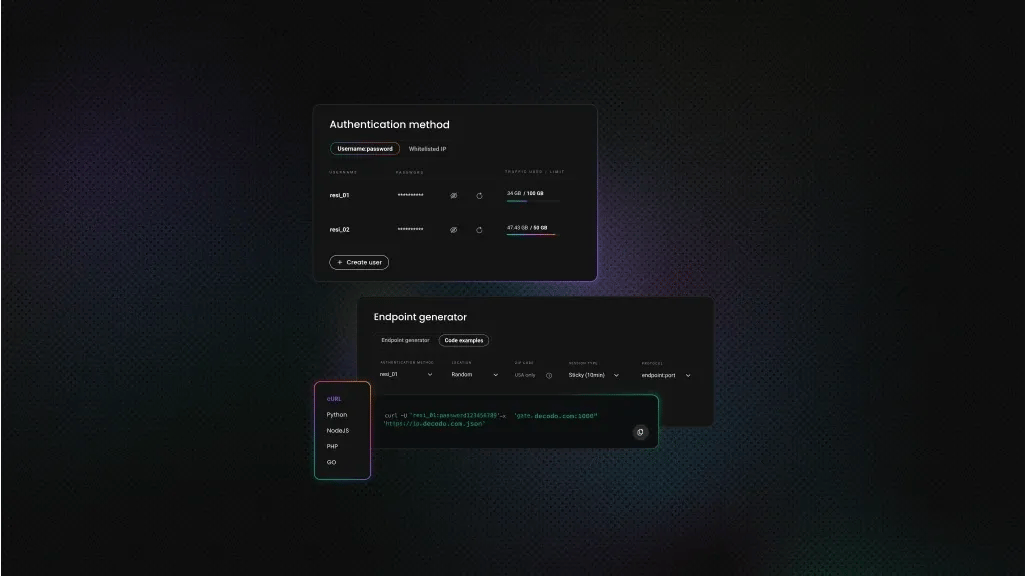
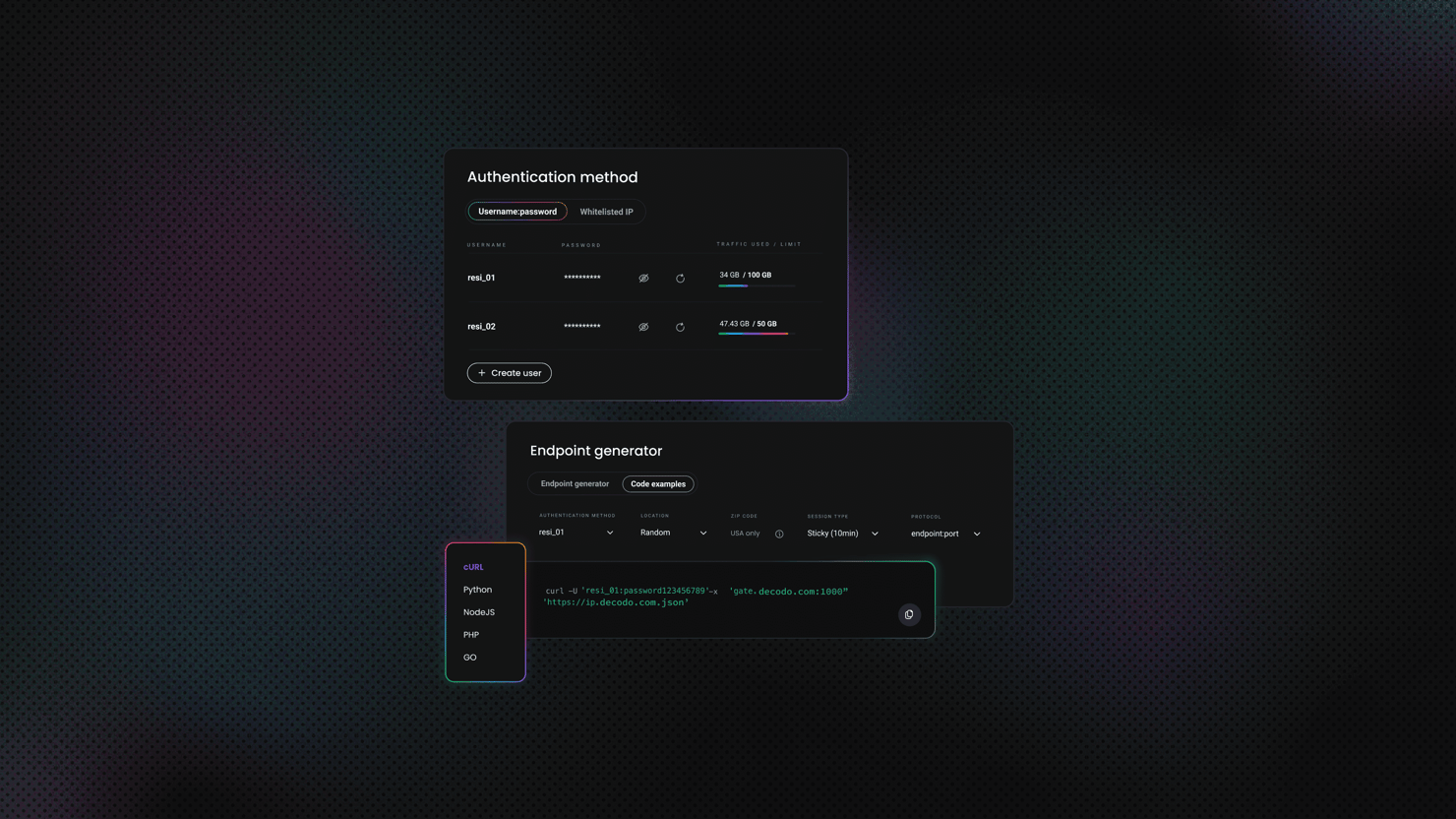
Decodo provides residential proxies for web scraping and large-scale data collection. These proxies use endpoints. When you connect to an endpoint, your traffic is routed through a random IP address. You get high anonymity so you can avoid rate limits and enable geo-targeted searches. They also offer accurate geo-location targeting across over 195 locations.
Here is a request example of Decodo residential proxies in Python:
Follow these simple steps to set up rotating residential proxies with Decodo:
- Go to the Residential → Proxy setup page and log in to the dashboard
- Select "Residential" proxies and choose a plan
- Go to the parameter selection section below your authentication methods

- Set the location of your proxy
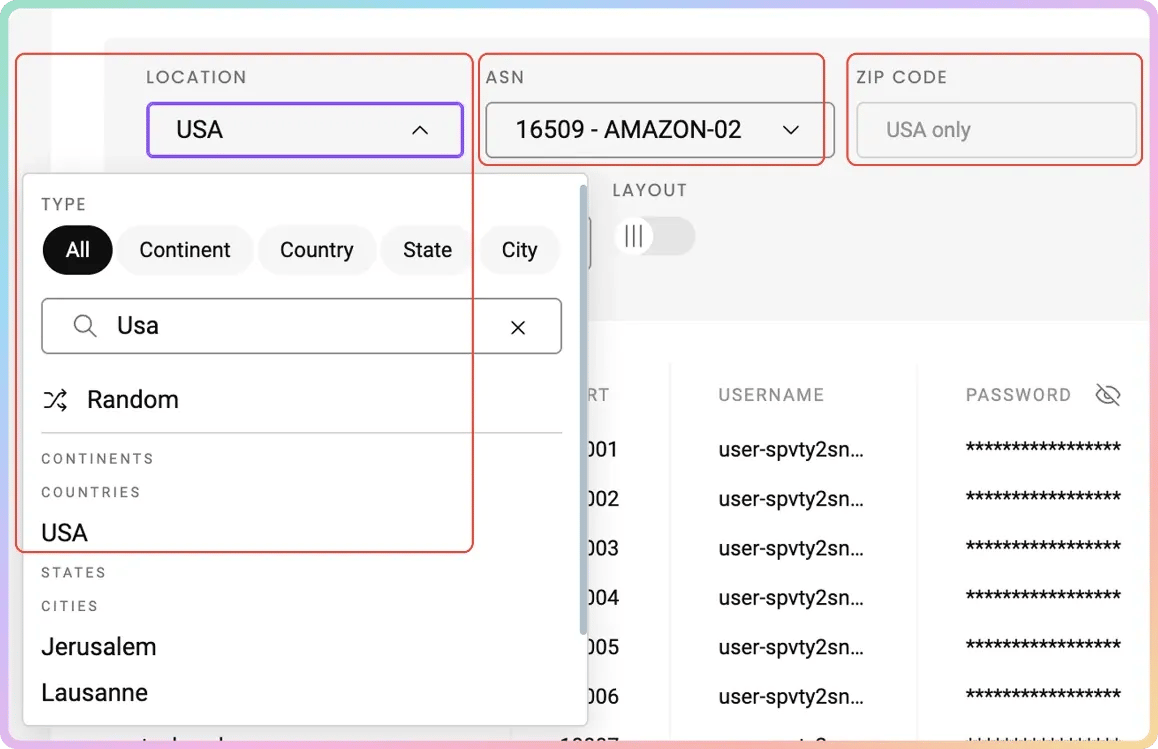
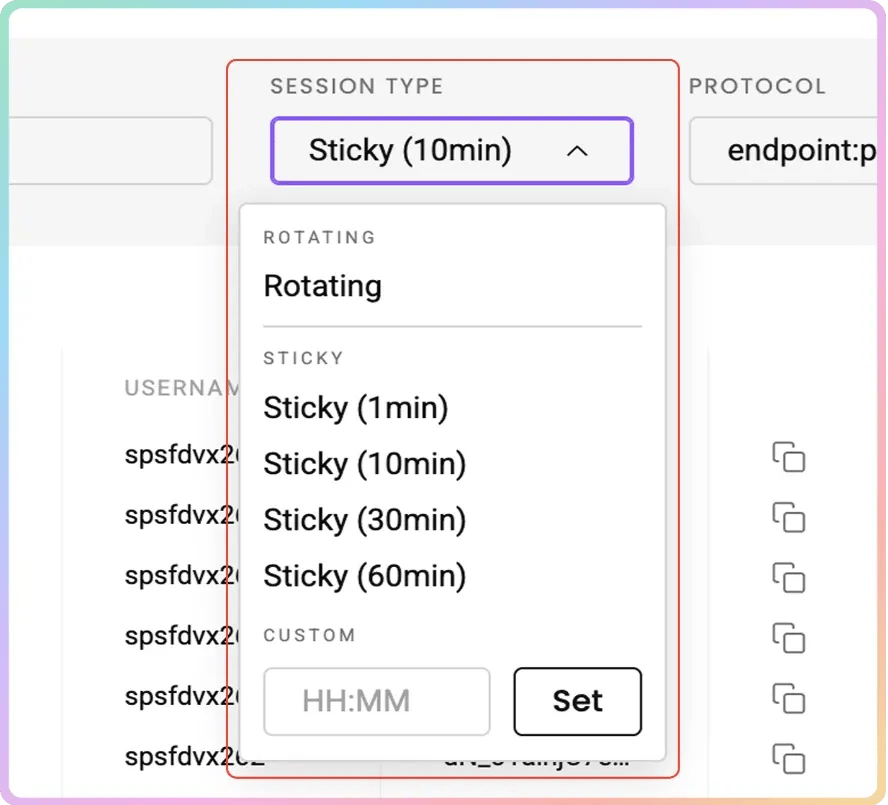
- Choose your preferred Session type (Sticky or Rotating)
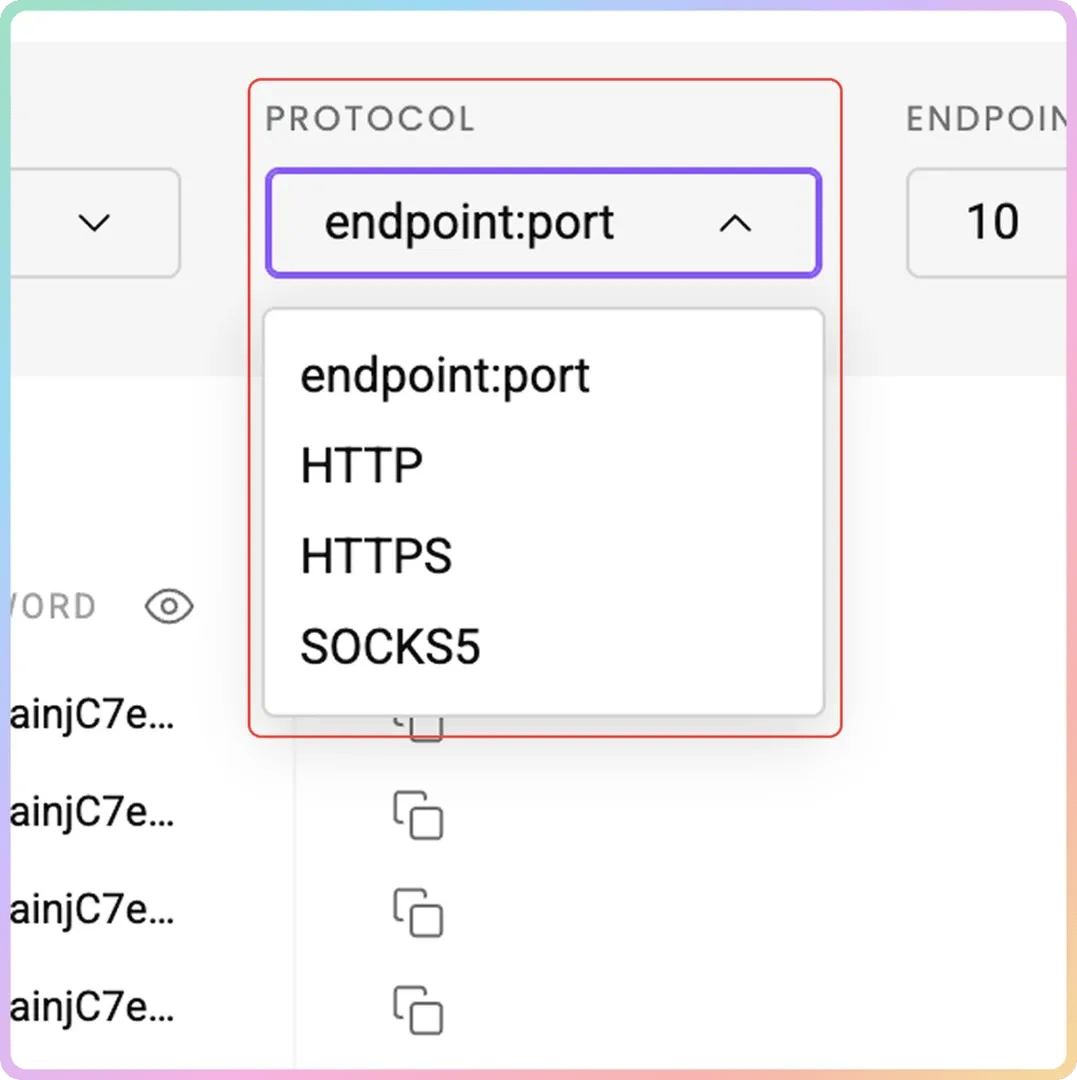
- Select your preferred Protocol format: HTTP(S) or SOCKS5
From there, use the generated username and password for authentication to integrate with browsers or scrapers.
You can also watch this video guide to learn how to set up and use Decodo residential proxies.

Tired of getting blocked?
Decodo's residential proxies give your scraper access to millions of real IPs across 195+ locations, so anti-bot systems never see you coming.
Storing proxy credentials securely
Hardcoding credentials inside source code can cause a security risk and make your project harder to maintain. Instead, store sensitive information securely in environment variables to keep it separate from the application code.
Create a .env file in your project root directory (alongside your Python files) to store your credentials locally and keep them excluded from version control systems like Git.
Then, at the top of proxy_manager.py (which you will create in the next section), load the variables like this:
Choose a project structure
Organize your project into multiple files to improve readability and simplify maintenance.
Use a clean project structure to separate models, scraping logic, proxy handling, and execution scripts.
This modular design is especially useful when scaling the scraper or adding additional features later.
Here is the purpose of each file:
- models.py: Defines data models for search parameters and results.
- scraper.py: Contains the Playwright scraping logic.
- proxy_manager.py: Handles proxy rotation and configuration.
- main.py: Runs the scraper and saves results.
Defining data models for flight information
When scraping flight data, raw dictionaries can quickly become messy.
Data models define the structure of both the input parameters and the scraped results, enforce consistent data formats, and simplify validation. This approach reduces errors when processing large datasets.
We'll use Pydantic, a popular Python library designed for data validation and JSON serialization. With this data model, the scraped data matches the expected schema and automatically converts values into appropriate types.
Configuration model
The configuration model stores the parameters you use to generate flight searches. These parameters include origin city/airport, destination city/airport, departure date, return date (optional), trip type (one-way vs. round-trip), target currencies, list of proxy countries to scrape from.
The model also makes the scraper easier to reuse. Instead of editing code every time you change routes or dates, you simply update the configuration object.
Here is an example configuration model using Pydantic:
Using Python Enums for fixed values like trip type:
Add the following code to models.py:
We'll explain the fields for the above code briefly so you can understand this better:
Field
Type
Meaning
origin
str
Departure airport/city code (e.g., "NBO" for Nairobi)
destination
str
Arrival airport/city code (e.g., "DXB")
departure_date
date
Date of the outbound flight
return_date
Optional[date]
Return flight date (only used for round trips). Default is None.
trip_type
TripType
Enum describing the trip type (e.g., ONE_WAY, ROUND_TRIP)
currency
str
Currency used for flight prices. Defaults to "USD".
proxy_countries
List[str]
Countries used for proxy requests to search prices from different regions (e.g., ["US", "DE", "IN"]).
Date validation makes sure:
- Departure dates are valid
- Return date follows departure date
- Currency format remains consistent
Flight result model
Now, let's define the structure for scraped data.
The flight result model defines how extracted data will be stored. Each scraped flight becomes a structured object containing fields such as:
- Airline name
- Departure time
- Arrival time
- Flight duration
- Number of stops
- Layover details, price (as a string with currency symbol)
- Emissions data
- Proxy country used and scrape timestamp.
As shown below:
You will also need to add a method to serialize scraped flight results to JSON-friendly dictionaries. This is important for interoperability, data storage, and efficient data exchange across different systems and programming languages.
Here is the complete code for models.py, which defines all the data models for flight information:
Why Pydantic is better than raw dictionaries
Using raw dictionaries for scraped data may seem convenient initially. However, dictionaries don't enforce data types or validate values, which can lead to inconsistent datasets. Over time, this can cause significant issues when analyzing or exporting the data.
Here is why Pydantic is the better choice:
- Automatic type validation catches malformed data early
- Clear schema makes the codebase self-documenting
- Easy serialization to JSON with .model_dump()
Building dynamic search URLs for Google Flights
Before you build the scraper, you need a reliable way to construct Google Flights search URLs. Google Flights encodes search parameters directly in the URL. If you get the URL right, the page loads with results already populated without requiring any form submissions.
Note: You will need to add the following codes inside scraper.py:
Anatomy of a Google Flights URL
A typical Google Flights URL looks like this:
There are two ways to search Google Flights through the URL:
- Natural-language query approach: Uses ?q= …, for example, ?q=flights from X to Y. A simple flight search may look like this: https://www.google.com/travel/flights?q=Flights%20from%20NBO%20to%20DXB
This URL structure is simpler and works in a browser, but is less reliable for automated scraping because results can be inconsistent. It also requires minimal encoding but offers less control over advanced parameters.
You can use this structure for small scraping projects.
- Structured parameter approach: Uses ?tfs= … for example, https://www.google.com/travel/flights?tfs=... This is the encoded format Google uses internally. It encodes origin, destination, dates, and trip type into a compact string. This is more stable for automated scraping and offers a more precise search configuration. However, it's also hard to generate programmatically and requires reverse engineering Google's encoding format.
We'll use the natural-language query approach for simplicity and reliability at a moderate scale.
URL encoding considerations
City names or routes may contain spaces or special characters. You need to URL-encode these before you use them in the query string.
For example, using the natural-language query approach:
Becomes:
Python provides built-in urllib utilities to handle this automatically.
For example:
The Python code above will generate a Google Flights search URL for the query “Flights from NBO to DXB on 2025-06-10”.
Building one-way vs. round-trip Google Flights URLs
The query format slightly changes depending on the trip type. One-way example:
This function builds a Google Flights search URL for a one-way trip.
Round-trip example:
This function builds a Google Flights search URL for a round-trip.
Setting currency with the curr parameter
Google Flights will show prices in the default currency for the user's region, and this can make it harder to compare results scraped from different geographic locations.
You need to specify the currency using the curr parameter for the scraper to extract flight prices in a consistent currency.
This will get the scraper to extract prices in a consistent currency.
For example, this URL will show flights that use the USD currency:
Here are practical tips before you run automated scraping projects with your dynamic search URLs for Google Flights:
- Always test generated URLs manually in a browser before relying on them in an automated scrape. Paste the URL into Chrome and verify that the results page loads correctly.
- Google Flights occasionally changes its URL structure. Log the URLs your scraper generates alongside the results. If results suddenly drop to zero, you can inspect recent URLs to catch breaking changes early.
- Use URL-encoding for city names with spaces or special characters. The urlencode() function handles this automatically, but double-check names by testing them manually.
- For round-trip searches, include both departure and return dates in the query string.
Building the proxy manager
The proxy manager handles how Decodo residential proxy credentials are formatted and injected into each browser session. It uses the geo-targeted residential proxy endpoints to route each request through a specific country.
Create proxy_manager.py:
This proxy manager formats the Decodo endpoint for geo-targeted routing so that each country gets its own browser session. This is to enable the scraper to fetch flight prices from the correct regional perspective.
Initializing the scraper and launching Playwright
Your Google Flights search URLs are ready to go, so let's build the core scraper.
We'll use Playwright because it can scrape websites with dynamic content and simulate real user browsing behavior. We'll also configure it with proxy settings from your proxy manager.
Scraper class structure
Create scraper.py and define a main GoogleFlightsScraper class that organizes the different responsibilities: URL generation, browser management, data extraction, and results aggregation.
Keeping these as separate methods makes the code easier to debug, test, and extend.
Here is the scraper class structure in Python that accepts a proxy manager and search config
Launching Playwright
Playwright supports asynchronous execution, which improves performance when scraping JavaScript-heavy pages like Google Flights.
Start by initializing the Playwright runtime. We'll use async_playwright() for asynchronous execution, which allows multiple scraping tasks to run concurrently if needed.
Add the following logic inside scraper.py inside the launch_browser method.
Next, configure the headless Chromium browser with proxy settings passed with Decodo credentials to reduce automation detection.
The complete function will look like this:
This way, requests go through residential IPs, and authentication is handled at the browser level, so Google treats sessions as real users.
Applying stealth and anti-detection measures
Even with proxies in place, headless browsers have distinctive characteristics that Google's anti-bot systems can detect. Configure your browser environment to make your sessions look more like real users.
Set a realistic user agent and viewport dimensions to match common screen sizes:
You will need to block unnecessary resources such as images, fonts, and stylesheets to make pages load quickly and speed up scraping.
Automated scripts that run too quickly can trigger anti-bot systems. You need to add randomized delays between actions to mimic human browsing patterns.
Example of a randomized delay function:
This function simulates human browsing patterns.
Page navigation
You have configured the browser. Now, open a new page and navigate to the generated search URL.
Then wait for the flight results to appear.
This will get the page to finish rendering before data extraction begins.
If the selector never appears, handle the error gracefully using the following function:
Extracting flight data from the page
With the browser running and the Google Flights results page loaded, the next step is to parse the page and pull out the structured flight data you need.
Google Flights dynamically generates its HTML, so you need to choose the right selector.
Identify flight card elements
Google Flights renders its results as a list of flight cards. Each card contains the core details for a single flight option. The specific CSS selectors Google uses can change over time, but the general DOM structure has remained relatively consistent.
Start by inspecting the page using browser developer tools.
Note that Google uses obfuscated, short, and randomized CSS class names (e.g., pIav2d, YMlIz, sSHqwe) generated at build time to significantly reduce file sizes, prevent CSS naming conflicts in large applications, and hinder web scraping.
You can select all result cards with:
These classes often change frequently because they are hashed based on component structure or updated during continuous deployment, breaking static scraping bots.
You need to build selectors that rely on structural position and ARIA attributes where possible, and verify selectors regularly.
Extracting individual data points
Each flight card contains multiple nested elements. Let's see how to extract each data point with Playwright.
Add this helper function inside scraper.py:
Price
Departure and arrival times
Flight duration
Number of stops
The stop information typically appears as text:
Nonstop
1 stop
2 stops
To extract the number of stops:
Airline name
Emissions data
Some flights display estimated emissions.
Extract it using:
Error handling
Google Flights pages can vary depending on the route. Wrap each extraction step in try/except blocks to handle missing elements gracefully and avoid crashing the scraper.
Use:
Returning None for missing fields will keep the dataset usable.
For efficiency, limit extraction to the first 10–15 results, which usually contain the most relevant flights.
A complete async Playwright function that extracts all the flight data points from a Google Flights card element will look like this:
Managing multi-region searches and combining results
Flight prices often vary by region. You need to use proxy-based scraping to scrape the same route from multiple regions, so you discover pricing differences and hidden deals.
Why scrape from multiple regions
Airlines and travel platforms frequently adjust fares based on geographic demand.
Here are reasons for scraping flight prices from different regions:
- You will discover region-specific promotions
- You will understand currency and fare class differences across regions
- You will uncover flight deals available only in specific markets
Let's see how to run multi-region Google Flights scraping.
Launching separate browser sessions per country
You must launch a new browser session per country through Decodo's geo-targeted residential proxies. Here's why:
- Each browser session inherits the proxy's location
- Google uses IP geolocation to determine prices
- Reusing sessions reduces accuracy and increases detection risk
Implementation
Your configuration already includes a list of proxy countries.
Example:
For each country:
- Request a proxy endpoint
- Launch a new browser session
- Run the scraper
- Store results
Example loop:
Add delays between regions:
Deduplication strategy
When scraping multiple regions, you may collect duplicate flights.
You need to define a unique flight identifier using: airline, departure time, and arrival time for duplication.
Use:
For example, the function:
Will produce the following results:
You can then remove duplicates while preserving price differences. Alternatively, you can keep all records and compare regional pricing later.
Combining results
After scraping all regions:
You can also calculate summary statistics:
- Lowest price
- Average price
- Price range by airline
You will use these insights to identify the best deals across markets.
A complete async Python function for scraping flight data across multiple regions looks like this:
Saving scraped data to JSON and displaying results
You now have your scraped data. The next step is to store it somewhere useful. Your export format will vary depending on your use case.
Exporting to JSON
We used Pydantic models, so exporting data to JSON is straightforward because Pydantic provides built-in serialization methods.
You will need to add the functions below to main.py:
Use timestamped filenames to track different scraping runs. You can also include metadata:
Console output
We'll now print a formatted summary table showing key fields such as airline, times, stops, price, and region alongside overall statistics. We'll also display total flight count, lowest/highest price found, and handle the case where no flights are found to inform the user and skip file creation.
Extending to other formats
JSON is flexible, but you can save scraped data to the following formats, depending on your workflow.
- CSV export for spreadsheet analysis
- Database storage (PostgreSQL, SQLite) for historical fare tracking
- Alerting systems — email or Slack notification when a price drops below a threshold
Putting it all together using main.py
The main.py file ties all modules together. It initializes the configuration, builds the proxy manager, runs the multi-region scraper, and saves the output:
Best practices and common pitfalls when scraping Google Flights
Scraping Google Flights can be challenging due to dynamic page structures and aggressive anti-bot systems. Here are the most important challenges and how to address them.
Anti-bot and detection avoidance
Google's anti-bot systems are among the most aggressive on the web. Without proper proxy rotation, expect blocks before you collect any useful data. Key recommendations:
Here is how to scrape Google without getting blocked:
- Use rotating residential proxies instead of datacenter proxies
- Randomize request timing, user agents, and viewport sizes between sessions
- Avoid repetitive patterns. Do not scrape the same route hundreds of times in quick succession
- For extremely challenging targets, consider Decodo Site Unblocker, which handles JavaScript rendering, CAPTCHAs, and fingerprinting automatically
Google Flights dynamic DOM
Google Flights frequently updates its HTML structure. CSS class names are obfuscated and can change between deployments. To build resilient scrapers:
- Avoid relying solely on CSS class names. Use structural position and ARIA attributes where possible
- Implement monitoring to detect when selectors break (e.g., scrape returns zero results unexpectedly)
- Keep selectors in a separate configuration file, so updates are easy to track without touching core logic
Rate limiting and polite scraping
Sending too many requests too quickly will get you blocked. Here is how to avoid this:
- Implement delays between requests – 3-8 seconds minimum for Google
- Limit concurrent sessions to one or two per proxy pool
- Scrape during off-peak hours when possible
- Implement retry logic with exponential backoff for failed requests
Data quality
When scraping data from multiple regions, you will encounter duplicate and malformed records:
- Validate extracted prices. Check for currency symbols and reasonable ranges
- Handle flights with missing data points gracefully. Return None rather than crashing
- Deduplicate results using the airline + departure time + arrival time key
Maintenance
Google Flights structure can change at any time. Plan for ongoing maintenance:
- Update selectors regularly. Check at least monthly or whenever scrape volume drops unexpectedly
- Version-control your selectors separately, so updates are easy to track
- Consider using a web scraping API as a more stable long-term solution that handles DOM changes automatically
Final thoughts
You now have a complete Python scraper for Google Flights, capable of extracting prices, airlines, departure times, durations, and stop information across multiple geographic regions simultaneously.
The most important piece of infrastructure when scraping flight prices is the proxy layer. Without residential proxies, Google Flights will block automated requests long before you collect any useful data.
Decodo's residential proxies give you real consumer IPs across 195+ locations, letting you not only bypass detection but also capture region-specific pricing differences that would otherwise be invisible.
Flight prices change constantly, and geographic variation in pricing is real and significant. Whether you're building a price comparison tool, monitoring fare trends for a specific route, or running competitive research, a well-built Google Flights scraper gives you access to data that's genuinely difficult to get any other way.

Get Google Flights data effortlessly
Let Decodo's Web Scraping API handle JavaScript rendering, CAPTCHAs, and fingerprint detection while you focus on your next holiday trip.
About the author

Kipras Kalzanauskas
Senior Account Manager
Kipras is a strategic account expert with a strong background in sales, IT support, and data-driven solutions. Born and raised in Vilnius, he studied history at Vilnius University before spending time in the Lithuanian Military. For the past 3.5 years, he has been a key player at Decodo, working with Fortune 500 companies in eCommerce and Market Intelligence.
Connect with Kipras on LinkedIn.
All information on Decodo Blog is provided on an as is basis and for informational purposes only. We make no representation and disclaim all liability with respect to your use of any information contained on Decodo Blog or any third-party websites that may belinked therein.