What Is a Proxy Server? How It Works, Types, and Use Cases
TL;DR: A proxy server acts as an intermediary between your device and the internet, masking your IP address and routing your requests through alternative IPs. Businesses use proxies to bypass geo-restrictions, avoid blocks and CAPTCHAs, scrape web data at scale, verify ads, monitor prices, and maintain online anonymity. With the proxy market projected to reach USD 3.12 billion by 2032, understanding which proxy type fits your needs can make the difference between seamless data collection and constant roadblocks.

Mykolas Juodis
Last updated: Feb 12, 2026
8 min read
Proxy server definition
A proxy server is an intermediary gateway that sits between your device and the internet. In simple terms, when you try to visit a website, your request goes to the proxy first, and the proxy visits the website for you.
Proxy servers matter because the internet does not show everyone the same content. A streaming service might work perfectly in one country but block viewers in another. In other cases, an eCommerce site may display different prices depending on where you’re browsing from.
This happens because the web is heavily dependent on where a request is coming from. And that’s exactly the problem proxy servers are designed to solve.
For example, if you're in the UK and want to see how a website looks to users in the US, the proxy makes that request using a US IP address. The website thinks the visitor is in the US, sends back the US version of the page, and the proxy passes it back to you.
The proxy basically handles both the outgoing request and the incoming response, creating a buffer between you and the sites you access. This setup provides several advantages:
- Masks your IP address
- Lets you appear to browse from different locations
- Bypasses regional restrictions
- Reduces the risk of being blocked or rate-limited when making multiple requests
Because of this, proxies are widely used by businesses running web scraping operations, marketers verifying ads across regions, researchers gathering competitive intelligence, and anyone who needs reliable, scalable access to online data.
How a proxy server works
Request flow, explained simply
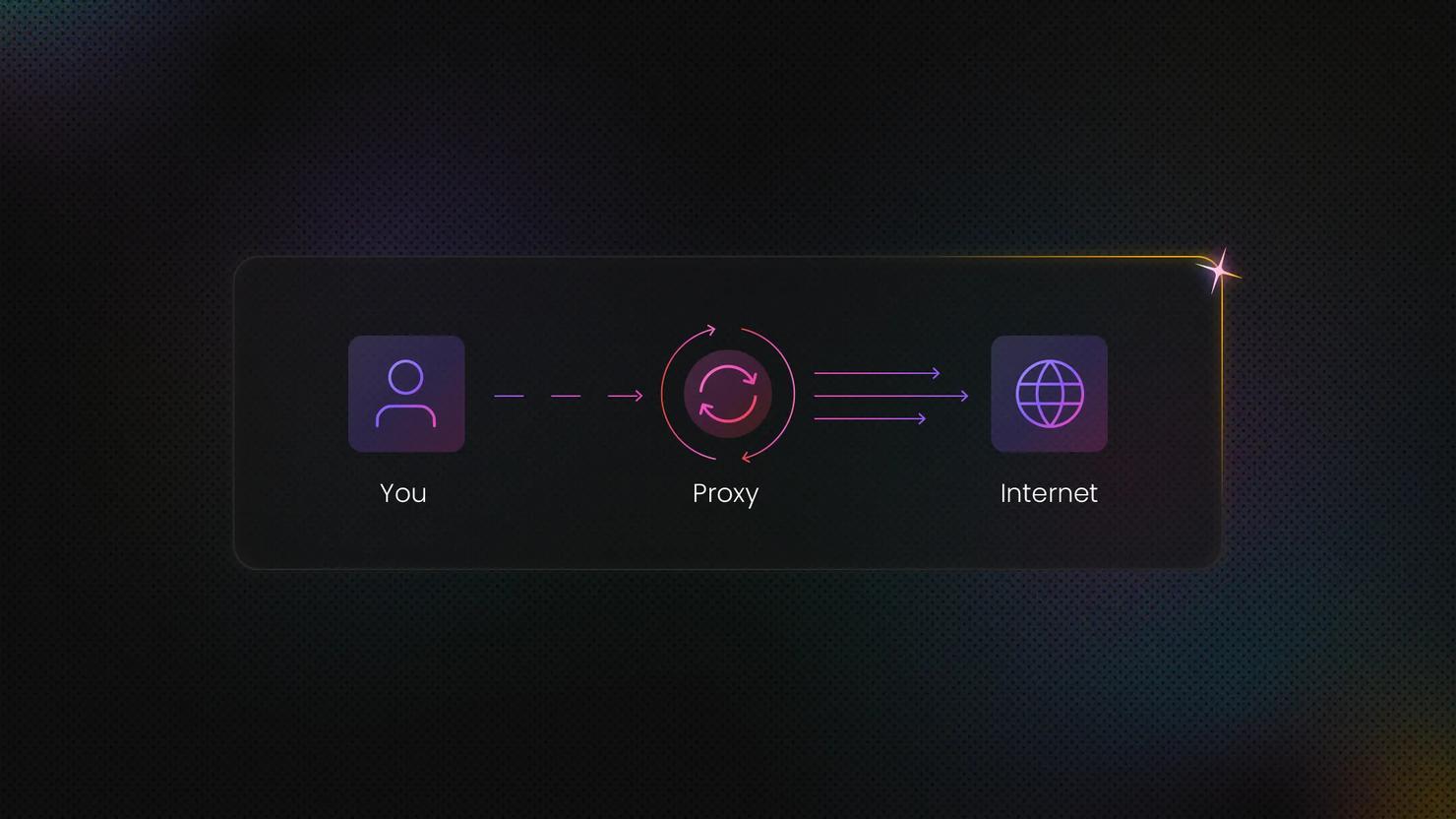
At its core, a proxy server sits between you and the website you’re trying to reach. Instead of connecting directly, your request passes through the proxy first, which then forwards it to the destination and returns the response back to you.
The request flow looks like this: Client → proxy → target website → proxy → client
From the website’s point of view, it's communicating with the proxy, not with your device.
This is where IP masking comes in. The website sees the proxy’s IP address instead of your real one. What proxies don't automatically hide is everything else. If your request includes login credentials, cookies, or identifiable headers, those can still be used to recognize you.
In other words, proxies hide where a request is coming from, but they don't remove identity or authentication data unless you manage that separately.
Forward proxy vs. reverse proxy
Most of the time, when people talk about proxies for scraping, automation, or accessing content, they are referring to forward proxies.
A forward proxy sits on the client side and routes outbound requests to websites. This is the type used to change IP addresses, access region-specific content, or distribute requests across many connections.
A reverse proxy works in the opposite direction. It sits in front of a website or application and handles incoming traffic on behalf of that server. Reverse proxies are used for things like load balancing, caching, and protecting backend infrastructure. They are part of how websites are built and operated, not a tool for accessing other sites.
Proxy server types by IP source
Not all proxies are created equal. The type of IP address a proxy uses determines how websites perceive your traffic, how likely you are to get blocked, and what you'll pay for the service. Here are the primary types:
Residential proxies
Residential proxies use IP addresses assigned by real ISPs (Internet Service Providers) to actual households. From a website's perspective, traffic from a residential proxy looks identical to traffic from a regular home user.
This makes residential proxies much harder to detect and block. They are commonly used for accessing platforms with stricter defenses, such as major eCommerce sites, social media networks, and search engines.
Residential proxies cost more than datacenter proxies because maintaining a large, diverse pool of real-user IPs requires more infrastructure. For high-stakes scraping or monitoring workflows, that higher cost is often offset by fewer blocks and more consistent access.
Datacenter proxies
Datacenter proxies use IP addresses from cloud hosting providers and data centers. These IPs are not tied to real households or consumer internet connections, instead, they come from server infrastructure built for speed and scale.
Because of this, datacenter proxies are the fastest option and usually the most affordable. They work well when you need to process large volumes of requests quickly or when you’re scraping public-facing sites that do not have aggressive bot detection.
The tradeoff is visibility. Since these IPs come from known data center ranges, some websites actively flag or restrict them. On platforms with stricter anti-bot systems, datacenter proxies may be blocked more easily. They are best suited to lower-risk targets or workflows where occasional blocks are acceptable.
ISP proxies
ISP proxies (also called static residential proxies) combine the best of both worlds. They're IP addresses provided by ISPs, just like residential proxies, but they're static, meaning they don't rotate.
That makes ISP proxies useful for workflows that require long-lived connections, such as account management, automation scripts, or platforms that flag frequent IP changes as suspicious.
Mobile proxies
Mobile proxies use IP addresses from real mobile devices connected to cellular networks like 3G, 4G, and 5G. These IPs are assigned by mobile carriers rather than fixed-line ISPs.
Mobile IPs are generally the hardest to block. Many mobile carriers use network address translation, meaning multiple real users share the same IP. Because of this, websites tend to treat mobile traffic more cautiously, as blocking a single mobile IP can affect many legitimate users at once.
The downside is cost. Mobile proxies are the most expensive option due to the complexity of sourcing and maintaining real mobile IPs. However, for certain targets, they are sometimes the only option that works reliably.

Try residential proxies built for real-world scraping
Access 115M+ ethically-sourced residential IPs across 195+ locations and avoid blocks on protected sites.
Which proxy type should you choose?
Below is a comparison of proxy types based on performance, trust, and risk:
Proxy type
Trust level
Detection risk
Best for
Cost
Residential
High
Low
eCommerce scraping, social media, search engines, protected targets
Medium to high
Datacenter
Low
High
High-volume scraping, less protected sites, budget operations
Lowest
ISP
High
Low
Long sessions, account management, automation
Medium to high
Mobile
Highest
Very low
Mobile platforms, strictest targets, highest stealth
Highest
Choose a proxy type based on your target's defenses and your budget. For most web scraping and data collection tasks, residential proxies offer the best balance.
If you're working with mobile apps or extremely restrictive platforms, mobile proxies are worth the premium.
If speed and volume matter more than stealth, datacenter proxies are efficient and affordable.
Proxy types by protocol
The protocol your proxy uses determines what kind of traffic it can handle and how data is transmitted between your device, the proxy, and the target server.
HTTP proxies
HTTP proxies are designed specifically for web traffic. If you’re scraping public-facing pages from sites that don’t require HTTPS, or you’re using tools that only support HTTP connections, these proxies will usually work just fine.
They’re easy to set up, widely supported, and commonly used for lightweight scraping, SERP checks, and simple monitoring tasks where encryption isn’t required.
HTTPS / SSL proxies
Most modern websites use HTTPS (also referred to as SSL proxies), which means traffic is encrypted by default. HTTPS proxies allow that encrypted traffic to pass through without breaking the connection.
HTTPS proxies don’t automatically decrypt or inspect your traffic. In most setups, they simply tunnel the encrypted connection between your tool and the website. That makes them the right choice when you’re scraping secure pages or interacting with login-protected sites.
SOCKS5 proxies
SOCKS5 proxies are more flexible than HTTP-based proxies. They’re not limited to web traffic and can route many other types of connections as well.
If you’re working with headless browsers, APIs, or tools that send non-HTTP traffic, SOCKS5 is often the safer option. Because it doesn’t modify requests, it tends to cause fewer compatibility issues in more complex setups.
TCP vs. UDP
When comparing TCP vs. UDP, the main difference is how each protocol handles reliability and speed.
TCP (Transmission Control Protocol) focuses on reliability, ensuring data arrives in the correct order and is retransmitted if anything is lost. This is why most web traffic, APIs, and scraping tools rely on TCP by default.
UDP (User Datagram Protocol), by contrast, prioritizes speed over reliability. It sends data without waiting for confirmations, which makes it faster but less predictable. UDP is mainly used for real-time applications like streaming, gaming, or voice communication.
Sessions, rotation, and proxy infrastructure
Once you move beyond basic proxy setup, how sessions and IP rotation are handled starts to matter just as much as the proxy type itself.
Rotating vs. sticky sessions
A rotating proxy changes your IP address with every request (or after a set time interval). Each time you make a new connection, you get a different IP from the proxy pool. This is useful when you want to distribute requests across many IPs to avoid rate limits or blocks.
Sticky sessions work differently. The same IP address is kept for a set period of time before it rotates. This is helpful when consistency matters, such as staying logged in, navigating multi-step pages, or maintaining a session across several requests. Sticky residential proxies are often used in these cases because they combine session stability with realistic residential IPs.
IP rotation, backconnect, and gateways
IP rotation controls how often your outgoing IP address changes. Larger rotating pools reduce IP reuse and make traffic patterns less predictable, which helps avoid rate limits and blocks. Rotating proxies handle this automatically without requiring you to manage individual IPs.
Backconnect proxies simplify infrastructure even further. Instead of connecting to a specific IP, you connect to a single gateway endpoint. That gateway dynamically assigns IPs from a large pool and rotates them as needed. Backconnect proxies are commonly used when scale and ease of management are more important than controlling individual IP addresses.
Proxy anonymity levels
Proxy anonymity levels describe how much a website can tell about you when you connect through a proxy. Specifically, they define two things:
- whether the website can see your real IP address
- whether the website can tell that a proxy is being used at all
Different proxies expose different signals in request headers and connection metadata. Based on those signals, websites can fully see you, partially see you, or not see you at all.
There are three proxy anonymity levels commonly used. Here’s a table comparing them from lowest to highest level of anonymity:
Anonymity level
Definition
Detection by websites
Typical use
Transparent proxy
Transparent proxies don't hide the fact that you're using a proxy
Proxy usage and possibly the original IP address can be explicit and not concealed
For caching, content filtering, or internal network management; unsuitable for scraping, automation, or privacy-sensitive tasks
Anonymous proxy
Anonymous proxies hide your real IP address but still identify themselves as proxies
Traffic is exposed as coming from a proxy, but the user’s real IP address is hidden
For basic IP masking, especially for lower-risk targets
Elite / high-anonymity proxy
Elite proxies don't reveal that you're using a proxy at all
No identifying headers are exposed
For protected websites, large-scale data collection, and automation workflows where both the user’s IP and the presence of a proxy need to remain hidden
Proxy authentication methods
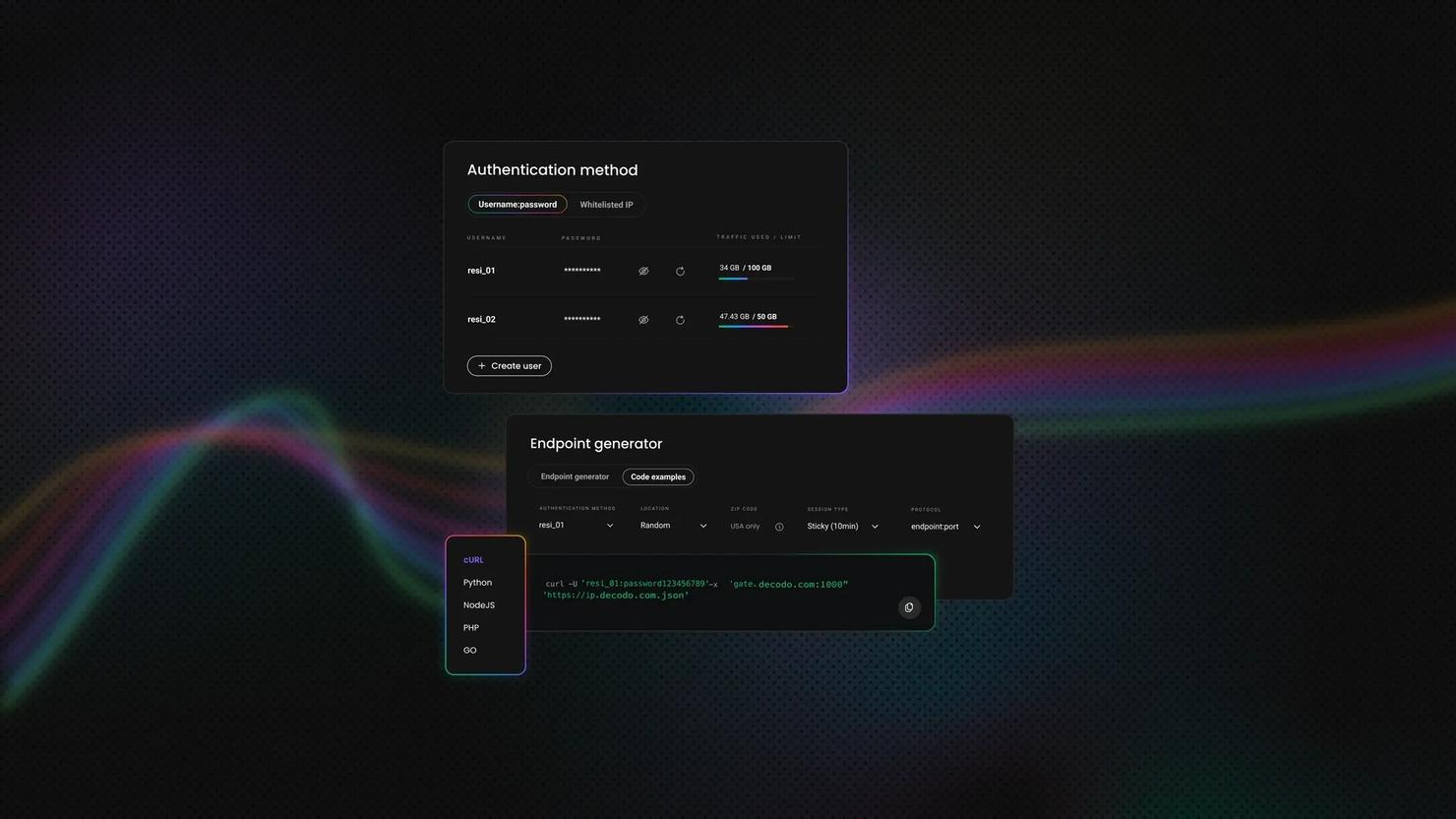
To use a proxy, you need to prove that you’re allowed to access it. There are two common proxy authentication methods to tackle this:
Username and password authentication
With this method, your proxy username and password are included in your connection setup. The proxy checks these details before allowing your requests through. This approach works almost everywhere and is commonly used when connections come from changing or unpredictable IP addresses, such as scripts running on different machines or remote setups.
IP allowlisting
With IP allowlisting (also called whitelisting), you register your device or server IP with the proxy provider. Once it’s added, you can connect without including credentials in your requests. This works well for setups with fixed IP addresses, like dedicated servers, but becomes inconvenient if your IP changes often and needs to be updated.
Common proxy use cases
Proxies function as infrastructure that supports entire business operations. Here is how different industries use them:
Web scraping at scale
Web scraping is the most common use case for proxies. Businesses collect product listings, reviews, specifications, and inventory data from eCommerce sites, marketplaces, and competitor websites at scale. Without proxies, scraping even a few hundred pages is enough to trigger rate limits and IP blocks.
Price monitoring / dynamic pricing
eCommerce teams use proxies to monitor competitor pricing in real time. By scraping thousands of product pages regularly, they track price changes throughout the day and adjust their own pricing strategies. Proxies allow access to localized pricing data and prevent blocks when collecting large volumes of pricing information.
Ad verification
Ad verification helps advertisers and agencies confirm that their ads are displayed correctly across regions, platforms, and networks. Proxies make it possible to view ads as real users would see them in different locations, helping detect misplacement, targeting issues, and ad fraud that would otherwise be invisible.
Brand protection
Companies monitor the web for counterfeit products, unauthorized resellers, trademark violations, and fraudulent listings. For effective brand protection, companies use proxies to scrape marketplaces and track listings that violate their brand policies across regions.
SEO / SERP monitoring
SEO professionals track search engine rankings for specific keywords across different locations. Proxies let you view search results as they appear in different regions and gather accurate SERP data without personalization affecting the results. They also prevent search engines from blocking your IP due to high query volume.
Social media automation / multi-accounting
Some businesses manage multiple social media accounts for marketing, research, or customer engagement across regions and platforms. Proxies help separate account activity by IP address, reducing the risk of automated systems flagging related actions as suspicious when managed responsibly.
Proxy vs. VPN (and when to use each)
Proxies and VPNs both route your traffic through a different IP address, but they work differently and serve different purposes.
Feature
Proxy
VPN
Scope
Works at the application level and only routes traffic from specific apps or tools
Works at the system level and routes all traffic from your device
Encryption
Usually no encryption (except HTTPS proxies with tunneling)
Encrypts all traffic between you and the VPN server
Speed
Faster, especially datacenter proxies
Slower due to encryption and full-device routing
Use case
Web scraping, data collection, automation, accessing specific sites
General privacy, secure browsing, protecting all internet activity
IP rotation
Supports easy IP rotation across large pools
Typically use one or a few server IPs
Scalability
Designed for high-volume, multi-connection operations
Not designed for automation or large-scale requests
In summary, you can use a proxy when you need to scrape data, access geo-restricted content, automate tasks, or make many requests from different IPs. Proxies are built for scale and flexibility.
On the other hand, VPNs work when you want to encrypt all your internet traffic for privacy, or you need to secure your connection on public Wi-Fi. VPNs are for personal security and general anonymity, not for automation or data collection.
Is using a proxy legal?
Using a proxy is legal in most countries when it's used responsibly and for legitimate purposes. Businesses commonly use proxies to access public data, monitor competitors, verify ads, and protect their online operations.
In general, legality depends on how the proxy is used, the terms of service of the target website, and the laws of the relevant jurisdiction.
Issues can arise when proxies are used to access content without authorization, bypass paywalls, or collect data in ways that violate website terms or data protection regulations. For this reason, responsible proxy usage should always follow applicable laws and respect site policies.
Decodo promotes ethical proxy usage and transparent sourcing practices. To learn more, see our guide on ethical residential proxy sourcing and usage and our security and compliance standards.

Choose an ethical proxy provider
Decodo offers transparent sourcing, compliance-focused infrastructure, and independently verified performance.
Troubleshooting: Common proxy errors
Even with a solid proxy setup, connection errors, authentication failures, and traffic limits can disrupt your operations.
Here's what the most common proxy errors mean and how to fix them:
407 proxy authentication required
A 407 error means the proxy server rejected the connection because authentication failed. Common causes include incorrect username or password credentials, IP allowlisting not being set up correctly, or requests being sent through the wrong proxy endpoint or port. To fix, double-check your authentication details and confirm that your IP address is properly authorized with your proxy provider.
403 forbidden and IP rejections
A 403 forbidden error usually means the target website blocked the proxy IP. This often happens when the site flags the IP as suspicious or restricts certain IP ranges. This may require switching to a larger IP pool, reducing repeated requests, or using residential proxies that appear more like real user traffic.
429 too many requests (rate limiting)
A 429 error occurs when a website receives more requests than it is willing to handle within a short period of time. As a result, traffic is temporarily limited or blocked. These errors are typically reduced by lowering request frequency, increasing the size of the IP pool, and using rotating proxy sessions to distribute requests more evenly.
502 bad gateway and 504 gateway timeout
These errors indicate that a response could not be successfully delivered between the proxy and the target website. They are often caused by slow server responses, temporary network issues, or unstable proxy routes. In many cases, the issue is temporary and clears when requests are retried through different routes or when connection and timeout parameters are adjusted.
Timeouts and connection failures
When a response does not arrive within the expected time window, the request expires and is closed. This is commonly seen when upstream servers respond slowly or when proxy routes are congested. In many cases, the issue improves once traffic shifts to less busy routes or response windows are extended.
SSL certificate errors (handshake failed)
SSL handshake errors can occur when using HTTPS proxies with secure endpoints. Common causes include incorrect HTTPS proxy configuration, certificate validation mismatches, or tools attempting HTTPS inspection. Using the correct SSL-compatible proxy setup usually resolves the issue.
What to do if proxy errors persist
If proxy errors continue despite troubleshooting, it usually points to one or more of the following issues:
- Insufficient IP rotation
- Authentication configuration that is not aligned correctly
- A proxy type that is not well suited to the target website
In many cases, moving from datacenter to residential proxies, or switching from shared IPs to a private pool, helps resolve persistent errors. Many proxy services, including Decodo, offer different proxy types and configuration options that can help address these issues.
Final thoughts
Proxies exist because websites don't treat all traffic equally. They block suspicious patterns, restrict access by location, and show different content depending on where you're browsing from. Using proxies means routing your requests through different IP addresses so you can bypass these restrictions at scale.
The practical decision comes down to matching proxy type with target difficulty. Residential and mobile proxies work for heavily defended sites that actively block datacenter IPs. Datacenter proxies handle high-volume scraping when speed and cost matter more than stealth. Pick based on how hard your target blocks traffic, not on proxy features in isolation.
About the author

Mykolas Juodis
Head of Marketing
Mykolas is a seasoned digital marketing professional with over a decade of experience, currently leading Marketing department in the web data gathering industry. His extensive background in digital marketing, combined with his deep understanding of proxies and web scraping technologies, allows him to bridge the gap between technical solutions and practical business applications.
Connect with Mykolas via LinkedIn.
All information on Decodo Blog is provided on an as is basis and for informational purposes only. We make no representation and disclaim all liability with respect to your use of any information contained on Decodo Blog or any third-party websites that may belinked therein.