Back to blog

How to build a news crawler in Python: step-by-step guide

Share article:

A news crawler is a tool that automatically pulls content from news websites. A web news crawler helps with tracking competitors, feeding LLM pipelines, or watching topic coverage across publishers. This guide walks you through building a configurable proxy-integrated Python news crawler that’ll target multiple news sources, handles proxy rotation, and saves structured results on a schedule.

How to Build a News Crawler in Python

TL;DR

  • We'll build a Python news crawler using Requests and Beautiful Soup. It will target 3 real news sites: TechCrunch, Ars Technica, and Reuters Technology.
  • The architecture will be config-driven. Adding a new source will be a config change, not a code one.
  • We'll cover proxy rotation with Decodo residential proxies for sites that rate-limit aggressively.
  • Scheduling will use the lightweight schedule library, whereas output will be timestamped JSON for easy archiving.
  • Async upgrade via httpxasyncio will be shown as an optional next step for larger source lists.

Why build a news crawler?

News data is one of the most useful raw materials in modern dev work. Some common reasons to crawl include:

  • Feeding content pipelines that summarize or rewrite stories for newsletters.
  • Building topic monitors that alert when a keyword surfaces across news publishers.
  • Pulling fresh training inputs for LLMs or retrieval-augmented generation systems.
  • Tracking competitor coverage or PR mentions.

The catch is that scraping news websites are one of the trickier scraping jobs out there. Every outlet has its own HTML structure. Some have rotating CSS classes, while most have at least light bot detection, and a few use heavy systems like Akamai or Cloudflare.

That's why we're not just hardcoding selectors for one site. We'll build a config-driven crawler that scales to many sources. If you're wondering how crawling differs from scraping, our web crawling vs. web scraping post covers the distinction.

Prerequisites and environment setup

You'll need Python 3.10 or newer, plus a few libraries. Here's the setup.

Create a virtual environment

python3 -m venv venv
source venv/bin/activate # macOS/Linux
venv\Scripts\activate # Windows

Install dependencies

pip install requests beautifulsoup4 httpx python-dotenv schedule

What each library does:

  • Requests – the standard Python HTTP client, synchronous, simple, and well-documented.
  • Beautiful Soup – parses HTML and lets you query it with CSS selectors.
  • httpx – an async-capable HTTP client that uses the same API shape as Requests. Optional, but useful when you outgrow synchronous crawls.
  • python-dotenv – loads environment variables from a .env file. It keeps your proxy credentials out of the source code.
  • schedule – a tiny cron-like library for running functions on an interval, no framework needed.

Project structure

news-crawler/
- .env # proxy credentials (never commit this)
- config.py # per-site configs
- scraper.py # crawler logic
- scheduler.py # scheduled crawl runner
- storage.py # JSON and CSV writers
- output/ # timestamped JSON results

How to get your Decodo credentials

To get your credentials, sign up or log in at decodo.com.

Residential proxy credentials

  1. Go to the Dashboard and select Residential from the left sidebar.
  2. You should land in the Proxy Setup tab. Your proxy endpoint, port, username, and password are listed here.
  3. Copy the Username and Password and paste them into your .env file:
DECODO_PROXY_USER=your_actual_username
DECODO_PROXY_PASS=your_actual_password

Note that you have to create the .env file yourself.

Web Scraping API token

  1. From the left sidebar, go to Scraping APIs → Web Scraping API.
  2. Your Basic authentication token should be automatically generated. You can also find your username and password in the Authentication settings next to the copy icon.
  3. Copy the generated Base64 token.
DECODO_SCRAPER_TOKEN=YOUR_BASE64_TOKEN_HERE

Never commit your .env file to version control. Add it to .gitignore to keep your credentials safe.

Selecting target news websites

Before writing scraper code, you should evaluate each target site. Different sites have different HTML structures, anti-bot protections, crawl limits, and content quality. Picking stable, scrape-friendly sources improves your crawler’s reliability.

Check robots.txt first

Every site exposes a robots.txt file at its root. It tells crawlers which paths are off-limits. Always check it before you write a single line of scraping code. Look for Disallow rules covering the paths you want. Crawling against a published Disallow rule is both unethical and legally risky.

The robots.txt tells you a lot about how aggressively a site will fight back. Compare TechCrunch and Reuters side by side:

TechCrunch and Ars Technica – scraping-friendly

TechCrunch’s wildcard rule blocks only wp-admin and search paths. Everything else, including /latest/, is open. A plain requests call with a browser User-Agent is enough without involving any proxies. Just like TechCrunch, Ars Technica does not need a proxy either.

User-agent: *
Disallow: /wp-admin/
Disallow: /search/
Allow: /wp-admin/admin-ajax.php
Sitemap: https://techcrunch.com/sitemap.xml

Reuters – heavily protected

Reuters takes the opposite approach: the Disallow: / rule under the wildcard user agent blocks all unrecognized bots. In addition, Reuters explicitly lists more than 80 individual bots and uses Akamai’s server-side bot detection. As a result, a standard requests call returns a 401 response regardless of the User-Agent header. This is why we use Decodo’s Web Scraping API for Reuters. It handles JS rendering and anti-bot bypass server-side, while a simple residential proxy is enough for scraping-friendly sites like TechCrunch.

User-agent: *
Disallow: /
# 80+ named bots individually listed above
Disallow: /site-search/
Disallow: /pf/api/

Look for an RSS feed

Many publishers expose RSS at a known path:

  • TechCrunch – https://techcrunch.com/feed/
  • Ars Technica – https://feeds.arstechnica.com/arstechnica/index
  • Reuters – https://feeds.reuters.com/reuters/technologyNews

If your use case only needs headlines and summaries, RSS is simpler and more stable than HTML scraping. The trade-off is that feeds rarely include the full article body, author details, or category tags. If you need that data, HTML scraping is the way.

Check the HTML structure

There are several things to check in the HTML structure before continuing with the crawler. Open DevTools on each target site, find a headline, and inspect it for:

  • Is the headline in a semantic tag like h2 or h3?
  • Is the parent an article element with a stable class or data- attribute?
  • Do the CSS classes look human-readable (post-block__title) or is it auto-generated (sc-3xy21z)?

Auto-generated classes are a red flag because they change. Instead, pick selectors that hang off semantic structure whenever you can. Our guide on how to inspect elements walks through DevTools in more detail. If you're choosing between CSS selectors and XPath, our CSS selectors vs. XPath post covers the trade-offs.

Test rate-limit tolerance

Try hitting the same page 5-10 times in quick succession with curl and watch what comes back. If you see 429 responses or CAPTCHA challenges after just a few hits, that site needs a proxy. Reuters falls into this category, while TechCrunch and Ars Technica are usually more permissive, but still deserve crawl delays.

If you're scraping a news aggregator like Google News instead of individual publishers, that's a different beast. Our how to scrape Google News with Python guide covers that approach.

Scraping specific news sources

Now we build the architectural core, which includes a config dictionary, plus a generic parsing function. Adding or updating a publisher only requires editing the configuration, not rewriting crawler code. The selectors below were accurate at the time of writing. If your crawler suddenly returns zero results from one source, that's the first thing to check. We'll add monitoring for this later.

The SOURCES config

Create a config.py file with the following contents:

# config.py
SOURCES = {
"techcrunch": {
"url": "https://techcrunch.com/latest/",
"article_selector": "a.loop-card__title-link",
"url_attr": "href",
"author_selector": 'a[href*="/author/"]',
"date_selector": "time",
"category_selector": ".loop-card__cat",
"crawl_delay_seconds": 2,
"use_proxy": False,
},
"arstechnica": {
"url": "https://arstechnica.com/",
"article_selector": "article h2 a",
"url_attr": "href",
"author_selector": "span.byline a",
"date_selector": "time",
"category_selector": ".story-cat",
"crawl_delay_seconds": 2,
"use_proxy": False,
},
"reuters": {
"url": "https://www.reuters.com/technology/",
"article_selector": 'a[data-testid="Heading"]',
"url_attr": "href",
"author_selector": '[data-testid="AuthorName"]',
"date_selector": "time",
"category_selector": 'span[data-testid="Text"]',
"crawl_delay_seconds": 5,
"use_proxy": False,
},
}

A few notes on this structure:

  • crawl_delay_seconds lets each site set its own pace. Reuters gets 5 seconds between requests because it's stricter. TechCrunch and Ars Technica are fine with 2.
  • use_proxy is a per-site flag. We'll wire up proxy routing in a later section. For now, all 3 sources stay direct.
  • We picked data-testid selectors for Reuters because data- attributes are more stable than CSS classes. Class names get renamed across redesigns, but test IDs rarely do.

Imports and logging setup

Now create a scraper.py file, import the required libraries, and enable logging so you can track crawl progress and failures.

# scraper.py
import logging
import os
import time
from datetime import datetime, timezone
from pathlib import Path
from urllib.parse import urljoin, urlparse
import requests
from bs4 import BeautifulSoup
From pathlib import Path
from dotenv import load_dotenv
load_dotenv(Path(__file__).resolve().parent / ".env")
logging.basicConfig(
level=logging.INFO,
format="%(asctime)s %(levelname)s: %(message)s",
)
log = logging.getLogger("news_crawler")

Safe text extraction helper

Some selectors will fail occasionally because optional fields like author, names, or dates may not exist. Returning None avoids unnecessary crashes.

def safe_text(el):
return el.get_text(strip=True) if el else None

Fetch pages safely

Now create a helper that downloads HTML safely:

def fetch_page(url, session):
try:
response = session.get(url, timeout=30)
response.raise_for_status()
return response.text
except requests.RequestException as exc:
log.warning("Request failed for %s: %s", url, exc)
return None
def parse_source(name, config, session):
log.info("Crawling %s", name)
html = fetch_page(config["url"], session)
if not html:
log.warning("Skipping %s: no HTML returned", name)
return []
articles = parse_html(html, name, config)
log.info("Got %d articles from %s", len(articles), name)
return articles

Using a shared requests.Session() improves performance by reusing connections across requests.

Extract structured object

Build a structured article object from a matched HTML element.

def extract_article(link, href, page_url, name, config):
if href.startswith("/"):
netloc = urlparse(page_url).netloc
article_url = f"https://{netloc}{href}"
else:
article_url = urljoin(page_url, href)
parent = (
link.find_parent("article")
or link.find_parent("div", class_="loop-card")
or link.find_parent("li")
or link.parent
)
author_el = (
parent.select_one(config["author_selector"])
if parent and config.get("author_selector")
else None
)
date_el = (
parent.select_one(config["date_selector"])
if parent and config.get("date_selector")
else None
)
category_el = (
parent.select_one(config["category_selector"])
if parent and config.get("category_selector")
else None
)
return {
"source": name,
"title": safe_text(link),
"url": article_url,
"author": safe_text(author_el),
"date": date_el.get("datetime") if date_el else None,
"category": safe_text(category_el),
}

Parsing article data

The parser uses selectors from config.py to extract titles, URLs, authors, dates, and categories from each article card. Beautiful Soup parsing patterns can load content dynamically with JavaScript rather than returning full HTML from the server. For those cases, you’ll need a headless browser or JS rendering.

def parse_html(html, name, config):
soup = BeautifulSoup(html, "html.parser")
page_url = config.get("url") or ""
articles = []
links = soup.select(config["article_selector"])
if not links:
log.warning(
"Selector '%s' matched 0 elements on %s",
config["article_selector"],
page_url,
)
return []
for link in links:
title = safe_text(link)
href = link.get(config.get("url_attr", "href"))
if not title or not href:
continue
articles.append(extract_article(link, href, page_url, name, config))
return articles

Wrap everything into a reusable NewsCrawler class

class NewsCrawler:
def __init__(self, sources):
self.sources = sources
self.session = requests.Session()
self.session.headers.update({
"User-Agent": (
"Mozilla/5.0 (Macintosh; Intel Mac OS X 10_15_7) "
"AppleWebKit/537.36 (KHTML, like Gecko) "
"Chrome/124.0.0.0 Safari/537.36"
),
"Accept": (
"text/html,application/xhtml+xml,"
"application/xml;q=0.9,*/*;q=0.8"
),
"Accept-Language": "en-US,en;q=0.9",
"Accept-Encoding": "gzip, deflate",
"Referer": "https://www.google.com/",
"Upgrade-Insecure-Requests": "1",
})
def crawl_all(self):
all_articles = []
seen_urls = set()
raw_count = 0
source_order = []
for name, config in self.sources.items():
source_order.append(name)
try:
articles = parse_source(name, config, self.session)
except Exception as exc:
log.exception("Source %s failed: %s", name, exc)
continue
raw_count += len(articles)
for article in articles:
if article["url"] not in seen_urls:
seen_urls.add(article["url"])
all_articles.append(article)
time.sleep(config.get("crawl_delay_seconds", 2))
unique = len(all_articles)
log.info("Total unique articles: %d", unique)
return {
"crawled_at": datetime.now(timezone.utc).isoformat(),
"sources_crawled": source_order,
"stats": {
"raw_article_count": raw_count,
"unique_article_count": unique,
"duplicates_dropped": max(0, raw_count - unique),
},
"articles": all_articles,
}
def print_summary(payload):
articles = payload.get("articles") or []
stats = payload.get("stats") or {}
print(f"\n{'─' * 70}")
print(f"News Crawl Summary - {len(articles)} unique articles")
if stats:
print(
f"Raw: {stats.get('raw_article_count')} "
f"Duplicates dropped: {stats.get('duplicates_dropped')}"
)
print('─' * 70)
for article in articles[:10]:
print(f"\n[{article['source'].upper()}] {article['title']}")
if article.get("author"):
print(f" By: {article['author']}")
if article.get("date"):
print(f" Date: {article['date']}")
print(f" {article['url']}")
if __name__ == "__main__":
from config import SOURCES
from storage import save_to_json
crawler = NewsCrawler(SOURCES)
payload = crawler.crawl_all()
print_summary(payload)
if payload.get("articles"):
path = save_to_json(payload)
print(f"\nSaved: {path}\n")

What's worth noting:

  • requests.Session() reuses the underlying TCP connection across requests to the same domain. Without it, you'd be opening a fresh connection for every request, which is an unoptimized process.
  • The User-Agent header makes us look like a regular Chrome browser, which is a sign of genuine human traffic. The default Python User-Agent (python-requests/2.x) would be a giveaway and most sites would flag it immediately.
  • The try/except in crawl_all() wraps each source independently. If Reuters fails, TechCrunch and Ars Technica still run. In turn, one broken source doesn't kill the whole crawl.
  • The seen_urls set prevents duplicates when stories get syndicated. Reuters might publish a story that TechCrunch picks up. We only want it once.
  • crawl_all() returns a payload envelope with a timestamp, source order, run stats, and the article list. This makes it easy to track crawl health over time.

Run the script:

python scraper.py

You should see output like this:

2026-04-22 14:30:01 INFO: Crawling techcrunch
2026-04-22 14:30:02 INFO: Got 24 articles from techcrunch
2026-04-22 14:30:04 INFO: Crawling arstechnica
2026-04-22 14:30:05 INFO: Got 31 articles from arstechnica
2026-04-22 14:30:07 INFO: Crawling reuters
2026-04-22 14:30:08 WARNING: Skipping reuters: no HTML returned
2026-04-22 14:30:13 INFO: Total unique articles: 55

The Reuters failure in the output above isn't a bug. It's expected because Reuters blocks standard requests. Next, we'll add proxy-based fetching to handle protected sites. 

Async upgrade path

For 3 sources, sequential crawling is fine. But if you’re going with 30 sources, you'll want async. The change is small – just swap Requests for httpx and use asyncio.gather():

import asyncio
import httpx
async def parse_source_async(name, config, client):
response = await client.get(config["url"], timeout=15)
async def crawl_all_async(sources):
async with httpx.AsyncClient() as client:
tasks = [parse_source_async(n, c, client) for n, c in sources.items()]
results = await asyncio.gather(*tasks, return_exceptions=True)
return results

The trade-off is that you lose per-source crawl delays, unless you sleep inside each task. For most news crawling at moderate scale, synchronization is enough.

Bypassing rate limits with rotating proxies

As shown above, some news sites blocks standard scraping requests. You'll encounter the same challenge on many heavily protected sites, especially when sending repeated requests from a single IP.

Why residential proxies work

Datacenter IPs (AWS, GCP, DigitalOcean) are easy to flag because their IP ranges are public and known, and bot-protection services pre-score them as high risk.

Residential proxies, on the other hand, use IPs assigned to real home internet connections. Using these IPs, Akamai or Cloudflare see your requests as those from regular visitors browsing from home. That's a much harder pattern to block.

For more on how rotation works, our what are rotating proxies post explains the basics. For a bigger picture on bot detection, read our anti-scraping techniques and how to outsmart them post.

Wiring up Decodo proxies

Open .env and fill in your real Decodo credentials.

DECODO_PROXY_USER=YOUR_PROXY_USERNAME
DECODO_PROXY_PASS=YOUR_PROXY_PASSWORD
DECODO_SCRAPER_TOKEN=YOUR_BASE64_TOKEN_HERE

Get your web data project off the ground

Set up residential proxies or plug into our Web Scraping API in minutes

Update scraper.py to add 3 fetch paths

It follows these patterns:

  • Plain Requests for permissive sites.
  • Residential proxy for moderate targets.
  • Decodo Web Scraping API for hard ones like Reuters

Add these imports to scraper.py

Without these imports, proxy and API authentication would fail

import base64
from urllib.parse import quote

Add proxy helper functions

Place these below safe_text(): It centralizes authentication logic so that credentials are handled in one place instead of scattered across the crawler.

def build_proxy_url():
user = (os.getenv("DECODO_PROXY_USER") or "").strip()
password = (os.getenv("DECODO_PROXY_PASS") or "").strip()
if not user or not password:
return None
return (
f"http://{quote(user, safe='')}:"
f"{quote(password, safe='')}@gate.decodo.com:7000"
)
def _decodo_auth_header():
token = (os.getenv("DECODO_SCRAPER_TOKEN") or "").strip()
if token:
return token if token.lower().startswith("basic ") else f"Basic {token}"
return None

Replace fetch_page() with 3 fetch methods

Delete the old:

def fetch_page(url, session):

Replace it with the following functions:

# fetch_via_requests()
# fetch_via_proxy()
# fetch_via_decodo_scraper()

Different sites need different levels of anti-bot handling. Splitting fetch logic into dedicated functions keeps the crawler flexible without complicating the parser.

def fetch_via_proxy(url, session, proxy_url):
try:
response = session.get(
url,
proxies={"http": proxy_url, "https": proxy_url},
timeout=30,
)
response.raise_for_status()
return response.text
except requests.RequestException as exc:
log.warning("Proxy request failed for %s: %s", url, exc)
return None
def fetch_via_requests(url, session):
try:
response = session.get(url, timeout=30)
response.raise_for_status()
return response.text
except requests.RequestException as exc:
log.warning("Request failed for %s: %s", url, exc)
return None
def fetch_via_decodo_scraper(url):
auth = _decodo_auth_header()
if not auth:
log.warning(
"No Decodo scraper auth -- set DECODO_SCRAPER_TOKEN in .env"
)
return None
log.info("Fetching %s via Decodo Scraping API", url)
resp = None
try:
resp = requests.post(
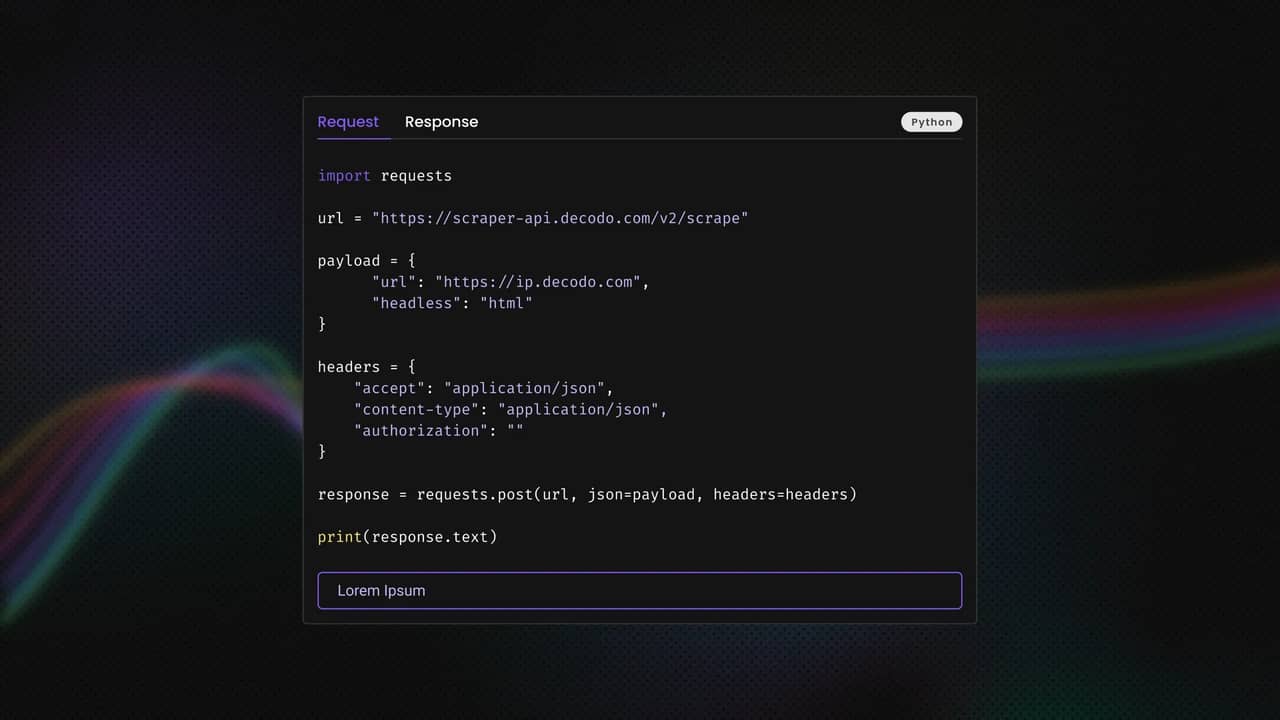
"https://scraper-api.decodo.com/v2/scrape",
json={
"target": "universal",
"url": url,
"headless": "html",
"parse": False,
},
headers={
"Authorization": auth,
"Content-Type": "application/json",
"Accept": "application/json",
},
timeout=120,
)
resp.raise_for_status()
except requests.RequestException as exc:
log.warning("Decodo scraper API failed: %s", exc)
if resp is not None and resp.status_code == 401:
log.warning(
"401: regenerate token at Decodo dashboard → "
"Web Scraping API → Authentication"
)
return None
try:
data = resp.json()
except ValueError:
log.warning("Decodo scraper API: invalid JSON response")
return None
results = data.get("results") or []
if not results:
log.warning("Decodo scraper API: no results for %s", url)
return None
first = results[0]
status = first.get("status_code")
content = first.get("content")
if status:
try:
if int(status) >= 400:
log.warning(
"Decodo scraper API: target returned HTTP %s", status
)
return None
except (TypeError, ValueError):
pass
if not content or not isinstance(content, str):
log.warning("Decodo scraper API: empty content for %s", url)
return None
return content

Update parse_source() Logic

The crawler now decides how to fetch a page per source instead of using one global strategy for every site.

Replace the fetch logic inside parse_source() with:

def parse_source(name, config, session, proxy_url=None):
log.info("Crawling %s", name)
if config.get("use_decodo_scraper"):
html = fetch_via_decodo_scraper(config["url"])
elif config.get("use_proxy") and proxy_url:
log.info("Using Decodo residential proxy for %s", name)
html = fetch_via_proxy(config["url"], session, proxy_url)
else:
html = fetch_via_requests(config["url"], session)
if not html:
log.warning("Skipping %s: no HTML returned", name)
return []
articles = parse_html(html, name, config)
log.info("Got %d articles from %s", len(articles), name)
return articles

Update the crawler constructor

The proxy URL gets built once during startup instead of on every request, which keeps request handling simpler and slightly more efficient.

Inside NewsCrawler .__init__()  class add:

self.proxy_url = build_proxy_url()

Update crawl_all() method of the NewsCrawler class

Replace only this line

articles = parse_source(name, config, self.session)

with

articles = parse_source(
name,
config,
self.session,
proxy_url=self.proxy_url,
)

Enable the Decodo scraper for Reuters

Update the Reuters config:

"reuters": {
"url": "https://www.reuters.com/technology/",
"article_selector": 'a[data-testid="Heading"]',
"url_attr": "href",
"author_selector": '[data-testid="AuthorName"]',
"date_selector": "time",
"category_selector": 'span[data-testid="Text"]',
"crawl_delay_seconds": 5,
"use_proxy": False,
"use_decodo_scraper": True,
},

The full scraper.py code

import base64
import logging
import os
import time
from datetime import datetime, timezone
from urllib.parse import quote, urljoin, urlparse
import requests
from bs4 import BeautifulSoup
from pathlib import Path
from dotenv import load_dotenv
load_dotenv(Path("file path").resolve().parent / ".env")
logging.basicConfig(
level=logging.INFO,
format="%(asctime)s %(levelname)s: %(message)s",
)
log = logging.getLogger("news_crawler")
def safe_text(el):
return el.get_text(strip=True) if el else None
def build_proxy_url():
user = (os.getenv("DECODO_PROXY_USER") or "").strip()
password = (os.getenv("DECODO_PROXY_PASS") or "").strip()
if not user or not password:
return None
return (
f"http://{quote(user, safe='')}:"
f"{quote(password, safe='')}@gate.decodo.com:7000"
)
def _decodo_auth_header():
raw = (os.getenv("DECODO_SCRAPER_TOKEN") or "").strip()
if raw:
return raw if raw.lower().startswith("basic ") else f"Basic {raw}"
u = (os.getenv("DECODO_SCRAPER_USER") or "").strip() or (
os.getenv("DECODO_PROXY_USER") or ""
).strip()
p = (os.getenv("DECODO_SCRAPER_PASS") or "").strip() or (
os.getenv("DECODO_PROXY_PASS") or ""
).strip()
if u and p:
return f"Basic {base64.b64encode(f'{u}:{p}'.encode()).decode()}"
return None
def fetch_via_proxy(url, session, proxy_url):
"""Fetch page through Decodo residential proxy."""
try:
response = session.get(
url,
proxies={"http": proxy_url, "https": proxy_url},
timeout=30,
)
response.raise_for_status()
return response.text
except requests.RequestException as exc:
log.warning("Proxy request failed for %s: %s", url, exc)
return None
def fetch_via_requests(url, session):
"""Fetch page with plain requests (no proxy)."""
try:
response = session.get(url, timeout=30)
response.raise_for_status()
return response.text
except requests.RequestException as exc:
log.warning("Request failed for %s: %s", url, exc)
return None
def fetch_via_decodo_scraper(url):
"""Fetch JS-rendered page via Decodo Web Scraping API."""
auth = _decodo_auth_header()
if not auth:
log.warning(
"No Decodo scraper auth -- set DECODO_SCRAPER_TOKEN in .env"
)
return None
log.info("Fetching %s via Decodo Scraping API", url)
resp = None
try:
resp = requests.post(
"https://scraper-api.decodo.com/v2/scrape",
json={
"target": "universal",
"url": url,
"headless": "html",
"parse": False,
},
headers={
"Authorization": auth,
"Content-Type": "application/json",
"Accept": "application/json",
},
timeout=120,
)
resp.raise_for_status()
except requests.RequestException as exc:
log.warning("Decodo scraper API failed: %s", exc)
if resp is not None and resp.status_code == 401:
log.warning(
"401: regenerate token at Decodo dashboard → "
"Web Scraping API → Authentication"
)
return None
try:
data = resp.json()
except ValueError:
log.warning("Decodo scraper API: invalid JSON response")
return None
results = data.get("results") or []
if not results:
log.warning("Decodo scraper API: no results for %s", url)
return None
first = results[0]
status = first.get("status_code")
content = first.get("content")
if status:
try:
if int(status) >= 400:
log.warning(
"Decodo scraper API: target returned HTTP %s", status
)
return None
except (TypeError, ValueError):
pass
if not content or not isinstance(content, str):
log.warning("Decodo scraper API: empty content for %s", url)
return None
return content
def parse_html(html, name, config):
soup = BeautifulSoup(html, "html.parser")
page_url = config.get("url") or ""
articles = []
links = soup.select(config["article_selector"])
if not links:
log.warning(
"Selector '%s' matched 0 elements on %s",
config["article_selector"],
page_url,
)
return []
for link in links:
title = safe_text(link)
href = link.get(config.get("url_attr", "href"))
if not title or not href:
continue
if href.startswith("/"):
netloc = urlparse(page_url).netloc
article_url = f"https://{netloc}{href}"
else:
article_url = urljoin(page_url, href)
parent = (
link.find_parent("article")
or link.find_parent("div", class_="loop-card")
or link.find_parent("li")
or link.parent
)
author_el = (
parent.select_one(config["author_selector"])
if parent and config.get("author_selector") else None
)
date_el = (
parent.select_one(config["date_selector"])
if parent and config.get("date_selector") else None
)
category_el = (
parent.select_one(config["category_selector"])
if parent and config.get("category_selector") else None
)
articles.append({
"source": name,
"title": title,
"url": article_url,
"author": safe_text(author_el),
"date": date_el.get("datetime") if date_el else None,
"category": safe_text(category_el),
})
return articles
def parse_source(name, config, session, proxy_url=None):
log.info("Crawling %s", name)
if config.get("use_decodo_scraper"):
html = fetch_via_decodo_scraper(config["url"])
elif config.get("use_proxy") and proxy_url:
log.info("Using Decodo residential proxy for %s", name)
html = fetch_via_proxy(config["url"], session, proxy_url)
else:
html = fetch_via_requests(config["url"], session)
if not html:
log.warning("Skipping %s: no HTML returned", name)
return []
articles = parse_html(html, name, config)
log.info("Got %d articles from %s", len(articles), name)
return articles
class NewsCrawler:
def __init__(self, sources):
self.sources = sources
self.proxy_url = build_proxy_url()
if any(c.get("use_proxy") for c in sources.values()) and not self.proxy_url:
raise RuntimeError(
"use_proxy=True but DECODO_PROXY_USER/PASS missing in .env"
)
if any(c.get("use_decodo_scraper") for c in sources.values()):
if not _decodo_auth_header():
raise RuntimeError(
"use_decodo_scraper=True but DECODO_SCRAPER_TOKEN "
"missing in .env"
)
self.session = requests.Session()
self.session.headers.update({
"User-Agent": (
"Mozilla/5.0 (Macintosh; Intel Mac OS X 10_15_7) "
"AppleWebKit/537.36 (KHTML, like Gecko) "
"Chrome/124.0.0.0 Safari/537.36"
),
"Accept": (
"text/html,application/xhtml+xml,"
"application/xml;q=0.9,*/*;q=0.8"
),
"Accept-Language": "en-US,en;q=0.9",
"Accept-Encoding": "gzip, deflate",
"Referer": "https://www.google.com/",
"Upgrade-Insecure-Requests": "1",
})
def crawl_all(self):
all_articles = []
seen_urls = set()
raw_count = 0
source_order = []
for name, config in self.sources.items():
source_order.append(name)
try:
articles = parse_source(
name, config, self.session,
proxy_url=self.proxy_url,
)
except Exception as exc:
log.exception("Source %s failed: %s", name, exc)
continue
raw_count += len(articles)
for article in articles:
if article["url"] not in seen_urls:
seen_urls.add(article["url"])
all_articles.append(article)
time.sleep(config.get("crawl_delay_seconds", 2))
unique = len(all_articles)
log.info("Total unique articles: %d", unique)
return {
"crawled_at": datetime.now(timezone.utc).isoformat(),
"sources_crawled": source_order,
"stats": {
"raw_article_count": raw_count,
"unique_article_count": unique,
"duplicates_dropped": max(0, raw_count - unique),
},
"articles": all_articles,
}
def print_summary(payload):
articles = payload.get("articles") or []
stats = payload.get("stats") or {}
print(f"\n{'─' * 70}")
print(f"News Crawl Summary - {len(articles)} unique articles")
if stats:
print(
f"Raw: {stats.get('raw_article_count')} "
f"Duplicates dropped: {stats.get('duplicates_dropped')}"
)
print('─' * 70)
for article in articles[:10]:
print(f"\n[{article['source'].upper()}] {article['title']}")
if article.get("author"):
print(f" By: {article['author']}")
if article.get("date"):
print(f" Date: {article['date']}")
print(f" {article['url']}")
if __name__ == "__main__":
from config import SOURCES
from storage import save_to_json
crawler = NewsCrawler(SOURCES)
payload = crawler.crawl_all()
print_summary(payload)
if payload.get("articles"):
path = save_to_json(payload)
print(f"\nSaved: {path}\n")

Storing and exporting crawled news data

In-memory results are gone the moment your script crashes. We need durable storage.

Timestamped JSON files

Create storage.py:

# storage.py
import json
import os
from datetime import datetime
def save_to_json(payload, output_dir="output"):
os.makedirs(output_dir, exist_ok=True)
timestamp = datetime.now().strftime("%Y%m%d_%H%M%S")
path = os.path.join(output_dir, f"articles_{timestamp}.json")
with open(path, "w", encoding="utf-8") as f:
json.dump(payload, f, ensure_ascii=False, indent=2)
return path

The full payload gets written, not just the article list. So, the saved file includes the crawled_at timestamp, sources_crawled list, and stats block. Useful when you want to track crawl health over time.

CSV export

If you'd rather feed the data into a spreadsheet, here’s the code snippet for generating CSV output:

# storage.py (continued)
import csv
def save_to_csv(articles, path="output/news_latest.csv"):
if not articles:
return
fieldnames = ["source", "title", "url", "author", "date", "category"]
with open(path, "w", newline="", encoding="utf-8") as f:
writer = csv.DictWriter(f, fieldnames=fieldnames)
writer.writeheader()
writer.writerows(articles)

The full storage.py code

import csv
import json
import os
from datetime import datetime
def save_to_json(payload, output_dir="output"):
os.makedirs(output_dir, exist_ok=True)
timestamp = datetime.now().strftime("%Y%m%d_%H%M%S")
path = os.path.join(output_dir, f"articles_{timestamp}.json")
with open(path, "w", encoding="utf-8") as f:
json.dump(payload, f, ensure_ascii=False, indent=2)
return path
def save_to_csv(payload, path="output/articles_latest.csv"):
articles = payload.get("articles") or []
if not articles:
return None
parent = os.path.dirname(path)
if parent:
os.makedirs(parent, exist_ok=True)
fieldnames = list(articles[0].keys())
with open(path, "w", newline="", encoding="utf-8") as f:
w = csv.DictWriter(f, fieldnames=fieldnames, extrasaction="ignore")
w.writeheader()
w.writerows(articles)
return path

Beyond JSON and CSV

Once your archive grows, you'll want something queryable:

  • SQLite – a local file-based database. Drop in sqlite3, and you can query "all Reuters articles tagged AI from the last 24 hours."
  • PostgreSQL – worth it once you have multiple crawlers writing to the same place, or web dashboards reading from it.
  • Vector database – for LLM-powered retrieval. Embed each article's title and summary, then query by semantic similarity. Pinecone, Weaviate, and pgvector all work.

For more on storage options, see our how to save your scraped data post.

Re-run the crawler. Reuters should now work.

Here’s a sample result:

{
"source": "reuters",
"title": "EU targets social media to protect children, von der Leyen says",
"url": "https://www.reuters.com/world/eu-targets-social-media-protect-children-von-der-leyen-says-2026-05-12/",
"author": null,
"date": "2026-05-12T07:42:34.383Z",
"category": null
},
{
"source": "reuters",
"title": "Meta loses court fight over compensation to Italian publishers",
"url": "https://www.reuters.com/legal/litigation/meta-loses-court-fight-over-compensation-italian-publishers-2026-05-12/",
"author": null,
"date": "2026-05-12T08:00:07.23Z",
"category": null

When to reach for Site Unblocker

Some websites are protected beyond what rotating residential proxies can reliably bypass. Platforms using advanced bot detection systems like Cloudflare Turnstile, DataDome, or Akamai often inspect far more than just your IP address.

They analyze:

  • browser fingerprints
  • TLS signatures
  • request behavior
  • mouse and navigation patterns
  • CAPTCHA completion signals

At that level, simply rotating IPs is no longer enough.

For those, Decodo Site Unblocker handles the heavy lifting at the proxy layer. You point your Session at it the same way as a regular proxy. The work happens server-side.

The schedule library

The simplest option is the schedule library just using Python. A scheduled crawl is useful 50 times an hour without you doing anything.

Create scheduler.py and insert the following, production-ready code:

import logging
import os
import time
import schedule
from config import SOURCES
from scraper import NewsCrawler, print_summary
from storage import save_to_csv, save_to_json
logging.basicConfig(level=logging.INFO, format="%(asctime)s %(levelname)s: %(message)s")
log = logging.getLogger("scheduler")
def run_crawl() -> str | None:
log.info("Starting scheduled crawl")
crawler = NewsCrawler(SOURCES)
payload = crawler.crawl_all()
articles = payload.get("articles") or []
print_summary(payload)
if not articles:
log.warning("Crawl returned 0 articles - skipping save")
return None
fmt = os.environ.get("NEWS_SAVE_FORMAT", "json").strip().lower()
csv_path = os.environ.get("NEWS_CSV_PATH", "output/articles_latest.csv")
json_path = None
csv_out = None
if fmt in ("json", "both"):
json_path = save_to_json(payload)
log.info("Saved JSON to %s", json_path)
if fmt in ("csv", "both"):
csv_out = save_to_csv(payload, path=csv_path)
log.info("Saved CSV to %s", csv_out)
log.info("Scheduled crawl complete: %d articles saved", len(articles))
return json_path or csv_out
def main():
minutes = int(os.environ.get("NEWS_CRAWL_MINUTES", "30"))
run_crawl()
schedule.every(minutes).minutes.do(run_crawl)
while True:
schedule.run_pending()
time.sleep(1)
if __name__ == "__main__":
main()

Why 30 minutes? News sites publish frequently, but most don't drop new stories every 5 minutes. A 30-minute interval keeps your data fresh without hammering the targets. For breaking-news monitoring you might go to 10 or 15 minutes. Avoid going under 10 unless you really need to.

The zero-results check matters more than it looks. If every source returns nothing, that's almost certainly a selector that broke (a publisher redesign), not a slow news day. Logging a warning instead of overwriting yesterday's good data saves your archive.

Production scheduling

The schedule library runs in the foreground. That's fine for a script you keep open, but for production, consider:

  • cron – the classic Unix scheduler. Run python scraper.py every 30 minutes via crontab to keep it simple and reliable.
  • APScheduler – Python-native scheduler with more features. Good if you need conditional jobs or persistence across restarts.
  • Cloud schedulers – AWS EventBridge, Google Cloud Scheduler, or GitHub Actions cron. These let you run the crawler without a server you're managing.

For a full treatment of scheduling options, see our how to automate web scraping tasks post.

Final thoughts

The architecture we built keeps each piece swappable. Want to add Wired or The Verge? That's a config entry. Want to swap Requests for httpx? The crawler class is the only thing that changes. Want to swap JSON for SQLite? The storage module is the only thing that changes.

A few practical things worth remembering for production runs:

  • News site HTML changes. Build a monitoring function into your crawler to get alerts when a source consistently returns zero results, because that's the main signal that a selector is broken.
  • Be a polite crawler. Honor robots.txt, set realistic crawl delays, and don't hit the same page every 5 seconds.
  • Save every crawl run. Storage is relatively inexpensive and historical data lets you run analyses you didn't plan for at build time.

When proxies and stealth headers stop being enough, look at managed solutions like Decodo's Web Scraping API. It handles JavaScript rendering, CAPTCHA solving, and IP rotation in a single endpoint. That helps when individual maintenance becomes the bottleneck.

Get premium proxy solutions now

Integrate our proxies and scraping API into your news crawling tool stack to stay in the loop

Share article:

About the author

Kipras Kalzanauskas

Senior Account Manager

Kipras is a strategic account expert with a strong background in sales, IT support, and data-driven solutions. Born and raised in Vilnius, he studied history at Vilnius University before spending time in the Lithuanian Military. For the past 3.5 years, he has been a key player at Decodo, working with Fortune 500 companies in eCommerce and Market Intelligence.

Connect with Kipras on LinkedIn.

All information on Decodo Blog is provided on an as is basis and for informational purposes only. We make no representation and disclaim all liability with respect to your use of any information contained on Decodo Blog or any third-party websites that may belinked therein.


Frequently asked questions

What is a news crawler and how is it different from a news aggregator?

A news crawler actively fetches and parses content from publisher websites using HTTP requests. A news aggregator typically consumes RSS feeds or uses an existing API. The crawler approach gives you more control over what data you extract, including full metadata and article body text. The trade-off is maintenance – site structures change, and your selectors will eventually break.

Is it legal to crawl news websites?

Generally, scraping publicly available content is legal. You should always check robots.txt and the site's terms of service. When in doubt, talk to a lawyer.

How do I handle news websites that block my crawler?

There are several things you can do to avoid getting your crawler blocked:

  • Set a realistic User-Agent header with realistic fingerprinting
  • Add crawl delays between requests and other human-like behaviors
  • Use rotating residential proxies
  • Go with a managed unblocking service like Site Unblocker, or leave all of it to our Web Scraping API

Can I use RSS feeds instead of scraping HTML?

Yes. Many publishers expose RSS at standard paths like /feed/. Python's feedparser library handles RSS parsing with a few lines of code. It's simpler and more stable than HTML scraping. The trade-off is that feeds usually only include headlines and summaries, not full author details, categories, or article body text.

How often should I crawl news websites?

For most news sites, 15 to 60-minute intervals work well without triggering rate limits. Ultimately, it depends on how often the site publishes content and how tolerant it is to frequent scrapes.

How to Scrape Google News With Python

Keeping up with everything happening around the world can feel overwhelming. With countless news sites competing for your attention using catchy headlines, it’s hard to find what you need among celebrity tea and what the Kardashians were up to this week. Fortunately, there’s a handy tool called Google News that makes it easier to stay informed by helping you filter out the noise and focus on essential information. Let’s explore how you can use Google News together with Python to get the key updates delivered right to you.

Python Web Crawlers: Guide to Building, Scaling, and Maintaining Crawlers

TL;DR: A web crawler is a program that systematically navigates the web by following links from page to page. Python is the go-to language for building crawlers thanks to libraries like Requests, Beautiful Soup, and Scrapy. This guide covers everything from your first 50-line crawler to a production-grade Scrapy setup with proxy integration, JavaScript rendering, and distributed architecture. If you've ever had to collect data from hundreds or thousands of pages and done it manually, this is for you.

How to Automate Web Scraping Tasks: Schedule Your Data Collection with Python, Cron, and Cloud Tools

Web scraping becomes truly valuable when it is automated. It allows you to track competitor prices, monitor job listings, and continuously feed fresh data into AI pipelines. But while building a scraper that works can be exciting, real-world use cases require repeatedly and reliably collecting data at scale, which makes manual or one-off scraping ineffective. 


Scheduling enables this by ensuring consistent execution, reducing errors, and creating reliable data pipelines. In this guide, you will learn how to automate scraping using 3 approaches: in-script scheduling with Python libraries, system-level tools like cron or Task Scheduler, and cloud-based solutions such as GitHub Actions.

© 2018-2026 decodo.com (formerly smartproxy.com). All Rights Reserved