Back to blog

Minimum Advertised Price Monitoring: How to Build an Automated MAP Tracker in Python

Minimum Advertised Price (MAP) violations don't announce themselves. One day, your authorized retailer lists your product at $299. The next, a competitor screenshots their $199 listing and sends it to your entire channel. Manufacturers, brand managers, and eCommerce teams are running automated data pipelines because the case for external data is clearest when the alternative is catching violations three weeks late. In this article, we’ll walk through what MAP monitoring is, the legal distinctions that matter, and how to build a production-ready automated tracker in Python.

What is minimum advertised price monitoring?

MAP is the lowest price a retailer is permitted to advertise for a product. It governs the displayed price on a product listing page, PPC ad, or promotional banner. A retailer can sell below MAP at the register or in a cart. They just can't advertise below it. 

Brands communicate these policies in a couple of ways: as a unilateral policy (retailers agree by accepting product) or as a contractual term in the reseller agreement. The enforcement teeth differ between the 2, so the distinction matters before you write a single violation notice.

MAP governs only the advertised price a brand sets for its own products. Price-fixing, by contrast, controls the transaction price between competing parties. That distinction matters when you're drafting enforcement language, and it's why MAP policies have survived legal scrutiny in the US.

Geography matters too. The US framework doesn't travel well. In the EU, resale price maintenance laws treat advertised price restrictions far more strictly and, in many cases, prohibit them outright. If you're monitoring across regions, your compliance framework needs to account for the jurisdiction before it accounts for the price.

MAP gets conflated with 3 other terms regularly enough to create real enforcement blind spots. Let's clear them up.

MSRP and MAP get confused constantly, and the confusion leads to weak enforcement. MSRP is a manufacturer's suggested retail price, a recommended selling price that retailers can advertise above or below freely. MAP sets a floor on advertising. A retailer ignoring your MSRP is making a positioning call, but a retailer advertising below your MAP is violating a policy you can enforce.

Price parity agreements work differently. They require a retailer to match prices across channels. If they list at $199 on their own site, they can't list at $249 on a marketplace. MAP only prohibits advertising below a fixed threshold on any channel. Conflating the 2 creates compliance gaps, especially when a retailer technically honours MAP but violates a separate parity clause in its reseller agreement.

Worth separating from both of those is general price tracking. It shares scraping infrastructure with MAP monitoring but serves a different function. Price tracking captures historical price movements across retailers for competitive intelligence. MAP monitoring has a single, compliance-oriented job: detect when an advertised price crosses a threshold and trigger a response. Building one doesn't automatically give you the other.

What counts as a MAP violation and what doesn't

MAP violations typically include product listing pages, Google Shopping ads, Amazon Sponsored Product listings, and promotional banners. These are the surfaces where a retailer's advertised price is publicly visible and attributable.

Plenty of pricing situations fall outside MAP scope: 

  • In-cart prices
  • Membership-gated discounts like Amazon Prime
  • Phone orders
  • Bundled pricing where the individual product price isn't displayed

These carve-outs aren't universal though, so you have to confirm each one with legal counsel before building them into your compliance workflow.

Enforcement typically follows a tiered sequence: written warning first, then removal from the authorized reseller list, then supply restriction. Where MAP monitoring earns its place in that process is documentation. A timestamped, multi-cycle record of violations turns an enforcement conversation from a dispute into a paper trail. Retailers are far less likely to push back on a warning backed by 6 consecutive monitoring cycles of evidence than one backed by a screenshot someone happened to take.

Given how frequently prices change across major eCommerce platforms and how volatile pricing is across fashion and consumer categories, manual audits don't just scale badly. They don't scale at all.

Now that the compliance framework is clear, here's how to build the system that enforces it.

Setting up your MAP monitoring project

Prerequisites

Get these in place before writing a line of code:

If you need a broader scraping foundation before continuing, our Python web scraping guide covers the essentials.

Finally, if you prefer simplicity, this full project is available for download.

Project setup

With prerequisites sorted, it’s time to set up your environment. First, create and activate a virtual environment:

python -m venv venv
source venv/bin/activate # Windows: venv\Scripts\activate

Install dependencies:

pip install httpx parsel apscheduler aiofiles playwright

After installing, download the browser binaries:

playwright install chromium

Create a project directory for the scraper and initialize the module files that will make up the application:

mkdir map_monitor
cd map_monitor
touch config.py scraper.py checker.py alerts.py storage.py scheduler.py main.py

The project is split into 7 focused modules, each with a single responsibility:

map_monitor/
├── config.py # Retailer URLs, MAP values, selectors
├── scraper.py # Price collection logic
├── checker.py # MAP comparison and violation detection
├── alerts.py # Email and Slack notification logic
├── storage.py # Violation persistence
├── scheduler.py # Scheduling and run orchestration
└── main.py # Entry point

Start by defining your product config in config.py. The examples below target web-scraping.dev/products, a realistic mock eCommerce catalogue with 28 products, paginated listings, and product variants.

Crucially, each product detail page exposes 2 price fields that map directly to MAP monitoring concepts: .price > span for the current advertised price and .product-price-full for the original reference price. Product 1, Box of Chocolate Candy, is advertised at $9.99 against a reference price of $12.99, giving you a genuine violation to detect from the very first run.

"""config.py -- single source of truth for products, retailers, and runtime settings."""
PRODUCTS = [
{
"name": "Box of Chocolate Candy",
"map_price": 12.99, # matches .product-price-full on the detail page
"retailers": [
{
"name": "WebScrapingDev",
# Server-rendered product page: prices are in the static HTML,
# no JavaScript execution required for the demo site.
# In production: swap for your retailer's product page URL.
"url": "https://web-scraping.dev/product/1",
# .price > span returns the current advertised/sale price ($9.99).
# In production: use the price selector for your retailer's page.
"price_selector": ".price > span",
},
],
},
{
"name": "Hiking Boots for Outdoor Adventures",
"map_price": 89.99,
"retailers": [
{
"name": "WebScrapingDev",
"url": "https://web-scraping.dev/product/7",
"price_selector": ".price > span",
},
],
},
{
"name": "Running Shoes for Men",
"map_price": 49.99,
"retailers": [
{
"name": "WebScrapingDev",
"url": "https://web-scraping.dev/product/21",
"price_selector": ".price > span",
},
{
# XPath selector example for a retailer with a different page structure.
# parsel handles both CSS and XPath, so selector format can vary per retailer.
"name": "RetailerB",
"url": "https://www.retailer-b.com/running-shoes",
"price_selector": "//div[@class='product-price']/span/text()",
},
],
},
]
REQUEST_DELAY = 1.5
MAX_CONCURRENT = 5
ALERT_EMAIL = "compliance@yourbrand.com"
SLACK_WEBHOOK_URL = "https://hooks.slack.com/services/YOUR/WEBHOOK/URL"
if __name__ == "__main__":
print(f"Loaded {len(PRODUCTS)} product(s):")
for p in PRODUCTS:
print(f" {p['name']} | MAP: ${p['map_price']} | Retailers: {len(p['retailers'])}")

The test serves prices in static HTML, so .price > span is all you need for the demo. RetailerB in the Running Shoes config uses XPath, demonstrating that selector format varies per retailer. Every major retailer structures its pricing elements differently, which is why per-retailer selectors are required. Most production retailers dynamically inject prices after the initial HTML loads, so a plain HTTP client returns the page shell without prices. That's handled in the Playwright section below.

Because the modules use relative imports (from .config import ...), run them from the project root using the -m flag rather than calling the file directly:

# From the directory containing map_monitor/
python -m map_monitor.scraper
python -m map_monitor.checker
python -m map_monitor.main

Running scraper.py directly will throw ImportError: attempted relative import with no known parent package. The -m flag tells Python to treat map_monitor as a package and resolve imports correctly.

With the project structure in place, the next step is building the component that actually collects the data.

Collecting pricing data: scraping product prices from retailer sites

Not all retailer pages are created equal. Some serve prices in plain HTML that any HTTP client can read. Others render prices dynamically via JavaScript, which breaks naive scrapers entirely. Here's how to handle both.

Scraping static pages with httpx and parsel

Most smaller retailers serve prices in static HTML. For these, httpx and parsel are all you need:

"""scraper.py -- MAP price collection from server-rendered product pages."""
import asyncio
import re
from typing import Optional
import httpx
import parsel
from .config import PRODUCTS, REQUEST_DELAY
HEADERS = {
"User-Agent": "MAPMonitor/1.0 (compliance-bot; contact@yourbrand.com)",
"Accept-Language": "en-US,en;q=0.9",
}
def parse_price(response_text: str, selector: str) -> Optional[float]:
"""Extract and normalize a price from page HTML using CSS or XPath selector."""
tree = parsel.Selector(text=response_text)
# Detect selector type: XPath starts with // or (//
if selector.startswith("//") or selector.startswith("(//"):
raw = tree.xpath(selector).get(default="")
else:
raw = tree.css(selector).get(default="")
if not raw:
return None
# Match comma-thousands numbers as single tokens; take last match.
# "Was $12.99 Now $9.99" correctly returns 9.99 rather than 12.99.
matches = re.findall(r"\d[\d,]*(?:\.\d+)?", raw.strip())
if not matches:
return None
try:
return float(matches[-1].replace(",", ""))
except ValueError:
return None
async def fetch_price(
client: httpx.AsyncClient,
retailer: dict,
product_name: str,
delay: float = REQUEST_DELAY,
) -> dict:
"""
Fetch a single retailer page and extract the advertised price.
Targets web-scraping.dev/product/{id} for the demo, which serves prices
in static HTML at .price > span. In production: point url at your
retailer's product page and update price_selector accordingly.
"""
await asyncio.sleep(delay)
try:
response = await client.get(
retailer["url"],
headers=HEADERS,
timeout=15,
follow_redirects=True,
)
response.raise_for_status()
price = parse_price(response.text, retailer["price_selector"])
if price is None:
print(
f"[WARN] parse_price returned None for {retailer['name']} -- "
"selector may be broken or page structure changed."
)
return {
"product": product_name,
"retailer": retailer["name"],
"url": retailer["url"],
"price": price,
"error": None,
}
except Exception as e:
print(f"[ERROR] Failed to fetch {retailer['name']}: {e}")
return {
"product": product_name,
"retailer": retailer["name"],
"url": retailer["url"],
"price": None,
"error": str(e),
}
async def scrape_all_retailers(product: dict) -> list[dict]:
"""Scrape all retailer pages for a product concurrently."""
semaphore = asyncio.Semaphore(5)
async def bounded_fetch(client, retailer):
async with semaphore:
return await fetch_price(client, retailer, product["name"])
async with httpx.AsyncClient() as client:
tasks = [
bounded_fetch(client, retailer)
for retailer in product["retailers"]
]
return await asyncio.gather(*tasks)
async def scrape_all_products() -> list[dict]:
"""Scrape all products across all retailers."""
all_results = []
for product in PRODUCTS:
results = await scrape_all_retailers(product)
all_results.extend(results)
return all_results
if __name__ == "__main__":
async def main():
print("Testing static scraper against web-scraping.dev...\n")
results = await scrape_all_products()
for r in results:
status = f"${r['price']:.2f}" if r["price"] else f"ERROR: {r.get('error', 'None')}"
print(f" {r['product']} @ {r['retailer']}: {status}")
asyncio.run(main())

The function parse_price handles the full range of real-world price formats: integers, decimals, currency symbols, and comma-separated thousands. It takes the last numeric token in the string, so "Was $12.99 Now $9.99" correctly returns 9.99. If it returns None, log it immediately. A broken selector fails silently otherwise, and you'll miss violations without knowing why.

In fetch_price, the product_name is now included in the returned dict. This is required by downstream components like check_map_compliance and save_violation. Without it, the checker has a price and a retailer, but no product to associate the violation with.

The function scrape_all_products() is the entry point used by the scheduler. It iterates over every product defined in the config and aggregates results from all retailers into a single flat list. The __main__ block allows you to run python -m map_monitor.scraper directly, making it easy to verify selectors against live pages before running a full monitoring cycle.

Rate limiting and polite scraping

The asyncio.sleep(delay) call at the top of fetch_price is deliberate. Hitting small retailer sites with concurrent requests at full speed is a reliable way to get blocked or cause real server load. Set delay in your config and tune it per retailer if needed. Larger retailers can handle tighter spacing; smaller ones can't.

Log every failed fetch and every None price return. A single failed request in a monitoring cycle shouldn't trigger a false MAP violation, but a pattern of failures from the same retailer usually indicates that your selector is broken or that the site has changed its structure. Visibility into that distinction matters.

Handling JavaScript-rendered prices

The target website web-scraping.dev is server-rendered, so plain httpx is sufficient for the demo above. Many production retailer sites are not. They inject prices via JavaScript after the page shell loads, which means an httpx request returns HTML with no price data at all.

You can see this failure mode directly. This test site is a JS-rendered eCommerce playground built specifically to demonstrate this behavior. Fetch it with plain httpx, and the response body contains no products, no prices, and no usable data:

import httpx
from parsel import Selector
response = httpx.get("https://www.scrapingcourse.com/javascript-rendering")
tree = Selector(text=response.text)
prices = tree.css(".product-price").getall()
print(prices)
# Output: []
# The page body contains only a fallback message:
fallback = tree.css("body").get()
print("Enable JavaScript" in fallback)
# Output: True

The selector returns an empty list because .product-price elements don't exist in the raw HTML. The page shell contains a single line telling the browser to enable JavaScript. The product grid, product names, and prices only appear after the browser executes the page's JavaScript. A headless browser that runs JavaScript returns the full product grid with prices. That's the gap httpx can't close.

Before building that scraper, there's a prerequisite that most MAP monitoring guides skip entirely.

Why residential proxies are essential for retailer scraping

Large retailers run bot detection at the network and fingerprint level. When requests come from a datacenter IP, the signature is immediate: consistent timing, no browser fingerprint, no session history. These sites fingerprint and block datacenter traffic at scale, often silently returning malformed pages or empty price containers rather than an outright error. That's the worst outcome for MAP monitoring: a scraper that appears to work but returns no prices.

Residential proxies route your requests through real ISP-assigned IPs tied to actual consumer devices. To a retailer's infrastructure, the traffic is indistinguishable from a customer browsing at home. That distinction is what keeps your scraper returning real prices rather than bot-deflection pages.

For a MAP tracker running on a schedule across multiple retailers, you also need IP rotation. Hitting the same product page from the same IP every hour will trigger rate limits even on residential IPs. Rotating sessions distribute that load so no single IP accumulates a suspicious request pattern.

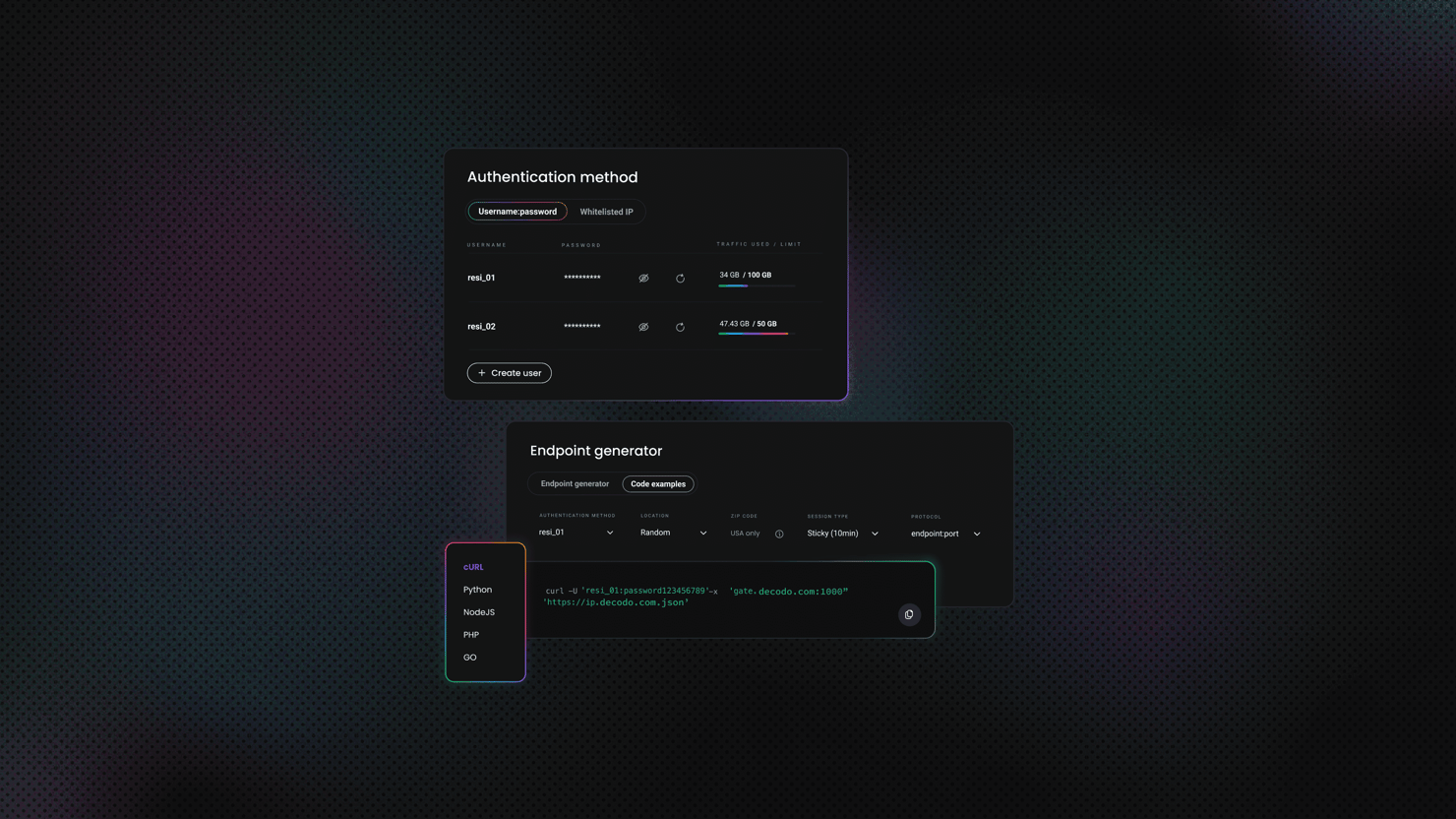
Decodo's residential proxy network covers 115M+ IPs across 195+ locations, with a 99.86% uptime and <0.6s response times. Here's how to get started:

  1. Create your account at the Decodo dashboard.
  2. Select a residential proxy plan, or start with a 3-day free trial.
  3. Set session type to Rotating for MAP monitoring workloads.
  4. Copy your proxy username, password, and endpoint.

Get residential proxies for price monitoring

Claim your 3-day free trial of residential proxies and explore full features with unrestricted access.

MAP tracker with Playwright and residential proxies

The script below targets scrapingcourse.com/javascript-rendering, which requires a browser to render its product grid. It confirms the JS-rendering problem firsthand: httpx returns nothing, Playwright returns prices. 

Before running it, you need Decodo residential proxy credentials. Log into your Decodo dashboard, select Residential from the left sidebar, and open the Proxy setup tab. Your username is listed under the Authentication dropdown and your password sits next to it. The gateway is gate.decodo.com with your assigned port listed in the endpoint table below.

With those in hand, set them as environment variables before running the script:

$env:DECODO_PROXY_USERNAME="user-YOURZONE"
$env:DECODO_PROXY_PASSWORD="your_password"
python playwright_scraper.py
```
For a longer-lived setup, store them in a `.env` file in the project root:
```
DECODO_PROXY_USERNAME=user-YOURZONE
DECODO_PROXY_PASSWORD=your_password

Then add these two lines to the top of the script and the rest works without changes:

from dotenv import load_dotenv
load_dotenv()

The products on this site are static demo data from a scraping tutorial platform, so prices don't fluctuate. The point is to show the mechanism before pointing the same pattern at a production retailer URL. Swap in your retailer URLs, MAP floors, and Decodo proxy credentials when you're ready to monitor real listings.

"""playwright_scraper.py -- headless browser MAP tracker for JS-rendered pages."""
import asyncio
import csv
import os
import smtplib
from datetime import datetime
from email.mime.text import MIMEText
import httpx
from parsel import Selector
from playwright.async_api import async_playwright
TARGET_URL = "https://www.scrapingcourse.com/javascript-rendering"
# MAP thresholds: product name -> MAP floor
# Chaz Kangeroo Hoodie lists at $52 -- below the $59.99 MAP floor, triggering
# a violation on the first run. The other 2 products are at or above their floors.
MAP_PRICES = {
"Chaz Kangeroo Hoodie": 59.99,
"Teton Pullover Hoodie": 70.00,
"Bruno Compete Hoodie": 63.00,
}
ALERT_EMAIL = "compliance@yourbrand.com"
SMTP_HOST = "smtp.gmail.com"
SMTP_PORT = 587
SMTP_USER = "alerts@yourbrand.com"
SMTP_PASS = "your_app_password"
def demonstrate_httpx_failure():
"""
Show that httpx returns no prices from a JS-rendered page.
Run this before the Playwright scraper to observe the difference.
"""
print("Fetching with httpx (no JS execution)...")
response = httpx.get(TARGET_URL)
tree = Selector(text=response.text)
prices = tree.css(".product-price").getall()
print(f" Prices found by httpx: {len(prices)}")
print(f" JS fallback message present: {'Enable JavaScript' in response.text}")
print()
class MAPTracker:
def __init__(self):
# Decodo residential proxy (required).
proxy_user = os.environ.get("DECODO_PROXY_USERNAME") or os.environ.get("DECODO_USERNAME")
proxy_pass = os.environ.get("DECODO_PROXY_PASSWORD") or os.environ.get("DECODO_PASSWORD")
if not proxy_user or not proxy_pass:
raise ValueError(
"Decodo proxy required. Set DECODO_PROXY_USERNAME and DECODO_PROXY_PASSWORD "
"(or DECODO_USERNAME and DECODO_PASSWORD)."
)
self.proxy_config = {
"server": "http://gate.decodo.com:7000",
"username": proxy_user,
"password": proxy_pass,
}
async def scrape_product_grid(self, page) -> list[dict]:
"""
Navigate to the JS-rendered product listing and extract all products.
httpx returns an empty product grid for this URL.
Playwright executes the JS and exposes the full product list.
"""
# Use domcontentloaded (less strict than networkidle) - proxy can delay networkidle
await page.goto(TARGET_URL, wait_until="domcontentloaded", timeout=90000)
await asyncio.sleep(3) # Allow JS to render product grid
# Wait for the JS-rendered product grid to appear
await page.wait_for_selector("#product-grid .product-item", timeout=15000)
products = await page.evaluate('''() => {
const items = document.querySelectorAll("#product-grid .product-item");
return Array.from(items).map(item => {
const nameEl = item.querySelector(".product-name");
const priceEl = item.querySelector(".product-price");
const name = nameEl ? nameEl.textContent.trim() : "";
const raw = priceEl ? priceEl.textContent.replace(/[^0-9.]/g, "") : "";
const price = raw ? parseFloat(raw) : null;
return { name, price };
});
}''')
return products
def classify_violation(self, listed_price: float, map_floor: float) -> str:
"""Grade the result: clean, warning (within 5% of MAP), or violation."""
if listed_price >= map_floor:
return "clean"
elif listed_price >= map_floor * 0.95:
return "warning"
else:
return "violation"
def send_alert(self, subject: str, body: str):
"""Send email alert for confirmed violations."""
try:
msg = MIMEText(body)
msg["Subject"] = subject
msg["From"] = SMTP_USER
msg["To"] = ALERT_EMAIL
with smtplib.SMTP(SMTP_HOST, SMTP_PORT) as server:
server.starttls()
server.login(SMTP_USER, SMTP_PASS)
server.send_message(msg)
print(f" Alert sent: {subject}")
except Exception as e:
print(f" Alert failed: {e}")
async def run(self):
async with async_playwright() as p:
browser = await p.chromium.launch(
headless=True,
channel="chrome",
proxy=self.proxy_config,
args=[
"--disable-blink-features=AutomationControlled",
"--disable-http2",
],
)
context = await browser.new_context(
viewport={"width": 1920, "height": 1080},
user_agent=(
"Mozilla/5.0 (Windows NT 10.0; Win64; x64) "
"AppleWebKit/537.36 (KHTML, like Gecko) "
"Chrome/131.0.0.0 Safari/537.36"
),
)
page = await context.new_page()
await page.add_init_script(
"Object.defineProperty(navigator, 'webdriver', { get: () => undefined });"
)
print("Fetching with Playwright (JS execution enabled)...")
scraped_products = await self.scrape_product_grid(page)
print(f" Products found by Playwright: {len(scraped_products)}\n")
await context.close()
await browser.close()
# Cross-reference scraped prices against MAP thresholds
results = []
for product in scraped_products:
if product["name"] not in MAP_PRICES or product["price"] is None:
continue
map_floor = MAP_PRICES[product["name"]]
status = self.classify_violation(product["price"], map_floor)
gap = round(product["price"] - map_floor, 2)
row = {
"timestamp": datetime.now().strftime("%Y-%m-%d %H:%M"),
"product": product["name"],
"retailer": "ScrapingCourse",
"listed_price": product["price"],
"map_floor": map_floor,
"gap": gap,
"status": status,
"url": TARGET_URL,
}
results.append(row)
symbol = {"clean": "[OK]", "warning": "[!!]", "violation": "[XX]"}[status]
print(f"Checking: {product['name']}")
print(f" {symbol} ${product['price']} vs MAP ${map_floor} [{status.upper()}]")
if status == "violation":
self.send_alert(
f"MAP VIOLATION: {product['name']} @ ScrapingCourse",
(
f"{product['name']} is listed at ${product['price']}, "
f"${abs(gap):.2f} below MAP floor of ${map_floor}.\n\n"
f"URL: {TARGET_URL}"
),
)
self.save_results(results)
self.print_summary(results)
def save_results(self, results: list, filename: str = "map_violations.csv"):
if not results:
print("No results to save.")
return
with open(filename, "w", newline="", encoding="utf-8") as f:
writer = csv.DictWriter(f, fieldnames=results[0].keys())
writer.writeheader()
writer.writerows(results)
print(f"\nSaved {len(results)} records to {filename}")
def print_summary(self, results: list):
violations = sum(1 for r in results if r["status"] == "violation")
warnings = sum(1 for r in results if r["status"] == "warning")
clean = sum(1 for r in results if r["status"] == "clean")
print(f"\n--- Run Summary ---")
print(f"Products checked : {len(results)}")
print(f"Clean : {clean}")
print(f"Warnings (< 5%) : {warnings}")
print(f"Violations : {violations}")
if __name__ == "__main__":
demonstrate_httpx_failure()
tracker = MAPTracker()
asyncio.run(tracker.run())

You’ll see something similar to this in your terminal:

Meanwhile, here's the CSV output:

timestamp,product,retailer,listed_price,map_floor,gap,status,url
2026-03-12 09:15,Chaz Kangeroo Hoodie,ScrapingCourse,52.00,59.99,-7.99,violation,https://www.scrapingcourse.com/javascript-rendering
2026-03-12 09:15,Teton Pullover Hoodie,ScrapingCourse,70.00,70.00,0.0,clean,https://www.scrapingcourse.com/javascript-rendering
2026-03-12 09:15,Bruno Compete Hoodie,ScrapingCourse,63.00,63.00,0.0,clean,https://www.scrapingcourse.com/javascript-rendering

The headless browser approach works, but it doesn't scale cleanly. Once you're monitoring 50+ retailer URLs, managing proxy rotation, request headers, browser rendering, and anti-bot bypass as separate concerns becomes a maintenance burden that grows faster than your retailer list does. Decodo's Web Scraping API consolidates all of that into a single API call. Less infrastructure babysitting, more compliance work.

Use Web Scraping API for price monitoring

Start your free plan of our scraper API for greater simplicity and effectiveness.

Using Decodo's Web Scraping API as a drop-in replacement

Replace the httpx fetch in fetch_price with a call to the Decodo API:

"""decodo_scraper.py -- drop-in replacement for scraper.py using Decodo's Web Scraping API."""
import asyncio
import base64
import os
import httpx
from .config import PRODUCTS
from .scraper import parse_price
DECODO_USERNAME = os.environ.get("DECODO_USERNAME", "YOUR_USERNAME")
DECODO_PASSWORD = os.environ.get("DECODO_PASSWORD", "YOUR_PASSWORD")
DECODO_ENDPOINT = "https://scraper-api.decodo.com/v2/scrape"
# Basic auth token: Base64-encoded "username:password"
_auth_token = base64.b64encode(f"{DECODO_USERNAME}:{DECODO_PASSWORD}".encode()).decode()
async def fetch_price_decodo(
client: httpx.AsyncClient,
retailer: dict,
product_name: str,
) -> dict:
"""Fetch price using Decodo's Web Scraping API."""
payload = {
"target": "universal",
"url": retailer["url"],
"headless": "html", # Enable JS rendering (Advanced plan required)
"geo_location": "us",
}
try:
response = await client.post(
DECODO_ENDPOINT,
json=payload,
headers={
"Authorization": f"Basic {_auth_token}",
"Content-Type": "application/json",
},
timeout=30,
)
response.raise_for_status()
html = response.json()["results"][0].get("content", "")
price = parse_price(html, retailer["price_selector"])
if price is None:
print(f"[WARN] parse_price returned None for {retailer['name']} via Decodo API.")
return {
"product": product_name,
"retailer": retailer["name"],
"url": retailer["url"],
"price": price,
"error": None,
}
except Exception as e:
print(f"[ERROR] Decodo API fetch failed for {retailer['name']}: {e}")
return {
"product": product_name,
"retailer": retailer["name"],
"url": retailer["url"],
"price": None,
"error": str(e),
}
async def scrape_all_products_decodo() -> list[dict]:
"""Scrape all products across all retailers via Decodo API."""
all_results = []
async with httpx.AsyncClient() as client:
for product in PRODUCTS:
tasks = [
fetch_price_decodo(client, retailer, product["name"])
for retailer in product["retailers"]
]
results = await asyncio.gather(*tasks)
all_results.extend(results)
return all_results
if __name__ == "__main__":
async def main():
if DECODO_USERNAME == "YOUR_USERNAME":
print("Set DECODO_USERNAME and DECODO_PASSWORD env vars before running.")
return
print("Testing Decodo scraper...")
results = await scrape_all_products_decodo()
for r in results:
status = f"${r['price']:.2f}" if r["price"] else f"ERROR: {r.get('error', 'None')}"
print(f" {r['product']} @ {r['retailer']}: {status}")
asyncio.run(main())

This swap keeps your comparison and alerting logic identical, whether you're scraping static pages or JS-heavy retailer sites. Authentication uses Basic auth with a Base64-encoded username:password token, matching the Decodo API spec. The "headless": "html" parameter is what triggers JS rendering (the Advanced plan is required for this). The response HTML is at results[0]["content"]

For IP-based blocking on major retail domains, Decodo's residential proxy network routes requests through real consumer IPs rather than datacenter addresses, which is what gets flagged first on sites running Cloudflare or DataDome. Proxy rotation is handled automatically.

Selector variability across retailers

Every major retailer uses a different HTML structure for prices. There's no universal selector, and trying to build one creates fragile logic that breaks the moment any retailer updates their frontend. The per-retailer selector map in your config is the right approach. Use browser DevTools to inspect the price element on each target site before writing your selector, and re-validate after any retailer site redesign.

For broader eCommerce scraping patterns and how price elements are structured across major platforms, the product scraping guide is a useful reference. If your direct requests start returning blocks or empty responses on protected sites, the anti-scraping techniques guide covers exactly what's triggering the block and how to route around it.

With prices landing reliably, the next layer is where the compliance work actually happens.

Detecting MAP violations and triggering alerts

Scraped prices are just numbers until something compares them against a threshold, determines how serious the gap is, and notifies someone. You need a comparison layer that calculates violation severity, a storage layer that builds your enforcement paper trail, and a notification system that routes alerts based on the severity of the breach.

Price comparison logic

The comparison layer is the core of the monitor. It takes a scraped price, checks it against the MAP threshold, calculates how far below it sits, and returns a structured violation record if a breach is detected:

"""checker.py -- compare scraped prices against MAP thresholds and classify violations."""
from datetime import datetime, timezone
from typing import Optional
def check_map_compliance(
scraped_price: float,
map_price: float,
product_name: str,
retailer_name: str,
retailer_url: str,
) -> Optional[dict]:
"""
Compare scraped price against MAP threshold.
Returns a violation dict if breached, None if compliant.
"""
if scraped_price >= map_price:
return None
deviation_pct = round(((map_price - scraped_price) / map_price) * 100, 2)
if deviation_pct < 5:
severity = "low"
elif deviation_pct < 15:
severity = "medium"
else:
severity = "high"
return {
"product": product_name,
"retailer": retailer_name,
"url": retailer_url,
"map_price": map_price,
"advertised_price": scraped_price,
"deviation_pct": deviation_pct,
"severity": severity,
"detected_at": datetime.now(timezone.utc).isoformat(),
"resolved_at": None,
}
if __name__ == "__main__":
# Sample test against known MAP thresholds
test_cases = [
("Widget Pro X1", "RetailerA", "https://retailer-a.com/widget", 291.00, 299.00), # Low
("Widget Pro X1", "RetailerB", "https://retailer-b.com/widget", 260.00, 299.00), # Medium
("Widget Pro X1", "RetailerC", "https://retailer-c.com/widget", 199.00, 299.00), # High
("Widget Pro X1", "RetailerD", "https://retailer-d.com/widget", 299.00, 299.00), # Compliant
]
print("Running MAP compliance checks...\n")
for product, retailer, url, scraped, map_p in test_cases:
result = check_map_compliance(scraped, map_p, product, retailer, url)
if result:
print(f" VIOLATION [{result['severity'].upper()}] {retailer}: "
f"${scraped} vs MAP ${map_p} ({result['deviation_pct']}% below)")
else:
print(f" COMPLIANT {retailer}: ${scraped} >= MAP ${map_p}")

Percentage deviation is more actionable than a raw price difference. A $10 violation on a $50 product (20% below MAP) demands a different response than a $10 violation on a $500 product (2% below MAP). Severity tiers make that distinction automatic.

Persisting violation history

Every violation the monitor detects needs to be written to persistent storage. Without it, you can't identify repeat offenders, track whether violations resolve between monitoring cycles, or build the documented evidence trail that makes enforcement conversations stick:

"""storage.py -- persist violations to JSON Lines (dev) or SQLite (production)."""
import asyncio
import json
import sqlite3
from datetime import datetime, timezone
from pathlib import Path
import aiofiles
VIOLATIONS_FILE = Path("violations.jsonl")
DB_PATH = "violations.db"
# --- JSON Lines (lightweight, dev/small-scale) ---
async def save_violation(violation: dict) -> None:
"""Append a violation record to the JSON Lines file."""
async with aiofiles.open(VIOLATIONS_FILE, "a") as f:
await f.write(json.dumps(violation) + "\n")
async def load_active_violations() -> dict:
"""Return unresolved violations keyed by (product, retailer)."""
active = {}
if not VIOLATIONS_FILE.exists():
return active
async with aiofiles.open(VIOLATIONS_FILE, "r") as f:
async for line in f:
v = json.loads(line.strip())
if v.get("resolved_at") is None:
key = (v["product"], v["retailer"])
active[key] = v
return active
# --- SQLite (production) ---
def init_db(db_path: str = DB_PATH) -> None:
"""Create the violations table if it doesn't exist."""
conn = sqlite3.connect(db_path)
conn.execute("""
CREATE TABLE IF NOT EXISTS violations (
id INTEGER PRIMARY KEY AUTOINCREMENT,
product TEXT NOT NULL,
retailer TEXT NOT NULL,
map_price REAL NOT NULL,
advertised_price REAL NOT NULL,
deviation_pct REAL NOT NULL,
severity TEXT NOT NULL,
detected_at TEXT NOT NULL,
resolved_at TEXT
)
""")
conn.commit()
conn.close()
def save_violation_db(violation: dict, db_path: str = DB_PATH) -> None:
"""Write a violation record to SQLite."""
conn = sqlite3.connect(db_path)
conn.execute(
"""
INSERT INTO violations
(product, retailer, map_price, advertised_price,
deviation_pct, severity, detected_at, resolved_at)
VALUES (?, ?, ?, ?, ?, ?, ?, ?)
""",
(
violation["product"],
violation["retailer"],
violation["map_price"],
violation["advertised_price"],
violation["deviation_pct"],
violation["severity"],
violation["detected_at"],
violation.get("resolved_at"),
),
)
conn.commit()
conn.close()
if __name__ == "__main__":
async def main():
sample = {
"product": "Widget Pro X1",
"retailer": "RetailerA",
"url": "https://retailer-a.com/widget",
"map_price": 299.00,
"advertised_price": 249.00,
"deviation_pct": 16.72,
"severity": "high",
"detected_at": datetime.now(timezone.utc).isoformat(),
"resolved_at": None,
}
print("Testing JSON Lines storage...")
await save_violation(sample)
active = await load_active_violations()
print(f" Active violations: {len(active)}")
print("Testing SQLite storage...")
init_db()
save_violation_db(sample)
conn = sqlite3.connect(DB_PATH)
row = conn.execute("SELECT COUNT(*) FROM violations").fetchone()
conn.close()
print(f" Rows in violations table: {row[0]}")
asyncio.run(main())

Both storage backends are in one module. The functions save_violation and load_active_violations handle the JSON Lines path for development and small-scale deployments. For production, init_db and save_violation_db use SQLite, offering zero external dependencies, queryability, and durability across restarts. The __main__ block exercises both so you can confirm the storage layer is working before wiring it into the main loop. 

The Python data persistence guide covers CSV and Excel output patterns if you need those alongside the database.

Once your storage layer is in place, the next problem is making sure the right people find out about violations fast enough to act on them.

Building a multi-channel notification system

Logging a warning to stdout when a violation fires is fine for local testing. In production, violations need to reach the right person through the right channel, at the right severity level.

"""alerts.py -- severity-based alert routing via email and Slack."""
import asyncio
import os
import smtplib
from email.mime.multipart import MIMEMultipart
from email.mime.text import MIMEText
import httpx
from .config import ALERT_EMAIL, SLACK_WEBHOOK_URL
SMTP_HOST = os.environ.get("SMTP_HOST", "smtp.yourmailprovider.com")
SMTP_PORT = 587
SMTP_USER = os.environ.get("SMTP_USER", "alerts@yourbrand.com")
SMTP_PASS = os.environ.get("SMTP_PASS", "YOUR_SMTP_PASSWORD")
def send_email_alert(violation: dict) -> None:
"""Send a structured email alert for a MAP violation."""
subject = (
f"[MAP VIOLATION] {violation['product']} "
f"at {violation['retailer']} -- {violation['deviation_pct']}% below MAP"
)
body = (
f"Product: {violation['product']}\n"
f"Retailer: {violation['retailer']}\n"
f"URL: {violation['url']}\n"
f"MAP price: ${violation['map_price']}\n"
f"Advertised price: ${violation['advertised_price']}\n"
f"Deviation: {violation['deviation_pct']}%\n"
f"Severity: {violation['severity'].upper()}\n"
f"Detected at: {violation['detected_at']} UTC"
)
msg = MIMEMultipart()
msg["From"] = SMTP_USER
msg["To"] = ALERT_EMAIL
msg["Subject"] = subject
msg.attach(MIMEText(body, "plain"))
with smtplib.SMTP(SMTP_HOST, SMTP_PORT) as server:
server.starttls()
server.login(SMTP_USER, SMTP_PASS)
server.send_message(msg)
async def send_slack_alert(violation: dict) -> None:
"""POST a formatted violation alert to a Slack incoming webhook."""
color = {"low": "#FFA500", "medium": "#FF6600", "high": "#FF0000"}[violation["severity"]]
payload = {
"attachments": [{
"color": color,
"title": f"MAP violation: {violation['product']} at {violation['retailer']}",
"title_link": violation["url"],
"fields": [
{"title": "MAP price", "value": f"${violation['map_price']}", "short": True},
{"title": "Advertised price", "value": f"${violation['advertised_price']}", "short": True},
{"title": "Deviation", "value": f"{violation['deviation_pct']}%", "short": True},
{"title": "Severity", "value": violation["severity"].upper(), "short": True},
],
"footer": f"Detected at {violation['detected_at']} UTC",
}]
}
async with httpx.AsyncClient() as client:
await client.post(SLACK_WEBHOOK_URL, json=payload)
async def route_alert(violation: dict) -> None:
"""Route alert to the appropriate channel based on severity."""
severity = violation["severity"]
if severity == "low":
print(f"[LOW] MAP violation: {violation['product']} at {violation['retailer']}")
elif severity == "medium":
await send_slack_alert(violation)
else:
await send_slack_alert(violation)
send_email_alert(violation)
if __name__ == "__main__":
from datetime import datetime, timezone
sample_violation = {
"product": "Widget Pro X1",
"retailer": "RetailerA",
"url": "https://retailer-a.com/widget",
"map_price": 299.00,
"advertised_price": 199.00,
"deviation_pct": 33.44,
"severity": "high",
"detected_at": datetime.now(timezone.utc).isoformat(),
}
async def main():
print("Routing sample violation...")
await route_alert(sample_violation)
print("Done. Check your Slack channel and inbox.")
asyncio.run(main())

Deduplication

The routing logic above handles where alerts go. What it doesn't handle yet is how often. Without deduplication, your monitor fires a fresh alert for the same violation on every single run. The fix is straightforward: only alert when a violation is first detected, and alert again only when it resolves.

"""main.py -- orchestrates scraping, violation detection, storage, and alerting."""
import asyncio
from datetime import datetime, timezone
from .alerts import route_alert
from .checker import check_map_compliance
from .config import PRODUCTS
from .scraper import scrape_all_products
from .storage import load_active_violations, save_violation
async def process_violations(
new_violations: list[dict],
active_violations: dict,
) -> None:
"""Alert on new violations, mark resolved ones in storage."""
new_keys = {(v["product"], v["retailer"]) for v in new_violations}
for v in new_violations:
key = (v["product"], v["retailer"])
if key not in active_violations:
await save_violation(v)
await route_alert(v)
for key, active_v in active_violations.items():
if key not in new_keys:
active_v["resolved_at"] = datetime.now(timezone.utc).isoformat()
await save_violation(active_v)
print(f"[RESOLVED] {key[0]} at {key[1]} is back in compliance.")
async def run_monitoring_cycle() -> None:
"""Run one full scrape-compare-alert cycle across all products."""
print(f"[{datetime.now(timezone.utc).isoformat()}] Starting monitoring cycle...")
results = await scrape_all_products()
active_violations = await load_active_violations()
new_violations = []
for r in results:
if r["price"] is None:
continue
product = next((p for p in PRODUCTS if p["name"] == r["product"]), None)
if not product:
continue
violation = check_map_compliance(
r["price"], product["map_price"], r["product"], r["retailer"], r["url"]
)
if violation:
new_violations.append(violation)
await process_violations(new_violations, active_violations)
print(f"Cycle complete. {len(new_violations)} violation(s) detected.")
if __name__ == "__main__":
asyncio.run(run_monitoring_cycle())

For webhook-based delivery integrations, the webhooks guide covers the patterns in more depth.

The alerting layer is done. The last piece is making sure it runs without anyone having to press a button.

Automating MAP monitoring: scheduling, workflows, and continuous operation

A monitor that runs once manually isn't a monitor, it's a script. After building the scraping and alerting logic so far, we need to turn it into a system that runs continuously, recovers from failures, and doesn't require anyone to remember to start it.

In-process scheduling with asyncio

The simplest scheduler is a loop:

"""scheduler.py -- simple in-process interval scheduler using asyncio."""
import asyncio
from .main import run_monitoring_cycle
async def run_forever(interval_seconds: int = 3600) -> None:
"""Run MAP monitoring on a fixed interval until the process is stopped."""
while True:
print("Starting monitoring cycle...")
await run_monitoring_cycle()
print(f"Cycle complete. Next run in {interval_seconds}s.")
await asyncio.sleep(interval_seconds)
if __name__ == "__main__":
asyncio.run(run_forever(interval_seconds=3600))

This works fine for development and low-frequency monitoring, but it won't survive process restarts, so don't rely on it in production.

Production-grade scheduling with APScheduler

APScheduler lets you configure different cadences per product, add persistent job storage so schedules survive restarts, and log execution metadata for visibility into what ran and when.

"""Production-grade scheduling with persistent job state."""
import asyncio
from apscheduler.jobstores.sqlalchemy import SQLAlchemyJobStore
from apscheduler.schedulers.asyncio import AsyncIOScheduler
from .main import run_monitoring_cycle
jobstores = {
"default": SQLAlchemyJobStore(url="sqlite:///jobs.db"),
}
scheduler = AsyncIOScheduler(jobstores=jobstores)
# High-value products: check hourly
scheduler.add_job(
run_monitoring_cycle,
"interval",
hours=1,
args=["high_value_products"],
id="high_value_check",
replace_existing=True,
)
# Long-tail products: check daily
scheduler.add_job(
run_monitoring_cycle,
"interval",
hours=24,
args=["long_tail_products"],
id="long_tail_check",
replace_existing=True,
)
if __name__ == "__main__":
scheduler.start()
print("Scheduler running. Press Ctrl+C to stop.")
try:
asyncio.get_event_loop().run_forever()
except (KeyboardInterrupt, SystemExit):
scheduler.shutdown()
print("Scheduler stopped.")

The SQLAlchemyJobStore is what makes this production-grade. Job state is written to jobs.db, so if the process restarts, the scheduler picks up where it left off rather than losing its schedule entirely.

System-level scheduling with cron

When you want monitoring to survive process crashes and integrate with system logging, OS-level cron is the more reliable choice than an in-process scheduler.

Add a crontab entry to run every 2 hours:

# Edit with: crontab -e
0 */2 * * * /path/to/venv/bin/python /path/to/map_monitor/main.py >> /var/log/map_monitor.log 2>&1

The >> operator appends output to a log file instead of overwriting it. The 2>&1 part routes stderr into the same file, so errors from failed scraping runs are captured alongside normal output. If something breaks overnight, that log is your first place to check.

Integrating with no-code automation platforms

For teams that'd rather own the workflow than maintain Python scripts, MAP monitoring integrates cleanly into n8n. You can trigger the monitor on a schedule, pull price data via Decodo's Web Scraping API (which handles proxy rotation and JS rendering inside the workflow), and route violation data to Slack or email without writing Python. 

This approach makes sense for smaller teams or when a non-technical stakeholder needs to own the monitoring cadence. The n8n web scraping workflow guide walks through the setup.

When things break (and they will)

Automated runs fail silently if you don't build failure handling in from the start. A network timeout, a changed HTML structure, or a retailer-side block will all produce a None price without raising an exception unless you explicitly handle it.

Add an exponential backoff wrapper around HTTP requests:

"""utils.py -- retry wrapper and run health logging."""
import asyncio
import json
from datetime import datetime, timezone
from typing import Callable
import aiofiles
import httpx
async def with_retry(
func: Callable,
max_retries: int = 3,
base_delay: float = 2.0,
):
"""Retry an async function with exponential backoff on transient HTTP errors."""
for attempt in range(max_retries):
try:
return await func()
except (httpx.TimeoutException, httpx.HTTPStatusError) as e:
if attempt == max_retries - 1:
raise
delay = base_delay * (2 ** attempt)
print(f"Attempt {attempt + 1} failed: {e}. Retrying in {delay}s...")
await asyncio.sleep(delay)
async def log_run_health(
products_checked: int,
violations_found: int,
errors: list[str],
) -> None:
"""Append a health record for the current monitoring run to health_log.jsonl."""
health = {
"run_at": datetime.now(timezone.utc).isoformat(),
"products_checked": products_checked,
"violations_found": violations_found,
"errors": errors,
}
async with aiofiles.open("health_log.jsonl", "a") as f:
await f.write(json.dumps(health) + "\n")
if __name__ == "__main__":
async def main():
# Test retry wrapper with a function that fails twice then succeeds
call_count = 0
async def flaky():
nonlocal call_count
call_count += 1
if call_count < 3:
raise httpx.TimeoutException("simulated timeout")
return "success"
result = await with_retry(flaky, max_retries=3, base_delay=0.1)
print(f"with_retry result after {call_count} attempt(s): {result}")
# Test health logging
await log_run_health(products_checked=10, violations_found=2, errors=[])
print("Health record written to health_log.jsonl")
asyncio.run(main())

Both utilities live in utils.py. The function with_retry wraps any async fetch call with exponential backoff, catching TimeoutException and HTTPStatusError specifically so non-transient errors still surface immediately. The function log_run_health appends a structured record to health_log.jsonl after every cycle.

Configure alert thresholds so a single scraping failure doesn't trigger a false MAP violation. If price is None due to a fetch error, skip the violation check for that retailer and log the error instead. For a full breakdown of retry strategies in Python, including backoff configuration and per-exception handling, the Python requests retry guide covers the patterns in depth.

The scheduler keeps the monitor running. The next challenge is keeping it running reliably when the retailer list grows.

Scaling MAP monitoring: handling multiple retailers, protected sites, and large catalogues

5 test URLs is a proof of concept. 200 products across 40 retailers is a job. Let's look at the concurrency, anti-bot, and rendering challenges that only surface at scale, and how to handle each without rebuilding your core logic.

Concurrency and throughput

Async requests scale well until you hit rate limits. Add a semaphore to cap simultaneous connections:

"""scaling.py -- semaphore-capped concurrency and batch processing for large catalogues."""
import asyncio
from .config import PRODUCTS
from .scraper import scrape_all_retailers
async def scrape_catalogue(
products: list[dict],
max_concurrent: int = 10,
) -> list:
"""Scrape all products with a semaphore cap on simultaneous connections."""
semaphore = asyncio.Semaphore(max_concurrent)
async def bounded_scrape(product):
async with semaphore:
return await scrape_all_retailers(product)
tasks = [bounded_scrape(p) for p in products]
results = await asyncio.gather(*tasks)
return [item for sublist in results for item in sublist]
async def scrape_in_batches(
products: list[dict],
batch_size: int = 25,
) -> list:
"""Process large catalogues in sequential batches to control memory usage."""
all_results = []
for i in range(0, len(products), batch_size):
batch = products[i:i + batch_size]
batch_results = await scrape_catalogue(batch)
all_results.extend(batch_results)
print(f"Completed batch {i // batch_size + 1}: {len(all_results)} products processed.")
return all_results
if __name__ == "__main__":
async def main():
print(f"Scraping {len(PRODUCTS)} product(s) in batches...")
results = await scrape_in_batches(PRODUCTS, batch_size=25)
print(f"Total results collected: {len(results)}")
for r in results:
status = f"${r['price']:.2f}" if r["price"] else f"ERROR: {r.get('error')}"
print(f" {r['product']} @ {r['retailer']}: {status}")
asyncio.run(main())

Both functions live in scaling.py. Use scrape_catalogue alone for catalogues under 100 products where memory isn't a concern. Switch to scrape_in_batches when you need per-batch progress visibility or when a full concurrent run risks exhausting available memory mid-cycle.

Anti-bot challenges on major retail sites

Large retailers run bot detection at the IP, fingerprint, and behavioral level. Cloudflare, DataDome, and PerimeterX are the most common systems you'll encounter. User-agent rotation and request headers are table stakes, but they're not enough on their own against any of them. Sending a datacenter IP to a Cloudflare-protected retailer page is roughly equivalent to showing up to a neighbourhood barbecue in a hazmat suit. Technically present, immediately flagged.

Residential proxies are significantly more effective than datacenter proxies for retailer scraping because they carry legitimate ISP fingerprints that match real consumer traffic. Datacenter IPs are trivial to fingerprint and block at scale. Decodo's residential proxies offer 115M+ real IPs across 195+ locations, which also support geo-specific price monitoring for brands that sell across multiple regions.

Integrate Decodo residential proxies directly into your httpx client:

import httpx
PROXY_URL = "http://USERNAME:PASSWORD@gate.decodo.com:10000"
async with httpx.AsyncClient(proxy=PROXY_URL) as client:
response = await client.get(target_url, headers=HEADERS)

For the most heavily protected sites, Decodo's Site Unblocker handles fingerprint-level bypass without requiring you to build and maintain custom middleware. For a full walkthrough of proxy integration patterns in Python requests, the proxies in Python guide covers configuration, rotation, and authentication in depth. 

If requests are already getting blocked, the IP ban troubleshooting guide walks through the most common causes and how to route around each one.

Handling JavaScript-heavy retail pages

Headless browsers like Playwright and Selenium are reliable for JS-rendered prices, but they come with a real cost: 10 to 50x slower per page than a direct HTTP request. At 5 retailers, that's tolerable. At 40, it compounds into monitoring cycles that take hours rather than minutes.

"""playwright_scraper.py -- headless browser fallback for JS-rendered retailer pages."""
import asyncio
import re
from typing import Optional
from playwright.async_api import async_playwright
from .config import PRODUCTS
from .scraper import parse_price
async def fetch_price_playwright(
url: str,
selector: str,
product_name: str,
retailer_name: str,
) -> dict:
"""Fetch a JS-rendered price using a headless Chromium browser."""
async with async_playwright() as p:
browser = await p.chromium.launch()
page = await browser.new_page()
try:
await page.goto(url, wait_until="networkidle")
price_text = await page.text_content(selector)
price = None
if price_text:
matches = re.findall(r"\d[\d,]*(?:\.\d+)?", price_text.strip())
price = float(matches[-1].replace(",", "")) if matches else None
return {
"product": product_name,
"retailer": retailer_name,
"url": url,
"price": price,
"error": None,
}
except Exception as e:
return {
"product": product_name,
"retailer": retailer_name,
"url": url,
"price": None,
"error": str(e),
}
finally:
await browser.close()
async def scrape_all_products_playwright() -> list[dict]:
"""Scrape all products across all retailers using headless browser."""
all_results = []
for product in PRODUCTS:
for retailer in product["retailers"]:
result = await fetch_price_playwright(
url=retailer["url"],
selector=retailer["price_selector"],
product_name=product["name"],
retailer_name=retailer["name"],
)
all_results.append(result)
return all_results
if __name__ == "__main__":
async def main():
print("Testing Playwright scraper...")
results = await scrape_all_products_playwright()
for r in results:
status = f"${r['price']:.2f}" if r["price"] else f"ERROR: {r.get('error')}"
print(f" {r['product']} @ {r['retailer']}: {status}")
asyncio.run(main())

Running this in production means managing a Chromium installation, browser process lifecycle, and memory consumption across concurrent scraping tasks. That's a non-trivial operational surface on top of the scraping logic itself. 

Decodo's Web Scraping API handles JS rendering in the cloud and returns fully rendered HTML directly, removing that entire layer. For teams that need the headless browser approach regardless, the Selenium web scraping guide covers the full implementation.

Monitoring for MAP violations in search and ad listings

Product detail pages aren't the only surface where MAP violations appear. Google Shopping ads, Amazon Sponsored Products, and retailer site search results all display advertised prices, and all of them are enforceable under a MAP policy.

Extending your monitor to cover these surfaces means scraping structured data from search result pages rather than individual product pages. The HTML structure and selectors differ significantly from product pages, but once you've extracted the price, the comparison and alerting logic is identical to what's already built. The main additional complexity is identifying which listing belongs to which authorized retailer when multiple sellers appear in the same search result.

The infrastructure is built. Here's how to keep it from quietly breaking.

How production MAP monitors quietly fail (and how to stop them)

Building a MAP monitor that works in a test environment is the easy part. Keeping it accurate, reliable, and legally defensible in production is where most implementations develop blind spots. This section covers the operational habits, false alert traps, and legal considerations that separate a monitor you can trust from one that quietly fails.

Operational best practices

  • Maintain a selector registry. A broken selector is the leading cause of monitoring blind spots. Document every selector, the retailer it targets, and the date it was last validated. When a scraping run returns an unexpectedly high rate of None prices, a selector change is the first thing to check.
  • Log everything. Every scraping run should produce a timestamped record of the target URL, extracted price, and outcome. This creates an audit trail you can use in enforcement conversations: "We detected and documented this violation at 14:23 UTC on March 3rd. Here are 6 consecutive monitoring cycles showing the price remained below MAP."
  • Test selectors against live pages before each scheduled cycle. Add a pre-flight validation step that checks each selector returns a non-null result before committing to a full monitoring run.
  • Use a staging environment. Validate changes to scraping logic against live pages before deploying. A selector fix that works in testing can fail in production if the retailer serves different HTML to different user agents.

Avoiding false positives and false negatives

Not every price below MAP is a violation worth acting on. Flash sales, bundle pricing, and marketplace third-party sellers all create noise that triggers alerts on legitimate pricing situations. These adjustments reduce that noise significantly.

  • Add an observation window. Only flag a violation if the price stays below MAP for 2 consecutive monitoring cycles. A single data point might be a temporary sale, a scraping glitch, or a price update mid-cycle.
"""observation_window.py -- suppress alerts until a violation persists across cycles."""
def should_alert(
violation: dict,
previous_violations: dict,
) -> bool:
"""Return True only if this violation was also present in the previous cycle."""
key = (violation["product"], violation["retailer"])
return key in previous_violations
if __name__ == "__main__":
previous = {
("Widget Pro X1", "RetailerA"): {"severity": "high"},
}
new_this_cycle = [
{"product": "Widget Pro X1", "retailer": "RetailerA", "severity": "high"},
{"product": "Widget Pro X1", "retailer": "RetailerB", "severity": "low"},
]
for v in new_this_cycle:
if should_alert(v, previous):
print(f"ALERT: {v['product']} @ {v['retailer']} -- persisted from last cycle")
else:
print(f"SKIP: {v['product']} @ {v['retailer']} -- first observation, watching")
  • Define "advertised price" per retailer type. For marketplace retailers where third-party sellers set their own prices, decide upfront whether you're monitoring the buy box price, the lowest listed price, or only first-party listings. Build that definition into your selector logic.
  • Account for membership prices. Amazon Prime pricing, Costco member prices, and similar gated prices typically fall outside MAP scope. If your selector can inadvertently capture these, add a check.

When to consider a managed solution

The DIY route makes sense until it doesn't. Build the scraping infrastructure yourself when you have the engineering capacity, a contained list of retailers, and the time to maintain it. The tipping point usually arrives when selector maintenance, proxy infrastructure, and scheduling failures are generating more support work than the compliance program itself. At that point, the engineering cost has outgrown the business value of owning the stack.

Decodo's Web Scraping API removes the infrastructure layer and gives your team reliable access to retailer pages even under bot protection, so MAP compliance logic stays the focus rather than HTTP plumbing.

Final thoughts

Effective MAP monitoring comes down to 4 components working together: a scraper that reliably extracts advertised prices, a comparison layer that calculates violation severity, an alert system that routes notifications to the right people, and a scheduler that runs the whole thing continuously without human intervention.

Start with a manageable set of high-priority retailers and expand from there. The selector registry is your most important operational asset: keep it current, test it before each cycle, and it'll serve you well at scale.

The full code for this guide is structured to extend cleanly. Adding a new retailer means adding 3 fields to your config. Adding a new alert channel means adding a routing condition in alerts.py. The architecture doesn't fight you as your monitoring scope grows.

Build it right once. After that, it's just a cron job and a Slack channel.

About the author

Justinas Tamasevicius

Director of Engineering

Justinas Tamaševičius is Director of Engineering with over two decades of expertise in software development. What started as a self-taught passion during his school years has evolved into a distinguished career spanning backend engineering, system architecture, and infrastructure development.


Connect with Justinas via LinkedIn.

All information on Decodo Blog is provided on an as is basis and for informational purposes only. We make no representation and disclaim all liability with respect to your use of any information contained on Decodo Blog or any third-party websites that may belinked therein.


Frequently asked questions

What is an example of a minimum advertised price?

A brand manufactures a pair of headphones and sets a MAP of $149. Any authorized retailer can list and sell the headphones at any price, but their product listing page, Google Shopping ad, or banner ad can't show a price below $149. If Best Buy runs a flash sale at $129 at the register, that's allowed. If their product page advertises $129, that's a MAP violation.

Is MAP monitoring the same as price tracking?

No. Price tracking records historical price movements across retailers and time periods, typically for competitive intelligence or dynamic pricing decisions. MAP monitoring has a specific, compliance-oriented function: check whether an advertised price has breached a fixed threshold, and trigger an action when it does. The 2 often share scraping infrastructure but serve different business purposes.

What is the process behind MAP monitoring?

The core workflow runs in 4 stages.

  • First, a scraper fetches product pages from each authorized retailer and extracts the advertised price.
  • Second, the extracted price is compared against the MAP threshold for that product.
  • Third, if a violation is detected, it's classified by severity (based on percentage below MAP), logged with a timestamp, and an alert is dispatched to the appropriate channel.
  • Fourth, the process runs automatically on a schedule (hourly, every few hours, or daily, depending on product priority) and deduplicates alerts, so the same violation doesn't flood your inbox with every cycle.

🐍 Python Web Scraping: In-Depth Guide 2026

Welcome to 2026! What better way to celebrate than by mastering Python? If you’re new to web scraping, don’t worry – this guide starts from the basics, guiding you step-by-step on collecting data from websites. Whether you’re curious about automating simple tasks or diving into more significant projects, Python makes it easy and fun to start. Let’s slither into the world of web scraping and see how powerful this tool can be!

How to Scrape Products from eCommerce Sites: The Ultimate Guide

How to Scrape Products from eCommerce Sites: The Ultimate Guide

Since there are over 2.14 billion online shoppers worldwide, understanding how to scrape products from eCommerce websites can give you a competitive edge and help you find relevant data to drive your business forward. In this article, we’ll discuss the 4 fundamental steps to scraping eCommerce sites and how to avoid some of the most common pitfalls.

How To Scrape Websites With Dynamic Content Using Python

You've mastered static HTML scraping, but now you're staring at a site where Requests + Beautiful Soup returns nothing but an empty <div> and <script> tags. Welcome to JavaScript-rendered content, where you get the material after the initial request. In this guide, we'll tackle dynamic sites using Python and Selenium (plus a Beautiful Soup alternative).

© 2018-2026 decodo.com (formerly smartproxy.com). All Rights Reserved