AI Firms Are Destroying Rare Books for Training Data: Scraping Is the Alternative
Book scraping is the process of collecting public book data, such as titles, ratings, reviews, metadata, and available text, from online sources. It has taken on new relevance as AI companies buy and destructively scan physical books for training data. For material that already exists online, scraping offers a lower-friction, non-destructive way to collect some of the same kind of human-written data.

Justinas Tamasevicius
Last updated: Sep 14, 2026
8 min read

TL;DR
- As AI labs push against the limits of readily available human-written text, some have turned to buying and destructively scanning physical books for training data.
- Book scraping can collect metadata, reviews, discussions, excerpts, and public-domain text that already exists online without destroying physical copies.
- Scraping can't recover material that was never digitized, so it only covers part of the same underlying need for human-written data.
- Start with the simplest approved source available, whether that's an API, feed, bulk dataset, or public webpage, before adding heavier scraping infrastructure.
Why AI companies are running out of text
Training large language models (LLMs) takes an enormous amount of text, and most of the easiest sources, from Wikipedia and Common Crawl to books and forums, have already been used heavily.
AI can generate more training data, but that creates its own problem: models trained repeatedly on model-generated text can suffer model collapse, where the quality and diversity of the underlying data gradually degrade.
That helps explain why old books have suddenly become so valuable as AI training data. 404 Media recently reported on a shipment of rare books traced to an Amazon AI-training facility, while The Guardian covered concerns from booksellers after Anthropic was found to have bought physical books, cut off their spines, scanned the pages, and discarded the originals.
Where scraping fits as a non-destructive alternative
The rare books in those reports are valuable precisely because much of their text was never digitized. Web scraping can't recreate a book that only exists on paper, so it isn't a replacement for that kind of acquisition.
But there's also a lot of book-related material that has already made it online. Reviews, summaries, publication details, reader discussions, and publicly available excerpts can all be collected without touching the physical book. For older works, sources like Project Gutenberg also make thousands of public-domain books available digitally.
That makes scraping useful for a different, but still meaningful, part of the same problem. If the text or data you need already exists online, destroying a physical copy to get at it makes a lot less sense.
What book data you can realistically scrape
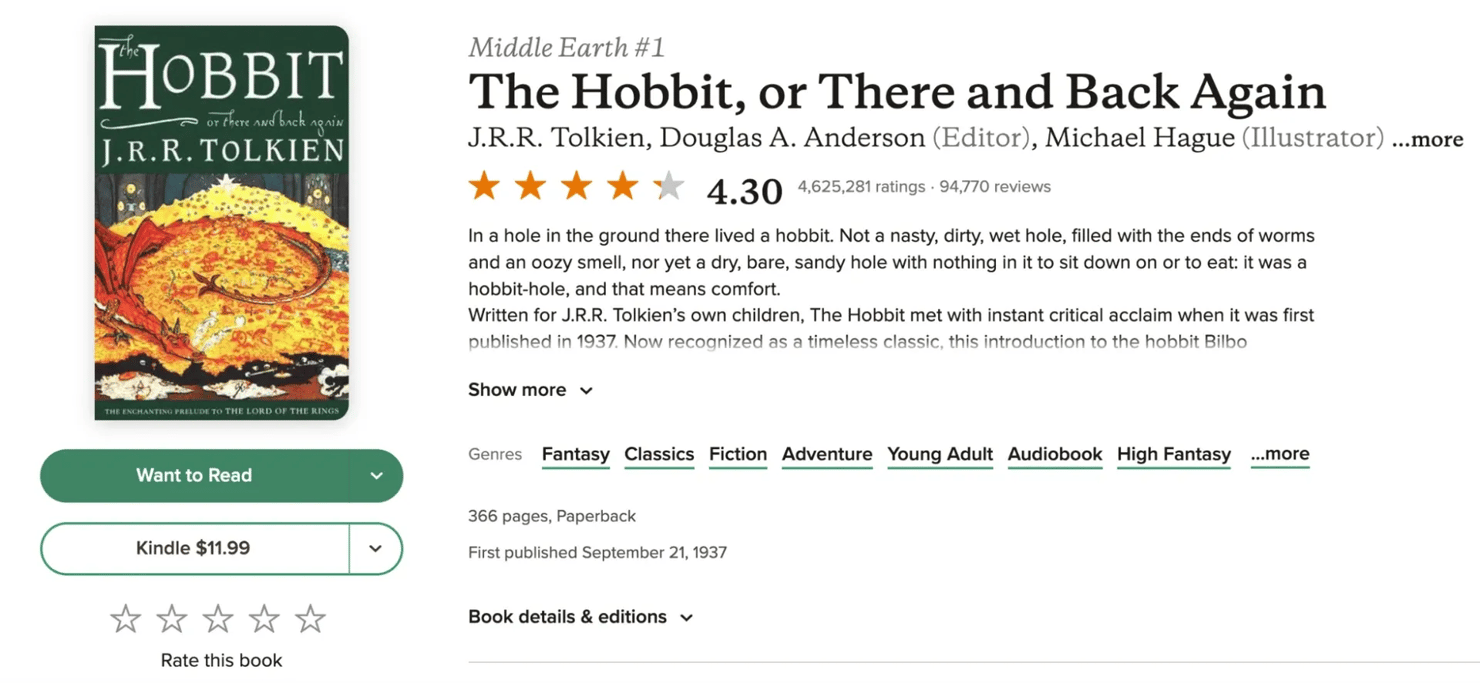
For the rest of this guide, we'll scrape Goodreads as our example and focus on a handful of fields from a public book page: the title, author, average rating, ratings count, and publicly visible reviews.
That gives us enough variety to see how book data scraping works in practice, from grabbing simple metadata to dealing with content that becomes trickier once reviews and interactions enter the picture.
Tools and setup you'll need
We'll keep the setup fairly light. For the first part of the scraper, we only need Python, Requests, and Beautiful Soup, which covers the basics of web scraping.
Later, when we get to reviews and other interactive content, we'll bring in Playwright.
First, create a virtual environment and install everything we'll need:
The virtual environment keeps the packages for this project separate from the rest of your Python setup. Once everything is installed, we can make our first request to Goodreads and see what comes back.
Writing the scraper: Extracting book fields
Let's start with a single Goodreads page and see what we can get without opening a browser. We'll use The Hobbit as our example:
Create a Python file, name it any way you want, and write this code:
When you run the script with python your_script.py in the terminal, it returns a successful response and confirms that we've loaded the right page:
Rather than immediately relying on CSS selectors, we can first check the structured data Goodreads includes in the page. Look for the application/ld+json block and parse it:
You should now see the title, author, average rating, and the current ratings and review counts for The Hobbit. At the time of testing, that returned:
The counts will change over time, but the structure should remain broadly the same.
Handling reviews and paginated or interactive content
The structured data got us the total review count, but not the individual reviews themselves. Those sit elsewhere in the page HTML, inside separate review cards.
We can pull the reviewer name, star rating, and review text from those cards with Beautiful Soup:
That should print the number of review cards available in the initial page HTML, followed by the reviewer, rating, and first 500 characters of the first 3 reviews.
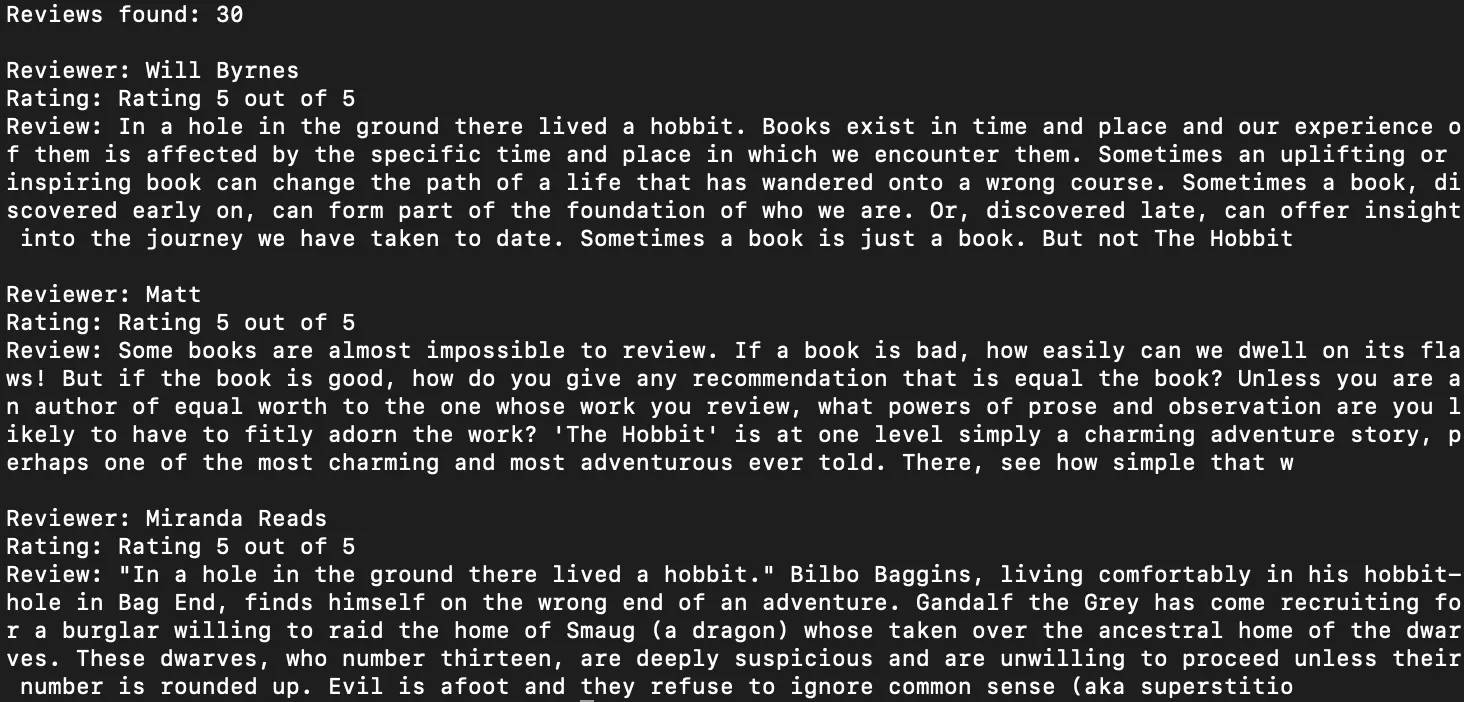
The catch is that the main book page only gives us the first set of reviews.
Clicking "More reviews and ratings" opens a dedicated reviews page, where Goodreads loads additional results through a "Show more reviews" button rather than normal numbered pagination.
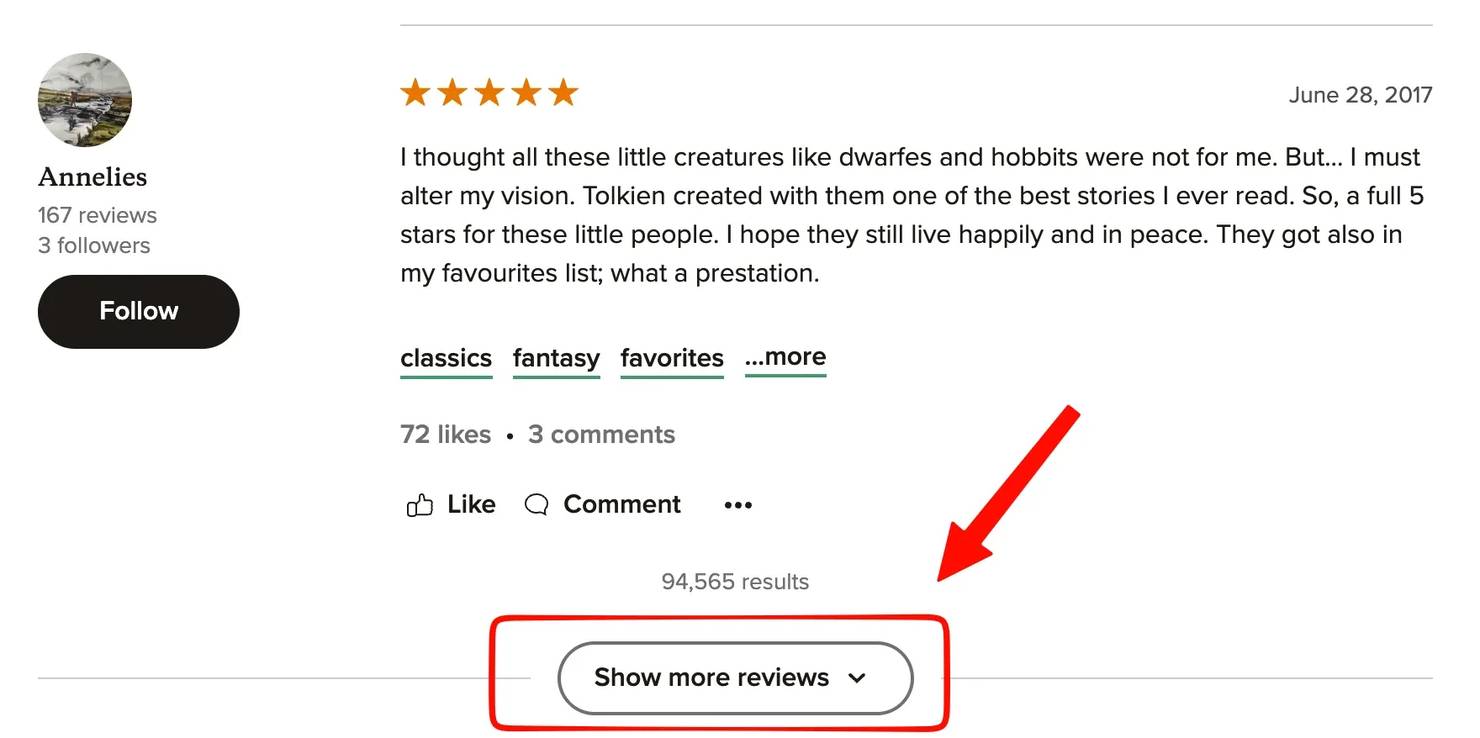
To load more than the first set, we can use Playwright to open Goodreads' dedicated reviews page and interact with the "Show more reviews" button.
We'll use a persistent Chrome profile so the browser can retain its session between runs. Goodreads may ask you to sign in before loading additional reviews. If it does, sign in once in the Chrome window.
With a target of 120, you should see the total increase as each new batch is collected:
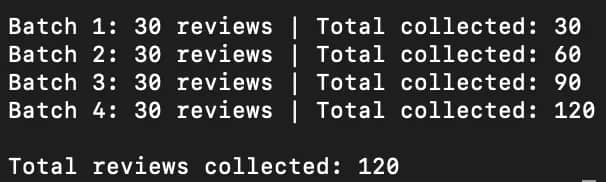
Goodreads currently keeps 30 review cards on the page at a time, replacing the current set when another batch loads. That's why the script captures each batch before clicking "Show more reviews" again.

Scrape more without adding more complexity
Decodo's Web Data API handles retries, proxy rotation, JavaScript rendering, and anti-bot measures with a 99.99% success rate across 125M+ IPs.
Storing and scaling to many books
So far, the reviews we've collected only exist while the script is running. To keep them, we can write all_reviews to a CSV file before closing the browser.
Add this just before context.close() in the previous script:
Once the script finishes, you should have a goodreads_reviews.csv file in the same folder, with one row for each review we collected.
The same idea works when you move beyond a single title. Instead of hardcoding one Goodreads URL, put the books you want into a list and run the extraction logic over each one:
That should give you a CSV with one row per book. The short delay between requests also keeps us from hitting Goodreads repeatedly as fast as the loop can run.
For a few books, CSV is perfectly fine. Once you're collecting hundreds or thousands of pages, JSON or a database usually makes more sense, and the bigger problem becomes reliably fetching all of those pages in the first place.
Staying unblocked and respecting scope at real volume
The 2-second pause we added works for a handful of pages, but it won't solve every problem once the scraper gets bigger. At higher volumes, you can start running into slower responses, 429 rate limits, 403 blocks, or pages that only load properly when JavaScript is rendered.
That's the point where it usually makes sense to stop adding more retry logic, browser handling, and proxy rotation to your own script.
Decodo's Web Data API handles retries, proxy rotation, JavaScript rendering, and anti-bot measures behind the same request layer, so you can keep the extraction logic focused on the data you actually want.
The other side of scaling is knowing when to slow down. More requests don't automatically mean better data, especially if you're repeatedly hitting the same pages or collecting fields you don't need.
Keep the scope narrow, pace requests where appropriate, and only add heavier scraping infrastructure when the target actually requires it.
Is it legal to scrape book data?
There isn't a single yes-or-no answer. Web scraping can be legal, particularly when the data is publicly accessible, but the site's terms, the type of data you collect, where you're operating, and what you plan to do with it all matter.
Before scraping at volume, check the target's terms and robots.txt, avoid collecting personal data you don't need, and respect reasonable request rates. If you're building a commercial dataset or need large amounts of copyrighted text, a licensed or explicitly permitted source is usually the safer route.
Final thoughts
Book scraping won't replace the need to digitize material that only exists in print.
But for the huge amount of book data that is already online, it gives you a much simpler way to collect useful text, metadata, ratings, and reviews without touching the physical copy.
The practical rule is pretty simple: start with the lightest method that works, keep the scope narrow, and only add more infrastructure when the target actually demands it.

Scraping books at scale?
Use Decodo's Web Scraper API to collect book, rating, and review data without maintaining the browser and parser yourself.
About the author

Justinas Tamasevicius
Director of Engineering
Justinas Tamaševičius is Director of Engineering with over two decades of expertise in software development. What started as a self-taught passion during his school years has evolved into a distinguished career spanning backend engineering, system architecture, and infrastructure development.
Connect with Justinas via LinkedIn.
All information on Decodo Blog is provided on an as is basis and for informational purposes only. We make no representation and disclaim all liability with respect to your use of any information contained on Decodo Blog or any third-party websites that may belinked therein.