What Is AI Scraping? A Complete Guide
AI web scraping is the process of extracting data from web pages with the help of machine learning and large language models. It uses them to read a web page the same way humans do, by understanding its meaning. The problem with traditional scrapers is that they tend to stop working when the HTML structure is inconsistent or incomplete. In these cases, AI helps scrapers to quickly adapt and find the right information. Sometimes, even a single misplaced tag can ruin your whole web scraping run. AI solves that by shifting focus to the meaning of the content rather than relying on rigid rules to define what data to scrape. That's why AI web scraping is becoming a practical choice for many projects.

Vytautas Savickas
Last updated: Dec 15, 2025
10 min read
Quick answer (TL;DR)
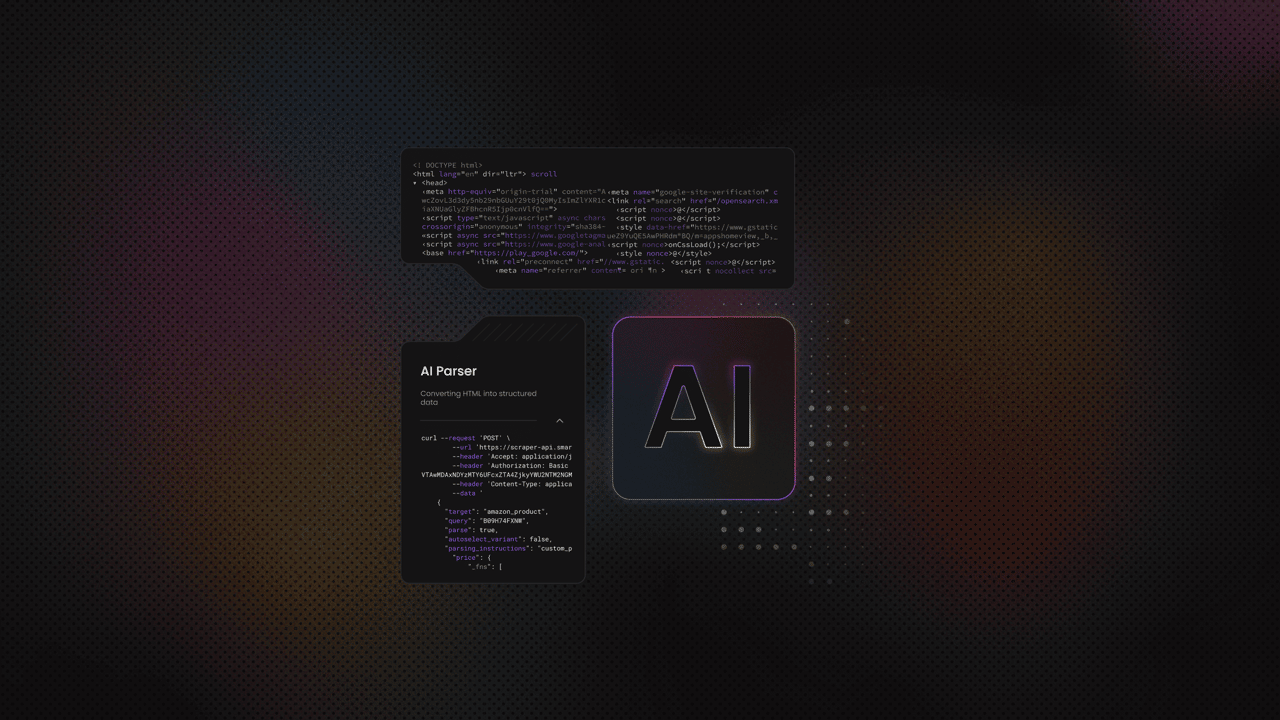
AI scraping is a method of extracting structured data by using AI models that understand the meaning of a page instead of relying on fixed, predefined selectors. Unlike traditional scraping, you don't have to map every CSS or XPath rule by hand. The model interprets the HTML like a human and delivers clean and consistent results even when the layout changes. AI tools like Decodo AI Parser give you a stable scraper you can easily use just by describing what you want to scrape in natural language.
How AI scraping works
The AI web scraping process usually starts with collecting the HTML. When you pass that HTML to an AI model, it builds a kind of mental map of the page. It looks at headings, text fragments, tables, links, labels, and the general layout. Even when elements are missing or repeated, the model can still conclude the context.
Once the model understands the structure, it groups related values together and fills gaps. Then, the model returns everything in a clean, structured format, which is something traditional scrapers struggle with when the HTML is unpredictable.
AI scraping is especially handy when a page changes slightly between requests – the model just adapts to new arrangements. In real projects, this can save hours of maintenance since you don't have to rebuild selectors every time the page shuffles text around.
This great shift is the essence of what separates AI scraping from traditional parsing. You stop thinking in CSS selectors and focus on what you want to scrape from the page.
Why AI scraping is different
Traditional web scraping relies on CSS or XPath rules to gather information from the page. In that approach, even a small inconsistency in HTML layout can break everything. You've probably seen this happen more than once – the script works on one page, then fails on the next because a wrapper div changed or a class name disappeared.
AI scraping takes a different approach by aiming to understand the content instead of focusing solely on the page structure. It treats the page as text with meaning, and by doing that, it can read through messy HTML to spot the important parts.
The model looks at relationships between elements and builds context. It can tell which number is a price, which line is a title, or which paragraph carries useful information.
AI scraping effortlessly handles unpredictable layouts, repeated blocks, and fragmented markup. And since you no longer need to worry about the boring parts, you can scrape larger datasets more easily.
When you should use AI scraping
You should consider AI scraping when:
- HTML is inconsistent, poorly structured, or changes often.
- Each page follows a different layout, and maintaining separate rules becomes too time-consuming.
- The content mixes multiple formats. For example, tables with irregular rows or long descriptive blocks that don't follow a pattern
- You need eCommerce attributes that appear in unpredictable locations, with shifting labels or inconsistent naming.
- You're dealing with long content that needs summarizing, rewriting, or classification as part of the extraction workflow.
- When traditional rule-based scraping creates too much maintenance overhead due to unstable structure or noisy pages.
- When you want an extraction that survives layout changes without constant repairs.
AI scraping with ChatGPT and Claude
ChatGPT and Claude work well as intelligent extractors because they can read full HTML, understand the context around each element, and return clean, structured data without relying on fixed selectors. You give them the raw page, describe the fields you need, and they identify titles, prices, descriptions, metadata, or any other patterns that would normally require custom parsing logic. They also handle the parts traditional scrapers struggle with, like mixed text blocks, inconsistent labels, or pages where important details aren't wrapped in predictable tags.
They can also rewrite long content, summarize sections, classify text, and clean noisy values, so you don't need separate post-processing steps. In practice, that means fewer scripts to maintain and faster end-to-end workflows, especially when you're dealing with pages that mix structured and unstructured information.
You'll see this approach clearly in the ChatGPT Web Scraping Tutorial. It shows how HTML passes through a model, what kind of prompts work best, and how structured results can plug straight into your tools. And when you need infrastructure that supports this workflow, Decodo helps with reliable fetching and AI-ready output formats, so you can focus on extraction instead of fighting layout changes.
Using Claude for complex HTML extraction
Claude is especially good at working with large, messy blocks of HTML because they don't need a clean structure to understand what's on the page. It notices patterns, groups related details, and ignores elements that don't matter.
A simple example is an eCommerce page where one product lists the price at the top, another hides it inside a sidebar, and a third puts it in a table with a different name. A traditional scraper would need separate rules for each layout. Claude can take the entire HTML, find the title, extract the price, read the dimensions, and return all of it as clean JSON without you controlling every selector.
If you want to see how this works in practice, the Claude Web Scraping Guide gives a clear walkthrough of real HTML extraction tasks.
AI scraping vs. traditional web scraping
AI scraping and traditional scraping solve the same problem in different ways, and the difference becomes obvious once you compare how each method handles accuracy, maintenance, scalability, and layout changes.
Traditional web scraping techniques are built around structure. You write selectors, test them, and hope the HTML stays stable. When the page is predictable, this approach works well and gives you fast results with minimal overhead. You get clean extraction because every field sits exactly where your rules expect it to be.
The problems start when the structure shifts. A renamed class, an extra wrapper, or a repeated block can break the scraper. Fixing it means updating your rules and rerunning tests. That's manageable on small projects, but it becomes expensive when you're working with large websites or broad URL sets. The more templates you need to support, the more fragile your scraping logic becomes.
AI scraping reads the HTML as text and understands what each part represents. Instead of matching a specific tag, it looks for meaning.
Accuracy
That difference shows up when the page is messy or inconsistent; traditional tools often fail to extract the right value. An AI model can still identify titles, prices, descriptions, and metadata because it understands the relationships between elements. It can also fill gaps or reorganize fields when pages don't provide clean labels.
Maintenance
Traditional scraping requires constant updates as layouts change. AI scraping needs far fewer adjustments. You describe the data you want, and the model adapts as long as the intent is clear. That reduces the time you spend keeping scripts alive, especially when the website changes frequently.
Scalability
Traditional scraping becomes harder to manage as you add more categories, sections, or page types. Each variation demands new logic. AI scraping stays close to a single instruction. It handles differences automatically, which makes scaling easier when you're working with large or diverse datasets.
In practice, both methods have their place. Traditional scraping is still the fastest choice when the HTML is simple and stable. AI scraping shines when the structure is unreliable, the content is mixed, or you want to reduce the maintenance required to keep your extractor running.
Best tools to start with AI scraping
Many platforms claim AI-assisted extraction, but only the best web scraping tools actually make it easier to get clean, structured data with minimal setup. In this section, you'll find a curated list of the best scrapers to start with, along with the types of users they fit and the tasks they handle well.
Decodo
With Decodo's AI Parser, you don't need to write a single line of code. It works like this – you paste a URL into Decodo's dashboard, describe what data you want, and hit run. The parser analyzes the HTML, uses AI to interpret content and context, then extracts the fields you asked for. Along with the data, you also get autogenerated parsing instructions. That means you can plug the same logic into an API workflow if you go beyond one-off tasks.
When you combine AI Parser with Decodo's full Web Scraping API (for proxy handling, JavaScript rendering, and template support), you get a powerful end-to-end solution for large-scale, stable web data collection.
Firecrawl
Firecrawl is built specifically for AI use cases. You give it a URL, and it crawls the site, handles dynamic content, and converts pages into clean Markdown, JSON, HTML, or even screenshots. It delivers clean, LLM-ready content, which means you don't have to spend time stripping boilerplate or fixing messy markup before passing the content to a model.
Under the hood, Firecrawl manages proxies, caching, rate limits, and JavaScript-rendered content. That makes it useful when you want one service to handle crawling and extraction for long articles, documentation, or multi-page sites, then send the results into your own AI pipeline.
You'll like Firecrawl if you're a developer who wants a simple API call that turns complex pages into structured, model-ready data. It's strong for tasks like turning an entire knowledge base into Markdown for RAG, parsing long blog posts into sections, or collecting unstructured text that you later summarize or tag with an LLM.
Universal LLM Scraper (Apify)
Universal LLM Scraper on Apify is an AI-powered scraper that aims to work on "any website without configuration." You use an LLM-backed engine that does intelligent field mapping and returns JSON-first output. Some variants also include automatic pagination, anti-bot handling, and caching to keep repeat runs faster and cheaper.
In practice, it's useful when you want to say "extract titles, prices, and key attributes from these URLs" and let the tool figure out where that data is on each page. The Python API and Actor integrations make it straightforward to run from your own code.
This tool fits you if you want a developer-friendly but low-configuration workflow. It's a solid option for extracting product details, article metadata, or other structured fields from many different templates without maintaining custom scrapers for each layout.
Browse AI
Browse AI is designed for no-code users who want to scrape and monitor websites through a browser interface. You "train" a robot by pointing and clicking on the elements you care about, and the platform uses AI to structure lists and adapt when the layout changes.
Its AI layer shows up in a few places. It helps with change detection so robots keep working when a site moves things around, and it supports dynamic content, CAPTCHAs, and other issues that usually break simple scrapers.
It works well for monitoring product listings, keeping an eye on price changes, populating lead lists, or pulling content from pages that mix text, tables, and media.
Thunderbit
Thunderbit is packaged as a Chrome-based workflow. It's aimed at sales and ops teams who want to scrape leads or other structured data without effort. You define the columns you want in natural language, hit run, and the AI scraper fills those fields from the page.
Thunderbit is a good fit if you work in a browser all day and need quick, repeatable extractions such as collecting contact info from directories, capturing product attributes, or building small custom datasets you'll later clean or enrich.
Conclusion
AI scraping solves the maintenance problem that makes traditional scraping expensive at scale. It adapts to layout changes, handles messy HTML, and lets you describe what you want instead of writing brittle selectors. If you're tired of fixing scrapers every time a website updates, AI extraction is worth testing on your next project.

Build smarter scrapers today
Combine residential proxies with AI parsing for extraction that adapts to any layout.
About the author

Vytautas Savickas
Former CEO
Vytautas Savickas led Decodo as CEO for the better part of a decade, bringing 15+ years of management experience to the role. His background in scaling startups, B2B SaaS, and product management pushed Decodo's growth in ways that left a real mark.
Outside the 9-to-5, Vytautas follows MMA matches and attends motorsport events.
Connect with Vytautas via LinkedIn.
All information on Decodo Blog is provided on an as is basis and for informational purposes only. We make no representation and disclaim all liability with respect to your use of any information contained on Decodo Blog or any third-party websites that may belinked therein.