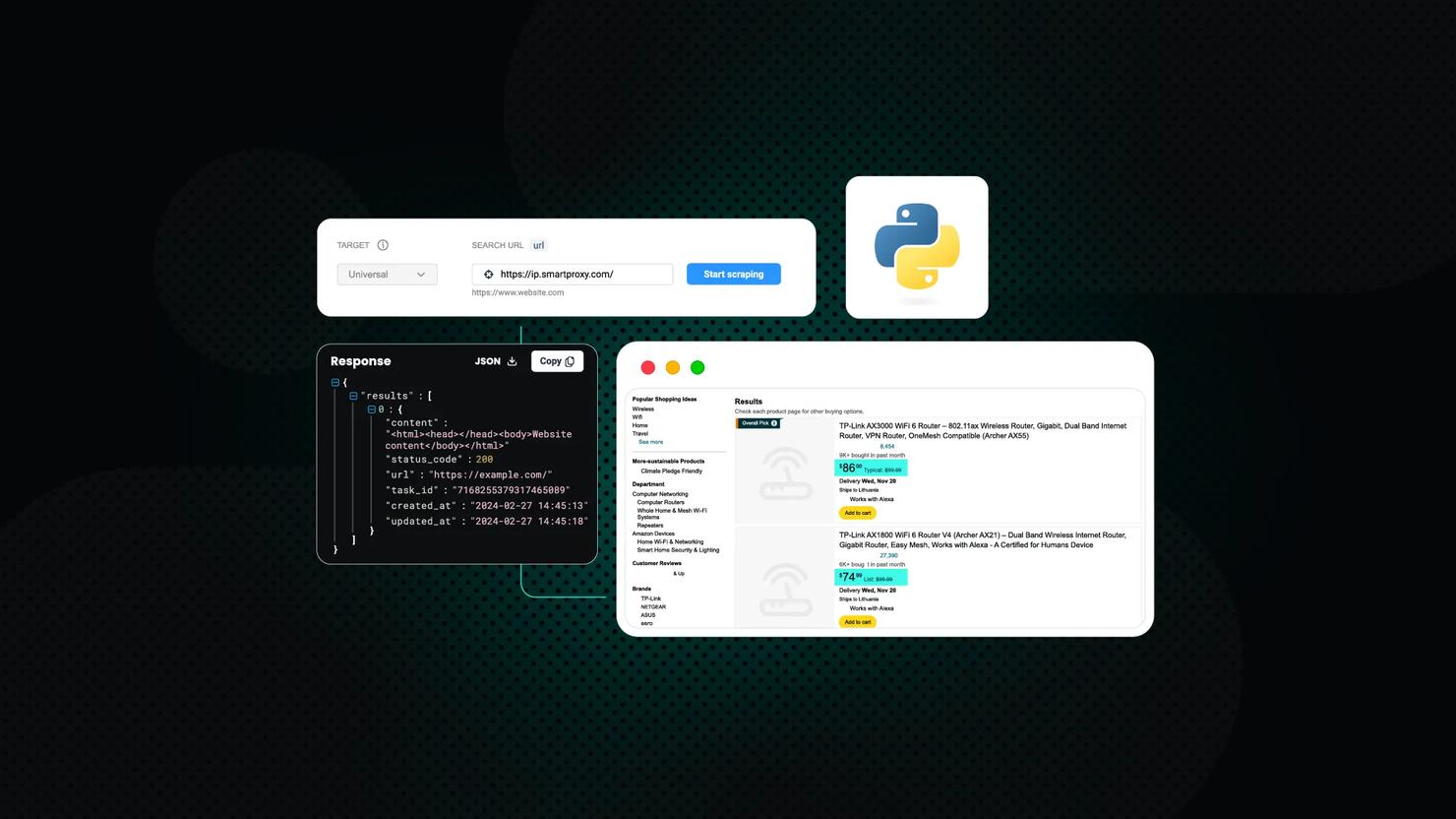
How to Scrape Etsy in 2026
Etsy is a global marketplace with millions of handmade, vintage, and unique products across every category imaginable. Scraping Etsy listings gives you access to valuable market data – competitor pricing, trending products, seller performance, and customer sentiment. In this guide, we'll show you how to scrape Etsy using Python, Playwright, and residential proxies to extract product titles, prices, ratings, shop names, and URLs from any Etsy search or category page.

Dominykas Niaura
Last updated: Jan 22, 2026
10 min read
TL;DR
How to scrape Etsy:
- Build a Python scraper with Playwright or Selenium
- Launch a headless browser with residential proxies
- Extract data via CSS selectors, save to CSV/database
- Avoid blocks with stealth flags and proxy rotation
Or simply use Decodo's Etsy scraper.
Etsy data you can scrape & practical ways to use it
Etsy listings expose a wide range of structured data that reflects real buyer demand, seller behavior, and market positioning. Scraping this data helps turn a creative marketplace into a measurable source of business insights. Here are the most commonly scraped Etsy data types and how each one is typically used:
Product and listing data
Product and listing details include the listing title, description, photos, category, variations, and availability status. Together they show how products are positioned, described, and differentiated within a specific Etsy niche. Here's what this data can be used for:
- Product research. Compare how top listings describe benefits, materials, sizing, and use cases, then use the patterns to shape new product ideas or improve your own positioning.
- Catalog building. Collect listings into a structured dataset for an affiliate site, a comparison tool, or an internal product database without manual copy and paste.
- Trend analysis. Track recurring themes in titles and product attributes across a category to spot what is gaining traction.
Prices, shipping, and discounts
Pricing data captures how sellers monetize their products, including item price, shipping cost, sale pricing, and promotional patterns, which makes the data useful for pricing analysis, competitive positioning, and margin planning:
- Price monitoring. Follow price changes over time to understand seasonality, sales cycles, and how often competitors run promotions.
- Competitive positioning. Map common price ranges for similar products and decide where a product should sit to compete on value or quality.
- Profitability checks. Combine price and shipping patterns to estimate how realistic a target margin might be in a specific niche.
Tags, keywords, and categories
Metadata data usually includes listing tags, categories, and sometimes other attributes that influence Etsy's internal search system, making the data especially valuable for keyword research, demand validation, and listing optimization:
- SEO keyword ideas. Uncover the terms sellers repeatedly use on high-performing listings and translate those terms into better titles, tags, and descriptions.
- Demand validation. See which keywords appear across many top listings and treat repeated usage as a signal of sustained buyer interest.
- Competitor tracking. Monitor how competitors adjust tags or categories over time as trends shift.
Reviews and ratings
Review data reveals how buyers actually experience products and shops over time, which allows the data to be used for quality benchmarking, product improvement, and identifying unmet expectations:
- Product improvement. Analyze review language to find what buyers love and what frustrates them, then prioritize fixes or new features accordingly.
- Quality benchmarking. Compare satisfaction across similar products and identify which shops deliver consistently strong experiences.
- Market gap discovery. Spot repeated complaints that competitors have not solved yet and use them as opportunities for differentiation.
Shop and seller information
Shop data describes the structure and maturity of businesses on Etsy, including shop age, sales volume, and overall reputation, which supports competitor analysis, niche mapping, and partner research:
- Competitor intelligence. Track which shops are growing, which product lines drive their momentum, and how their pricing and positioning evolve.
- Partner and supplier research. Identify reliable sellers with strong review histories for sourcing, collaborations, or wholesale conversations.
- Niche mapping. Estimate how crowded a niche is by analyzing how many established shops dominate results.
Popularity and engagement signals
Engagement signals indicate where buyer attention concentrates, using favorites and other visible activity as proxies for demand, which helps with trend detection, prioritization, and campaign timing:
- Trend detection. Use spikes in engagement as an early signal that a product style is rising before it becomes saturated.
- Product prioritization. Focus research on listings that consistently attract attention instead of sampling randomly.
- Campaign planning. Time promotions around periods when engagement tends to increase within a category.
Plan your Etsy scraping project
Before writing any scraping code, it helps to define a clear plan for what you want to collect and why. A small amount of upfront planning saves time later and reduces the risk of unnecessary blocks or wasted requests.
Define a narrow goal
Start with a specific, measurable objective rather than a broad idea like "scrape Etsy." A narrow goal keeps the dataset focused and makes it easier to judge whether the scraper delivers useful results.
- Price tracking. Monitor prices for a single product category or niche over time.
- Competitor analysis. Follow listings from a small set of competing shops.
- Keyword research. Collect tags and titles from top results for a handful of search terms.
Choose the right target pages
Different Etsy pages expose different types of data, so the goal should determine which URLs to scrape. Targeting the correct page type reduces noise and simplifies extraction logic.
- Search result pages. Useful for trend analysis, keyword research, and popularity signals.
- Category pages. Helpful for understanding pricing ranges and category-level competition.
- Shop pages. Best suited for seller analysis, catalog tracking, and review monitoring.
Decide which fields to extract
Once the goal and pages are clear, define the exact data fields to collect. By collecting only relevant fields, you'll keep datasets smaller, faster to process, and easier to analyze.
- Product data. Title, price, availability, variations, and tags.
- Engagement data. Favorites, review count, and ratings.
- Shop data. Shop name, location, total sales, and average rating.
Set scraping frequency and limits
Scraping frequency should match how often the data actually changes. Defining limits and schedules upfront helps avoid unnecessary load and lowers the risk of being blocked.
- Daily or weekly runs. Suitable for price monitoring and bestseller tracking.
- Less frequent runs. Suitable for shop metadata or long-term trend research.
Start small and scale gradually
A proof of concept is often more valuable than a large first run. Start with one category, a few search terms, or a small group of shops, validate the data quality, and only then expand coverage.
Scaling gradually makes it easier to adjust selectors, fields, and frequency without reworking the entire pipeline.
Consider managed scraping infrastructure
As projects grow, handling IP rotation, retries, headers, and error recovery becomes increasingly complex. Using a managed eCommerce scraping API can offload many of those technical details and let you focus on data quality and analysis instead of infrastructure.
Clear goals, limited scope, and realistic schedules turn Etsy scraping into a predictable data workflow rather than an experimental script. Planning first makes every later step simpler and more reliable.
How to scrape Etsy: step-by-step tutorial
Let's scrape Etsy's search results using Python and proxies. The script we're working with uses Playwright to automate a headless browser, navigate to Etsy search results, and extract listing data. It's designed to handle cookie consent prompts, wait for dynamic content to load, and parse product information from the page.
Before diving into the code, make sure you have the right setup. Here's what you'll need:
- Python. Ensure Python 3.7 or higher is installed on your machine. You can download it from the official website.
- Playwright library. Playwright automates a real browser and handles JavaScript-heavy pages like Etsy. Use the following commands in terminal to install Playwright and download the Chrome browser it will control:
- Browser inspection skills. You should know how to open your browser's developer tools and inspect elements on the page. This helps identify which HTML tags and classes to target in your script.
- Proxies. Etsy actively limits automated access. For anything beyond a few test runs, residential proxies are excellent to avoid IP bans and maintain stable scraping sessions.
Why proxies are essential for scraping Etsy
Proxies are crucial when scraping Etsy at scale. Without them, your requests come from a single IP address, making it easy for Etsy to detect and block automated activity. Proxies route your traffic through different IP addresses, distributing requests and making your scraper look more like multiple real users browsing the site.
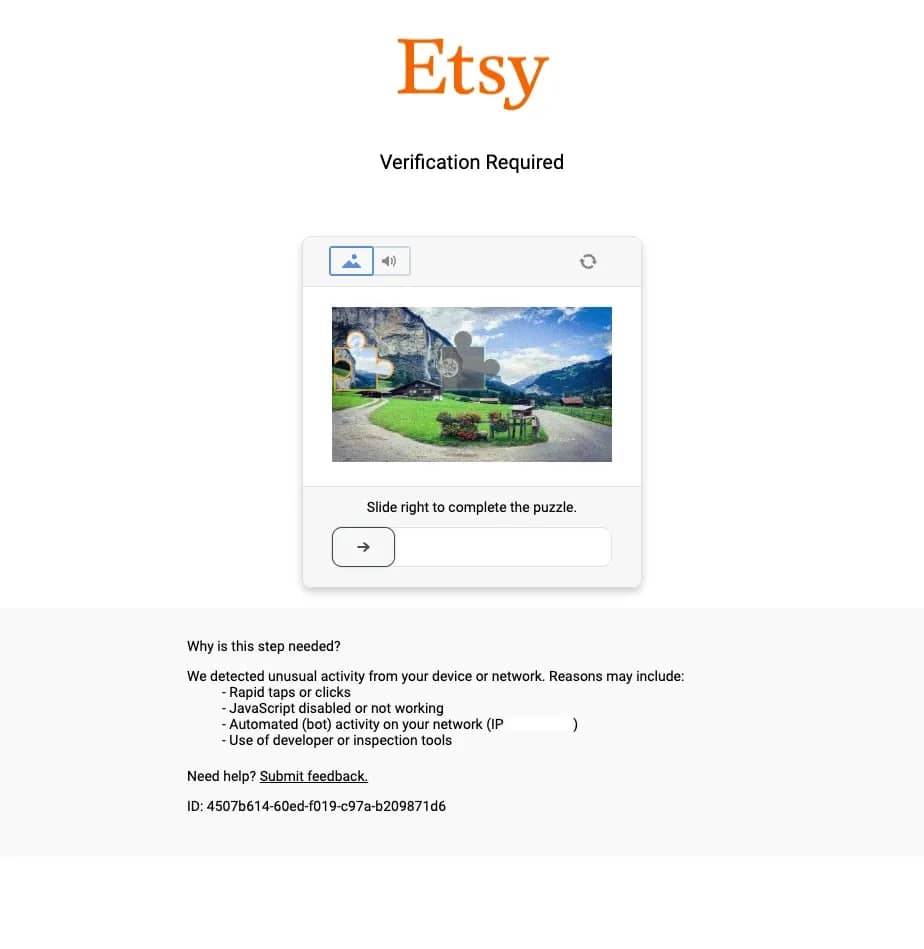
For Etsy scraping, residential proxies are the most reliable option. They come from real internet service providers and are much harder to detect than datacenter IPs. Pair them with proper rotation strategies (switching IPs based on request volume, timing, and error rates) to avoid triggering Etsy's anti-bot defenses.
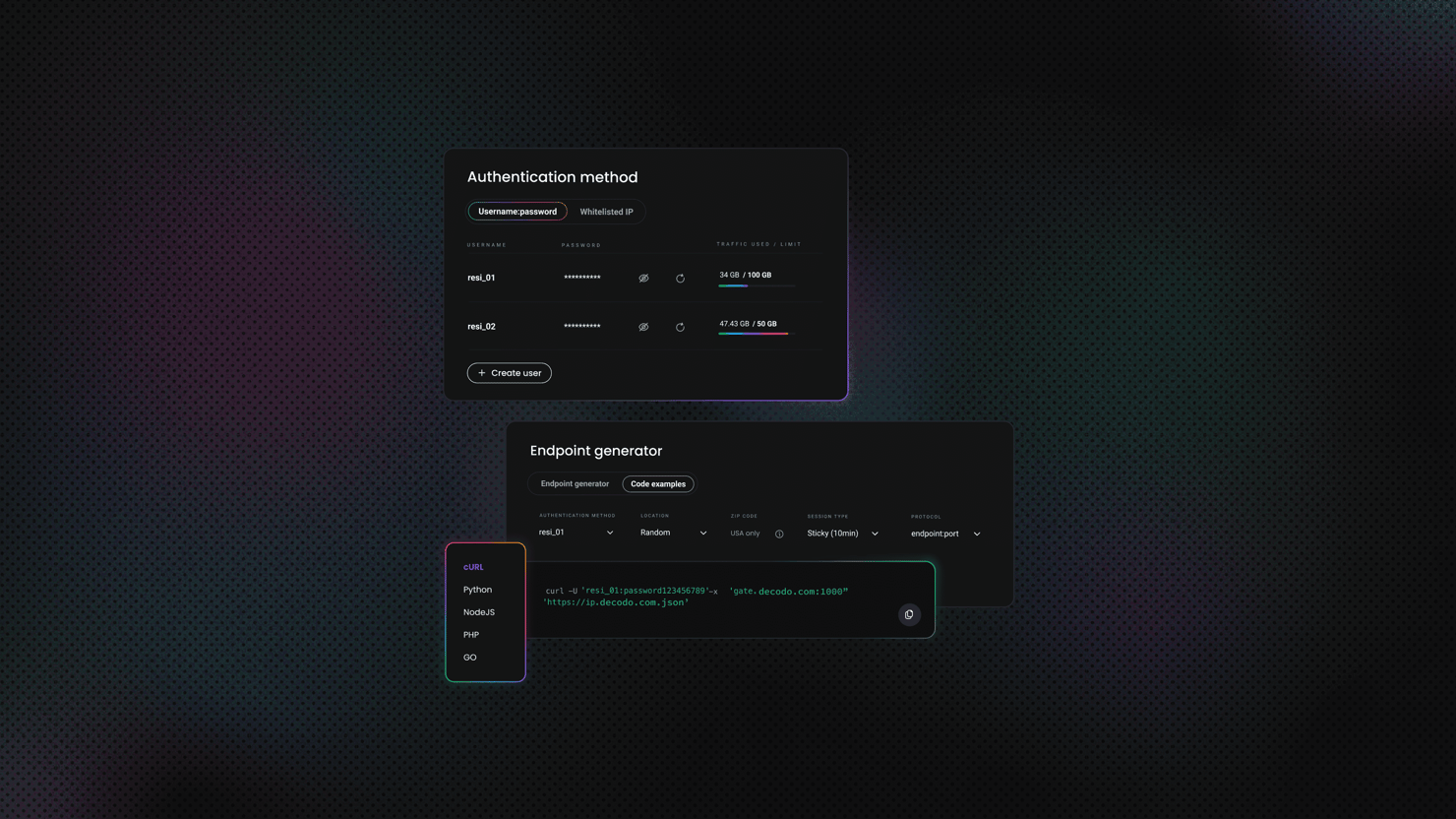
Decodo offers high-performance residential proxies with a 99.92% success rate, response times under 0.6 seconds, and geo-targeting across 195+ locations. Here's how to get started:
- Create your account. Sign up at the Decodo dashboard.
- Select a proxy plan. Choose a subscription that suits your needs or start with a 3-day free trial.
- Configure proxy settings. Set up your proxies with rotating sessions for maximum effectiveness.
- Select locations. Target specific regions based on your data requirements or keep it set to "Random."
- Copy your credentials. You'll need your proxy username, password, and server endpoint to integrate into your scraping script.

Get residential proxies for Etsy
Unlock superior scraping performance with a free 3-day trial of Decodo's residential proxy network.
Finding the data you need
Etsy loads its content dynamically using JavaScript, so you can't just fetch the page HTML with a simple HTTP request. You'll need to inspect the rendered HTML in a browser.
Open any Etsy search results page in Chrome or Firefox, right-click anywhere on the page, select Inspect Element, and click on a listing using the selection tool. You'll notice that each property appears inside listing containers with attributes like data-appears-component-name or data-palette-listing-id. Inside, you'll find data points like titles, prices, ratings, and shop names spread across multiple elements.
The scraper will target these structures using Playwright's locator system:
- Title and URL are extracted from heading tags (h3) within each listing card, with multiple fallback selectors to handle different page layouts.
- Rating is identified through aria-label attributes (e.g., "5 out of 5 stars") or by parsing text from specific span elements.
- Review count is extracted by matching patterns like "(1,234)" from paragraph or span elements.
- Shop name is parsed from the card's text content using regex patterns to capture text after "by" or "advertisement by", then cleaned to remove prefixes like "Etsy seller".
- Price data comes from elements with classes like lc-price and currency-value, combining currency symbols with numerical values.
- Discount information is captured from strikethrough prices and percentage-off text when applicable.
- Photo URLs are extracted from image tags, prioritizing high-resolution versions from the srcset attribute.
Building the scraper
The scraper is structured around a single class, EtsyScraper, which keeps logic organized and easy to extend. Before we dive into how it works, you'll need a target URL to scrape.
Start by going to Etsy's home page and using the search bar at the top to look for any item you're interested in. For example, you can search for "beret." Once the results load, you must select at least one category from the left sidebar filters – this is required for the scraper to work correctly with Etsy's URL structure. You can also further refine with additional filters like price range, colors, hat style, or material.
After selecting a category and applying any other filters, copy the full URL from your browser's address bar. This URL contains all your search parameters and filter selections, which means the scraper will target exactly the same results you're seeing. You'll paste this URL into the main() function later. Without a category filter applied, the URL structure may not be compatible with the scraper's extraction logic.
Now let's look at how the scraper works:
- scrape_listings(). This method handles navigation and data extraction. It launches Chrome (not Chromium) with channel="chrome" for better compatibility, navigates to the target URL, handles cookie consent, waits for listings to load, then runs JavaScript in the browser context to extract all product data at once. The extraction uses multiple fallback selectors to maintain data integrity across different Etsy page types.
- Handling dynamic content. Since Etsy relies on JavaScript rendering, the scraper waits for the DOM to load, then adds a 3-second delay to ensure all elements have appeared. It counts the number of visible listing cards to verify that the page loaded correctly.
- Anti-detection measures. To reduce blocking and work reliably in headless mode, the scraper includes several stealth techniques: it uses channel="chrome" instead of Chromium, disables automation flags with --disable-blink-features=AutomationControlled, sets a realistic viewport (1920x1080), uses a current Chrome user agent, and removes the navigator.webdriver property through initialization scripts.
Saving and using the data
There are many ways to save scraped data, but in this script, the results are stored in a clean CSV file for easy analysis. The save_to_csv() method exports fields like title, shop name, price, rating, and URL, while the print_listings() method shows a preview and displays helpful statistics like how many listings had shop names successfully extracted.
Once exported, the CSV can be loaded into Pandas for deeper analysis – tracking price trends, rating distributions, or comparing product categories. This makes it easy to identify top-performing listings based on ratings and reviews, or to run the scraper regularly and monitor how prices and availability shift over time.
The script is fully customizable. You can change the target URL to scrape different categories or search terms, adjust wait times if pages load slowly, or expand the scrape_listings() method to include additional details like seller information or product tags. Its modular structure makes it easy to evolve with your project's goals.
The complete Etsy scraping script
Below is the full script that brings together everything we've covered. You can copy this code, save it with a .py extension, and run it from your terminal or IDE.
Before running, make sure to replace YOUR_PROXY_USERNAME and YOUR_PROXY_PASSWORD with your actual Decodo proxy credentials. You'll also need to update the target URL in the main() function – the example points to vintage berets, but you can swap this out for any Etsy search results page or category page.
The script will automatically print a preview of the first 5 listings in your terminal and save the complete dataset to a CSV file named etsy_listings.csv. If you want to preview more or fewer results, just change the preview_count value in the print_listings() call.
Once scraping completes, the output appears as a neatly structured preview in your terminal – title, URL, shop name, price (including any discounts), rating, review count, and photo URL. Meanwhile, the full dataset with all listings gets exported to etsy_listings.csv, ready for analysis in Excel, Google Sheets, or Pandas. Here's what the result in the terminal looks like:
Scaling up your Etsy scraper
Once you've got the basic scraper working, you'll likely want to collect more data across multiple pages, categories, or time periods. Here's how to scale up your operation:
Implementing pagination
Etsy search results pages include a navigation arrow at the bottom that moves to the next page of results. To scrape multiple pages automatically, add pagination logic to modify the scrape_listings() method to create a new function that loops through pages.
The approach is straightforward: after scraping the first page, locate the next page arrow, click it, wait for the new results to load, then extract the data. Repeat this process until you've collected the desired number of pages or until the arrow disappears (indicating you've reached the last page). Remember to add delays between page transitions to avoid triggering rate limits.
Scraping multiple URLs
To collect data from different categories or search queries, create a list of target URLs and loop through them sequentially. This works well for comparing different product categories or tracking multiple search terms over time.
The key is to treat each URL as a separate scraping session – navigate to it, extract the data, store the results, then move on to the next one. Add delays between different URLs (typically 3-5 seconds or more) to space out your requests and reduce the likelihood of detection. You can also add metadata to each scraped item to track which URL it came from, making analysis easier later.
Storing data in a database
For larger datasets or ongoing collection, CSV files become unwieldy. A database is a better choice. SQLite works perfectly for local projects and doesn't require a separate server. You'd create a table with columns matching your scraped fields (title, URL, shop, price, rating, etc.), then insert each scraped listing as a new row.
The advantage of databases is built-in deduplication – you can set the listing URL as a unique constraint, so attempting to insert the same listing twice simply skips it rather than creating a duplicate. For production environments handling thousands of listings daily, PostgreSQL or MySQL offer better performance and concurrent access.
Scheduling scraping tasks
To run your scraper automatically at regular intervals, you have several options. On Linux or Mac, cron jobs let you schedule scripts to run at specific times (daily at 2 AM, every 6 hours, etc.). On Windows, Task Scheduler does the same thing.
For a platform-independent solution that stays within Python, the schedule library lets you define when and how often to run your scraper, then keeps it running in a loop. This is ideal for tracking price changes, monitoring new listings, or building time-series datasets. Just make sure to log each run's results and any errors so you can monitor performance over time.
Handling errors at scale
When scraping multiple pages or URLs, errors become inevitable – network hiccups, proxy timeouts, page structure changes, or rate limiting can all interrupt your scraper. The solution is robust error handling with automatic retries. Wrap your scraping logic in try-except blocks that catch failures, log what went wrong, wait a bit (exponential backoff works well), then try again.
Typically, you'd retry 3-5 times before giving up on a particular page or URL. This prevents one broken page from crashing your entire multi-hour scraping session. Also consider implementing checkpoint saving, where you store progress after every few successful pages so you can resume from where you left off if something goes wrong.
Rotating proxies for scale
When scraping hundreds or thousands of pages, using a single proxy IP won't cut it. You need rotation. The simplest approach is to maintain a list of different proxy configurations and cycle through them as you make requests.
After scraping a page or two, switch to the next proxy in your list. This distributes requests across multiple IPs, making each individual IP look less suspicious. For even better results, use Decodo's rotating residential proxies with sticky sessions – each session maintains the same IP for several minutes (reducing the chance of mid-scrape blocks), but automatically rotates to a fresh IP for the next session. This gives you the stability of persistent IPs with the protection of automatic rotation, all without writing complex proxy management code yourself.
Skip the complexity with Web Scraping API
If building and maintaining all this infrastructure sounds like more work than you signed up for, there's a simpler path. Scraping APIs handle the heavy lifting for you – proxy rotation, JavaScript rendering, retry logic, CAPTCHA solving, and rate limiting all work automatically behind the scenes.
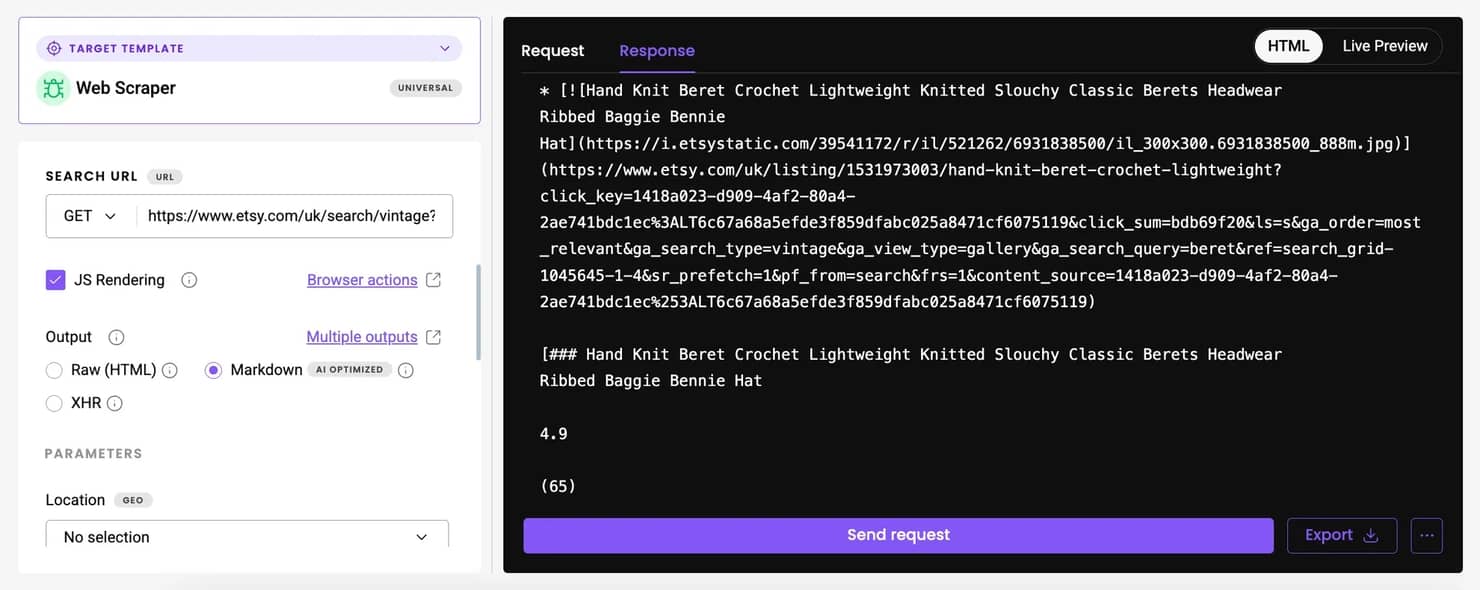
Decodo's Web Scraping API lets you send a target URL and get back clean data in HTML, JSON, or CSV format. It includes 100+ ready-made templates for popular websites. While Etsy isn't among the pre-built templates yet, you can use the Web (universal) target, which returns the fully rendered HTML of any page. From there, you can parse the output using the same extraction logic as in the Playwright script we covered earlier – just without needing to manage browsers, proxies, or anti-detection measures yourself.
For even cleaner results, enable the Markdown option in the API settings. This converts the page into structured text, stripping away unnecessary HTML and making it easier to extract product information programmatically. While Etsy pages contain some extra markup, Markdown output can still simplify parsing for basic data points like titles, prices, and descriptions.
The API approach is especially valuable when you're scraping at scale across multiple marketplaces. Instead of maintaining separate scripts with different selectors, proxy pools, and error handling for each site, you make standardized API calls and let the service handle the complexity. This means faster development, fewer maintenance headaches, and more reliable data collection – all without writing a single line of browser automation code.

Get Web Scraping API for Etsy
Claim your 7-day free trial of our scraper API and explore full features with unrestricted access.
Reusing your Etsy scraper for other marketplaces
Once you've built a working Etsy scraper, you've essentially created a template that can be adapted for other eCommerce platforms. The core logic stays the same – only the selectors and site-specific quirks change.
The universal scraping workflow
Every marketplace scraper follows the same basic pattern, regardless of whether you're targeting Etsy, Amazon, eBay, or AliExpress:
1. Choose your target. Start with a search results page or category listing. Copy the URL after applying any filters you want (price range, ratings, product type, etc.).
2. Load the page with Playwright. Since most modern marketplaces use JavaScript to render content, you'll need a headless browser to get the fully loaded HTML. Navigate to your target URL and wait for the content to appear.
3. Identify the product containers. Use your browser's DevTools to inspect a single product card and find its container element. This might be a <div>, <li>, or <article> tag with a specific class or data attribute. Once you've found it, locate all similar containers on the page.
4. Extract the data points you need. For each product container, pull out the fields that matter: title, price, rating, review count, seller name, and product URL. Use CSS selectors or XPath to target specific elements, and always include fallback selectors in case the page structure varies.
5. Save your results. Start with CSV for simplicity, then graduate to a database (SQLite, PostgreSQL) when you need better querying, deduplication, or time-series tracking.
6. Add pagination. Find the "Next" button, arrow, or page number links. Click them programmatically, wait for new results to load, and repeat the extraction process until you've collected enough pages or hit the last page.
7. Handle errors gracefully. Wrap your scraping logic in try-except blocks with retry logic. Network failures, missing elements, and rate limits are normal at scale – your scraper should log the issue and move on rather than crash.
Adapting the pattern for other sites
The Etsy scraper you've built is structured in a way that makes it easy to port to other platforms. Here's what changes and what stays the same:
- What stays the same: The overall class structure, Playwright setup, proxy configuration, anti-detection measures, CSV export logic, and error handling patterns all remain identical. You're still launching a headless browser, navigating to a URL, extracting data from HTML, and saving it to a file.
- What needs updating: The target URL format, CSS selectors for product containers and individual fields (title, price, rating), pagination mechanism (some sites use numbered links instead of arrows), and cookie consent handling (each site has different button text and selectors).
For example, if you wanted to scrape AliExpress, you'd keep the entire EtsyScraper class structure but update the selectors inside the JavaScript extraction code. Instead of targeting h3.v2-listing-card__title for titles, you'd inspect AliExpress product cards and find their equivalent. The pagination logic might also need adjustment depending on how AliExpress structures its page navigation – some sites use numbered page links, others use load-more buttons, and some implement infinite scroll that requires different handling than Etsy's arrow-based system.
To sum up
Scraping Etsy comes down to three essentials: browser automation with Playwright, residential proxies to avoid blocks, and robust selectors that adapt to different page layouts. The scraper you've built extracts product titles, prices, ratings, shop names, and URLs while handling anti-bot detection. You can scale it up with pagination, multi-URL loops, database storage, and scheduled runs, or skip the complexity entirely with Decodo's Web Scraping API. With these tools in hand, you're ready to track competitor pricing, analyze market trends, and build powerful product research tools for Etsy.

Get residential proxy IPs for Etsy
Claim your 3-day free trial of residential proxies and explore full features with unrestricted access.
About the author

Dominykas Niaura
Technical Copywriter
Dominykas brings a unique blend of philosophical insight and technical expertise to his writing. Starting his career as a film critic and music industry copywriter, he's now an expert in making complex proxy and web scraping concepts accessible to everyone.
Connect with Dominykas via LinkedIn
All information on Decodo Blog is provided on an as is basis and for informational purposes only. We make no representation and disclaim all liability with respect to your use of any information contained on Decodo Blog or any third-party websites that may belinked therein.