Incognito Proxies That Hide Your IP
Chrome’s Incognito mode only clears data on your own machine. A Decodo incognito proxy replaces your real IP with an elite-anonymity address, so the sites you visit never see who or where you are. Connect through 125M+ residential, mobile, datacenter, and ISP IPs across 195+ locations for private browsing, market research, and ad verification.
14-day money-back option
125M+
ethically-sourced IPs
195+
locations
<0.2s
response time
99.99%
uptime
3-day
free trial
Trusted by 135K+ businesses:







What is an incognito proxy?
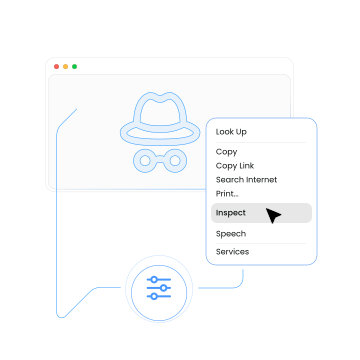
An incognito proxy is an intermediary that replaces your IP address and location with its own, masking your identity. Static residential (ISP) and residential proxy are generally the go-to option if you're looking for incognito proxies.
Unlike private modes built into Chrome or Firefox, which only prevent local save data, incognito proxies actively mask your IP and location from target websites.
How do incognito proxies work?
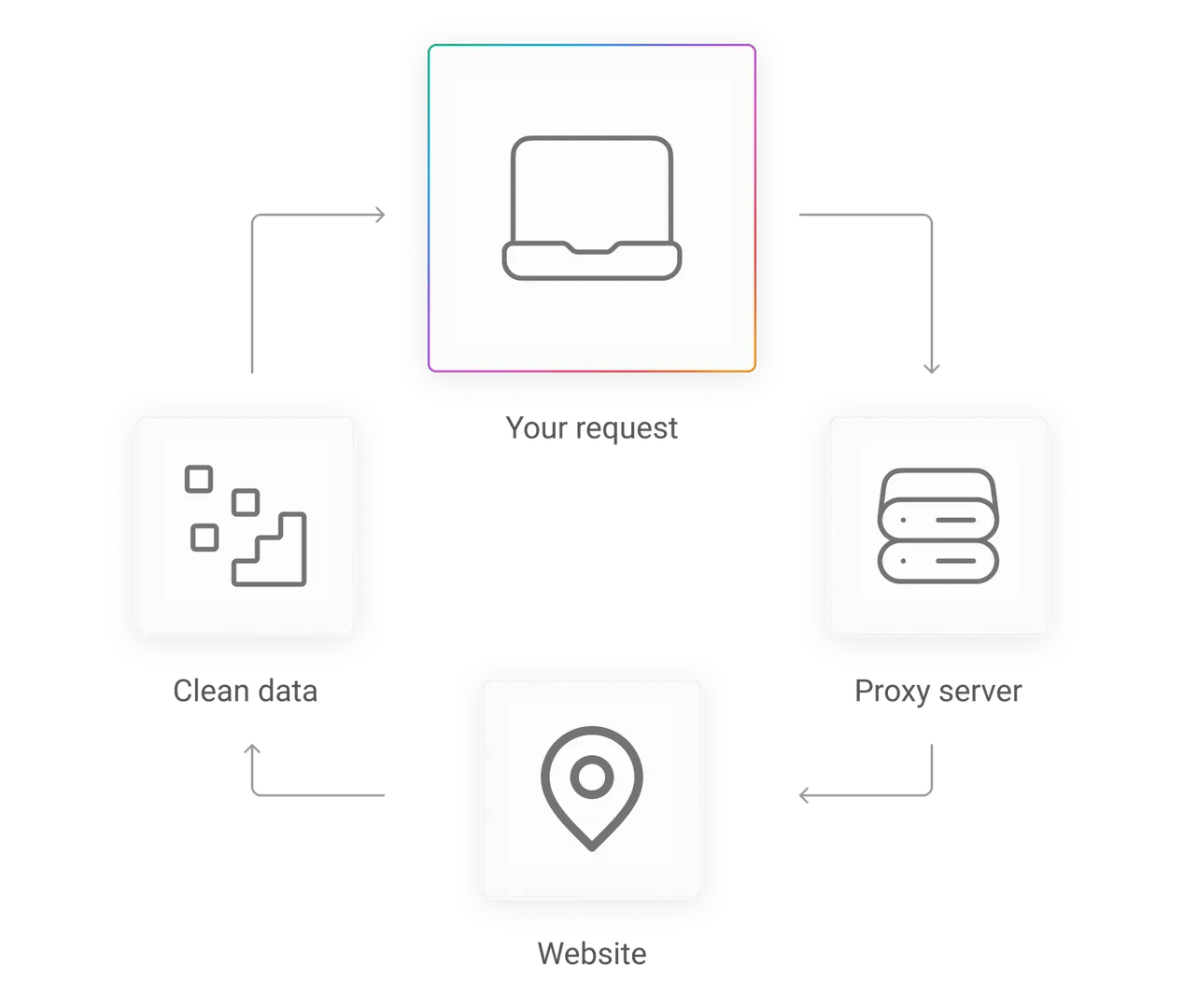
Incognito proxies route your traffic through an intermediary server, keeping your identity a secret:
- First, your request goes to Decodo's incognito proxy server.
- The proxy replaces your real IP with its own and relays the request to the target site.
- Lastly, the target responds directly to the proxy, which delivers the response back to you.
What does an incognito proxy protect you from?
- Websites logging your real IP address
- Geo-restrictions based on your location
- Websites correlating your sessions and building a profile from your IP
- IP-based personalization that skews content or pricing
- Cross-site tracking tied to your IP
Compare Decodo's incognito proxies to other products
Decodo incognito proxy
Chrome Incognito mode
VPN
Free proxy
Masks your IP
Yes
No
Yes
Unreliable
Hides local browsing history
Yes (no local trace)
Yes
Yes
Partial
IP source
Real residential or ISP addresses
Your own ISP address
Shared VPN server IP
Unknown, likely data center
Geo-targeting
Continent, country, city, ASN & ZIP
None
Server location only
Limited
Session control
Rotating & sticky
N/A
Static until reconnection
None
Response speed
<0.5s residential; <0.2s ISP proxies
Native browser speed
100–300ms latency
Unpredictable
Uptime
99.99%
N/A
Varies by provider
Unpredictable
Pool size
125M+ IPs
Single IP (your own)
Varies by provider
Thousands of IPs, often blacklisted
Why choose Decodo for your incognito browsing?


Fast proxies
Equip proxies with <0.2s response time and stay undetected.

Down to ASN-level targeting
Choose between continent, country, city, ASN, or ZIP-level precision

Rotating and sticky sessions
Get a fresh IP with every request or hold a consistent identity

HTTP(S) and SOCKS5 support
Works with any browser, app, or tool that supports proxies

Elite anonymity level
No IP and proxy-identifying headers passed to destination sites

99.99% uptime
Infrastructure reliability guaranteed with a vast IP pool

24/7 tech support
Technical support team, plus documentation and a hands-on Discord community available

What are incognito proxies used for?
Any workflow that breaks when a site recognizes your IP. Incognito proxies give each session a clean, elite-anonymity address, so you see the same content a real local user sees, and your own infrastructure stays out of the request.
Private browsing
Route traffic through residential proxies to mask your real location when browsing, avoiding IP-based ad targeting and skewed, personalized content.
Learn moreMarket research
Collect analytics data on everything from competitor pricing to SERPs without revealing your company’s IP, which may trigger targeted content or inflated prices.
Learn moreAd verification
Confirm your ads display as intended across target regions. Incognito proxies let you see your ads the way real users do, bypassing cloaking attempts that hide hijacked content.
Learn moreMulti-account management
Set up and manage multiple identities across eCommerce and social media platforms using static IPs that keep every account looking consistent and trustworthy.
Learn moreBrand protection
Detect trademark misuse, counterfeit listings, and unauthorized sellers without alerting the bad actors.
Learn moreWhich browsers and devices are compatible with incognito proxies?
Decodo proxies work with any browser or device that supports manual proxy configuration or extension-based setup.
Platform
Type
Setup guide
How to get started with an incognito proxy?
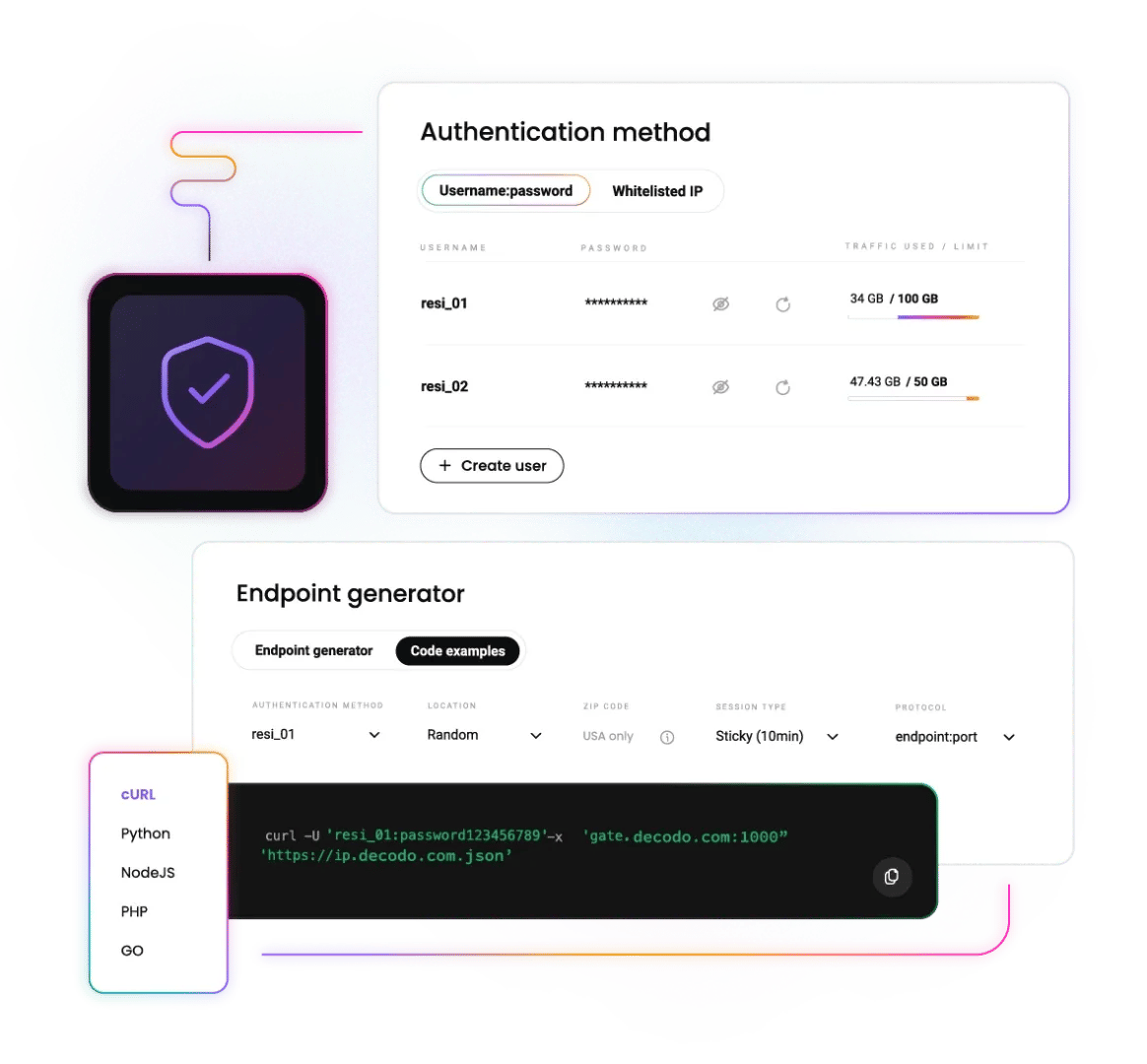
Setting up an incognito proxy takes three things – your Decodo credentials, a proxy endpoint, and a port. You’ll find all three in the Proxy Setup tab of your dashboard, and no coding knowledge is needed for browser or device setup.
How do I set up an incognito proxy without writing code?
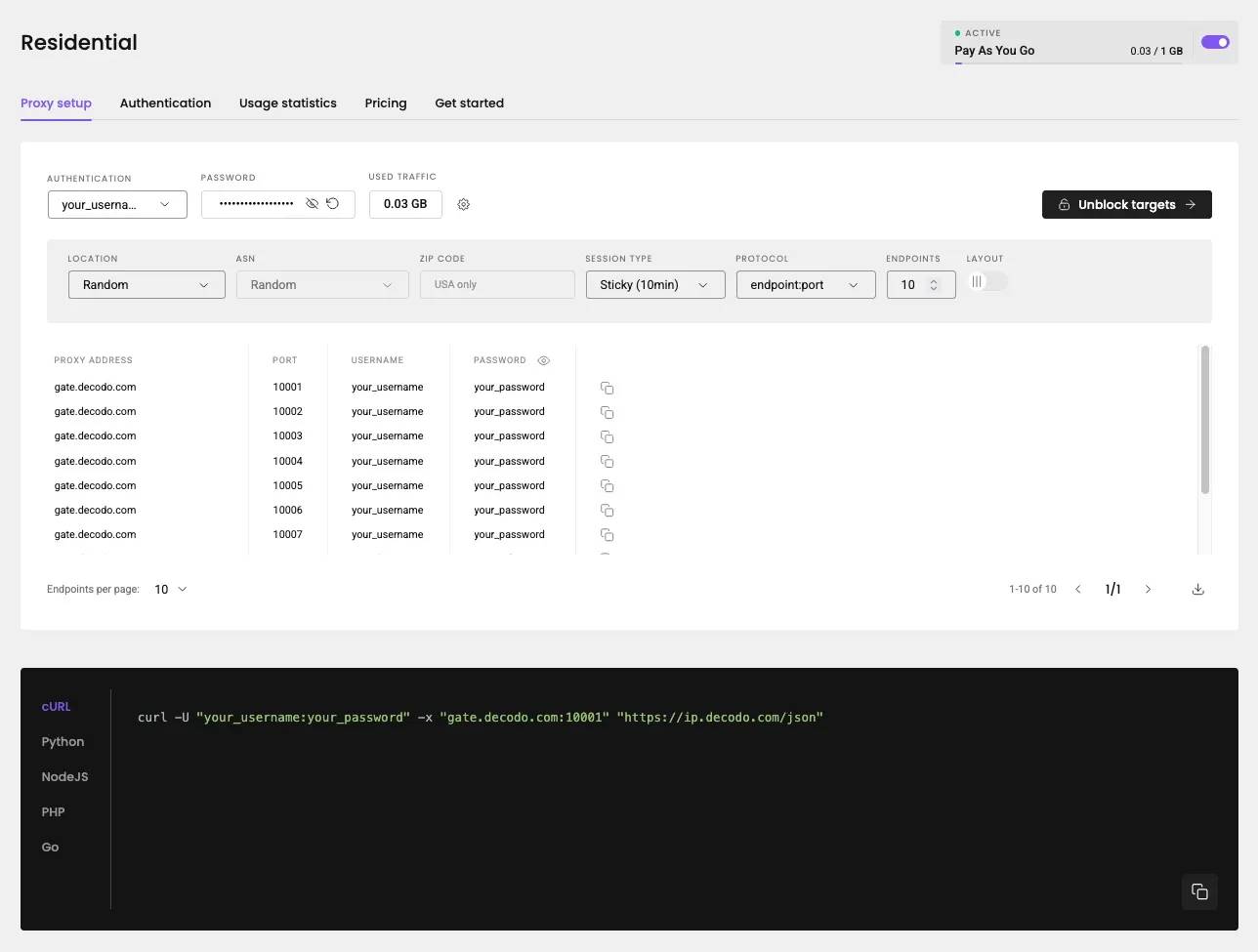
After signing up for a Decodo account, you will find all the necessary credentials and configuration info in the Proxy Setup tab of your chosen proxy type. Simply copy them into your browser’s proxy settings or extension, and you’re good to go.
Read quick start guideHow do I find my proxy server address?
Your proxy hostname and port are shown in the Decodo dashboard, under the Proxy Setup tab of your chosen proxy type.
Dive deeperHow do I try an incognito proxy for free?
You can claim your 3-day free trial of any proxy type. With it, you get 100MB and access to all Decodo proxy features, including all geo-locations and session control.
Claim free trial
How are incognito proxies priced?
We offer flexible pricing models depending on your proxy of choice:
- Residential proxies. Pick between a monthly Pay per GB subscription or a Pay As You Go option
- Mobile proxies. Pick between a monthly Pay per GB subscription or a Pay As You Go option
- ISP proxies. Shared IPs come with Pay per GB or Pay per IP billing, while dedicated IPs are billed per IP
- Datacenter proxies. Shared IPs come with Pay per GB or Pay per IP billing, while dedicated IPs are billed per IP
Custom plans are also available for enterprise clients, and upgrading your plan as your business scales is as easy as simply picking a higher tier, no reconfiguration required.
You can also test drive our proxies before grabbing a subscription with a 3-day free trial.
Explore our incognito proxy pricing
25 GB
$2.6
/GB
Total:$130$65+ VAT billed monthly
Use discount code - RESI50
With each plan, you access:
115M+ ethically-sourced IPs
HTTP(S) & SOCKS5 support
<0.5s average response time
99.92% success rate
Unlimited threads & concurrent sessions
Country, state, city ASN & ZIP code targeting
Rotating and sticky sessions
#1 response time in the market
Free 24/7 tech support
SSL Secure Payment
Your information is protected by 256-bit SSL

See what our clients and industry experts say about us
135K+ users trust our infrastructure for all their incognito browsing, monitoring, and data collection needs.

Attentive service
The professional expertise of the Decodo solution has significantly boosted our business growth while enhancing overall efficiency and effectiveness.
N
Novabeyond
Easy to get things done
Decodo provides great service with a simple setup and friendly support team.
R
RoiDynamic
A key to our work
Decodo enables us to develop and test applications in varied environments while supporting precise data collection for research and audience profiling.
C
Cybereg






Incognito proxy guides and resources
Most recent
JavaScript Web Scraping Tutorial (2026)
Ever wished you could make the web work for you? JavaScript web scraping allows you to gather valuable information from websites in an automated way, unlocking insights that would be difficult to collect manually. In this guide, you'll learn the key tools, techniques, and best practices to scrape data efficiently, whether you're a beginner or a developer looking to streamline data collection.

Zilvinas Tamulis
Last updated: Oct 12, 2026
13 min read
Most popular
What is Anonymous Proxy?
Anonymous proxies allow you to browse the internet without revealing your original IP address. They can offer you more – find out what in this article.
Anonymous proxies, sometimes called anonymizers, do not disclose your personal information to your target websites, including your IP address and location.
While connecting through a proxy server, they act like a privacy shield making your browsing on the internet hard to trace. Residential proxies take this a step further by routing traffic through real devices, making detection even more difficult.
James Keenan
Last updated: Jul 05, 2022
8 min read
How to Hide Your IP Address: Top 5 Ways
Because the internet never forgets and every click leaves a digital footprint, hiding your IP address is sometimes essential. Staying anonymous enhances data security and grants access to geo-restricted content, though it comes with a few trade-offs. This guide covers 5 effective ways to hide your IP and protect your online privacy.
Vilius Sakutis
Last updated: Mar 07, 2025
7 min read
Proxy Anonymity Levels: Transparent vs Anonymous vs Elite
Not all proxies actually protect your identity. Some proxies openly tell websites, "This request came through a proxy," while some can even leak your real IP if they're configured poorly. There are three proxy anonymity levels: transparent, anonymous, and elite. This article will walk you through each one, explain how they work, and help you choose the most suitable option for you.
Vytautas Savickas
Last updated: Feb 20, 2026
7 min read
Fake IP Address: What Is It and Why Shouldn't You Use It?
When we scale businesses, do research, or just scroll leisurely, it's always a good idea to be clued up on online security. Whatever your reasons for running your eyes over a web browser are, anonymity and privacy are two pretty important players here. The thing is that any browser, website, system, or network can see our IP address. Some of them might even log your IP address and track it. In this blog post, we’ll go over the dangers of using free software, fake IPs, and the illegal aspects of using IP information.
Benediktas Kazlauskas
Last updated: Nov 05, 2025
6 min read
Why UK Users Are Replacing VPNs with Proxies
With growing discussions around tighter regulations and potential restrictions on VPN use in the UK, many businesses are already seeking alternatives to avoid getting caught in the crackdown. Proxies have quickly become the go-to solution for those who need reliable access to geo-restricted content or want to maintain control over their digital footprint without facing possible restrictions.
Benediktas Kazlauskas
Last updated: Jul 30, 2025
4 min read
Random IP Address: Examples, Use Cases, Risks, and Alternatives
From web scraping to getting around geo-blocks, IPs play a huge role in how the internet works behind the scenes. But there’s a flip side – using a free or random IP from a sketchy provider can cause way more trouble than you’d expect. It can break compliance rules, mess with your data, or even lead to bigger operational and reputational problems. Dive into this article to learn more about the risks of random IP addresses.
Kotryna Ragaišytė
Last updated: Aug 19, 2025
8 min read
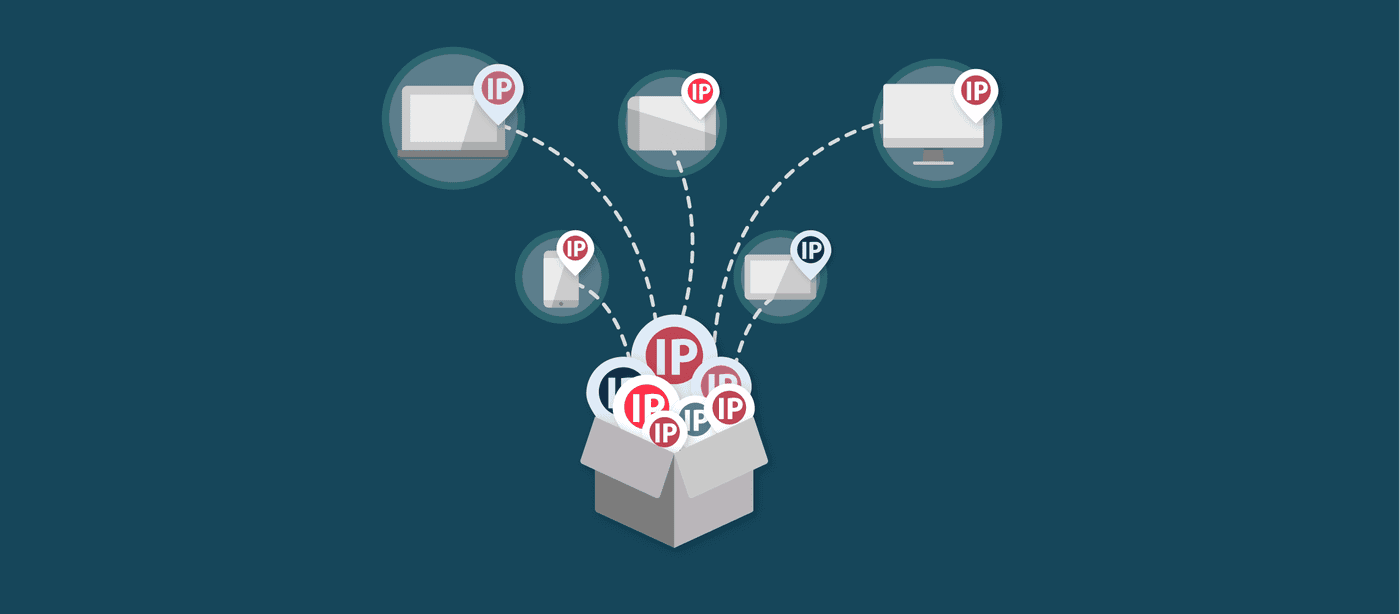
How IP Hopping Can Help You Bounce Your IP Address [VIDEO]
IP hopping is the practice of using one IP address for a little while and then changing it to another one. IP hopping or IP bouncing lets you avoid flags and bans. It is an important part of many online services.
James Keenan
Last updated: May 28, 2021
2 min read
Difference Between SOCKS5 Proxy vs. HTTP Proxy
Choosing the right proxy type is essential for optimizing performance, security, and efficiency in web data collection. SOCKS and HTTP proxies serve different technical needs, from handling large-scale web scraping projects to managing automation and secure connections. In this article, we’ll compare SOCKS (SOCKS5 in particular) and HTTP proxies, explore their advantages, and help you determine which option best supports your data-driven tasks. By the end, you’ll have the clarity to make an informed decision and scale your operations with confidence.
Vilius Sakutis
Last updated: Mar 06, 2025
7 min read
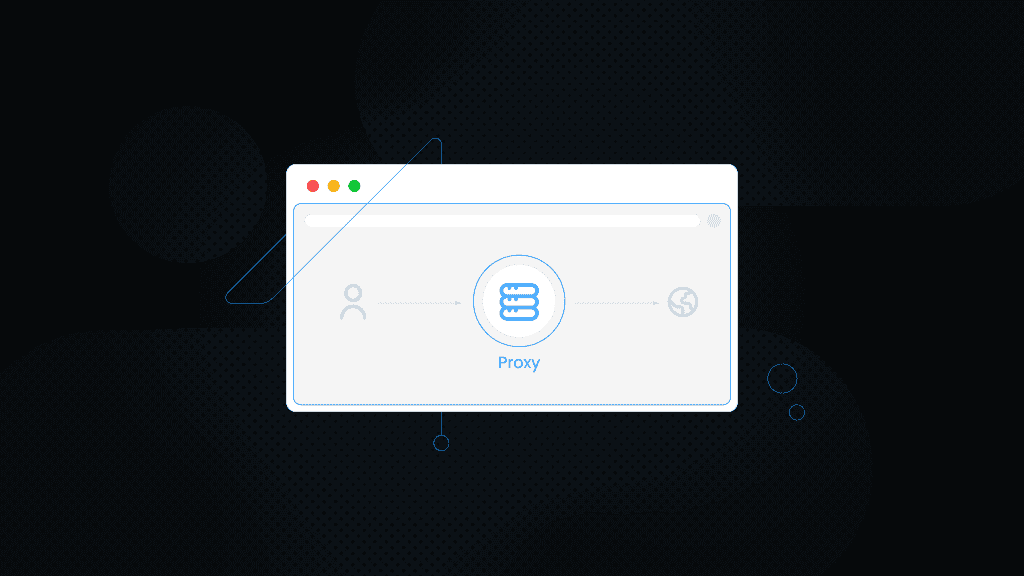
What Is a Proxy Connection on a Browser? Everything You Need to Know
Did you know that every time you browse the internet, your IP address is exposed? Your IP reveals your location, device information, and even your online activities. But what if there was a way to protect your privacy and keep your online activities anonymous?
Enter the world of proxies via browsers. Determining the meaning of proxies on a browser can help you understand how these tools shield your identity and secure your online presence.
- The basics of a proxy connection on a browser.
- Different types of proxies on browsers and their advantages and disadvantages.
- How to set up a proxy on a browser.
Martin Ganchev
Last updated: Oct 09, 2024
3 min read
Frequently asked questions
Does an incognito proxy actually hide my IP address?
Yes. Elite and anonymous level incognito proxies hide your real IP address in request headers. Elite proxies don’t show your real IP, nor the use of a proxy, while anonymous proxies only reveal that you’re using a proxy. Choose elite proxies whenever proxy detection would break your workflow.
What is the difference between an incognito proxy and Chrome's Incognito mode?
Incognito proxies mask your real IP address and location from the target website and its trackers, effectively giving you a different identity. Chrome’s Incognito mode only prevents local saved data, like storing your browsing history or reusing accepted cookies on visited websites.
Is an incognito proxy the same as a VPN?
No. Both a proxy and a VPN hide your IP, but they work differently and fit different use cases. VPNs cover your entire device's traffic, encrypting and routing it through one shared server – often for privacy. Proxies only handle individual app traffic and don't add encryption beyond the used protocol. On top of private browsing, proxies unlock more use cases like monitoring, content verification, and market research.
What type of proxy gives the most anonymity?
Elite proxies deliver the highest level of anonymity because requests routed through such proxies don’t mention your real IP address or proxy use in their headers. There are also anonymous-level proxies, which hide your IP, but not proxy use, and transparent-level proxies, which leak both your real IP address and the fact that you’re using a proxy.
Can I use an incognito proxy on my phone?
Yes. Decodo proxies work on Android and iPhone by setting them up manually in your Wi-Fi proxy settings. Mobile proxies are also available and provide the highest trust level for mobile workflows and specific use cases.
Do incognito proxies support SOCKS5?
Yes, all Decodo proxies support both HTTP(S) and SOCKS5 protocols. Setup varies by device, but in most cases, you just need to select SOCKS5 as the protocol when configuring your Decodo proxy.
Start Browsing Incognito Today
Access 125M+ residential, mobile, datacenter, and ISP IPs at elite anonymity level and keep your real address out of every request, whether you are browsing, monitoring prices, or verifying ads.
14-day money-back option